Free • No signup Create Renaissance portrait · Free

AI Renaissance Portrait Maker

Describe the Renaissance style and AI paints your portrait like an old master in seconds.
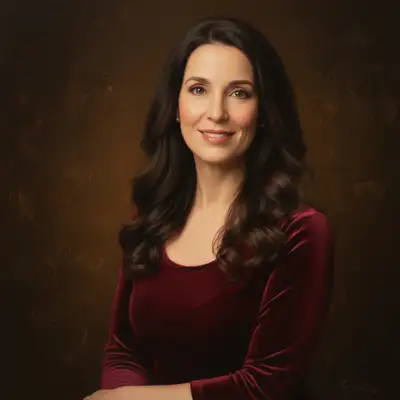
Woman with dark wavy hair in burgundy blouse with studio lighting
Before
Same woman as a Renaissance oil painting with dramatic chiaroscuro lighting
After

AI Renaissance Portrait Maker

Drop your photo here

or click to browse

Release to upload

Free • No signup

Advertisement
Popular use cases:
  • custom art gifts
  • pet Renaissance portraits
  • wall art prints
  • novelty gifts
  • social media viral content
  • historical costume portraits
  • gallery wall decor
  • anniversary presents

Cost
Free No signup required
Time
Instant results in 15-30 seconds
Works on
Any device - browser, phone, tablet, desktop
Powered by
AI-powered photo editing
Scenario Prompt Time
Rembrandt-style portrait transform to Renaissance painting with chiaroscuro lighting 35s
With period costume transform to Renaissance portrait with period clothing 45s
Pet aristocrat portrait transform pet into Renaissance aristocrat portrait 40s

How it works

  1. Upload your photo

    Drop your image into EditThisPic. JPG, PNG, WebP up to 7MB. Portraits with dramatic lighting produce the most authentic Renaissance results. Both formal headshots and casual photos work well.

    Expect: Simple Renaissance conversion: 30-40 seconds. Elaborate scene with period costume: 45-60 seconds.
  2. Describe the Renaissance style you want

    Type your instruction: 'transform this portrait into a Renaissance oil painting with dramatic chiaroscuro lighting, dark background, and classical composition' or 'paint this as a Flemish Renaissance portrait with rich fabrics and detailed textures.' Specify the era, lighting, and artist style. No marking needed—the AI transforms the entire image.

    Tip: Reference specific masters: 'Rembrandt-style lighting', 'Da Vinci sfumato', or 'Vermeer natural light' for distinct Renaissance looks.

    Copy one of these to get started:

    Classic Rembrandt-style portrait transform this portrait into a Renaissance oil painting with Rembrandt-style chiaroscuro lighting, dark moody background, and warm golden tones
    Flemish Renaissance with rich detail paint this portrait in Flemish Renaissance style with intricate fabric textures, jewel-like colors, and meticulous attention to detail
    Renaissance with period costume transform this portrait into a Renaissance painting with the subject wearing elaborate period clothing, ruffled collar, and rich velvet fabrics
    Da Vinci sfumato style paint this portrait in Leonardo da Vinci's style with soft sfumato shading, mysterious expression, and subtle atmospheric depth
    3 more prompts
    Pet as Renaissance aristocrat transform this pet photo into a Renaissance portrait with the animal wearing aristocratic clothing, painted in classical oil painting style with gold frame effect
    Renaissance Madonna style paint this portrait in Italian Renaissance Madonna style with serene expression, draped fabric, golden halo effect, and soft luminous lighting
    Dark Renaissance military portrait transform this into a Renaissance military portrait with armor, dark dramatic background, and commanding noble expression
  3. Review the Renaissance result

    Check for authentic oil painting qualities: dramatic lighting, rich color depth, classical composition, and period-appropriate styling. The best results feel like they belong in a museum. Zoom in on brushwork and skin rendering.

  4. Refine with markers if needed

    If specific areas like the background, clothing, or lighting need adjustment, tap markers on those spots and regenerate. Most Renaissance portraits look museum-quality on the first try.

    Tip: Markers are for precision refinement only. Try without them first—Renaissance conversions usually achieve the right atmosphere immediately.
Try it free

AI Renaissance Portrait Maker

Drop your photo here

or click to browse

Release to upload

Free • No signup

"Made Renaissance portraits of my cats and hung them in gold frames above the fireplace. Every guest thinks they're real paintings. The cats look like aristocrats." @RegalCatMom

See it in action

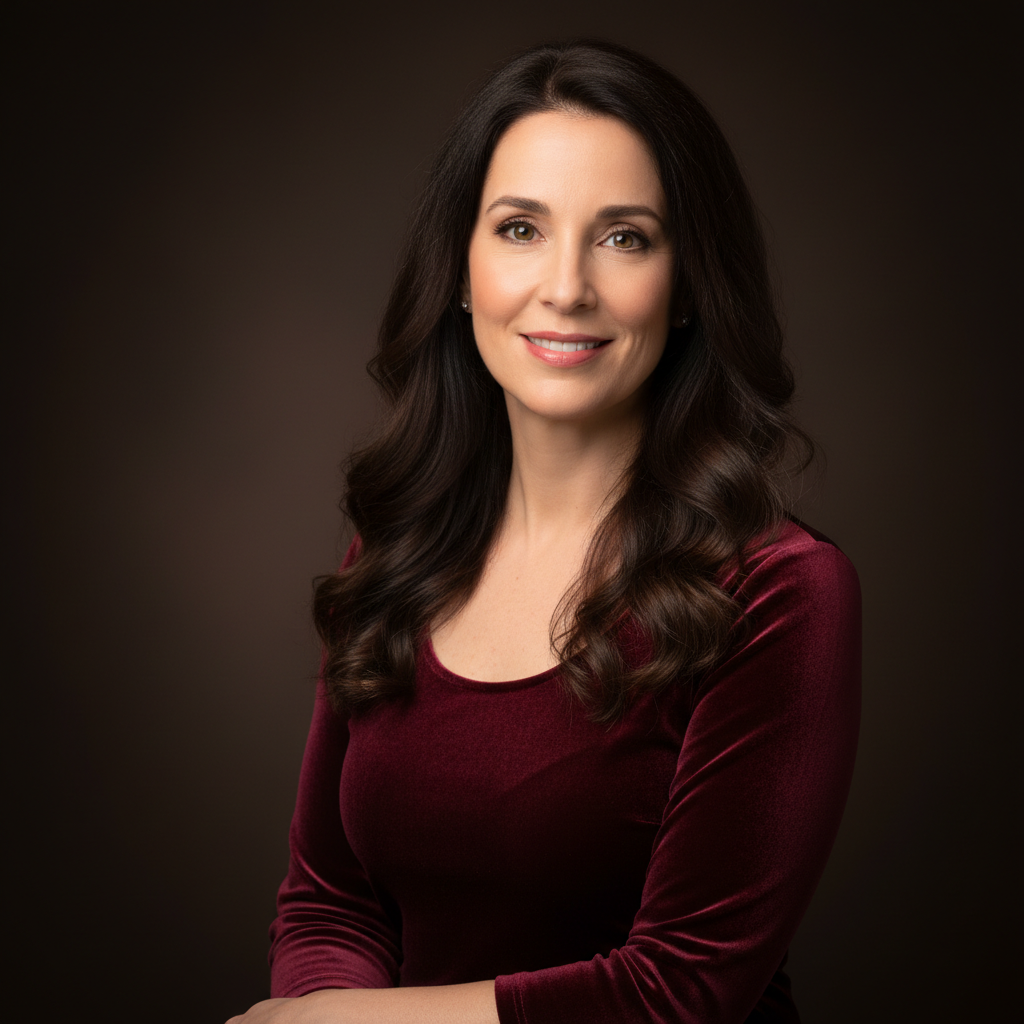
Woman with dark wavy hair in burgundy blouse with studio lighting
Before
->
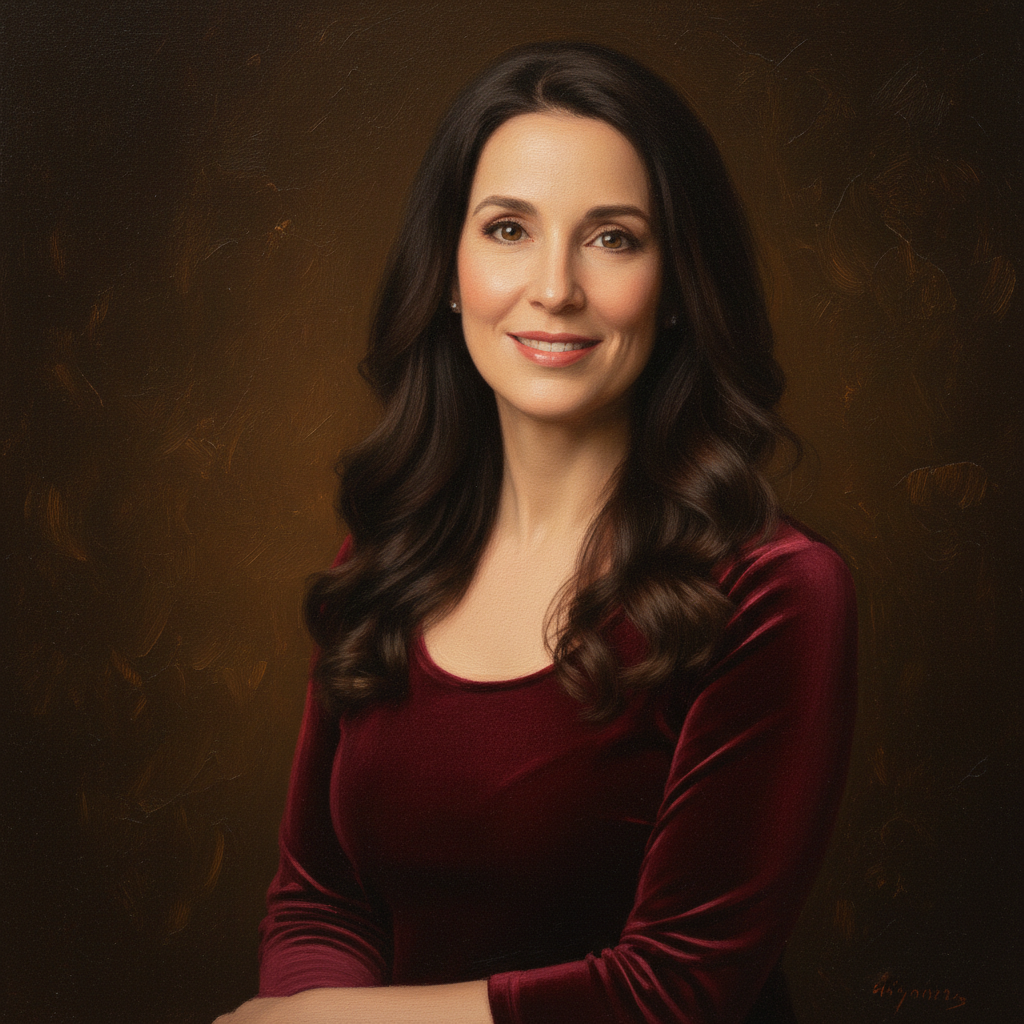
Same woman as a Renaissance oil painting with dramatic chiaroscuro lighting
After

Modern headshot to Rembrandt-style portrait

A contemporary headshot transformed into a dramatic Renaissance portrait with Rembrandt-style lighting and warm golden tones.

Prompt: transform this portrait into a Renaissance oil painting with Rembrandt-style chiaroscuro lighting, dark moody background, and warm golden tones
Orange tabby cat sitting upright with dignified expression
Before
->
Same cat as Renaissance aristocrat portrait wearing period clothing
After

Pet photo to aristocratic Renaissance portrait

A cat photo transformed into a regal Renaissance portrait with aristocratic clothing and classical oil painting style.

Prompt: transform this pet photo into a Renaissance portrait with the animal wearing aristocratic clothing, painted in classical oil painting style with gold frame effect
Advertisement

If something looks off

AI changed the wrong area or something I didn't want changed

Why: The AI couldn't determine which part you wanted in Renaissance style from description alone.

Try: Tap a marker on the specific area you want in Renaissance painting style, then regenerate with the same prompt

Tip: Markers tell the AI 'I mean THIS area specifically.' Use them for selective Renaissance effects.

Result looks like a generic painting filter, not Renaissance

Why: The AI applied general painting effects without the specific Renaissance characteristics.

Try: transform to authentic Renaissance oil painting with visible crackled canvas texture, Old Master color palette, and classical composition from the 15th-16th century

Tip: 'Old Master', 'crackled canvas', and '15th-16th century' lock in the authentic Renaissance period style.

Lighting is flat instead of dramatic

Why: The AI preserved the original photo's even lighting instead of applying dramatic Renaissance chiaroscuro.

Try: transform to Renaissance portrait with very dramatic chiaroscuro lighting, deep shadows on one side of the face, and a single strong light source from the upper left

Tip: 'Single strong light source' and 'deep shadows' force the dramatic lighting that defines Renaissance portraiture.

Person is still wearing modern clothes

Why: The AI changed the style but not the clothing, leaving a jarring mix of modern and classical.

Try: transform to Renaissance portrait and change the clothing to period-appropriate Renaissance garments with rich fabrics, detailed embroidery, and classical styling

Tip: If you want period clothing, explicitly ask for it—the AI won't assume you want costume changes.

Background is too plain or modern-looking

Why: The AI focused on the subject but left the background looking contemporary.

Try: transform entire image including background to Renaissance painting with dark atmospheric background, subtle architectural elements, and classical depth

Tip: Renaissance backgrounds are typically dark and atmospheric. Saying 'entire image including background' ensures full transformation.

Quick answers

Do I need to mark anything before creating a Renaissance portrait?

No! Just upload your photo and describe the Renaissance style: 'transform this into a Renaissance oil painting with dramatic lighting.' The AI handles the entire conversion. Only use markers if you want selective Renaissance treatment on specific areas.

How do I make a Renaissance portrait from a photo for free?

Upload your photo to EditThisPic and type 'transform this portrait into a Renaissance oil painting with chiaroscuro lighting.' The AI generates the Renaissance portrait in about 30 seconds. Free to use, no account needed, no watermark.

Is there a free Renaissance portrait maker that doesn't require login?

Yes. EditThisPic creates Renaissance-style portraits from photos with no signup required. Upload your image, describe the classical style, and download. No watermarks, no account walls. Works on people and pets.

What's the best free AI tool for making Renaissance portraits from photos?

EditThisPic lets you specify the exact Renaissance style—Rembrandt lighting, Da Vinci sfumato, Flemish detail, or period costumes. Unlike preset filters, you describe the exact Old Master look. Free, no login, results in 30 seconds.

Ready to create your Renaissance portrait?

Free to try. No signup required.

Try it free