Free • No signup Remove Glasses · Free

AI Glasses Remover

Remove glasses and reveal natural eyes in your portraits.

Professional headshot with wire frame glasses
Before
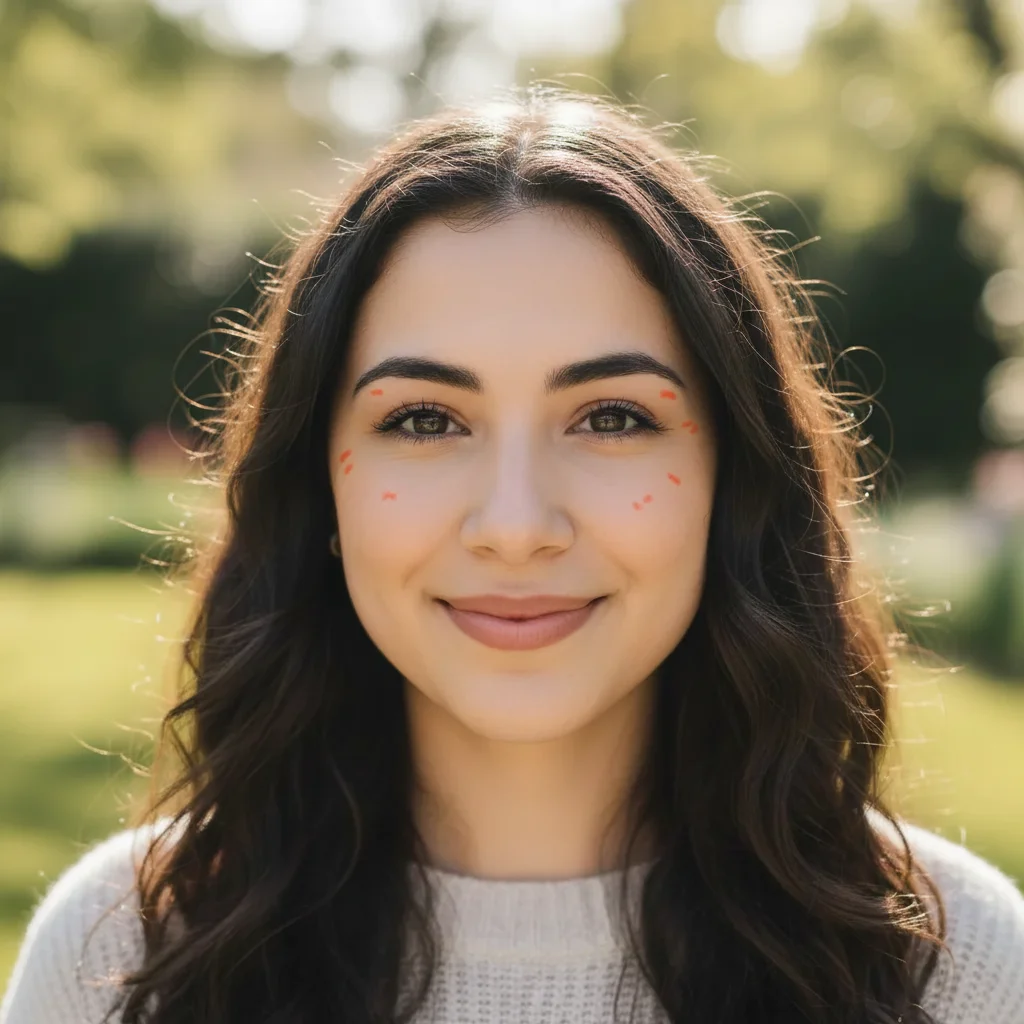
Natural headshot without glasses
After

AI Glasses Remover

Drop your photo here

or click to browse

Release to upload

Free • No signup

Advertisement
Popular use cases:
  • passport photos
  • ID photos
  • professional headshots
  • dating profile photos

Cost
Free No signup required
Time
Instant results in 15-30 seconds
Works on
Any device - browser, phone, tablet, desktop
Powered by
AI-powered photo editing
Scenario Prompt Time
Wire frame glasses remove the glasses and show natural eyes without frames 25s
Sunglasses remove the sunglasses and reveal clear eyes with natural skin tone 25s
Thick frames remove the thick frame glasses and show natural eyebrows and eyes 30s
With eye color remove glasses and show brown eyes without any frames or marks 25s

How it works

  1. Upload Your Photo

    Drop your portrait with glasses into EditThisPic. Works on all frame types: wire frames, thick frames, sunglasses, and reading glasses. Best results with well-lit front-facing portraits. Supports JPG, PNG, WebP up to 7MB.

    Expect: Simple wire frames: 25-30 seconds. Thick frames or tinted lenses: may need 2-3 refinements.
  2. Describe What You Want

    Type your instruction: 'remove the glasses and show natural eyes' or 'remove eyeglasses and reveal clear eyes without frames.' Be specific if you want to preserve certain details. No marking needed—the AI understands glasses as distinct facial accessories.

    Tip: Mention eye color if known: 'show blue eyes' helps the AI reconstruct accurately

    Copy one of these to get started:

    Standard eyeglasses remove the glasses and show natural eyes without frames
    Sunglasses removal remove the sunglasses and reveal clear eyes with natural skin tone
    Thick frame glasses remove the thick frame glasses and show natural eyebrows and eyes
    Reading glasses remove the reading glasses and show natural face without eyewear
    2 more prompts
    Prescription with specific eye color remove glasses and show brown eyes without any frames or marks
    Glasses with reflection remove the glasses including frame and lens reflections and reveal natural eyes
  3. Review and Download

    Check at full zoom that eyes, eyelids, eyebrows, and nose bridge look natural. The AI should have reconstructed eye shape and removed any indentations from nose pads. Download in full resolution.

  4. Refine with Markers if Needed

    If frame edges remain or eyebrows need adjustment, tap markers on those areas and regenerate. This is optional—most glasses removals work without markers.

    Tip: Markers are for precision refinement, not a required step. Try without them first.
Try it free

AI Glasses Remover

Drop your photo here

or click to browse

Release to upload

Free • No signup

"Needed a photo without my glasses for an event poster. This worked perfectly and looked completely natural!" @eventplanner

See it in action

Professional headshot with wire frame glasses
Before
->
Natural headshot without glasses
After

Wire Frame Glasses Removed from Headshot

Professional headshot with wire frame glasses. Glasses removed to show natural eyes for passport photo.


Prompt: remove the glasses and show natural eyes without frames
Beach photo with dark sunglasses
Before
->
Natural beach photo showing eyes
After

Sunglasses Removed from Beach Photo

Casual beach photo with dark sunglasses hiding eyes. Sunglasses removed to reveal natural face.

Prompt: remove the sunglasses and reveal clear eyes with natural skin tone
Portrait with thick frame glasses
Before
->
Clean portrait without eyewear
After

Thick Frame Glasses Removed from Portrait

Portrait with bold thick frame glasses. Frames removed to show clear face for ID photo use.

Prompt: remove the thick frame glasses and show natural eyebrows and eyes
Advertisement

If something looks off

AI changed the wrong area or removed something I didn't want changed

Why: The AI couldn't determine which elements are glasses versus other facial features. This can happen with unusual frame styles or decorative eyewear.

Try: Tap a marker on the glasses frames, then regenerate with the same prompt

Tip: Markers tell the AI 'I mean THIS specific eyewear.' Use them for non-standard glasses.

Eyes look unnatural or wrong color

Why: The AI had to infer eye color and shape when glasses completely obscured them, especially with dark tinted lenses.

Try: Try 'remove glasses and show brown eyes' (specify actual eye color) for better accuracy

Tip: If you have other photos showing your eyes, reference them to check eye color

Nose bridge has indentation marks from glasses

Why: The AI detected nose pad marks but couldn't fully reconstruct smooth skin in that area.

Try: Add 'and smooth the nose bridge' to your prompt for complete reconstruction
Eyebrows look different after removal

Why: Thick frames partially covered eyebrows, and the AI had to guess their full shape.

Try: Use 'preserving natural eyebrow shape' if eyebrows look too different
Frame shadows or reflections still visible

Why: Glasses cast shadows or had reflections that the AI treated as separate from the frames.

Try: Try 'remove glasses including all shadows and reflections' for complete cleanup

Quick answers

Do I need to mark the glasses before describing?

No! Just describe what you want: 'remove the glasses' or 'remove eyeglasses and show eyes.' The AI understands glasses as distinct facial accessories and removes them automatically. Only use markers when refining edges or dealing with unusual frame styles.

How do I remove glasses from photos for free?

Upload your photo to EditThisPic, type 'remove the glasses and show natural eyes,' then download. Free to use, no account required, no watermark. Works on eyeglasses, sunglasses, and all frame types.

Will my eyes look natural after removing glasses?

Yes, the AI reconstructs eyes based on visible facial features and context. Results are most natural when your eyes are at least partially visible through clear lenses. For dark sunglasses, specifying eye color in your prompt helps: 'show blue eyes'.

Can it remove all types of glasses?

Works on wire frames, plastic frames, thick frames, thin frames, sunglasses, reading glasses, and prescription eyewear. Best results with standard glasses where eyes are at least partially visible. Highly decorative or artistic eyewear may need refinement.

What's the best free tool to remove glasses from photos?

EditThisPic's AI Glasses Remover is free, requires no signup, and intelligently reconstructs eyes and facial features after removing eyewear. Unlike basic clone tools, it understands facial anatomy and eye structure for natural results.

Ready to remove glasses from your photos?

Free to try. No signup required.

Try it free