Free • No signup Remove Hat · Free

AI Hat Remover

Remove hats and headwear to reveal natural hair and face.

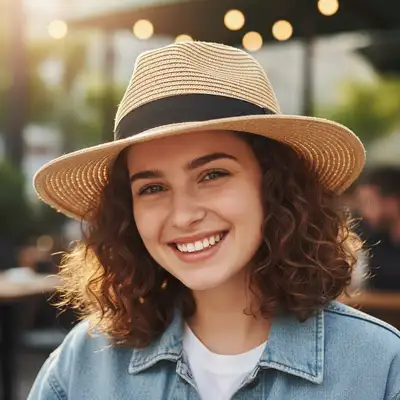
Casual photo with baseball cap
Before
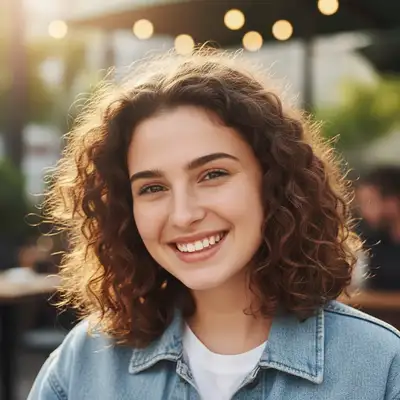
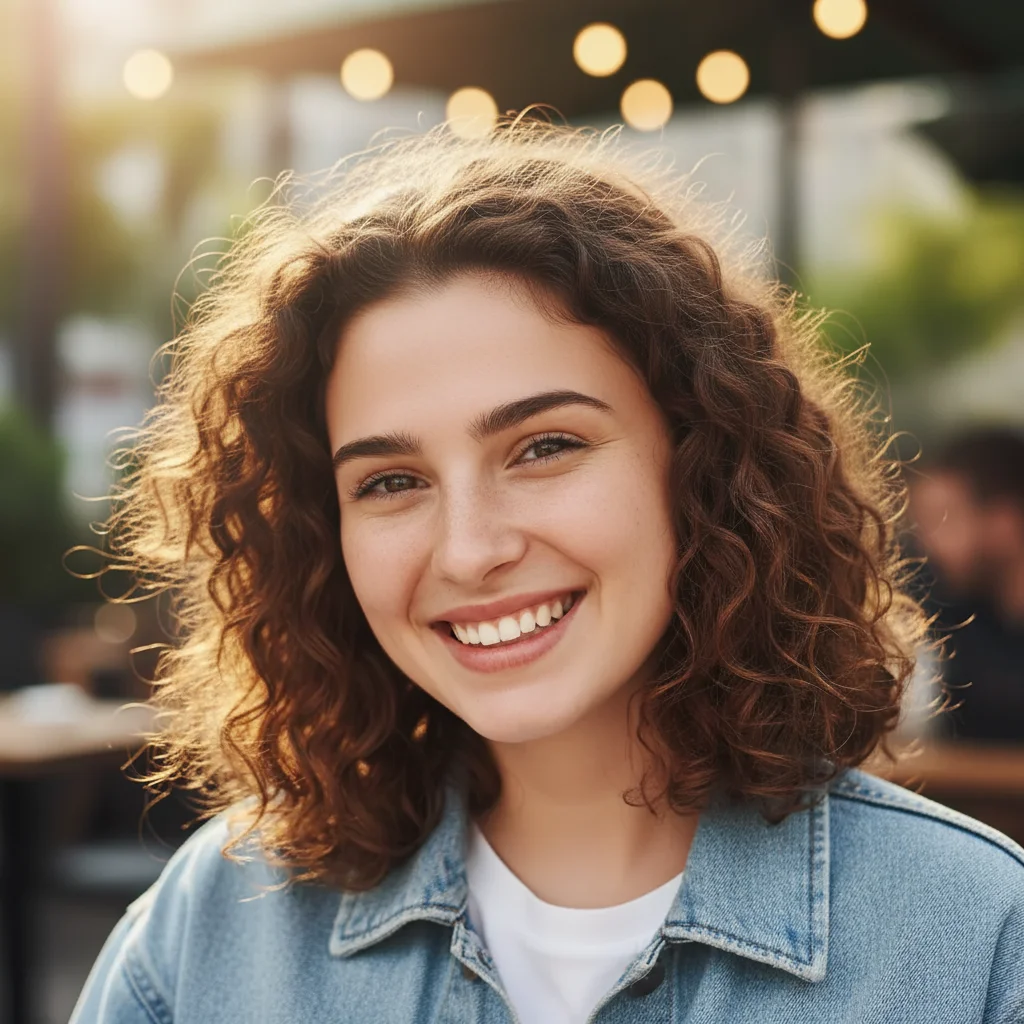
Natural photo showing full hair
After

AI Hat Remover

Drop your photo here

or click to browse

Release to upload

Free • No signup

Advertisement
Popular use cases:
  • professional headshots
  • LinkedIn photos
  • ID photos
  • dating profile photos

Cost
Free No signup required
Time
Instant results in 15-30 seconds
Works on
Any device - browser, phone, tablet, desktop
Powered by
AI-powered photo editing
Scenario Prompt Time
Baseball cap remove the baseball cap and show natural hair and forehead 25s
Beanie remove the beanie and reveal full hair with natural hairline 30s
Fedora remove the fedora hat and show complete natural hair 25s
With hair color remove the hat and show short brown hair with natural texture 25s

How it works

  1. Upload Your Photo

    Drop your portrait with a hat into EditThisPic. Works on baseball caps, beanies, fedoras, sun hats, winter hats, and all headwear. Best results with front-facing or slightly angled portraits. Supports JPG, PNG, WebP up to 7MB.

    Expect: Simple hats on visible hair: 25-30 seconds. Full head coverage or complex headwear: may need 2-3 refinements.
  2. Describe What You Want

    Type your instruction: 'remove the hat and show natural hair' or 'remove the baseball cap and reveal complete hairline.' Be specific about hair details if known. No marking needed—the AI understands hats as distinct accessories.

    Tip: Mention hair characteristics: 'show short brown hair' or 'reveal long blonde hair' for better reconstruction

    Copy one of these to get started:

    Baseball cap removal remove the baseball cap and show natural hair and forehead
    Beanie removal remove the beanie and reveal full hair with natural hairline
    Fedora or dress hat remove the fedora hat and show complete natural hair
    Hat with hair color specified remove the hat and show short brown hair with natural texture
    2 more prompts
    Sun hat removal remove the sun hat and reveal long hair falling naturally
    Winter hat removal remove the winter hat and show natural wavy hair
  3. Review and Download

    Check at full zoom that hair, hairline, and forehead look natural. The AI should have reconstructed appropriate hair texture and style. Download in full resolution with no watermark.

  4. Refine with Markers if Needed

    If hat edges remain or hair needs adjustment, tap markers on those areas and regenerate. This is optional—most hat removals work without markers.

    Tip: Markers are for precision refinement, not a required step. Try without them first.
Try it free

AI Hat Remover

Drop your photo here

or click to browse

Release to upload

Free • No signup

"Needed a professional headshot without my cap. The AI perfectly reconstructed my hair and it looks completely natural!" @linkedinpro

See it in action

Casual photo with baseball cap
Before
->
Natural photo showing full hair
After

Baseball Cap Removed from Casual Photo

Outdoor photo with baseball cap. Cap removed to show natural hair and complete face.

Prompt: remove the baseball cap and show natural hair and forehead
Winter portrait with beanie
Before
->
Full portrait showing natural hair
After

Beanie Removed from Winter Portrait

Winter portrait with knit beanie covering most hair. Beanie removed to show full hairstyle.

Prompt: remove the beanie and reveal full hair with natural hairline
Professional photo with fedora
Before
->
Clean headshot without hat
After

Fedora Removed from Professional Photo

Professional photo with fedora hat. Hat removed for clean headshot showing complete hair.

Prompt: remove the fedora hat and show complete natural hair
Advertisement

If something looks off

AI changed the wrong area or removed something I didn't want changed

Why: The AI couldn't determine which elements are the hat versus hair or background. This can happen with unusual hat styles or when hair and hat colors are similar.

Try: Tap a marker on the hat, then regenerate with the same prompt

Tip: Markers tell the AI 'I mean THIS specific headwear.' Use them for non-standard hats.

Hair looks unnatural or wrong color

Why: The AI had to infer hair style, color, and texture when the hat completely covered it. Results depend on visible clues from hair at sides/back.

Try: Try 'remove hat and show brown wavy hair' (specify actual hair characteristics) for better accuracy

Tip: If you have other photos showing your hair, reference them to specify hair details

Hairline position looks off

Why: The AI guessed hairline position based on face proportions, but individual hairlines vary significantly.

Try: Add 'with natural hairline matching face proportions' to guide reconstruction
Forehead looks too long or too short

Why: The hat covered forehead completely, so the AI estimated proportions that may not match your actual features.

Try: Use 'preserving natural forehead proportions' if the result doesn't look right
Hat shadow or outline still visible

Why: The hat cast a shadow on hair or face that the AI treated separately from the hat itself.

Try: Try 'remove hat including all shadows and outlines' for complete cleanup

Quick answers

Do I need to mark the hat before describing?

No! Just describe what you want: 'remove the hat' or 'remove the baseball cap and show hair.' The AI understands hats as distinct accessories and removes them automatically. Only use markers when refining edges or dealing with unusual headwear styles.

How do I remove hats from photos for free?

Upload your photo to EditThisPic, type 'remove the hat and show natural hair,' then download. Free to use, no account required, no watermark. Works on baseball caps, beanies, fedoras, and all hat types.

Will my hair look natural after removing the hat?

Yes, the AI reconstructs hair based on visible portions (sides, back) and facial features. Results are most natural when some hair is visible. For best results, specify hair characteristics in your prompt: 'show short brown hair' or 'reveal long blonde wavy hair'.

Can it remove all types of hats?

Works on baseball caps, beanies, fedoras, sun hats, winter hats, bucket hats, and most common headwear. Best results with standard hats where some hair is visible. Very elaborate or decorative headpieces may need refinement or additional details in the prompt.

What's the best free tool to remove hats from photos?

EditThisPic's AI Hat Remover is free, requires no signup, and intelligently reconstructs hair and hairline after removing headwear. Unlike basic clone tools, it understands hair texture and natural hairline placement for realistic results.

Ready to remove hats from your photos?

Free to try. No signup required.

Try it free