Free • No signup Remove Tattoo · Free

AI Tattoo Remover

← Browse all remove tools

Last updated

Just describe which tattoo to remove - AI handles the skin reconstruction.
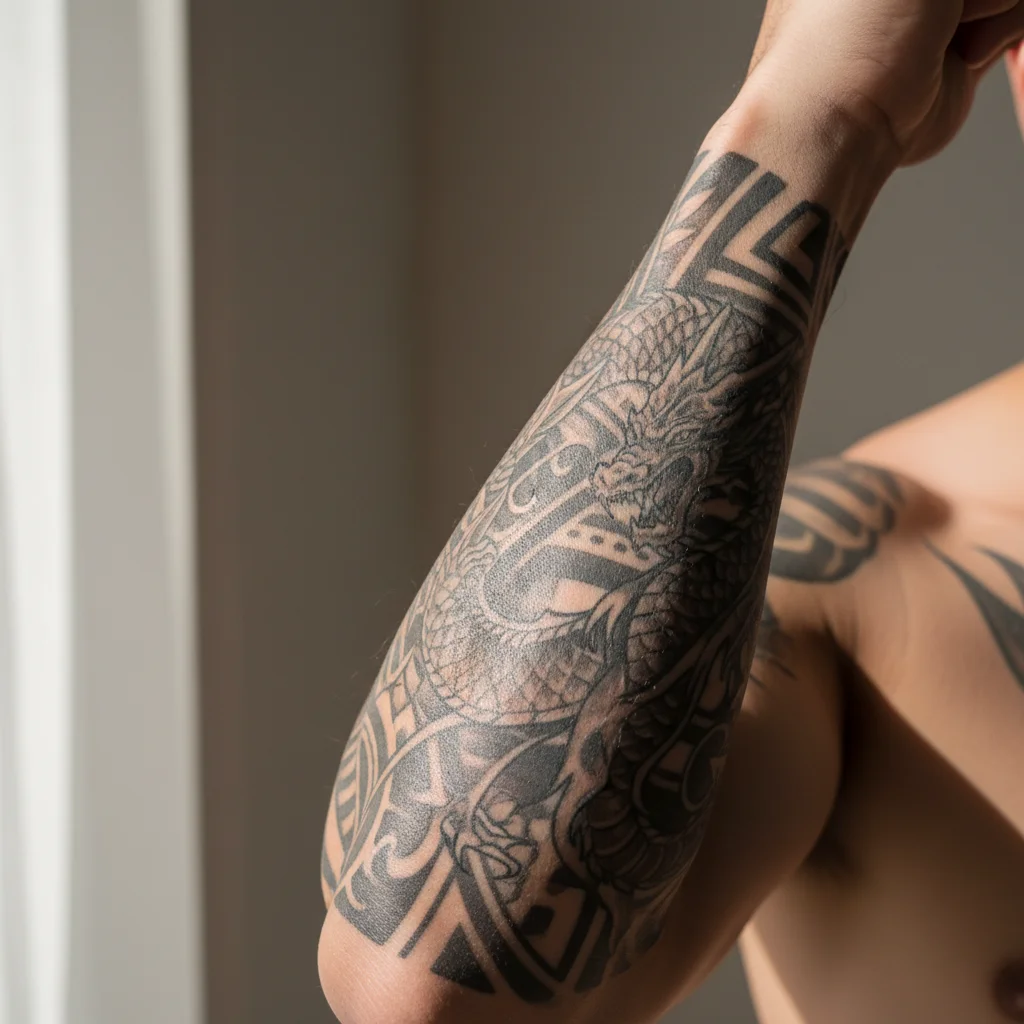
Business portrait with visible tribal tattoo on forearm Professional photo with tattoo removed, natural skin visible

Upload photo to remove tattoo

"remove the shoulder tattoo and create clean skin matching the surrounding area"

Release to upload

50,000+photos edited
<30stypical edit
1 freeedit weekly

1 free edit·then from $4.99

How it works

  1. Upload your photo

    Upload a photo where the unwanted element is clearly visible. The AI needs to see surrounding context to fill in naturally after tattoo. JPG, PNG, WebP up to 7MB.

    Expect: Simple small tattoos: 20-30 seconds. Large detailed tattoos or multiple tattoos: may need 2-3 refinements for natural skin texture.
  2. Describe what you want

    Type your instruction: 'remove the tattoo from the arm' or 'hide the shoulder tattoo and show clean skin.' Be specific about which body part has the tattoo. No marking needed—the AI understands 'arm tattoo,' 'shoulder tattoo,' 'neck tattoo' and removes them while preserving natural skin.

    Tip: Include body part location: 'remove the tattoo from the left forearm' works better than just 'remove tattoo.' This helps when multiple tattoos are visible.

    Copy one of these to get started:

    Arm tattoo removal remove the tattoo from the arm and show natural skin texture with appropriate tone
    Shoulder tattoo removal remove the shoulder tattoo and create clean skin matching the surrounding area
    Forearm tattoo removal hide the forearm tattoo and reconstruct natural skin with subtle texture and tone variation
    Neck tattoo removal remove the neck tattoo while preserving natural skin contours and shadows
    3 more prompts
    Hand tattoo removal remove the hand tattoo and show natural skin with appropriate wrinkles and texture
    Large back tattoo removal remove the back tattoo and create natural skin tone across the entire area
    Multiple small tattoos remove all visible tattoos from the arms and show clean natural skin throughout
  3. Generate and review

    Click Generate and watch the AI remove the tattoo while reconstructing natural skin texture, tone, and subtle variations. Zoom to full resolution to check that the skin looks natural with appropriate detail like pores and slight color variation.

See it in action

Business portrait with visible tribal tattoo on forearm
Before
->
Professional photo with tattoo removed, natural skin visible
After

Professional Headshot Arm Tattoo Removed

Business portrait with visible forearm tattoo. Removed tattoo to create professional appearance while maintaining natural skin texture.

Prompt: remove the tattoo from the arm and show natural skin texture with appropriate tone
Formal dress photo with colorful floral shoulder tattoo
Before
->
Elegant formal photo with shoulder tattoo removed, smooth skin
After

Shoulder Tattoo Hidden for Formal Event

Formal dress photo with shoulder tattoo visible. Removed tattoo for clean appearance while preserving skin tone and shadows.

Prompt: remove the shoulder tattoo and create clean skin matching the surrounding area
Business handshake with visible text tattoo on knuckles
Before
->
Professional handshake photo with tattoo removed, natural hand
After

Hand Tattoo Removed for Corporate Photo

Corporate handshake photo with visible hand tattoo. Removed to meet professional standards while keeping natural hand texture.

Prompt: remove the hand tattoo and show natural skin with appropriate wrinkles and texture

Quick answers

Do I need to mark the tattoo before describing?

No! For most tattoos, just describe what you want: 'remove the tattoo from the arm' or 'hide the shoulder tattoo.' The AI understands these concepts and removes tattoos automatically.

How do I remove a tattoo from a photo for free?

Upload your photo to EditThisPic, type 'remove the tattoo from [body part]' specifying where the tattoo appears like 'arm,' 'shoulder,' or 'neck.' The AI processes the edit in 20-30 seconds, reconstructing natural skin texture. No account required, completely free to try, and your result has no watermark.

Is there a free tattoo remover that doesn't need an account?

Yes. EditThisPic removes tattoos from photos without requiring signup or login. Just upload, describe which tattoo to remove, and download your result. No watermark, no trial limits on the free tier.

What's the best AI tool for removing tattoos from photos?

EditThisPic specializes in tattoo removal using AI that reconstructs natural skin texture and tone. Unlike simple blur or patch tools, the AI understands skin structure and creates realistic replacement skin complete with pores, slight color variation, and natural shading. Works on arm tattoos, shoulder tattoos, hand tattoos, and more.

Will the skin look natural after removing a large tattoo?

Yes, the AI reconstructs skin texture based on the surrounding visible skin. For best results, use photos with good lighting so the AI can see skin detail clearly. Large tattoos may need one refinement pass to perfect the texture. Specify 'preserve natural skin texture' in your prompt to ensure realistic results.

Is EditThisPic's AI tattoo remover really free?

Yes — you get 1 free edit per week, no account needed. Plans start at $4.99/month for 15 edits.

Can I remove tattoo on my phone?

Yes. EditThisPic works in any mobile browser — iPhone, Android, tablet. No app download needed.

What photo formats does the AI tattoo remover support?

JPG, PNG, WebP, and HEIC. Upload any common photo format and EditThisPic handles the rest.

How much does EditThisPic cost?

You get 1 free edit per week — no account needed. After that, credit packs start at $1.99 for 3 edits. Monthly plans start at $4.99/mo for 20 edits with unused credits rolling over. All edits are full resolution with no watermark.

Ready to remove tattoos from your photos?

Free to try. No signup required.

1 free edit included·Credit packs from $4.99