Free • No signup Slim Arms · Free

AI Arm Slimmer - Make Arms Thinner in Photos

Make arms slimmer in photos instantly—just describe what you want, no marking needed

Professional woman in blue blazer with full arms at desk
Before
Same professional photo with naturally slimmed, toned arms
After

AI Arm Slimmer

Drop your photo here

or click to browse

Release to upload

Free • No signup

Advertisement
Popular use cases:
  • portrait retouching
  • professional headshot editing
  • wedding photo enhancement
  • arm toning
  • body refinement

Cost
Free No signup required
Time
Instant results in 15-30 seconds
Works on
Any device - browser, phone, tablet, desktop
Powered by
AI-powered photo editing
Scenario Prompt Time
Natural slimming Make the arms slimmer and more toned, keep it looking natural 6s
Professional headshot Slim down both arms subtly, maintain the professional look 7s
One arm only Slim down only the right arm to match the left arm 8s

How it works

  1. Upload your photo

    Choose any photo where you want to slim arms. Works best with portraits, selfies, or full-body shots where arms are clearly visible. The AI handles different poses, clothing styles, and lighting conditions automatically.

    Expect: Simple uploads: 2-3 seconds. Large files or slow connections: 5-8 seconds.
  2. Describe what you want

    Type exactly what you want in plain English—'make the arms slimmer,' 'slim down both arms naturally,' or 'make arms more toned and defined.' The AI understands natural language and applies the change based on your description. Be specific about whether you want subtle slimming or a more noticeable change.

    Tip: Add 'naturally' or 'subtly' to your prompt for realistic results that don't look over-edited.

    Copy one of these to get started:

    Natural everyday slimming Make the arms slimmer and more toned, keep it looking natural
    Professional headshots Slim down both arms subtly, maintain the professional look and skin texture
    Wedding or event photos Make the arms more slender and elegant, enhance the formal appearance
    Fitness progress photos Make arms appear more toned and defined, show muscle definition subtly
    3 more prompts
    Single arm adjustment Slim down only the right arm to match the left arm's appearance
    Group photo correction Make the person on the left's arms slimmer while keeping everyone else unchanged
    Sleeve and arm slimming Slim the arms and adjust the dress sleeves to fit the slimmer arms naturally
  3. Review the result

    Check that the arm slimming looks natural and proportional to the rest of the body. Make sure the AI maintained skin texture, clothing details, and background elements. If it's too subtle or too strong, adjust your prompt and regenerate.

  4. Refine with markers if needed

    If the AI slimmed the wrong area or affected both arms when you only wanted one changed, tap a marker on the specific arm you want adjusted. This tells the AI exactly which area to modify when you regenerate.

    Tip: Markers are only needed when you want to specify 'this exact arm' or when the photo has multiple people.
Try it free

AI Arm Slimmer

Drop your photo here

or click to browse

Release to upload

Free • No signup

"Used this for my professional headshots and the arm slimming looks completely natural. Better than spending hours in Photoshop." @PortraitPro_Sara

See it in action

Professional woman in blue blazer with full arms at desk
Before
->
Same professional photo with naturally slimmed, toned arms
After

Professional Headshot Enhancement

Corporate headshot with natural arm slimming for a more polished appearance.

Prompt: Make the arms slimmer and more toned, keep it looking natural
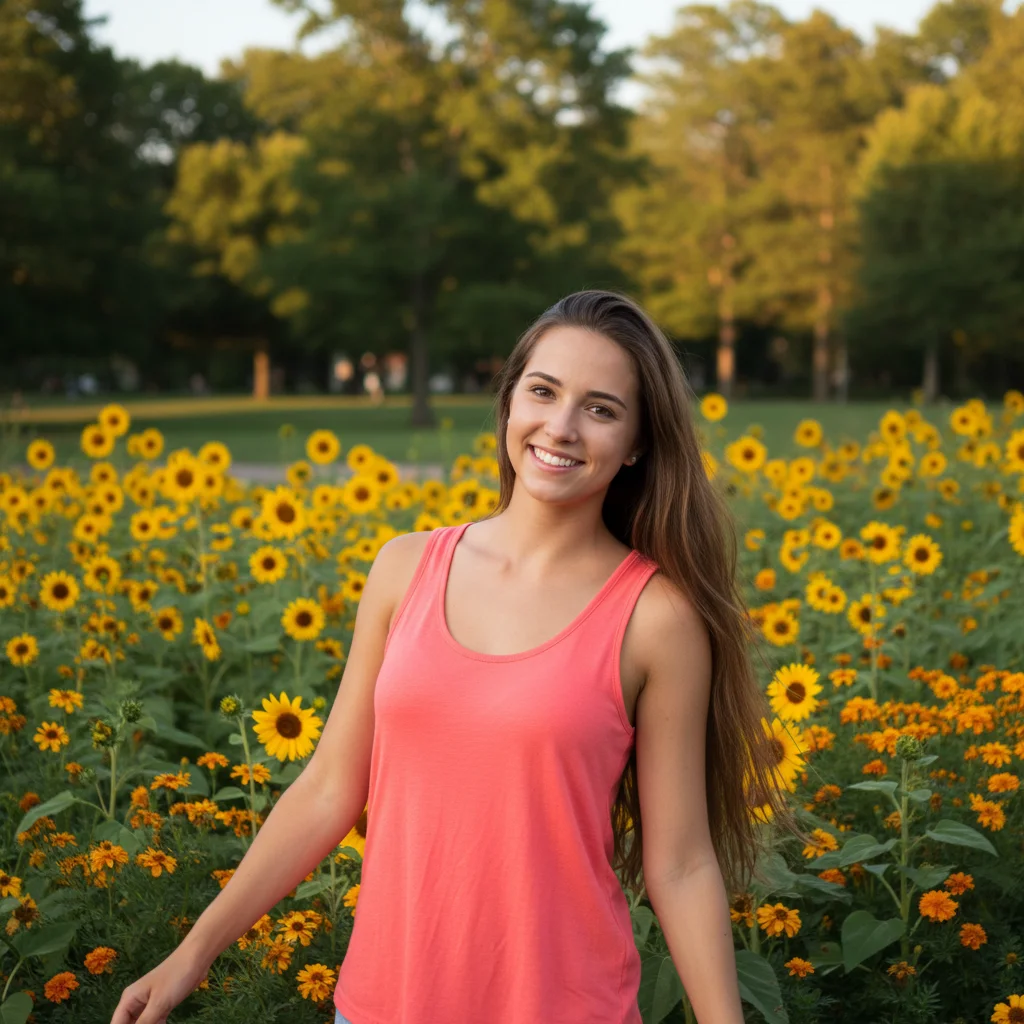
Casual outdoor portrait with arms visible in coral tank top
Before
->
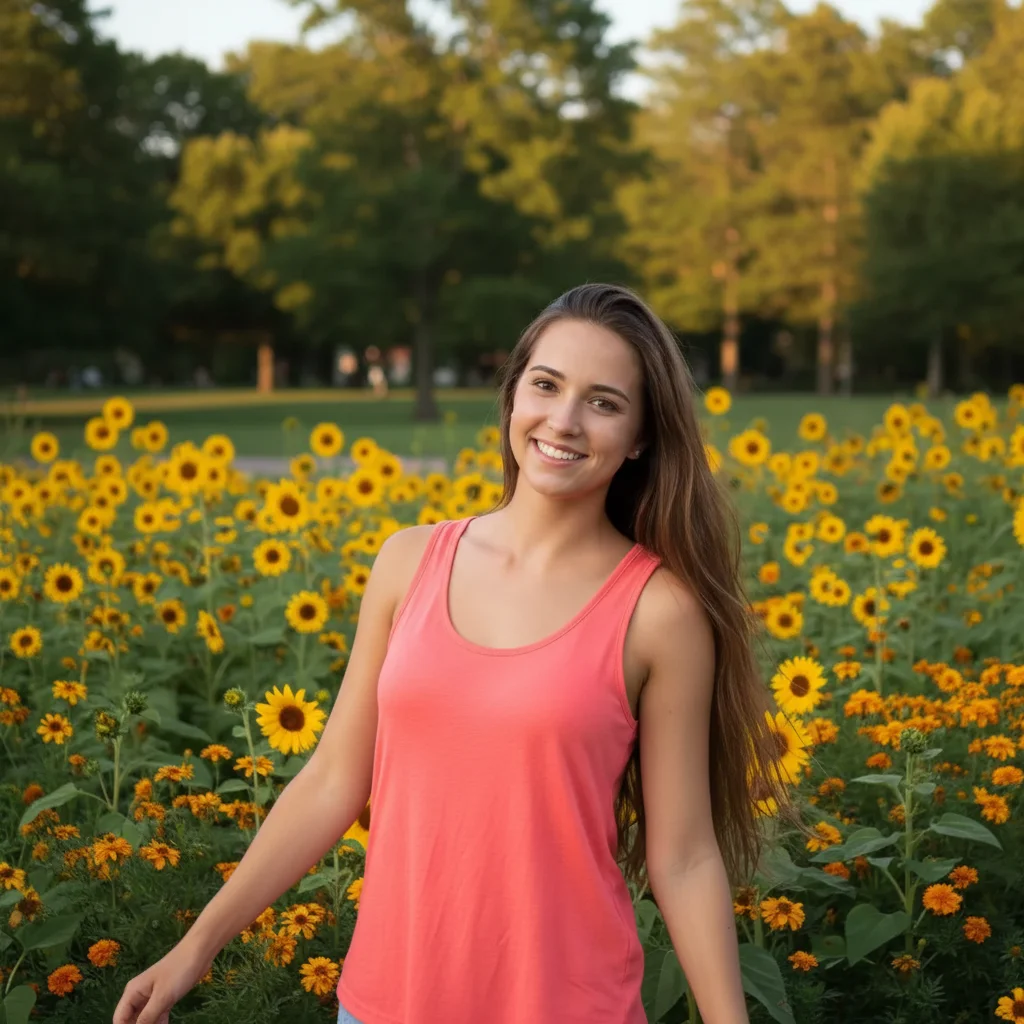
Same portrait with subtly slimmed arms maintaining natural appearance
After

Casual Portrait Refinement

Outdoor portrait with subtle arm slimming that maintains the relaxed, natural look.

Prompt: Slim down both arms subtly, maintain the natural outdoor look
Formal event photo in green dress with full arms
Before
->
Same event photo with elegantly slimmed arms enhancing the formal look
After

Event Photo Perfection

Wedding guest photo with elegant arm slimming for a more flattering formal look.

Prompt: Make the arms more slender and elegant, enhance the formal appearance
Advertisement

If something looks off

AI changed the wrong area or something I didn't want changed

Why: The AI couldn't determine exactly which area you meant from description alone.

Try: Tap a marker on the specific arm you want to change, then regenerate with the same prompt

Tip: Markers tell the AI 'I mean THIS arm specifically' when there's ambiguity.

The arm slimming looks too extreme or unrealistic

Why: The prompt didn't include guidance for subtle, natural-looking changes.

Try: Add words like 'subtly,' 'naturally,' or 'slightly' to your prompt and regenerate

Tip: Specify 'keep proportions realistic' if the AI goes too far with the slimming.

Only one arm changed when I wanted both

Why: The AI may have interpreted your prompt as affecting the most prominent or visible arm.

Try: Change your prompt to explicitly say 'slim both arms' or 'make both arms slimmer'

Tip: Always specify 'both' when you want symmetrical changes.

Clothing or accessories look distorted after slimming

Why: The AI slimmed the arm but didn't proportionally adjust sleeves, bracelets, or watches.

Try: Add 'and adjust the sleeves/clothing to fit naturally' to your prompt

Tip: Mention specific clothing items in your prompt when they're tight-fitting or detailed.

Skin texture or tattoos got blurred or lost

Why: Aggressive slimming can affect fine details like skin texture, freckles, or tattoos.

Try: Add 'preserve skin texture and details' to your prompt and try a more subtle slimming

Tip: For tattooed arms, mention 'keep tattoos intact' in your prompt.

Quick answers

Do I need to mark the arms?

No! Just describe what you want changed—'make the arms slimmer'—and the AI figures out where to apply the change. Markers are only needed if you want to specify one exact arm in a complex photo or group shot.

How do I slim arms in photos for free?

Upload your photo to EditThisPic, type a description like 'make the arms slimmer and more toned,' and click generate. The AI processes it in 5-10 seconds. No signup, no watermark, completely free.

Can I slim just one arm instead of both?

Yes. Specify which arm in your prompt—'slim down only the right arm' or 'make the left arm more toned.' For extra precision, tap a marker on that specific arm before generating.

Will the arm slimming look natural or fake?

The AI maintains realistic proportions and skin texture by default. For the most natural results, include words like 'subtly' or 'naturally' in your prompt. You can always regenerate with a more conservative prompt if the first result is too strong.

Does this work on photos with sleeves or clothing covering the arms?

Yes. The AI can slim arms whether they're bare or covered by clothing. Just mention in your prompt to 'adjust the sleeves to fit' if you want the clothing to adjust proportionally with the slimmed arms.

Ready to Slim Arms in Your Photos?

Free to try. No signup required. No watermark.

Try it free