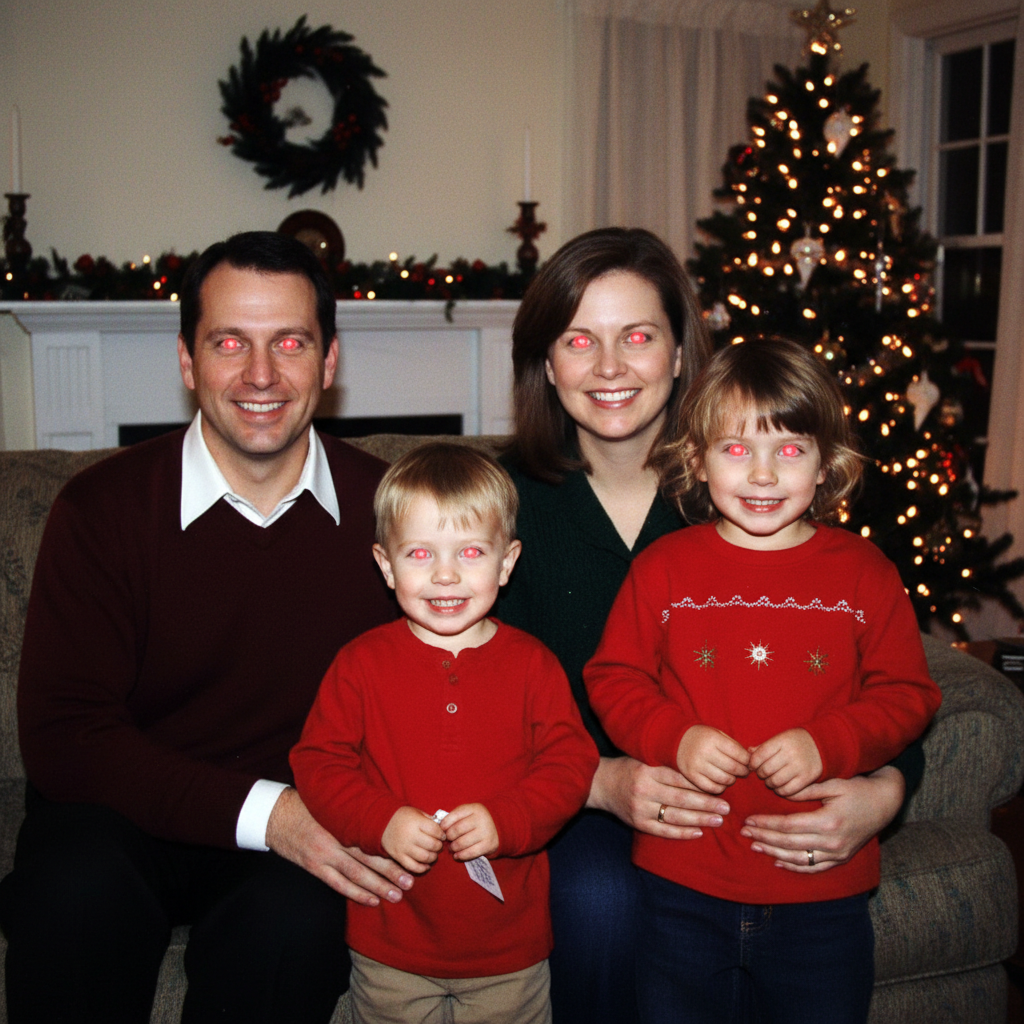
Do I need to manually select the eyes before describing?
No! Just type 'fix the red eye' and the AI automatically detects and corrects eyes. The AI recognizes eye positions in portraits and group photos without manual selection.
How do I fix red eye in photos for free?
EditThisPic offers free AI red eye removal. Upload your flash photo, type 'fix the red eye', and the AI corrects it in 10-15 seconds. No account needed. The free edit is a preview — purchased downloads are clean, full quality. Works on portraits, group photos, and children's photos with red eye from camera flash.
Can it fix red eye on multiple people in one group photo?
Yes, the AI detects and corrects red eye on all visible people automatically. Use the prompt 'fix red eye on all people in the photo' and it processes each person's eyes.
What's the best free red eye remover that doesn't require signup?
EditThisPic's AI Red Eye Remover is completely free with no signup required. Just describe the fix you need and the AI handles eye detection and color correction automatically. It works on single portraits, group photos, and even pet photos with eye glow from flash.
Does it work on pet photos with green or yellow eye glow?
Yes! Pet eye glow (caused by the tapetum lucidum reflecting flash) appears green, yellow, or white instead of red. Describe what you see: 'remove the green glow from the cat's eyes' or 'fix the yellow reflection in the dog.' The AI adapts the correction to the specific glow color.
Will the corrected eyes look natural or obviously edited?
The AI restores natural-looking pupils and iris color based on the surrounding eye features. For best results, specify the person's real eye color: 'restore natural blue eyes' or 'fix red eye, eyes should be brown.' This produces the most realistic correction that matches their actual appearance.
Is EditThisPic's AI red eye remover really free?
Yes — you get 1 free edit per week, no account needed. Credit packs start at $4.99 for 10 edits.
Can I remove red eye on my phone?
Yes. EditThisPic works in any mobile browser — iPhone, Android, tablet. No app download needed.
How do I remove red eye from a photo?
Upload your photo to EditThisPic and type 'fix the red eye and restore natural eye color.' The AI detects and corrects red eye automatically in 10-15 seconds. Free to try, no signup required.
Is there a free red eye remover online?
Yes. EditThisPic is a free online red eye remover with no account needed. Upload the photo, describe the fix, and download the corrected result — the free edit is a preview, and purchased downloads are clean, full quality.
How much does EditThisPic cost?
You get 1 free edit per week — no account needed. After that, one-time credit packs start at $4.99 for 10 edits, valid 12 months, no subscription. Power users who edit daily can pick Studio Membership, a monthly workspace at $49.99/mo for 300 edits. Purchased downloads are clean with no watermark.