Free • No signup Predict Age · Free

AI Age Predictor

Describe the age you want to see and AI transforms your face instantly. No marking needed.
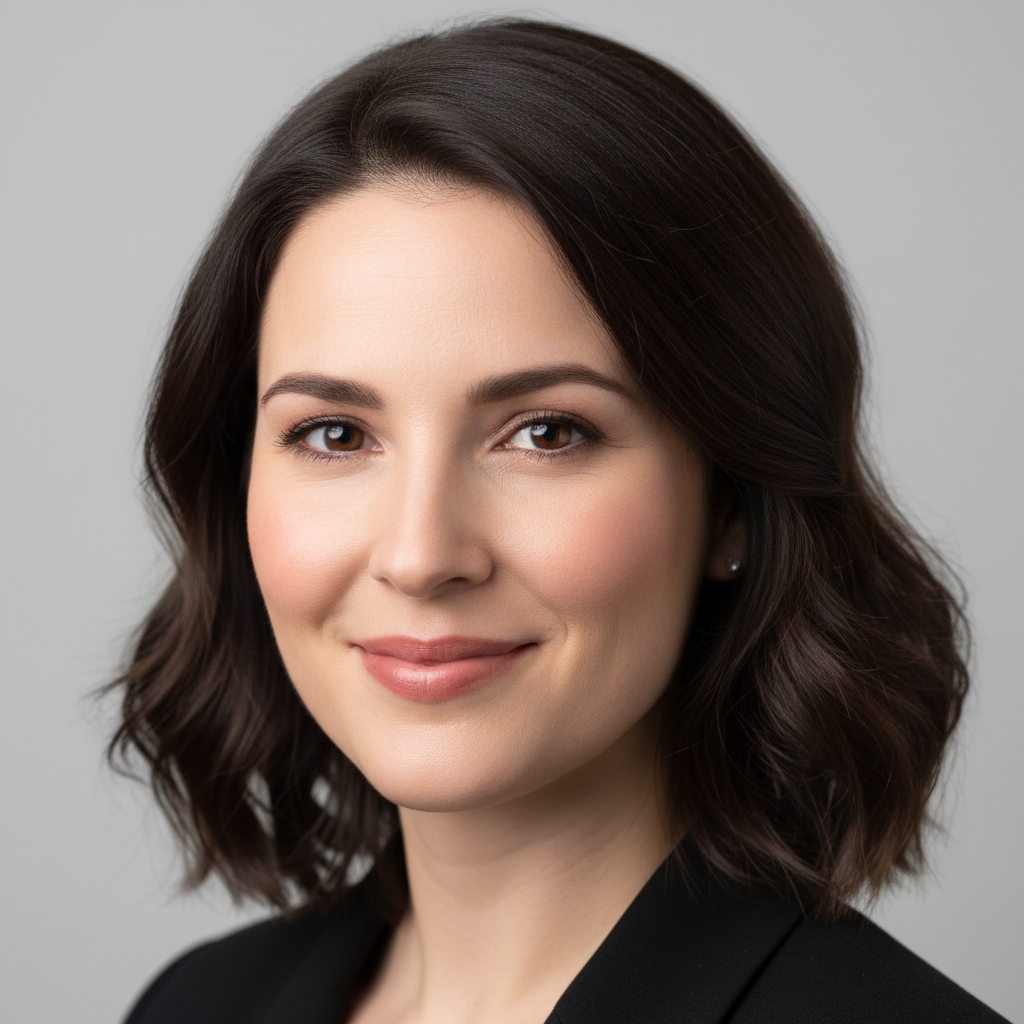
Young woman in her 20s with smooth skin and dark hair
Before
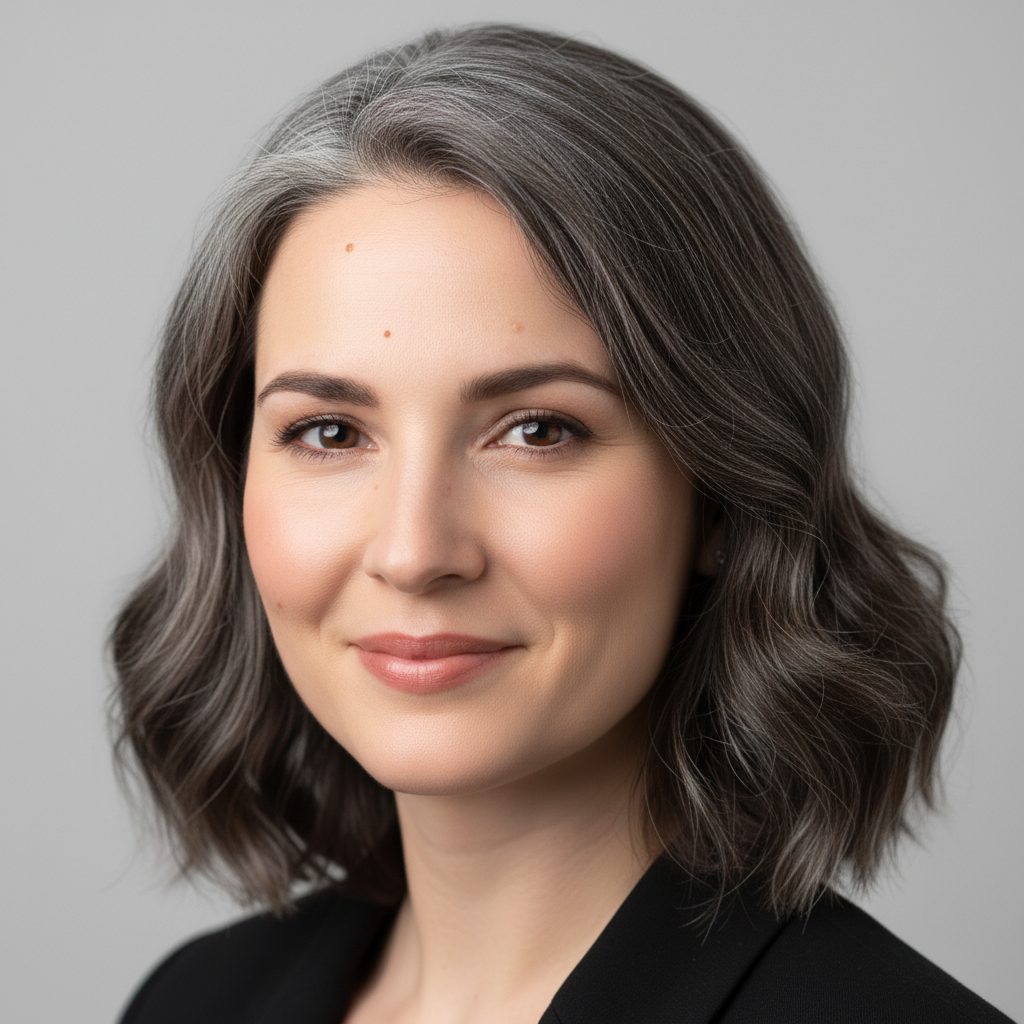
Same woman aged to 70 with grey hair and natural wrinkles
After

AI Age Predictor

Drop your photo here

or click to browse

Release to upload

Free • No signup

Advertisement
Popular use cases:
  • age prediction
  • age progression
  • face aging simulation
  • de-aging photos
  • family reunion fun
  • social media viral content
  • birthday party entertainment
  • age challenge

Cost
Free No signup required
Time
Instant results in 15-30 seconds
Works on
Any device - browser, phone, tablet, desktop
Powered by
AI-powered photo editing
Scenario Prompt Time
Age up 20 years age this person by 20 years 30s
Age to specific age age this person to look 70 years old 35s
De-age by 20 years make this person look 20 years younger 40s

How it works

  1. Upload your photo

    Drop your image into EditThisPic. JPG, PNG, WebP up to 7MB. Clear, well-lit face photos work best. Front-facing portraits with good lighting give the most realistic age transformations.

    Expect: Simple age-up or age-down: 30-40 seconds. Dramatic age shifts (50+ years): 45-60 seconds and may need refinements.
  2. Describe the age transformation

    Type what you want: 'age this person to look 70 years old' or 'make them look like a teenager.' Be specific about the target age or number of years. No marking needed—the AI knows what 'face' and 'age' mean and applies realistic aging or de-aging effects.

    Tip: Specify exact ages like 'age 75' rather than vague terms like 'older' for more precise and dramatic results.

    Copy one of these to get started:

    See yourself at 70 age this person to look 70 years old with realistic wrinkles, grey hair, and natural skin aging
    Look 20 years younger make this person look 20 years younger with smoother skin, fuller hair, and a more youthful face
    Baby face prediction transform this person's face to look like they did as a 5-year-old child, round cheeks and big eyes
    Middle-aged prediction age this person to look 45 with subtle laugh lines, slight greying at the temples, and mature features
    3 more prompts
    Extreme old age age this person to look 90 years old with deep wrinkles, white hair, and weathered skin texture
    Teenager rewind make this person look like a 16-year-old teenager with clear skin, youthful features, and natural hair color
    Decade-by-decade aging age this person by exactly 30 years, adding age-appropriate wrinkles, skin changes, and hair greying
  3. Review the age transformation

    Check that facial features age naturally. Look for realistic wrinkles, appropriate skin texture, natural hair color changes, and preserved facial identity. The person should still be recognizable.

  4. Refine with markers if needed

    If specific areas like the hairline, eyes, or jawline need adjustment, tap markers on those spots and regenerate. Most age predictions look great on the first try.

    Tip: Markers are for precision refinement only. Try without them first—you usually won't need them.
Try it free

AI Age Predictor

Drop your photo here

or click to browse

Release to upload

Free • No signup

"Used this at a family reunion and everyone was cracking up seeing themselves at 80. My grandma said her result looked just like her own mother. Absolutely hilarious and surprisingly accurate." @FamilyFunNight_Dee

See it in action

Young woman in her 20s with smooth skin and dark hair
Before
->
Same woman aged to 70 with grey hair and natural wrinkles
After

Young woman aged to 70

A 25-year-old woman's portrait transformed to show how she might look at 70 with realistic aging effects.

Prompt: age this person to look 70 years old with realistic wrinkles, grey hair, and natural skin aging
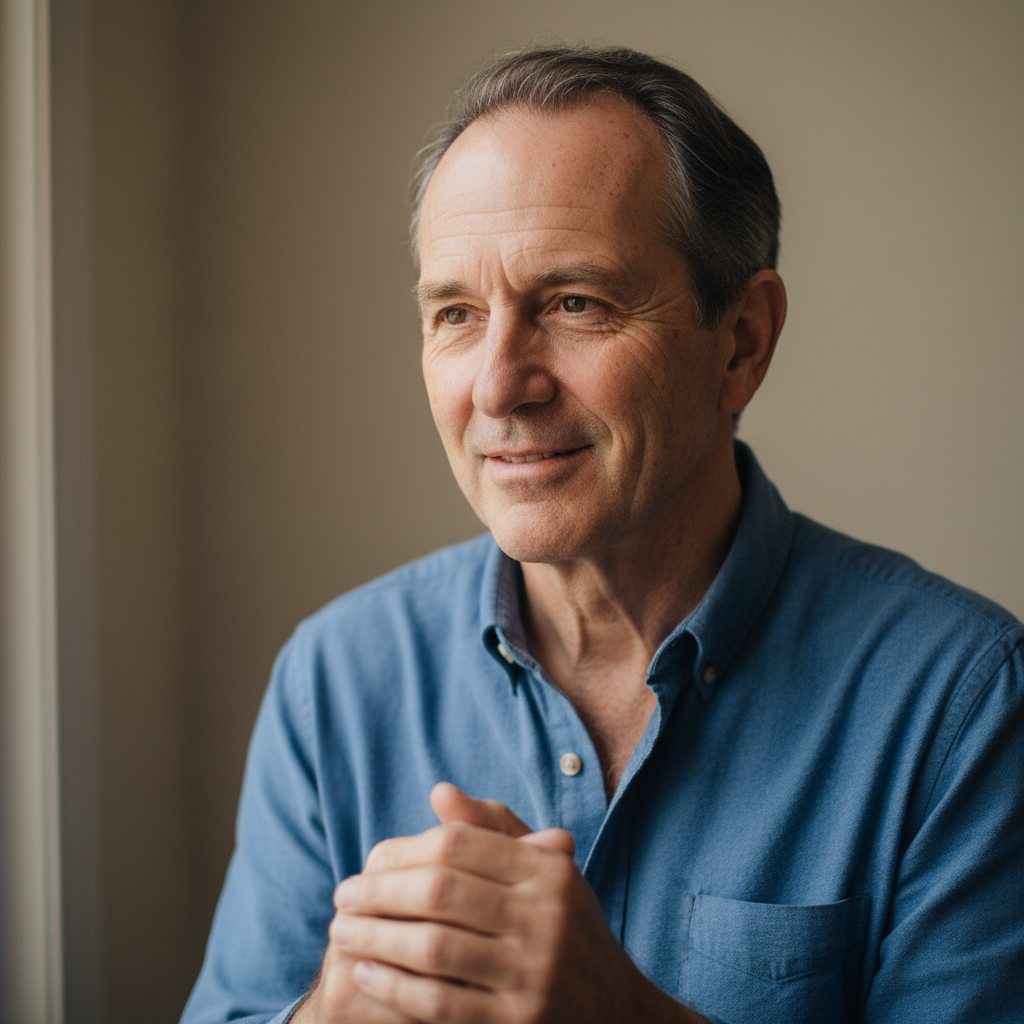
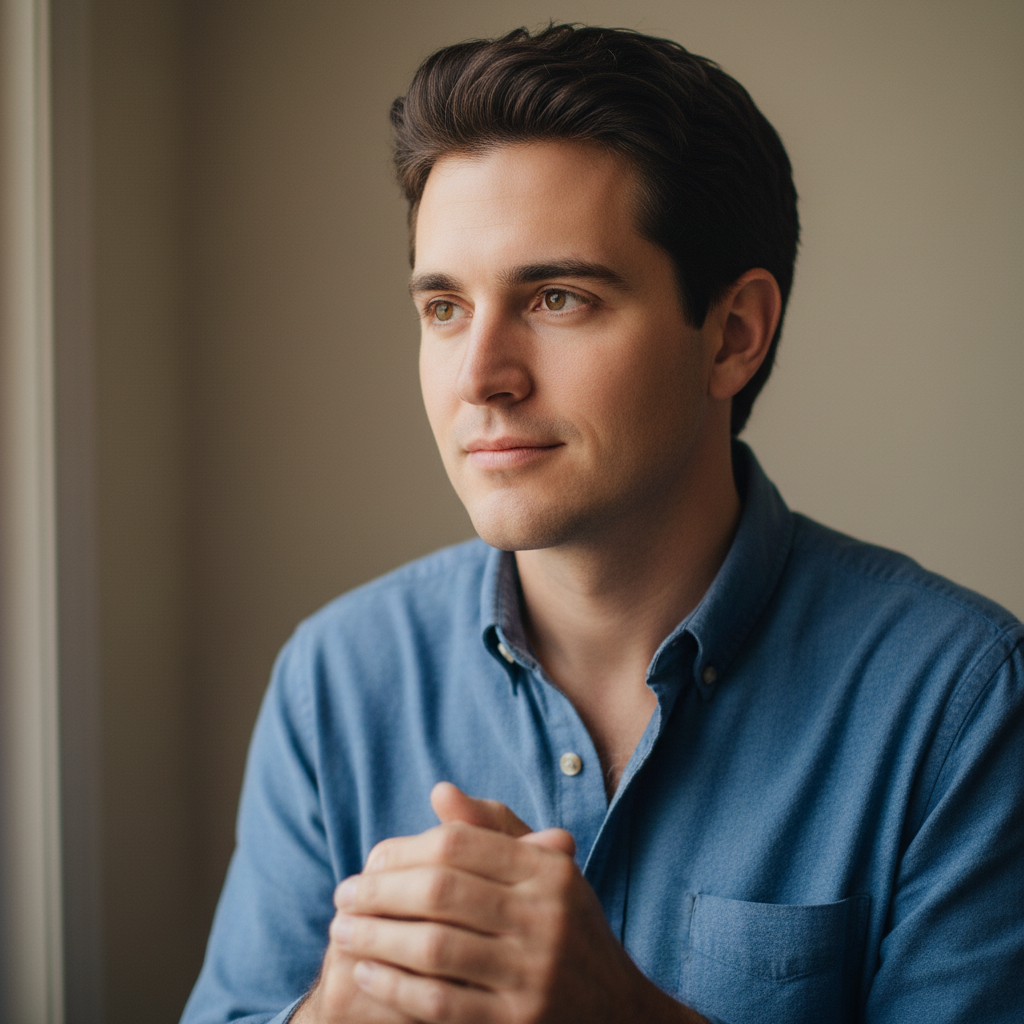
Man in his 50s with grey temples and visible wrinkles
Before
->
Same man looking 20 years younger with fuller hair and smoother skin
After

Man de-aged by 20 years

A 50-year-old man's photo transformed to show how he looked in his younger years.

Prompt: make this person look 20 years younger with smoother skin, fuller hair, and a more youthful face
Advertisement

If something looks off

AI changed the wrong area or something I didn't want changed

Why: The AI couldn't determine exactly which facial features to age from description alone. This happens when multiple people are in the photo or the instruction is ambiguous.

Try: Tap a marker on the specific face you want to age, then regenerate with the same prompt

Tip: Markers tell the AI 'I mean THIS face specifically.' Use them when there are multiple people in the photo.

Person looks like a different person after aging

Why: Extreme age transformations can distort facial identity, especially when the AI over-applies changes to bone structure and facial proportions.

Try: age this person to look [age] while preserving their facial identity and bone structure

Tip: Adding 'preserve facial identity' explicitly tells the AI to keep the person recognizable.

Aging effects look painted or artificial

Why: The AI applied wrinkles and texture changes as surface-level overlays rather than integrated skin aging.

Try: age this person to [age] with photorealistic skin aging, natural wrinkle depth, and realistic skin texture

Tip: 'Photorealistic' and 'natural wrinkle depth' push the AI toward believable aging rather than a filter look.

Hair didn't change to match the age

Why: The AI focused on facial aging but missed hair-related changes like greying, thinning, or receding.

Try: age this person to [age] including natural hair changes like greying, thinning, and age-appropriate styling

Tip: Explicitly mentioning hair changes ensures the AI treats it as part of the overall aging transformation.

De-aging looks too smooth or like a blur filter

Why: The AI interpreted 'younger' as 'smoother' and over-smoothed the skin instead of restructuring facial features.

Try: make this person look [age] younger with realistic youthful features, not just smoothed skin - adjust facial structure and hair

Tip: Specifying 'adjust facial structure' prevents the AI from just applying a basic smoothing filter.

Quick answers

Do I need to mark my face before describing the age change?

No! Just describe what you want: 'age this person to 70' or 'make them look 20 years younger.' The AI understands what a face is and applies aging effects automatically. Only use markers if there are multiple people and you want to age just one specific person.

How do I predict what I'll look like when I'm older?

Upload a clear, well-lit selfie and type 'age this person to look [target age].' The AI simulates realistic aging by adding wrinkles, adjusting skin texture, changing hair color, and modifying facial features. The more specific you are about the target age, the more accurate the prediction.

Is there a free AI age predictor that doesn't require login?

Yes, EditThisPic is free to try with no account needed. Upload your photo, describe the age transformation, and download the result. No watermarks on outputs. Works for both aging up and de-aging without any signup process.

Can AI accurately predict what someone will look like at a certain age?

AI age prediction simulates realistic aging based on patterns from millions of faces. While it cannot predict exactly how you will age (genetics, lifestyle, and environment all play a role), the results are surprisingly convincing for fun, creative, and social sharing purposes. Most users find the transformations remarkably believable.

Ready to predict your age in photos?

Free to try. No signup required.

Try it free