AI Age Predictor
← Browse all creative effectsLast updated
Describe the age you want to see and AI transforms your face instantly. No marking needed.


Upload photo to predict age
"make this person look 20 years younger with smoother skin, fuller hair, and a more youthful face"
Free to try · no sign-up · photos are never shared
Release to upload
<30stypical edit
1 freeedit weekly
Photo on your phone?
Scan to open this editor there — free edit works on your phone too.
How it works
See it in action


Young woman aged to 70
A 25-year-old woman's portrait transformed to show how she might look at 70 with realistic aging effects.
Prompt:
age this person to look 70 years old with realistic wrinkles, grey hair, and natural skin aging
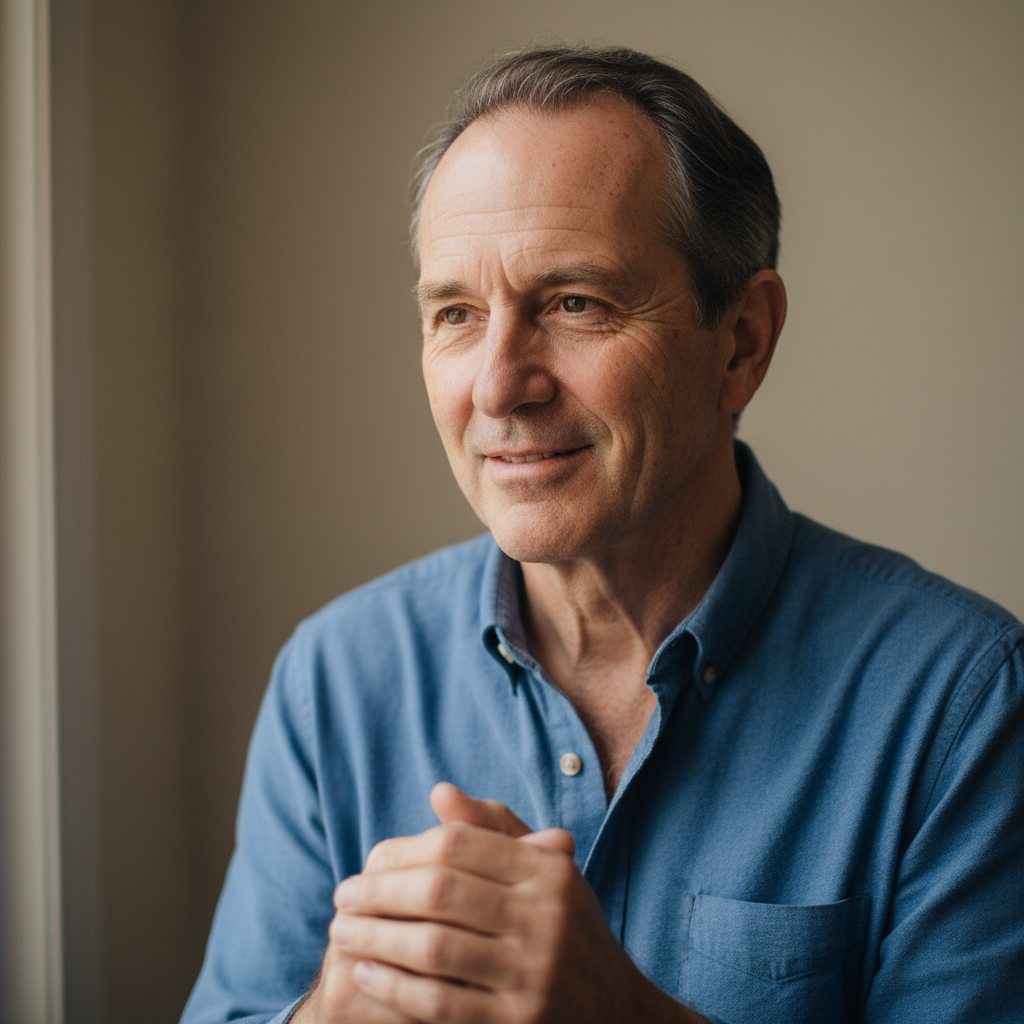

Man de-aged by 20 years
A 50-year-old man's photo transformed to show how he looked in his younger years.
Prompt:
make this person look 20 years younger with smoother skin, fuller hair, and a more youthful face
Quick answers
Popular use cases
Ready to edit your photos?
Free to try. No signup required.