Free โ€ข No signup Transform Disney Pixar style ยท Free

Transform Photo to Disney Pixar Style

Type what you want. Become a 3D animated Pixar character in seconds.
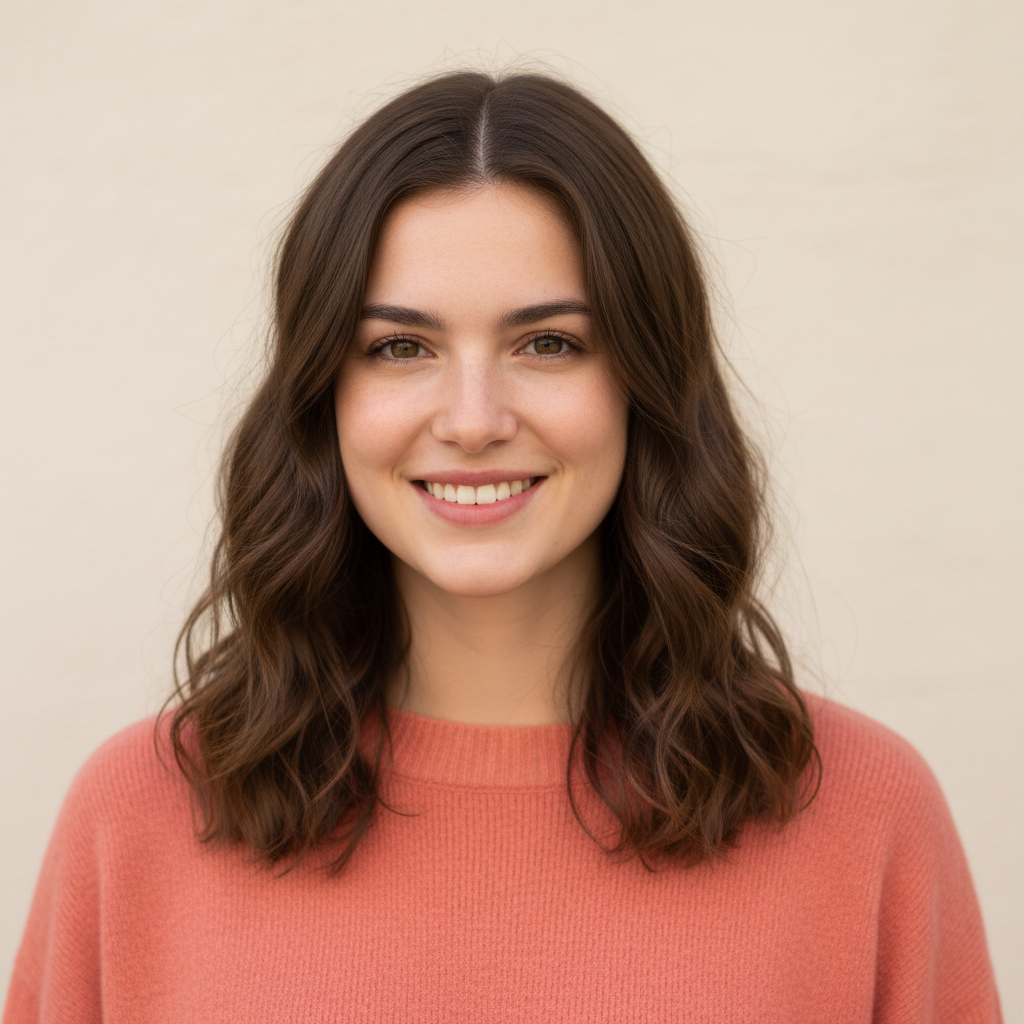
Casual portrait photo of young woman in coral sweater
Before
โ†’
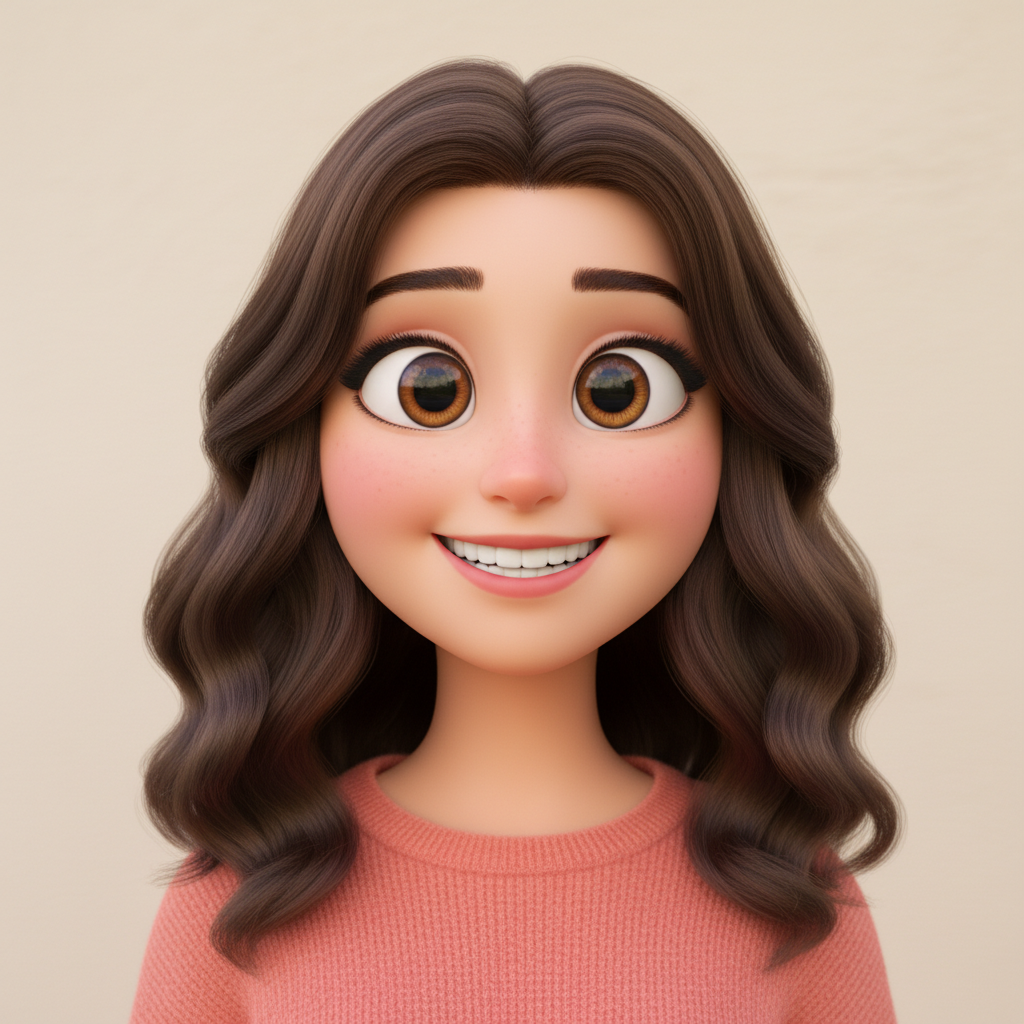
Same woman transformed into 3D Pixar animated character
After

Transform Photo to Disney Pixar Style

Drop your photo here

or click to browse

Release to upload

Free โ€ข No signup

Advertisement
Popular use cases:
  • Social media profiles
  • Family portraits
  • Kids birthday parties
  • Holiday cards
  • Disney fans
  • Profile picture transformation
  • Fun photo projects

Cost
Free No signup required
Time
Instant results in 15-30 seconds
Works on
Any device - browser, phone, tablet, desktop
Powered by
AI-powered photo editing
Scenario Prompt Time
Classic Pixar transform into Disney Pixar 3D animated character with expressive eyes 25s
Incredibles style convert to Pixar Incredibles style with heroic proportions 30s
Toy Story style transform into Toy Story Pixar character with friendly expression 25s
Pet to Pixar convert pet to Pixar animated movie character with big soulful eyes 25s

How it works

  1. Upload your photo

    Drop your image into EditThisPic. JPG, PNG, and WebP up to 7MB work best. Clear portraits with good lighting produce the best Pixar transformations. The AI needs to see facial features clearly.

    Expect: Simple portraits: 20-30 seconds. Group photos or complex backgrounds: may need 1-2 refinements.
  2. Describe the Pixar style you want

    Type your instruction: 'transform this photo into Disney Pixar 3D animated character style' or 'convert to Pixar movie character with big expressive eyes and smooth stylized features.' The AI understands Pixar aesthetics - those signature oversized eyes, simplified features, and smooth 3D rendering.

    Tip: Reference specific Pixar films for different vibes: 'Incredibles style' for heroic looks, 'Coco style' for warm family feels, 'Inside Out style' for more stylized features.

    Copy one of these to get started:

    Classic Pixar character transformation transform this photo into Disney Pixar 3D animated character style with big expressive eyes, smooth stylized features, and vibrant Pixar movie aesthetic
    Incredibles superhero style convert to Pixar Incredibles style animated character with heroic proportions, confident expression, and dynamic 3D superhero aesthetic
    Toy Story character style transform into Toy Story Pixar character style - friendly expression, rounded features, warm lighting, playful 3D animated look
    Coco family portrait style convert to Pixar Coco movie style with warm colors, expressive emotional features, detailed 3D rendering, family-friendly animated look
    3 more prompts
    Up adventure style transform to Pixar Up movie character style - slightly exaggerated proportions, warm nostalgic lighting, expressive face, adventure-ready look
    Pet to Pixar character convert this pet photo to Pixar animated movie character - big soulful eyes, expressive face, smooth 3D fur rendering, Disney Pixar animal style
    Inside Out emotional style transform into Pixar Inside Out character style - bold colors, highly stylized features, exaggerated expressions, abstract 3D character design
  3. Generate and review

    Tap generate and examine the result. Check that the 3D rendering looks smooth, eyes are expressive and properly styled, and the overall feel matches Pixar's distinctive animation aesthetic.

  4. Refine with markers if needed

    If certain features need more Pixar treatment or you want to preserve specific details, tap markers on those spots and regenerate. Most Pixar transformations capture the style on the first try.

    Tip: Markers are optional. The AI handles full-image style transfer well without manual guidance.
Try it free โ†“

Transform Photo to Disney Pixar Style

Drop your photo here

or click to browse

Release to upload

Free โ€ข No signup

"Made my whole family into Pixar characters for our holiday card. Everyone looks like they stepped out of The Incredibles. Kids absolutely loved seeing themselves animated." @AnimatedMomLife

See it in action

Casual portrait photo of young woman in coral sweater
Before
->
Same woman transformed into 3D Pixar animated character
After

Portrait to Pixar protagonist

A casual selfie transformed into a Pixar-style animated character ready to star in their own movie.

Prompt: transform this photo into Disney Pixar 3D animated character style with big expressive eyes, smooth stylized features, and vibrant Pixar movie aesthetic
School photo of young boy in red shirt
Before
->
Same boy as Pixar Incredibles-style animated superhero character
After

Kid to animated hero

A child's school photo converted into an Incredibles-style superhero character.

Prompt: convert to Pixar Incredibles style animated character with heroic proportions, confident expression, and dynamic 3D superhero aesthetic
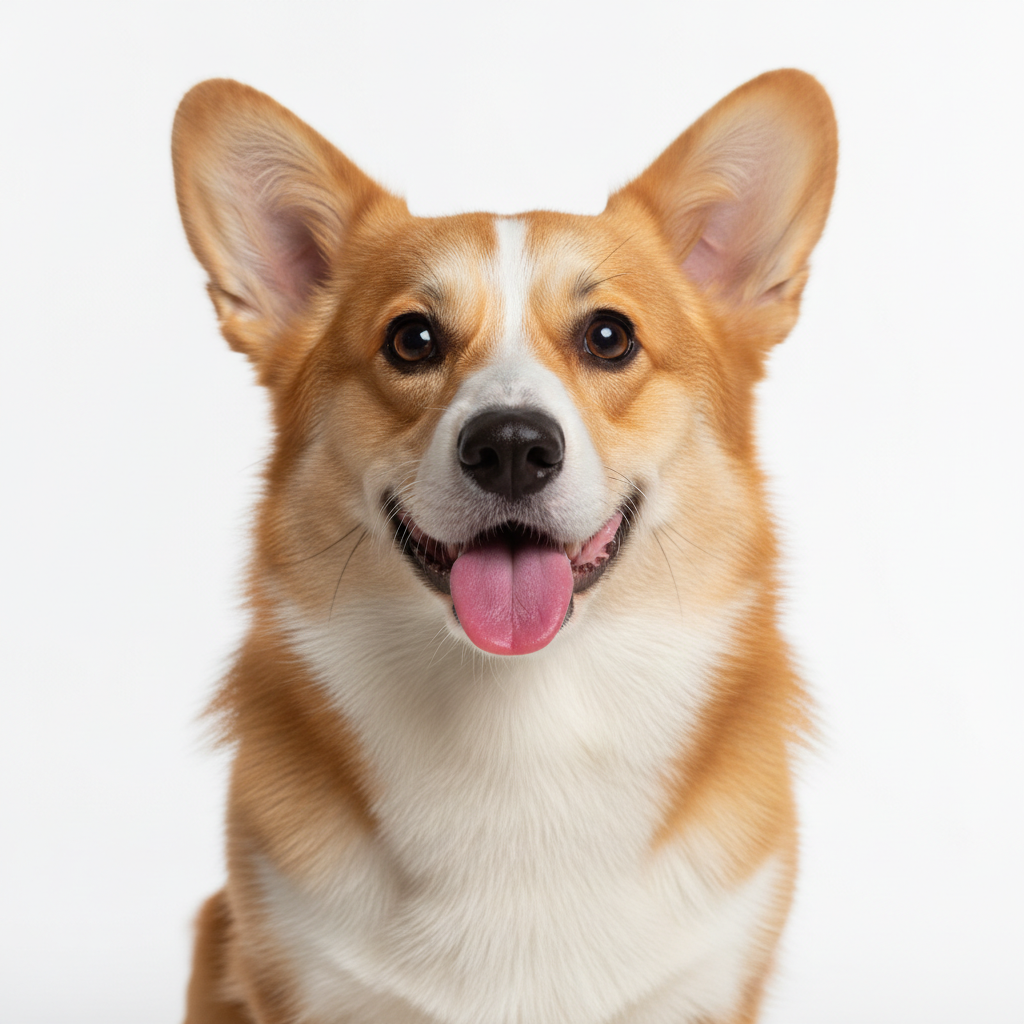
Corgi dog sitting against white background
Before
->
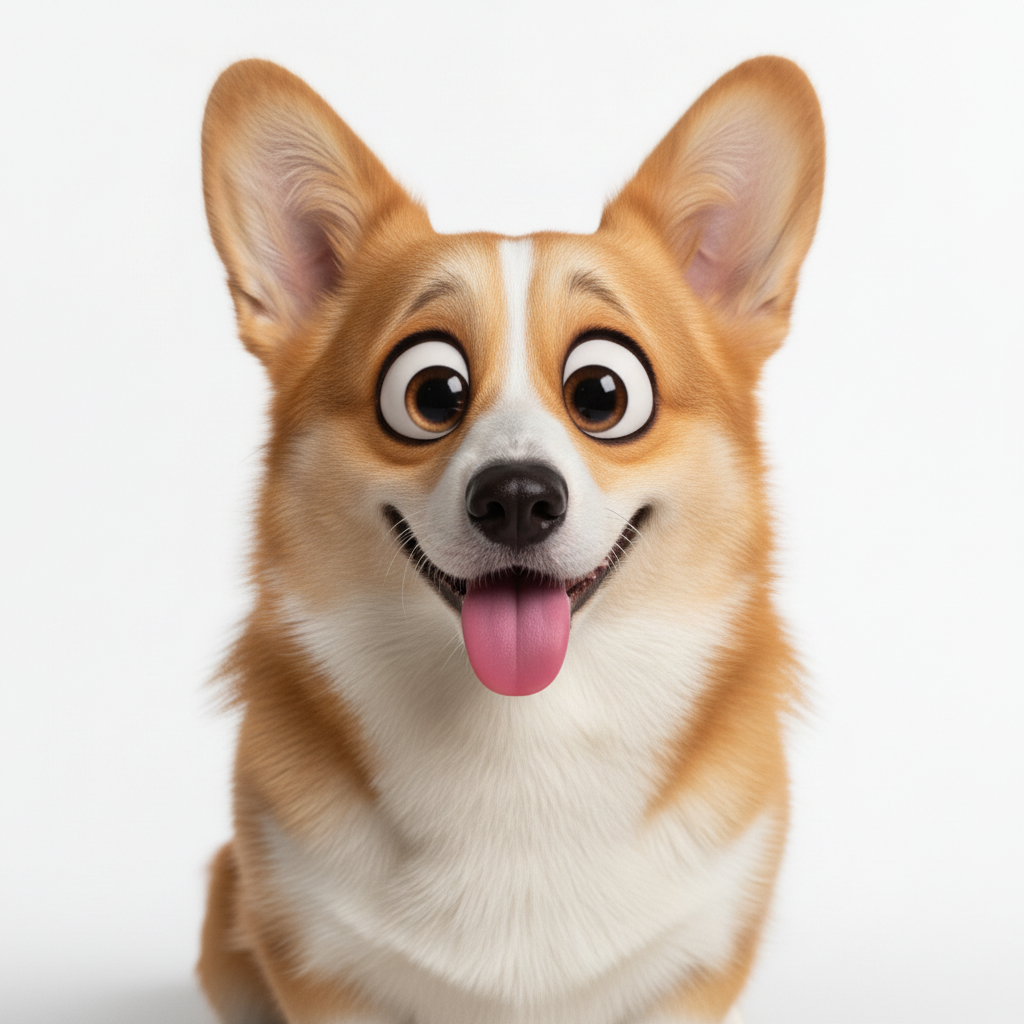
Same corgi as Pixar animated movie character with expressive eyes
After

Dog to Pixar sidekick

A photo of a corgi transformed into an adorable Pixar movie sidekick character.

Prompt: convert this pet photo to Pixar animated movie character - big soulful eyes, expressive face, smooth 3D fur rendering, Disney Pixar animal style
Advertisement

If something looks off

Result looks like generic 3D render, not Pixar style

Why: The AI created a basic 3D look instead of Pixar's distinctive aesthetic. It needs more specific guidance.

Try: transform to authentic Disney Pixar animated character with signature oversized expressive eyes, smooth skin, stylized simplified features like characters from Pixar movies

Tip: Mentioning 'Disney Pixar' together and 'signature oversized eyes' helps capture the authentic look.

Face looks distorted or uncanny

Why: The style transfer was too aggressive. Pixar characters are stylized but still recognizable.

Try: convert to Pixar style while preserving facial structure and likeness, gentle stylization with expressive eyes but recognizable features

Tip: Adding 'preserving likeness' helps maintain recognizability in the stylized version.

AI changed the wrong area or something I didn't want changed

Why: The AI couldn't determine exactly which area you meant from description alone.

Try: Tap a marker on the specific area you want to keep unchanged, then regenerate with the same prompt

Tip: Markers tell the AI 'I mean THIS one specifically.' Use them when description alone is ambiguous.

Colors look dull or washed out

Why: Pixar films have vibrant, carefully lit color palettes. The AI needs guidance on lighting.

Try: transform to Pixar character with vibrant saturated colors, warm studio lighting, rich skin tones, colorful Disney movie aesthetic

Tip: Pixar uses bold, saturated colors with warm lighting - mention these for better results.

Eyes don't have that Pixar sparkle

Why: The signature Pixar eye look has specific lighting and catchlights. More detail helps.

Try: convert to Pixar style with big glossy eyes that have visible catchlights, expressive emotional eyes like Pixar movie characters

Tip: Pixar eyes have 'catchlights' - those little reflections that make them look alive.

Quick answers

Do I need to mark anything before applying the Pixar filter?

No. Just describe what you want: 'transform this photo into Disney Pixar animated character style.' The AI applies the style transformation automatically. Markers are only needed if you want to preserve certain areas unchanged.

How do I get the Disney Pixar AI filter for free?

Upload your photo to EditThisPic and type 'transform into Disney Pixar 3D animated character style.' The AI transforms your image in 20-40 seconds. No account, no login, no watermarks. Works on any device with a web browser.

Is there a free Pixar character generator without signup?

Yes. EditThisPic offers free Pixar-style transformations with no account required. Just upload, describe the style you want, and download your animated character version. No watermarks added.

What is the best AI tool for Pixar-style photos?

EditThisPic is a free option that produces authentic Pixar-style results. Unlike preset filters, you can specify which Pixar film aesthetic you want - Incredibles heroic style, Coco warmth, or Toy Story friendliness. The AI understands these references.

Can I transform a group photo into Pixar characters?

Yes. Upload your group photo and describe the transformation. The AI converts everyone into Pixar-style characters while maintaining their individual features and positions. Works great for family portraits.

Ready to become a Pixar character?

Free to try. No signup required.

Try it free โ†’