Free β€’ No signup Convert Lego figure Β· Free

Convert Photo to LEGO Minifigure Style

Type what you want. Become a LEGO minifigure in seconds.

Smiling woman with shoulder-length hair
Before
β†’
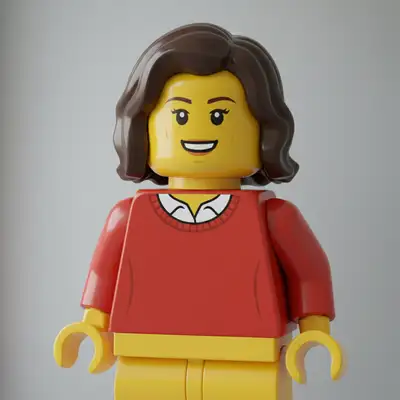
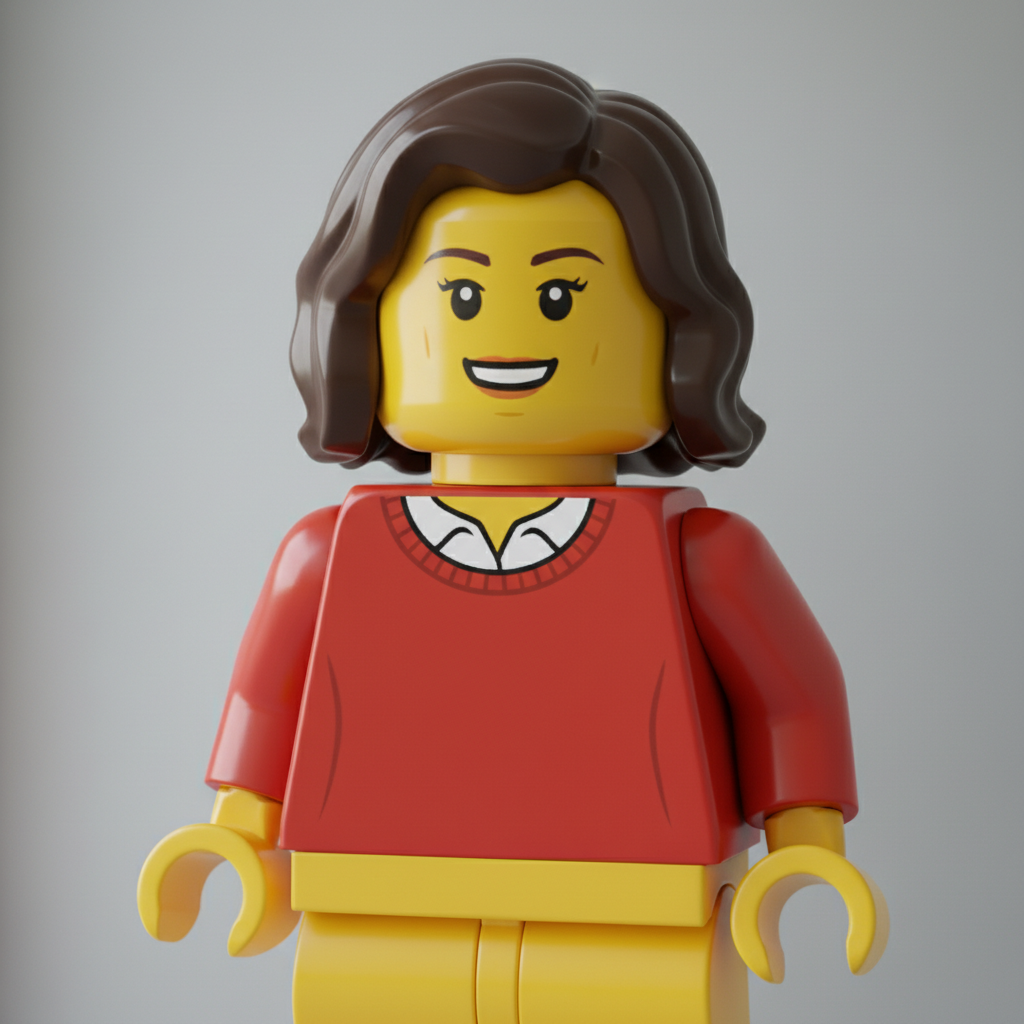
Same woman as yellow LEGO minifigure with hair piece
After

Convert Photo to LEGO Minifigure Style

Upload photo to convert lego figure

Free β€’ Results in 30 seconds β€’ No signup

Release to upload

FreeNo signupNo watermark
Popular use cases:
  • LEGO profile pictures
  • Birthday party decorations
  • Family fun projects
  • LEGO fan art
  • Kids crafts
  • Party invitations
  • Personalized gifts

Cost
Free No signup required
Time
Instant results in 15-30 seconds
Works on
Any device - browser, phone, tablet, desktop
Powered by
AI-powered photo editing
Scenario Prompt Time
Classic minifigure LEGO minifigure with yellow skin and C-hands 15s
LEGO City style LEGO City minifig with printed outfit 20s
Family portrait All family members as LEGO minifigures 25s
Brick world LEGO minifigure in LEGO brick environment 25s

How it works

  1. Upload your photo

    Upload any photo you want to transform. Clear subjects with good contrast convert best for lego figure style effects. JPG, PNG, WebP up to 7MB.

    Expect: Simple portraits: 15-25 seconds. Complex photos: may need refinement for best results.
  2. Describe the LEGO style you want

    Type your instruction: 'convert this photo to LEGO minifigure style with yellow skin and C-shaped hands' or 'transform into a LEGO character.' The AI understands the iconic LEGO aesthetic - cylindrical head, yellow plastic skin, simple painted features, claw hands. No selection or marking needed.

    Tip: Mention specific LEGO themes like 'LEGO City style' or 'LEGO Star Wars style' for themed transformations.

    Copy one of these to get started:

    Classic LEGO minifigure convert this photo to LEGO minifigure style with yellow plastic skin, cylindrical head, C-shaped claw hands, simple painted-on face features, classic minifig proportions

    LEGO City character transform into LEGO City minifigure style - yellow skin, printed torso with realistic outfit, snap-on hair piece, cheerful LEGO face expression
    Wall art print for living room convert lego figure at high quality suitable for a large canvas print. Rich detail, vibrant tones, and strong composition that works as wall art
    LEGO family portrait transform this family photo into LEGO minifigures - all with yellow skin, different hair pieces, printed outfits, standing together, LEGO brick style
    2 more prompts
    LEGO superhero style convert to LEGO minifigure in superhero style - yellow skin, heroic pose, cape accessory, masked face print, LEGO DC/Marvel aesthetic
    LEGO in brick world transform into LEGO minifigure standing in LEGO brick world environment, yellow character surrounded by colorful LEGO bricks and structures
  3. Generate and review

    Tap generate and check that the distinctive LEGO features are present - yellow plastic skin, cylindrical head, simple dot eyes, characteristic LEGO smile, C-shaped hands. The figure should look like an actual minifigure.

  4. Refine with markers if needed

    If specific features need adjustment - like outfit details or hair piece style - tap markers on those areas and regenerate. Most LEGO conversions capture the style perfectly on the first try.

    Tip: Markers help if you want specific clothing printed on the minifigure torso or a particular hair piece style.
Try it free ↓

Convert Photo to LEGO Minifigure Style

Upload photo to convert lego figure

Free β€’ Results in 30 seconds β€’ No signup

Release to upload

Free β€’ No signup

"Made my whole family into LEGO minifigures for a birthday banner. Even grandma looks adorable with yellow skin and that classic LEGO smile!" @BrickFamilyFun

See it in action

Smiling woman with shoulder-length hair
Before
->
Same woman as yellow LEGO minifigure with hair piece
After

Portrait to LEGO minifigure

A casual portrait transformed into a classic LEGO minifigure with yellow skin and characteristic features.

Prompt: convert this photo to LEGO minifigure style with yellow plastic skin, cylindrical head, C-shaped claw hands, simple painted-on face features, classic minifig proportions
Young boy in striped shirt
Before
->
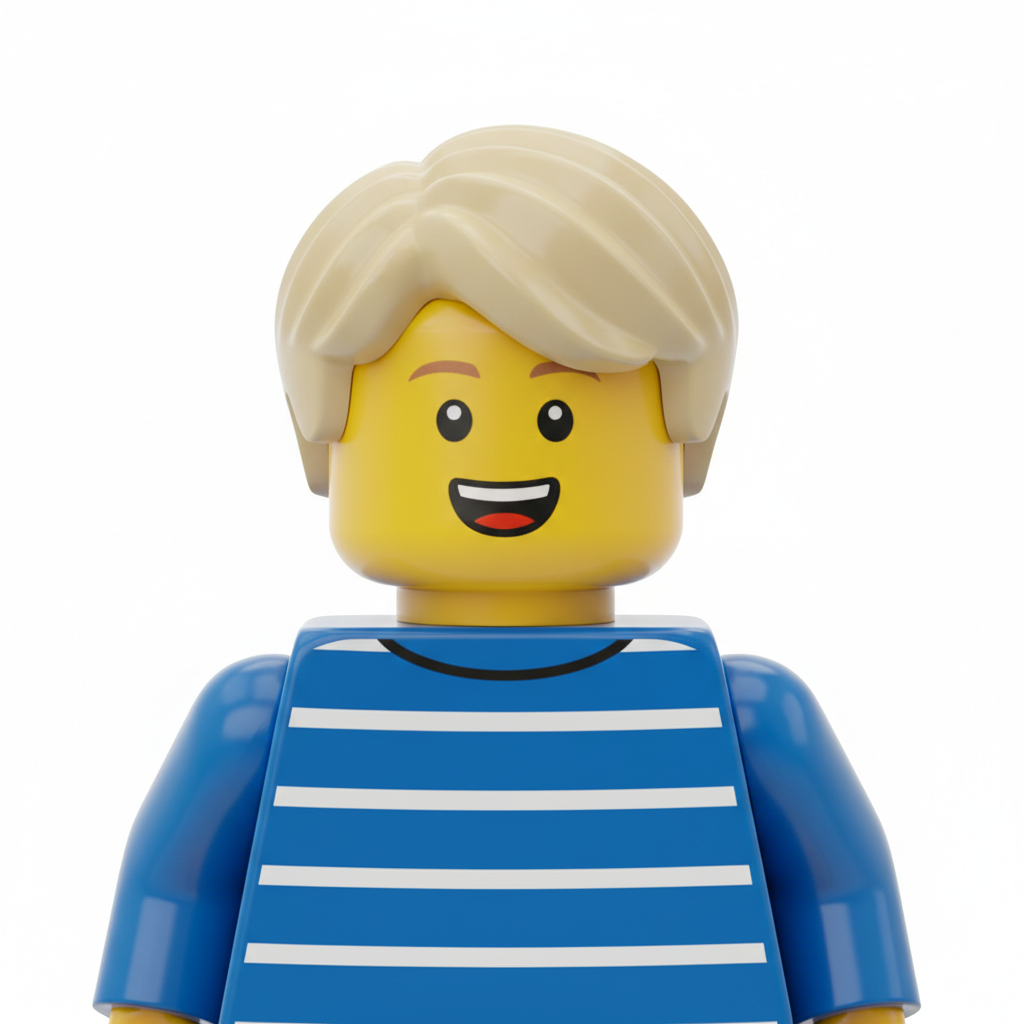
Same boy as LEGO minifigure with printed striped torso
After

Kid to LEGO character

A child's photo converted into an adorable LEGO minifigure ready for brick adventures.

Prompt: transform into LEGO minifigure style - yellow skin, printed torso matching outfit, snap-on hair piece, cheerful LEGO face expression

Detailed Guides by Scenario

πŸ“·

Art & Decoration

Transform your photos into lego figure artwork for wall prints, framed art, and home decoration.

Common Scenarios

  • Converting a favorite photo into a lego figure print for your living room wall
  • Creating a series of lego figure portraits of family members as matching wall art
  • Turning landscape or travel photos into lego figure art for office decoration

Best Practices

  • Start with a high-resolution photo β€” printed art needs sharp detail even after the style transform
  • Request a specific aspect ratio if the print will go in a particular frame
  • Try 'bold lego figure' vs. 'subtle lego figure' to control how dramatic the transformation looks
πŸ“·

Social Media & Content

Create scroll-stopping social media content by converting photos to lego figure β€” perfect for profiles, stories, and viral posts.

Common Scenarios

  • Making a unique lego figure profile picture that stands out in feeds
  • Creating a lego figure version of a trending meme or photo challenge
  • Building a themed Instagram series where every post uses lego figure transformation

Best Practices

  • Pair the transformation with a catchy caption that references the art style
  • For Instagram stories, add text overlays after the lego figure conversion for maximum engagement
  • Process several photos in the same session to maintain a consistent style across posts
πŸ“·

Gifts & Personal Keepsakes

Turn meaningful photos into lego figure keepsakes β€” custom gifts, cards, and personalized items that people actually treasure.

Common Scenarios

  • Creating a lego figure portrait as a birthday or anniversary gift
  • Designing lego figure wedding invitations or save-the-dates from engagement photos
  • Making a lego figure memorial portrait for a loved one

Best Practices

  • Choose photos with clear faces and good lighting β€” the transformation preserves detail best from quality originals
  • For gifts, print on canvas or premium paper to complement the lego figure aesthetic
  • Request 'warm tones' or 'cool tones' to match the recipient's home decor

If something looks off

AI changed the wrong area or something I didn't want changed

Why: The AI couldn't determine exactly which area you meant from description alone. This happens with ambiguous requests.

Try: Tap a marker on the specific area you want to change, then regenerate with the same prompt

Tip: Markers tell the AI 'I mean THIS one specifically.' Use them when description alone is ambiguous.

Skin isn't yellow enough, or wrong shade

Why: LEGO minifigures have a very specific yellow shade. The AI may have used a different tone.

Try: convert to LEGO minifigure with classic LEGO yellow plastic skin color, not tan or orange, authentic minifigure yellow

Tip: Specifying 'classic LEGO yellow' helps nail the exact iconic minifigure skin tone.

Hands don't look like C-clamps

Why: LEGO minifigure hands have a very specific C-shaped claw design for gripping accessories.

Try: convert to LEGO style with authentic C-shaped claw hands that can grip accessories, classic minifigure hand shape

Tip: The C-shaped hands are iconic - emphasizing this detail increases authenticity.

Face has too much detail

Why: LEGO faces are very simplified - usually just printed dots for eyes and a simple mouth line.

Try: transform to LEGO minifigure with simple printed face - dot eyes, simple curved smile, minimal features like classic minifig

Tip: LEGO faces are intentionally simple - less detail is more authentic.

Quick answers

Do I need to mark anything before converting to LEGO style?

No. Just describe what you want: 'convert this photo to LEGO minifigure style.' The AI understands the LEGO aesthetic with yellow skin, C-hands, and cylindrical head, and applies it automatically. Markers are only needed if you want specific areas handled differently.

How do I turn my photo into a LEGO minifigure for free?

Upload your photo to EditThisPic and type 'convert to LEGO minifigure style with yellow skin.' The AI transforms your image in 15-30 seconds with that iconic plastic toy look. No account, no login, no watermarks. Fun for all ages.

Is there a free LEGO minifigure generator from photos?

Yes. EditThisPic converts photos to LEGO minifigure style without requiring signup or login. Just upload, describe the style you want, and download your yellow brick character. No watermarks on results.

What makes LEGO minifigure style distinctive?

LEGO minifigures have yellow plastic skin, cylindrical heads, C-shaped claw hands, simple painted-on facial features, and blocky bodies. EditThisPic captures all these specific characteristics, not just generic toy styling.

Is EditThisPic's AI lego figure converter really free?

Yes β€” you get 1 free edit per week, no account needed. For unlimited edits, plans start at $3.99/month.

Can I convert lego figure on my phone?

Yes. EditThisPic works in any mobile browser β€” iPhone, Android, tablet. No app download needed.

What photo formats does the AI lego figure converter support?

JPG, PNG, WebP, and HEIC. Upload any common photo format and EditThisPic handles the rest.

How long does it take to convert lego figure?

Usually 15-30 seconds. Upload your photo, describe what you want, and the AI delivers the result.

Ready to become a LEGO minifigure?

Free to try. No signup required.