Free • No signup Create Fortnite skin · Free

Fortnite Skin Maker

Last updated

Describe the skin — 'dark warrior with gold armor' or 'anime-style skin with neon outfit' — and see it in 20 seconds.

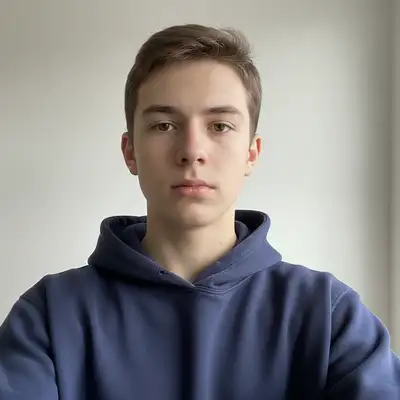
Regular casual selfie against white wall in navy hoodie
Before
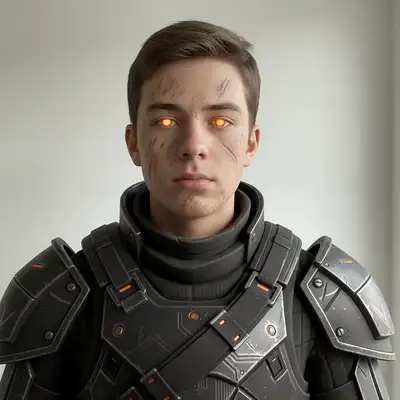
Fortnite legendary warrior skin with dark armor and glowing orange eyes
After

Upload photo to create fortnite skin

"create a Fortnite skin with bright streetwear — oversized yellow hoodie, colorful sneakers, bold graphic accessories — cartoony Fortnite character style"

Release to upload

FreeNo signupNo watermark

1 free edit·then from $4.99

Popular use cases:
  • Fortnite fans
  • gaming skin designers
  • Battle Royale players
  • skin concept creators
  • Fortnite content creators

Cost
Free No signup required
Time
Instant results in 15-30 seconds
Works on
Any device - browser, phone, tablet, desktop
Powered by
AI-powered photo editing
Scenario Prompt Time
Dark warrior transform into a Fortnite legendary warrior skin with dark armor, glowing eyes, Fortnite art style 20s
Streetwear create Fortnite skin with bright streetwear — yellow hoodie, colorful sneakers, cartoony style 20s
Anime crossover anime-style Fortnite skin — cel-shaded linework, dramatic hair, vibrant outfit, Fortnite aesthetic 25s

How it works

  1. Upload your photo

    Drop any photo into EditThisPic — your selfie, a character concept sketch, or any reference image. JPG, PNG, or WebP up to 7MB. A clear front-facing photo works best for creating a skin that resembles you.

    Expect: Simple skin transformations: 15–25 seconds. Complex multi-element outfits with specific color schemes: 25–40 seconds.
  2. Describe the Fortnite skin you want

    Type the full skin concept: 'transform into a Fortnite warrior skin with dark armored outfit, glowing orange eyes, and battle-worn appearance' or 'create a Fortnite skin with colorful streetwear, bright yellow jacket, and graffiti-style accessories.' Be specific about the outfit, colors, and style. No marking needed.

    Tip: Reference specific Fortnite aesthetics: 'battle royale warrior', 'cartoony skin', 'mythic rarity look with glowing effects', or 'collab skin like a superhero costume.' The more specific the style, the better the result.

    Copy one of these to get started:

    Dark warrior / Battle Royale skin transform into a Fortnite legendary warrior skin with dark armored outfit, glowing orange eyes, battle-worn appearance, dramatic Fortnite art style
    Colorful streetwear skin create a Fortnite skin with bright streetwear — oversized yellow hoodie, colorful sneakers, bold graphic accessories — cartoony Fortnite character style
    Change an existing Fortnite skin style redesign the Fortnite skin in this photo — change the outfit to a futuristic space suit with neon green highlights, keep the face design but update all clothing
    Anime-style Fortnite skin create an anime-style Fortnite skin from this photo — cel-shaded art style, dramatic hair, vibrant outfit colors, bold linework in Fortnite's aesthetic
    3 more prompts
    Superhero / collab skin transform into a Fortnite collab skin styled like a superhero — custom logo on chest, cape, vibrant primary colors, bold and clean design in Fortnite's character art style
    Make Fortnite skins with a specific rarity design a Fortnite legendary rarity skin with full-body armor, glowing effects, mythic-level details, and an epic boss-style look — rich gold and black color scheme
    Create a skin from a selfie create your own Fortnite skin from this selfie — stylize the face into Fortnite's cartoony art style, add a cool outfit, keep it recognizable as me
  3. Review your skin concept

    Check that the outfit colors, accessories, and overall style match what you described. Fortnite skin concepts look best with bold colors and strong contrast. Download the result or try another variation.

  4. Refine specific outfit elements with markers

    If the jacket color is wrong or you want to adjust just the accessory style, tap a marker on that element and regenerate: 'change the jacket to BRIGHT BLUE while keeping the dark pants and armor.' Most skins look right on the first pass.

    Tip: Markers are useful when you want to change one outfit element while keeping the rest of the skin the same.
Try it free

Upload photo to create fortnite skin

"redesign the Fortnite skin in this photo — change the outfit to a futuristic space suit with neon green highlights, keep the face design but update all clothing"

Release to upload

Free • No signup

See it in action

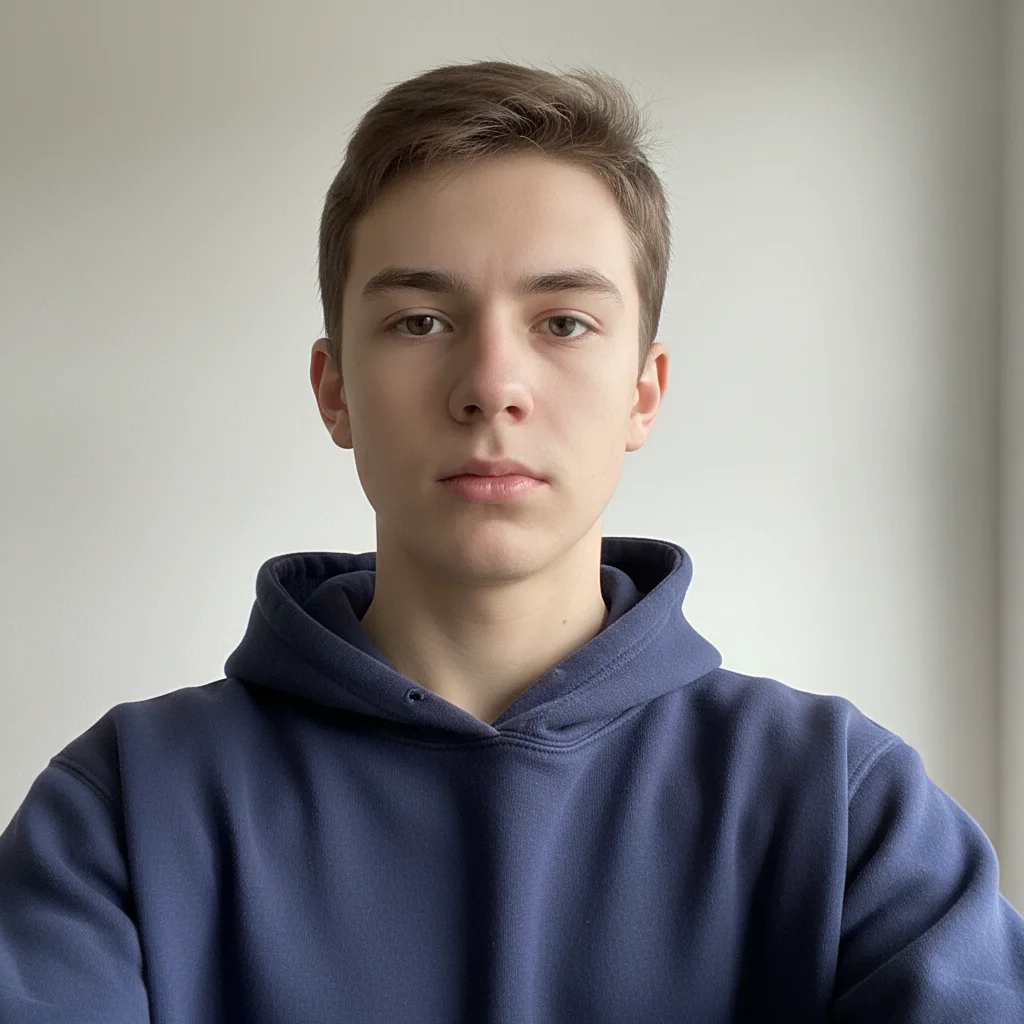
Regular casual selfie against white wall in navy hoodie
Before
->
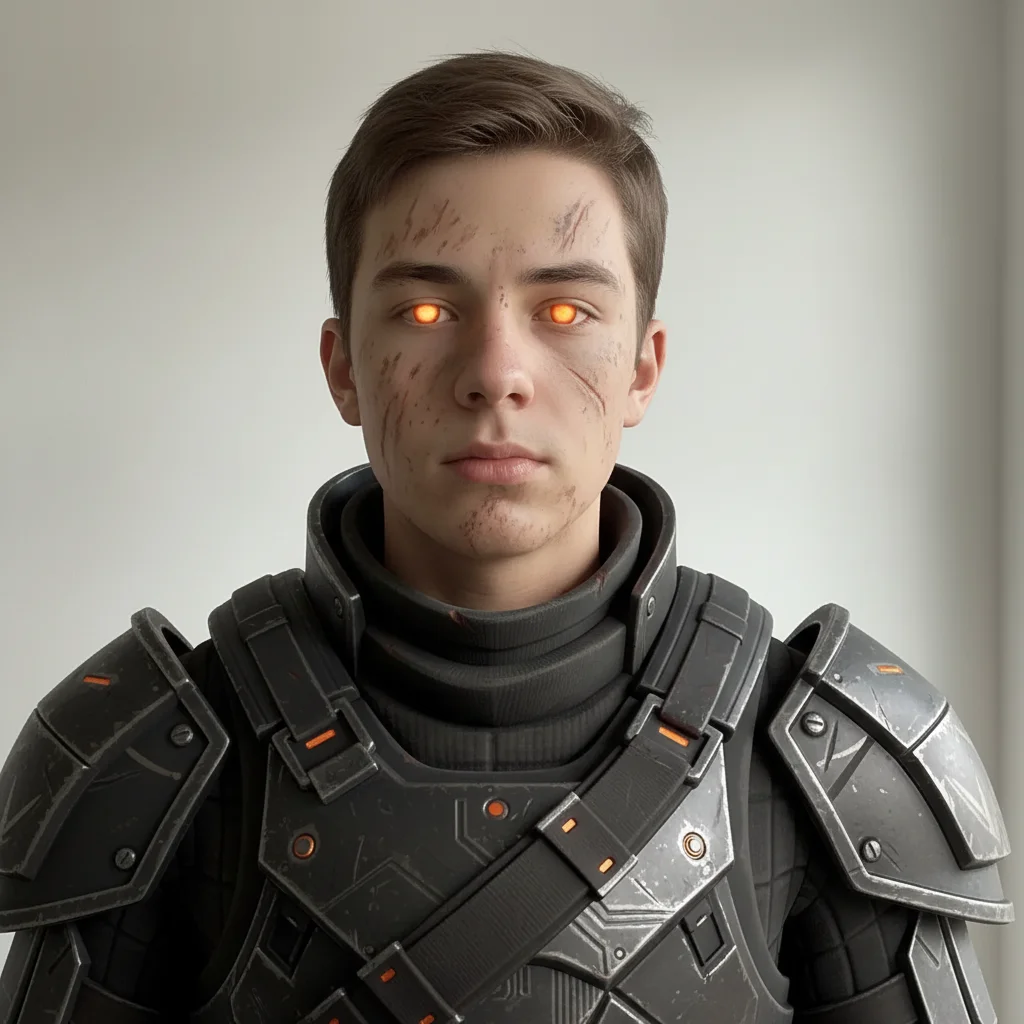
Fortnite legendary warrior skin with dark armor and glowing orange eyes
After

Selfie turned into dark warrior Fortnite skin

A Fortnite player wanted to see what they'd look like as a legendary skin. One prompt created a dramatic warrior concept based on their photo.

Prompt: transform into a Fortnite legendary warrior skin with dark armored outfit, glowing orange eyes, battle-worn appearance, dramatic Fortnite art style
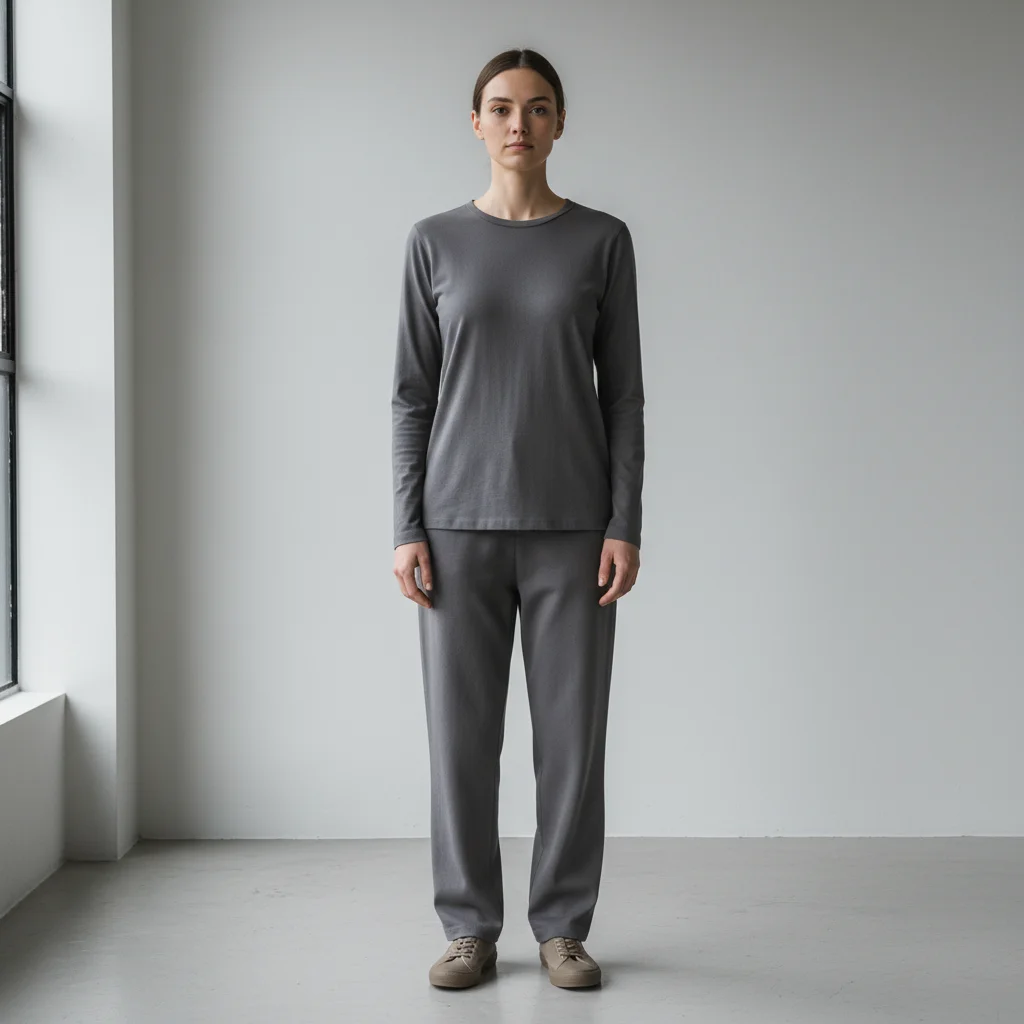
Person in neutral gray clothes against light gray wall
Before
->
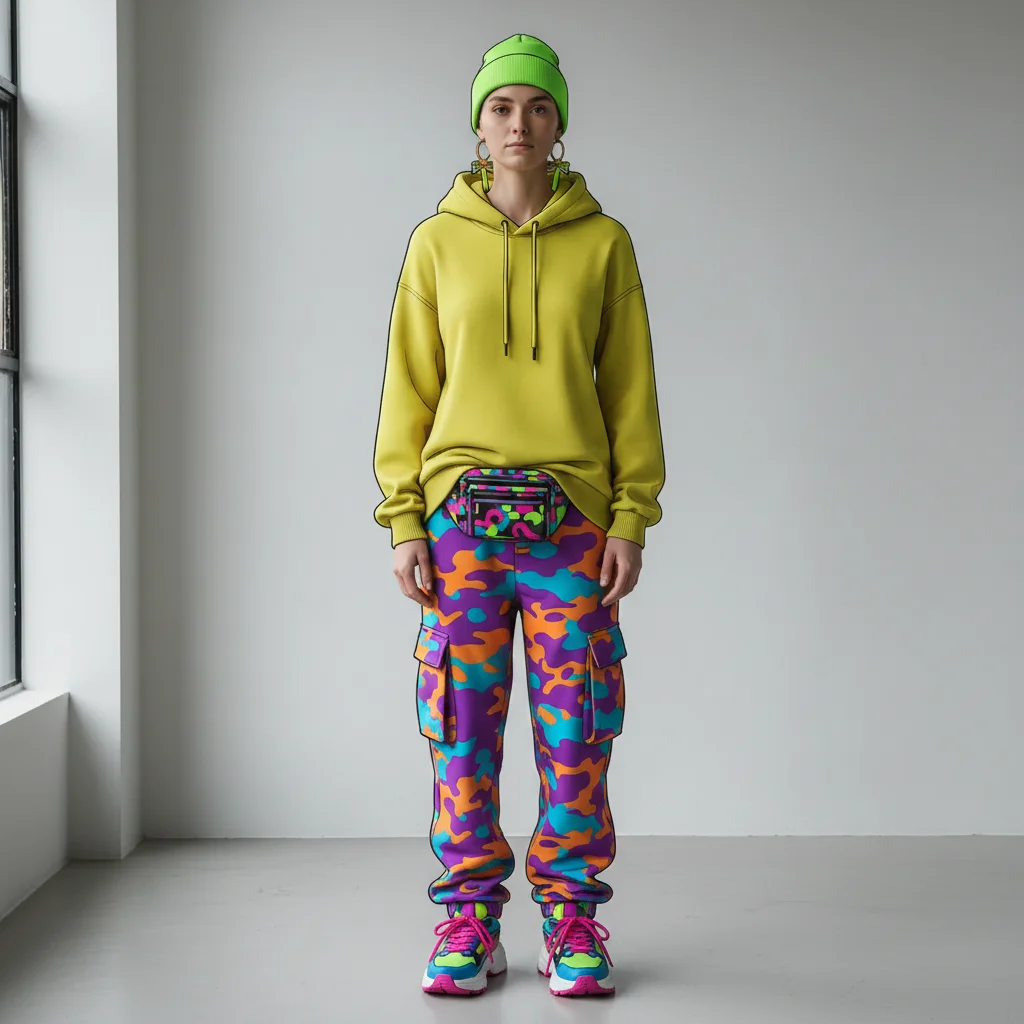
Fortnite skin concept with bright yellow hoodie, colorful sneakers, and bold accessories
After

Colorful streetwear Fortnite skin created

A player wanted to design their own skin concept with bright streetwear aesthetics. The AI produced a vibrant Fortnite-style character ready to share.

Prompt: create a Fortnite skin with bright streetwear — oversized yellow hoodie, colorful sneakers, bold graphic accessories — cartoony Fortnite character style
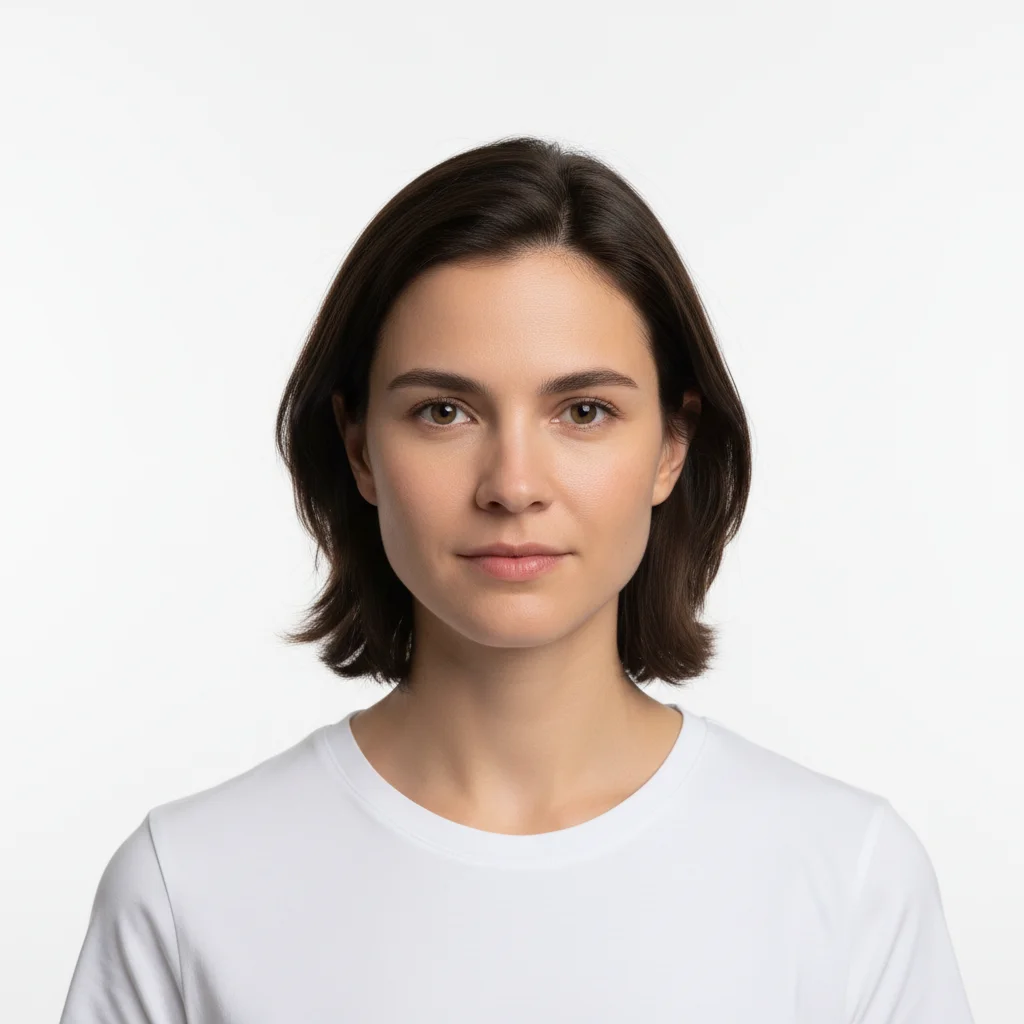
Plain portrait against white background wearing white t-shirt
Before
->
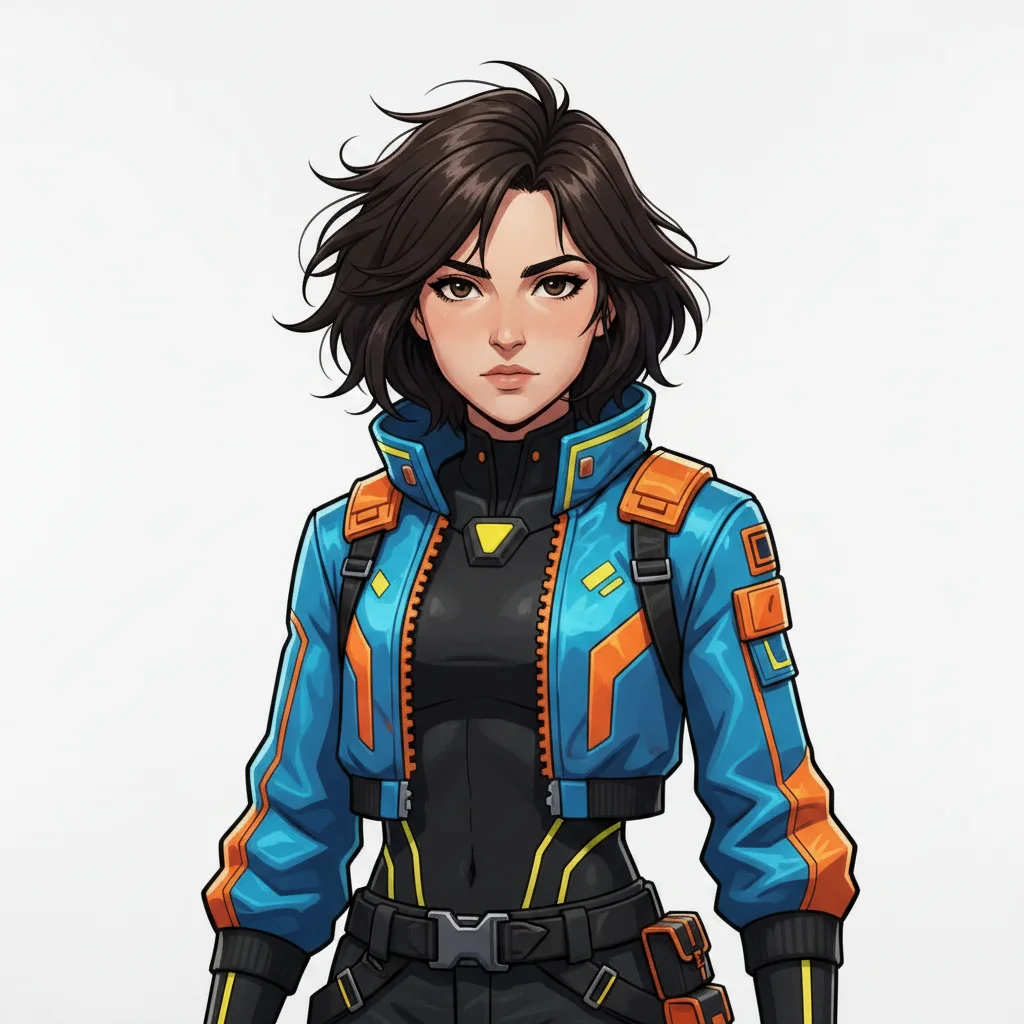
Anime-style Fortnite skin with cel-shaded linework, dramatic hair, and vibrant outfit
After

Anime-style Fortnite skin design

A fan of both anime and Fortnite wanted a crossover skin concept. The AI blended cel-shaded anime aesthetics with Fortnite's bold design language.

Prompt: create an anime-style Fortnite skin from this photo — cel-shaded art style, dramatic hair, vibrant outfit colors, bold linework in Fortnite's aesthetic

If something looks off

AI changed the wrong area or something I didn't want changed

Why: The AI couldn't determine exactly which part of the outfit or character you meant from description alone.

Try: Tap a marker on the specific element you want to change, then regenerate: 'change only this element — keep everything else the same'

Tip: Markers tell the AI 'I mean THIS part specifically.' Use them when you want to change one outfit piece while keeping the rest of the skin design.

Result doesn't look like Fortnite style

Why: The style description didn't explicitly reference the game's visual language.

Try: redo this as a Fortnite character skin — use Fortnite's cartoony art style, bold colors, clean design language, and over-the-top character aesthetic

Tip: Always include 'Fortnite art style', 'Fortnite character', or 'Fortnite skin' explicitly in the prompt for accurate style matching.

Outfit colors look dull or realistic instead of bold

Why: Fortnite uses highly saturated, stylized colors — a realistic style prompt produces more muted results.

Try: make the skin more vibrant — use highly saturated Fortnite colors, boost the contrast, make the outfit colors bolder and more exaggerated like in the game

Tip: Add 'highly saturated colors' and 'bold and exaggerated like in-game' to push toward Fortnite's signature visual style.

Face looks too cartoon-distorted and not recognizable

Why: Heavy style transforms can distort facial features when the stylization level is too high.

Try: redo the skin but keep my face recognizable — apply the Fortnite character style to the outfit and background only, keep the face proportions realistic

Tip: Add 'keep the face proportions realistic' to any heavy style transform to preserve facial recognizability.

Quick answers

Do I need to mark anything before describing the Fortnite skin I want?

No. Just upload your photo and describe the skin concept: 'transform into a Fortnite warrior skin with dark armor' or 'create a colorful streetwear Fortnite skin.' The AI transforms the whole image. Only use markers if you want to adjust one specific element while keeping the rest of the design.

Is there a free Fortnite skin maker with no login?

Yes. EditThisPic creates Fortnite skin concepts from your photos for free with no account and no watermark on the output. Upload, describe the skin style you want, and download the result in 20 seconds.

How do I create my own Fortnite skin for free?

Upload your photo to EditThisPic and type: 'transform into a Fortnite skin with [your style].' Describe the outfit, colors, and aesthetic — like 'dark warrior armor' or 'colorful anime-style skin.' Download the result. No account needed.

Can I make a Fortnite skin from my selfie?

Yes. Upload your selfie and type: 'create your own Fortnite skin from this selfie — stylize the face into Fortnite's cartoony art style, add a cool outfit, keep it recognizable as me.' The AI creates a skin concept based on your actual photo.

Can I change an existing Fortnite skin's outfit with this tool?

Yes. Take a screenshot of a Fortnite skin, upload it, and type: 'redesign the outfit — change the jacket to a futuristic space suit with neon green highlights, keep the face design.' The AI remixes the existing skin's style with your new concept.

How much does EditThisPic cost?

You get 1 free edit per week — no account needed. After that, credit packs start at $1.99 for 3 edits. Monthly plans start at $4.99/mo for 15 edits with unused credits rolling over. All edits are full resolution with no watermark.

Ready to create your Fortnite skin?

Free to try. No signup required.

1 free edit included·Credit packs from $4.99