AI Shopify Lifestyle Photo Editor
Create in-context Shopify lifestyle product photos in seconds. Place products in rooms, on surfaces, and in real-world settings without a photographer.
Drop your photo here
or click to browse
Release to upload
Free • No signup
"I couldn't afford a lifestyle photographer. EditThisPic puts my products in beautiful settings that look like they belong in a magazine. My social media engagement tripled." @ModernHomeGoods
Built for In-Context Product Photography
Lifestyle photos sell 3x better than white backgrounds for most product categories. But hiring a lifestyle photographer with a styled space costs $500+ per session. EditThisPic lets you describe any setting - living room, kitchen, bedroom, outdoor - and places your product naturally in that context.
Lifestyle Photo Tools
Lifestyle Scene
Place products in realistic room settings and styled environments
Change Background
Swap any background for a lifestyle setting
Enhance Lighting
Create warm, inviting lighting that matches lifestyle settings
Enhance Colors
Ensure product colors look accurate in new lighting contexts
How to Create Shopify Lifestyle Photos
-
Upload your product photo
Drop your product photo into EditThisPic. Any background works. JPG, PNG, and WebP up to 7MB.
Lifestyle placement: 20-30 seconds. Complex room settings may need 2-3 attempts. -
Describe your ideal lifestyle setting
Be specific: 'place on marble coffee table in modern minimalist living room, warm afternoon light from left window, fresh flowers in background.' Name the surface, room style, lighting direction, and atmosphere.
The more specific your description, the better the result. 'Mid-century modern living room' beats 'nice room' every time. -
Verify product integration
Check that the product looks naturally placed in the scene - lighting direction, shadows, and scale should all be consistent. The product should look like it belongs there.
Compare lighting direction on the product vs. the scene. They should match for a realistic result. -
Refine the setting if needed
If the room style doesn't match your brand, adjust the description. Try different rooms (bedroom, kitchen, patio), different styles (Scandinavian, industrial, farmhouse), or different lighting (morning, golden hour, soft overcast).
Keep a 'lookbook' of prompts that produce your brand's ideal aesthetic. Reuse them for every product.
Shopify Lifestyle Photo Prompts
place product on marble coffee table in modern minimalist living room, warm afternoon natural light from left window, cozy inviting atmosphere, styled interior photography
Modern living room works for almost any product. The most versatile lifestyle setting.
place product on nightstand or bed in cozy Scandinavian bedroom, soft warm morning light through sheer curtains, layered textiles, calm peaceful atmosphere
Bedroom settings work for candles, books, skincare, sleep products, and small decor.
place product on clean marble kitchen counter, bright natural light from window, modern kitchen setting, fresh and clean aesthetic
Kitchen settings work for food products, kitchenware, and wellness items.
place product on outdoor wooden table, warm golden hour sunset lighting, lush garden visible in background, relaxed lifestyle aesthetic
Golden hour lighting creates the most emotionally appealing photos. Works for almost anything.
Show 4 more prompts
place product on clean minimalist desk setup, soft neutral tones, organized workspace aesthetic, natural side lighting from window
Desk setups work for tech, stationery, desk accessories, and productivity products.
place product on white bathroom counter or shelf, spa-like atmosphere, eucalyptus or botanical accents, soft diffused natural light
Spa settings elevate skincare, bath, and wellness products with aspirational context.
place product on rustic wooden farmhouse table, warm morning light, simple country aesthetic, linen textures visible, organic natural feel
Farmhouse aesthetics work for handmade, artisan, natural, and organic product brands.
place product in styled flat-lay arrangement on clean white surface, fashion accessories around it, editorial styling, bright even overhead light
Flat-lay lifestyle photos work for fashion accessories, jewelry, and small lifestyle products.
| Edit Type | Prompt | Time | |
|---|---|---|---|
| Living room | marble coffee table, modern living room, warm natural light |
25s | Try This → |
| Bedroom | nightstand in Scandinavian bedroom, soft morning light |
25s | Try This → |
| Kitchen | clean marble kitchen counter, bright natural light |
25s | Try This → |
| Outdoor | outdoor wooden table, golden hour sunset, garden |
25s | Try This → |
Shopify Lifestyle Photo Transformations
Candle in modern living room
Candle on a desk. Placed in a modern living room that tells the brand story and drives sales.
place product on marble coffee table in modern minimalist living room, warm afternoon natural light from left window, cozy inviting atmosphere
Skincare in bathroom spa
Skincare bottle on kitchen counter. Transformed into a spa-like bathroom setting.
place product on white bathroom counter, spa-like atmosphere, eucalyptus accents, soft diffused natural light
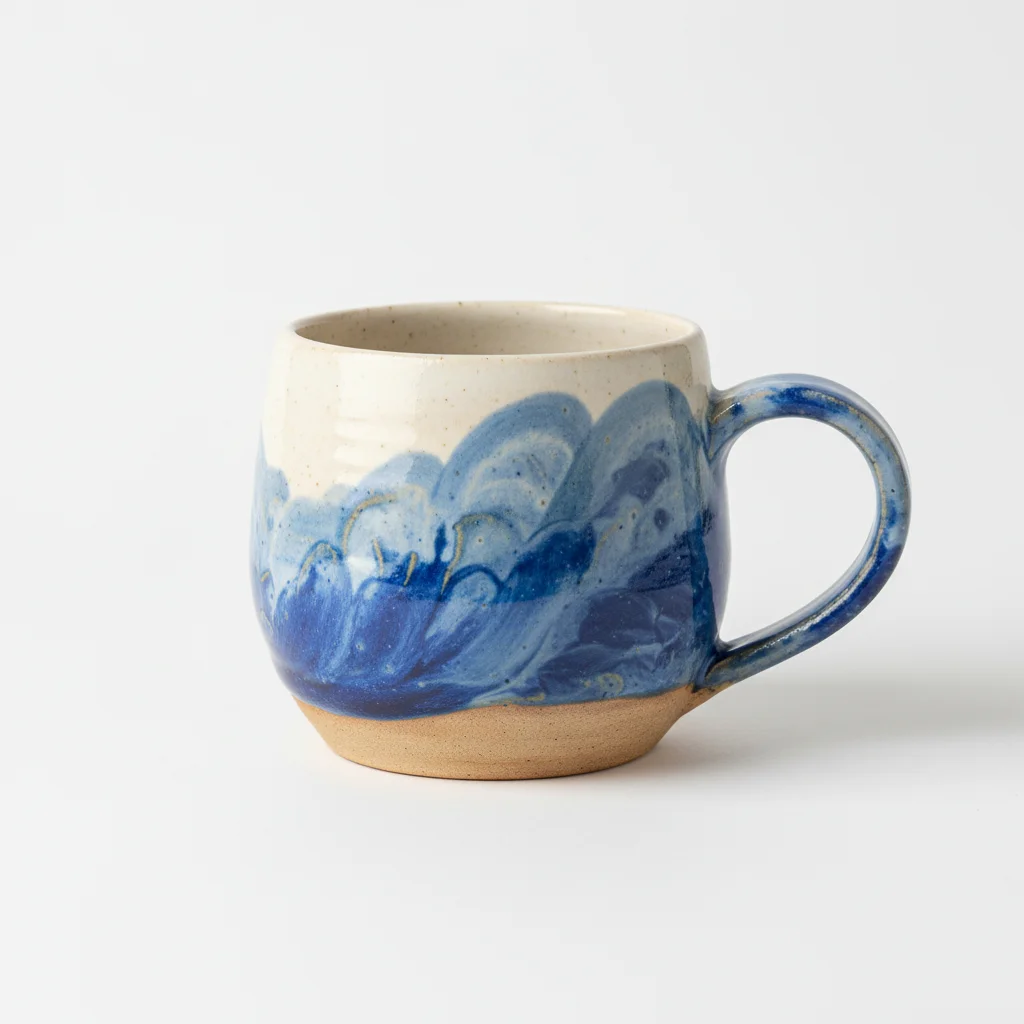
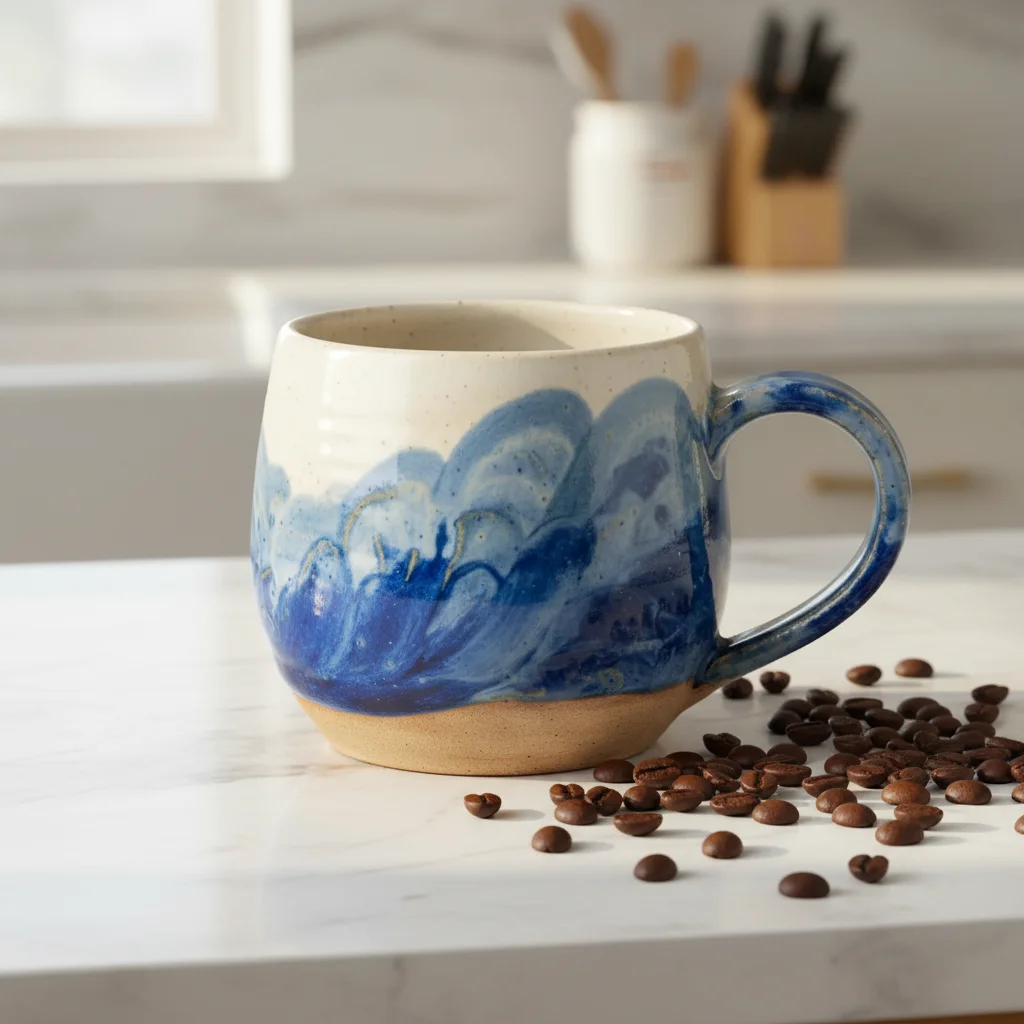
Coffee mug in cozy kitchen
Ceramic mug on a bare table. Created a warm, inviting kitchen lifestyle shot.
place product on rustic wooden kitchen table, warm morning light, steam visible, cozy breakfast atmosphere
Common Lifestyle Photo Issues
Product looks pasted or doesn't blend into the scene
Why: Lighting direction, shadow, or color temperature on the product doesn't match the new environment.
place product naturally in [scene], match product lighting direction and color temperature to the room's ambient light, realistic integration
Add 'realistic lighting integration' to ensure the product's illumination matches the scene.
Product scale looks wrong in the scene
Why: Without size context, the AI may place the product at an unrealistic scale.
Add specific size context: 'small 4-inch candle on standard-size coffee table' or '12-inch vase on dining table'
Mention both the product size and the surface it's on for accurate scaling.
Room style doesn't match brand aesthetic
Why: Generic terms like 'nice room' or 'modern' are too vague for consistent brand results.
Be specific: 'Scandinavian minimalist' or 'mid-century modern with warm wood tones' or 'industrial loft with concrete and steel'
Create a list of 3-4 specific interior styles that match your brand and stick to those.
Product colors look different in the lifestyle context
Why: The new environment's color palette can shift how product colors appear.
Add 'maintain exact original product colors, do not shift hue or saturation of the product' to your prompt
Specify key colors: 'keep the product's navy blue exactly as original.'
Scene looks too generic or stock-photo-like
Why: Very common descriptions produce common-looking results without personality.
Add unique details: 'slightly messy coffee table with open book and reading glasses' or 'vintage desk lamp casting warm pool of light'
Imperfect, lived-in details make scenes feel authentic rather than stock-photo perfect.
Frequently Asked Questions
How do I create lifestyle photos without a studio or props?
Just photograph your product anywhere - even on your desk. Then describe the lifestyle setting you want: 'place on marble coffee table in modern living room with warm natural light.' The AI removes your original background and creates the styled environment around your product.
How do I keep lifestyle photos consistent across my catalog?
Save your best prompts and reuse them for every product. For example, always use 'modern minimalist living room, warm afternoon light from left window' as your go-to lifestyle setting. Same prompt for every product = cohesive brand story.
Should I use lifestyle or white background photos on Shopify?
Use both. White background for your main product image (shows in collections and search). Lifestyle photos for secondary gallery images that help customers visualize the product in their life. Studies show lifestyle photos drive 3x more engagement.
What room settings work best for different products?
Living rooms: general products, candles, decor. Kitchens: food, kitchenware, wellness. Bedrooms: candles, skincare, textiles. Bathrooms: beauty, wellness. Desks: tech, stationery. Outdoors: activewear, garden items.
How do I make the product look naturally placed?
Be specific about surface and lighting: 'product resting on marble surface, warm light from left window.' The more context you give, the more natural the integration. Add 'realistic lighting integration' if the product looks pasted on.
Is this better than hiring a lifestyle photographer?
For standard lifestyle product shots, EditThisPic is dramatically more affordable. Lifestyle shoots with styled spaces cost $500-2000+ per session. EditThisPic creates unlimited settings in seconds for free. For campaigns with human models and creative direction, professional photography still adds unique value.
Is EditThisPic's AI shopify lifestyle photo editor really free?
Yes — you get 1 free edit per week, no account needed. For unlimited edits, plans start at $3.99/month.
Can I shopify lifestyle on my phone?
Yes. EditThisPic works in any mobile browser — iPhone, Android, tablet. No app download needed.
Ready to create stunning lifestyle photos?
Professional lifestyle shots without a studio or stylist. Free to try.
Start Editing Your Photos