Free β€’ No signup Add A huge realistic spider to any photo Β· Free

Add Spider to Photo Prank

Upload a photo of any surface and AI plants a terrifyingly realistic spider on it. Arachnophobes beware.

Original bed pillow before spider prank
Before
β†’
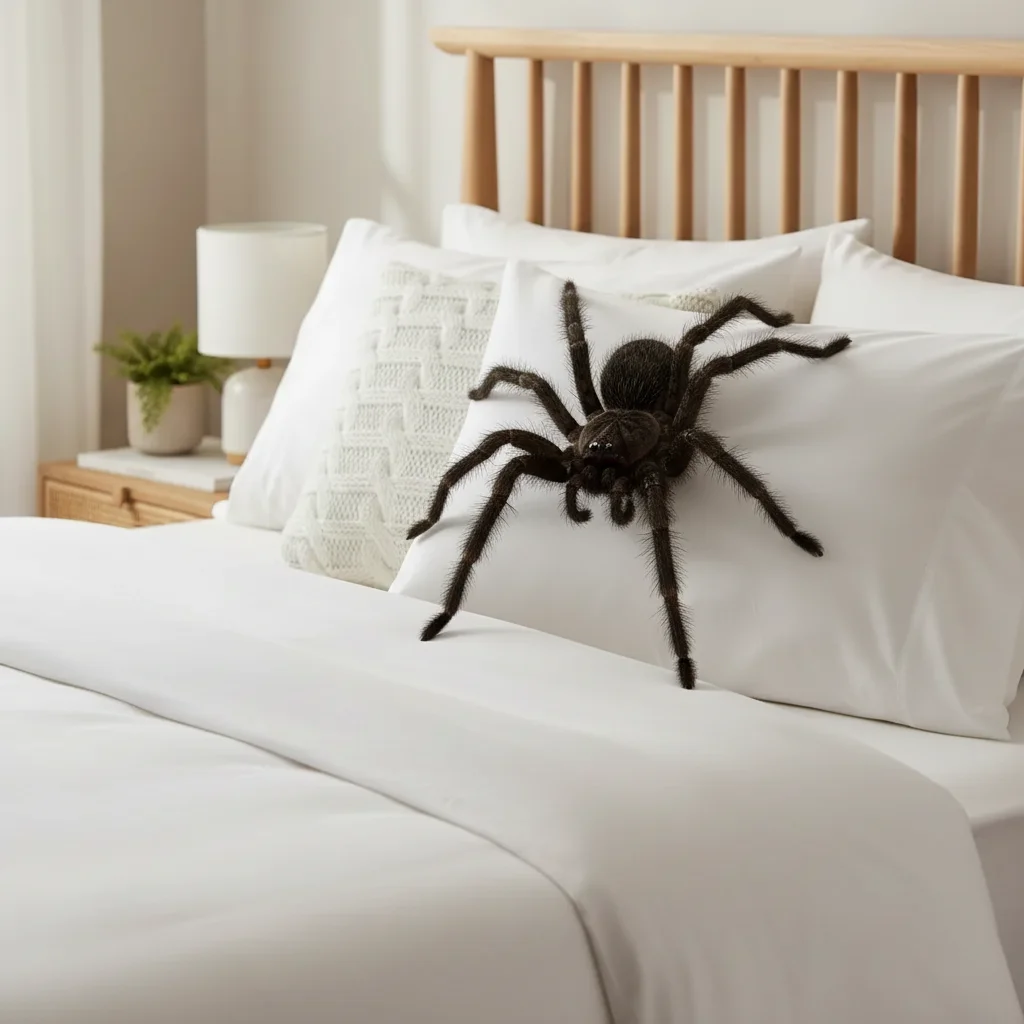
Pillow with realistic AI-generated large spider
After

Add Spider to Photo Prank

Upload photo to add a huge realistic spider to any photo

Free β€’ Results in 30 seconds β€’ No signup

Release to upload

FreeNo signupNo watermark

1 free edit·then from $1.99

Popular use cases:
  • add spider to photo prank
  • spider prank photo
  • fake spider in photo
  • AI spider prank
  • giant spider photo maker

Cost
Free No signup required
Time
Instant results in 15-30 seconds
Works on
Any device - browser, phone, tablet, desktop
Powered by
AI-powered photo editing

How it works

  1. Upload any photo

    Drop a photo into EditThisPic β€” desk, bed, bathroom, ceiling, wall, or any surface. JPG, PNG, WebP up to 7MB. The spider prank works on virtually any photo.

    Expect: Most edits complete in 20-45 seconds. Close-up photos of surfaces give the scariest results.
  2. Describe the spider

    Tell the AI the spider type and position: 'Add a huge tarantula on the desk' or 'Place a big hairy spider on the pillow.' Specify the species or describe its appearance for maximum scare factor.

    Tip: Spiders on personal items (pillows, shoes, keyboards) trigger a stronger fear response than spiders on floors or walls. Go for 'on the pillow' over 'on the floor.'

    Copy one of these to get started:

    Spider on the bed β€” maximum fear Add a huge hairy spider sitting in the middle of the pillow on this bed, realistic with long legs spread out and visible body hair
    Spider on the desk Add a large brown spider sitting on this desk next to the keyboard, with legs spread out and casting a shadow on the surface
    Spider in the bathtub Add a big dark spider sitting in the bottom of the bathtub, legs spread against the white surface, trapped and waiting
    Giant tarantula Add a massive tarantula with thick hairy legs sitting on this surface, body the size of a fist, looking intimidating
    4 more prompts
    Spider on the wall above the bed Add a large spider on the wall directly above the headboard of this bed, legs spread out, as if looking down at whoever's sleeping
    Spider in the car Add a spider hanging from a web on the rearview mirror or sun visor of this car interior, dangling at eye level
    Spider on food or plate Add a spider crawling across the edge of this plate of food, one leg touching the food, the rest on the plate rim
    Multiple baby spiders Add dozens of tiny baby spiders scattered across this surface, like an egg sac just hatched, with thin legs and small translucent bodies
  3. Send and watch them freak out

    Check that the spider casts a proper shadow and matches the surface. Download and send with 'LOOK WHAT I JUST FOUND ON YOUR BED.'

Try it free ↓

Add Spider to Photo Prank

Upload photo to add a huge realistic spider to any photo

Free β€’ Results in 30 seconds β€’ No signup

Release to upload

Free β€’ No signup

See it in action

Original bed pillow before spider prank
Before
->
Pillow with realistic AI-generated large spider
After

Spider on pillow prank

A bed with a terrifyingly realistic spider placed on the pillow.

Prompt: Add a huge hairy spider sitting in the middle of the pillow on this bed, realistic with long legs spread out

Original desk before spider prank
Before
->
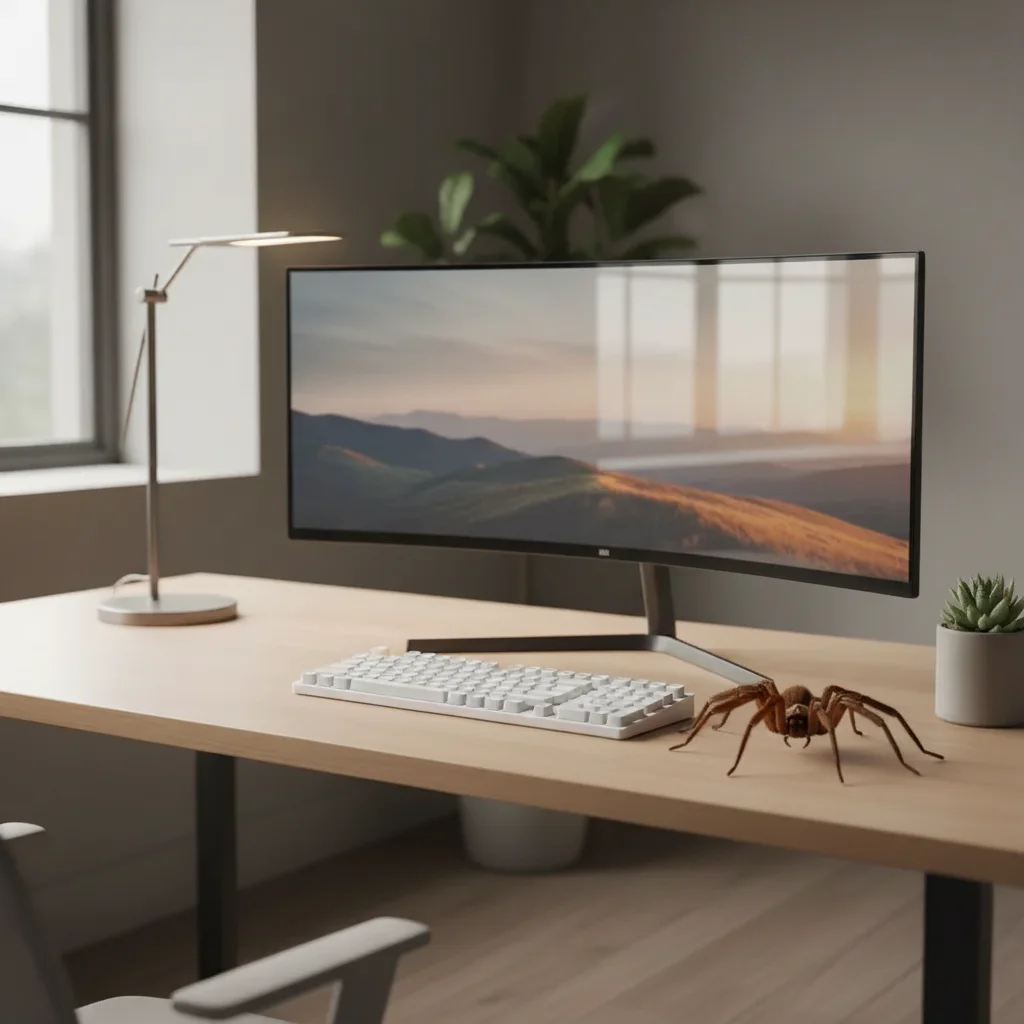
Desk with realistic AI-generated spider near keyboard
After

Spider on desk prank

A desk with a large spider placed near the keyboard.

Prompt: Add a large brown spider sitting on this desk next to the keyboard, casting a shadow

If something looks off

Spider looks cartoonish

Why: The AI generated a stylized rather than photorealistic spider.

Try: Add: 'photorealistic spider with visible leg joints, body hair, and real texture β€” not cartoon or CGI'

Tip: Words like 'photorealistic,' 'real,' and 'with visible hair and texture' push the AI toward scary realism.

Spider is too small or too large

Why: Scale relative to surrounding objects is off.

Try: Reference nearby objects: 'spider about the size of my hand' or 'palm-sized spider relative to the keyboard'

Tip: A palm-sized spider is the sweet spot for scary but believable. Dinner-plate-sized is dramatic but less realistic.

Spider looks like it's floating above the surface

Why: No ground contact or shadow.

Try: Add: 'spider's legs firmly touching the surface, with a clear shadow directly underneath it'

Tip: The shadow is critical β€” without it, every added object looks pasted on.

Spider disappeared into the background

Why: Dark spider on dark surface made it invisible.

Try: Specify contrasting colors: 'light-colored spider on this dark surface' or vice versa

Tip: High contrast between spider and surface maximizes visibility and scare factor.

Quick answers

Do I need to mark where the spider should go?

No β€” just describe the location in your prompt. But for precise placement (on a specific pillow, near a specific object), tapping a marker on that spot helps.

Is the add spider to photo tool free?

Yes, EditThisPic lets you add spiders to photos for free with one Fast edit per week. No signup or credit card required. For more pranks, credit packs start at $1.99.

Will the spider look real enough to scare someone?

The AI generates photorealistic spiders with visible leg joints, body hair, and proper shadows. For arachnophobes, even a slightly unrealistic spider triggers a fear response β€” but these look genuinely real.

Can I choose the type of spider?

Yes β€” tarantula, wolf spider, black widow, brown recluse, huntsman, or any species. Describe the spider's appearance for best results.

Will there be a watermark?

No, EditThisPic never adds watermarks, even on free edits.

Does this work on mobile?

Yes, EditThisPic works in any mobile browser. Snap a photo of a surface and add a spider in seconds β€” no app download needed.

Can I add multiple spiders?

Yes β€” ask for 'several spiders' or 'dozens of baby spiders' in your prompt. The AI handles multiple insects.

How much does EditThisPic cost?

You get 1 free edit per week β€” no account needed. After that, credit packs start at $1.99 for 3 edits. Monthly plans start at $4.99/mo for 15 edits with unused credits rolling over. All edits are full resolution with no watermark.

Ready to plant a spider in someone's photo?

Free to try. No signup required.

1 free edit included·Credit packs from $1.99