Pricing Convert Photo style · Free

Convert Photos to Animated Film Style

← Browse all creative effects

Last updated

Transform any photo into Disney Pixar animation style in seconds

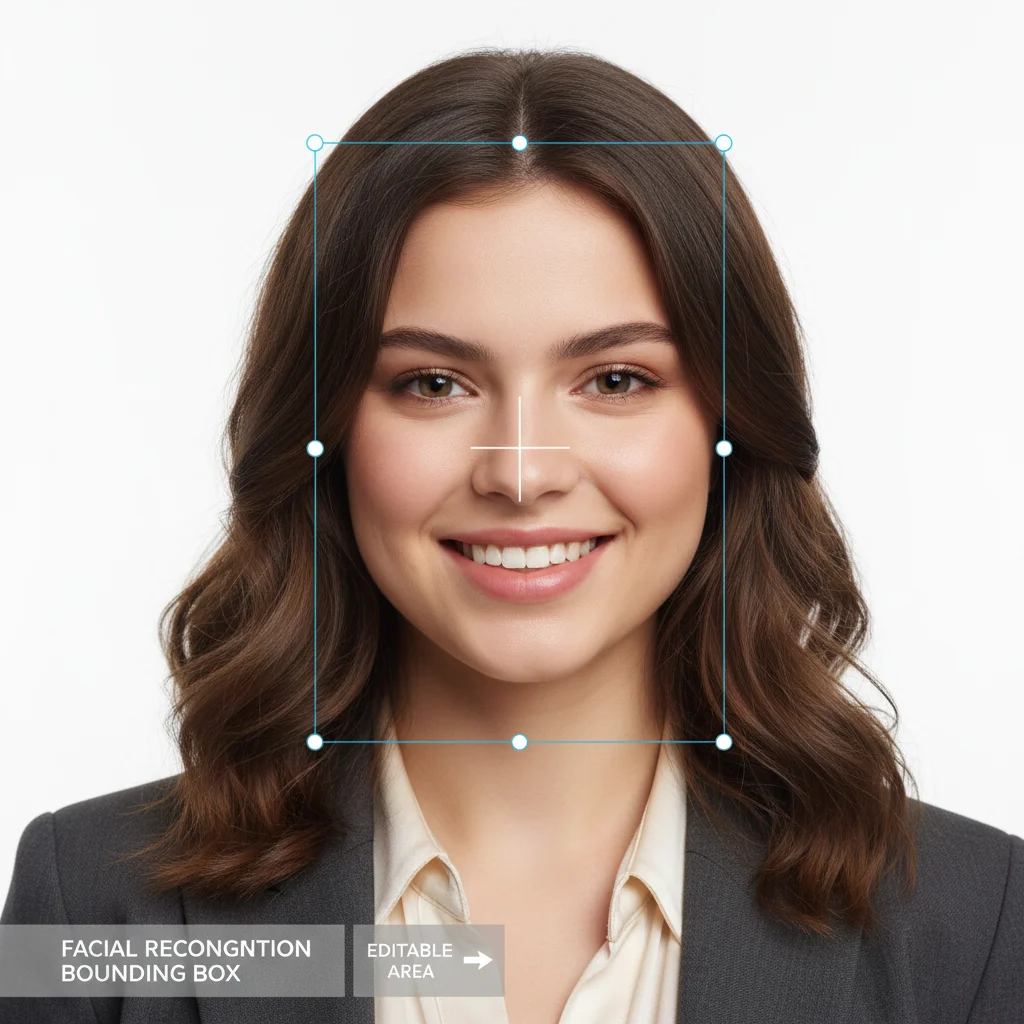
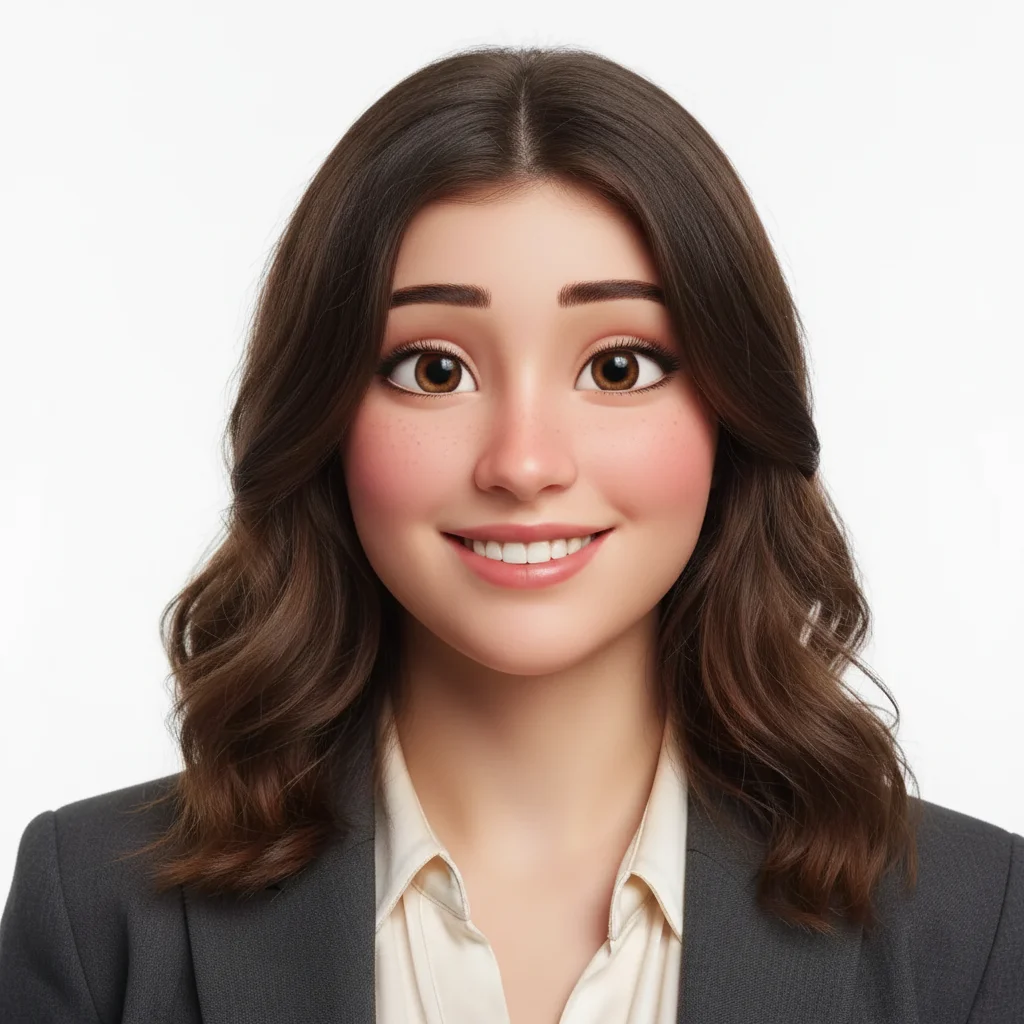
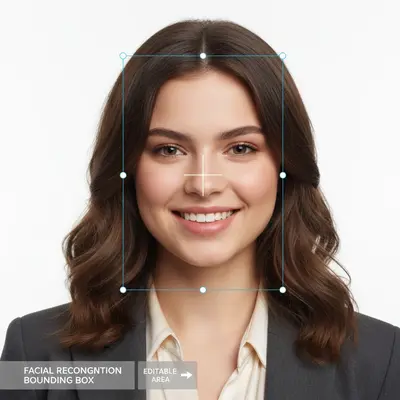
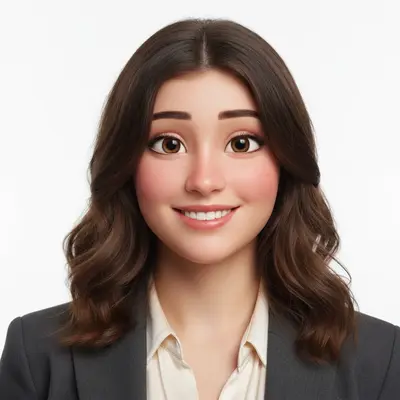
Professional portrait of woman with brown hair Same woman transformed into Disney Pixar animated character

Upload photo to convert photo style

"transform into Disney Pixar character with big expressive eyes and smooth cartoon skin"

Free to try · no sign-up · photos are never shared

Release to upload

<30stypical edit
1 freeedit weekly
Photo on your phone? Scan to open this editor there — free edit works on your phone too.

1 free edit every week·packs from $4.99

How it works

  1. Upload your photo

    Drop your portrait, family photo, or pet picture into EditThisPic. JPG, PNG, WebP up to 7MB. Works best with clear, well-lit photos showing faces or characters.

    Expect: Simple portraits: 15-30 seconds. Complex group photos: may need 2-3 refinements for perfect results.
  2. Describe the Disney Pixar style

    Type your instruction: 'convert this photo to Disney Pixar style' or 'transform into animated Disney character.' Be specific about style elements like 'with big expressive eyes' or 'colorful cartoon animation style.' No marking needed—the AI understands photo transformation.

    Tip: Mention specific Disney Pixar features: 'with smooth skin texture', 'bright colorful style', or 'large animated eyes'

    Copy one of these to get started:

    Basic Disney Pixar transformation convert this photo to Disney Pixar animation style with smooth colorful textures
    Enhanced character features transform into Disney Pixar character with big expressive eyes and smooth cartoon skin
    Vibrant animated style convert to bright colorful Disney Pixar animation style with enhanced facial features
    Family photo animation transform this family photo into Disney Pixar animated characters with cartoon textures
    3 more prompts
    Pet transformation convert this pet photo to Disney Pixar animated animal character style
    Professional stylized portrait transform into polished Disney Pixar character with smooth animation-style lighting
    Classic Disney character style convert to classic Disney Pixar movie character style with exaggerated friendly features
  3. Generate and review

    Watch as your photo transforms into Disney Pixar animation style. Check the facial features, hair texture, and overall cartoon appearance at full zoom to ensure the style matches your vision.

See it in action

Professional portrait of woman with brown hair
Before
->
Same woman transformed into Disney Pixar animated character
After

Portrait to Disney character

Regular portrait photo transformed into colorful Disney Pixar animated character with smooth textures and expressive eyes.

Prompt: convert this photo to Disney Pixar animation style with smooth colorful textures
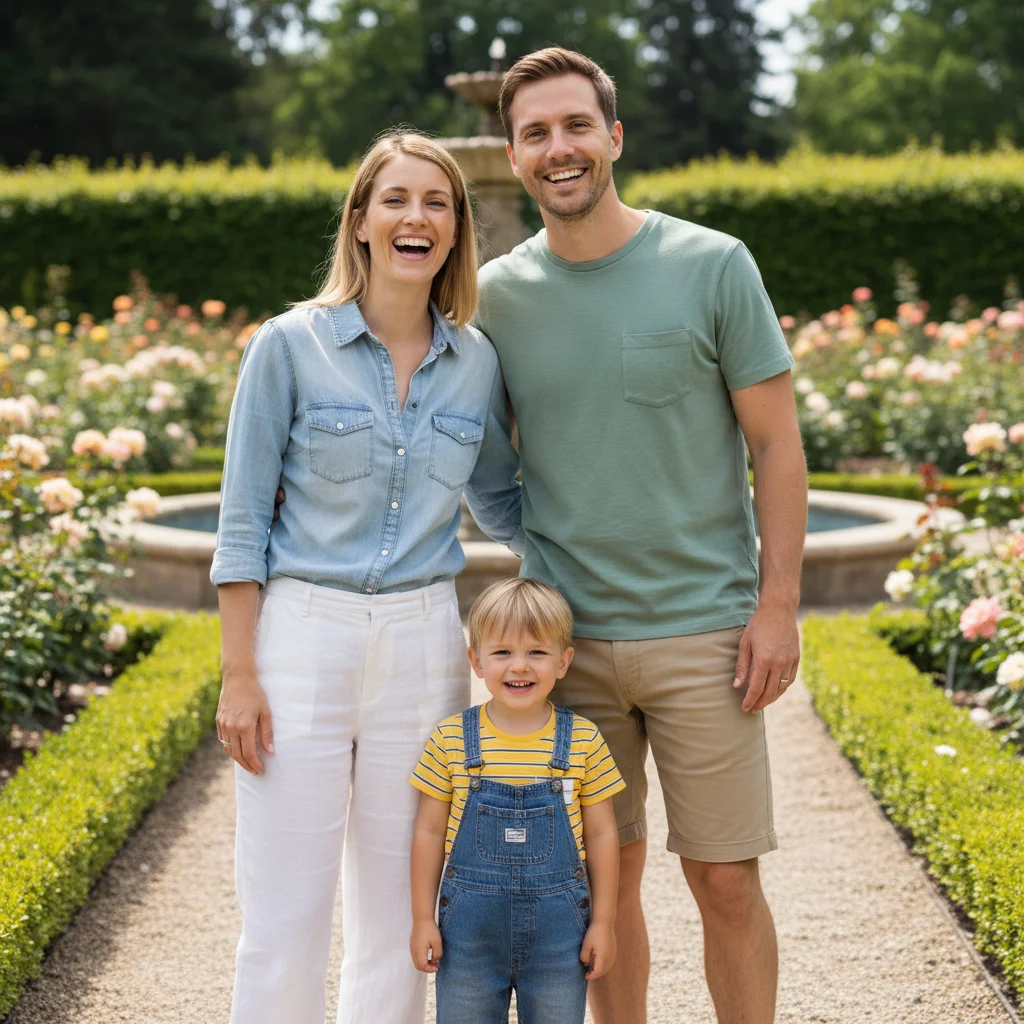
Family photo of three people outdoors
Before
->
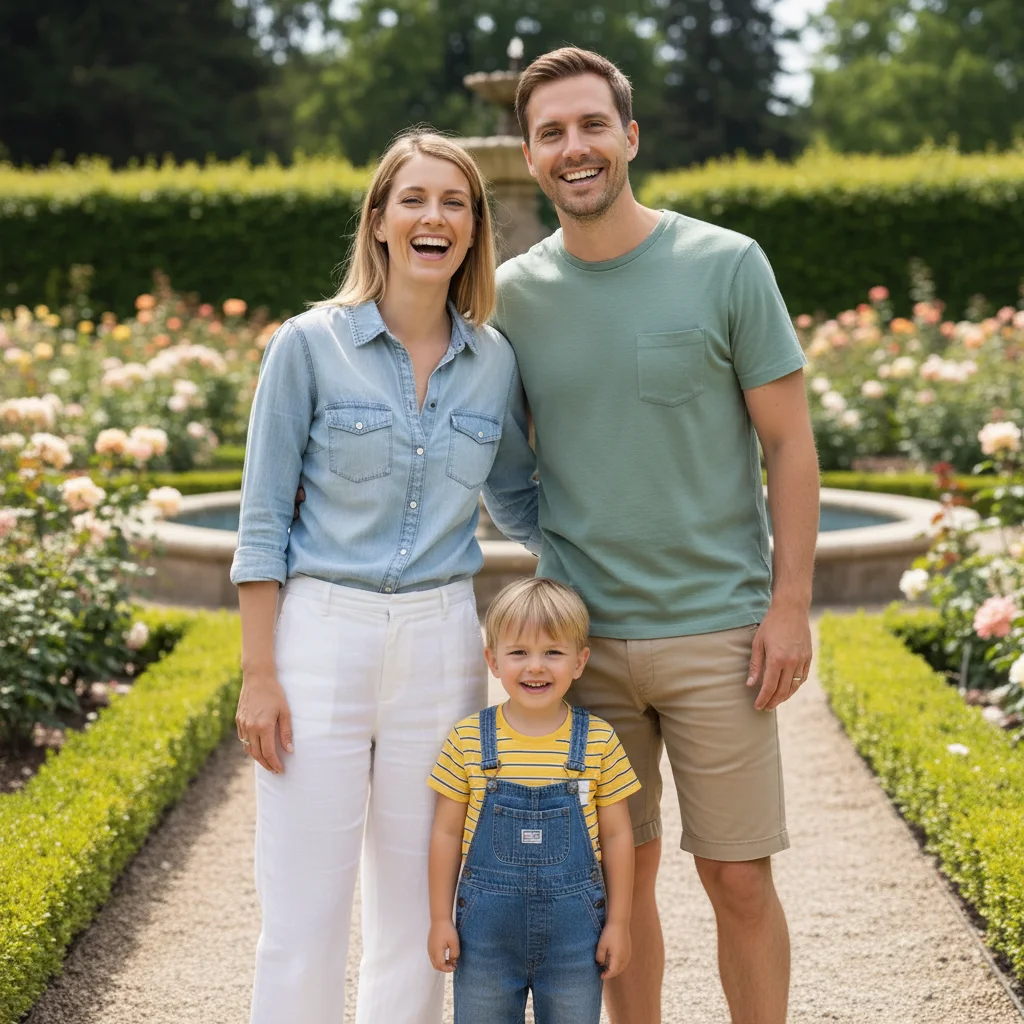
Same family transformed into Disney Pixar animated characters
After

Family photo animation

Three-person family photo converted to Disney Pixar style, maintaining individual characteristics while adding animated charm.

Prompt: transform this family photo into Disney Pixar animated characters with cartoon textures
Golden retriever sitting on grass
Before
->
Same dog transformed into Disney Pixar animated character
After

Pet to animated character

Golden retriever transformed into adorable Disney Pixar animated pet character with enhanced expressions.

Prompt: convert this pet photo to Disney Pixar animated animal character style

Quick answers

Can I keep faces recognizable while applying the Convert Photos to Animated Film Style effect?

Yes. By default the AI preserves face structure and identity while stylizing only colors, textures, and background. For stronger styling, add 'heavier stylization on the background, keep faces recognizable.' Each pass takes 20-45 seconds. Free first edit per week, no signup.

How do I convert photos to Disney Pixar style for free?

Upload your photo to EditThisPic and type 'convert to Disney Pixar animation style.' The transformation is free with no login required. You get one free edit per week, or more edits with a $4.99 10-edit pack.

What is the best free AI tool for Disney Pixar style conversion?

EditThisPic offers the most accurate Disney Pixar transformations with its advanced AI. Unlike other tools that require complex setup, you simply describe the style you want. It works on portraits, family photos, and pets with consistent results.

What types of photos work best for Disney Pixar conversion?

Clear, well-lit portraits work best. Family photos, individual headshots, and pet pictures give excellent results. Avoid blurry images, heavy shadows, or photos where faces are partially hidden. Good lighting helps the AI create better animated features.

Can I convert group photos to Disney Pixar style?

Yes! Use prompts like 'transform this family photo into Disney Pixar animated characters.' The AI will apply consistent styling to multiple people. For best results, ensure all faces are clearly visible and well-lit in the original photo.

How long does Disney Pixar style conversion take?

Most conversions complete in 15-30 seconds. Complex group photos or detailed refinements may take longer. The AI processes the entire transformation automatically - you just wait for the animated result.

Does Disney Pixar conversion work on mobile devices?

Yes! EditThisPic works perfectly on phones and tablets. The interface adapts to mobile screens, and you can upload photos directly from your camera roll. The Disney Pixar transformation quality is identical on all devices.

Can I download Disney Pixar style images in high quality?

Yes, all converted images download in high resolution without watermarks. You can save them to your device, share on social media, or print them. The animated Disney Pixar style maintains excellent quality at full size.

How accurate is the Disney Pixar style conversion?

EditThisPic's AI creates highly authentic Disney Pixar-style animations with smooth textures, bright colors, and characteristic animated features. While results vary by photo quality, most users get professional-looking animated characters.

How much does EditThisPic cost?

You get 1 free edit per week — no account needed. After that, one-time credit packs start at $4.99 for 10 edits, valid 12 months, no subscription. Power users who edit daily can pick Studio Membership, a monthly workspace at $49.99/mo for 300 edits. Purchased downloads are clean with no watermark.
Ready to transform your photos into Disney Pixar characters?

Free to try. No signup required.

1 free edit included·Credit packs from $4.99