Pricing Cartoonify Photo · Free

AI Cartoonify Photo — Free, Any Cartoon Style, Done in 15 Seconds

← Browse all creative effects

Last updated

Upload any photo, describe the cartoon style you want, and get a cartoonified result in 15 seconds — free, no account, instant preview.

Portrait of a young woman with dark hair in yellow hoodie Same person as a Pixar 3D animated character with vibrant colors and expressive features

Upload photo to cartoonify photo

"transform this into a Japanese anime-style character — large expressive eyes, clean line art, vivid colors, dramatic shading"

Free to try · no sign-up · photos are never shared

Release to upload

<30stypical edit
1 freeedit weekly
Photo on your phone? Scan to open this editor there — free edit works on your phone too.

1 free edit every week·packs from $4.99

How it works

  1. Upload your photo

    Upload any photo — portrait, selfie, group photo, pet, landscape. The AI works on any subject. Clear photos with good lighting produce the sharpest cartoon results. JPG, PNG, or WebP up to 7MB.

    Expect: Clear portraits cartoonify in 15 seconds. Group photos or busy backgrounds with multiple subjects may take a refinement pass.
  2. Describe the cartoon style

    Type the cartoon style you want: 'Pixar 3D animated style,' 'anime character,' 'flat vector illustration,' 'watercolor cartoon,' 'comic book style,' or 'South Park style.' The AI understands a huge range of animation and cartoon aesthetics — just describe what you're going for.

    Tip: The more specific your style description, the more distinctive the result. 'Animated cartoon' is generic — 'Studio Ghibli soft watercolor anime' is specific and produces a much more defined aesthetic.

    Copy one of these to get started:

    Pixar 3D animated style cartoonify this as a Pixar 3D animated character — rounded features, expressive eyes, soft volumetric lighting, vibrant colors

    Anime character transform this into a Japanese anime-style character — large expressive eyes, clean line art, vivid colors, dramatic shading
    Flat vector illustration cartoonify as a modern flat vector illustration — bold clean shapes, limited color palette, no gradients, geometric simplification
    Comic book hero turn this into a comic book character — bold ink outlines, half-tone dot shading, primary colors, heroic pose energy
    2 more prompts
    Studio Ghibli watercolor transform into Studio Ghibli anime style — soft watercolor-like shading, gentle colors, painterly texture, serene expression
    South Park / adult animated cartoonify in a bold simple 2D animation style — flat colors, simple shapes, exaggerated features, minimal shading
  3. Download your cartoon

    Click Generate. Your cartoonified photo appears in 15 seconds. Download as a PNG. Use it as a profile picture, avatar, gift, or print it.

See it in action

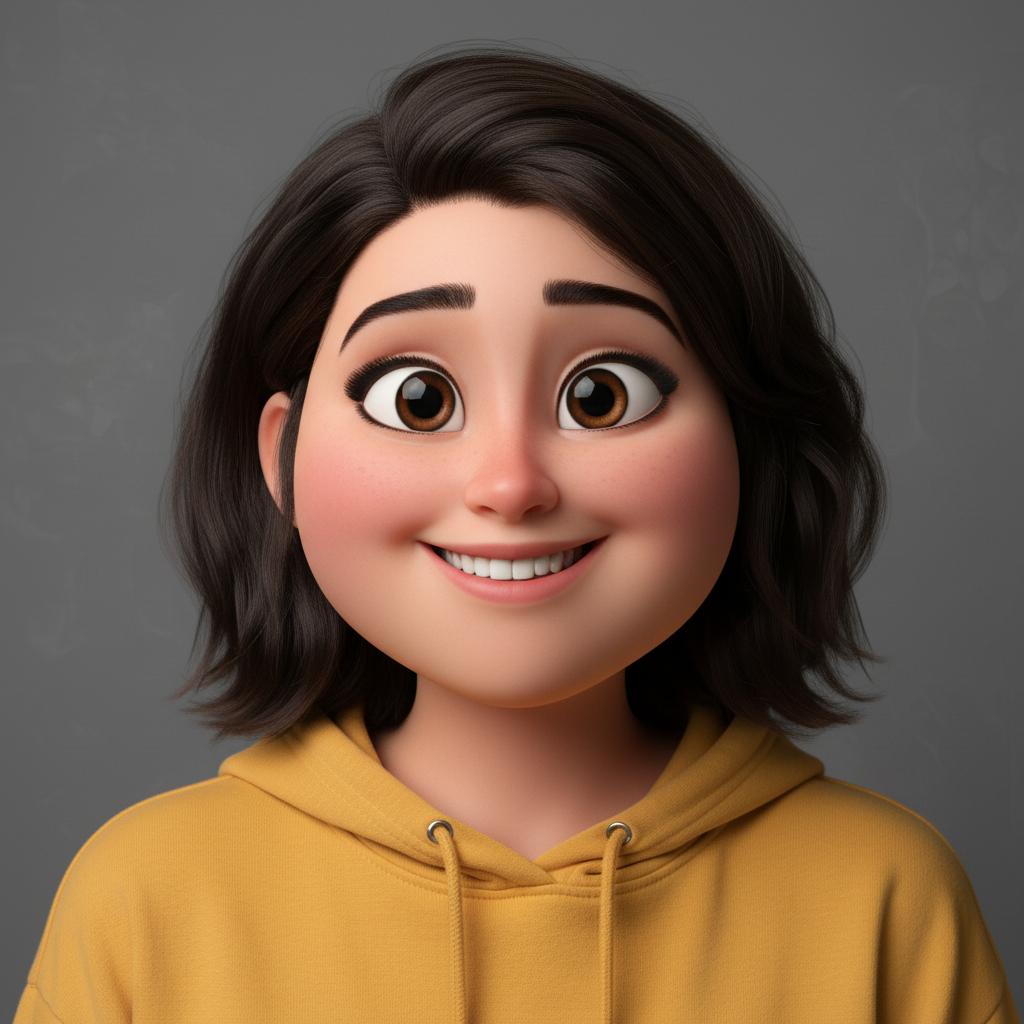
Portrait of a young woman with dark hair in yellow hoodie
Before
->
Same person as a Pixar 3D animated character with vibrant colors and expressive features
After

Portrait to Pixar 3D character

Standard portrait photo transformed into a vibrant Pixar-style 3D animated character with the subject's features preserved.

Prompt: cartoonify this as a Pixar 3D animated character — rounded features, expressive eyes, soft volumetric lighting, vibrant colors
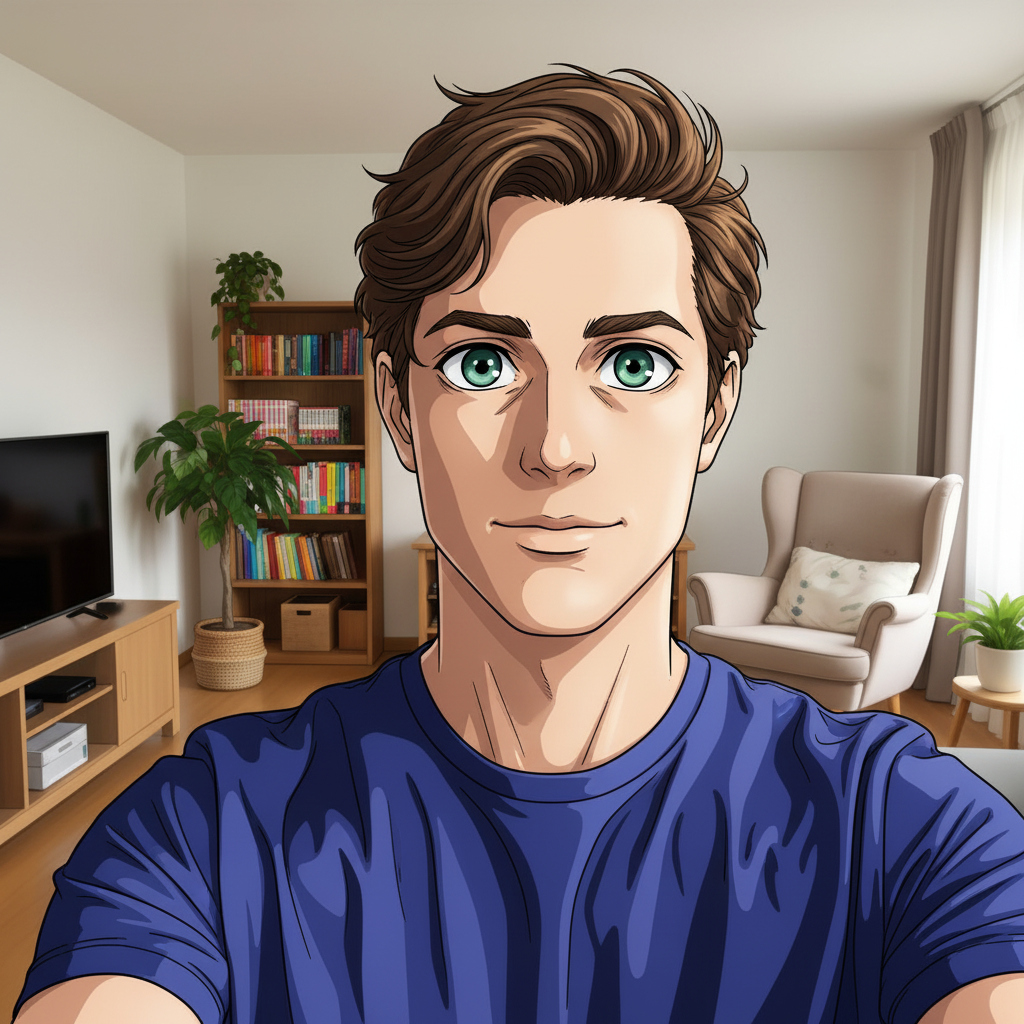
Casual phone selfie of a man in navy t-shirt
Before
->
Same person as a vivid anime character with large expressive eyes and clean line art
After

Selfie to anime character

Phone selfie transformed into Japanese anime art style. Large expressive eyes and clean line art applied while preserving the subject's likeness.

Prompt: transform this into a Japanese anime-style character — large expressive eyes, clean line art, vivid colors, dramatic shading
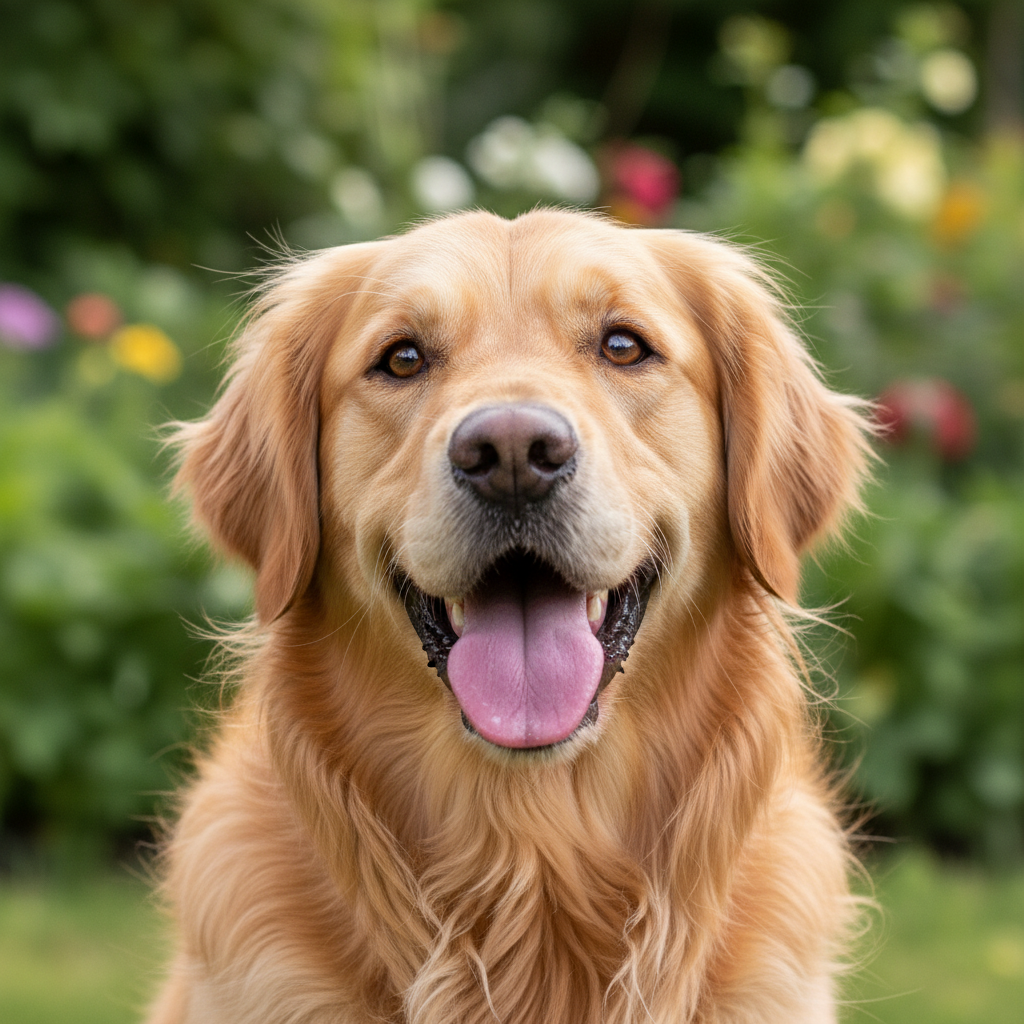
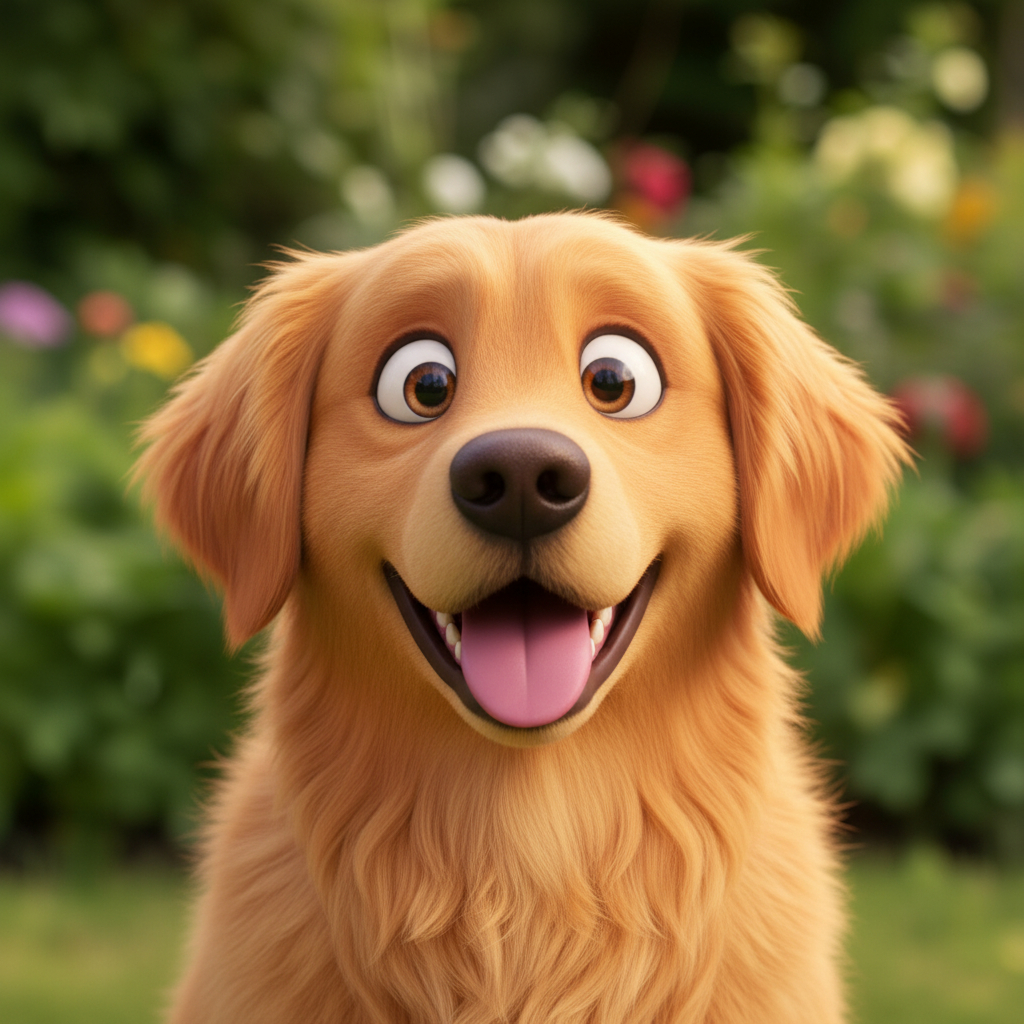
Happy golden retriever dog with tongue out outdoors
Before
->
Golden retriever transformed into a vibrant Pixar-style 3D animated dog character
After

Pet to cartoon character

Dog photo transformed into a vibrant cartoon character. Works on pets and animals just as well as people.

Prompt: cartoonify as a Pixar 3D animated character — rounded expressive features, soft volumetric lighting, vibrant colors, friendly and fun

Quick answers

Is the AI cartoonify tool actually free?

Yes. EditThisPic gives you one free Fast preview edit per week — no account, no credit card. One free edit is enough for one cartoonification. For multiple style variations or a batch of photos, the 10-edit pack is $4.99. Purchased downloads are clean, full quality.

What cartoon styles can I request?

Any style you can describe: Pixar 3D, anime, Studio Ghibli, Disney 2D, Marvel/DC comic book, flat vector illustration, watercolor cartoon, South Park style, Rick and Morty style, chibi, sketch art, and many more. The more specific you are about the style, the more distinctive the result.

How is this different from Photoleap or Voila AI?

Photoleap and Voila apply preset cartoon filters — you pick from a list of 5-10 options. EditThisPic lets you describe any cartoon style in plain English, giving you control over every style you can describe. Ask for 'Studio Ghibli watercolor with soft pastel tones and gentle shading' and it will produce exactly that — not just a generic cartoon.

Will the cartoon look like me?

Yes — when you ask the AI to 'preserve my likeness' in the prompt, the cartoon will clearly resemble the original subject while applying the requested style. Without that instruction, the AI focuses on style over likeness.

Can I cartoonify pets and animals?

Absolutely. Dogs, cats, horses, birds — any animal cartoonifies beautifully. The AI handles non-human subjects just as well as people. Use the same style prompts you'd use for a person.

Can I use the cartoonified image for commercial purposes?

You retain rights to your output images. EditThisPic doesn't claim ownership of edited results. For specific commercial use cases (logos, merchandise, print-on-demand), check whether the style you requested has any intellectual property implications with the original source style.

Can I cartoonify a group photo?

Yes. Group photos work, though the AI may render each person with slightly different quality depending on how visible their face is in the original photo. Ensure everyone is clearly visible for best results.

Can I do this on my phone?

Yes. EditThisPic runs in any mobile browser — Safari on iPhone, Chrome on Android. Upload a selfie or photo from your camera roll, describe the cartoon style, and save the result back to Photos in 15 seconds.

How much does EditThisPic cost?

You get 1 free edit per week — no account needed. After that, one-time credit packs start at $4.99 for 10 edits, valid 12 months, no subscription. Power users who edit daily can pick Studio Membership, a monthly workspace at $49.99/mo for 300 edits. Purchased downloads are clean with no watermark.

Ready to see yourself as a cartoon character?

Free to try. No signup required.

1 free edit included·Credit packs from $4.99