Free β€’ No signup Beautify Food photos Β· Free

AI Food Photo Beautifier

Mouthwatering food photos in seconds β€” just describe the appetizing result you want
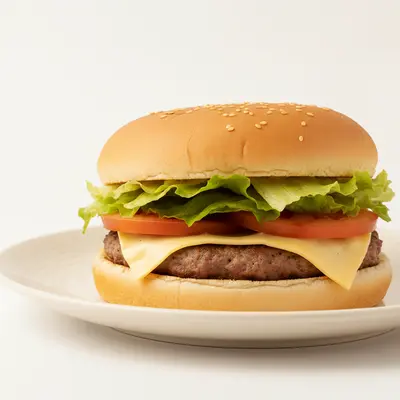
Dull burger with pale colors and harsh lighting
Before
β†’
Vibrant burger with fresh colors and warm appetizing light
After

Beautify Food Photos with AI

Drop your photo here

or click to browse

Release to upload

Free β€’ No signup


Cost
Free No signup required
Time
Instant results in 15-30 seconds
Works on
Any device - browser, phone, tablet, desktop
Powered by
AI-powered photo editing

How it works

  1. Upload your photo

    Select any food photo you want to beautify. Works with restaurant dishes, home cooking, baked goods, beverages, or food styling shots. The tool handles various conditions from dim indoor lighting to harsh overhead restaurant lights.

    Expect: Simple color enhancement: 3-5 seconds. Complex beautification with multiple improvements: 8-12 seconds and may need refinements for perfect appetizing appeal.
  2. Describe what you want

    Type the specific improvements you need: enhance colors to look fresh, improve lighting, make food look more appetizing, clean up presentation, blur backgrounds, or add warmth. Be specific about what needs work β€” mention if you want vibrant vegetables, golden-brown crusts, or glistening sauces enhanced. No marking needed β€” just describe mouthwatering results.

    Tip: Use appetizing words like 'fresh', 'vibrant', 'golden', or 'glistening' to guide the AI toward making food look as delicious as it tastes.

    Copy one of these to get started:

    Overall food beautification Beautify this food photo with vibrant fresh colors, warm appetizing lighting, and perfect presentation
    Color and freshness enhancement Enhance the colors to make this food look fresh, vibrant, and just-prepared
    Warm lighting for comfort food Add warm inviting lighting to make this food look cozy and delicious
    Professional restaurant quality Beautify this to professional restaurant menu quality with perfect lighting and composition
    4 more prompts
    Texture enhancement Enhance the food textures to show the crispy, creamy, and fresh elements clearly
    Background blur and cleanup Beautify the food while blurring and cleaning up the distracting background
    Grill marks and golden browning Enhance the golden-brown color and grill marks to look perfectly cooked and appetizing
    Fix fluorescent lighting Fix the harsh fluorescent lighting and make this food look naturally appetizing with warm tones
  3. Review the result

    Check the beautified version for color vibrancy, lighting warmth, and overall appetite appeal. Zoom in to verify textures look appealing, colors are enhanced but realistic, and the dish looks freshly prepared. Ensure the food's true appearance is improved honestly without misrepresentation.

  4. Refine with markers if needed

    Optional step for targeted beautification. If a specific element needs more work, tap a marker on that spot and regenerate. Useful when you want to enhance just the main dish while leaving sides unchanged, or brighten specific garnishes.

    Tip: Markers help when you have multiple dishes in frame and want to beautify them with different intensity or focus.
Try it free ↓

Beautify Food Photos with AI

Drop your photo here

or click to browse

Release to upload

Free β€’ No signup

"Our Uber Eats orders jumped 40% after updating menu photos with this. The color enhancement made everything look fresh out of the kitchen instead of sitting under fluorescent lights." @TacoTuesdayKitchen

See it in action

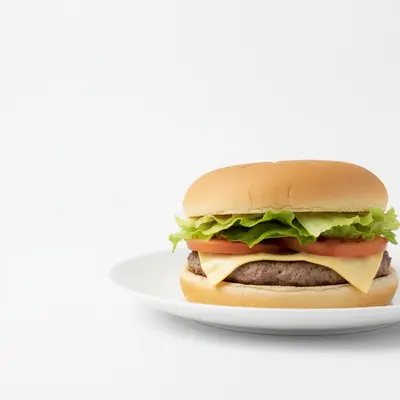
Dull burger with pale colors and harsh lighting
Before
->
Vibrant burger with fresh colors and warm appetizing light
After

Burger with vibrant ingredients

Transformed a dull burger photo into an appetizing image that showcases fresh lettuce, ripe tomatoes, and a golden bun.

Prompt: Beautify this burger with vibrant fresh colors, warm lighting, and appetizing presentation
Underexposed pasta with dull colors and greasy appearance
Before
->
Well-lit pasta with creamy sauce and fresh vibrant herbs
After

Pasta dish lighting correction

Fixed dim restaurant lighting on a pasta dish to show the creamy sauce texture and fresh herbs appealingly.

Prompt: Fix the lighting and enhance colors to make this pasta look creamy, fresh, and restaurant-quality

If something looks off

Food colors look oversaturated or artificial after beautification

Why: The AI applied too aggressive color enhancement trying to maximize vibrancy and appeal.

Try: Beautify this food with enhanced but natural-looking colors that appear fresh and realistic

Tip: The word 'natural-looking' prevents cartoon-like oversaturation while still improving appeal significantly.

Food texture became blurry or lost important detail

Why: Smoothing or enhancement operations reduced the textural detail that makes food look real and appetizing.

Try: Beautify the colors and lighting while preserving all the food texture and detail

Tip: Explicitly preserving texture maintains appetizing realism β€” crispy should look crispy, not smooth.

Lighting became too warm and food looks orange-tinted

Why: Warm lighting enhancement was applied too heavily, creating an unnatural orange color cast.

Try: Add subtle warm lighting that makes food inviting without creating an orange color cast

Tip: The word 'subtle' prevents overdoing warmth while still creating emotional appeal.

Background changes affected or distracted from the food

Why: Background beautification or blur was applied inconsistently or created unnatural effects.

Try: Beautify only the food while keeping the background naturally blurred and non-distracting

Tip: Specifying 'only the food' focuses enhancement where it matters while managing the background simply.

Some elements were enhanced but others look untouched

Why: The AI focused on the most prominent elements without addressing all components of the dish.

Try: Beautify all elements of this dish uniformly β€” the main food, sides, and garnishes

Tip: The word 'all' ensures comprehensive beautification across every component of the plate.

Quick answers

Do I need to mark the food before describing what I want beautified?

No! Just describe the beautification you want. The AI recognizes food and applies appropriate enhancements. Only use markers when you have multiple dishes and want to beautify specific ones differently.

How do I beautify food photos for free?

Upload your food photo and describe the improvements you want, like vibrant colors or better lighting. EditThisPic processes one free edit per week with no signup required.

Will beautified photos work for restaurant menus and delivery apps?

Absolutely. Beautified photos meet professional standards for printed menus, website galleries, and delivery platforms like Uber Eats, DoorDash, and Grubhub. The enhancement makes food look as appealing as professional food photography.

Can this make old or reheated food look fresh?

The tool enhances presentation within realistic bounds β€” it will improve lighting and colors to make food more appealing, but works best with reasonably fresh food. It can't transform spoiled or severely degraded food into something that looks just-prepared.

How do I avoid making food look fake or oversaturated?

Include 'natural-looking' or 'realistic' in your beautification prompt. This maintains appetizing enhancement while preventing the artificial oversaturation that makes food look like plastic or wax replicas.

Can I beautify food photos taken with a phone camera?

Yes, the tool works excellently with smartphone photos. It compensates for phone camera limitations like poor low-light performance or color accuracy to create results comparable to professional food photography.

Ready to beautify your food photos?

Free to try. No signup required.

Try it free β†’