Free • No signup Edit Etsy listing product photos · Free

AI Photo Editor for Etsy Sellers

← Browse all ecommerce tools

Last updated

Describe what you want — clean background, styled flat lay, color-enhanced textures — and your Etsy listing photo is ready in 30 seconds.


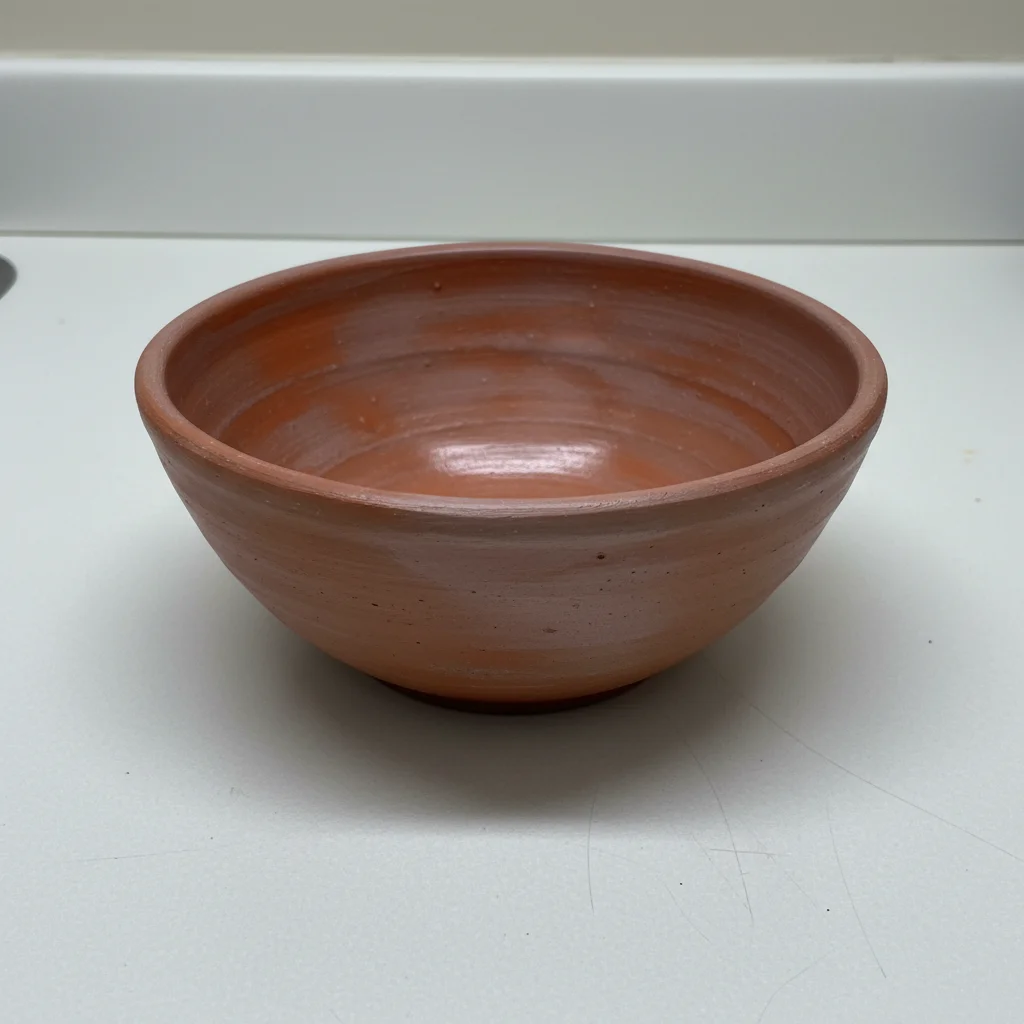
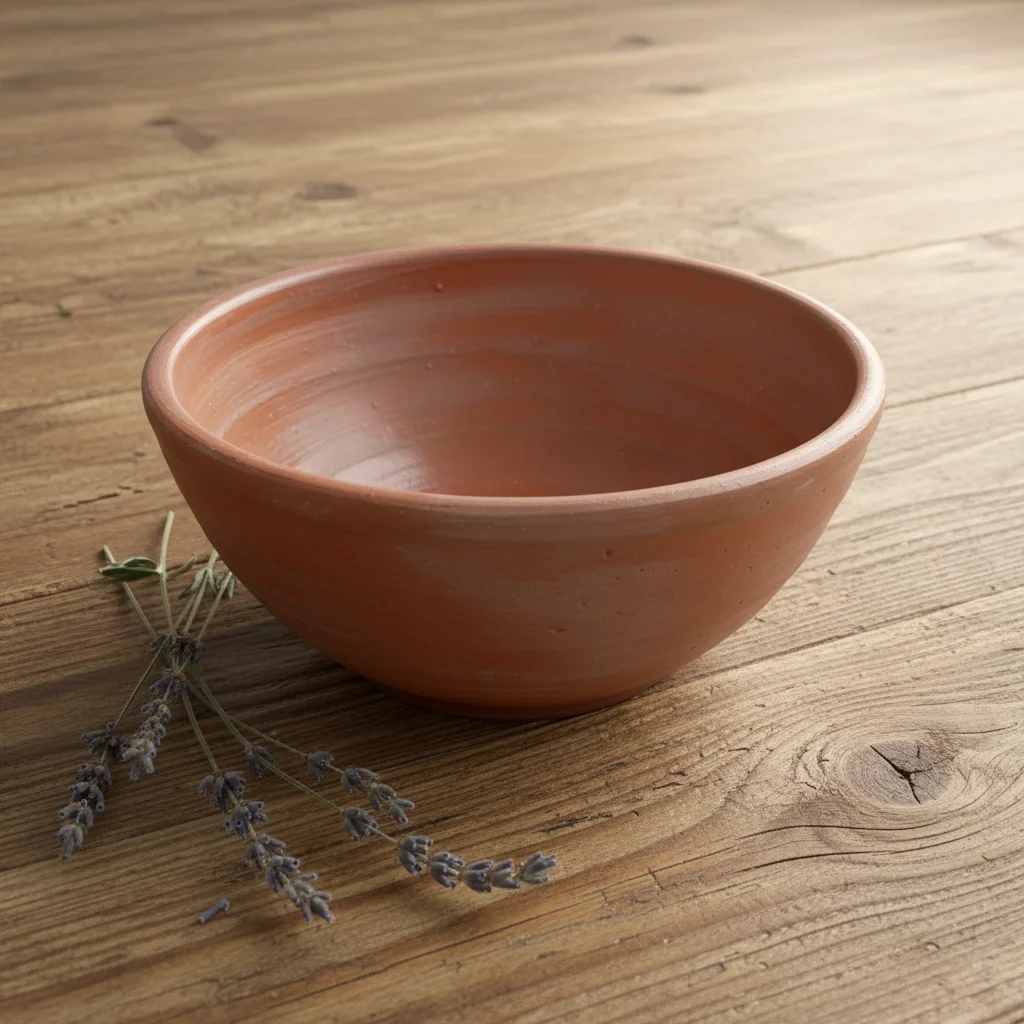
Terracotta ceramic bowl on plain white counter under flat fluorescent lighting Same bowl on weathered oak surface with dried lavender, warm natural daylight

Upload photo to edit Etsy listing product photos

"place this product on a smooth cream linen surface, diffused natural light from above, soft shadows, no other objects in frame"

Release to upload

1 free edit·then from $4.99

How it works

  1. Upload your product photo

    Upload any photo of your handmade product — phone photos work well. JPG, PNG, or WebP up to 7MB. Natural lighting photos (by a window) edit more naturally than flash photos. For textured items like ceramics, wood, or fiber arts, a photo with visible texture gives the AI better material reference.

    Expect: Simple background cleanup: 15–25 seconds. Styled lifestyle background: 25–50 seconds. Texture and color enhancement: 20–35 seconds.
  2. Describe the edit you want

    Type exactly what you want in plain English. For clean background: 'remove the background and replace with a soft cream linen texture — keep the product centered.' For styled scene: 'place this product on a weathered oak wooden surface with sprigs of dried lavender and soft natural light from the right.' For color enhancement: 'enhance the richness of the ceramic glaze color without changing the hue.' No marking needed for any of these.

    Tip: Etsy buyers respond to warmth and texture. Prompts that include 'warm natural light,' 'soft shadows,' and specific surface materials (linen, oak, marble) produce listing photos that convert better.

    Copy one of these to get started:

    Rustic lifestyle background — ceramics, pottery, wood items place this product on a weathered oak wooden surface, sprigs of dried lavender nearby, soft natural daylight from a window on the right, warm earthy tones, no distracting elements
    Clean neutral background — jewelry, accessories, small items place this product on a smooth cream linen surface, diffused natural light from above, soft shadows, no other objects in frame
    Enhance handmade texture without changing color enhance the texture and surface detail of this handmade item — make the craftsmanship more visible. Do not change any colors or the overall look, only increase the richness of texture detail
    Holiday/seasonal styling style this product for a cozy winter holiday setting — place it on a dark wood surface with pine cones, a single white candle, and soft warm firelight, keeping the product as the clear focal point
    2 more prompts
    Remove messy background, keep clean remove all background elements and replace with a soft warm white background — keep the product exactly as it is, preserve all handmade details including any natural variation
    Gift box or packaging shot place this product in a light kraft paper gift box with tissue paper, a simple ribbon tied in a bow, on a clean white background — the packaging should suggest a ready-to-gift presentation
  3. Review and download for your listing

    Check that your product's unique handmade details (glaze patterns, stitching, grain) are preserved. For Etsy specifically, verify the image would communicate craftsmanship to a buyer who can't touch the item. Download full resolution — no watermark.

See it in action

Terracotta ceramic bowl on plain white counter under flat fluorescent lighting
Before
->
Same bowl on weathered oak surface with dried lavender, warm natural daylight
After

Plain counter photo → styled rustic Etsy listing

Handmade ceramic bowl photographed on a plain formica counter. One prompt added a styled wooden surface with natural elements — converting a forgettable photo into a listing image.

Prompt: place this product on a weathered oak wooden surface, sprigs of dried lavender nearby, soft natural daylight from the right, warm earthy tones
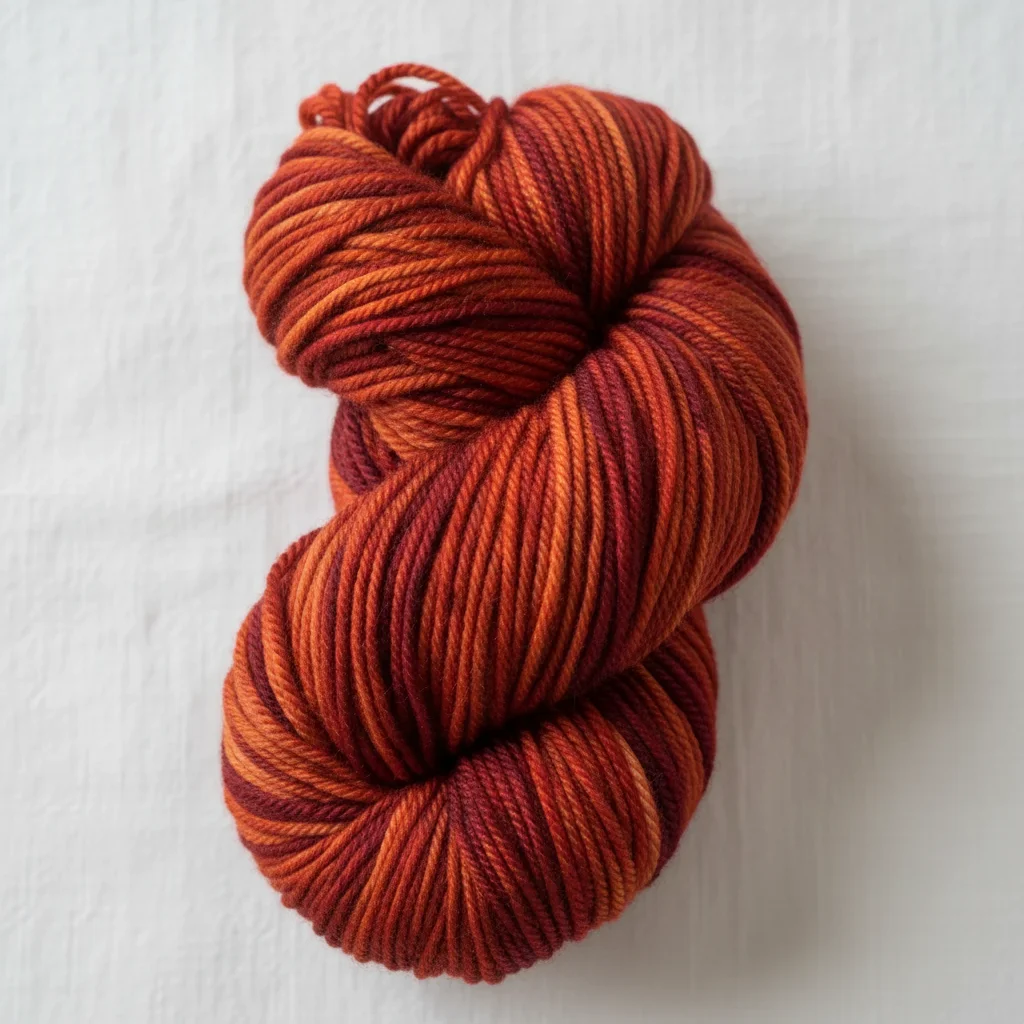
Burgundy hand-dyed yarn skein on white background, texture not visible
Before
->
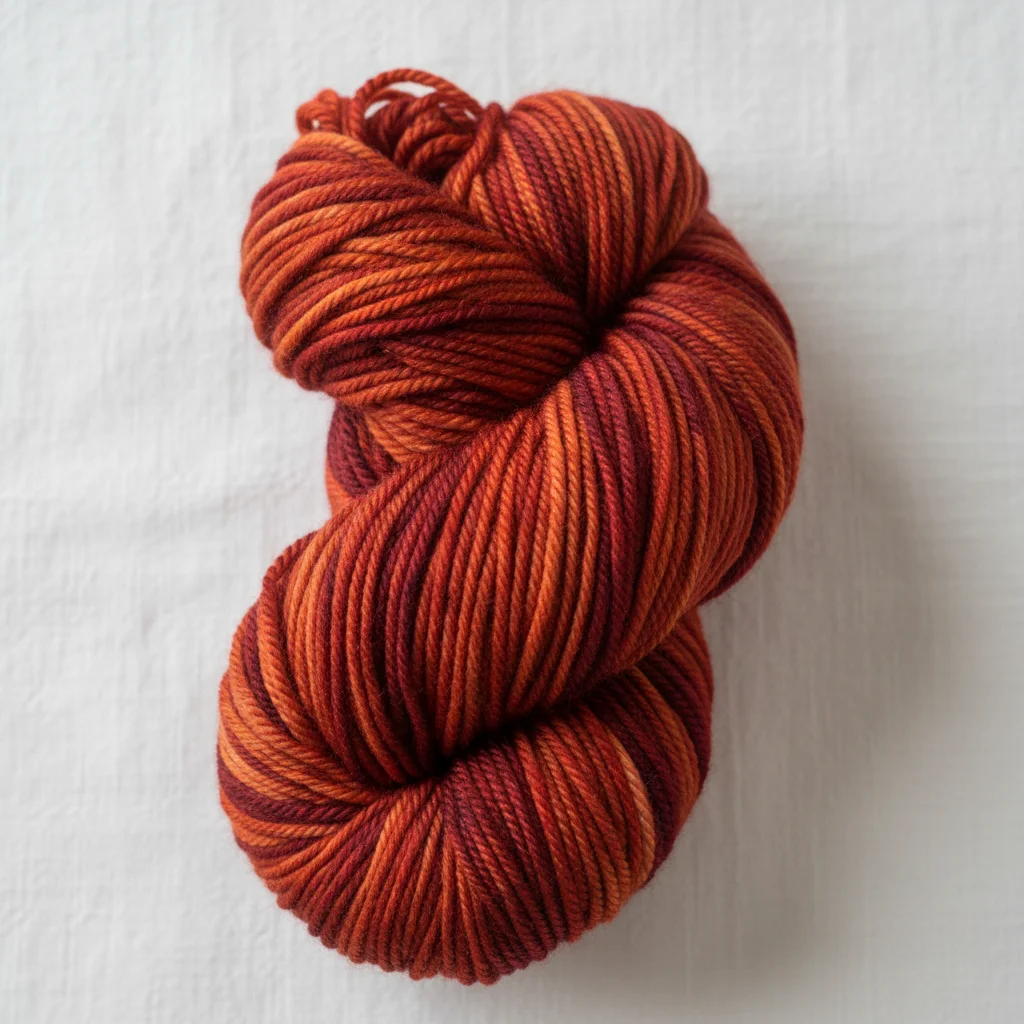
Same yarn skein with fiber texture and color variation richly enhanced
After

Yarn skein photo → magazine-quality detail shot

A hand-dyed yarn skein on a plain background with texture not clearly visible. Texture enhancement prompt made the fiber quality and color depth immediately apparent to buyers.

Prompt: enhance the texture and fiber detail of this handmade yarn skein — make the individual fiber strands and color variation clearly visible. Do not change the colors, only increase the texture richness and depth

Quick answers

Will AI Photo Editor for Etsy Sellers output meet marketplace photo rules — plain background, no watermarks?

Yes. By default the AI returns a clean, marketplace-ready image on a plain background with no logos or watermarks. For stricter listings, add 'pure white background, centered product, no shadows.' Each pass takes 20-45 seconds. Free first edit per week, no signup.

How do I make my handmade Etsy photos look more professional for free?

Upload your product photo to EditThisPic (free, no signup), then describe the styling you want: 'place this on a weathered wooden surface with dried lavender and soft natural light.' The AI transforms your phone photo into a styled listing image in 30 seconds. One free edit per week. No watermark.

Is there a free AI photo editor for Etsy that doesn't require login?

Yes. EditThisPic is free with no account needed. Upload your product photo, describe the edit, and download the result. Works for background changes, texture enhancement, and lifestyle styling.

Will AI editing make my handmade product look less authentic?

Only if you over-smooth it. Use the 'preserve all handmade details including natural variation' instruction in your prompts. This prevents the AI from smoothing the imperfections that signal authentic handmade quality. For ceramics, yarn, and woodworking specifically — those natural variations are selling points, and the AI can be instructed to keep them.

Can I create consistent listing photos across my entire Etsy shop?

Yes — save your background prompt and reuse it across all products. For example, if your shop aesthetic is 'rustic farmhouse,' use the same exact prompt text for every listing: 'weathered oak surface, dried lavender, soft right-side window light.' The AI produces consistent enough results that your shop will have a cohesive visual identity.

How much does EditThisPic cost?

You get 1 free edit per week — no account needed. After that, credit packs start at $1.99 for 3 edits. Monthly plans start at $4.99/mo for 15 edits with unused credits rolling over. All edits are full resolution with no watermark.

Ready to level up your Etsy listing photos?

Free to try. No signup required.

1 free edit included·Credit packs from $4.99