Free • No signup Remove Glasses glare · Free

Remove Glasses Glare from Photos

← Browse all remove tools

Last updated

Remove flash glare, bright spots, and reflections from glasses lenses — reveal the eyes beneath in any portrait.
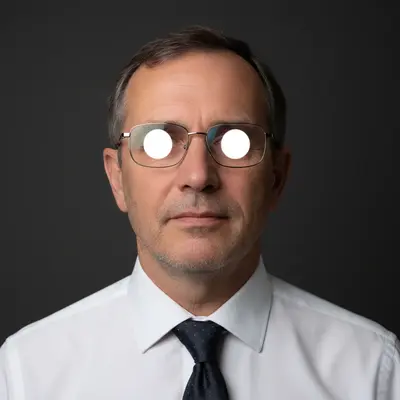

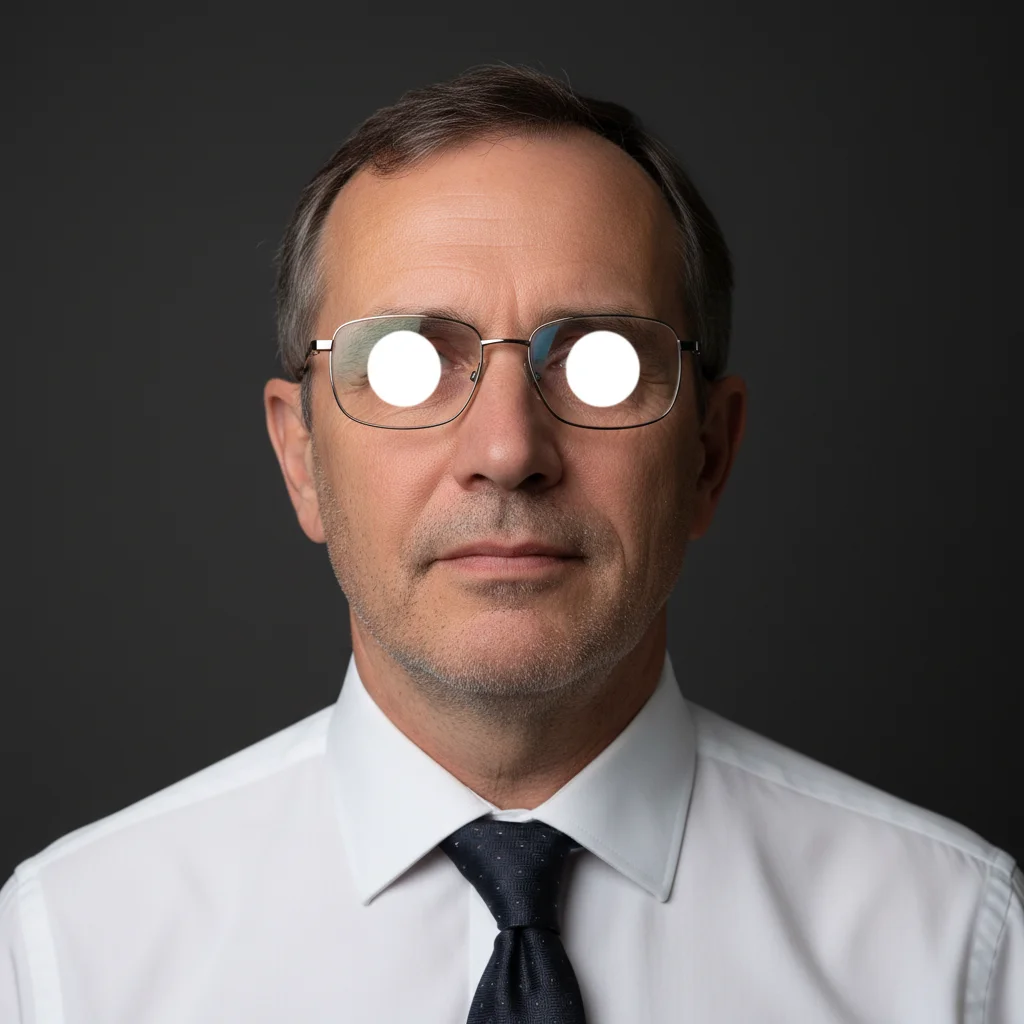
Headshot with bright flash glare obscuring eyes through wire-frame glasses Same headshot with glasses glare removed and natural eyes clearly visible

Upload photo to remove glasses glare

"remove the window reflection from both glasses lenses and restore natural clear eyes — the reflection is from a bright window on the right side"

Release to upload

50,000+photos edited
<30stypical edit
1 freeedit weekly

1 free edit·then from $4.99

How it works

  1. Upload your photo with glasses glare

    Drop any portrait with glasses glare into EditThisPic. JPG, PNG, or WebP up to 7MB. Works for flash photography glare, window reflections, overhead light spots, and outdoor sun glare on lenses. Clear portraits with visible face context (not just glasses) give the AI better information to fill in the eye area naturally.

    Expect: Single portrait with moderate glare: 20-30 seconds. Heavy reflections covering both lenses completely: 30-45 seconds, results vary.
  2. Describe the glare fix

    Type: 'remove the glare and reflections from the glasses lenses and reveal the natural eyes beneath' or 'fix the flash reflection on the glasses — the bright spot is obscuring the eyes.' The AI identifies the lens area and removes the glare without affecting the glasses frame or surrounding face. No marking needed for most portraits.

    Tip: If the glare is heavy or covers both lenses completely, add 'reconstruct the eye area naturally based on the surrounding eye context.' This tells the AI it can infer eye detail rather than only revealing what's barely visible.

    Copy one of these to get started:

    Flash photography glare remove the flash glare from the glasses lenses in this portrait and reveal the natural eyes beneath
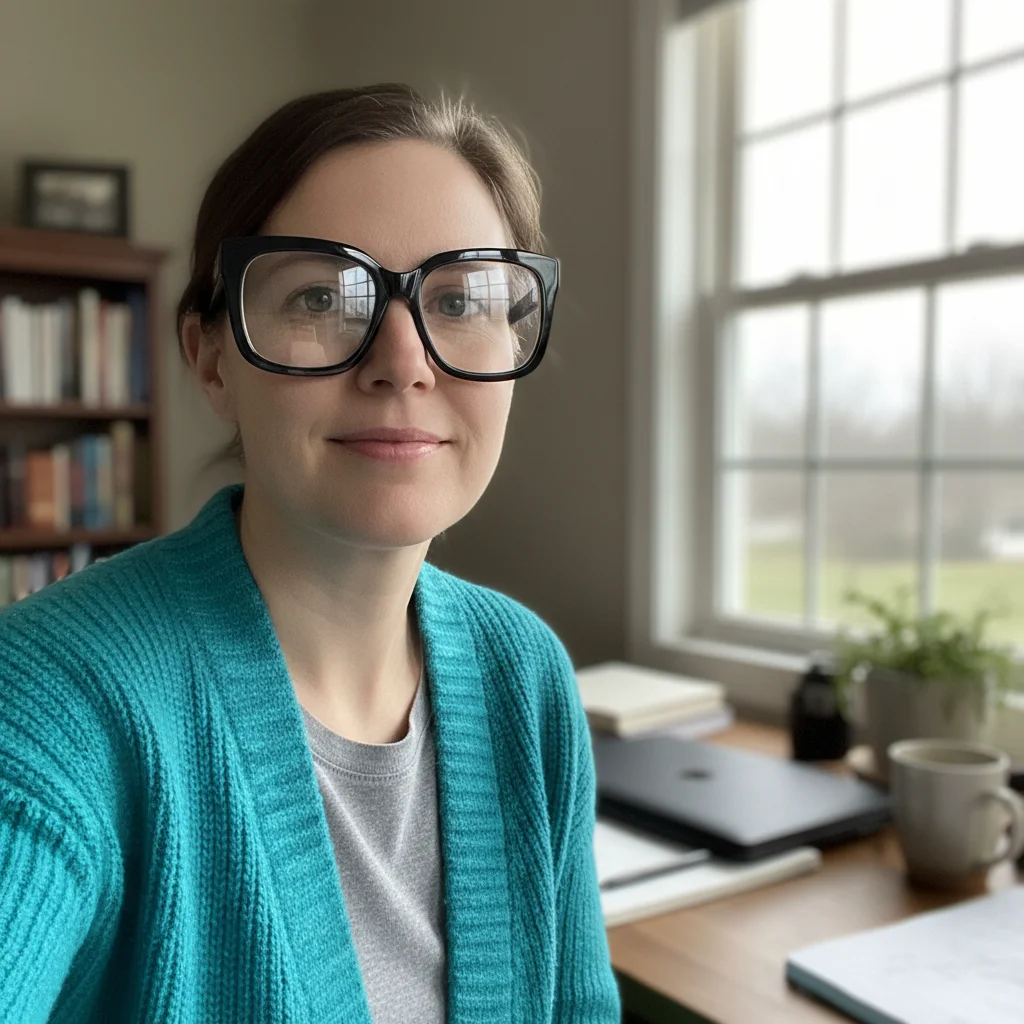
    Window or daylight reflection remove the window reflection from both glasses lenses and restore natural clear eyes — the reflection is from a bright window on the right side
    Heavy glare covering both lenses the glasses glare covers most of both lenses — remove all glare and reconstruct the eye area naturally based on eye shape and context from the surrounding face
    Keep glasses, just clear the lenses remove the glare from the glasses lenses but keep the glasses frame and everything else exactly the same — just clean up the lens reflections
    3 more prompts
    Tinted or sunglasses glare remove the bright glare spot from these tinted glasses lenses — keep the tint color of the lens but remove the reflection hotspot obscuring the eye area
    Multiple people with glasses in this group photo, remove the glasses glare from the person in the center only — they have the brightest lens reflection
    Also remove glasses entirely remove the glasses and their glare from this portrait — reconstruct the eye area and surrounding face naturally without any glasses or reflections
  3. Review the result

    Check the lens area — the glare should be gone and replaced with natural-looking eyes. Verify that the glasses frame is intact, eye color looks consistent, and the lenses don't look artificially processed. Compare the left and right lens separately.

See it in action

Headshot with bright flash glare obscuring eyes through wire-frame glasses
Before
->
Same headshot with glasses glare removed and natural eyes clearly visible
After

Flash reflection removed from portrait

A headshot with bright flash glare on both lenses, restored with clear natural eyes visible.

Prompt: remove the flash glare from the glasses lenses in this portrait and reveal the natural eyes beneath

Portrait with window reflection across both thick black frame glasses lenses
Before
->
Same portrait with window reflection removed and clear eyes visible through clean glasses lenses
After

Window reflection cleaned from casual portrait

An indoor portrait with window light reflecting off glasses, cleaned to reveal the eyes.

Prompt: remove the window reflection from both glasses lenses and restore natural clear eyes — the reflection is from a bright window on the right side

Quick answers

Do I need to mark the glasses before removing the glare?

Not for most portraits — the AI detects glasses automatically and targets the lens areas.

How do I remove glasses glare from photos for free?

EditThisPic removes glasses glare for free with no account needed. Upload your photo, type 'remove the flash glare from the glasses lenses and reveal the natural eyes,' and download the result — no signup or watermark.

Can it fix both lenses at once?

Yes — the AI processes both lenses simultaneously. If the glare is different on each lens (one has flash reflection, one has window glare), describe both in your prompt: 'remove the flash spot from the left lens and the window reflection from the right lens.'

What if the glare completely covers the eyes?

The AI reconstructs the eye area using context from the surrounding face — iris color from partially visible areas, eye shape from the other eye, and overall face context. Results are natural-looking but are reconstructed interpretations, not pixel-perfect recoveries of the original.

Can I remove the glasses entirely instead of just the glare?

Yes — use: 'remove the glasses and their glare from this portrait entirely, reconstruct the eye area and surrounding face naturally.' This handles full glasses removal including the frame.

How much does EditThisPic cost?

You get 1 free edit per week — no account needed. After that, credit packs start at $1.99 for 3 edits. Monthly plans start at $4.99/mo for 20 edits with unused credits rolling over. All edits are full resolution with no watermark.

Ready to clear that glasses glare?

Free to try. No signup required.

1 free edit included·Credit packs from $4.99