Free • No signup Fix Blurry faces · Free

Fix Blurry Faces in Photos with AI

← Browse all blur & privacy tools

Last updated

Sharpen blurry faces in any photo — motion blur, out-of-focus portraits, low-res face detail all improved with one instruction.
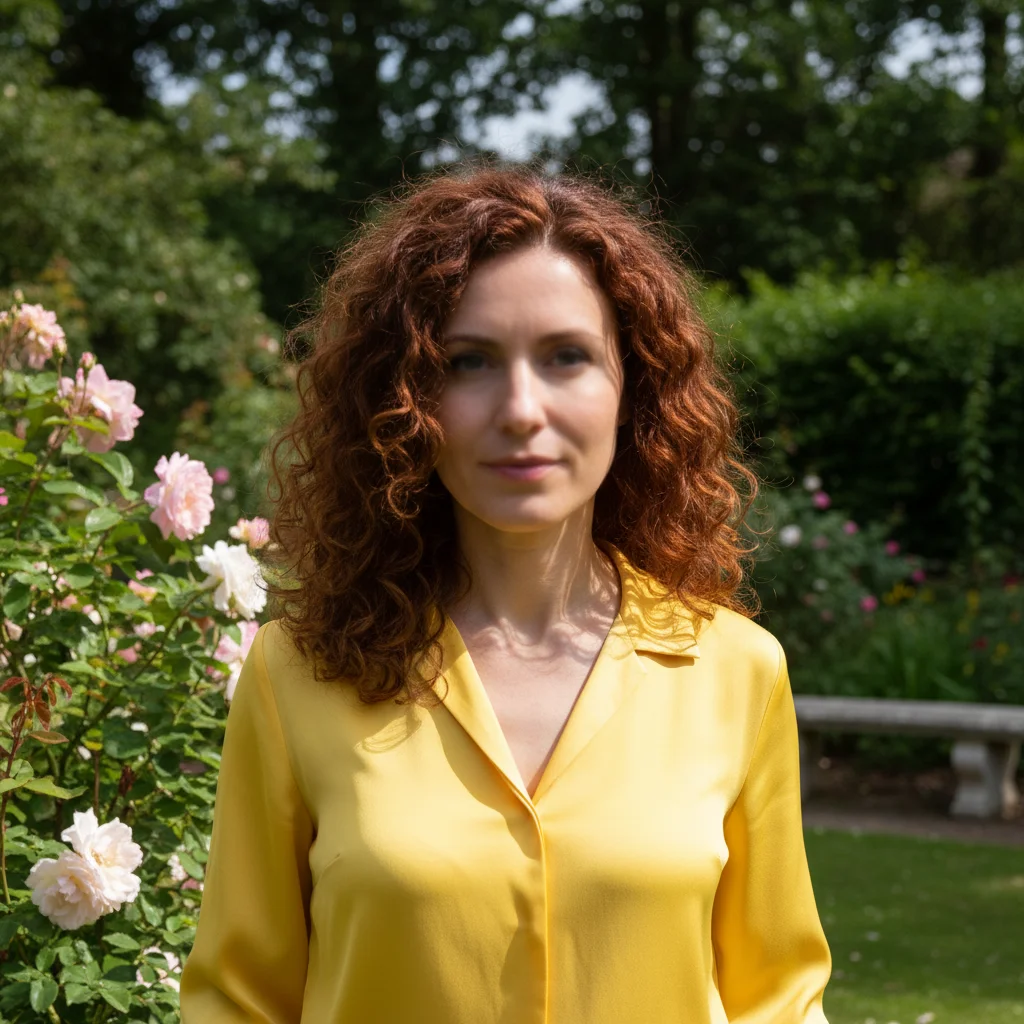
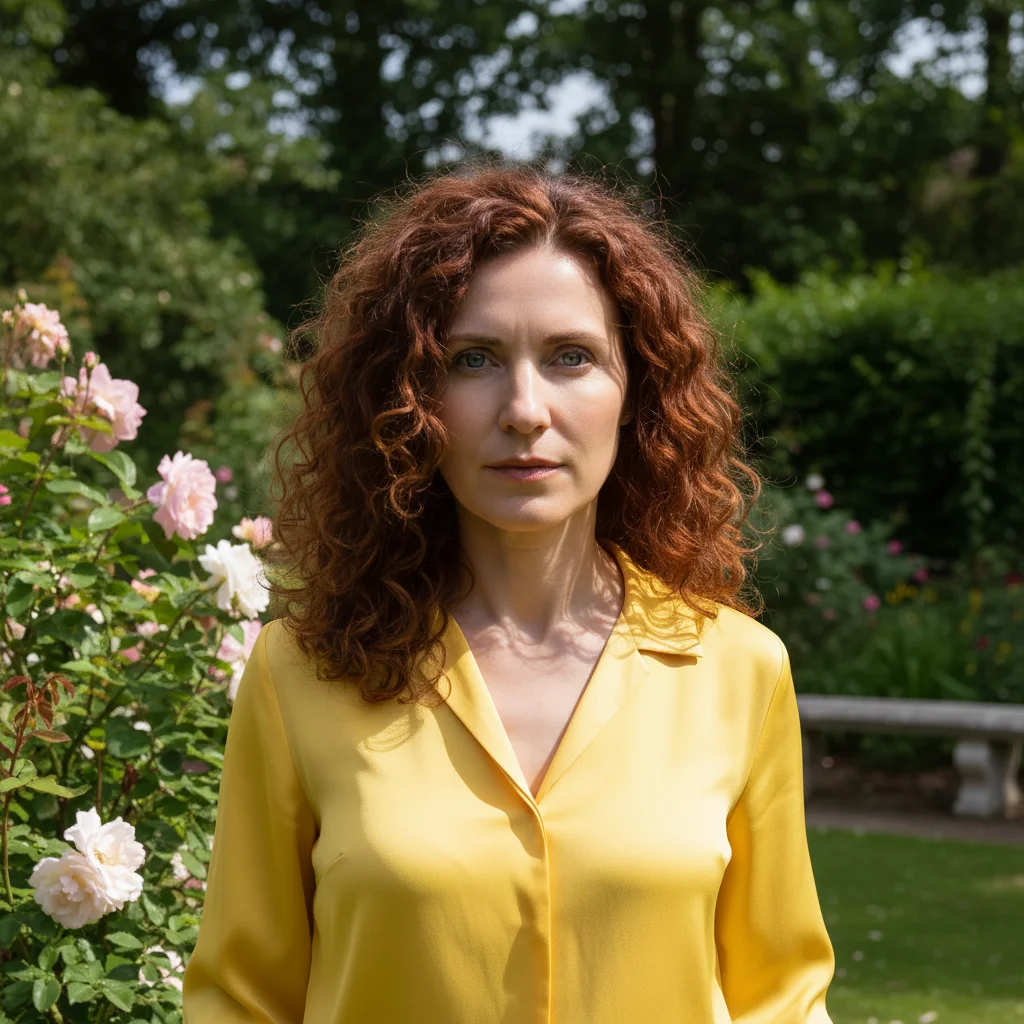
Portrait with slightly blurry out-of-focus face Same portrait with sharp clear face, defined eyes, and natural skin detail

Upload photo to fix blurry faces

"fix the motion blur on this face — the person moved during the shot. Restore sharp natural face detail, especially the eyes and expression"

Release to upload

50,000+photos edited
<30stypical edit
1 freeedit weekly

1 free edit·then from $4.99

How it works

  1. Upload your photo with the blurry face

    Drop your photo into EditThisPic. JPG, PNG, or WebP up to 7MB. This works for motion blur (subject moved during shot), focus blur (camera focused on something else), and low-resolution faces from older phones or cameras. Severely corrupted or highly compressed images have limits.

    Expect: Single portrait with mild to moderate blur: 20-30 seconds. Group photos or severe motion blur: 30-45 seconds and results vary.
  2. Describe what needs fixing

    Type: 'sharpen and restore the blurry face in this photo, improve detail and clarity' or 'fix the out-of-focus face — sharpen the eyes, nose, and mouth area.' For group photos with only one blurry face, describe whose face needs sharpening. No marking needed for single faces — the AI identifies the face automatically.

    Copy one of these to get started:

    Single blurry portrait sharpen and restore the blurry face in this photo — improve clarity, eye definition, and natural facial detail
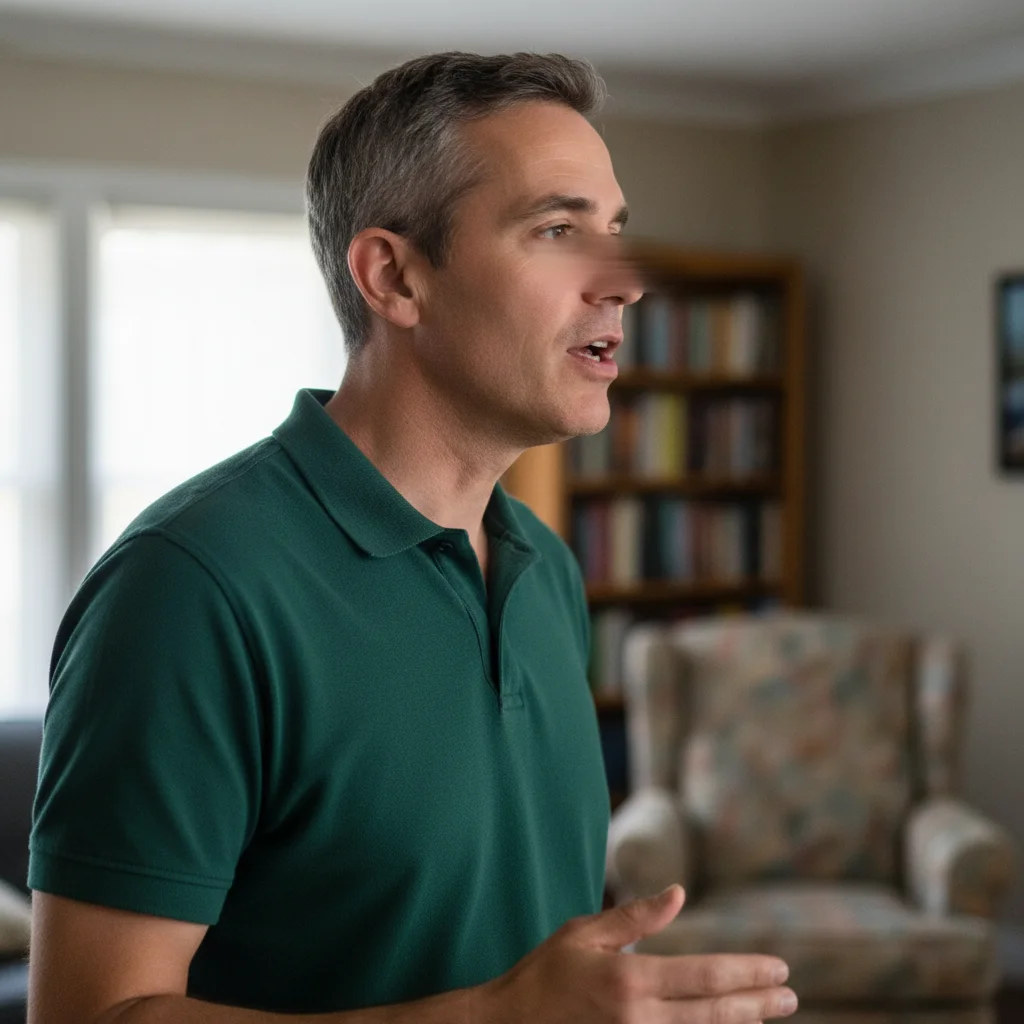
    Motion blur from movement fix the motion blur on this face — the person moved during the shot. Restore sharp natural face detail, especially the eyes and expression
    Out-of-focus background issue the face in this photo is out of focus — sharpen just the face while keeping the background the same
    Low-resolution face from old photo restore and enhance the low-resolution blurry face in this old photo — add realistic face detail and clarity without making it look artificial
    3 more prompts
    Group photo one blurry face in this group photo, sharpen only the face on the left — they moved during the shot. Keep all other faces unchanged
    Fix eyes specifically the eyes in this photo are blurry — sharpen just the eye area including the iris, pupil, and eyelashes while keeping the rest of the face natural
    Preserve while sharpening sharpen the blurry face in this photo but preserve the natural skin texture — avoid over-sharpening that creates a plastic or halo effect
  3. Review the sharpness

    Zoom in on the face area to check detail recovery — eye clarity is the most important indicator. Check that sharpening didn't introduce artifacts or over-process the skin texture. A well-fixed face should look naturally sharp, not artificially crisp or textured.

See it in action

Portrait with slightly blurry out-of-focus face
Before
->
Same portrait with sharp clear face, defined eyes, and natural skin detail
After

Out-of-focus portrait sharpened

A portrait where the camera focused on the background instead of the face, restored to sharp clarity.

Prompt: sharpen and restore the blurry face in this photo — improve clarity, eye definition, and natural facial detail
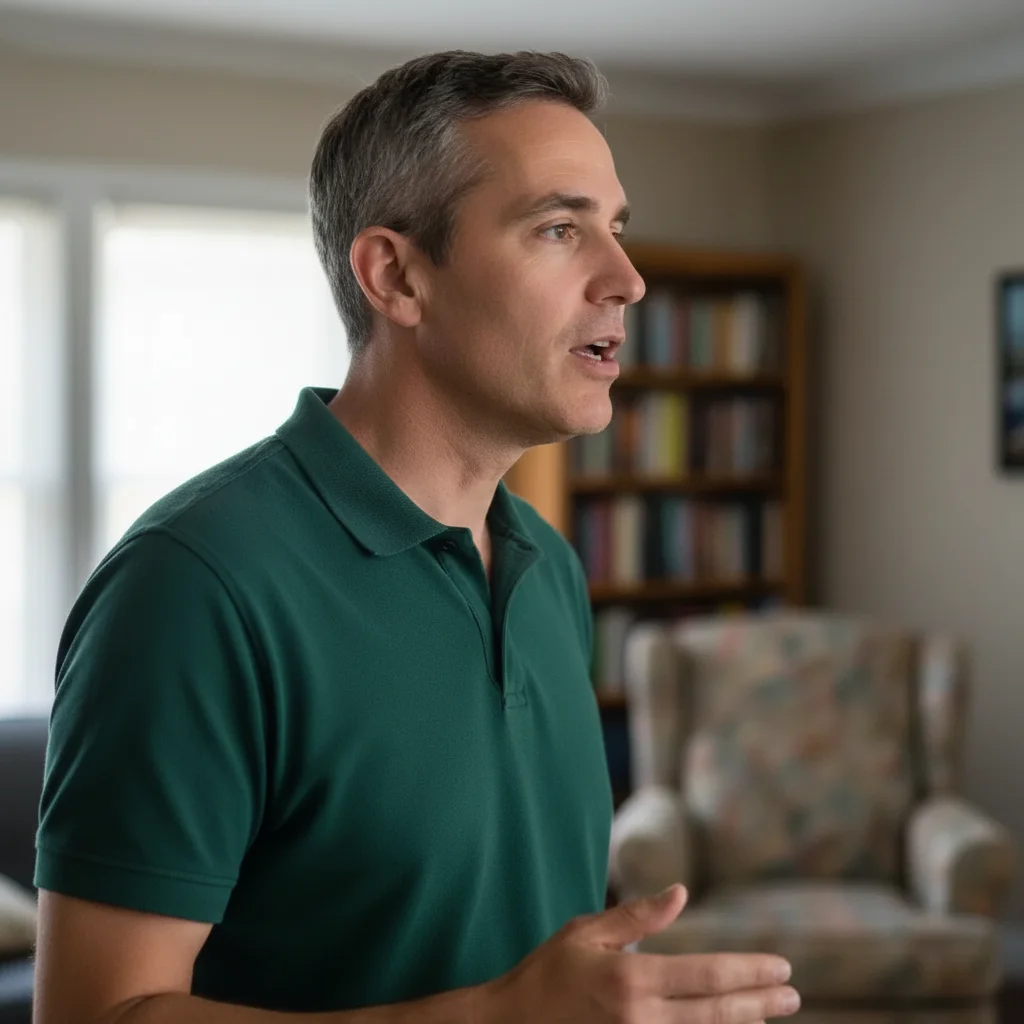
Candid photo with motion blur on the face
Before
->
Same photo with motion blur fixed, face sharp and naturally detailed
After

Motion blur from movement fixed

A candid photo where the subject moved slightly, causing face blur, restored to a usable sharp image.

Prompt: fix the motion blur on this face — the person moved during the shot. Restore sharp natural face detail, especially the eyes and expression

Quick answers

Do I need to mark the blurry face before fixing it?

Not for single portraits — the AI detects and sharpens the face automatically.

How do I fix blurry faces in photos for free?

EditThisPic fixes blurry faces for free with no account needed. Upload your photo, type 'sharpen and restore the blurry face,' and download the result — no signup or watermark.

Can it fix really severely blurry or heavily motion-blurred faces?

Mild to moderate blur restores well. Severe blur — extreme motion blur, very low resolution, heavy digital compression — has limits. The AI reconstructs plausible facial detail rather than perfectly recovering the original. Results are significantly better but may not be pixel-perfect.

Will it sharpen the background too?

By default, the sharpening focuses on faces. If you want to ensure only the face is sharpened, add 'leave the background unchanged' to your prompt. This preserves intentional depth-of-field blur in the background.

Can I fix just the eyes if the rest of the face is acceptable?

Yes — describe it specifically: 'sharpen only the eye area including iris, pupil, and lashes, keep the rest of the face as is.' Targeted eye sharpening often dramatically improves portrait quality since eyes are the focal point.

How much does EditThisPic cost?

You get 1 free edit per week — no account needed. After that, credit packs start at $1.99 for 3 edits. Monthly plans start at $4.99/mo for 20 edits with unused credits rolling over. All edits are full resolution with no watermark.

Ready to fix that blurry face?

Free to try. No signup required.

1 free edit included·Credit packs from $4.99