Free • No signup Add Rainbow · Free

AI Rainbow Adder

Add natural rainbows to your outdoor photos with a simple text description.
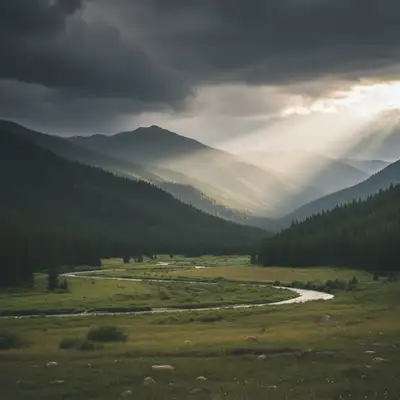
Mountain landscape with storm clouds, no rainbow
Before
Same landscape with full rainbow arc across sky
After

Add Rainbow to Photo

Drop your photo here

or click to browse

Release to upload

Free • No signup

Advertisement
Popular use cases:
  • landscape photography
  • nature photos
  • outdoor portraits
  • real estate listings
  • travel photography
  • Instagram posts
  • scenic shots
  • weather photography

Cost
Free No signup required
Time
Instant results in 15-30 seconds
Works on
Any device - browser, phone, tablet, desktop
Powered by
AI-powered photo editing
Scenario Prompt Time
Classic full arc add a natural-looking rainbow across the entire sky from left edge to right edge, vibrant colors 15s
Subtle single rainbow add a faint rainbow in the upper third of the sky, soft pastel colors 15s
Double rainbow add a double rainbow with main rainbow bright and vivid, secondary rainbow fainter above it 20s
Partial rainbow add a partial rainbow visible only on the right side, fading into clouds on the left 20s

How it works

  1. Upload your outdoor photo

    Drop your landscape or outdoor photo into EditThisPic. JPG, PNG, WebP up to 7MB. Best results come from photos with visible sky and natural lighting. Cloudy or post-storm skies work especially well for realistic rainbow effects.

    Expect: Simple rainbow placement: 15-30 seconds. Complex scenes with multiple elements or specific positioning: may need 2-3 refinements for perfect placement.
  2. Describe the rainbow you want

    Type your instruction: 'add a natural-looking rainbow across the sky from left to right' or 'add a faint double rainbow in the upper sky.' Be specific about arc position, intensity (faint, vibrant, subtle), and placement. No marking needed—the AI understands sky context and natural rainbow physics. Include details like 'with sunlight breaking through clouds' for even more realism.

    Tip: Mention weather context like 'post-storm rainbow' or 'early morning rainbow' for AI to match lighting conditions naturally.

    Copy one of these to get started:

    Classic full arc rainbow add a natural-looking rainbow across the entire sky from left edge to right edge, vibrant colors, post-storm lighting
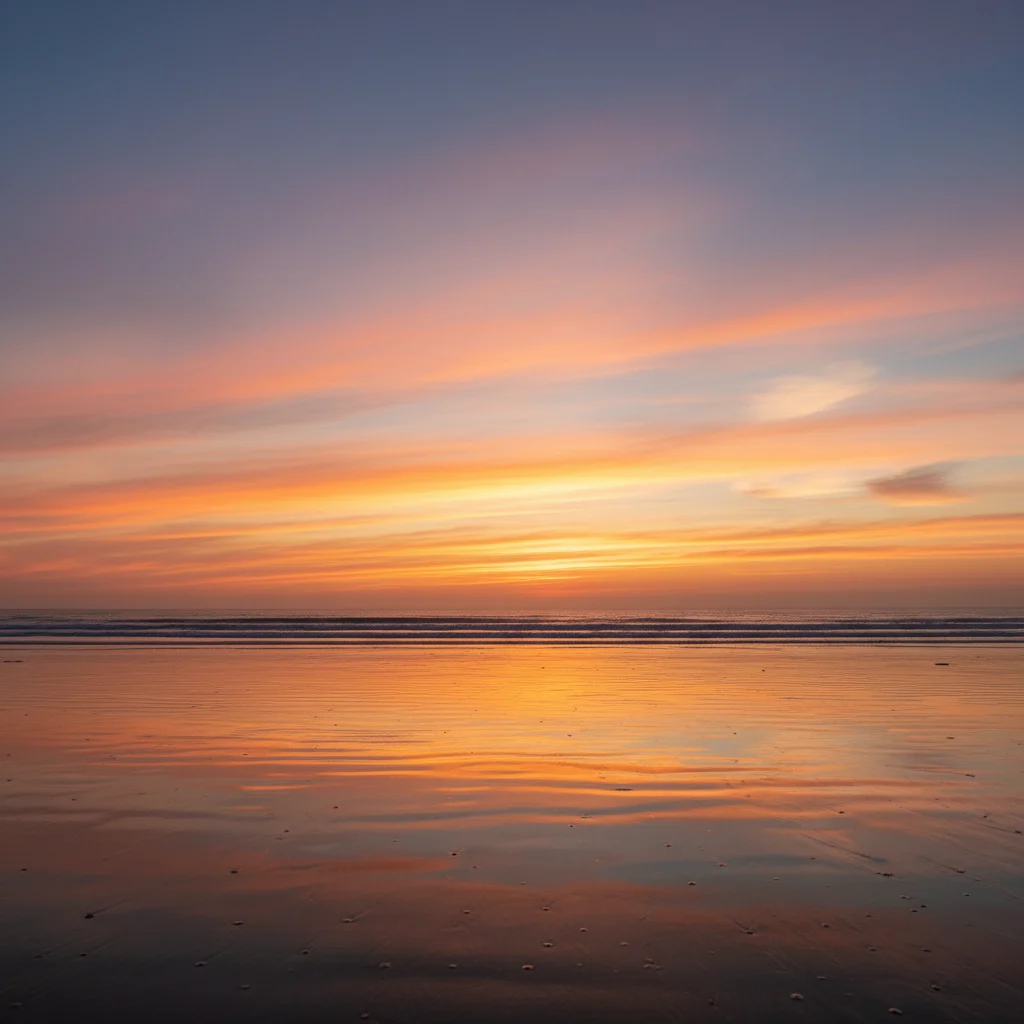
    Subtle single rainbow add a faint rainbow in the upper third of the sky, soft pastel colors, early morning light
    Double rainbow effect add a double rainbow with the main rainbow bright and vivid, secondary rainbow fainter above it, both arcing from left to right
    Partial rainbow arc add a partial rainbow visible only on the right side of the sky, fading into clouds on the left, medium intensity
    3 more prompts
    Low horizon rainbow add a low rainbow near the horizon with the arc barely visible, touching the ground at both ends, golden hour lighting
    Dramatic vivid rainbow add a highly saturated rainbow with extremely vibrant reds, oranges, yellows, greens, blues, purples arcing prominently across dark storm clouds
    Rainbow with sunbeams add a rainbow in the right side of the sky with sun rays breaking through clouds on the left, creating natural post-storm atmosphere
  3. Generate and review

    AI analyzes your sky, lighting conditions, and cloud formations to place a realistic rainbow. Check the arc shape, color intensity, and how it blends with existing weather conditions. Zoom in to verify the rainbow's edges fade naturally into the sky.

  4. Refine with markers if needed

    If the rainbow needs repositioning or you want to adjust specific areas where it appears too strong or faint, tap markers on those spots and regenerate. This is optional—most rainbow additions work without markers. Use markers to specify exact arc endpoints or intensity zones.

    Tip: Markers help when you want the rainbow to start or end at a specific landscape feature like a mountain or tree line.
Try it free

Add Rainbow to Photo

Drop your photo here

or click to browse

Release to upload

Free • No signup

"Added a perfect rainbow to my landscape shot. Looks completely natural, nobody can tell it was edited." @naturephotog

See it in action

Mountain landscape with storm clouds, no rainbow
Before
->
Same landscape with full rainbow arc across sky
After

Mountain landscape rainbow

Added a full-arc rainbow to a mountain vista after storm clouds cleared. The rainbow naturally follows the sky's curve and fades at both endpoints.

Prompt: add a natural-looking rainbow across the entire sky from left edge to right edge, vibrant colors, post-storm lighting
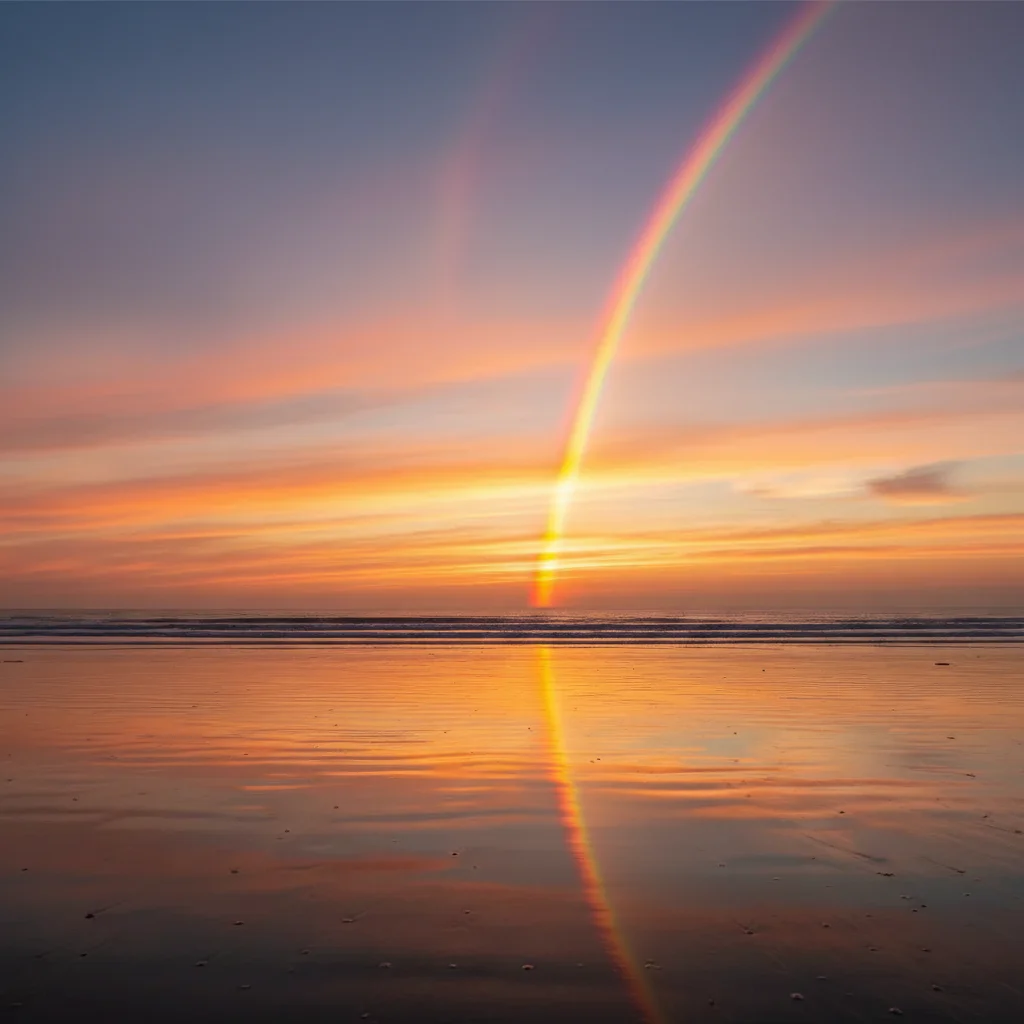
Beach sunset with no rainbow
Before
->
Beach sunset with partial rainbow on right side
After

Beach sunset with partial rainbow

Added a subtle partial rainbow on the horizon during golden hour. The rainbow coordinates perfectly with the warm sunset lighting.

Prompt: add a partial rainbow visible only on the right side of the sky, fading into clouds on the left, medium intensity, golden hour lighting
Wildflower field under storm clouds, no rainbow
Before
->
Same field with dramatic double rainbow
After

Field with double rainbow

Created a dramatic double rainbow effect over a wildflower field. The primary rainbow is vivid while the secondary is appropriately fainter.

Prompt: add a double rainbow with the main rainbow bright and vivid, secondary rainbow fainter above it, both arcing from left to right
Advertisement

If something looks off

Rainbow looks artificial or too bright

Why: The AI defaulted to maximum saturation without context about your lighting conditions. Natural rainbows vary in intensity based on sun angle and moisture.

Try: Regenerate with: 'add a subtle rainbow with soft pastel colors, low saturation' or 'add a faint rainbow barely visible in the sky'

Tip: Use words like 'faint', 'subtle', or 'soft' to reduce intensity. Mention 'early morning' or 'late afternoon' for more natural color.

Rainbow arc doesn't follow natural curve

Why: The AI may have misinterpreted perspective or horizon line in your photo. Rainbow arcs should follow the sky's natural dome shape.

Try: Add markers at the two points where you want the rainbow to start and end (usually near horizon), then regenerate with the same prompt

Tip: Markers tell the AI exactly where the rainbow endpoints should touch down.

Rainbow appears in wrong position or cuts through objects

Why: The AI placed the rainbow generically without understanding your composition. Rainbows should appear behind distant objects or in open sky.

Try: Be more specific: 'add a rainbow in the upper right sky above the mountain peaks' or 'add a rainbow behind the trees on the left side'

Tip: Mention landscape features in your prompt to help position the rainbow naturally.

Colors don't match my photo's lighting

Why: Rainbow colors should complement your existing lighting—warm for sunset, cooler for overcast, vivid for post-storm sun.

Try: Include lighting context: 'add a rainbow with warm tones matching golden hour' or 'add a rainbow with cool colors for overcast day'

Tip: Mentioning your photo's lighting conditions (golden hour, overcast, post-storm) helps AI match color temperature.

Double rainbow has incorrect color order

Why: Secondary rainbows naturally have reversed color order (red on inside). If this wasn't applied, the AI may need more specific instruction.

Try: Use: 'add a double rainbow with secondary rainbow having reversed color order, red on the inside, fainter than the primary'

Tip: Most users don't notice, but photographers appreciate scientifically accurate double rainbows.

Quick answers

Do I need to mark the sky before adding a rainbow?

No! Just describe what you want: 'add a natural rainbow across the sky from left to right' or 'add a faint rainbow in the upper sky.' The AI understands sky context. Only use markers when you need to specify exact arc endpoints or adjust intensity in specific zones.

How do I make the rainbow look natural and not fake?

Use descriptive words about intensity and context. Instead of just 'add rainbow', try 'add a faint post-storm rainbow with soft colors' or 'add a subtle rainbow visible in the upper sky.' Mentioning weather context (post-storm, early morning, golden hour) helps AI match your photo's lighting. Lower intensity rainbows almost always look more natural than vivid ones.

What is the best free AI tool to add rainbows to photos?

EditThisPic's AI Rainbow Adder handles natural rainbow placement without complex masking or layers. Just describe the rainbow you want, and AI adds it in 15-30 seconds with realistic color gradients, natural arc curves, and proper sky blending. Free to try with no signup or watermark.

Can I add double rainbows or partial rainbows?

Yes! For double rainbows, describe both arcs: 'add a double rainbow with bright primary arc and fainter secondary rainbow above it.' For partial rainbows, specify visibility: 'add a partial rainbow visible only on the right side, fading into clouds.' The AI handles proper color order and intensity differences automatically.

Why does my rainbow look too bright compared to the rest of the photo?

The default is often maximum saturation. Add intensity descriptors to your prompt: 'faint', 'subtle', 'soft pastel colors', or 'low saturation rainbow.' You can also mention lighting conditions like 'matching overcast lighting' or 'complementing golden hour tones' to help AI adjust vibrancy to your scene.

Ready to add a rainbow to your photo?

Free to try. No signup required.

Try it free