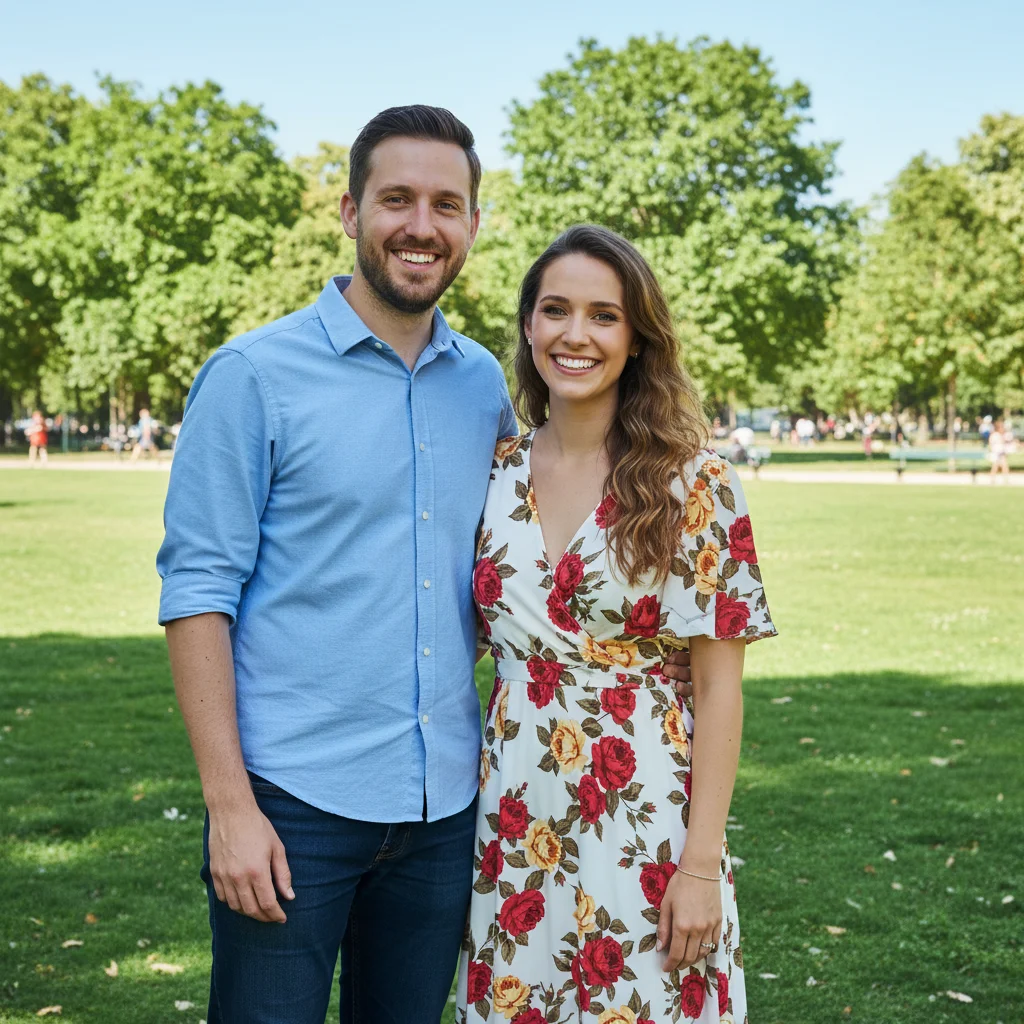
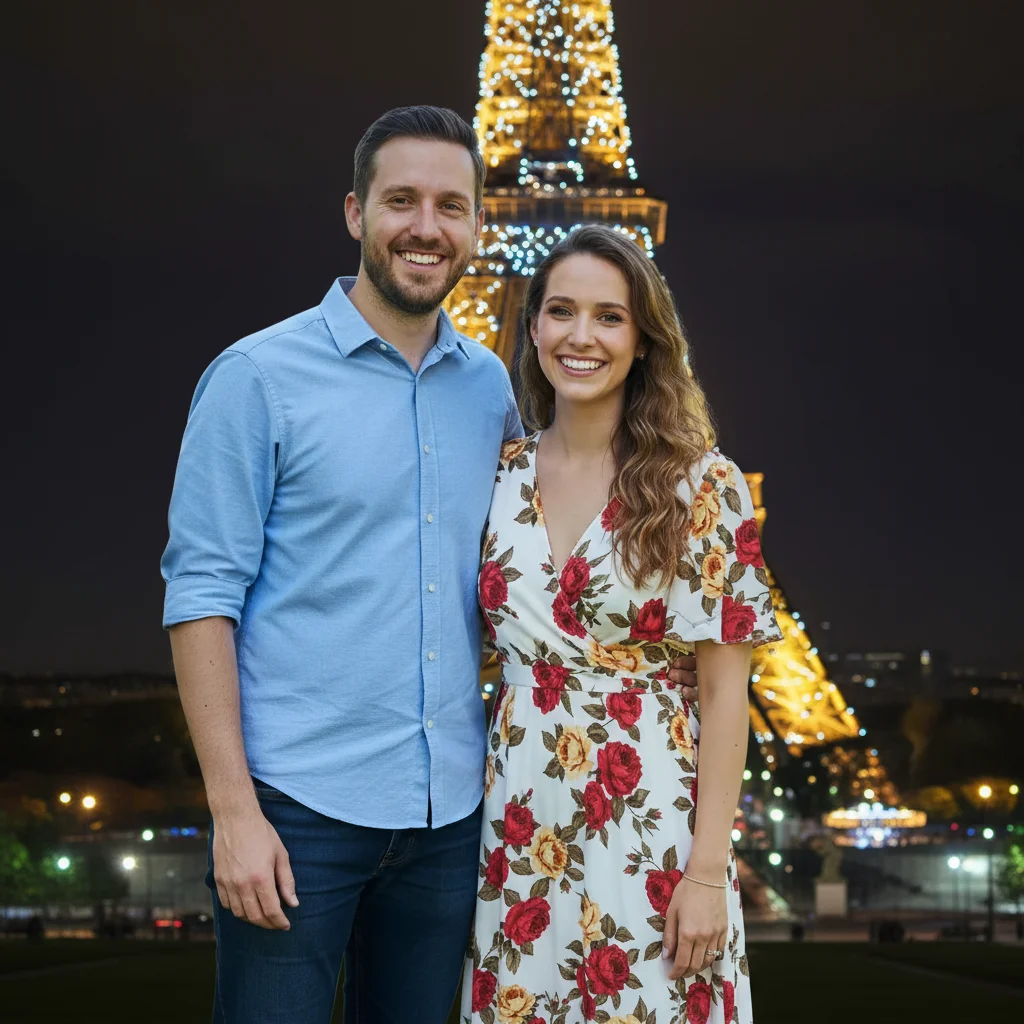
Free • No signup Add Sunset effect to sky · Free

AI Sunset Adder

Before
Before
After
After

Free AI Sunset Adder

Drop your photo here

or click to browse

Release to upload

Free • No signup

Advertisement
Popular use cases:
  • sunset effect
  • golden hour
  • sky enhancement
  • sunset photography
  • add sunset to photo
  • landscape enhancement
  • travel photo editing
  • real estate sunset
  • social media photos
  • sunset filter

Cost
Free No signup required
Time
Instant results in 15-30 seconds
Works on
Any device - browser, phone, tablet, desktop
Powered by
AI-powered photo editing
Scenario Prompt Time
15-30s
15-30s
15-30s
15-30s
15-30s

How it works

  1. Upload your photo

    Choose any photo with visible sky—landscapes, cityscapes, beaches, buildings, portraits with sky backgrounds. Works best with photos that have at least some sky showing. Daytime photos transform most dramatically, but overcast or evening photos work too.

    Expect: Simple sunset addition: 20-30 seconds. The AI works quickly since adding sunset effects is straightforward and doesn't require complex manipulation.
  2. Describe your sunset

    Type what kind of sunset effect you want. Be specific about colors like 'warm orange and pink sunset', intensity like 'dramatic vibrant sunset' or 'soft pastel sunset', and cloud features. The AI understands descriptions like 'golden hour sunset with orange sky' or 'pink and purple twilight sunset' or 'fiery red and orange sunset with dramatic clouds'. No need to mark the sky—AI detects it automatically.

    Tip: Mention cloud details for more dramatic results: 'sunset with wispy clouds catching pink light' creates more visual interest than just 'orange sunset'.

    Copy one of these to get started:

    Classic beautiful sunset for any photo Warm golden hour sunset with orange and pink sky, soft natural lighting
    Bold, eye-catching sunset for impact Vibrant orange and red sunset with dramatic clouds catching the light
    Gentle romantic sunset aesthetic Soft pastel sunset with pink, peach, and lavender colors in the sky
    Gradient sunset with depth and dimension Deep orange sunset transitioning to purple twilight with wispy clouds
    4 more prompts
    Dramatic tropical or summer sunset Fiery red and gold sunset with sun visible near the horizon
    Pure golden hour photography look Golden yellow sunset with warm light bathing the entire scene
    Instagram-worthy colorful sunset Pink and purple sunset with silhouetted clouds and warm horizon glow
    Dramatic atmospheric sunset with contrast Moody orange and gray sunset with storm clouds breaking to reveal golden light
  3. Review the sunset effect

    Check that the sunset colors look natural, the lighting on the landscape matches the sky, and the overall warmth feels realistic. Make sure the sunset doesn't look overly artificial or oversaturated. If adjustments are needed, try different color descriptions and regenerate.

  4. Download Your Sunset Photo

    Save your enhanced photo with the beautiful sunset in high resolution. Perfect for social media posts, real estate listings, travel blogs, or printing.

Try it free

Free AI Sunset Adder

Drop your photo here

or click to browse

Release to upload

Free • No signup

See it in action

Before
Before
->
After
After

Prompt: Warm golden hour sunset with orange and pink sky, soft natural lighting on the beach
Before
Before
->
After
After

Prompt: Vibrant orange and red sunset with dramatic clouds, purple twilight colors, city lit by warm sunset glow
Before
Before
->
After
After

Prompt: Soft pastel sunset with pink, peach, and lavender colors, delicate clouds, gentle warm light on mountains
Advertisement

If something looks off

AI changed the wrong area or something I didn't want changed

Why: The AI couldn't determine exactly which area you meant from description alone.

Try: Tap a marker on the specific area you want to change, then regenerate with the same prompt

Tip: Markers tell the AI 'I mean THIS one specifically.' Use them when description alone is ambiguous.

Sunset colors look unnatural or oversaturated

Why: Too many intense color words can create overly vibrant results

Try: Use softer language: instead of 'bright vivid intense orange', try 'warm natural orange sunset' or 'soft golden sunset'

Tip: Add 'natural' or 'realistic' to your prompt to prevent AI from going too dramatic with colors.

Sky changed but the lighting on the ground doesn't match

Why: Complex scenes with multiple light sources can have lighting mismatches

Try: Add 'warm sunset lighting on entire scene' or 'whole photo lit by golden sunset light' to ensure consistent lighting

Tip: For best results, mention that the sunset should affect the whole image: 'sunset with warm light on buildings and landscape'.

Sunset looks flat without depth or dimension

Why: Generic sunset descriptions produce simple gradient fills

Try: Add cloud and detail descriptions: 'sunset with layered clouds at different heights catching orange and pink light'

Tip: Mention specific features: 'sun rays breaking through clouds', 'gradient from orange horizon to purple overhead', or 'wispy cirrus clouds'.

Part of the sky wasn't changed or has a harsh line

Why: Objects blocking the sky or complex sky boundaries confuse the AI

Try: Specify 'sunset throughout entire visible sky area' or use a marker on the sky to clarify which area to change

Tip: Photos with clear, unobstructed sky areas work best. Tree branches or buildings cutting into sky may create transition challenges.

Quick answers

Do I need to mark the sky?

No! Just describe the sunset you want and AI automatically detects the sky in your photo and adds the sunset effect. The AI understands where the sky is versus the landscape, buildings, or other elements. You only need a marker if the sky is heavily obscured or if you want to add sunset to unusual areas.

Can I add sunset to photos taken at any time of day?

Yes! Daytime photos with blue skies work great and show the most dramatic transformation. Overcast photos can become stunning sunsets. Evening or dusk photos can be enhanced with warmer, more vibrant sunset colors. Morning photos can be given a sunset makeover too—though lighting direction may be slightly inconsistent.

Will the sunset affect the rest of my photo?

Yes, in a good way! When you add a sunset sky, the AI typically adjusts the overall lighting and warmth of the entire scene to match the sunset atmosphere. This creates more realistic results where the landscape, buildings, or subjects are lit by warm sunset light. If you only want the sky changed, specify 'change only the sky'.

What's the difference between golden hour and sunset?

Golden hour is the period shortly before sunset (or after sunrise) when light is warm and soft but the sun is still above the horizon. Sunset is when the sun is at or below the horizon with more dramatic colors. Describe 'golden hour' for softer warm light, or 'sunset' for more vibrant oranges, pinks, and purples.

Can I add a visible sun to the sunset?

Yes! Include 'sun visible near the horizon' or 'sun setting on horizon with warm glow' in your description. The AI can add a sun disk to the sunset scene. For best results, mention where you want it: 'sun low on left side of horizon' gives more control over placement.

How do I get dramatic vs subtle sunset effects?

Use descriptive language to control intensity. Dramatic: 'vibrant', 'intense', 'fiery', 'bold', 'vivid sunset colors'. Subtle: 'soft', 'gentle', 'pastel', 'natural', 'delicate sunset'. The AI responds to these intensity cues and adjusts the sunset accordingly.

Ready to add a beautiful sunset?

Free to try. No signup required.

Try it free