Free โ€ข No signup Change Weather ยท Free

AI Weather Changer

Just describe the weather you want - AI transforms atmosphere and lighting naturally.

Engagement photo in bright sunny weather
Before
โ†’
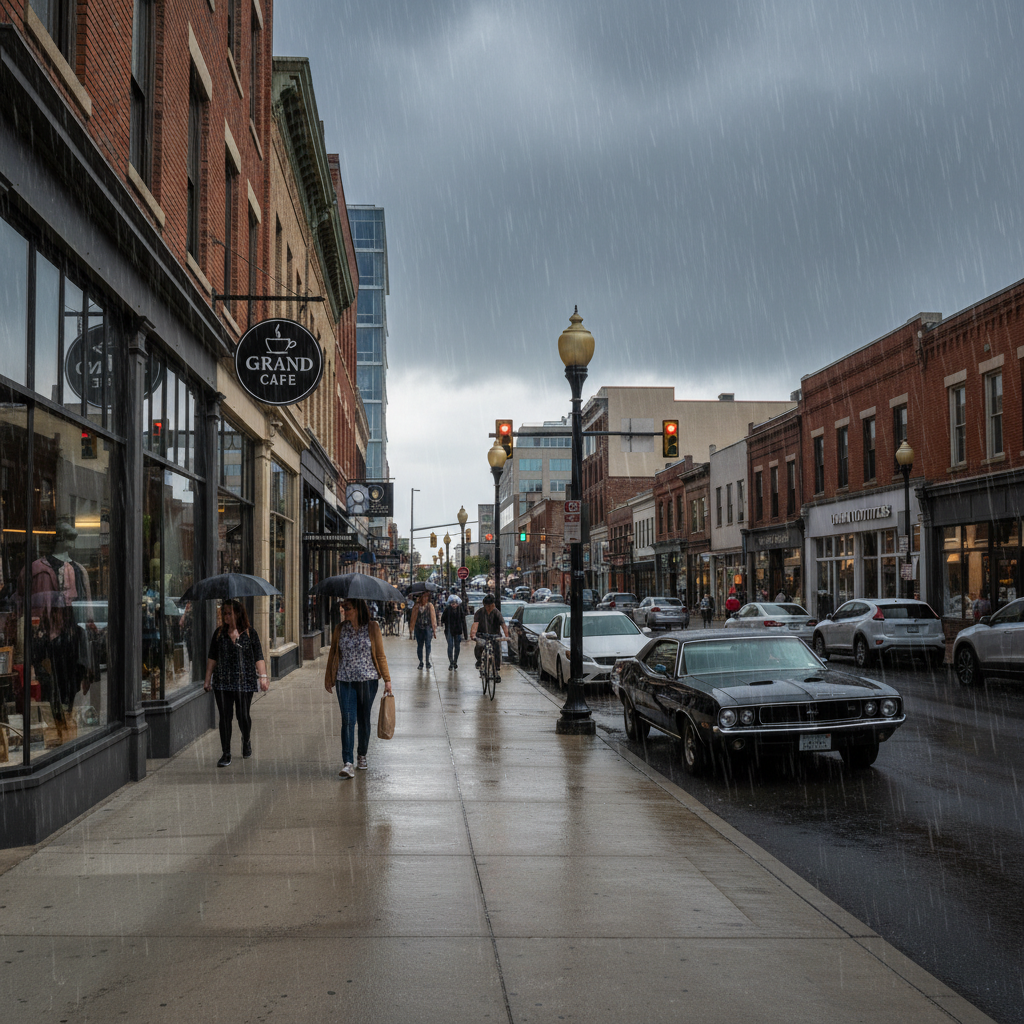
Same photo transformed with heavy rain and storm clouds
After

AI Weather Changer

Drop your photo here

or click to browse

Release to upload

Free โ€ข No signup

Advertisement
Popular use cases:
  • creative photography
  • event photos
  • wedding photography
  • real estate marketing
  • property listings
  • landscape photography
  • dramatic effects
  • atmospheric photography

Cost
Free No signup required
Time
Instant results in 15-30 seconds
Works on
Any device - browser, phone, tablet, desktop
Powered by
AI-powered photo editing
Scenario Prompt Time
Add rain and storm add heavy rain with dark storm clouds and moody dramatic lighting 35s
Change to sunny change to bright sunny day with clear blue sky and strong sunlight 30s
Add fog add thick atmospheric fog with reduced visibility and soft diffused lighting 40s
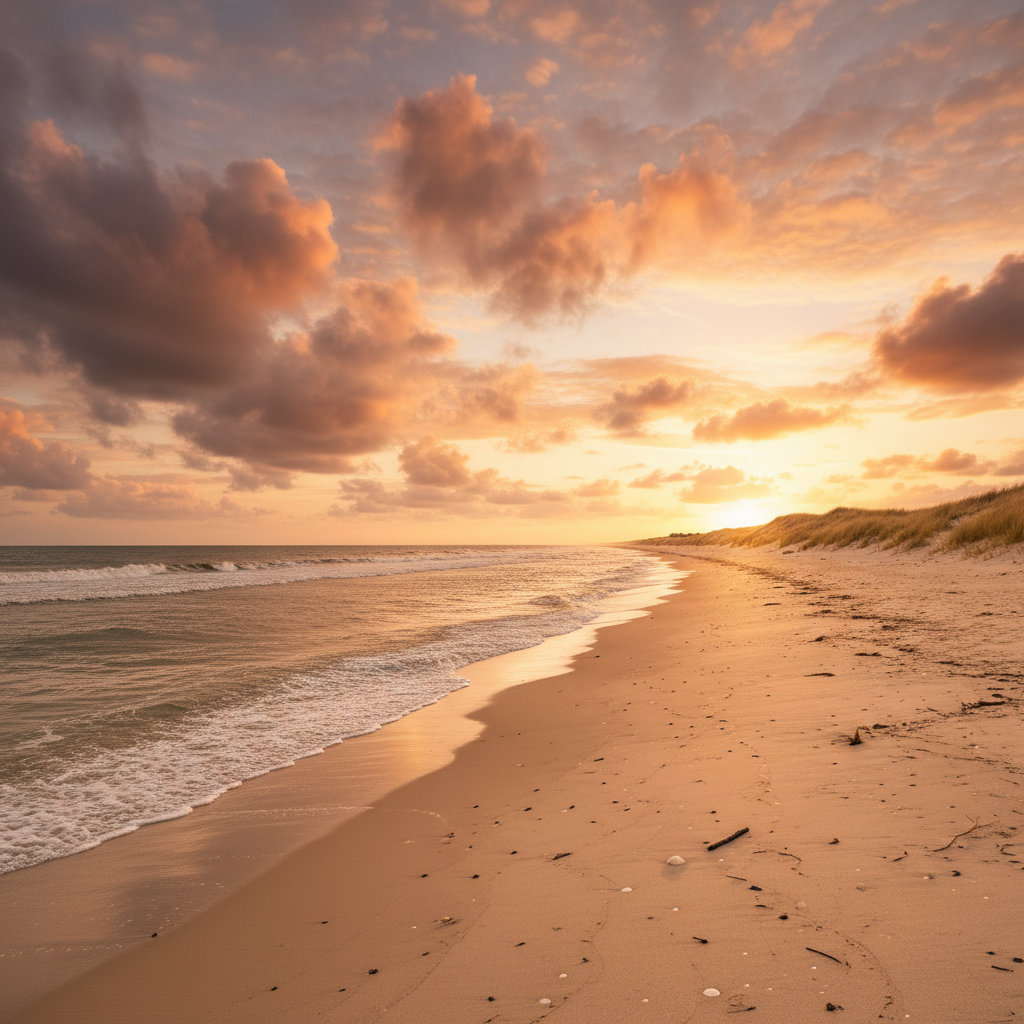
Golden hour change to golden hour sunset with warm orange sky and dramatic side lighting 30s

How it works

  1. Upload your photo

    Drop your outdoor photo into EditThisPic. JPG, PNG, WebP up to 7MB. Works best with outdoor scenes where sky is visible. Weather changes are most effective when sky takes up at least 20% of the image.

    Expect: Simple sky changes (sunny to cloudy): 25-35 seconds. Complex weather effects (add rain, fog, or snow): may need 2-3 refinements for realistic atmosphere.
  2. Describe what you want

    Type your instruction: 'add heavy rain with dark storm clouds' or 'change to bright sunny day with clear blue sky.' Be specific about weather elements: cloud coverage, precipitation, lighting mood. No need to select the sky - the AI understands 'rainy weather' and transforms sky, lighting, and atmosphere.

    Tip: Include mood/lighting details like 'dramatic dark storm' or 'soft overcast diffused light' for more atmospheric results

    Copy one of these to get started:

    Add rain and storm add heavy rain with dark storm clouds and moody dramatic lighting
    Change to sunny clear day change to bright sunny day with clear blue sky and strong sunlight
    Add dramatic fog add thick atmospheric fog with reduced visibility and soft diffused lighting
    Change to overcast cloudy change to overcast cloudy day with gray sky and soft even lighting
    4 more prompts
    Add light snow add light snowfall with gray winter clouds and soft cold atmosphere
    Create golden sunset light change to golden hour sunset with warm orange sky and dramatic side lighting
    Add lightning storm add dramatic thunderstorm with dark clouds, lightning bolts, and ominous atmosphere
    Morning mist effect add soft morning mist hovering near ground with gentle sunrise lighting
  3. Generate and review

    Click Generate and the AI changes sky, adds weather effects (rain/snow/fog), adjusts lighting and shadows to match new conditions. Check the result at full zoom to verify weather looks natural and lighting is consistent across the scene.

  4. Refine with markers if needed

    If certain areas don't match the new weather (like people still lit for sunny day in a rainy scene), or weather effects need adjustment, tap markers on those spots and regenerate with refinement instructions. This is optional but helpful for complex atmospheric changes.

    Tip: Weather changes affect the entire scene. Expect to refine lighting consistency between sky and ground elements.
  5. Download and share

    Download your weather-transformed photo in full resolution with no watermark. Perfect for creative projects, dramatic event photos, or showing locations in different conditions.

Try it free โ†“

AI Weather Changer

Drop your photo here

or click to browse

Release to upload

Free โ€ข No signup

"Added dramatic rain to my engagement photos. The storm effect looked so realistic, friends asked if we got soaked!" @engaged_couple

See it in action

Engagement photo in bright sunny weather
Before
->
Same photo transformed with heavy rain and storm clouds
After

Engagement photo with dramatic rain

Couple wanted dramatic mood for their engagement shoot. AI added heavy rain and storm clouds to originally sunny photo.

Prompt: add heavy rain with dark storm clouds and moody dramatic lighting
Property photo on overcast day
Before
->
Same property in bright sunny weather
After

Real estate listing in perfect weather

Property photo was taken on overcast day. Agent wanted sunny version to showcase outdoor spaces better.

Prompt: change to bright sunny day with clear blue sky and strong sunlight
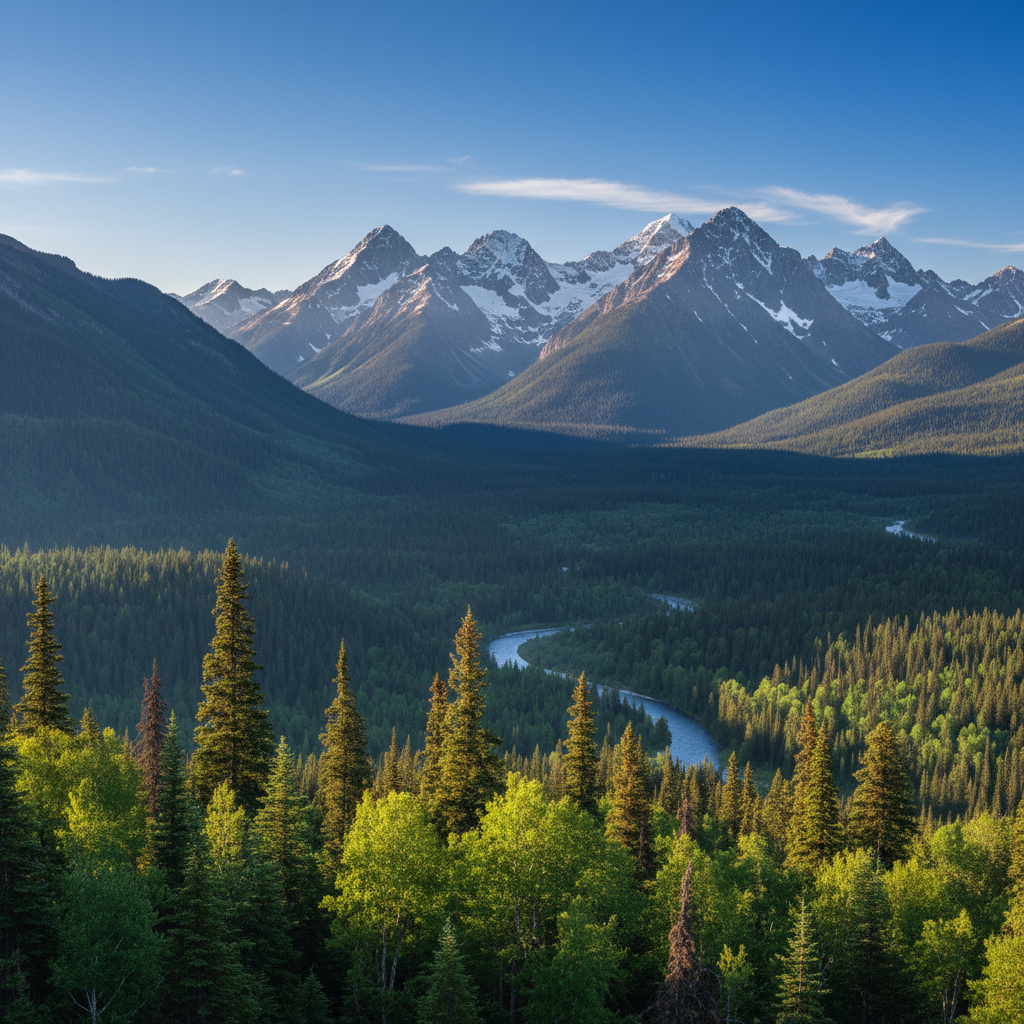
Clear mountain landscape
Before
->
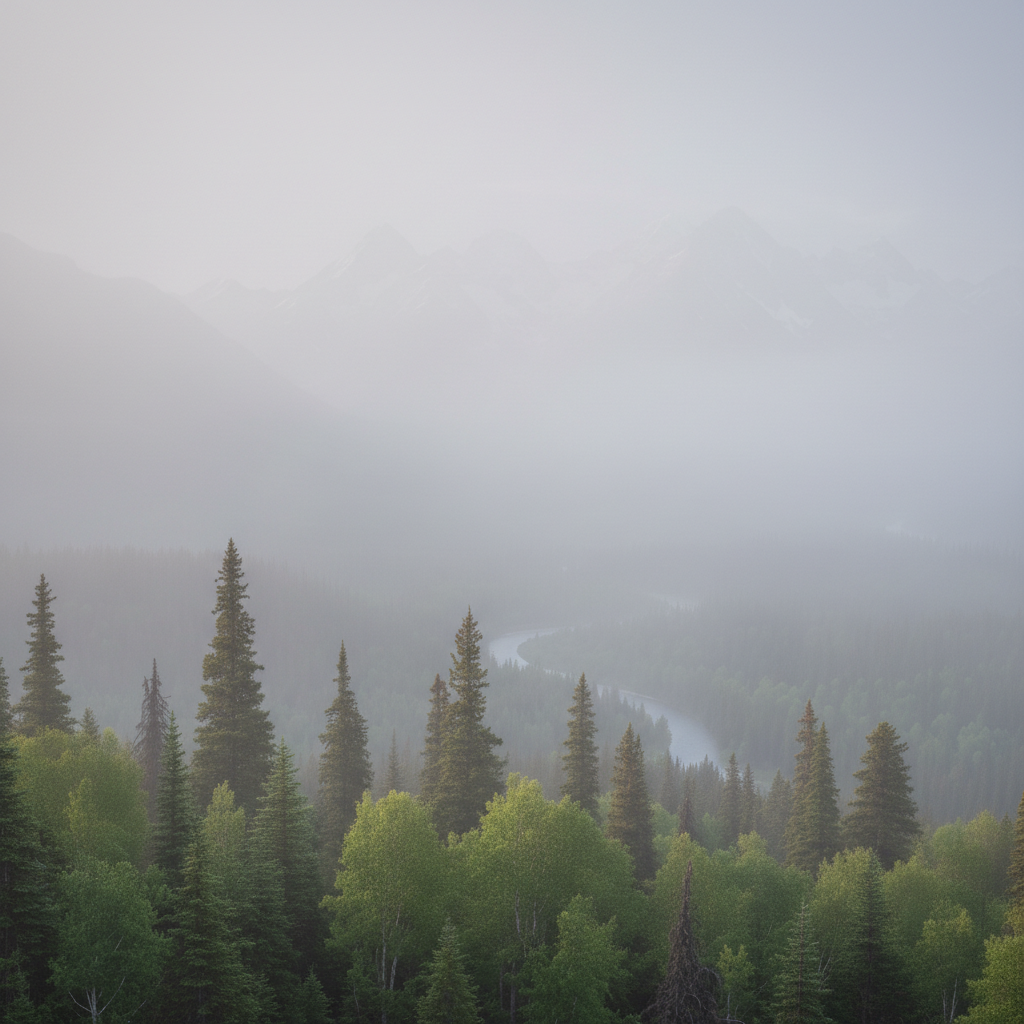
Same landscape with thick atmospheric fog
After

Landscape with atmospheric fog

Photographer wanted mysterious mood for mountain landscape. AI added thick fog while maintaining mountain silhouettes.

Prompt: add thick atmospheric fog with reduced visibility and soft diffused lighting
Wedding venue in midday light
Before
->
Same venue transformed to golden hour sunset
After

Wedding venue in golden hour light

Wedding photo was midday harsh light. Couple wanted romantic golden hour atmosphere for album cover.

Prompt: change to golden hour sunset with warm orange sky and dramatic side lighting
Advertisement

If something looks off

AI changed sky but lighting on people/objects doesn't match new weather

Why: The AI changed atmospheric elements but didn't fully adjust the lighting and shadows on subjects to match new conditions. This is common with dramatic weather changes.

Try: Add to your prompt: 'adjust lighting on people and objects to match [weather] conditions' or use markers on subjects that need lighting adjustment

Tip: Weather changes are complex. Sky may transform but ground-level lighting often needs separate refinement.

Weather effects look fake or pasted on

Why: The AI applied weather elements (rain, fog, snow) without proper blending or integration with the scene's depth and perspective.

Try: Regenerate asking for 'natural-looking [weather] with realistic depth and perspective integration' or specify 'subtle natural [weather]' for less dramatic application
Rain or snow is too heavy or blocks the scene

Why: The AI interpreted 'heavy rain' too literally and obscured important scene elements with excessive weather effects.

Try: Use 'moderate' or 'light' instead of 'heavy,' or regenerate with 'reduce the rain intensity while keeping weather mood'
New sky doesn't match the horizon or has visible seams

Why: The AI's sky replacement didn't properly blend with the horizon line, especially in scenes with complex skylines or trees.

Try: Tap markers along the problem horizon areas and regenerate, or try 'seamlessly blend new [weather] sky with existing horizon'
Fog or mist looks like solid gray overlay

Why: The AI applied fog as a uniform layer instead of creating depth variation where distant objects are more obscured than near ones.

Try: Regenerate with 'add atmospheric fog with proper depth - thicker in distance, clearer in foreground' to guide proper fog perspective
Colors shifted dramatically with weather change

Why: The AI changed the overall color palette to match the new weather mood, affecting clothing and other elements that shouldn't change color.

Try: Add to prompt: 'change weather while keeping people, clothing, and objects their original colors' or use markers to protect specific elements
Weather changed but shadows still point wrong direction

Why: The AI changed sky and lighting but didn't adjust shadow directions to match new light source position.

Try: This is very difficult to fix automatically. For best results, choose weather changes that match your original lighting direction (sunny to overcast is easier than sunny to different-direction sunset)

Quick answers

Do I need to mark the sky before describing weather changes?

No! For most edits, just describe the target weather: 'add heavy rain with storm clouds' or 'change to bright sunny day.' The AI understands weather descriptions and identifies sky, atmosphere, and lighting automatically. Only use markers when specific areas didn't transform properly or when you want to protect certain elements from changing.

How do I change weather in photos for free?

Use EditThisPic's free AI weather changer. Upload your outdoor photo, describe the weather you want (like 'add rain with storm clouds' or 'change to sunny clear day'), and the AI transforms sky, lighting, and atmosphere in 30-45 seconds. No Photoshop skills needed, no subscriptions, no watermarks. Perfect for creative projects, event photos, or property marketing.

Will lighting and shadows adjust to match the new weather?

The AI attempts to adjust overall lighting mood to match new weather conditions. However, dramatic changes (like sunny to rainy) may not perfectly adjust all shadows and lighting on people/objects. For best results, expect to refine lighting consistency with a second pass or markers. Sky-only changes (sunny to cloudy) are easier than adding precipitation effects.

Can I add specific weather effects like fog, snow, or lightning?

Yes. Be specific in your prompt: 'add thick fog with reduced visibility,' 'add light snowfall with winter atmosphere,' or 'add dramatic lightning bolts in storm clouds.' The AI can generate various weather effects. More dramatic effects (lightning, heavy snow) may need refinement for realistic results.

Which weather changes are easiest vs. most difficult?

Easier: Sunny to cloudy/overcast (just sky change), cloudy to sunny (brighten and clear sky). Moderate: Add golden hour lighting (warm color shift). Difficult: Add rain/snow/fog (requires atmospheric effects), add lightning (dramatic element insertion), change lighting direction (shadows conflict). Difficult changes usually need 2-3 refinements with markers for realistic results.

Can I use this to improve property photos taken in bad weather?

Absolutely. Real estate agents use this to show properties in ideal weather conditions. Transform overcast gray day photos to bright sunny versions to showcase outdoor spaces and make listings more appealing. Note: some MLS platforms may have disclosure requirements for edited photos - check your local regulations.

Ready to change weather in your photos?

Free to try. No signup required.

Try it free โ†’