Fix a Restaurant Menu Photo with AI
Last updated
Turn dim phone food photos into appetizing menu shots ready for Yelp, DoorDash, and Instagram in under 30 seconds.
Drop your photo here
"Fix this restaurant menu photo: balance dim restaurant lighting, restore appetizing food colors (vibrant but natural), sharpen food details and texture, remove harsh shadows, photographic food magazine quality, ready for menu and delivery apps."
Release to upload
Built for restaurant owners, food trucks, and delivery app sellers
EditThisPic gives restaurant owners and food businesses a way to make every dish look appetizing without hiring a food photographer or buying lighting equipment. Tungsten color cast, harsh shadows, and dim lighting all fixed in under a minute per dish.
Tools for AI Restaurant Menu Photo Fixer
How to Fix a Restaurant Menu Photo with AI
-
Open EditThisPic
Go to editthispic.com on your phone or laptop. No app, no merchant portal oauth.
-
Upload your food photo
Drop in any food photo - dishes, drinks, desserts, plated meals. Any phone or camera shot works.
-
Type the prompt
Try: 'fix this restaurant menu photo, balance tungsten lighting, restore appetizing food colors, sharpen food texture'.
-
Generate
EditThisPic returns an appetizing food photo in about 25 seconds. Natural colors, sharp texture, magazine quality.
-
Upload to your menu or delivery app
Save the result and upload to Yelp, DoorDash, Uber Eats, your website, or print menu.
Copy-Paste Prompts for AI Restaurant Menu Photo Fixer
Real Examples
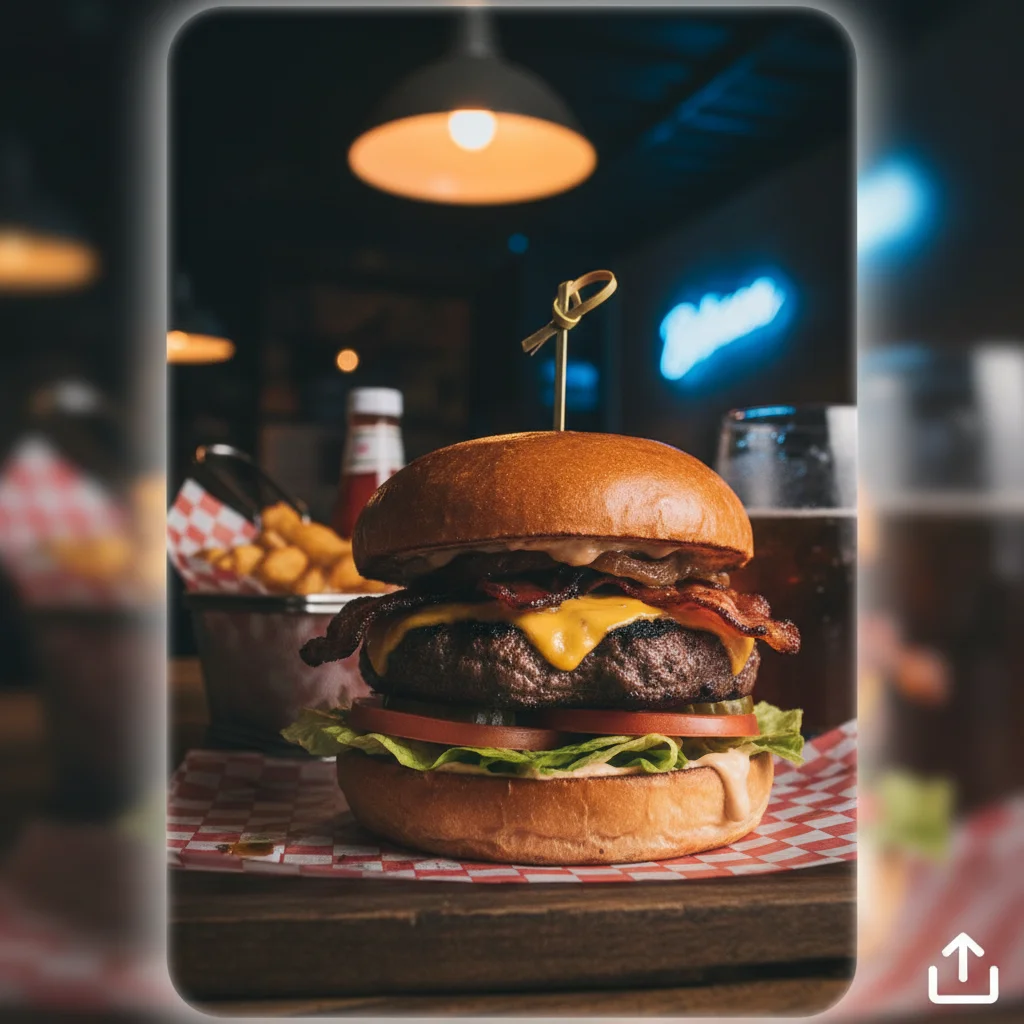
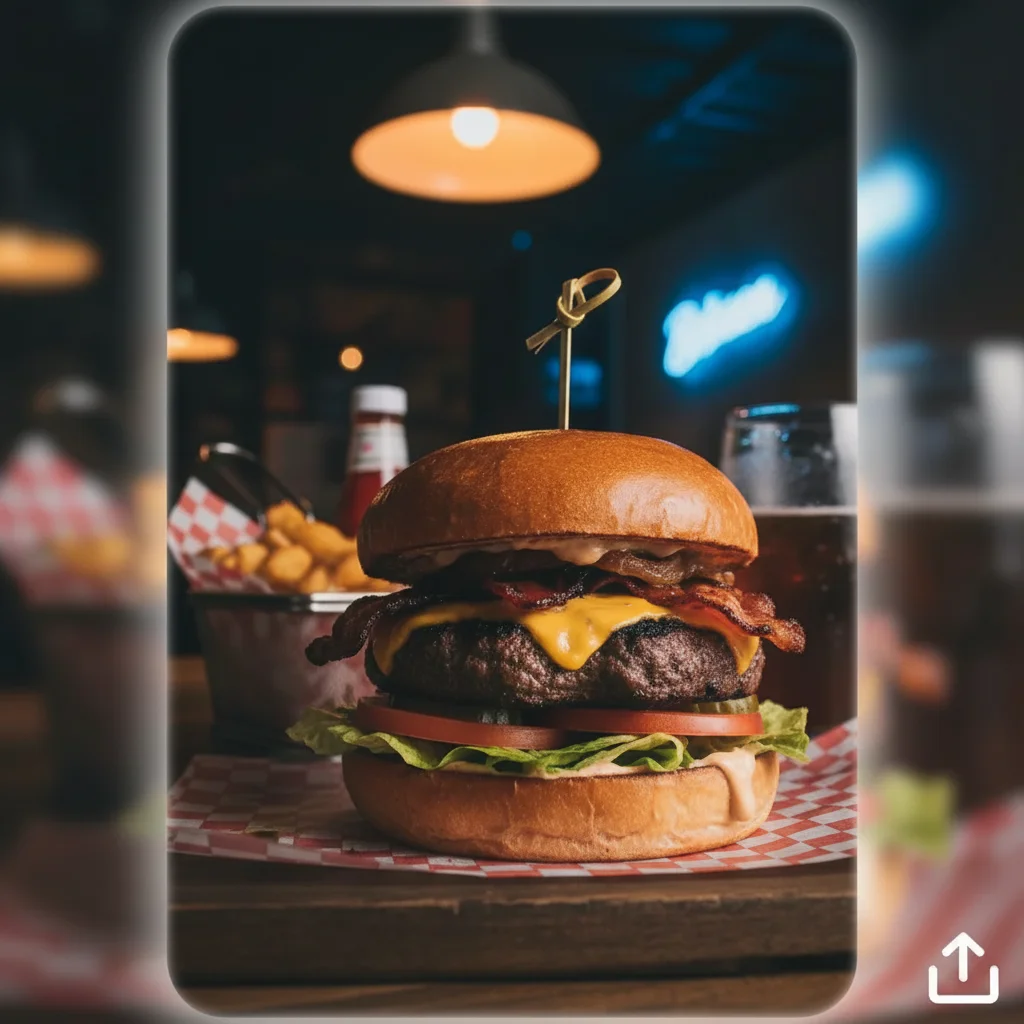
Dim burger to delivery app ready
A burger joint owner uploaded a dim phone photo of their signature burger. EditThisPic balanced the tungsten cast and sharpened the bun and lettuce, making it DoorDash ready.
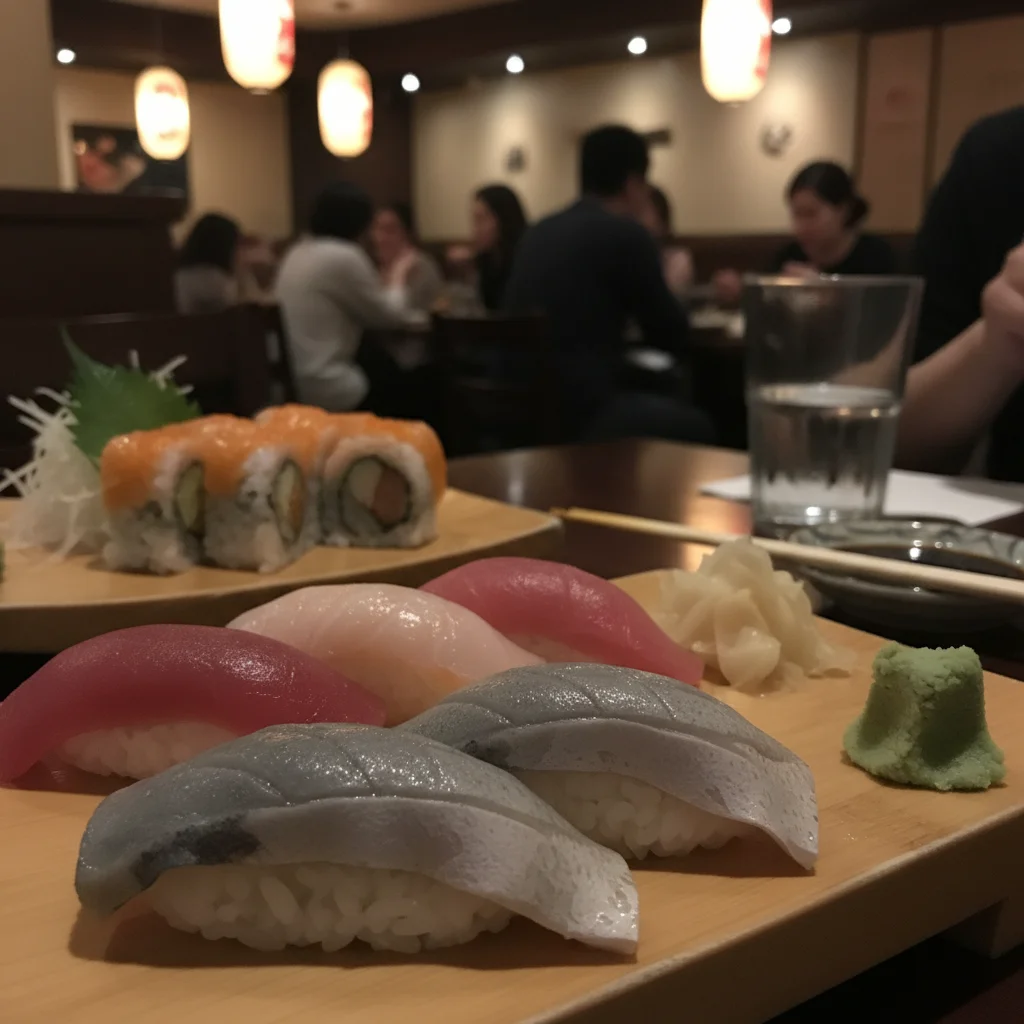
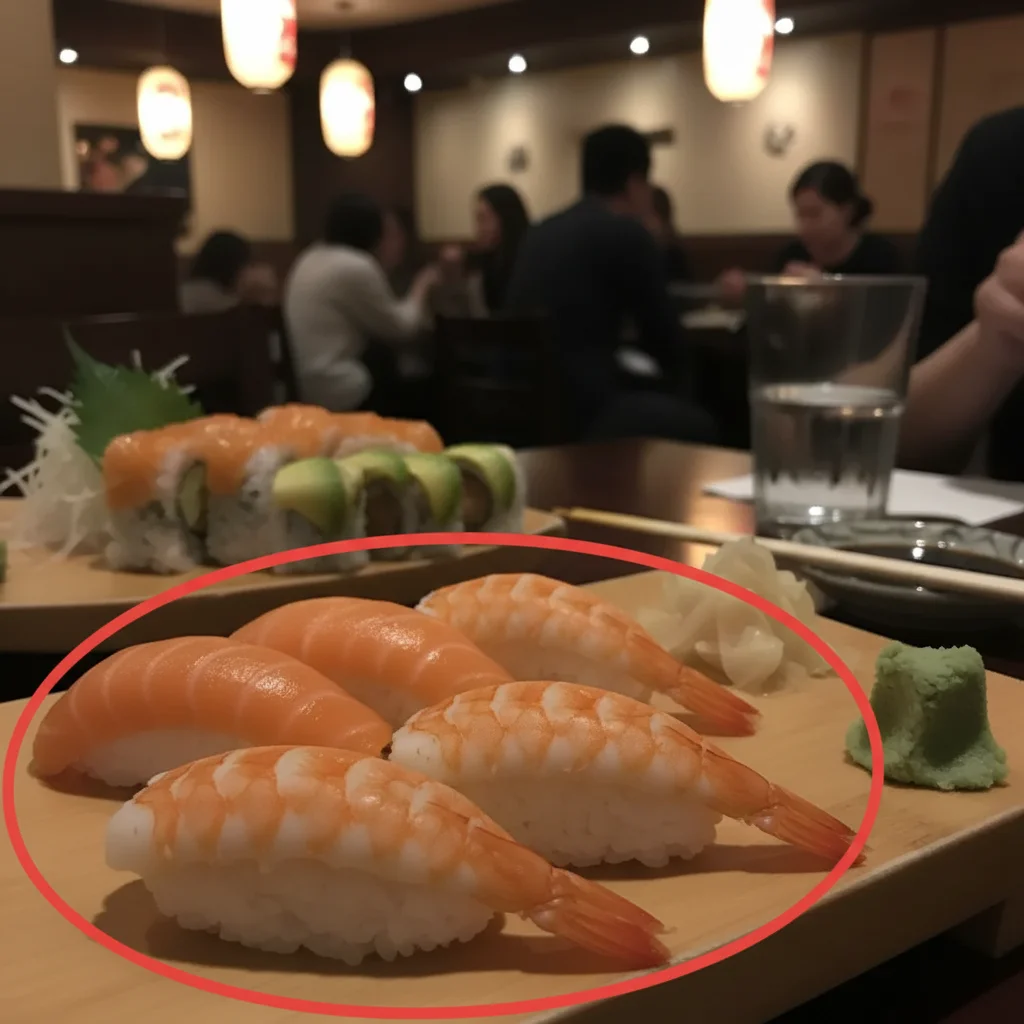
Sushi color rescue
A sushi restaurant uploaded a photo where the salmon looked gray under restaurant lights. The fix restored the vibrant orange and sharpened the rice grains.
Cocktail glassware sparkle
A bar uploaded a cocktail photo with dim lighting. The fix added sparkle to the ice and glassware while keeping the moody bar atmosphere.
When Things Go Wrong
Food still looks orange
Food looks fake or oversaturated
Plate background distracting
Texture looks plasticky
Frequently Asked Questions
How do I fix a restaurant menu photo with AI?
Upload your food photo to EditThisPic, type a prompt like 'fix this restaurant menu photo, balance tungsten lighting, restore appetizing food colors, sharpen food texture', and download the result in about 25 seconds. Free, no signup. Then upload to Yelp, DoorDash, Uber Eats, or your menu.
Can AI fix dim restaurant photos of food?
Yes. Restaurant interiors are dim and warm, which makes food look orange and unappetizing. EditThisPic balances the lighting and restores natural food colors so dishes look as appetizing as they do in person. Add 'balance tungsten restaurant lighting' to your prompt.
Is the menu photo fixer free?
Yes. EditThisPic is free to use. No signup, no watermark, no credit card needed for basic use. Fix as many menu photos as you have dishes.
How do I fix orange food photos?
Restaurant tungsten lighting creates a strong orange cast. Add 'neutralize warm color cast, restore TRUE food colors as if lit by daylight' to your prompt. The result has natural daylight-balanced color where lettuce looks green and chicken looks white, not orange.
Can the AI make food look more appetizing without making it look fake?
Yes. EditThisPic balances colors and sharpens texture but preserves the real food. Add 'photographic food quality, no oversaturation, no AI gloss' to keep it natural. Customers should recognize the dish when it arrives.
Will the photos meet DoorDash and Uber Eats requirements?
Yes. DoorDash recommends 1400x1400 pixels or larger for menu photos. Uber Eats recommends 800x600 minimum. EditThisPic outputs at high resolution exceeding both. The format is JPG, which all delivery apps accept.
Is it OK to AI-edit menu photos?
Lighting and color corrections are standard practice in food photography. Don't change the actual dish - adding ingredients, removing flaws, or making portions look bigger than they really are leads to customer complaints. EditThisPic's lighting and color fixes preserve the real dish.
Does this work for drinks and cocktails too?
Yes. Use 'fix this cocktail menu photo: restore vibrant drink color, sharpen ice and garnish detail, glassware sparkle, condensation detail'. The AI handles drinks, cocktails, coffee, and bottled beverages.
Can I use this for printed menus and Instagram?
Yes. The output is high-resolution JPG suitable for both digital (Yelp, DoorDash, Instagram, website) and print (paper menus, table tents, takeout flyers). Same file works across all formats.
Are my food photos stored?
No. EditThisPic processes your image in your browser session and does not save or train on your photos. The image is deleted shortly after processing.
Popular use cases
Ready to make every dish look appetizing?
Free to try. No signup required. No watermarks.
Start EditingTrusted by 15,000+ users