Free • No signup Change Shirt color · Free

Change Shirt Color in Photo

← Browse all change & replace tools

Last updated

Recolor any shirt in a photo by typing the new color — no selection tools, no masking. Works for team photos needing consistent shirt colors, profile photos, and outfit planning. Keeps fabric texture and shadows intact. Free, no account needed.

Man wearing a bright red polo shirt Same man with polo shirt recolored to deep navy blue

Upload photo to change shirt color

"Recolor the shirt to royal blue, preserve all shadows, creases, and the collar shape"

Release to upload

50,000+photos edited
<30stypical edit
1 freeedit weekly

1 free edit·then from $4.99

How it works

  1. Upload your photo

    Upload a photo where the shirt is clearly visible and unobscured. Portraits, team photos, and professional headshots all work well. JPG, PNG, WebP up to 7MB.

    Expect: Simple recolors on solid shirts: 25-35 seconds. Patterned shirts or complex lighting: up to 50 seconds.
  2. Describe the new color

    Type the color change you want: 'change the shirt color to forest green, keep the fabric texture and creases.' You don't need to mark the shirt — just name the garment and the new color. Specific color names produce more accurate results than vague ones.

    Tip: Pair color with a descriptor for best results: 'deep navy blue' instead of 'blue,' or 'charcoal grey' instead of 'grey.'

    Copy one of these to get started:

    Team photo — standardize shirt color Change the red shirt to a deep navy blue, keep the fabric texture, wrinkles, and shadows exactly as they are
    Profile photo update — brand color match Recolor the shirt to royal blue, preserve all shadows, creases, and the collar shape
    White shirt to a color Change the white shirt to a warm terracotta orange, maintain realistic fabric shading
    Dark shirt to a lighter color Change the black shirt to a medium grey heather, keep the shirt's cut and collar unchanged
    2 more prompts
    Preview online purchase color variant Change the blue t-shirt to olive green, same fabric and style, just the color changes
    LinkedIn headshot — neutral to bold Change the grey shirt to a deep burgundy, keep all fabric texture, shadows, and the collar shape
  3. Verify the result

    Check that the shirt color changed cleanly and that skin tones, the background, and other clothing items are unchanged. Look at the collar and sleeve edges where shirt meets skin for any bleeding.

See it in action

Man wearing a bright red polo shirt
Before
->
Same man with polo shirt recolored to deep navy blue
After

Red team shirt recolored to navy

A team portrait with mismatched shirt colors — one red shirt recolored to match the rest of the group in navy.

Prompt: Change the red shirt to a deep navy blue, keep the fabric texture, wrinkles, and shadows exactly as they are
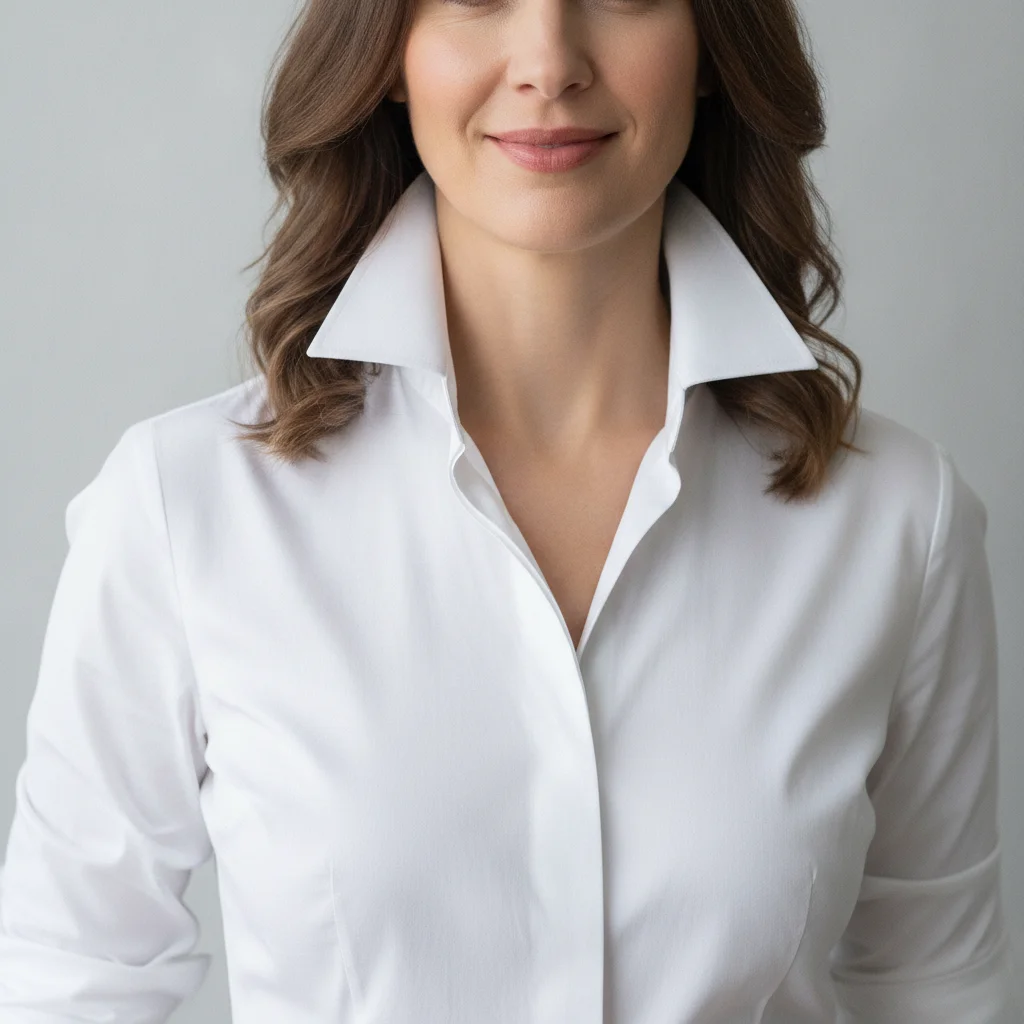
Woman in crisp white button-down shirt against light grey background
Before
->
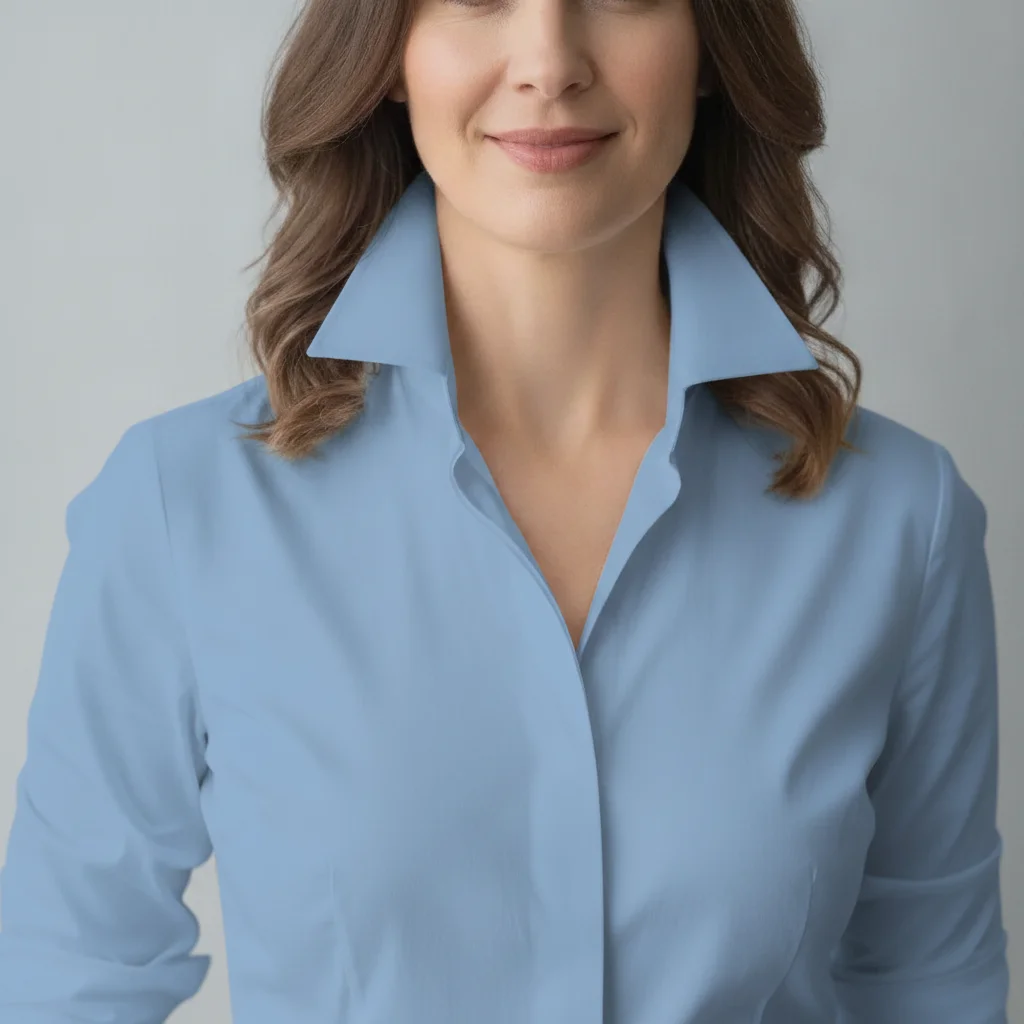
Same woman with button-down shirt recolored to sky blue
After

White button-down recolored to sky blue

A professional headshot with a white button-down shirt updated to sky blue for a brand color match.

Prompt: Recolor the white shirt to a sky blue, preserve all shadows, creases, and the collar shape

Quick answers

Do I need to mark the shirt before changing its color?

No. Type 'change the shirt color to navy blue' and EditThisPic's AI identifies and recolors the shirt automatically. You don't need to draw selections, use a lasso tool, or mark anything. Markers are optional if the AI has trouble distinguishing the shirt from a similar-colored background.

How do I change a shirt color in a photo for free with no signup?

Upload your photo to EditThisPic and type: 'change the shirt to [color], keep the fabric texture and shadows.' The AI recolors the shirt in about 30 seconds. No account, no login, no watermark on the result. Works in any browser — no app download needed.

Can I use this to standardize shirt colors across a team photo?

Yes. This is one of the most common uses. Upload each team member's photo and apply the same prompt: 'change the shirt to [brand color].' The AI preserves each person's individual fabric texture and lighting while applying a consistent color. Process photos one at a time for best control.

Will the shirt texture and wrinkles be preserved after recoloring?

Yes, when you include 'keep the fabric texture and shadows' in your prompt. The AI preserves the natural fabric folds, wrinkles, and lighting variation so the result looks like the person was actually wearing that color — not like a paint-bucket fill.

How much does EditThisPic cost?

You get 1 free edit per week — no account needed. After that, credit packs start at $1.99 for 3 edits. Monthly plans start at $4.99/mo for 20 edits with unused credits rolling over. All edits are full resolution with no watermark.

Ready to recolor that shirt?

Free to try. No signup required.

1 free edit included·Credit packs from $4.99