Free • No signup Change Shoes · Free

Change Shoes in Photo

← Browse all change & replace tools

Last updated

Swap shoes in any full-body or lower-body photo by describing the new style or uploading a reference pair. Works for outfit styling, resale listings, footwear shopping decisions, and professional photo touchups. Free, no account needed.
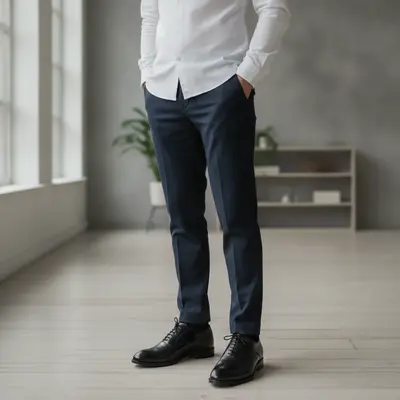
Man in dark navy trousers and white shirt wearing white chunky sneakers Same man wearing polished black Oxford dress shoes

Upload photo to change shoes

"Replace the shoes with clean white leather low-top sneakers, minimal design, flat sole"

Release to upload

50,000+photos edited
<30stypical edit
1 freeedit weekly

1 free edit·then from $4.99

How it works

  1. Upload a photo where the shoes are visible

    Full-body or lower-body shots with clearly visible footwear work best. The shoes don't need to be in sharp focus, but they should be fully in frame. JPG, PNG, WebP up to 7MB.

    Expect: Simple style swaps like sneakers to dress shoes: 30-40 seconds. Complex boot-to-heel transformations: up to 60 seconds.
  2. Describe the new shoes

    Type exactly what you want: 'change the shoes to white leather Nike Air Force 1 sneakers' or 'replace with black patent leather heels.' The AI understands shoe styles, brands, and materials. No need to mark the shoes — just describe them.

    Tip: Naming a specific style (chunky sole, stiletto, Chelsea boot) helps more than a brand name alone. Include color and material for best results.

    Copy one of these to get started:

    Casual to dress shoes for professional photo Change the sneakers to polished black Oxford dress shoes with a thin leather sole, keep the natural ground shadow

    Outfit matching — add white sneakers Replace the shoes with clean white leather low-top sneakers, minimal design, flat sole
    Smart casual to heels for event photo Change the flat shoes to black block-heel pumps, about 3 inches high, with a pointed toe
    Sneakers to ankle boots for autumn look Replace the sneakers with tan suede Chelsea ankle boots, pull-tab visible, flat sole
    3 more prompts
    Preview shoes from a reference photo Replace the current shoes with the pair from the reference image, match the lighting and ground shadow
    Swap trainers for sandals in summer photo Change the trainers to brown leather flat sandals with a cross-strap design, keep foot position natural
    Boots to loafers for a business casual look Replace the boots with tan leather penny loafers, no heel, polished finish
  3. Check fit and shadows

    Verify that the sole sits naturally on the ground plane and that shadows match the lighting direction. Zoom in on the heel and toe area to check the edge quality.

  4. Refine if needed

    If the shoes look off, add detail to your prompt: 'change the shoes to black Oxford dress shoes with a thin sole, flat heel, natural ground shadow.' Markers are optional and rarely needed for footwear edits.

See it in action

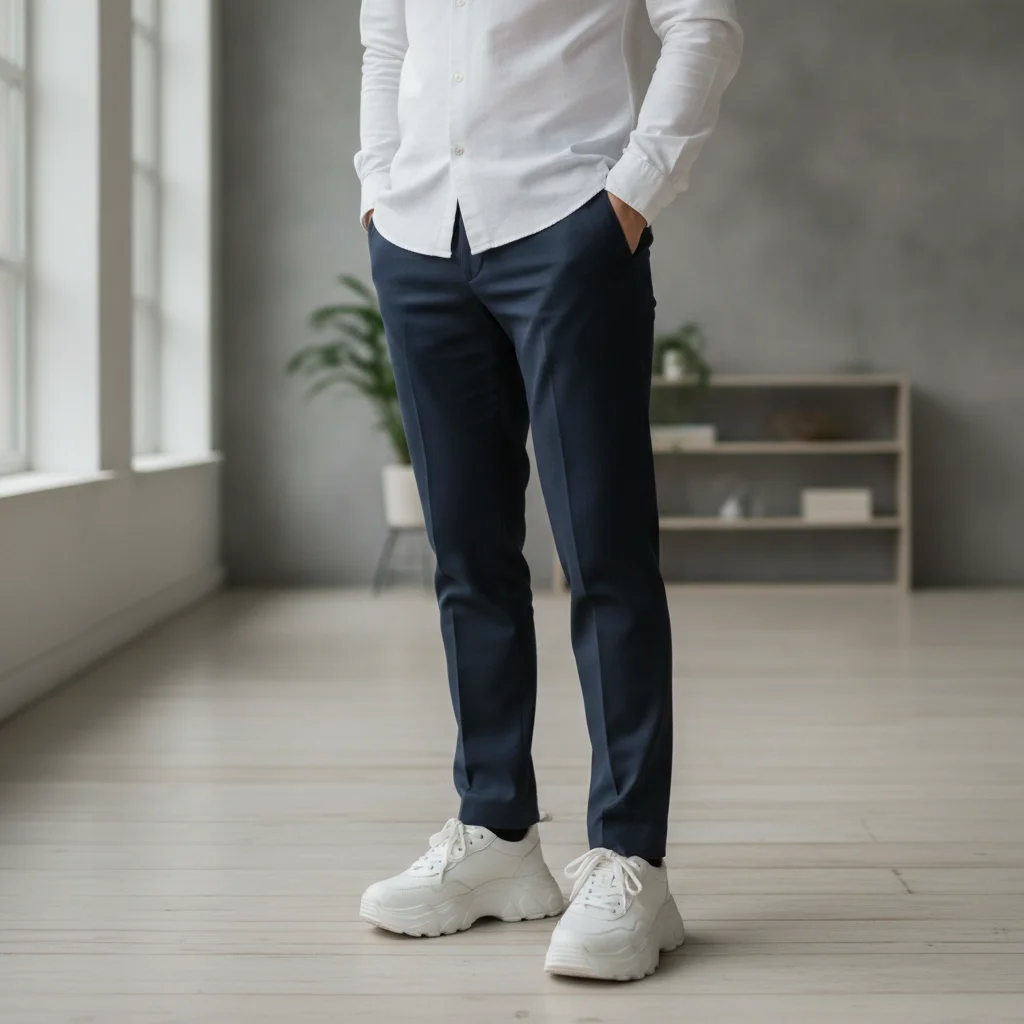
Man in dark navy trousers and white shirt wearing white chunky sneakers
Before
->
Same man wearing polished black Oxford dress shoes
After

Sneakers to Oxford dress shoes

A casual outfit photo with white sneakers transformed for a professional context with black Oxford dress shoes.

Prompt: Change the sneakers to polished black Oxford dress shoes with a thin leather sole, keep the natural ground shadow

Woman in dark midi dress and flat black ankle boots
Before
->
Same woman with black block-heel pointed-toe pumps
After

Flat boots to block-heel pumps

A standing photo updated to show block-heel pumps for a fashion event preview.

Prompt: Change the flat boots to black block-heel pumps, about 3 inches high, with a pointed toe
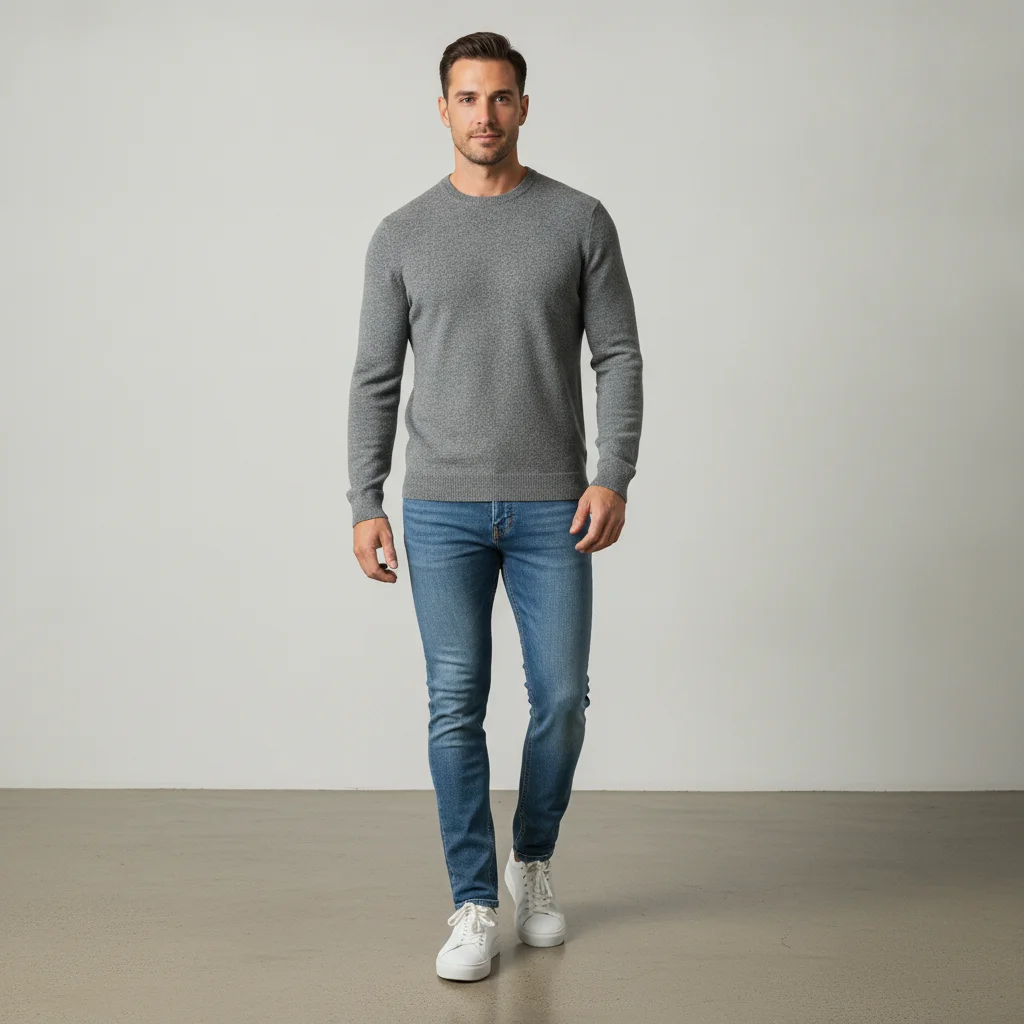
Man in jeans and grey sweater wearing white lace-up sneakers
Main Photo
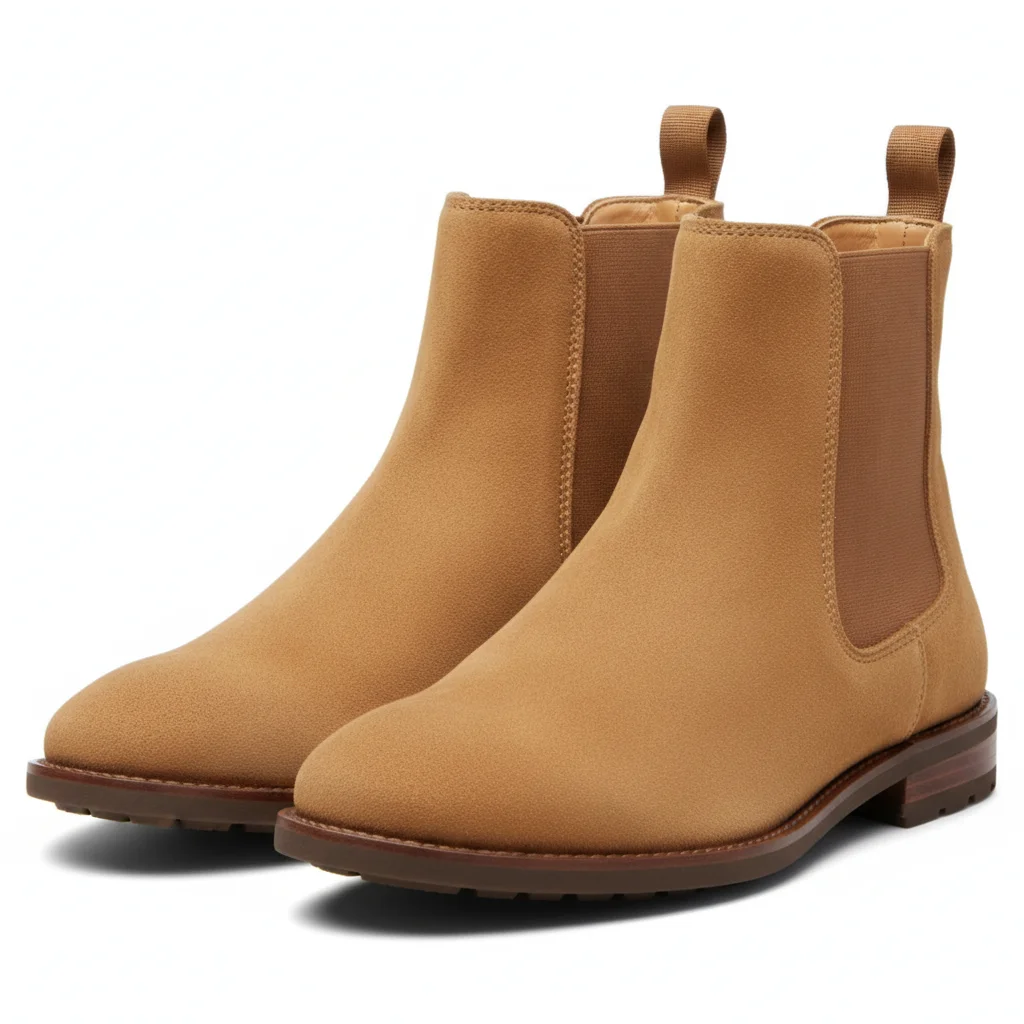
Tan suede Chelsea ankle boots product photo on white background
Reference
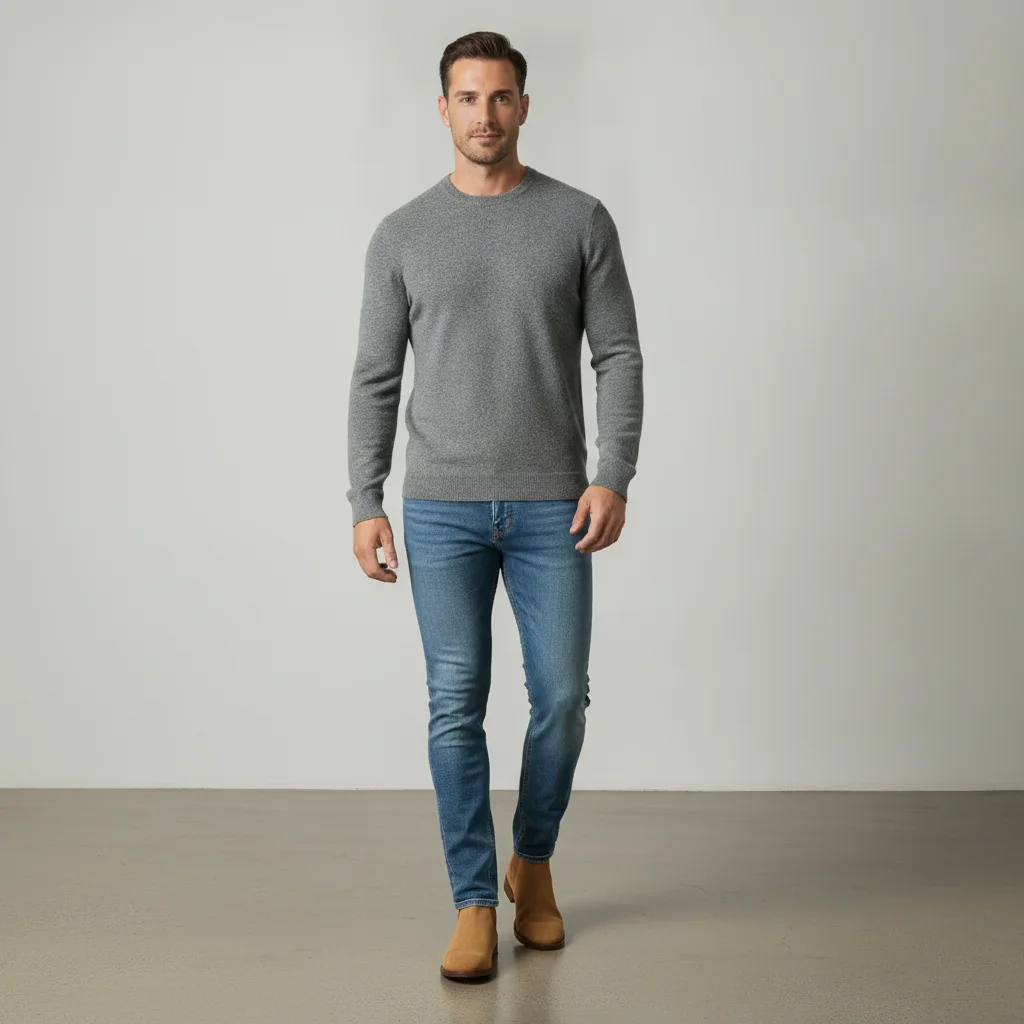
Same man wearing the tan Chelsea boots from the reference image
Result

Try shoes from a reference photo

A reference product image of tan Chelsea boots applied to a portrait with existing sneakers.

Prompt: Replace the current shoes with the pair from the reference image, match the lighting and ground shadow

Quick answers

Do I need to mark or outline the shoes before describing what I want?

No. Just describe the shoes in your prompt: 'change the shoes to black Oxford dress shoes' or 'replace with white leather sneakers.' EditThisPic's AI understands what footwear looks like in a photo and applies the change automatically. Markers are optional and rarely needed for shoe swaps.

How do I change shoes in a photo for free with AI?

Upload your photo to EditThisPic and type a shoe description: 'change the sneakers to black dress shoes' or 'replace with tan Chelsea boots.' The AI swaps the footwear in about 30 seconds. Free, no login required, and the result has no watermark. Works in any browser on desktop or mobile.

How is changing shoes different from just changing the shoe color?

Changing shoes in a photo replaces the entire shoe — shape, style, material, brand silhouette, and color all change to match the description. Changing shoe color keeps the existing shoe shape and only recolors it. Use 'change shoes' when you want a completely different style; use 'change shoe color' when you like the current shoe but want it in a different hue.

Can I use a reference photo of the shoes I want to try?

Yes. Click '+ Add reference image,' upload a photo of the shoes, then type 'replace the current shoes with the pair from the reference image.' The AI maps the specific shoe from your reference onto the person in the photo, matching scale and lighting. Useful for visualizing online purchases before buying.

Does the AI shoe swap work on seated photos or only standing shots?

Both work. The AI handles standing, seated, and crouching poses as long as at least part of the shoe is visible. Seated photos where feet rest flat on the floor produce the most natural results. Shots where shoes are at an extreme angle or heavily foreshortened may need a more specific prompt.

How much does EditThisPic cost?

You get 1 free edit per week — no account needed. After that, credit packs start at $1.99 for 3 edits. Monthly plans start at $4.99/mo for 20 edits with unused credits rolling over. All edits are full resolution with no watermark.

Ready to swap shoes in your photos?

Free to try. No signup required.

1 free edit included·Credit packs from $4.99