Free β€’ No signup Add Ugly Christmas sweater Β· Free

Christmas Ugly Sweater on Photo

Upload any portrait and the AI dresses the person in a gloriously hideous Christmas sweater. Send it as the "official family Christmas card" and watch the replies come in.

Man in a professional headshot wearing a plain light blue shirt
Before
β†’
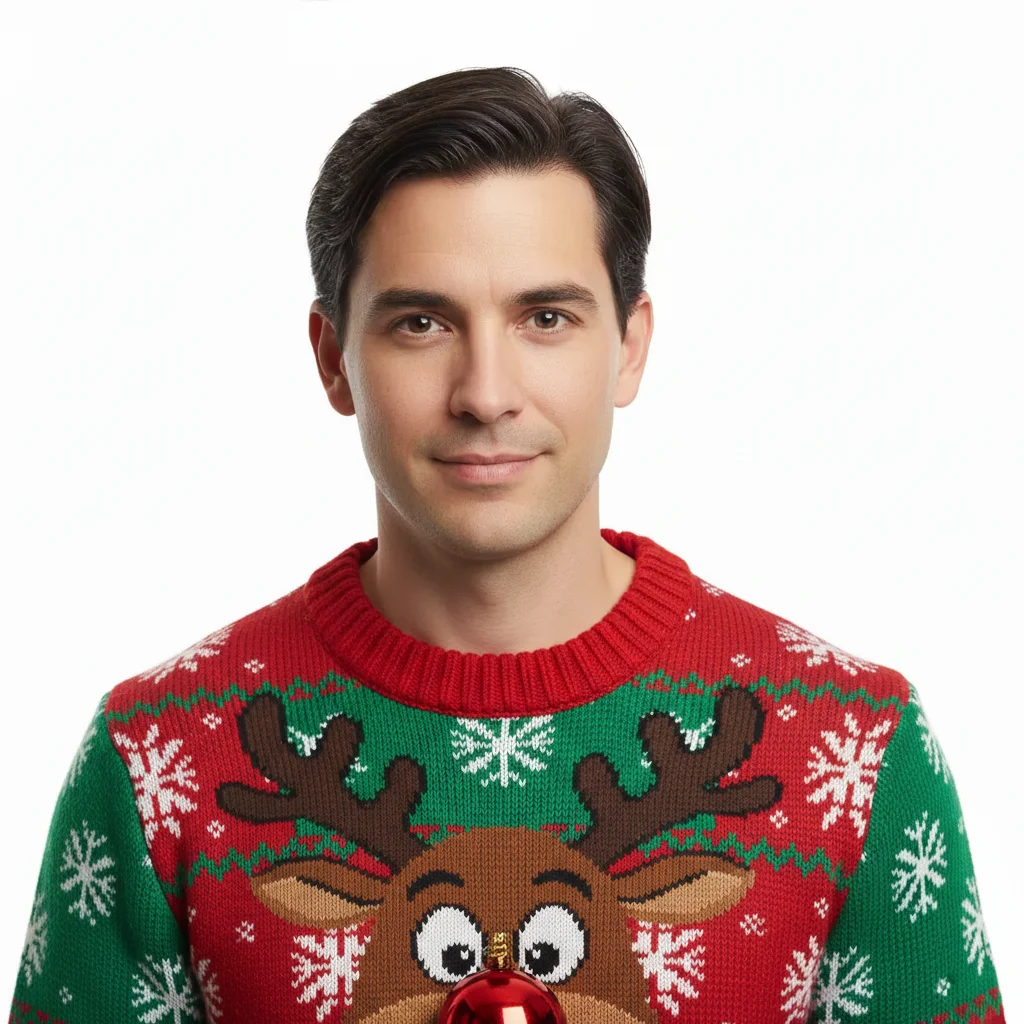
Same man now wearing a loud red and green ugly Christmas sweater with a reindeer face on the chest
After

Christmas Ugly Sweater on Photo

Upload photo to add ugly Christmas sweater

Free β€’ Results in 30 seconds β€’ No signup

Release to upload

FreeNo signupNo watermark

1 free edit·then from $1.99

Popular use cases:
  • ugly Christmas sweater prank
  • funny Christmas photo edit
  • holiday photo prank
  • AI outfit changer
  • Christmas card photo prank
  • fake ugly sweater photo
  • holiday group chat prank
  • office Christmas party photo prank

Cost
Free No signup required
Time
Instant results in 15-30 seconds
Works on
Any device - browser, phone, tablet, desktop
Powered by
AI-powered photo editing
Scenario Prompt Time
Classic reindeer sweater red and green, grinning reindeer face centered on chest, snowflakes, ribbed collar 15s
Office party nightmare mustard yellow and forest green, pixelated Christmas tree, HO HO HO lettering 15s
Maximum chaos clashing red green gold stripes, Santa face, snowmen, Christmas trees, everything at once 30s
Vintage grandma knit oatmeal cream base, uneven reindeer silhouettes, slightly misshapen handmade look 15s

How it works

  1. Upload your photo

    Pick a clear portrait or waist-up photo where the person's torso and shirt are visible. The more of the chest and shoulders that are in frame, the more sweater surface the AI has to work with. Works with selfies, headshots, and group photos.

    Expect: Upload takes a second. JPEG, PNG, HEIC all work fine. You'll have your edited photo in 15-30 seconds.
  2. Describe the sweater

    Type what you want the sweater to look like. The uglier the better β€” mention specific patterns (reindeer, snowflakes, Christmas trees), colors (red and green, clashing gold tinsel), and any extra touches like a little pompom or an elf face on the chest. The example prompts below are ready to copy and use.

    Tip: Name one central design element on the front of the sweater β€” "a giant grinning reindeer face" or "a pixelated Christmas tree with blinking lights" β€” and the AI builds the rest of the chaos around it.

    Copy one of these to get started:

    Classic reindeer disaster Replace their shirt with an ugly Christmas sweater β€” bright red and green, a large grinning reindeer face centered on the chest with a shiny nose, snowflakes scattered everywhere, thick ribbed collar and cuffs

    Office party nightmare Dress this person in a hideous office Christmas sweater β€” mustard yellow and forest green, with a pixelated Christmas tree on the front, tiny wrapped presents along the bottom hem, and the words 'HO HO HO' in chunky knit letters across the chest
    Family Christmas card edition Put a matching ugly Christmas sweater on this person β€” navy blue base with a large Fair Isle snowflake pattern, tiny bells along the collar, red and white stripe cuffs, the kind every family member gets forced to wear in the annual photo
    Maximum chaos sweater Replace their top with the most aggressively ugly Christmas sweater imaginable β€” clashing red, green, and gold stripes, a Santa face on the chest with a 3D pompom nose, tiny blinking lights pattern on the sleeves, Christmas trees and snowmen fighting for space on every inch of fabric
    4 more prompts
    Cat Christmas sweater (for pet prank) Dress this cat in a tiny ugly Christmas sweater β€” bright red with a white snowflake pattern, little elf collar, looks like it was lovingly and cruelly knitted by someone's grandmother
    Work headshot upgrade Replace this person's professional shirt with an ugly Christmas sweater β€” burgundy red base, a large snowman on the chest with a carrot nose, jingle bell pattern along the collar, keep the background and their face exactly the same
    The Grinch tribute sweater Put an ugly Christmas sweater on this person featuring a grumpy green face on the chest with the expression of someone who hates Christmas, surrounded by stolen ornaments, on a dark forest green background
    Vintage grandma knit Dress this person in a hand-knitted-looking ugly Christmas sweater β€” oatmeal cream base, uneven reindeer silhouettes in dark brown across the chest, slightly misshapen like it was knitted by someone who started in October and rushed the finish
  3. Send it

    Download the result and send it to the family group chat as "this year's Christmas card photo" or forward it to your coworker as their "new LinkedIn headshot for the holiday season." Best sent with complete confidence and no explanation.

Try it free ↓

Christmas Ugly Sweater on Photo

Upload photo to add ugly Christmas sweater

Free β€’ Results in 30 seconds β€’ No signup

Release to upload

Free β€’ No signup

See it in action

Man in a professional headshot wearing a plain light blue shirt
Before
->
Same man now wearing a loud red and green ugly Christmas sweater with a reindeer face on the chest
After

The LinkedIn Headshot Upgrade

A formal work headshot gets a full reindeer ugly sweater. Posted in the office Slack channel as the "new holiday email signature photo" β€” took four minutes before the first reply.

Prompt: Replace their shirt with an ugly Christmas sweater β€” bright red and green, a large grinning reindeer face centered on the chest with a shiny nose, snowflakes scattered everywhere, thick ribbed collar and cuffs
Woman in a casual gray top in a relaxed portrait
Before
->
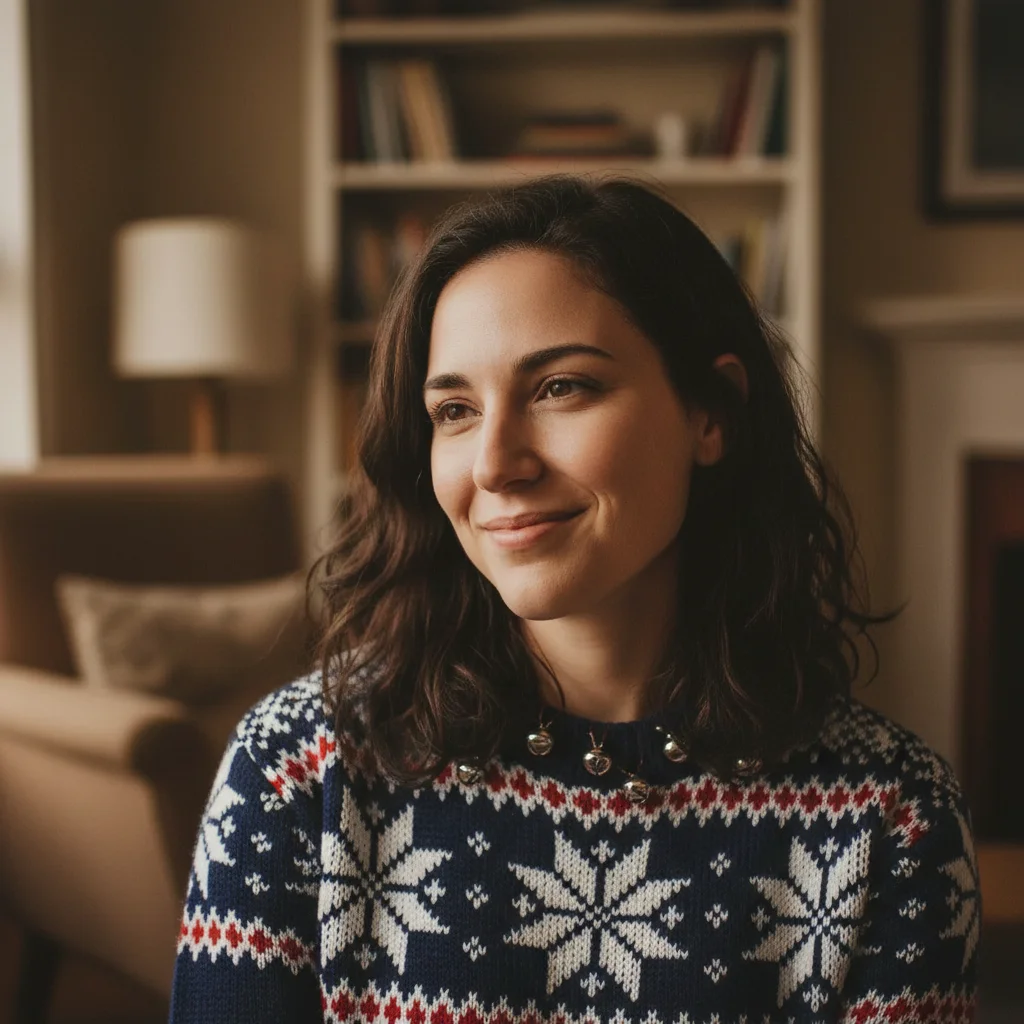
Same woman now wearing a navy blue ugly Christmas sweater with Fair Isle snowflake pattern and stripe cuffs
After

The Official Family Christmas Card

A regular family portrait gets the ugly sweater treatment on the main subject. Sent to the family WhatsApp group as "your copy of this year's card" β€” grandma responded with a crying laughing emoji within 45 seconds.

Prompt: Put a matching ugly Christmas sweater on this person β€” navy blue base with a large Fair Isle snowflake pattern, tiny bells along the collar, red and white stripe cuffs, the kind every family member gets forced to wear in the annual photo

Man in a plain white t-shirt in a casual home-office framing
Before
->
Same man wearing an explosively loud ugly Christmas sweater covered in Santas, snowmen, Christmas trees, and clashing stripes
After

Maximum Chaos for the Group Chat

A screenshot from a video call gets turned into an ugly sweater disaster. The recipient had no recollection of ever wearing anything like it and that was the entire joke.

Prompt: Replace their top with the most aggressively ugly Christmas sweater imaginable β€” clashing red, green, and gold stripes, a Santa face on the chest with a 3D pompom nose, tiny blinking lights pattern on the sleeves, Christmas trees and snowmen fighting for space on every inch of fabric

If something looks off

The sweater looks pasted on rather than actually worn

Why: The AI may not have had enough of the torso in frame to anchor the garment naturally to the person's body shape.

Try: Replace this person's top with an ugly Christmas sweater that fits their body naturally β€” same drape and lighting as the original shirt, follows the contours of their shoulders and chest

Tip: Photos showing at least chest to mid-torso give the AI enough body context to make the clothing look worn rather than placed.

The sweater pattern is too subtle β€” it looks like a normal festive top rather than a properly ugly one

Why: Without explicit direction toward clashing or excessive design, the AI tends to produce tasteful holiday knitwear.

Try: Make the sweater aggressively ugly β€” loud clashing colors, multiple competing patterns, too many design elements, the kind that would win a contest

Tip: The phrase 'loud' or 'aggressively ugly' in your prompt reliably tilts the AI toward more extreme results.

The sweater color clashes with the subject's skin tone in a way that looks unrealistic

Why: Extreme color choices can create harsh contrast that makes the edit look artificial under close inspection.

Try: Same design but adjust the sweater colors slightly so they look natural against this person's coloring β€” keep it ugly but believable

Tip: Adding 'looks like a real photo, realistic lighting and shadows' to any prompt helps the AI blend the garment more convincingly.

The edit changes the person's face or hair along with their outfit

Why: A broad prompt can cause unintended edits beyond the clothing area, especially if the face is close to the neckline.

Try: Only change the clothing β€” replace their top with an ugly Christmas sweater. Keep the face, hair, background, and everything else exactly the same

Tip: Starting with 'only change the clothing' or 'only edit the shirt area' keeps the AI focused on the garment and away from other elements.

The background or hands got altered along with the outfit

Why: Complex scenes or photos where hands overlap the torso can confuse the edit boundary.

Try: Add ugly Christmas sweater only to the torso area β€” keep the background, hands, arms, and face completely unchanged

Tip: Photos where the subject's hands are not overlapping their chest tend to produce cleaner outfit-only edits.

Quick answers

Do I need to mark any areas before describing what I want?

No. Just describe the sweater you want in the text box and the AI identifies the clothing area automatically. It reads the portrait, finds the torso and existing outfit, and replaces it with your described sweater. You only need to use markers if you're working with a complex scene where you want to restrict the edit to a very specific area β€” for a standard portrait, you don't need them.

Is this free?

Yes. EditThisPic gives you 1 free edit per week with no account needed. If you want to try a few different sweater designs or edit multiple family members' photos, credit packs start at $1.99 for 3 edits.

Will the ugly sweater look convincing enough to fool someone?

On a phone screen in a group chat, yes β€” especially from a clear, well-lit portrait. The AI matches the lighting direction and drapes the sweater to the person's body shape. It won't survive a pixel-level inspection, but for a quick 'wait, is that real?' moment from a family member, it lands. The cleaner the source photo, the more convincing the result.

What kind of photo works best?

A clear portrait or waist-up photo showing the person's full torso. The shirt or top needs to be visible β€” if it's covered by a jacket or coat, add 'remove the jacket and replace with an ugly Christmas sweater' to your prompt. Plain backgrounds produce the cleanest results, but photos with natural indoor backgrounds work fine too.

Can I put ugly sweaters on multiple people in a group photo?

Yes, but do them one at a time for best results. Upload the photo, ask for a sweater on one specific person (describe them by position or clothing color), download, then upload again and target the next person. Trying to edit all people at once in a group photo often produces inconsistent results.

Can I use this on a pet photo?

Absolutely. Upload a photo of your dog or cat and ask for a tiny ugly Christmas sweater. Pets in holiday knitwear tend to generate the best group chat reactions. Specify 'tiny' or 'fitted' in the prompt so the sweater scales to the animal's size.

Does EditThisPic store my photos?

Photos are processed and then discarded β€” EditThisPic doesn't permanently store your uploaded images. Download your result as soon as the edit completes if you want to keep it.

How is this different from apps like Fotor or BaldBooth?

Template-based apps like Fotor apply pre-made overlays that look the same on every photo regardless of body shape, lighting, or camera angle. EditThisPic uses AI that reads your specific description and adapts to the actual photo β€” matching the person's proportions, fitting the sweater to their shoulders, and matching the existing lighting. That's why you can describe a sweater in detail and get a result that looks like it's actually being worn rather than stuck on.

How much does EditThisPic cost?

You get 1 free edit per week β€” no account needed. After that, credit packs start at $1.99 for 3 edits. Monthly plans start at $4.99/mo for 15 edits with unused credits rolling over. All edits are full resolution with no watermark.

Ready to put an ugly sweater on someone?

Free to try. No signup required.

1 free edit included·Credit packs from $1.99