AI Etsy Halloween Photo Editor
Last updated
Halloween sells in weeks, not months. Get your listings spooky-ready in seconds.
Drop your photo here
"replace background with dark atmospheric Halloween scene, gothic candelabra with flickering light, subtle cobwebs, dark purple-black tones, product well-lit and clearly visible in center"
Release to upload
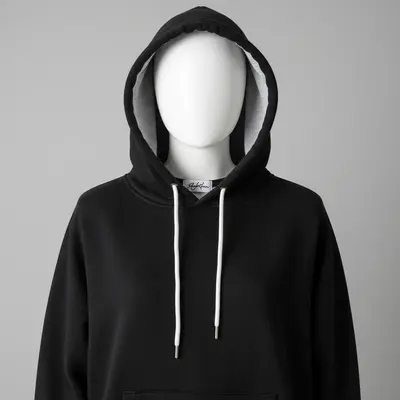
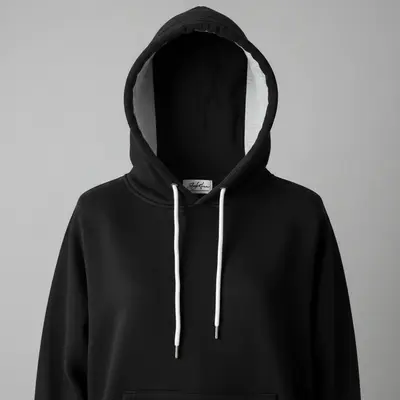
The Halloween Product Photography Paradox
Halloween sellers face a paradox: the aesthetic is dark and moody, but Etsy search rewards bright, clear product photos. EditThisPic solves this by keeping your product well-lit and visible while creating an atmospheric Halloween scene around it. Dark backdrop, bright product. Spooky mood, clear details. You get the Halloween vibe buyers want AND the photo quality Etsy's algorithm rewards.
Halloween Photo Editing Tools
Change Background
Create spooky Halloween scenes, gothic backdrops, and atmospheric settings
Enhance Lighting
Create dramatic Halloween lighting while keeping the product visible
Remove Background
Clean product isolation for versatile Halloween listing photos
Enhance Colors
Boost Halloween colors: oranges, purples, blacks, greens
How to Edit Halloween Product Photos for Etsy
-
Photograph your Halloween product clearly
Take a bright, clear photo of your product. Counter-intuitive for Halloween, but you want a well-lit original. The AI adds the dark atmosphere afterward. Bright original plus dark editing equals a product that pops against a moody scene. Phone photo is fine.
Background swap: 15-20 seconds. Full Halloween scene: 20-30 seconds. -
Describe your Halloween scene
Tell the AI the vibe: 'dark gothic backdrop with cobwebs and candlelight, product well-lit' or 'moody purple-black scene with orange accent lighting.' The key is specifying that the PRODUCT stays visible while the SCENE goes dark. This is the trick that makes Halloween photos work.
Always add 'product clearly visible and well-lit' to dark Halloween prompts. This prevents the AI from making everything too dark. -
Check product visibility against dark background
The most important check: can buyers clearly see your product? Zoom in. Details should be sharp and visible. If the product blends into the dark scene too much, increase its lighting while keeping the background dark.
View your photo at thumbnail size. That's how it appears in Etsy search. If the product isn't immediately visible, brighten the product more. -
Create your Halloween collection fast
Time is your enemy with Halloween. Apply the same Halloween prompt to all your products in one batch session. Consistent spooky branding across your shop makes it feel curated for the season. Get everything listed fast and let the sales come.
List by mid-September. Early Halloween shoppers are your best customers because they plan ahead and spend more.
Halloween Product Photo Prompts
replace background with dark atmospheric Halloween scene, gothic candelabra with flickering light, subtle cobwebs, dark purple-black tones, product well-lit and clearly visible in center
This is the universal Halloween prompt. Works for costumes, decorations, party supplies, and crafts.
replace background with solid dark black, subtle orange Halloween glow from below, clean product photography with spooky undertone, product sharp and well-lit
A clean dark background with orange accent is perfect for the main listing photo. Spooky but product-focused.
place on a dark wooden surface with small pumpkins, autumn leaves, and a candle flame, overhead view, Halloween styled flat lay, product well-illuminated
Flat lays work great for smaller Halloween items, jewelry, accessories, and stickers.
replace background with playful Halloween scene, friendly jack-o-lanterns, orange and purple pastel tones, fun not scary, bright and cheerful with Halloween theme
Kids' Halloween products need a cute-spooky vibe, not a scary one. Pastel Halloween colors signal 'fun and safe.'
Show 4 more prompts
place on a dark wooden apothecary table with dried herbs, small glass bottles, and candle light, witchy cottage aesthetic, warm amber and dark green tones
Witch cottage core is a major trend on Etsy. This aesthetic appeals to year-round witchy buyers too.
replace background with misty foggy scene, silhouetted bare trees, moonlit atmosphere, eerie cool blue-gray tones, product well-lit and standing out against the fog
Foggy backgrounds create depth and mood. Works especially well for gothic jewelry and accessories.
place in a pumpkin patch scene with stacked pumpkins, hay bale, warm autumn afternoon light, festive harvest Halloween atmosphere, outdoor feel
Pumpkin patch scenes appeal to the festive-not-scary Halloween market. Great for family-oriented products.
replace background with elegant dark velvet surface, gold gothic accents, dark red roses, sophisticated Halloween aesthetic, luxury moody product photography
Elegant dark Halloween appeals to adult buyers who want premium, not kitschy. Higher perceived value.
| Edit Type | Prompt | Time | |
|---|---|---|---|
| Gothic scene | dark gothic backdrop, candelabra, cobwebs, product well-lit |
20s | Try This → |
| Clean dark | solid black background, orange glow accent, product sharp and bright |
15s | Try This → |
| Witch cottage | dark wood table, dried herbs, candle light, witchy aesthetic |
25s | Try This → |
| Cute spooky | playful Halloween, friendly pumpkins, pastel orange-purple, fun |
20s | Try This → |
Halloween Product Transformations


Bright table to gothic scene
Halloween decoration photographed on a bright kitchen table. AI created an atmospheric gothic scene while keeping the product clearly visible.
replace background with dark atmospheric Halloween scene, gothic candelabra, cobwebs, dark purple-black tones, product well-lit in center


Office desk to dark elegant display
Spooky accessory photographed on an office desk. Transformed to an elegant dark Halloween product shot with orange accent glow.
replace background with solid dark black, subtle orange Halloween glow, clean product photography with spooky undertone, product sharp and well-lit
Bedroom to witch cottage flat lay
Halloween craft item on a bedspread. Styled into a witchy cottage aesthetic flat lay with dried herbs and candle light.
place on dark wooden apothecary table with dried herbs, small glass bottles, candle light, witchy cottage aesthetic, warm amber tones
Common Halloween Photo Issues
Product is too dark and invisible against the Halloween backdrop
Why: The AI made the entire scene dark, including the product.
create a dark Halloween background but keep the product brightly lit and clearly visible, dramatic contrast between dark scene and well-lit product
Always explicitly state 'product well-lit' or 'product brightly illuminated' in Halloween prompts.
Halloween scene looks cheesy or over-the-top
Why: Too many Halloween props can look like a Spirit Halloween store display instead of professional photography.
subtle Halloween atmosphere, dark backdrop with minimal accents, sophisticated spooky mood, less is more, elegant not kitschy
One or two Halloween elements plus dark tones is more effective than filling the frame with pumpkins, cobwebs, and skulls.
Orange and black colors clash with product
Why: Traditional Halloween orange-black palette doesn't complement every product color.
dark moody Halloween atmosphere using [purple/green/deep red] tones instead of orange, complement the product's colors, atmospheric but harmonious
Match the Halloween color palette to your product. Purple and green work better for some items than the traditional orange-black.
Dark scene looks muddy or lacks contrast
Why: Low contrast in dark scenes makes everything blend together into a gray-black mess.
dramatic high-contrast Halloween scene, deep blacks, bright accent lights, product sharply defined against the dark background, not muddy
Add 'high contrast' and 'deep blacks' to prevent the washed-out dark look.
Scene looks great but doesn't match my product category
Why: A gothic candelabra scene doesn't fit cute kids' costumes, and pumpkin patches don't fit gothic jewelry.
Adjust the scene to match your product's target audience. Use playful Halloween for kids' items, elegant dark for adult accessories, harvest festival for family items.
Think about your buyer, not just 'Halloween.' A mom buying kids' costumes wants fun. A goth buyer wants dark and elegant.
Frequently Asked Questions
When should I list Halloween products on Etsy?
By mid-August to early September. Halloween shopping starts earlier each year, and Etsy's search algorithm rewards listings with more time to accumulate views and favorites. With AI photo editing, you can create professional Halloween photos in summer without any seasonal props or decor.
How do I make dark Halloween photos that still show my product clearly?
The secret is contrast. Keep the BACKGROUND dark and moody while keeping the PRODUCT well-lit. In your prompt, always specify 'product brightly lit and clearly visible against dark Halloween background.' This gives buyers the atmospheric mood they're scrolling for while showing them exactly what they're buying.
Should I do dark scenes for all my Halloween listings?
Make your main listing photo (photo #1) clean and clear. Etsy thumbnails are small, and buyers need to see your product. Use darker atmospheric scenes for supplementary photos (photos #2-5) that create mood and context. This gives you the best of both worlds.
Can I reuse these photos for in-person craft fairs?
Yes. Print your edited Halloween photos for booth displays, table signs, or social media promotion. The atmospheric scenes make great banner images for Instagram and Pinterest too. One good AI edit serves multiple marketing channels.
How do I photograph costumes and wearable items?
For costumes, photograph them on a hanger against a plain wall, or flat laid on a clean surface. Then let the AI add the Halloween atmosphere. The AI can place costumes in spooky scenes without a model. For accessories, photograph them individually on any surface.
The Halloween selling window is so short. How fast can I edit?
Each photo takes 15-30 seconds. With a saved prompt, you can edit 20-30 products in an hour. Batch your photography in one session, then batch your AI editing in another. A full Halloween product line can go from photos to listings in a single afternoon.
Is EditThisPic's AI etsy halloween photo editor really free?
Yes — you get 1 free edit per week, no account needed. Plans start at $4.99/month for 15 edits.
Can I etsy halloween on my phone?
Yes. EditThisPic works in any mobile browser — iPhone, Android, tablet. No app download needed.
Popular use cases
Halloween waits for no one
Professional spooky product photos in seconds. List early, sell more. Free to try.
Create Halloween Photos NowTrusted by 15,000+ users