Free β€’ No signup Generate A fake mugshot photo Β· Free

Fake Mugshot Generator

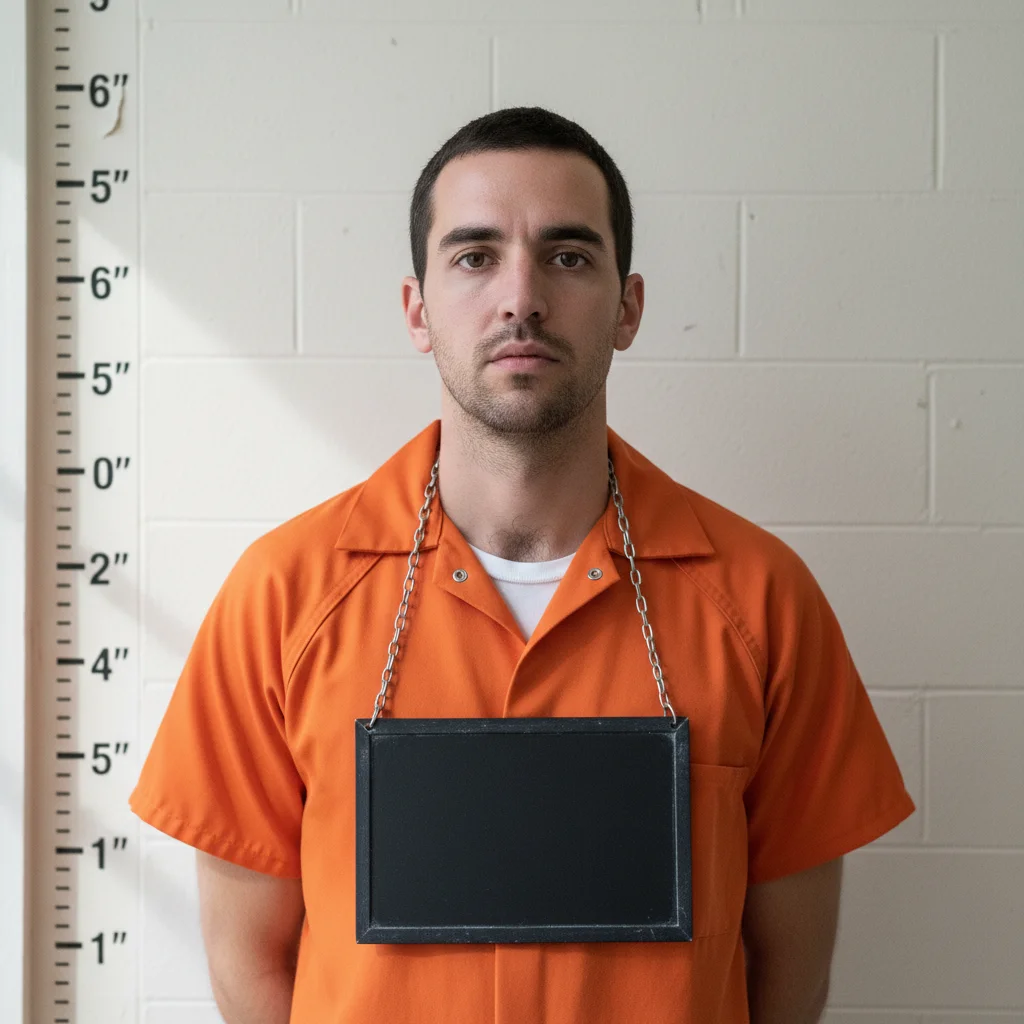
Upload any portrait and AI transforms it into a dead-on police mugshot β€” height chart ruler background, booking number placard, flat fluorescent lighting, and that specific beaten-down institutional stare. Looks just like the real thing.

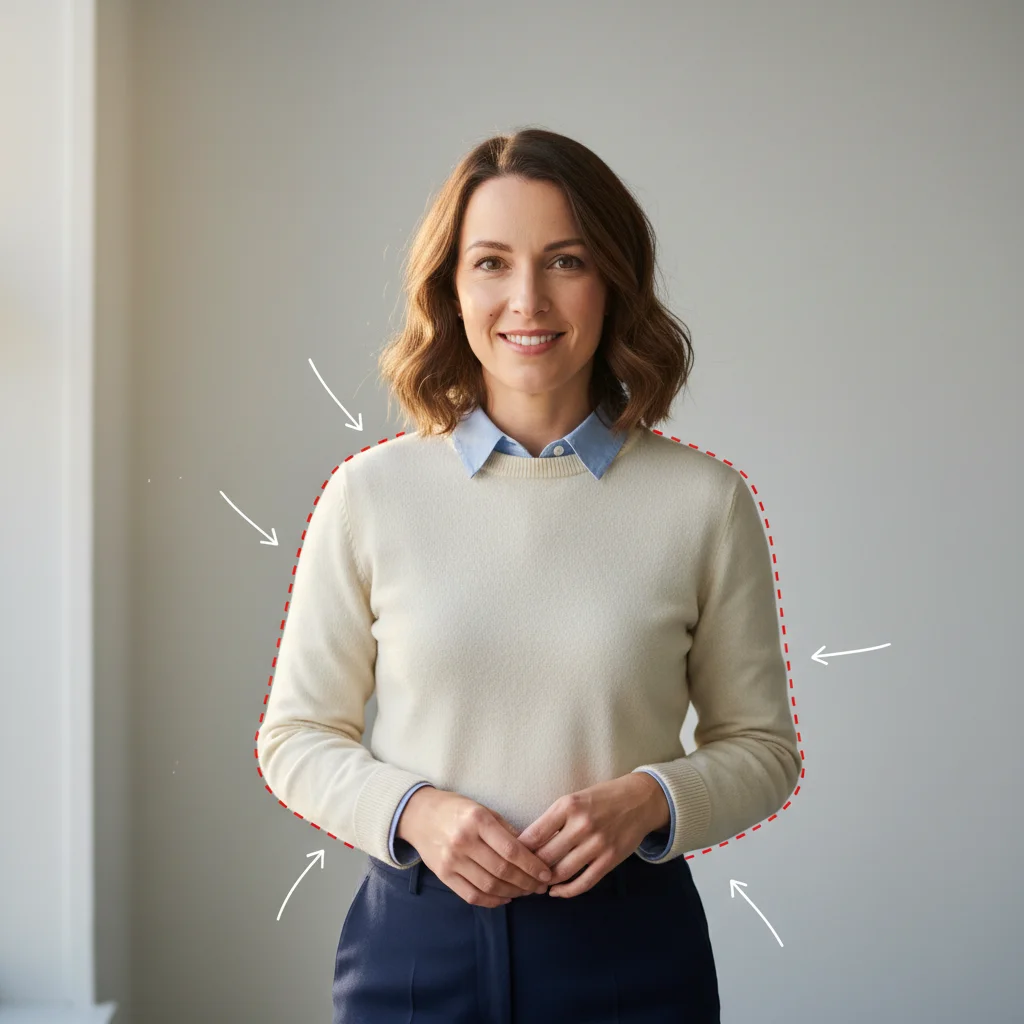
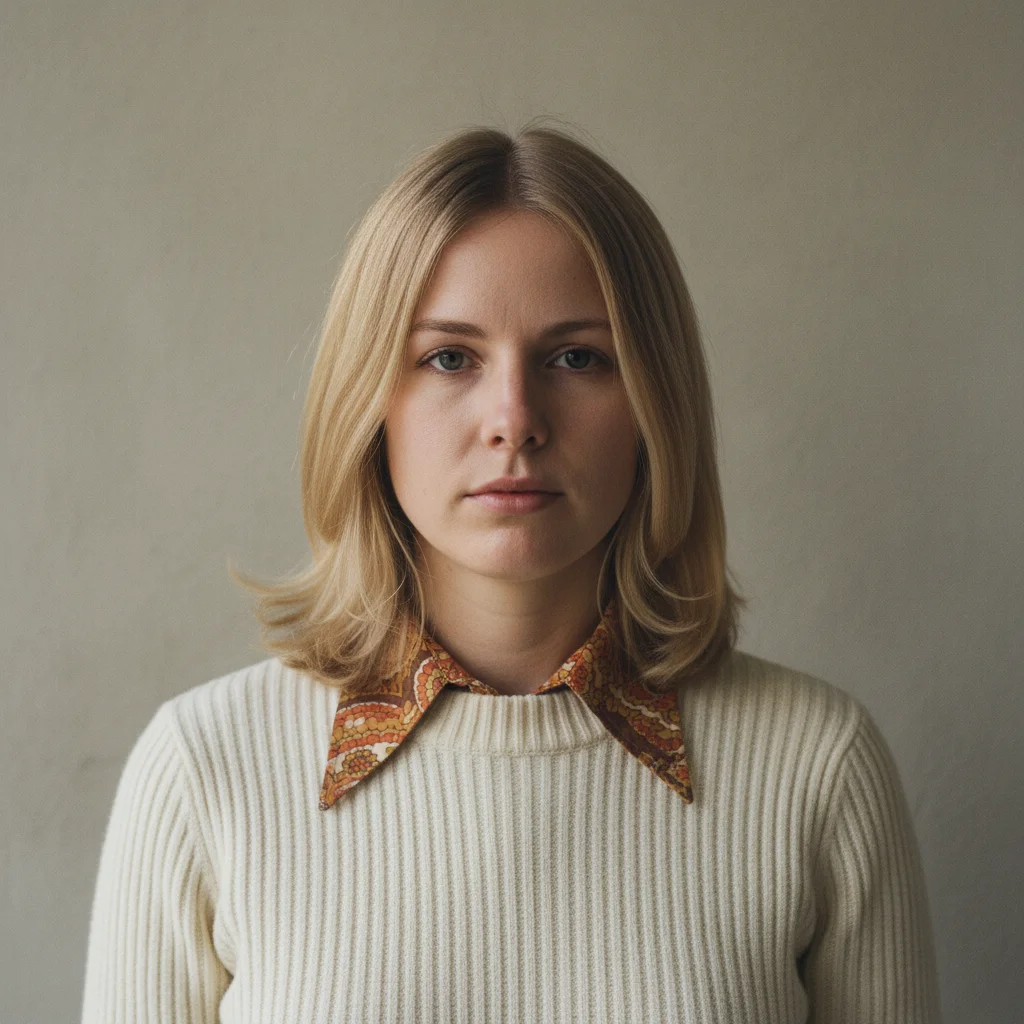
Professional office headshot against a plain background
Before
β†’
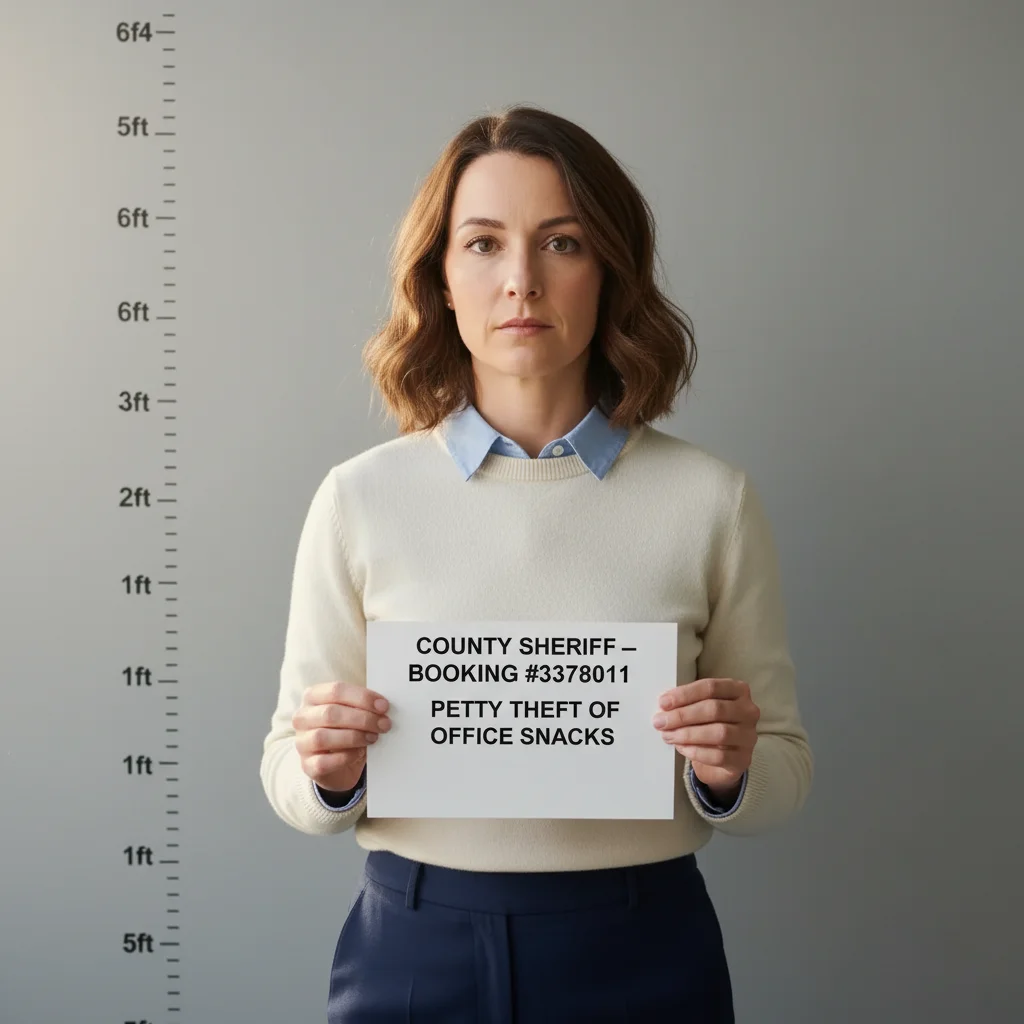
Same person transformed into a realistic police mugshot with height chart and booking number placard
After

Fake Mugshot Generator

Upload photo to generate a fake mugshot photo

Free β€’ Results in 30 seconds β€’ No signup

Release to upload

FreeNo signupNo watermark

1 free edit·then from $1.99

Popular use cases:
  • fake mugshot prank
  • police booking photo generator
  • height chart background photo
  • funny arrest photo
  • bachelorette party mugshot
  • prank text message photo
  • group chat prank ideas
  • fake police photo online

Cost
Free No signup required
Time
Instant results in 15-30 seconds
Works on
Any device - browser, phone, tablet, desktop
Powered by
AI-powered photo editing
Scenario Prompt Time
Classic county booking Height chart ruler background, placard with booking number, flat fluorescent lighting 15s
Absurd charges Same setup but placard lists a ridiculous crime like 'unauthorized spreadsheet formatting' 15s
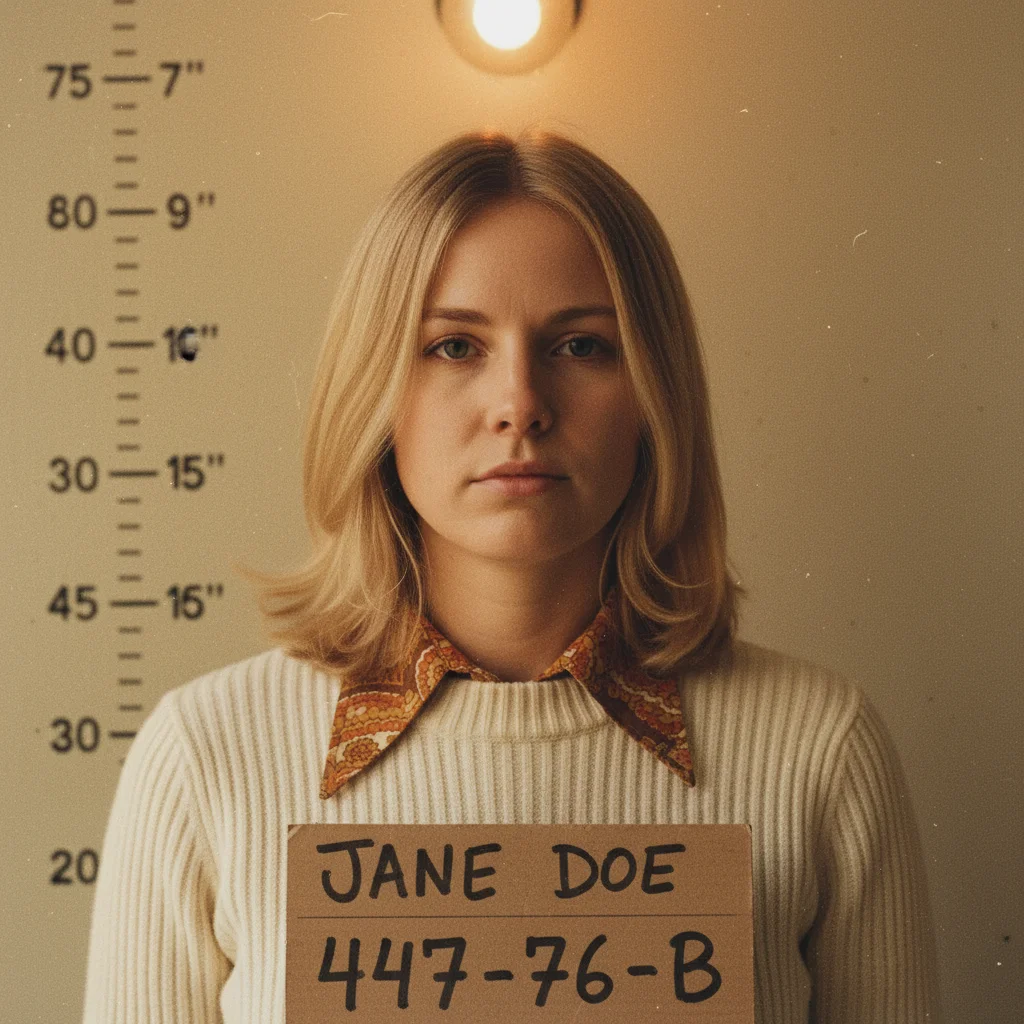
Vintage 1970s style Yellow wall, hand-lettered placard, grainy film texture, bare bulb shadows 30s
International / Interpol Metric height chart (150–200cm), formal case number format, blue wall 30s

How it works

  1. Upload your portrait

    Upload a clear photo of the person's face and upper body β€” front-facing works best, just like a real mugshot. Passport-style photos, selfies, or any decent headshot all work. The clearer the face, the more convincing the result.

    Expect: Upload takes a second. Any photo format works. The AI needs a reasonably clear face to match the mugshot look.
  2. Describe the mugshot you want

    Type a prompt describing the mugshot style. Be specific about what makes it look real: the height chart ruler markings on the wall behind them, the placard they're holding with a booking number, the flat harsh fluorescent lighting, the blank institutional wall color. You can also specify a fake name, department, or date for the placard.

    Tip: Mention 'holding a placard with booking number [any number]' and 'height chart ruler on wall behind' β€” these two details sell the mugshot format immediately. Add 'harsh overhead fluorescent lighting' for that flat jailhouse look.

    Copy one of these to get started:

    Classic booking photo Transform this into a police mugshot. Add a gray institutional wall background with a height chart ruler showing measurements from 5ft to 6ft5. The person is holding a black placard reading 'BOOKING #4471892 β€” SPRINGFIELD PD'. Flat harsh fluorescent overhead lighting, washed-out skin tones, blank expression, chest-up framing.
    County jail, tiny print on placard Make this photo look like a county jail booking photo. Gray concrete wall, height chart ruler on the back wall with inch marks. Person holding a white placard showing their name in large letters and 'RIVERSIDE COUNTY SHERIFF β€” CASE #2026-0041' underneath. Flat bright lighting that removes all shadows, slightly green tint from fluorescent tubes.
    Celebrity-style tabloid mugshot Turn this into the kind of mugshot that shows up in tabloid news. Slightly disheveled hair, height ruler on the wall, placard reading 'LOS ANGELES COUNTY β€” BOOKING 7739204'. Strong frontal lighting that flattens the face, slightly dazed expression, plain beige wall.
    Suspiciously specific charges Police mugshot photo. White cinderblock wall with a height chart from 5ft to 6ft6. Person holding a placard that reads 'METRO POLICE DEPT β€” #8812003 β€” SUSPECTED CHEESE THEFT'. Harsh fluorescent overhead light, front-facing, straight face, chest-up shot.
    4 more prompts
    1970s vintage mugshot style Make this photo look like a mugshot from 1974. Slightly faded color, grainy film texture, height chart on a pale yellow wall. Person holding a hand-lettered placard with their name and a 6-digit number. The harsh bare bulb lighting creates strong shadows under the chin β€” that old-school look before LED flatness.
    Company HR incident report joke Mugshot-style photo. Beige institutional wall with height ruler markings. Person holding a placard reading 'DEPT OF HUMAN RESOURCES β€” CASE #0042 β€” EXCESSIVE LUNCH BREAKS'. Flat overhead fluorescent lighting, front-facing, upper body visible, defeated expression.
    Local news mugshot framing Transform this into a mugshot that looks like it's from a local news segment. Height chart behind them on a light gray wall, police department seal faintly visible in the corner of the placard, booking number clearly visible. Harsh flat lighting, slight red-eye from flash, upper body framing.
    International Interpol style Police booking photo in the style of an international law enforcement record. Blue background with a height chart in metric measurements (150cm to 200cm). Person holding a placard with an Interpol-style case number and date. Stark overhead lighting, front-facing, grim expression.
  3. Send it

    Download the finished mugshot and drop it in a group chat, DM it to your target, or use it as their contact photo. Works especially well sent to someone who just did something mildly embarrassing β€” 'We need to talk' followed by this landing perfectly.

Try it free ↓

Fake Mugshot Generator

Upload photo to generate a fake mugshot photo

Free β€’ Results in 30 seconds β€’ No signup

Release to upload

Free β€’ No signup

See it in action

Professional office headshot against a plain background
Before
->
Same person transformed into a realistic police mugshot with height chart and booking number placard
After

Office worker gets the full booking photo treatment

A standard office headshot turned into a convincing county jail mugshot with height chart background and a placard listing an extremely petty charge.

Prompt: Transform this into a county sheriff mugshot. Gray wall with height chart ruler from 5ft to 6ft4. Person holding a placard: 'COUNTY SHERIFF β€” BOOKING #3378011 β€” PETTY THEFT OF OFFICE SNACKS'. Flat fluorescent overhead lighting, deadpan expression, upper body framing.
Casual portrait photo of a person from the chest up
Before
->
Person transformed into a grainy 1970s-style vintage police mugshot with handwritten placard and yellow institutional wall
After

Vintage 1970s-style booking photo

A portrait given the grainy, yellow-walled, hand-lettered-placard treatment of a 1970s police photograph. Disturbingly convincing.

Prompt: Make this photo look like a police mugshot from 1976. Pale yellow wall with a height chart. Person holding a hand-lettered placard with their name and booking number '447-76-B'. Faded film colors, grainy texture, single bare bulb overhead creating chin shadows, slightly unflattering angle.
Casual indoor selfie of a person
Before
->
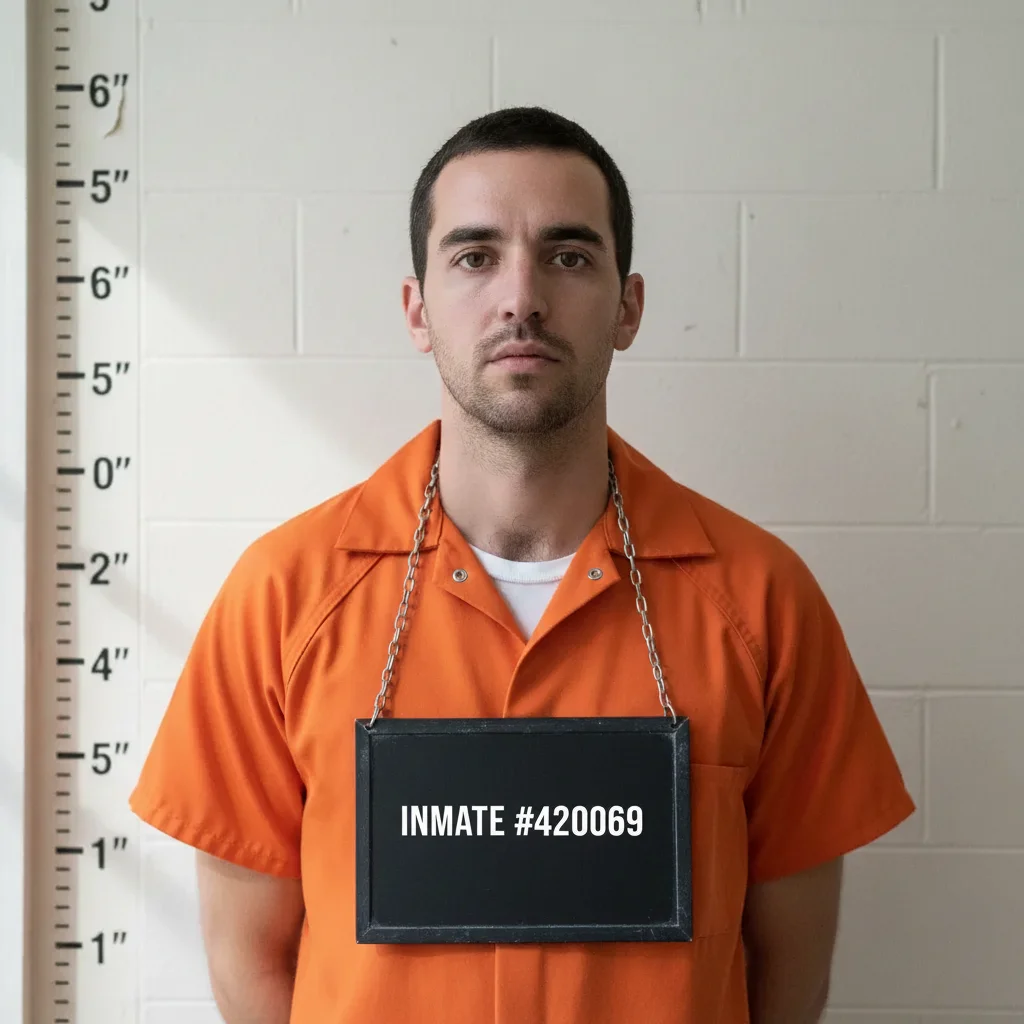
Person in a realistic police mugshot format with height chart, holding a placard listing a completely absurd charge
After

Absurd charge makes it art

A casual selfie turned into a dead-serious-looking mugshot β€” but the charge on the placard completely breaks the illusion in the best possible way.

Prompt: Police mugshot photo. Light gray cinderblock wall with height ruler. Harsh flat fluorescent lighting. Person holding a placard reading 'SPRINGFIELD METRO PD β€” #9912004 β€” REARRANGING SOMEONE ELSE'S DISHWASHER'. Stone-cold serious expression, upper body framing.

If something looks off

The height chart background isn't showing up clearly

Why: The AI needs explicit instruction about both the height chart placement AND the ruler markings to add this correctly β€” a vague 'mugshot background' sometimes produces a plain wall instead.

Try: Add a police-style height chart ruler on the wall directly behind the person, with clearly readable inch marks from 5 feet to 6 feet 6 inches, on a light gray institutional wall

Tip: Mentioning the specific measurement range (5ft to 6ft6) gives the AI enough detail to render the chart accurately.

The placard or booking number looks blurry or unreadable

Why: Text rendering in AI-generated images can blur if the instructions don't emphasize legibility. The AI may also place the placard awkwardly if not told how the person is holding it.

Try: Person is holding a rectangular black placard at chest height with both hands, showing the booking number '[number]' in large bold white text, clearly legible

Tip: Specifying 'large bold text' and 'clearly legible' explicitly signals to the AI that text readability is a priority.

The lighting looks too flattering β€” doesn't have that harsh jailhouse look

Why: By default the AI tends toward natural, pleasing lighting. Mugshot lighting is deliberately unflattering β€” a flat, bright overhead source that removes all facial shadows.

Try: Flat harsh fluorescent overhead lighting that washes out skin tones and removes all shadows from the face, creating a cold clinical institutional look

Tip: Adding 'washed-out skin tones' reinforces the effect β€” real mugshot lighting is not kind to anyone.

The result looks more like a portrait than a mugshot

Why: Without specifying the specific framing and cropping conventions of a booking photo, the AI may produce something that reads as a styled portrait instead.

Try: Chest-up framing, front-facing, flat expression, no background blur, hard wall directly behind them β€” exactly like a standard police booking photograph

Tip: Real mugshots have no bokeh or background blur. The wall is right there, in focus. Saying 'no background blur' helps prevent the AI from adding a photographic depth-of-field effect.

The person's expression still looks too natural or happy

Why: The AI will often preserve the original expression from the source photo rather than stylizing it toward the mugshot aesthetic.

Try: Replace the expression with a blank, neutral, slightly defeated look β€” the specific expression of someone who has been told to face forward and stand still

Tip: You don't need the person to look sad β€” just blank. The absence of expression is what makes mugshots look so striking.

Quick answers

Do I need to mark areas before describing what I want?

No β€” for the mugshot effect, just describe everything in your prompt. EditThisPic's AI reads your full description and applies the height chart background, placard, lighting, and framing all at once. You only need to use markers if you want to target a very specific region of the image and leave the rest unchanged β€” for the full mugshot transformation, a detailed text prompt does the job.

Is this free?

Yes. EditThisPic gives you 1 free edit per week with no account needed β€” no email, no credit card, just upload and go. If you want to generate multiple mugshot variations or prank an entire group chat, paid packs start at $1.99 for 3 edits.

Will the mugshot look realistic enough to fool someone?

Usually yes, especially at small sizes like a phone screen or messaging app. The height chart background and booking number placard are the two details that signal 'mugshot' most immediately, and the AI handles both well when you describe them specifically. For best results, use a clear front-facing source photo and follow the prompts in the examples above β€” they're calibrated for maximum believability.

What kind of photo should I upload for the best result?

A front-facing portrait works best β€” think passport photo, office headshot, or a clear selfie. The AI needs to see the face clearly to apply the mugshot-specific lighting and expression style convincingly. Profile shots or group photos where the target person isn't centered will produce weaker results. Chest-up framing in the source photo also helps since real mugshots are cropped that way.

Can I customize the booking number, police department, or charges?

Yes β€” just include those details in your prompt. The AI will render whatever text you specify on the placard. You can write 'SPRINGFIELD PD β€” BOOKING #4471892' or 'DEPT OF HUMAN RESOURCES β€” CASE #0042 β€” EXCESSIVE LUNCH BREAKS' or anything else. The more specific the placard text, the more specific (and funnier) the result.

How is this different from the AI arrested mugshot page?

The ai-arrested-mugshot-from-photo page focuses on the full arrest scene β€” squad cars, officers, the whole situation. This page focuses specifically on the standalone booking photo format: height chart background, institutional wall, placard, flat fluorescent lighting. Real-world tools like Fotor and Media.io have dedicated mugshot generators for exactly this format because the format itself is so recognizable and effective as a prank.

Is my photo stored or used for anything?

No. EditThisPic processes your photo to generate the edit and doesn't store, sell, or use it for training. Once your session ends, it's gone. There's no account created and no data tied to you β€” it's a stateless edit.

What are the best use cases for this?

The most popular uses: pranking a friend over text or group chat, creating a funny birthday or bachelorette party invite, making a fake 'employee of the month' alternative, or just seeing what you yourself would look like in a booking photo. It also works well as a social media post format β€” 'crimes I'm guilty of' with an absurdly petty charge on the placard does well on Instagram and Twitter.

How much does EditThisPic cost?

You get 1 free edit per week β€” no account needed. After that, credit packs start at $1.99 for 3 edits. Monthly plans start at $4.99/mo for 15 edits with unused credits rolling over. All edits are full resolution with no watermark.

Ready to generate your fake mugshot?

Free to try. No signup required.

1 free edit included·Credit packs from $1.99