Free β€’ No signup Create A realistic arrest mugshot Β· Free

AI Arrested Mugshot Generator

Upload a selfie and AI drops you straight into a police booking scene β€” handcuffs on, officers flanking you, height chart behind you. Send to family: "I need you to come bail me out."

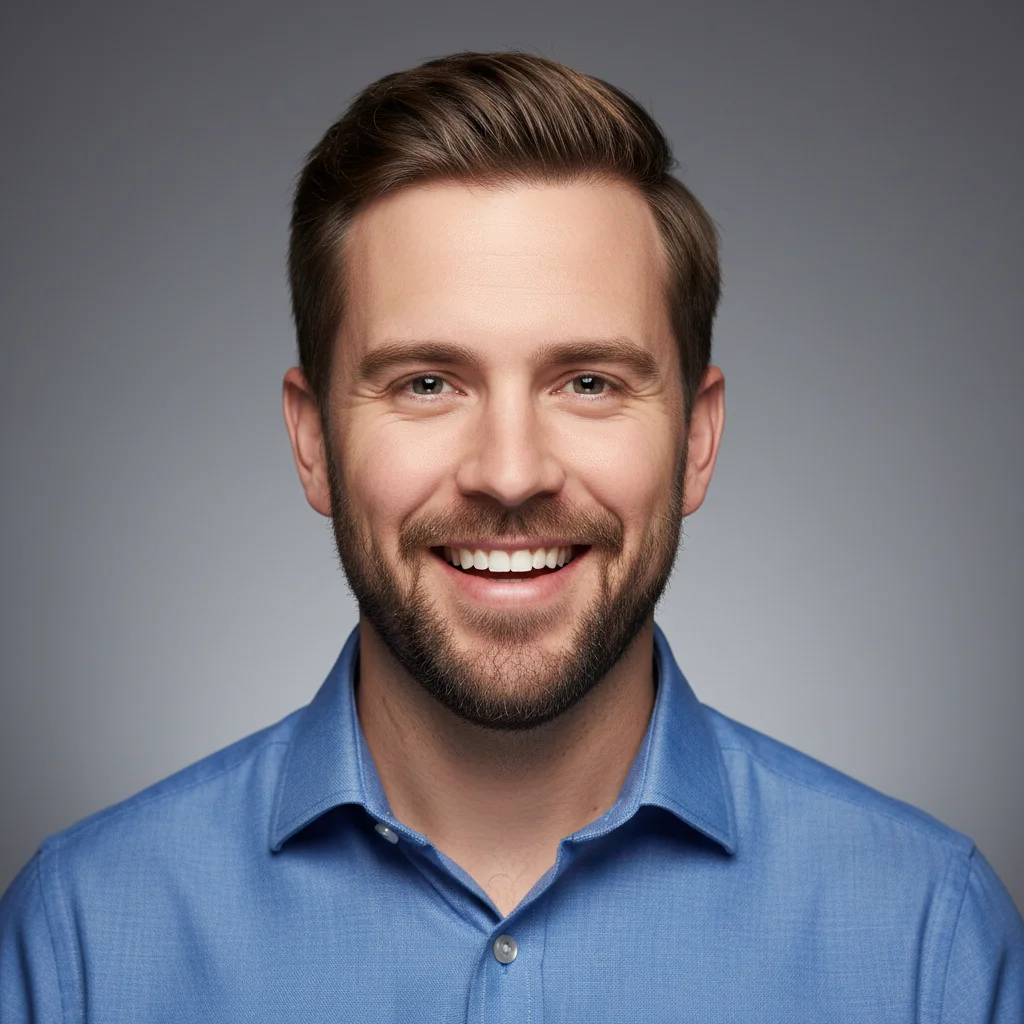
Professional headshot of a man in a blue shirt
Before
β†’
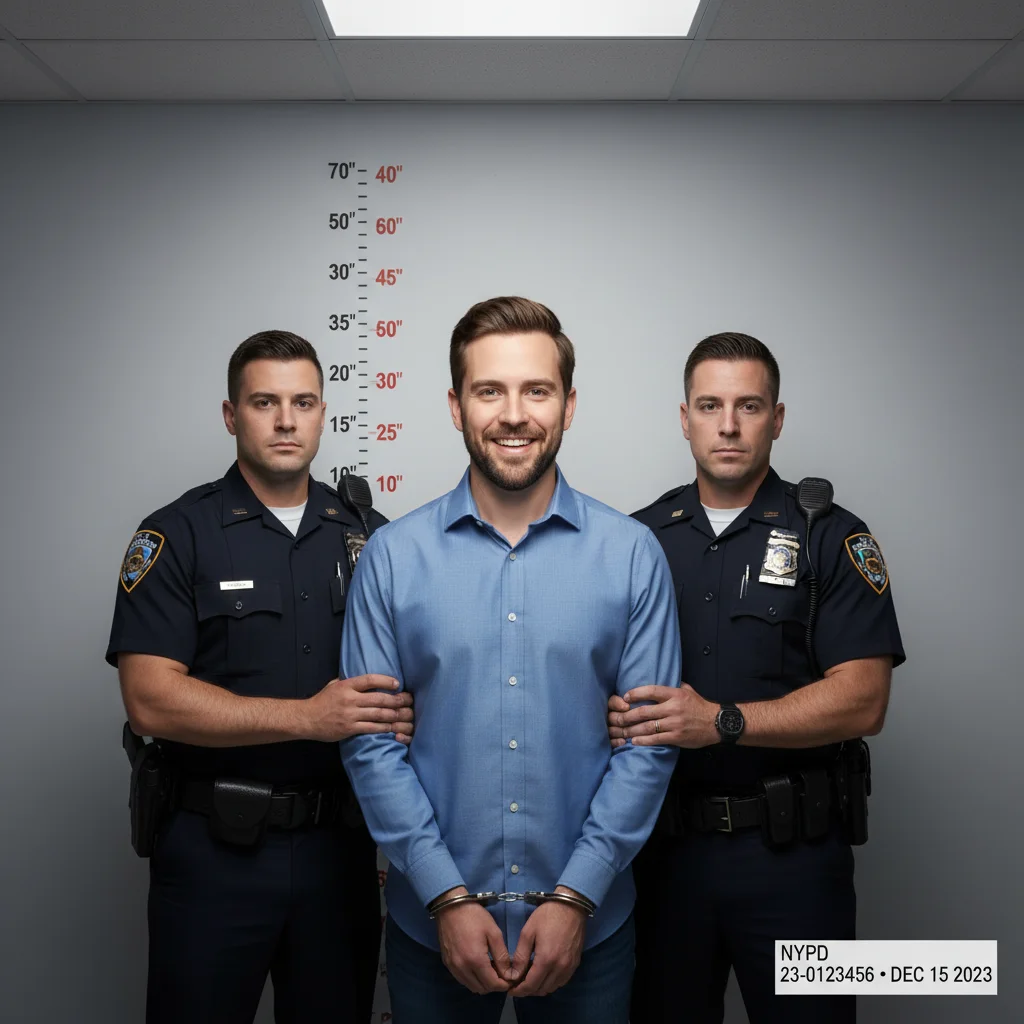
Same man in a realistic police booking photo with officers and handcuffs
After

AI Arrested Mugshot from Photo

Upload photo to create a realistic arrest mugshot

Free β€’ Results in 30 seconds β€’ No signup

Release to upload

FreeNo signupNo watermark

1 free edit·then from $1.99

Popular use cases:
  • prank photos
  • funny photo edits
  • fake arrest photo
  • mugshot prank
  • AI booking photo
  • bail me out prank
  • April Fools photo ideas
  • police photo editor

Cost
Free No signup required
Time
Instant results in 15-30 seconds
Works on
Any device - browser, phone, tablet, desktop
Powered by
AI-powered photo editing
Scenario Prompt Time
Classic booking photo Police arrest booking photo, two uniformed officers, handcuffs, height chart wall, fluorescent lighting 15s
County sheriff Sheriff's department booking photo, tan uniform deputies, gold star badge, beige institutional wall, booking number card 30s
Federal arrest Federal agents in dark suits, grey government backdrop, handcuffs, federal case number placard 30s
Pet mugshot Dog police booking photo, tiny handcuffs, height chart, 'suspected treat thief' 15s

How it works

  1. Upload your photo

    Pick a clear, straight-on photo of the person you want to "arrest" β€” a selfie, a profile photo, or any shot where their face is visible and facing forward. Front-facing photos work best since real mugshots are head-on.

    Expect: Upload takes under 5 seconds. Any common format works β€” JPEG, PNG, HEIC from your phone.
  2. Describe the arrest scene

    Type what you want β€” something like "Make this look like a realistic police arrest booking photo. Add two uniformed officers on either side, metal handcuffs on the wrists, and a police station height chart backdrop. Keep the face natural and unaltered. Make it look completely convincing." The more specific you are about the scene details, the more realistic the result.

    Tip: Add a specific police department name or city for extra realism β€” "NYPD booking photo" or "Los Angeles County Sheriff" makes the backdrop details more authentic and believable.

    Copy one of these to get started:

    Classic booking photo Transform this into a realistic police arrest booking photo. Add two uniformed officers in dark blue uniforms standing on either side, metal handcuffs on the wrists, and a standard police station height chart on the wall behind. The subject looks tired and slightly disheveled. Fluorescent overhead lighting. Make it look completely authentic.
    County sheriff department Make this a county sheriff's department booking photo. Add a sheriff's deputy in a tan uniform with a gold star badge on each side, handcuffs visible, and a beige institutional wall with a height chart marker. Add a small printed card at the bottom with a fake booking number. Harsh overhead fluorescent lighting.
    High-security federal arrest Create a federal law enforcement arrest photo. Add two agents in dark suits and ties flanking the subject, with handcuffs and a plain grey government-issue backdrop. Serious, stoic expressions on the agents. Add a federal case number placard at the bottom. The subject looks like they've had a very bad day.
    Disheveled and rough Transform this into a gritty police arrest mugshot. Add two uniformed officers, metal handcuffs, height chart wall behind. Make the subject look like they've been through the wringer β€” slightly mussed hair, tired eyes, rumpled clothing. Harsh police station lighting that washes out the colors. Totally authentic.
    3 more prompts
    Pet getting arrested Make this dog look like they've been arrested. Create a tiny police booking photo scene with miniature uniformed officer figurines on either side, a small height chart behind, and tiny handcuffs. Keep the dog's expression completely dignified and unimpressed. Label it 'SUSPECTED TREAT THIEF.'
    Halloween criminal costume Create a mugshot-style photo for a Halloween costume. Add the classic police height chart backdrop, holding a fake booking number placard, and style the image in that iconic harsh police station lighting. Keep the rest realistic but slightly theatrical β€” this is clearly a villain.
    Overchat preset style Apply the 'arrest booking photo' AI preset to this selfie. Standard police department backdrop with height chart markings on the wall. Two uniformed officers in background. Subject in casual clothes with hands cuffed in front. Realistic documentary-style police photography β€” no cinematic filters, just cold fluorescent institutional light.
  3. Send it

    Download and fire it off. Works best as a text message to a parent, sibling, or partner. The classic move: send it with no context and then β€” 30 seconds later β€” send "I need you to come bail me out." Let the panic marinate before you come clean.

Try it free ↓

AI Arrested Mugshot from Photo

Upload photo to create a realistic arrest mugshot

Free β€’ Results in 30 seconds β€’ No signup

Release to upload

Free β€’ No signup

See it in action

Professional headshot of a man in a blue shirt
Before
->
Same man in a realistic police booking photo with officers and handcuffs
After

Office worker turned suspect

A regular LinkedIn-style headshot transformed into a convincing police booking photo β€” suit and all, which somehow makes it funnier.

Prompt: Transform this into a realistic police arrest booking photo. Add two uniformed officers on either side, metal handcuffs on wrists, and a police station height chart on the wall behind. Fluorescent overhead lighting. Make it look completely authentic.
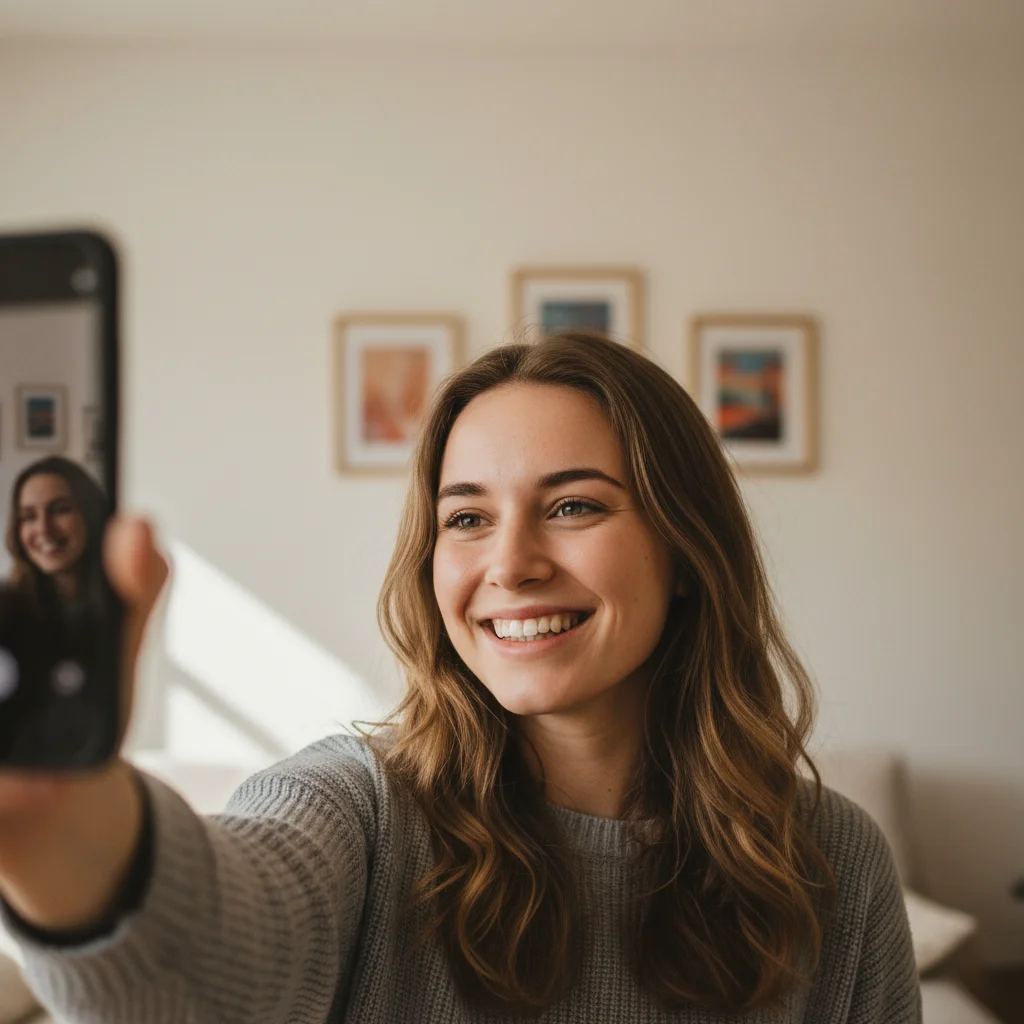
Casual selfie of a young woman at home
Before
->
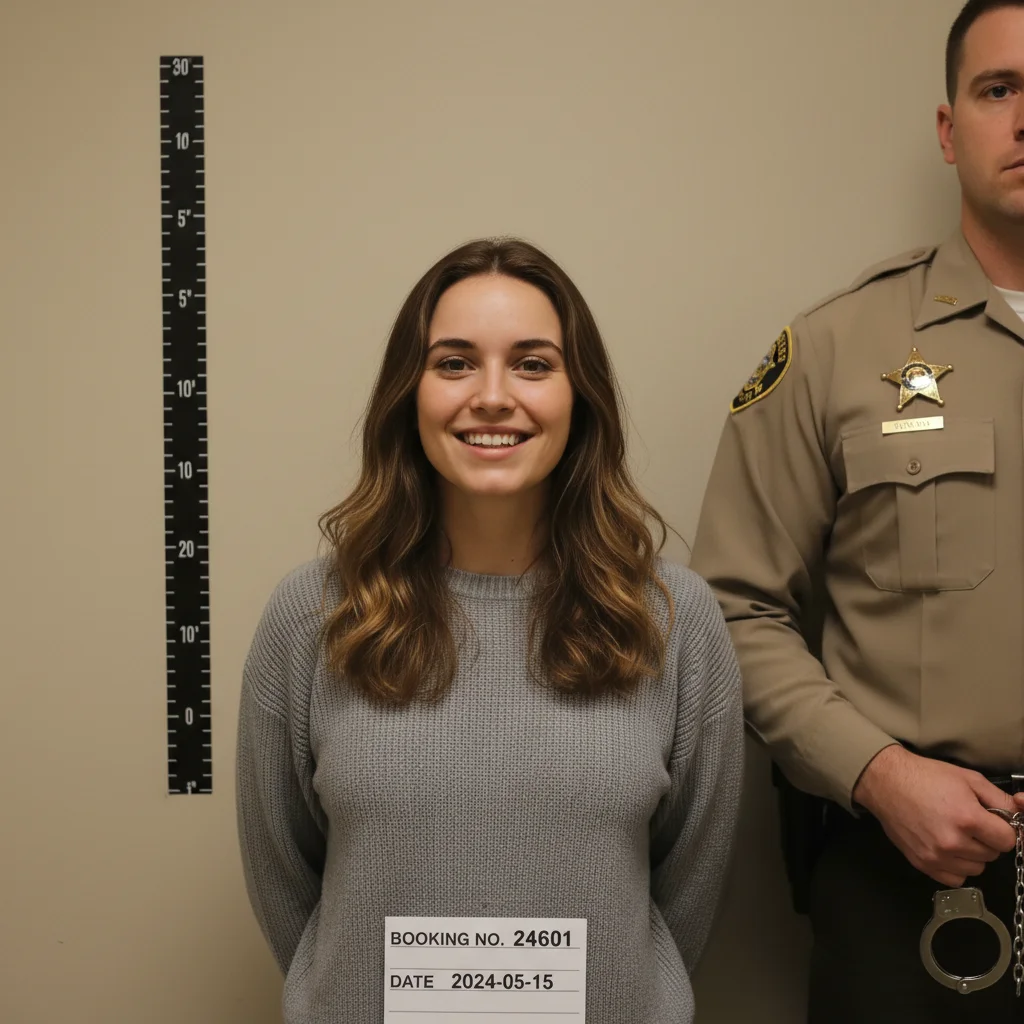
Same woman in a sheriff's department booking photo with booking number card
After

The 'bail me out' text setup

A casual selfie turned into a sheriff's department booking photo realistic enough to get an immediate panicked phone call from the subject's mom.

Prompt: Make this a county sheriff's department booking photo. Add a deputy in a tan uniform with gold star badge on each side, handcuffs visible, and a beige institutional wall with a height chart. Add a printed booking number card at the bottom. Harsh fluorescent lighting.
Portrait of a man in a grey hoodie
Before
->
Same man in a federal arrest booking photo flanked by suited agents
After

The federal agent level-up

Taking it up a notch with a federal arrest scene β€” two agents in suits make this look like the person got caught doing something extremely serious.

Prompt: Create a federal law enforcement arrest photo. Add two agents in dark suits and ties flanking the subject, handcuffs, and a plain grey government-issue backdrop. Add a federal case number placard at the bottom. The subject looks like they've had a very bad day.

If something looks off

The face looks distorted or replaced

Why: AI sometimes alters facial features when making dramatic scene changes, especially if the original photo is low resolution or shot at an unusual angle.

Try: Keep the subject's face completely unchanged and natural. Only modify the background, lighting, and add police officers and handcuffs. Do not alter any facial features.

Tip: Use a high-res, well-lit, front-facing photo for the cleanest result β€” blurry or angled shots are harder for the AI to work with.

The scene looks fake or obviously AI-generated

Why: Vague prompts produce generic outputs. The AI needs specific details to nail the institutional look of a real police station.

Try: Make this look like a real documentary police photograph β€” no cinematic color grading. Cold fluorescent lighting only. Institutional beige walls. Standard-issue police uniforms with realistic badge and insignia detail. Height chart with clear number markings behind the subject.

Tip: Avoid words like 'dramatic' or 'cinematic' β€” they push the AI toward movie aesthetics rather than harsh institutional realism.

No handcuffs visible

Why: If the original photo only shows the upper body, the AI may not know where to place handcuffs or how to frame the wrists.

Try: Show the subject from the waist up. Their hands should be visible in front of them, bound with standard metal police handcuffs. The cuffs should be clearly visible and realistic.

Tip: Use a photo that shows at least the person's torso and arms β€” chest-up shots make it harder to show the handcuffs naturally.

Officers look cartoonish or stylized

Why: The AI's default uniform generation can drift toward generic or illustrated styles without enough specificity.

Try: The officers should be wearing realistic standard police uniforms β€” dark navy blue with authentic badge placement, utility belt, and realistic fabric texture. Photo-realistic, not illustrated. Real police officers, not actors.

Tip: Specifying the uniform color (navy blue, tan for sheriff) and badge type gives the AI enough to generate convincing details.

Background doesn't look like a police station

Why: Generic prompts may produce a grey wall that doesn't scream 'police booking room.'

Try: The background should be a standard police station booking room wall β€” institutional beige or off-white paint, a height chart ruler with clear foot and inch markings starting at 5 feet. Harsh overhead fluorescent lighting creating flat, shadowless illumination.

Tip: The height chart is the single most recognizable element of a real mugshot. Be explicit about it every time.

Quick answers

Do I need to mark any areas before describing what I want?

No β€” just describe the full arrest scene you want and the AI handles the transformation. EditThisPic reads your prompt and rebuilds the image context around your subject. You only need to use markers if you want to protect a specific area of the photo from being changed, like keeping a background element untouched while everything else transforms.

Is this free?

Yes. EditThisPic gives you 1 free edit per week with no account needed β€” no credit card, no signup, nothing. If you want to run multiple variations or pranks in one session, you can grab a small credit pack starting at $1.99 for 3 edits.

Will this look realistic enough to actually fool someone?

For a text message or social media post, yes β€” definitely realistic enough to get a panicked reaction. The AI generates convincing institutional lighting, standard police uniforms, and realistic height chart backdrops. At thumbnail size or on a phone screen, it's very convincing. Up close on a desktop with full scrutiny, a sharp eye might spot AI artifacts. That's usually enough time for the prank to land.

What kind of photo works best?

A clear, front-facing photo works best β€” think passport photo framing. The AI needs a good view of the face to keep features accurate while rebuilding the scene. Selfies work great. Avoid heavily filtered photos, extreme side angles, or photos where the face is partially covered. The better the input photo, the more convincing the mugshot.

Can I use this for someone else's photo?

Yes β€” upload anyone's photo and describe the arrest scene. Works great for sending a 'bail me out' prank to a parent or sibling, or creating a funny birthday card for a friend with a good sense of humor. Just make sure whoever you're pranking will laugh about it. Obviously, don't use this to harass anyone or present fake arrest photos as real.

Does EditThisPic store my photo?

Your photo is processed to generate the edit and is not stored permanently or used to train AI models. EditThisPic processes images only for the edit you request. If you don't create an account, nothing is saved after your session ends.

Why does EditThisPic work better than template apps like Fotor or FaceApp?

Template-based tools drop your face into a fixed mugshot cutout and it always looks pasted-on. EditThisPic uses generative AI to rebuild the entire scene around your photo β€” so the lighting, shadows, and context all match your subject naturally. The result looks like a photo that was actually taken in a police station, not a face dropped onto stock imagery.

Can I make a pet mugshot?

Absolutely β€” and it's hilarious. Upload your dog or cat's photo and prompt something like "Make this look like a police booking photo for a dog suspected of treat theft. Tiny handcuffs. Unimpressed expression." Pets work especially well because the absurdity of the scenario makes the realistic execution even funnier.

How much does EditThisPic cost?

You get 1 free edit per week β€” no account needed. After that, credit packs start at $1.99 for 3 edits. Monthly plans start at $4.99/mo for 15 edits with unused credits rolling over. All edits are full resolution with no watermark.

Ready to create your arrest scene?

Free to try. No signup required.

1 free edit included·Credit packs from $1.99