Free • No signup Create Home renovation before-after photos · Free

Create Professional Home Renovation Before-After Photos

Renovation photos with different lighting kill your portfolio credibility. Make them match professionally.
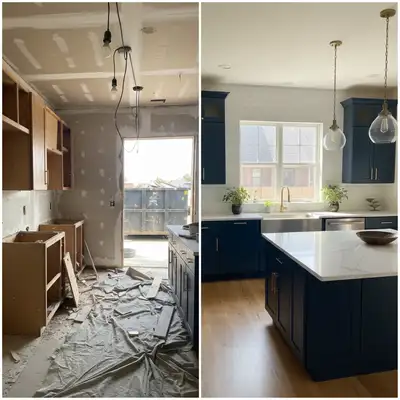
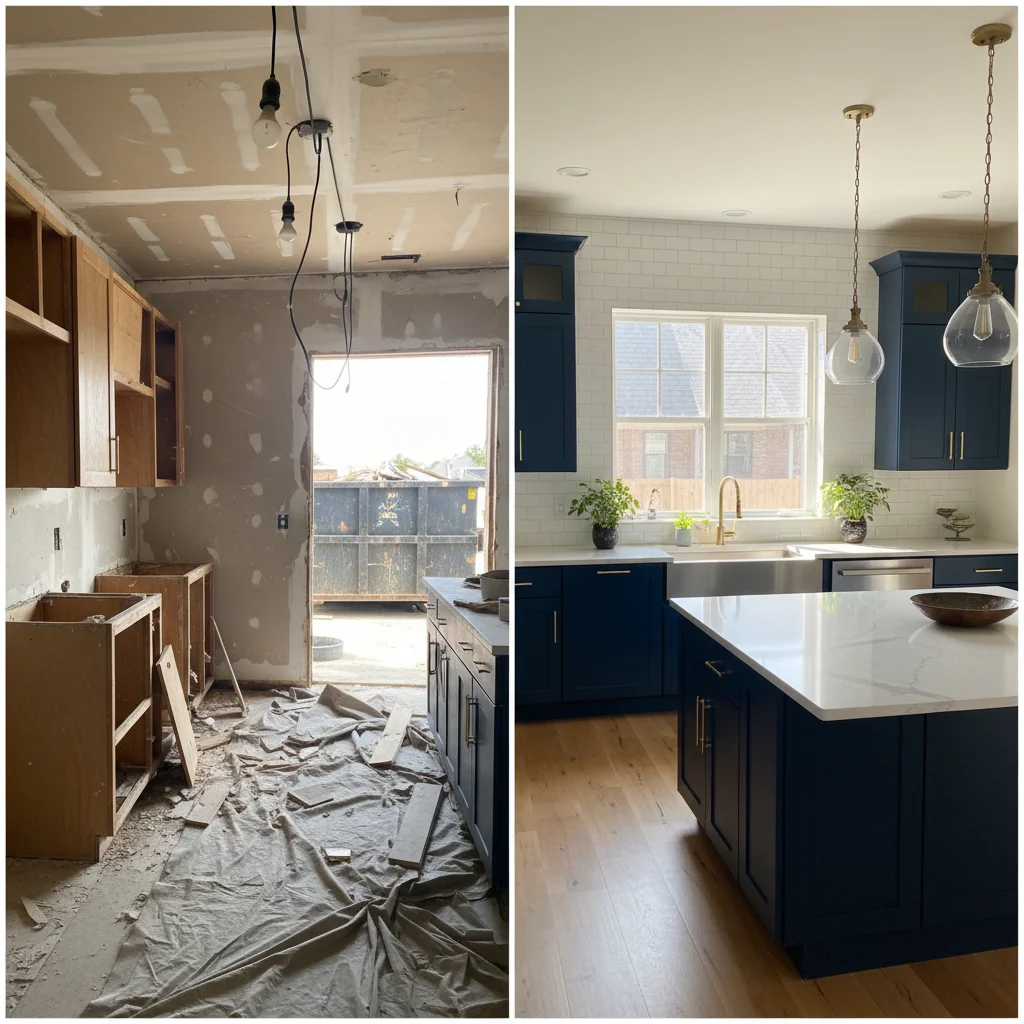
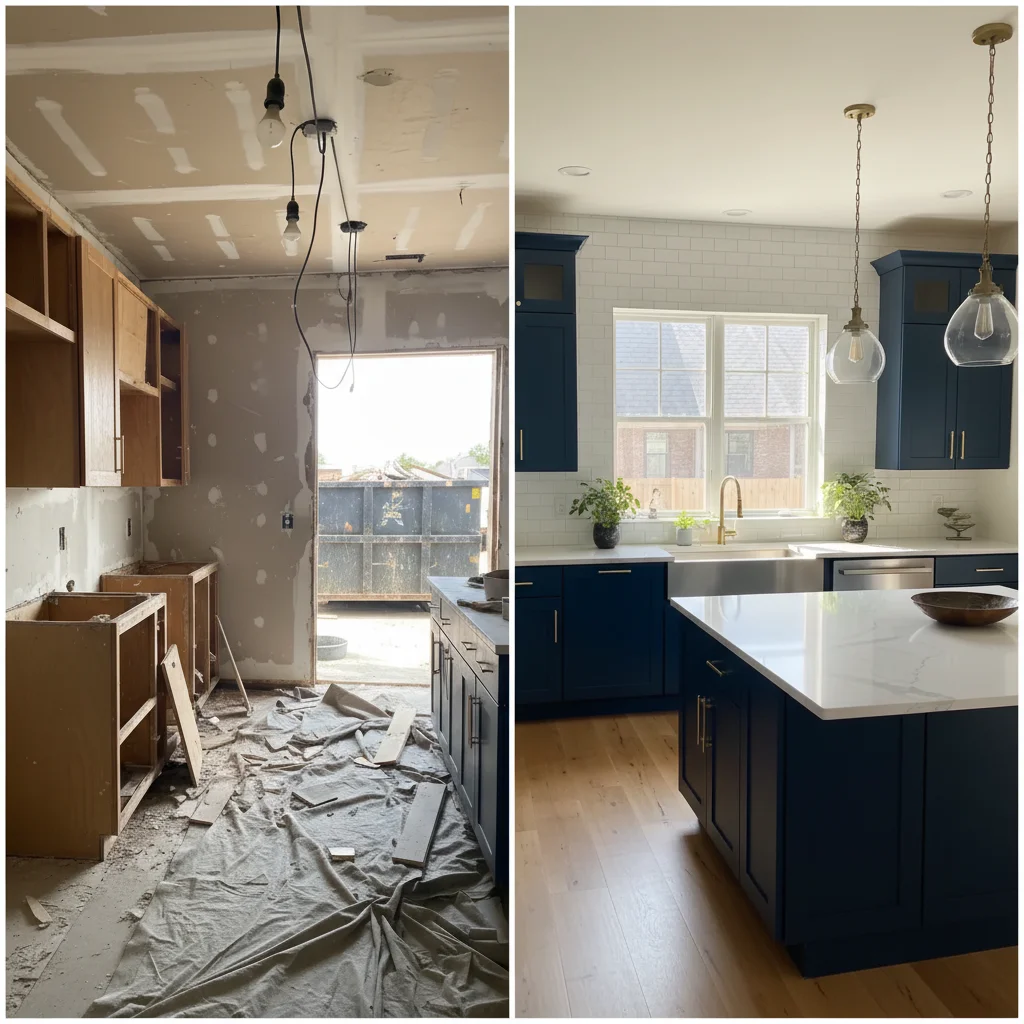
Kitchen renovation photos with construction lighting vs finished natural light
Before
Matched lighting showing professional kitchen transformation
After

Create Home Renovation Before-After Photos | EditThisPic

Drop your photo here

or click to browse

Release to upload

Free • No signup

Advertisement
Popular use cases:
  • Home renovation before after
  • Contractor portfolio photos
  • Interior design before after
  • Remodeling documentation
  • Kitchen renovation photos
  • Bathroom remodel photos
  • Real estate renovation photos

Cost
Free No signup required
Time
Instant results in 15-30 seconds
Works on
Any device - browser, phone, tablet, desktop
Powered by
AI-powered photo editing
Scenario Prompt Time
Standard portfolio format create before-after with matched lighting, professional portfolio 25s
Construction to finished match bright finished lighting to construction phase photo 30s
With project details before-after with matched lighting, add project details labels 30s

How it works

  1. Upload before and after photos

    Drop your pre-renovation and post-renovation photos into EditThisPic. JPG, PNG, WebP up to 7MB. Works with kitchen remodels, bathroom renovations, room makeovers, exterior work—any home improvement project needing professional documentation.

    Expect: Simple lighting matching: 25-30 seconds. Complex multi-room projects or significant angle differences: may need refinement.
  2. Describe the portfolio format

    Type 'create before-after with matched lighting for renovation portfolio' or 'combine with consistent appearance, show transformation clearly.' The AI normalizes lighting differences caused by different times of day, work in progress, or photo quality variations—critical for professional portfolio presentation.

    Tip: Specify 'before on left, after on right' for standard portfolio format that clients immediately understand.

    Copy one of these to get started:

    Creating standard renovation portfolio before-after create professional before-after comparison with matched lighting, before on left and after on right, show renovation clearly
    Before photo taken during demolition, after in finished lighting match the bright finished lighting to the construction phase photo, normalize both to consistent appearance
    Different times of day creating lighting mismatch adjust both photos to look like they were taken at the same time of day with consistent natural light
    Old before photo vs new high-quality after enhance before photo to match the quality of after photo, create professional portfolio-ready comparison
    3 more prompts
    Multiple rooms need consistent portfolio style create side-by-side with matched lighting and consistent layout, use for all room renovations
    Adding project details for marketing create before-after with matched lighting, add project name, budget, and timeline labels for portfolio
    Real estate listing showing renovations combine before-after showing home improvements, matched lighting, clean professional presentation for listing
  3. Verify transformation visibility

    Check that renovations are clearly visible—new cabinets, updated fixtures, fresh paint, improved layout. Verify lighting consistency doesn't hide the improvements you made. The before-after should make the transformation obvious at a glance.

  4. Add project details if needed

    If creating portfolio or marketing materials, include project details: 'add label showing kitchen renovation, $25K, 3 weeks' or 'include before-after with project scope description.' Context helps potential clients understand scope and timeline.

    Tip: For marketing, add subtle branding—company logo in corner shows professionalism without being intrusive.
Try it free

Create Home Renovation Before-After Photos | EditThisPic

Drop your photo here

or click to browse

Release to upload

Free • No signup

"My renovation portfolio looked unprofessional with mismatched before-afters. Now every project shows consistent documentation and I book 40% more jobs." @ContractorBusiness

See it in action

Kitchen renovation photos with construction lighting vs finished natural light
Before
->
Matched lighting showing professional kitchen transformation
After

Kitchen renovation with lighting consistency fixed

Before photo during demolition with work lights, after photo in finished kitchen with natural window light. Matched to show actual transformation without lighting distraction.

Prompt: create professional before-after comparison with matched lighting, before on left and after on right, show renovation clearly
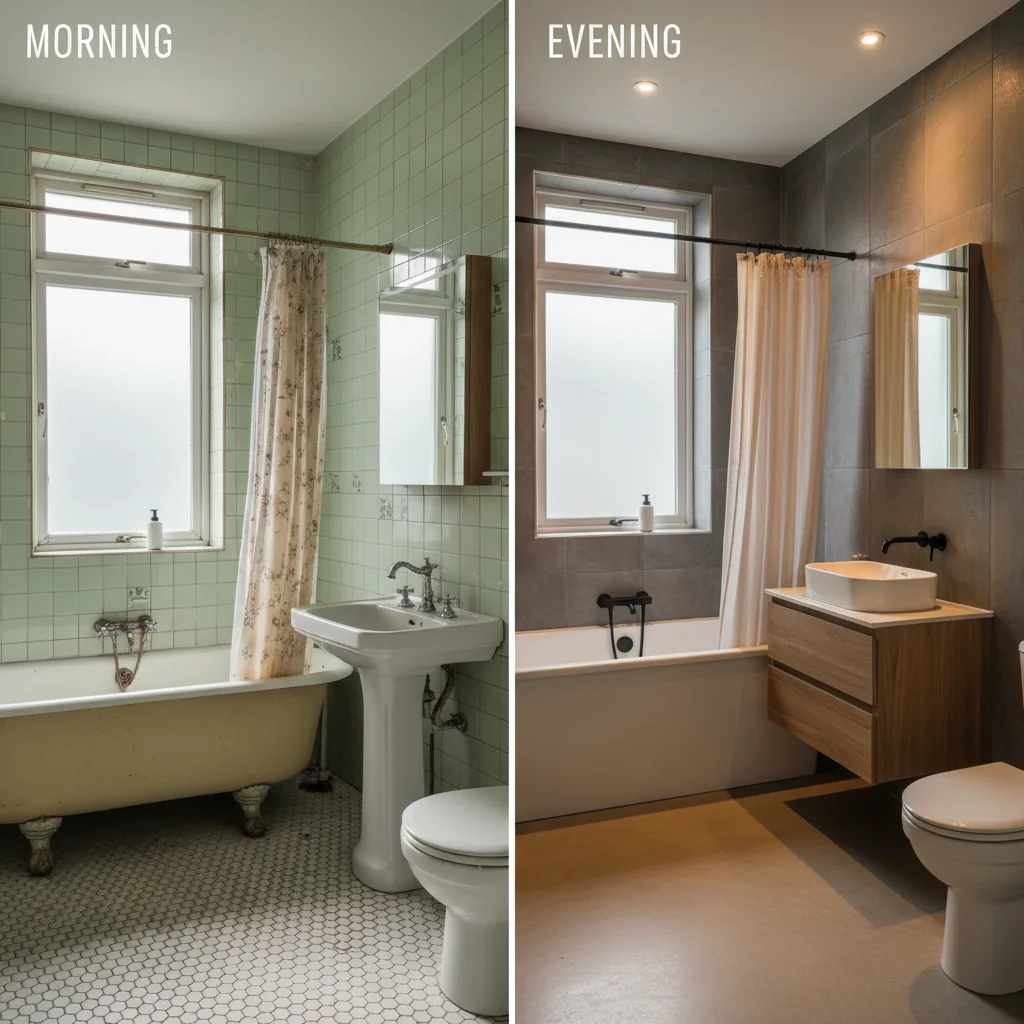
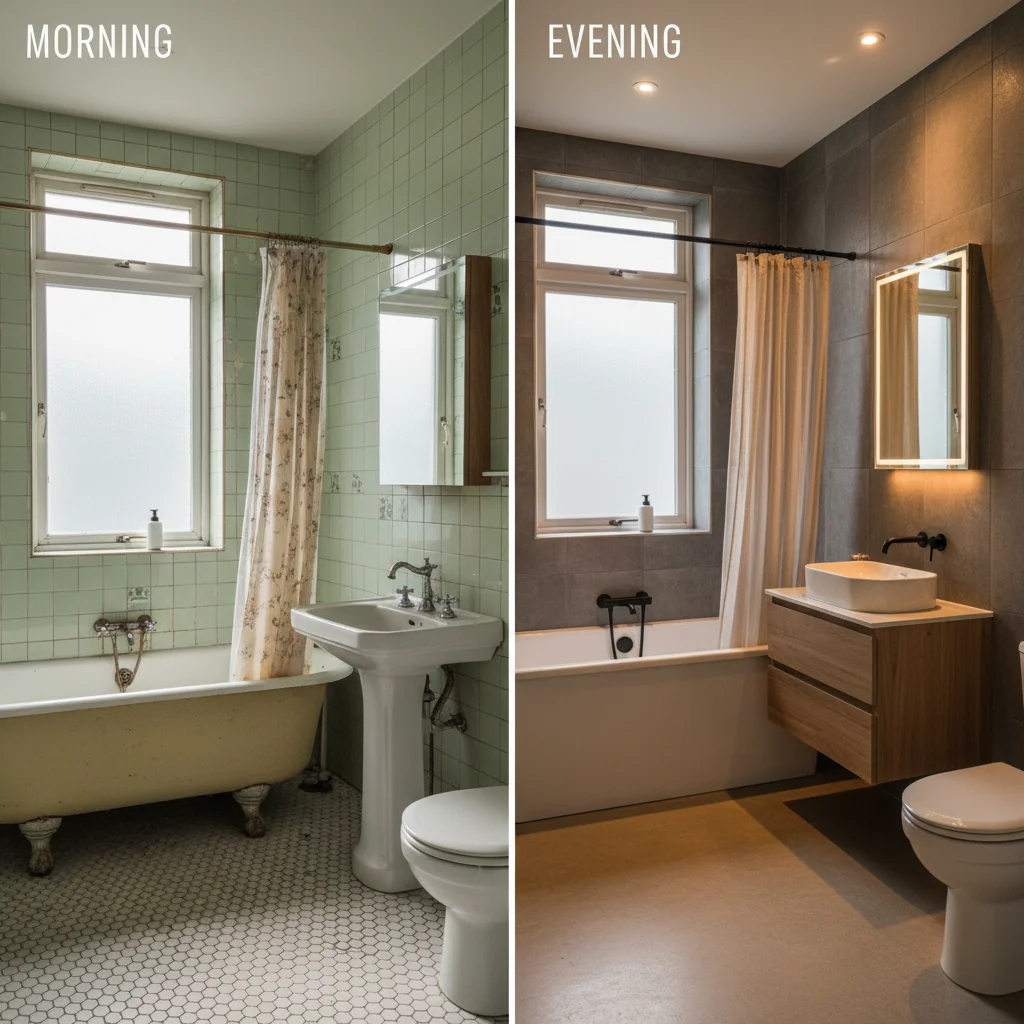
Bathroom remodel with morning vs evening lighting mismatch
Before
->
Consistent lighting showing professional bathroom transformation
After

Bathroom remodel with time-of-day lighting normalized

Before photo taken in morning natural light, after photo in evening artificial light. Different times created huge lighting variation—normalization made both look consistent for portfolio.

Prompt: adjust both photos to look like they were taken at the same time of day with consistent natural light
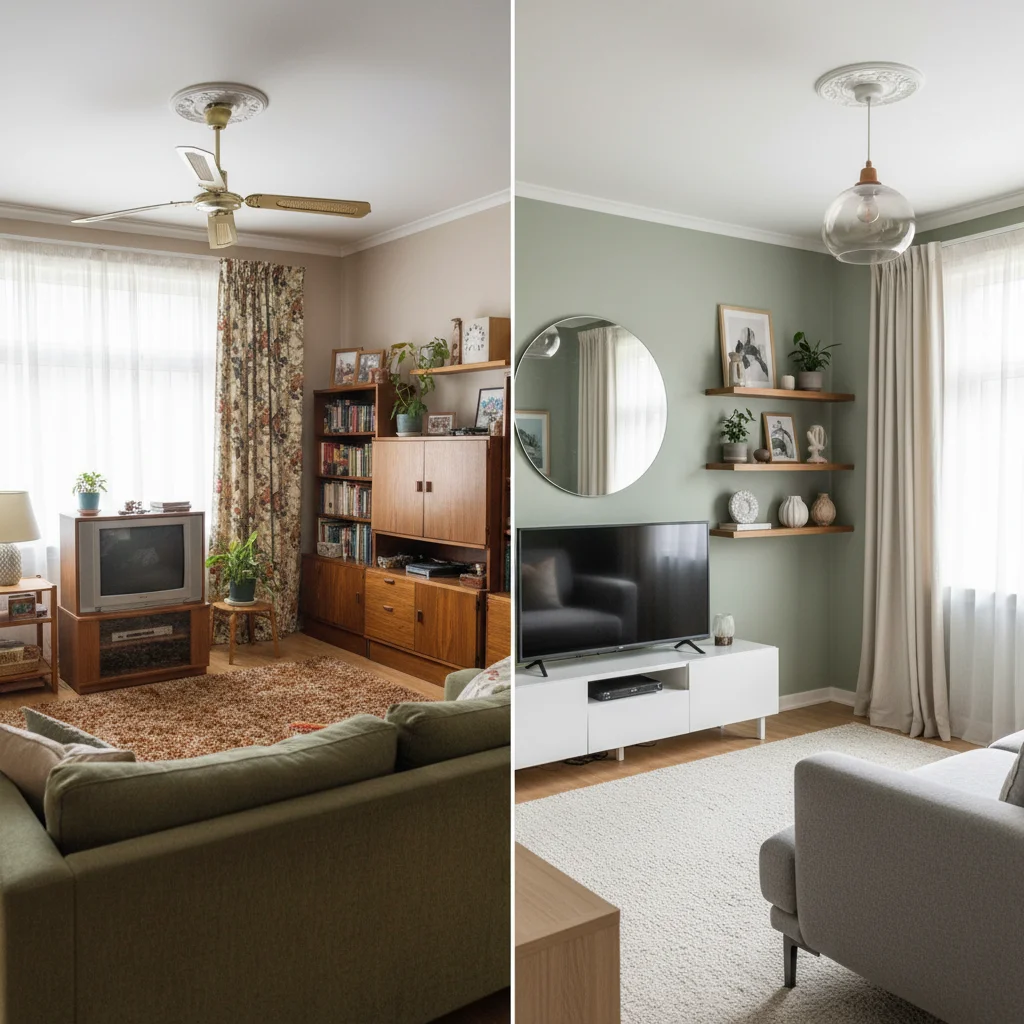
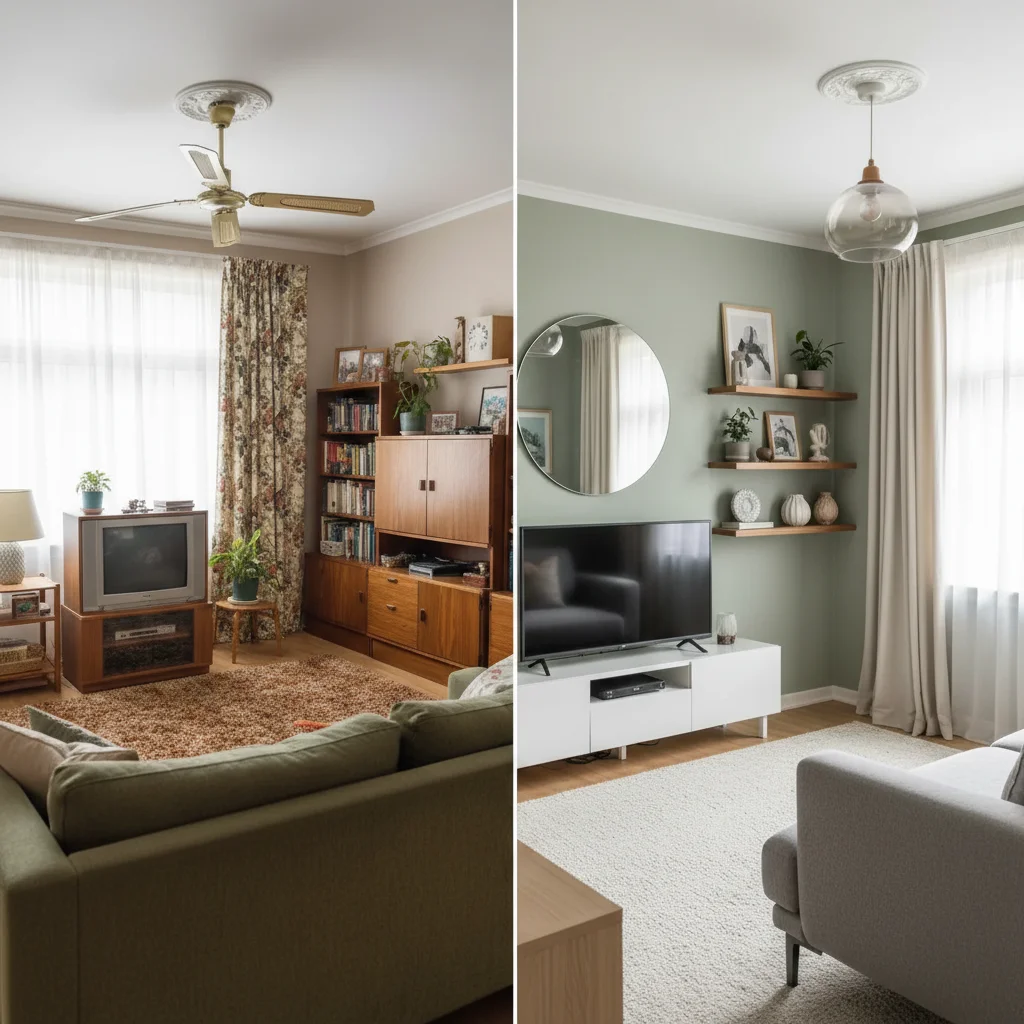
Living room makeover with old phone photo vs new high-quality photo
Before
->
Matched quality professional interior design portfolio photo
After

Living room makeover with quality enhancement

Interior designer's before photo from 3 years ago on old phone camera, new after on latest iPhone. Enhanced before photo to match current quality for professional portfolio presentation.

Prompt: enhance before photo to match the quality of after photo, create professional portfolio-ready comparison
Advertisement

If something looks off

Lighting match made renovations less visible or impressive

Why: Over-normalization can reduce the visual impact of improvements if it removes natural differences in finish quality.

Try: match lighting enough for consistency but preserve the visual impact of new finishes, fixtures, and improvements

Tip: Goal is professional consistency, not identical photos—renovations should still look dramatically better.

Different camera angles make rooms look different sizes

Why: Wide-angle vs normal lens, or different camera heights, change room proportions in photos.

Try: adjust perspective to match room proportions between before and after, keep spatial accuracy

Tip: Small angle differences can be corrected. Large changes (different lens types) may need retaking photos.

Color normalization changed paint or finish colors inaccurately

Why: Color matching can shift hues of new paint, cabinets, or finishes away from their actual appearance.

Try: match overall lighting but preserve accurate colors of paint, cabinets, countertops, and finishes

Tip: Material colors must be accurate—clients expect what they see in photos to match what they get.

Side-by-side layout cropped out important renovation details

Why: Combining two photos may have cropped edges where visible improvements were made.

Try: ensure all renovation work is visible in the frame, do not crop out improvements at edges

Tip: Show the full scope of work—if new cabinets extend to edges, make sure they're visible.

Before photo shows construction mess distracting from comparison

Why: Demolition debris, tools, or work-in-progress clutter makes before photo look too chaotic.

Try: clean up construction debris and clutter in before photo while showing the original condition accurately

Tip: Before photos should show original state clearly—remove temporary construction mess but keep the dated features you replaced.

Portfolio photos missing project context or scope

Why: Without details, potential clients can't gauge budget, timeline, or scope relevant to their needs.

Try: add project labels showing room type, approximate budget range, and completion timeline

Tip: Context helps clients self-qualify—'$15K kitchen, 2 weeks' immediately tells them if you're in their range.

Quick answers

Do I need to mark anything to create renovation before-after photos?

No! Just describe what you want: 'create before-after with matched lighting' or 'combine with consistent appearance for portfolio.' The AI handles lighting normalization, alignment, and side-by-side layout automatically. Markers are only needed if you want to adjust specific areas after seeing the result—like enhancing visibility of one renovation detail.

Why do renovation photos need consistent lighting?

Inconsistent lighting makes it unclear how much is real improvement vs. just better photography. Before photos often have poor lighting (construction phase, old photos), while after photos show finished spaces in best light. Matching them proves your work made the difference, not just better lighting. Professional portfolio documentation with consistent lighting wins more contracts because it shows credible transformations.

Can this fix before photos taken during construction?

Yes. Construction-phase photos often have work lights, debris, and poor conditions. The AI can normalize lighting to match finished photos while preserving the 'before' state that shows what you improved. It removes lighting and quality differences but keeps the dated fixtures, old finishes, and original conditions visible—showing exactly what you transformed.

How do I create consistent before-afters for my entire portfolio?

Use the exact same prompt for all renovation projects: 'create before-after with matched lighting, before left and after right, professional portfolio format.' This gives every project the same layout and quality—making your portfolio look intentional and professional. Consistency across projects signals attention to detail and professional standards.

Should I add project details to portfolio before-afters?

Yes. Include room type, approximate budget, and timeline. 'Master Bath Remodel - $18K - 3 weeks' helps potential clients immediately know if you work in their budget range and timeline expectations. This pre-qualifies leads and sets realistic expectations. Add details by including them in your prompt: 'add project details as labels.'

Ready to create professional renovation before-afters?

Free to try. No signup required.

Try it free