Free β€’ No signup Add Realistic fire to room photo Β· Free

Room on Fire Prank Photo

Upload a room photo and AI sets it ablaze with realistic flames and smoke. Maximum panic, zero damage.

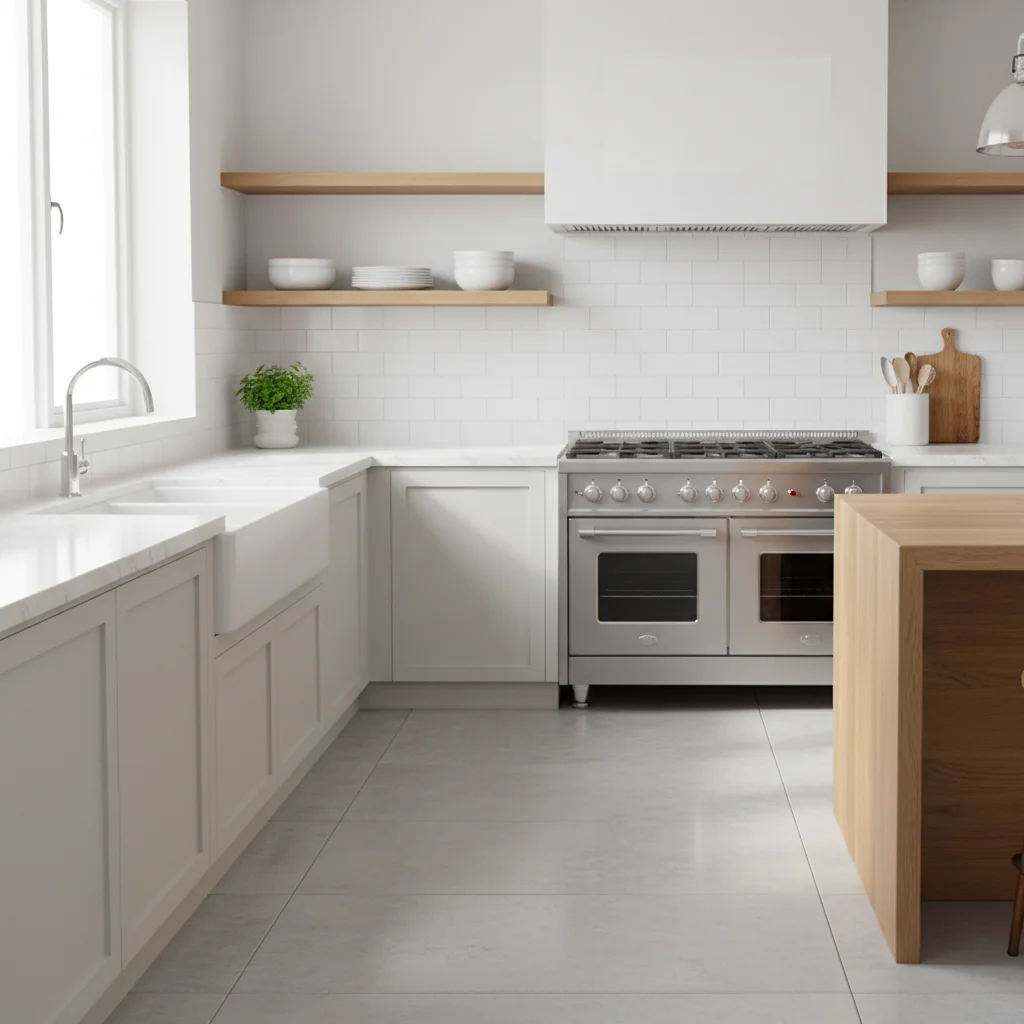
Original photo before edit
Before
β†’
Photo after add with AI
After

Room on Fire Prank Photo

Upload photo to add realistic fire to room photo

Free β€’ Results in 30 seconds β€’ No signup

Release to upload

FreeNo signupNo watermark

1 free edit·then from $1.99

Popular use cases:
  • room on fire prank photo
  • make room look on fire
  • fake room fire photo
  • AI room fire prank

Cost
Free No signup required
Time
Instant results in 15-30 seconds
Works on
Any device - browser, phone, tablet, desktop
Powered by
AI-powered photo editing

How it works

  1. Upload a room photo

    Drop a photo of any room into EditThisPic. JPG, PNG, WebP up to 7MB. Use your actual living space for the most convincing prank.

    Expect: Most edits complete in 20-45 seconds.
  2. Describe the fire

    Tell the AI: 'Flames spreading across the wall with thick smoke' or 'The curtains are on fire with smoke filling the room.' Specify the source.

    Tip: Fires start from a source β€” mention 'the curtains,' 'the stove,' or 'an outlet' for believability.

    Copy one of these to get started:

    Kitchen fire β€” most believable Make this kitchen look like a fire started on the stove β€” flames spreading up the wall, smoke filling the upper half, orange glow on cabinets
    Curtains caught fire Make the curtains fully on fire with flames climbing toward the ceiling, smoke rolling across the top of the room
    Electrical fire from outlet Add a fire from an electrical outlet β€” sparks, small flames up the wall, black smoke marks, hazy smoke filling the room
    Room fully engulfed Make this room completely on fire β€” flames everywhere, furniture burning, thick smoke, intense orange glow
    2 more prompts
    Candle knocked over Make it look like a candle was knocked over β€” fire spreading across the table, catching the tablecloth
    Smoke-filled room Fill this room with thick gray smoke β€” reduced visibility, hazy, smoke pooling at the ceiling
  3. Download and send

    Check flames cast proper light on surfaces and smoke looks natural. Download and send.

Try it free ↓

Room on Fire Prank Photo

Upload photo to add realistic fire to room photo

Free β€’ Results in 30 seconds β€’ No signup

Release to upload

Free β€’ No signup

See it in action

Original photo before edit
Before
->
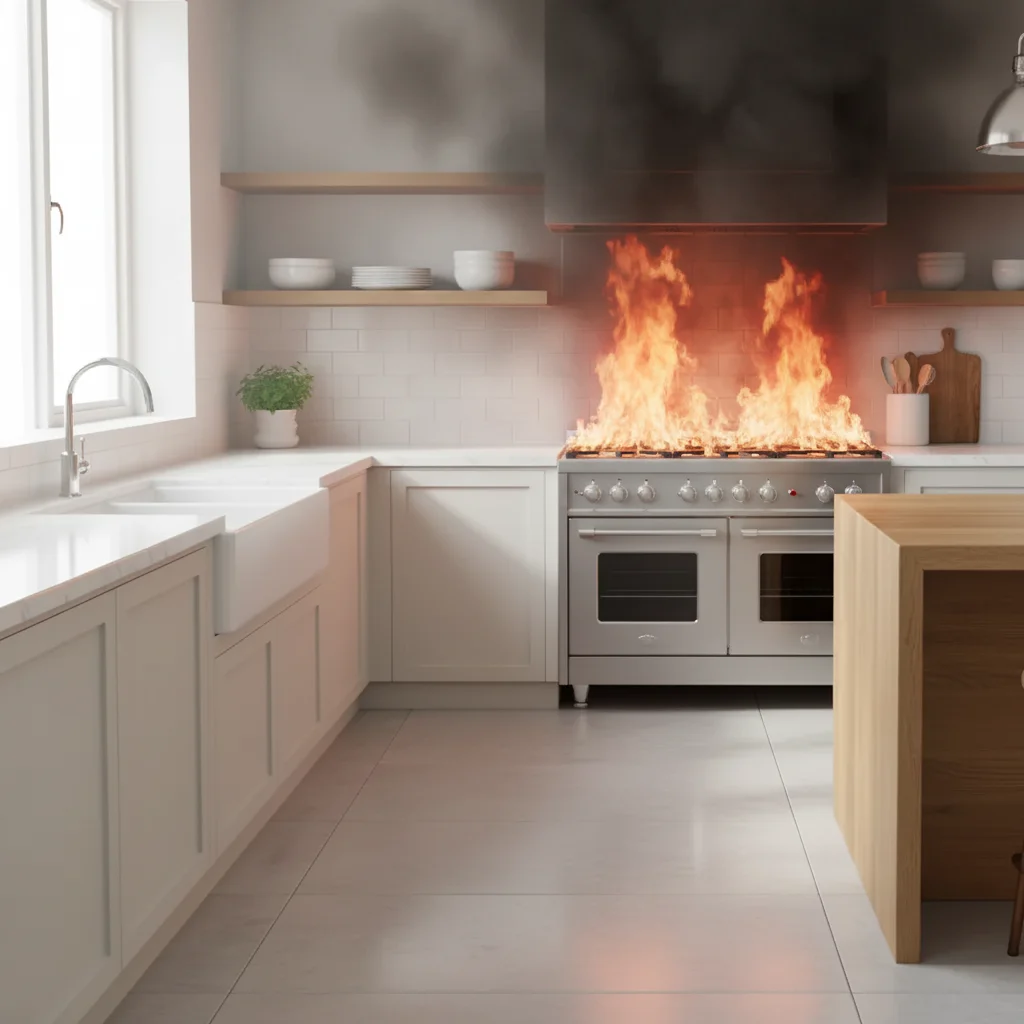
Photo after add with AI
After

Kitchen stove fire prank

Kitchen with AI-generated fire from the stove with realistic smoke.

Prompt: Make this kitchen look like a fire started on the stove β€” flames up the wall, smoke filling room
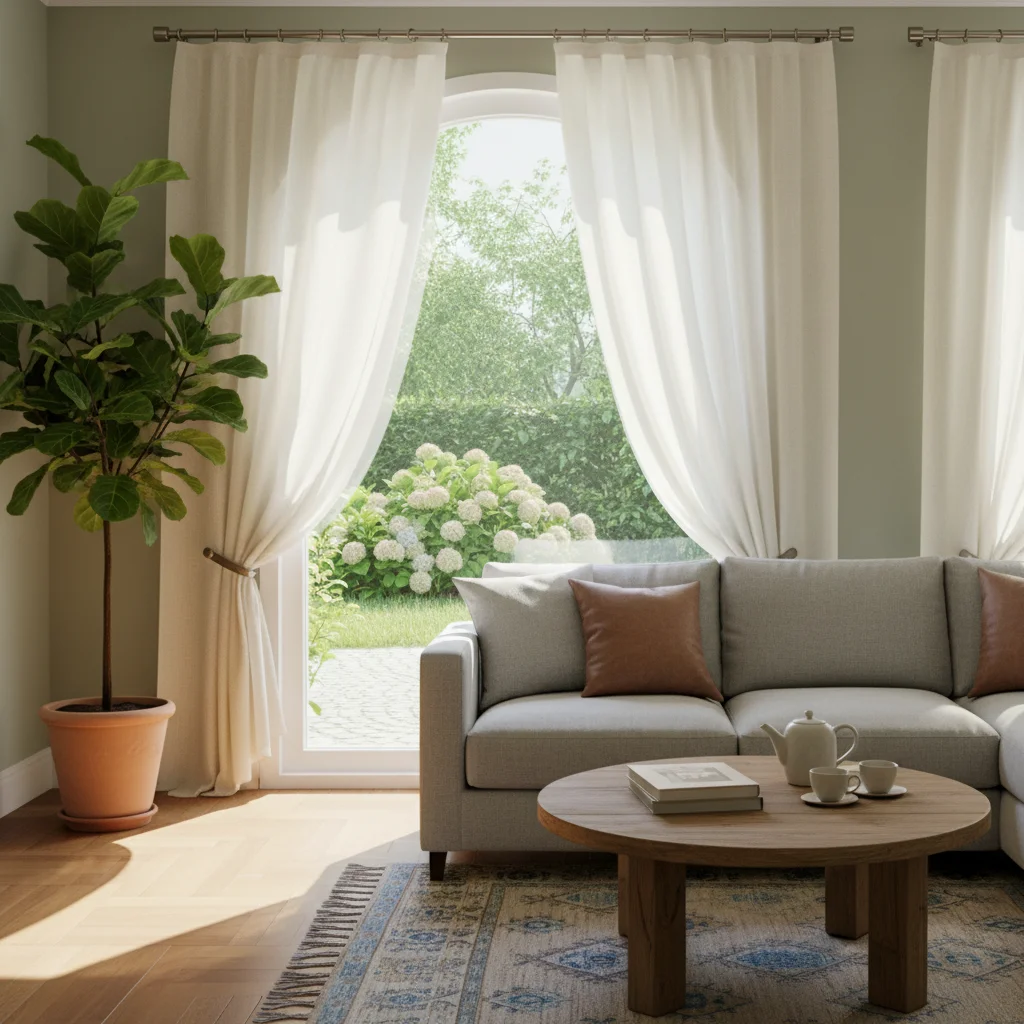
Original photo before edit
Before
->
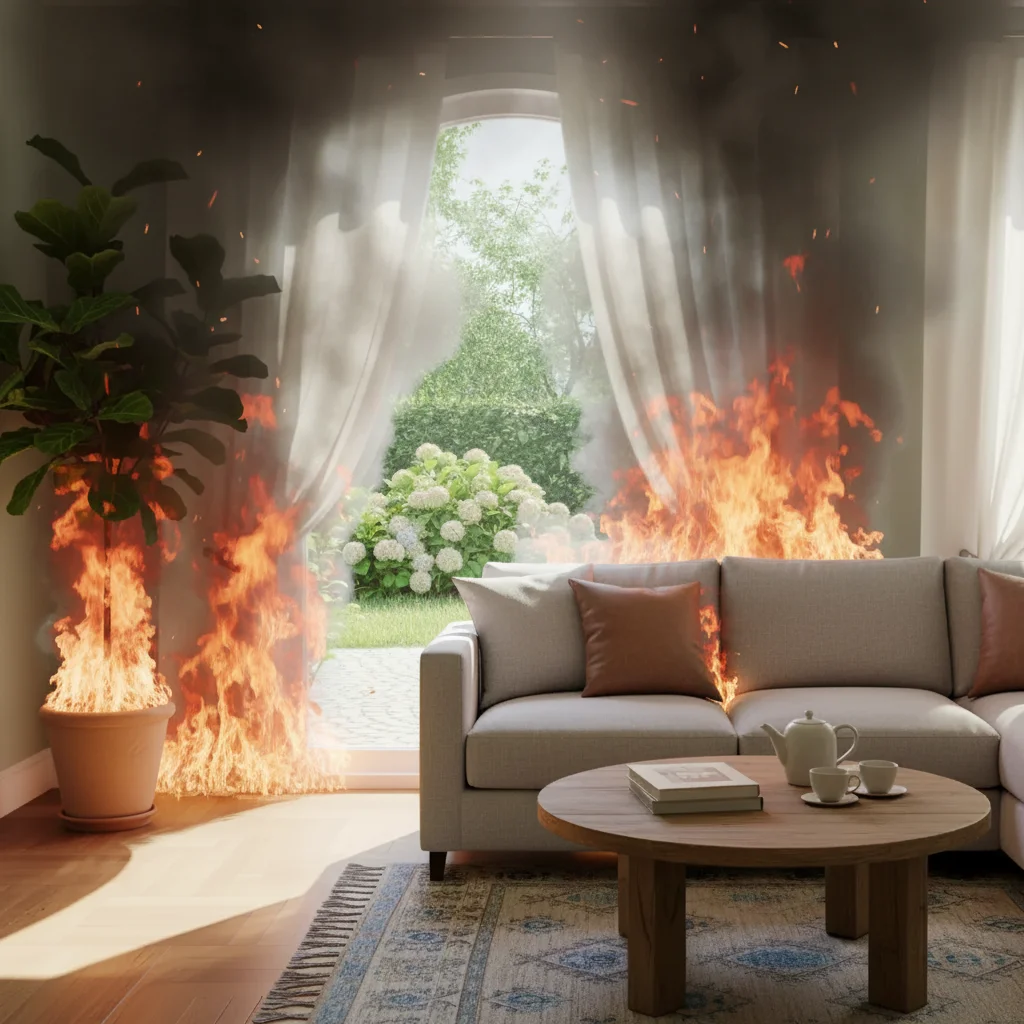
Photo after add with AI
After

Living room curtain fire

Living room with curtains on fire and smoke at the ceiling.

Prompt: Make the curtains on fire with flames climbing toward ceiling, smoke across the top

If something looks off

Fire doesn't cast light on room

Why: Real fire illuminates everything with orange glow.

Try: Add: 'fire casting warm orange glow on all nearby walls, floor, and furniture'

Tip: Light casting is the single biggest realism factor for indoor fire.

Smoke looks like a solid block

Why: Smoke should be semi-transparent and layered.

Try: Specify: 'realistic layered smoke β€” thick near the fire, thinning as it spreads'

Tip: Real smoke pools at the ceiling and fills downward β€” mention this layering.

Room layout changed

Why: AI modified furniture or room structure.

Try: Add: 'keep all furniture and room layout as-is β€” only add fire, smoke, and lighting effects'

Tip: Protecting layout ensures the prank target recognizes the space.

Fire looks too uniform

Why: Real fires are irregular with varying intensity.

Try: Add: 'irregular, natural flames β€” some areas burning intensely, others smoldering'

Tip: Imperfection in fire patterns makes it look real.

Quick answers

Do I need to mark where the fire should be?

No β€” describe where the fire starts in your prompt. The AI places it naturally.

Is the room on fire prank tool free?

Yes, one free Fast edit per week. No signup required. Credit packs start at $1.99.

Will the fire look convincing?

AI generates realistic flames, smoke, and fire-light effects. Very convincing in a panicked text context.

Will there be a watermark?

No, EditThisPic never adds watermarks, even on free edits.

Can I control how severe?

Yes β€” 'small flame from outlet' for subtle, 'room completely engulfed' for maximum drama.

Does this work on mobile?

Yes, works in any mobile browser. No app needed.

Can I add fire to any room?

Yes β€” kitchens, bedrooms, bathrooms, living rooms, garages. AI adapts to each room.

How much does EditThisPic cost?

You get 1 free edit per week β€” no account needed. After that, credit packs start at $1.99 for 3 edits. Monthly plans start at $4.99/mo for 15 edits with unused credits rolling over. All edits are full resolution with no watermark.

Ready to set your room on fire (digitally)?

Free to try. No signup required.

1 free edit included·Credit packs from $1.99