Free • No signup Stage Living room · Free

Virtual Staging Living Room

Describe the living room style you want and AI stages it with furniture instantly. No marking needed.
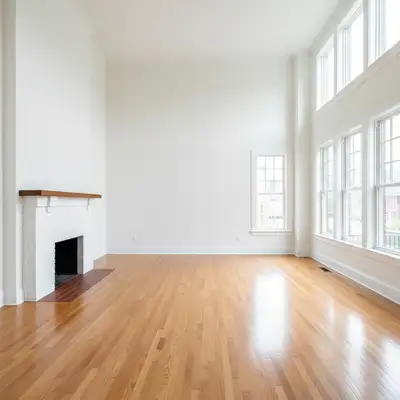
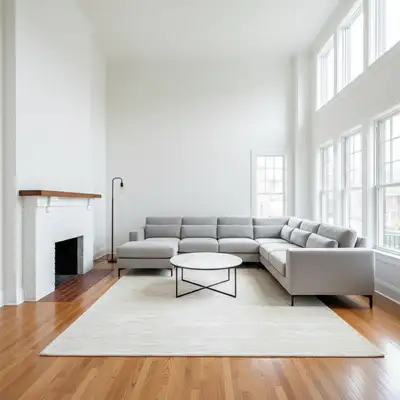
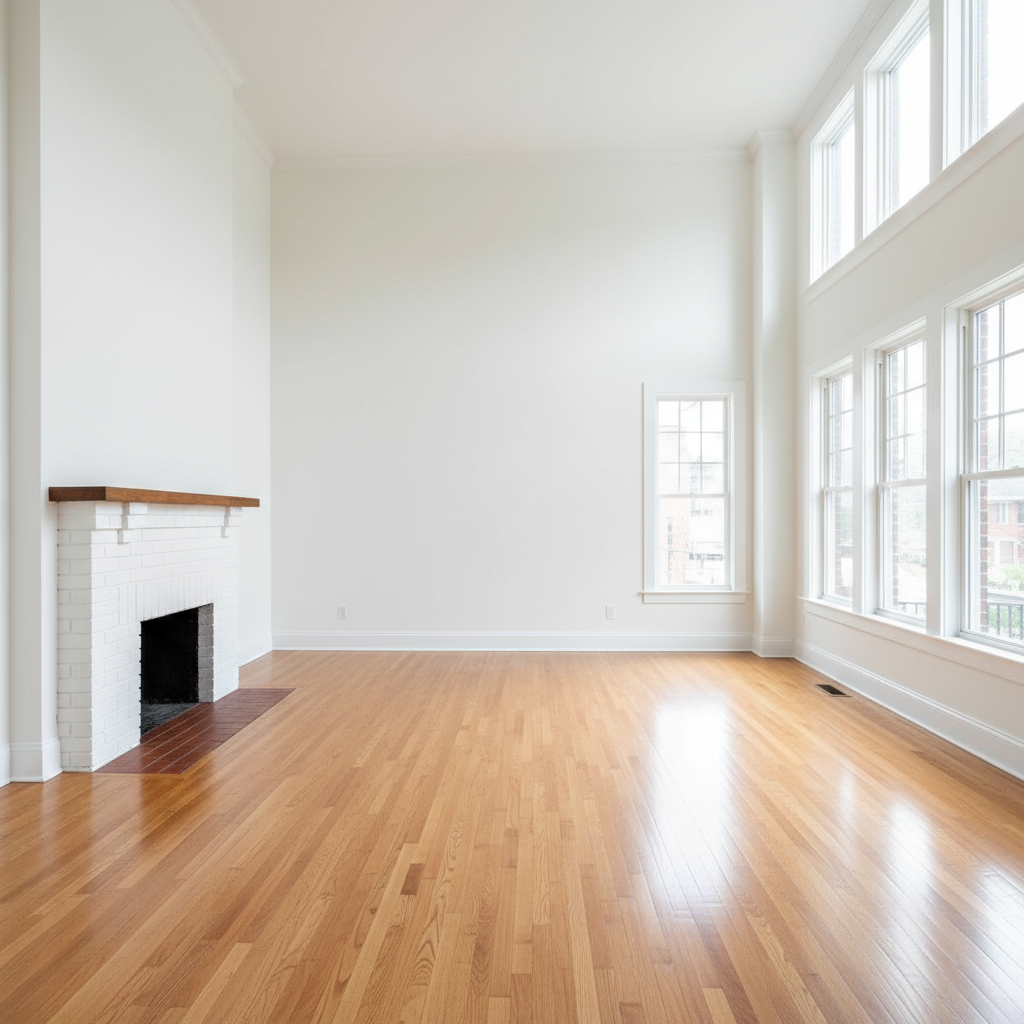
Empty living room with bare walls and floor
Before
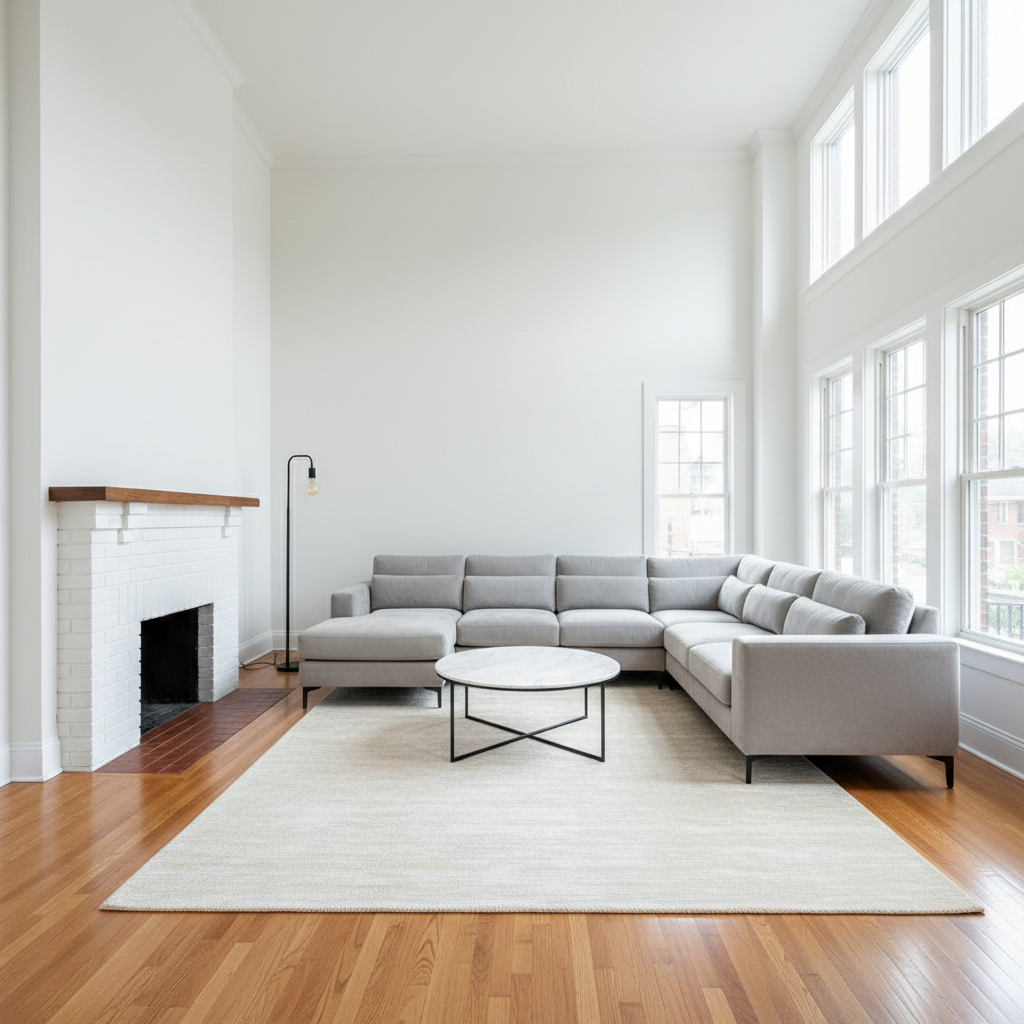
Same living room staged with modern grey sofa, glass table, minimal decor
After

Virtual Staging Living Room

Drop your photo here

or click to browse

Release to upload

Free • No signup

Advertisement
Popular use cases:
  • virtual staging
  • real estate staging
  • living room furniture staging
  • empty room staging
  • listing photo staging
  • home staging visualization
  • property marketing photos
  • vacant home staging

Cost
Free No signup required
Time
Instant results in 15-30 seconds
Works on
Any device - browser, phone, tablet, desktop
Powered by
AI-powered photo editing
Scenario Prompt Time
Basic staging stage with sofa, coffee table, rug 40s
Complete staging modern style - sofa, table, rug, art, lamp, decor 50s
Style-specific staging farmhouse style with leather sofa, rustic table, cozy decor 55s

How it works

  1. Upload your living room photo

    Drop your image into EditThisPic. JPG, PNG, WebP up to 7MB. Empty rooms or rooms with old furniture both work. Wide-angle photos showing the full room work best for realistic furniture placement and scale.

    Expect: Simple staging (sofa and coffee table): 40-50 seconds. Complete room staging (multiple furniture pieces, decor, rugs): 50-60 seconds.
  2. Describe your desired staging style

    Type what you want: 'stage with modern grey sectional sofa, glass coffee table, white area rug, abstract wall art' or 'farmhouse style with tan leather couch, rustic wood coffee table, cozy decor.' Include furniture pieces, style, colors, and decor elements. No need to mark where furniture goes—the AI understands room layout and places furniture naturally with proper scale and perspective.

    Tip: Include style descriptor (modern, farmhouse, traditional), main furniture pieces (sofa, chairs, tables), and key decor (rug, art, plants) for complete staging.

    Copy one of these to get started:

    Modern minimalist staging stage with modern grey sectional sofa, glass coffee table, white area rug, abstract wall art, floor lamp, minimal decor
    Cozy farmhouse living room stage farmhouse style with tan leather sofa, rustic wood coffee table, cream area rug, cozy throw blankets, green plants
    Traditional elegant staging stage traditional style with beige sofa and armchairs, dark wood coffee table, oriental rug, table lamps, classic wall art
    Contemporary open concept stage contemporary style with low-profile grey sofa, modern accent chairs, geometric rug, metal coffee table, large abstract art
    3 more prompts
    Coastal beach house style stage coastal style with white slipcovered sofa, light wood coffee table, blue and white striped rug, nautical decor, airy feel
    Industrial loft staging stage industrial style with dark leather sofa, metal and wood coffee table, grey rug, exposed brick accent, modern lighting
    Family-friendly casual stage family-friendly with durable sectional sofa, ottoman coffee table, washable rug, toy storage baskets, practical layout
  3. Review the staged room

    Check that furniture looks realistic—proper scale relative to the room, correct perspective, natural shadows. Verify furniture placement makes sense for traffic flow and room function. Look at how pieces relate to windows, doorways, and architectural features. Zoom in on furniture details.

  4. Try different staging styles

    Upload the same room and try completely different styles: modern minimalist, traditional elegant, cozy farmhouse, contemporary. See which staging style appeals most to your target buyers. This is how you find the perfect look for your listing.

    Tip: For real estate, try 2-3 different staging styles to see which shows the room's potential best.
Try it free

Virtual Staging Living Room

Drop your photo here

or click to browse

Release to upload

Free • No signup

"I'm a real estate agent and use this for every vacant listing. Staged photos get 3x more clicks than empty rooms. Used to pay $300 per room for staging photos—now I do it myself in seconds for free." @Realtor_Amanda

See it in action

Empty living room with bare walls and floor
Before
->
Same living room staged with modern grey sofa, glass table, minimal decor
After

Empty to modern minimalist staging

A completely empty living room staged with clean modern furniture showing the space's potential.

Prompt: stage with modern grey sectional sofa, glass coffee table, white area rug, abstract wall art, floor lamp
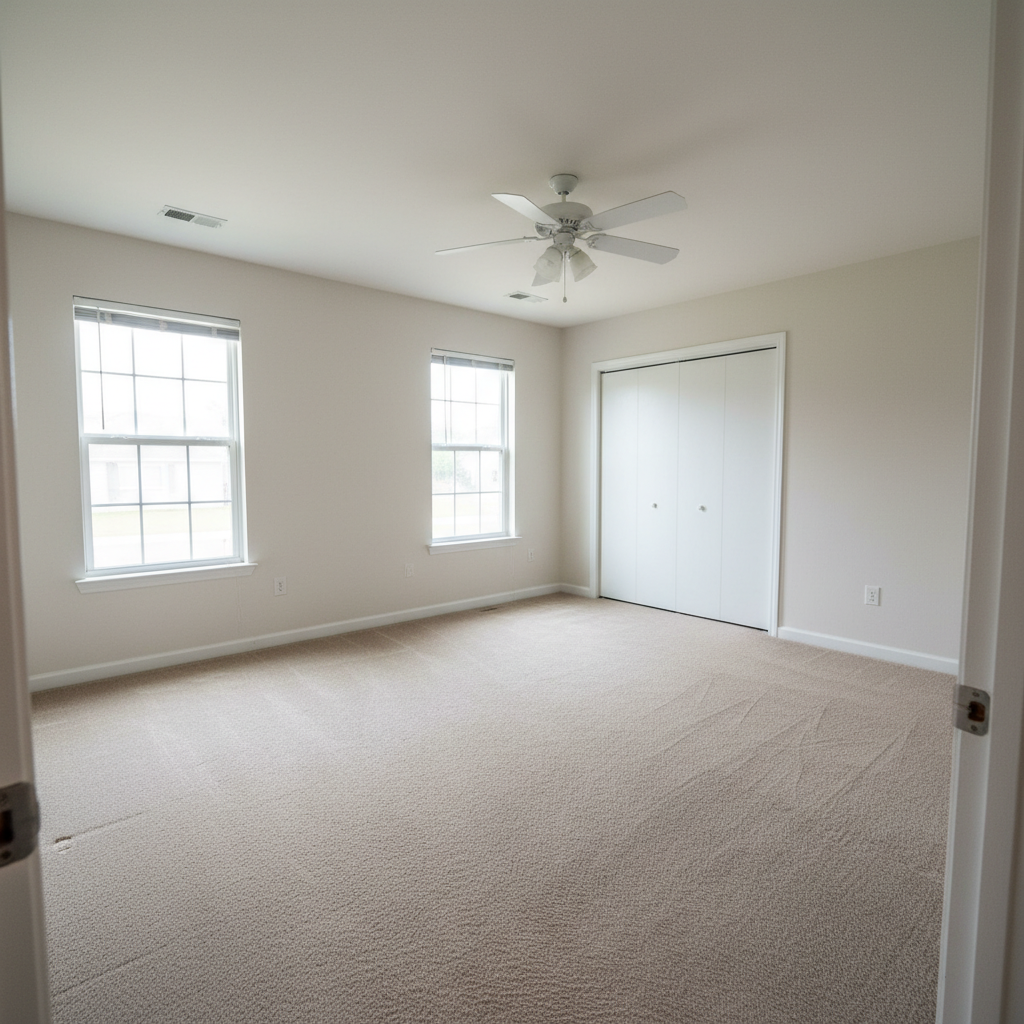
Living room with dated 1990s floral furniture
Before
->
Same living room staged with fresh farmhouse furniture
After

Dated furniture to fresh farmhouse

An outdated living room with old furniture replaced with fresh farmhouse staging that appeals to buyers.

Prompt: stage farmhouse style with tan leather sofa, rustic wood coffee table, cream area rug, cozy throw blankets, green plants
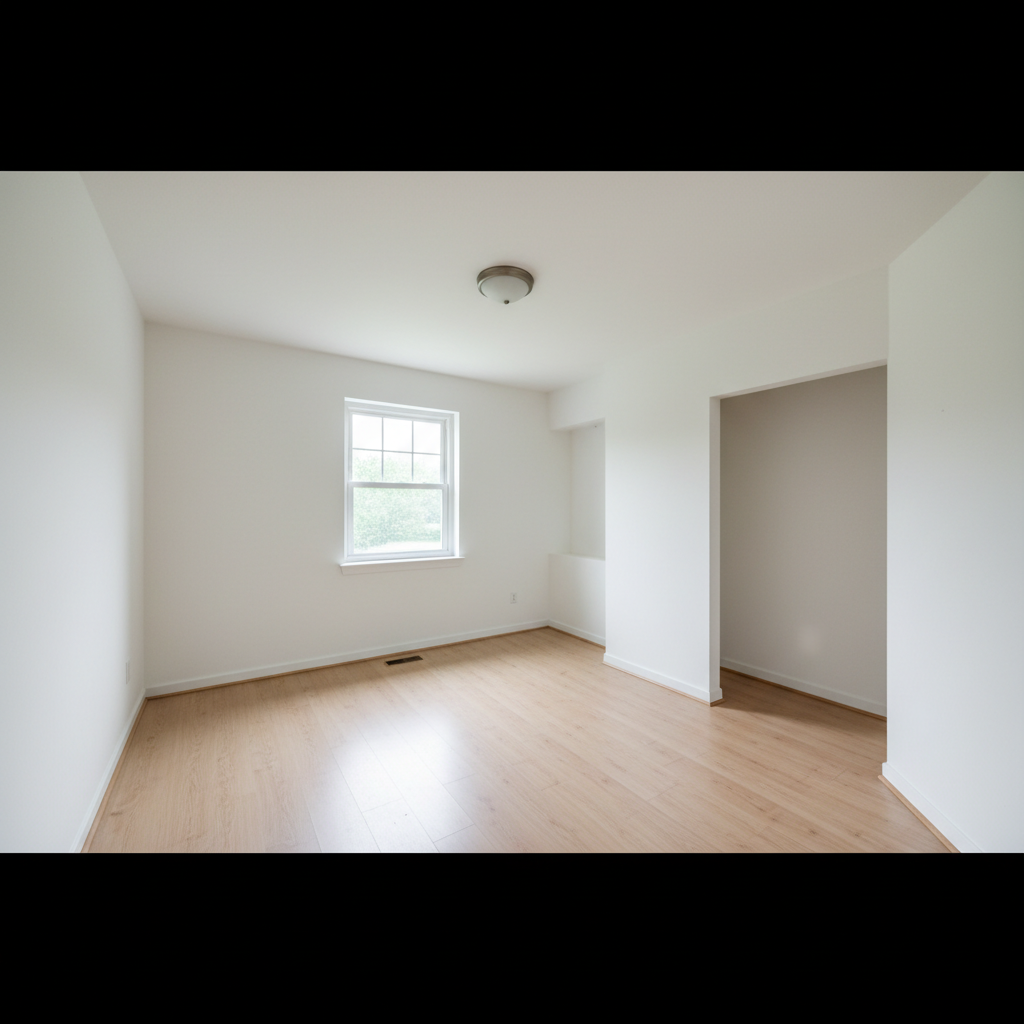
Unfurnished living room with plain walls
Before
->
Same living room staged with traditional elegant furniture
After

Bare space to elegant traditional

An unfurnished room staged with traditional elegant furniture showing sophisticated potential.

Prompt: stage traditional style with beige sofa and armchairs, dark wood coffee table, oriental rug, table lamps, classic wall art
Advertisement

If something looks off

AI changed the wrong area or something I didn't want changed

Why: The AI couldn't determine exactly which area you meant from description alone.

Try: Tap a marker on the specific area you want to change, then regenerate with the same prompt

Tip: Markers tell the AI 'I mean THIS one specifically.' Use them when description alone is ambiguous.

Furniture looks too large or too small for the room

Why: The AI misjudged room dimensions or scale from the photo angle.

Try: stage with appropriately sized furniture for the room dimensions - [your furniture list] scaled to fit naturally

Tip: Wide-angle photos showing the full room help the AI judge scale better than close-up shots.

Furniture placement blocks doorways or looks awkward

Why: The AI didn't account for traffic flow or room function in the placement.

Try: stage with [furniture list], arrange furniture to allow clear traffic flow and room function

Tip: Photos showing doorways and architectural features help the AI place furniture more naturally.

Furniture pieces don't match in style or look random

Why: The prompt listed pieces without a unifying style, so they don't coordinate.

Try: Start with style: 'stage modern minimalist style with...' or 'stage farmhouse style with...'

Tip: Leading with overall style ensures all furniture pieces work together cohesively.

Shadows or lighting on furniture looks unnatural

Why: The AI didn't properly match furniture lighting to the room's actual light sources.

Try: stage with [furniture list], ensure furniture has realistic shadows matching the room's natural lighting

Tip: Well-lit room photos with visible windows produce better lighting on staged furniture.

The staging looks too sparse or too cluttered

Why: The prompt either listed too few items or too many accessories.

Try: For sparse: add more items like 'add side tables, floor lamp, throw pillows, wall art'. For cluttered: simplify to main pieces only

Tip: Good staging includes 5-7 main pieces: sofa, coffee table, rug, 1-2 accent pieces, art, lighting.

Furniture perspective looks distorted or flat

Why: The photo angle or room geometry confused the AI's 3D understanding.

Try: stage with [furniture list], ensure furniture follows the room's perspective and appears three-dimensional

Tip: Photos taken from standard standing height (5-6 feet) work better than very high or low angles.

Quick answers

Do I need to mark where furniture should go before staging?

No! Just describe the furniture: 'stage with grey sectional sofa, coffee table, area rug.' The AI understands room layout and places furniture naturally with proper scale and perspective. It automatically accounts for windows, doorways, and traffic flow. Only use markers if you want to force furniture into a specific unusual location.

Can I virtually stage empty rooms for real estate listings?

Yes! This is the primary use case. Upload empty room photos and describe the staging style that will appeal to your target buyers. The AI adds realistic furniture that shows the room's potential. Virtually staged photos dramatically increase listing interest compared to empty rooms, and cost nothing compared to $300+ per room for traditional staging.

Will the staged furniture look realistic enough for MLS listings?

Yes! The AI creates realistic furniture with proper lighting, shadows, and perspective that matches your actual room. The staging looks professional and natural. Many real estate agents use virtual staging for listings (with disclosure that it's virtually staged as required by NAR guidelines).

What style of staging works best for selling homes?

Modern minimalist and contemporary staging appeal to the widest buyer demographic. However, match the staging style to the home: farmhouse staging for cottage-style homes, traditional for classic architecture, modern for contemporary construction. Try 2-3 styles to see what shows your specific space best.

What's the best free virtual staging tool for real estate?

EditThisPic offers free AI virtual staging with no signup required. Unlike traditional staging services that charge $100-$500 per room, you can stage unlimited rooms for free. Unlike furniture library tools, just describe what you want in plain English—no dragging and dropping furniture models. Results in 45 seconds.

Ready to virtually stage your living room?

Free to try. No signup required.

Try it free