Free • No signup Enhance Food photos · Free

AI Food Photo Enhancer

Describe how you want your food photo to look and AI enhances it instantly. No marking needed.
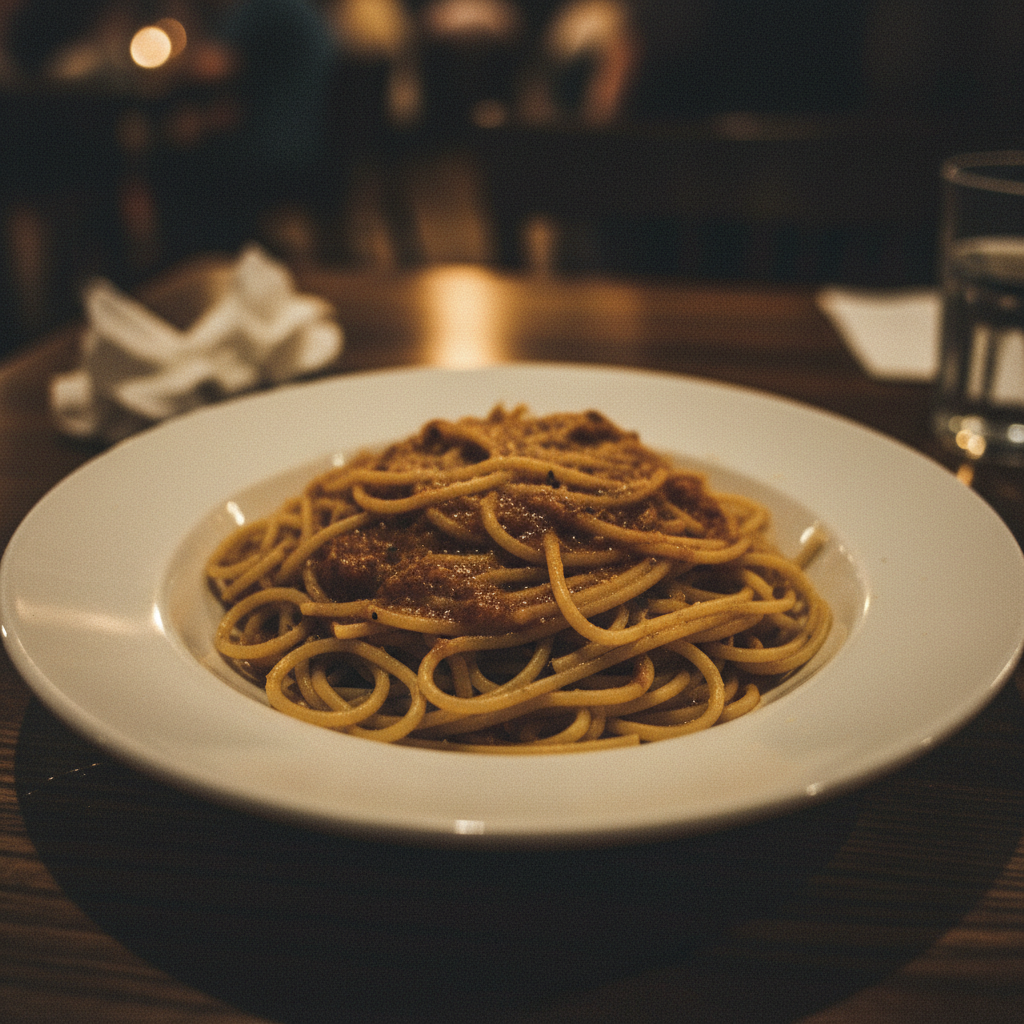
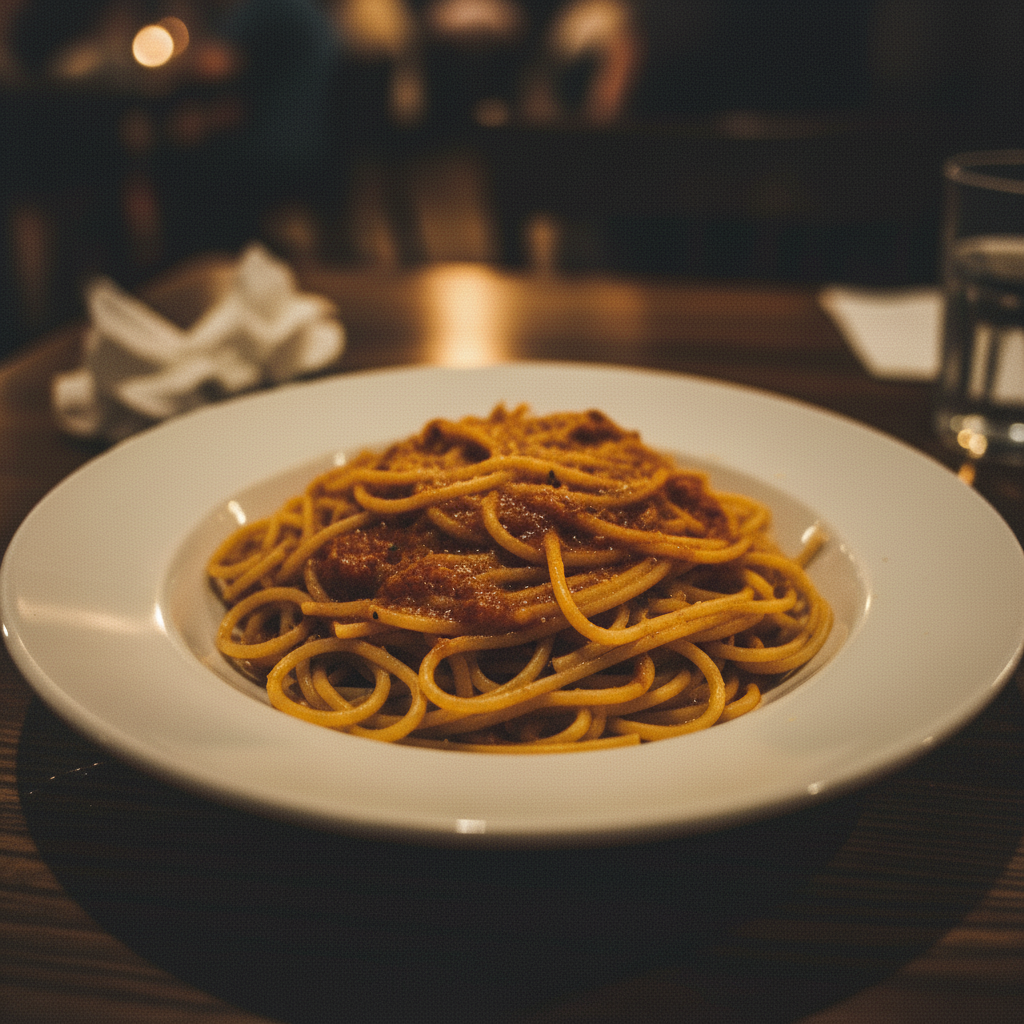
Dark underlit plate of pasta in dim restaurant
Before
Same pasta dish brightly lit with vibrant red sauce and fresh green basil
After

AI Food Photo Enhancer

Drop your photo here

or click to browse

Release to upload

Free • No signup

Advertisement
Popular use cases:
  • restaurant menu photography
  • food blog images
  • delivery app food photos
  • social media food posts
  • food styling enhancement
  • recipe photo editing
  • cafe menu images
  • food truck photography

Cost
Free No signup required
Time
Instant results in 15-30 seconds
Works on
Any device - browser, phone, tablet, desktop
Powered by
AI-powered photo editing
Scenario Prompt Time
Quick color boost enhance food colors, warm golden tones 25s
Fix dim restaurant photo brighten food, fix dim lighting 35s
Full menu-ready cleanup menu quality, even light, vibrant, clean 45s

How it works

  1. Upload your food photo

    Drop your food image into EditThisPic. JPG, PNG, WebP up to 7MB. Phone photos from restaurants, home cooking, and food blogs all work. Overhead and 45-degree angle shots give the best results.

    Expect: Simple color enhancement: 25-35 seconds. Full lighting and background fixes: 40-55 seconds and may need refinements.
  2. Describe the enhancement you want

    Type your instruction: 'make the food look warm and appetizing with vibrant colors' or 'enhance the lighting to soft natural window light.' Be specific about the mood and look. No marking needed—the AI understands food photography terms like 'appetizing', 'warm tones', and 'food styling.'

    Tip: Use food photography terms: 'warm golden tones', 'steam rising', 'glistening sauce' to guide the AI toward mouth-watering results.

    Copy one of these to get started:

    Make food look appetizing enhance this food photo to look warm and appetizing, boost the color saturation slightly and add warm golden tones
    Fix restaurant low-light photo brighten this food photo and fix the dim lighting, make the dish clearly visible with natural colors
    Menu-ready overhead shot clean up this food photo for a restaurant menu, even lighting, vibrant plate colors, clean background
    Food blog hero image enhance this dish to look like a food blog hero shot, soft natural side lighting with shallow depth of field
    3 more prompts
    Make fresh ingredients pop make the fresh ingredients look crisp and vibrant, enhance the greens and make the tomatoes look ripe and glossy
    Delivery app photo cleanup clean up this food delivery photo, make the dish look fresh and appealing, remove any mess around the plate
    Dessert glamour shot enhance this dessert photo to look decadent and rich, boost chocolate and cream colors, add a warm glow
  3. Review the result

    Check that food colors look natural and appetizing, not over-saturated. Verify that textures like crispy edges, melted cheese, or fresh greens look realistic. The food should make you hungry.

  4. Refine with markers if needed

    If specific elements like a garnish, sauce, or plate edge need adjustment, tap markers on those spots and regenerate. Most food photo enhancements work perfectly on the first try.

    Tip: Markers are for precision refinement only. Try without them first—food photos rarely need targeted adjustments.
Try it free

AI Food Photo Enhancer

Drop your photo here

or click to browse

Release to upload

Free • No signup

"I manage social media for three restaurants. This tool takes our phone photos and makes them look like we hired a food photographer. Our Instagram engagement tripled since we started using it." @FoodieMarketing_Ali

See it in action

Dark underlit plate of pasta in dim restaurant
Before
->
Same pasta dish brightly lit with vibrant red sauce and fresh green basil
After

Dim restaurant photo to appetizing hero shot

A dark, underlit plate of pasta photographed at a restaurant table transformed into a vibrant menu-worthy image.

Prompt: brighten this food photo and fix the dim lighting, make the dish clearly visible with warm appetizing colors
Flat overhead phone photo of salad with washed-out colors
Before
->
Same salad with vibrant colors and soft natural side lighting
After

Flat phone photo to food blog quality

A casual phone photo of a salad upgraded with better colors and that signature food blog look.

Prompt: enhance this dish to look like a food blog hero shot, soft natural side lighting with vibrant fresh colors
Advertisement

If something looks off

AI changed the wrong area or something I didn't want changed

Why: The AI couldn't determine exactly which element you meant from description alone. This happens when table setting items are nearby.

Try: Tap a marker on the specific area you want to change, then regenerate with the same prompt

Tip: Markers tell the AI 'I mean THIS element specifically.' Use them when plate and table items look similar.

Food colors look over-saturated and unnatural

Why: The AI boosted colors too aggressively, making the food look artificial rather than appetizing.

Try: enhance the food colors subtly and naturally, keep it realistic and not over-saturated

Tip: Adding 'subtly' and 'realistic' prevents the AI from pushing colors to unnatural levels.

Dish looks artificial or too processed

Why: Heavy enhancement removed natural food textures and imperfections that make food look real and homemade.

Try: enhance the lighting gently while keeping the natural food textures and imperfections intact

Tip: 'Keep natural textures' preserves the authentic look that viewers trust more than overly polished food.

Background or table setting looks strange after enhancement

Why: The AI enhanced the entire image uniformly, and the background received the same food-focused color adjustments.

Try: enhance only the food and plate, keep the background and table setting as they are

Tip: Specifying 'only the food and plate' prevents unwanted changes to the surrounding scene.

White plate or bowl lost detail and looks blown out

Why: Brightening the food also brightened white dishes, pushing them past pure white and losing edge definition.

Try: enhance the food colors and brightness but keep the white plate details and edges visible

Tip: 'Keep white plate details' tells the AI to preserve the dish shape even while boosting food brightness.

Quick answers

Do I need to mark the food before describing the enhancement I want?

No! Just describe what you want: 'make the food look warm and appetizing' or 'fix the lighting and boost colors.' The AI understands food photography. Only use markers if the AI enhanced the wrong element, like changing the table instead of the food.

How do I make my food photos look professional for a restaurant menu?

Upload your food photo and type: 'clean up for restaurant menu, even lighting, vibrant colors, clean background.' The AI enhances the dish to look menu-ready in 30 seconds. Works on smartphone photos taken in any lighting condition. No food styling or professional camera needed.

Is there a free food photo enhancer that doesn't require login?

Yes, EditThisPic enhances food photos for free with no account needed. Upload your food photo, describe the look you want, and download the result. No watermarks. Handles dim restaurant photos, flat phone photos, and delivery app images.

What's the best free AI tool for food photography enhancement?

EditThisPic is designed for quick food photo enhancement. Just describe what you need: warm tones, brighter lighting, more vibrant colors. It understands food photography terms and makes dishes look appetizing without over-processing. Works for restaurants, food blogs, delivery apps, and social media.

Ready to enhance your food photos?

Free to try. No signup required.

Try it free