Free • No signup Generate Passport photo · Free

AI Passport Photo Generator

Skip the photo booth. Create compliant passport photos from any well-lit selfie.
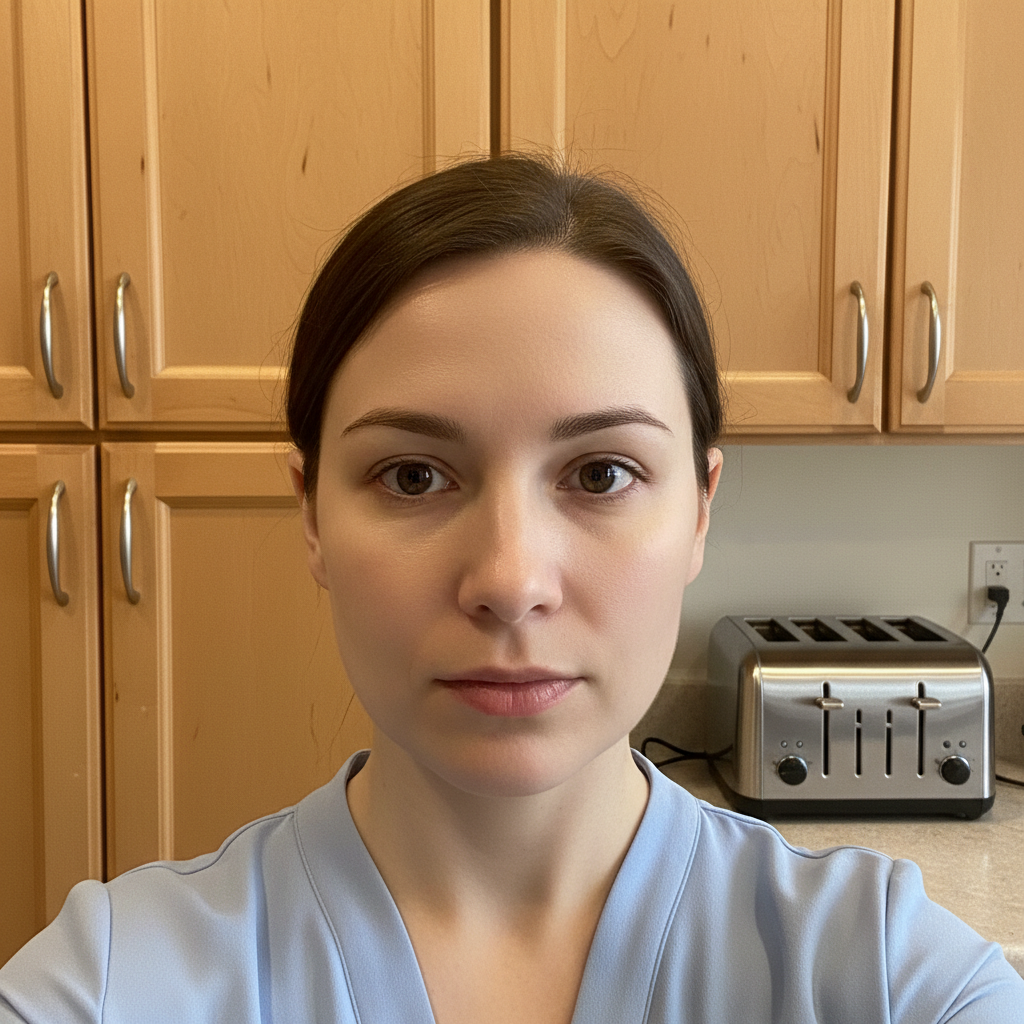
Kitchen selfie with cabinets and appliances visible
Before
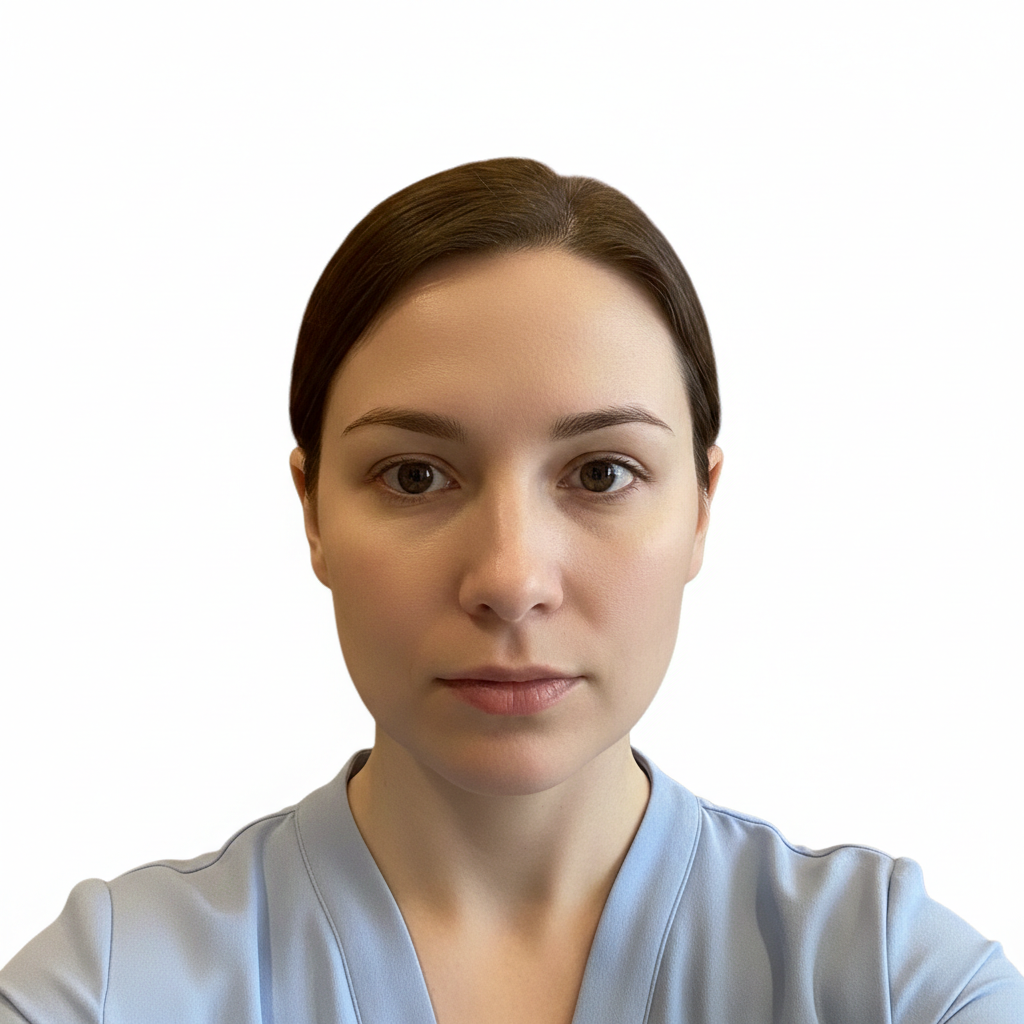
Compliant passport photo with pure white background
After

AI Passport Photo Generator

Drop your photo here

or click to browse

Release to upload

Free • No signup

Advertisement
Popular use cases:
  • AI passport photo generator
  • passport photo maker
  • passport photo at home
  • DIY passport photo
  • visa photo generator
  • ID photo maker
  • passport photo from phone
  • compliant passport photo

Cost
Free No signup required
Time
Instant results in 15-30 seconds
Works on
Any device - browser, phone, tablet, desktop
Powered by
AI-powered photo editing
Scenario Prompt Time
Standard passport convert to passport photo with pure white background 25s
US passport create US passport compliant photo with white background 25s
Fix shadows correct lighting for passport compliance, remove shadows 30s
Visa application generate visa application photo with white background 25s

How it works

  1. Take or choose your photo

    You need a front-facing photo with neutral expression, mouth closed, eyes open and clearly visible. Stand against any plain background (the AI will replace it). Good, even lighting on your face is essential—stand facing a window or use soft indoor lighting.

    Expect: Simple photos with good lighting: 20-30 seconds. Poor lighting or complex backgrounds: may need refinement.
    Tip: Face a window for even, natural lighting. Avoid shadows on your face—these can cause rejection.

    Copy one of these to get started:

    Standard passport photo convert to passport photo with pure white background, remove all background elements, even lighting on face
    US passport photo create US passport compliant photo with white background, neutral expression, proper head position and lighting
    Visa application photo generate visa application photo with solid white background, professional appearance, even facial lighting
    Fix lighting issues correct uneven lighting on face for passport photo compliance, pure white background, remove shadows
    3 more prompts
    ID card photo convert to official ID photo format with white background, formal appearance, clear face visibility
    Keep glasses but remove glare create passport photo with white background, keep my glasses but remove any reflections or glare from lenses
    Schengen visa photo generate Schengen visa photo with light gray to white background, 35x45mm format specifications, neutral expression
  2. Describe passport photo requirements

    Type your instruction: 'convert to passport photo with pure white background, neutral expression, even lighting' or 'create compliant passport photo for US passport.' The AI removes all background elements and replaces with solid white while ensuring proper exposure on your face.

    Tip: Mention your country if you have specific requirements. US, UK, EU, and most countries accept similar formats.

    Copy one of these to get started:

    Standard passport photo convert to passport photo with pure white background, remove all background elements, even lighting on face
    US passport photo create US passport compliant photo with white background, neutral expression, proper head position and lighting
    Visa application photo generate visa application photo with solid white background, professional appearance, even facial lighting
    Fix lighting issues correct uneven lighting on face for passport photo compliance, pure white background, remove shadows
    3 more prompts
    ID card photo convert to official ID photo format with white background, formal appearance, clear face visibility
    Keep glasses but remove glare create passport photo with white background, keep my glasses but remove any reflections or glare from lenses
    Schengen visa photo generate Schengen visa photo with light gray to white background, 35x45mm format specifications, neutral expression
  3. Review for compliance

    Check: pure white background with no shadows, even lighting on your face, neutral expression visible, no glare on glasses (if applicable), proper head position. The photo should look like an official ID photo.

  4. Refine edges if needed

    If there are any background remnants or edge issues around your hair or shoulders, tap markers on those areas and regenerate. Clean edges against white background are essential for compliance.

    Tip: Zoom in on hair edges—any visible background bleed can cause rejection.
Try it free

AI Passport Photo Generator

Drop your photo here

or click to browse

Release to upload

Free • No signup

"Needed a passport photo urgently on a Sunday. All the stores were closed. Made one at home with my phone and it was accepted. Saved me $15 and a trip." @LastMinutePassport

See it in action

Kitchen selfie with cabinets and appliances visible
Before
->
Compliant passport photo with pure white background
After

Kitchen selfie to passport photo

Quick selfie taken at home with cabinets and appliances visible. Converted to a clean, compliant passport photo with pure white background.

Prompt: convert to passport photo with pure white background, remove all background elements, even lighting on face
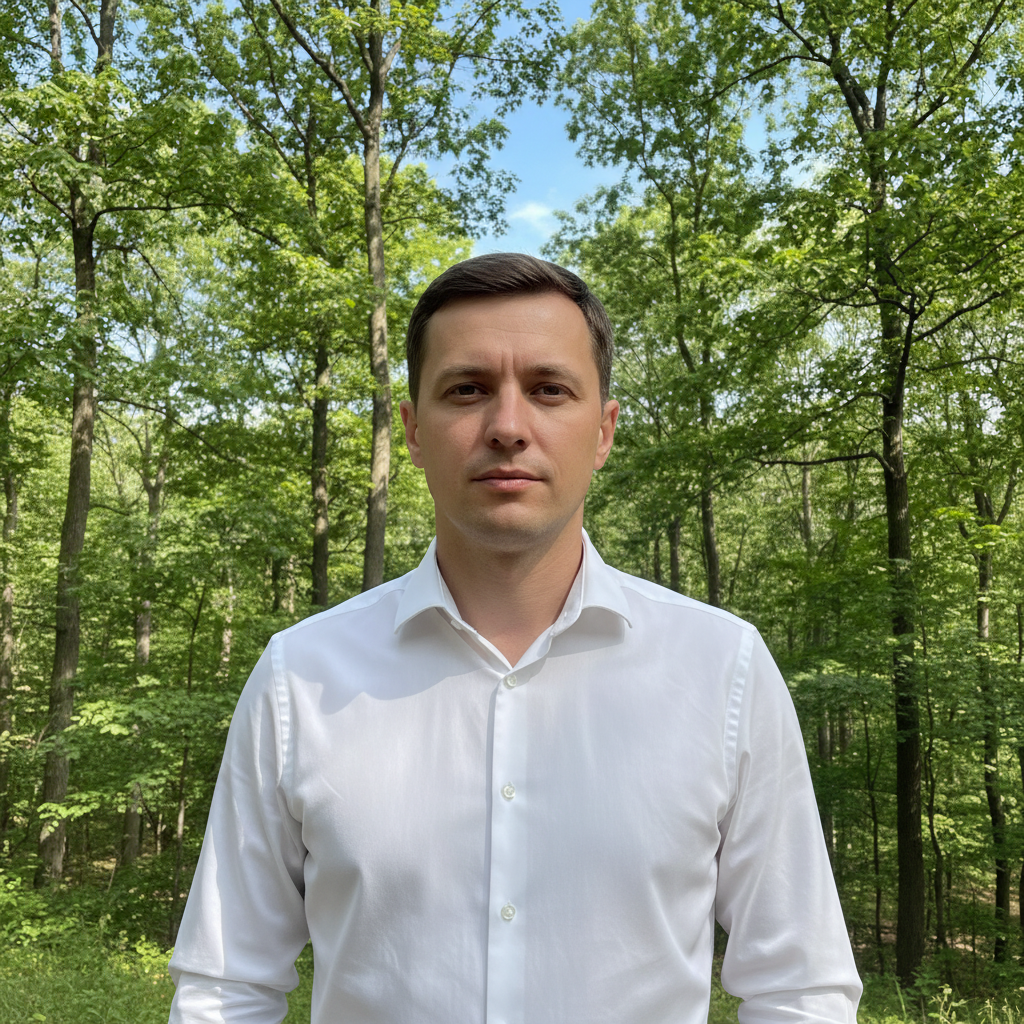
Outdoor photo with trees and sky in background
Before
->
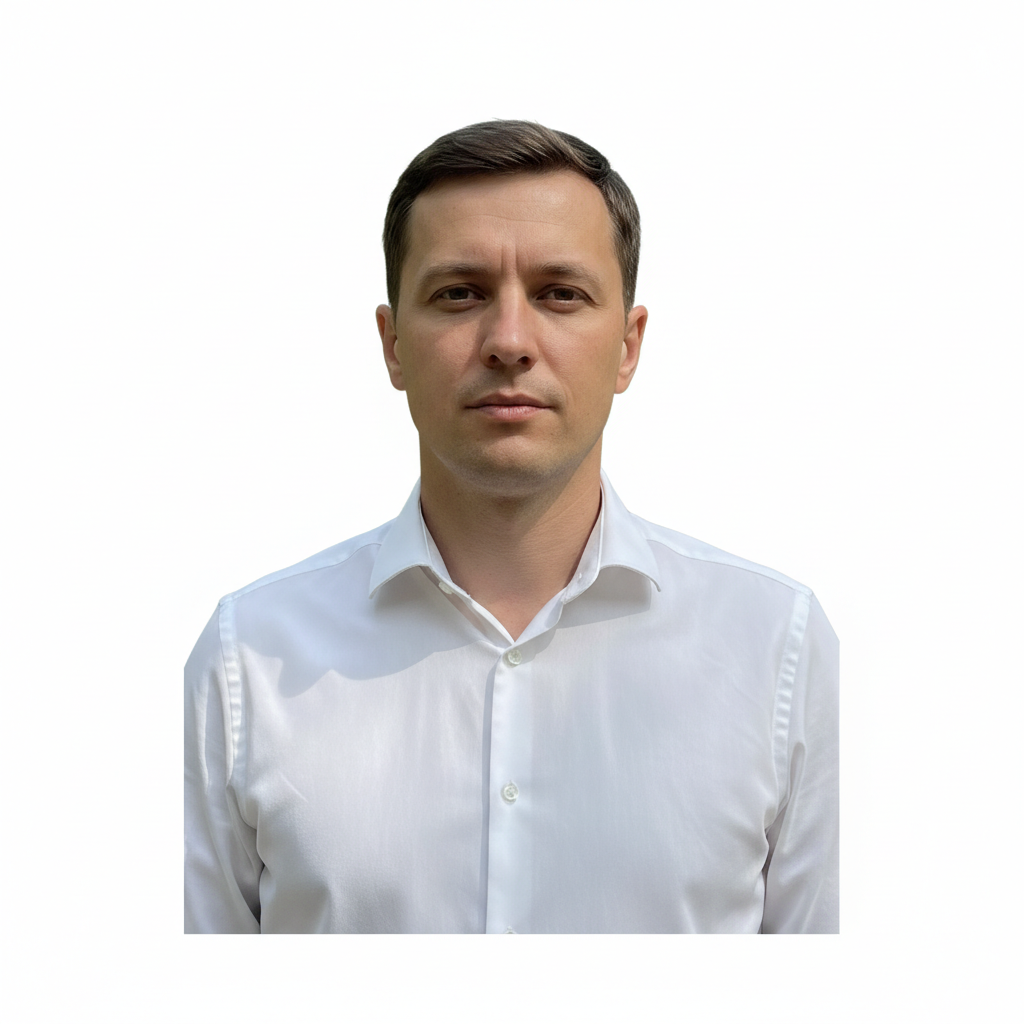
US passport compliant photo with white background
After

Outdoor photo to ID-ready

Photo taken outside with trees in background. All outdoor elements removed and replaced with compliant white background.

Prompt: create US passport compliant photo with white background, neutral expression, proper head position and lighting
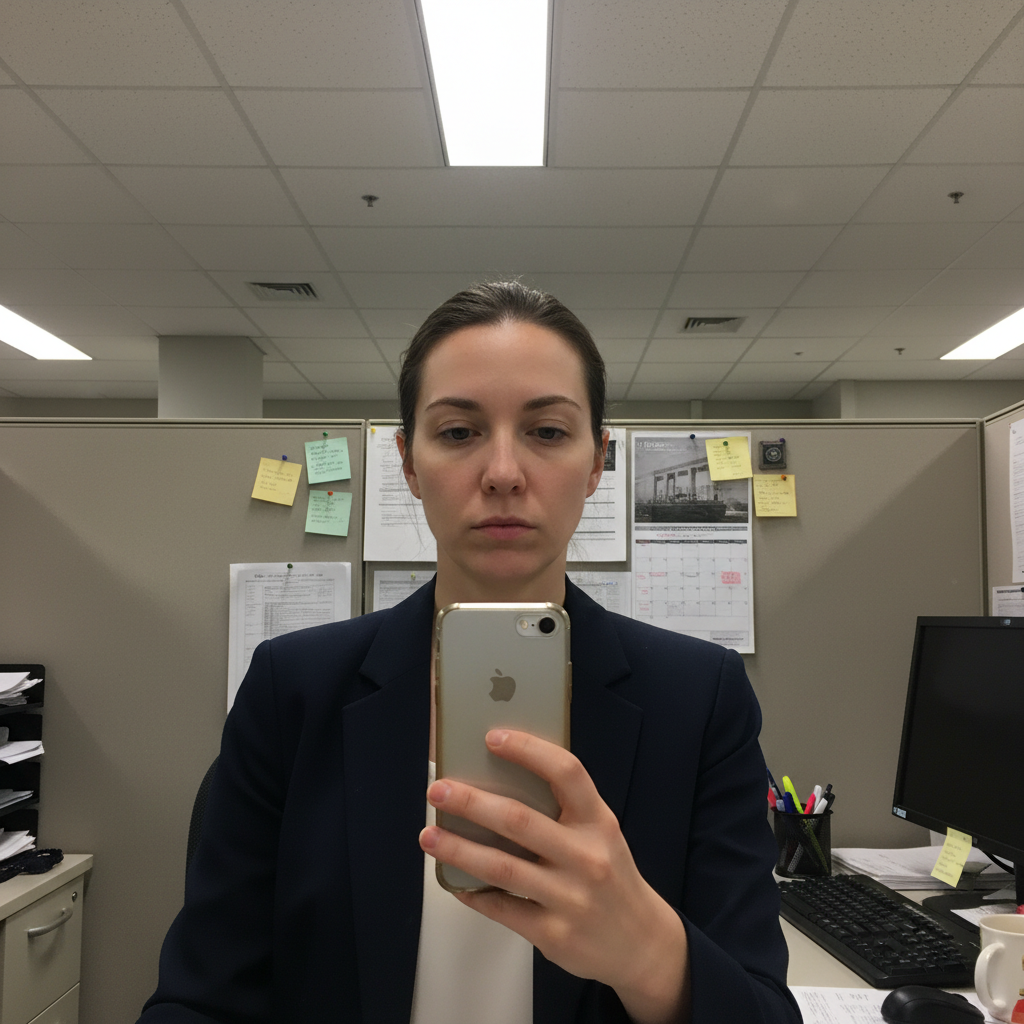
Office photo with harsh shadows and cubicle background
Before
->
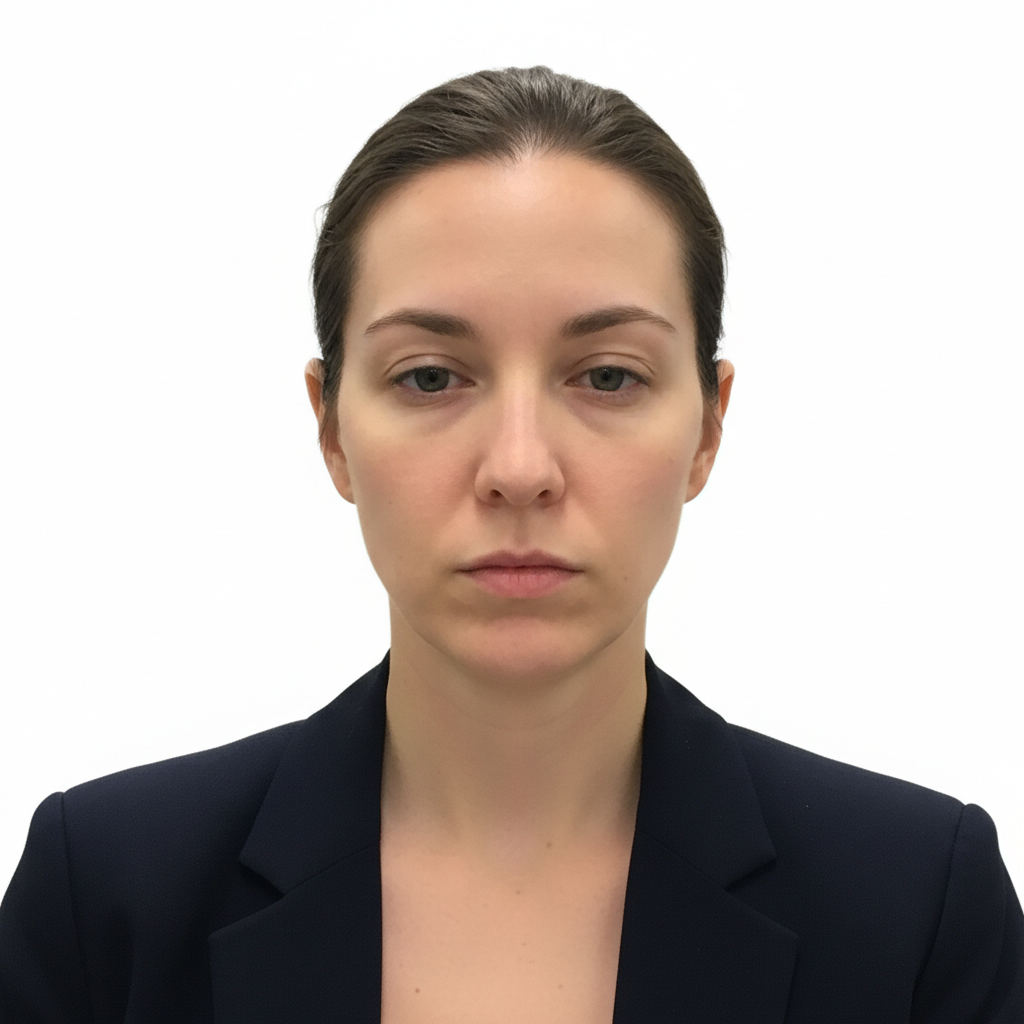
Passport photo with corrected lighting and white background
After

Office photo with shadow fix

Office photo with harsh overhead lighting creating shadows. Shadows corrected and background replaced for passport compliance.

Prompt: correct uneven lighting on face for passport photo compliance, pure white background, remove shadows
Advertisement

If something looks off

AI changed the wrong area or something I didn't want changed

Why: The AI couldn't determine exactly which area you meant from description alone. This happens with ambiguous requests.

Try: Tap a marker on the specific area you want to change, then regenerate with the same prompt

Tip: Markers tell the AI 'I mean THIS one specifically.' Use them when description alone is ambiguous.

Background isn't pure white—has gray areas or shadows

Why: Complex hair edges or dark clothing can create shadow artifacts against the new white background.

Try: make background pure white, remove all shadows and gray areas, clean seamless background

Tip: If you have very dark hair, take your photo against a light-colored wall to minimize edge artifacts.

Hair edges look choppy or have visible halos

Why: Fine hair strands are difficult to separate cleanly, especially with similar-colored backgrounds.

Try: Tap markers on hair edges, then: clean up hair edges against white background, smooth natural transition

Tip: Photos taken against plain, contrasting backgrounds produce cleaner edge separation.

Face still has shadows or uneven lighting

Why: The original photo had harsh lighting that's difficult to fully correct.

Try: brighten face evenly, remove all shadows under eyes nose and chin, uniform passport lighting

Tip: For best results, take a new photo facing a window. AI can only do so much with very harsh shadows.

Glasses have glare or reflections

Why: Original reflections in glasses can persist even after processing.

Try: remove glare and reflections from glasses completely, keep glasses on but lenses clear

Tip: Tilt your head slightly down when taking the photo to reduce glare, or take off glasses temporarily.

Expression changed or looks unnatural

Why: Some processing can subtly alter expressions when fixing lighting or other issues.

Try: keep my exact expression unchanged, only modify background and lighting

Tip: If expression matters, use a prompt focused only on background: 'replace background with white only, don't change face.'

Quick answers

Do I need to mark or select the background before generating a passport photo?

No. Just describe what you want: 'convert to passport photo with white background.' The AI automatically identifies and removes the background, replacing it with compliant white. Markers are only needed if you need to fix specific edge areas after the first result.

How do I make a passport photo at home for free?

Take a front-facing photo with neutral expression against any plain background. Upload to EditThisPic and type 'convert to passport photo with pure white background.' The AI handles background removal and formatting. Print at exact size required (2x2 inches for US) on photo paper. Free to create, just pay for printing.

Will my AI-generated passport photo be accepted?

Photos processed correctly typically meet requirements. Key factors: pure white background, neutral expression, even lighting, proper head position. However, we recommend reviewing your country's specific passport photo requirements and comparing your result. When in doubt, print multiple copies at different exposure levels.

Is there a free passport photo generator that doesn't require signup?

Yes. EditThisPic converts any photo to passport format without requiring an account or login. Upload your photo, describe 'passport photo with white background,' and download. No watermarks, no email required. You only need to print it yourself.

What are the requirements for a US passport photo?

US passport photos require: 2x2 inch size, white background, recent photo (within 6 months), neutral expression with mouth closed, eyes open, no glasses (preferred since 2016), face taking up 50-69% of frame, proper lighting with no shadows. EditThisPic handles background and lighting—you provide the expression and pose.

Ready to create your passport photo?

Free to try. No signup required.

Try it free