AI Etsy Mug Mockup Editor
Turn flat mug mockups into scroll-stopping lifestyle photos that make buyers click.
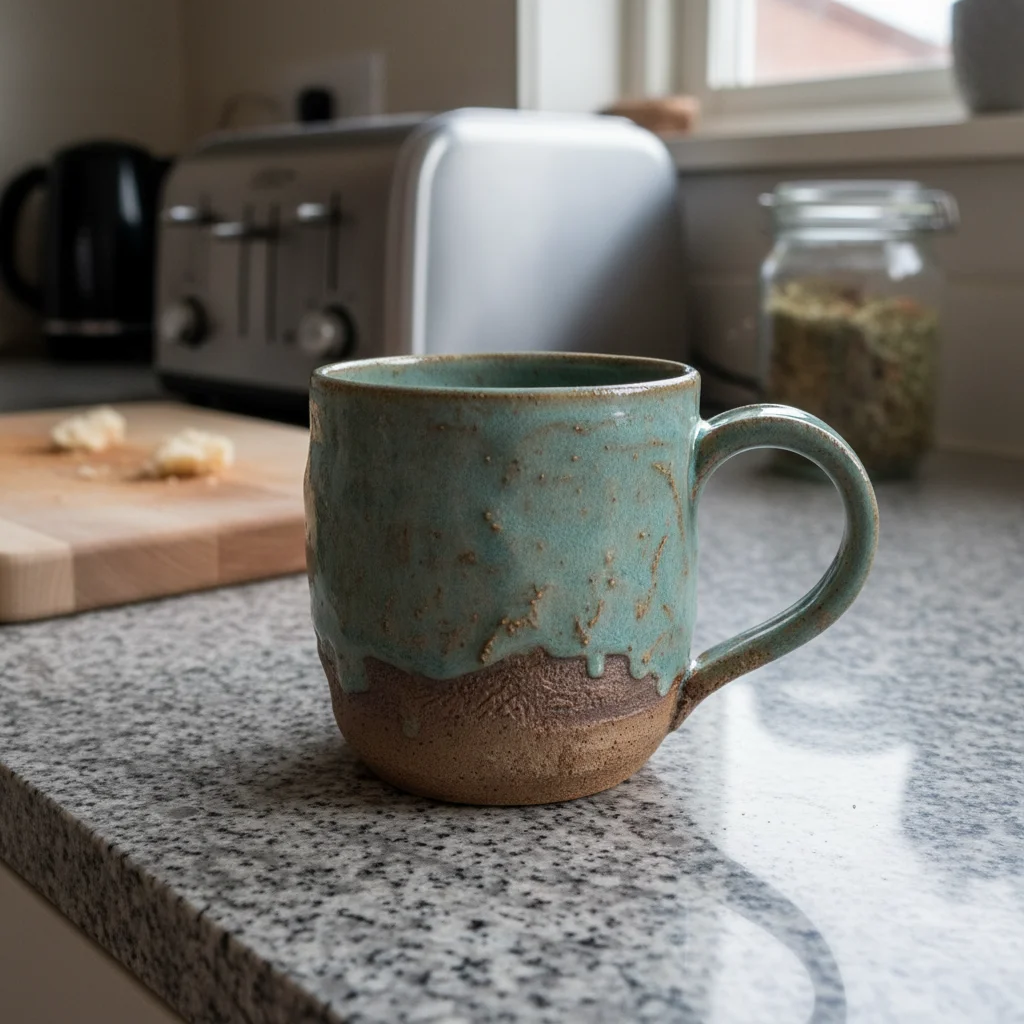
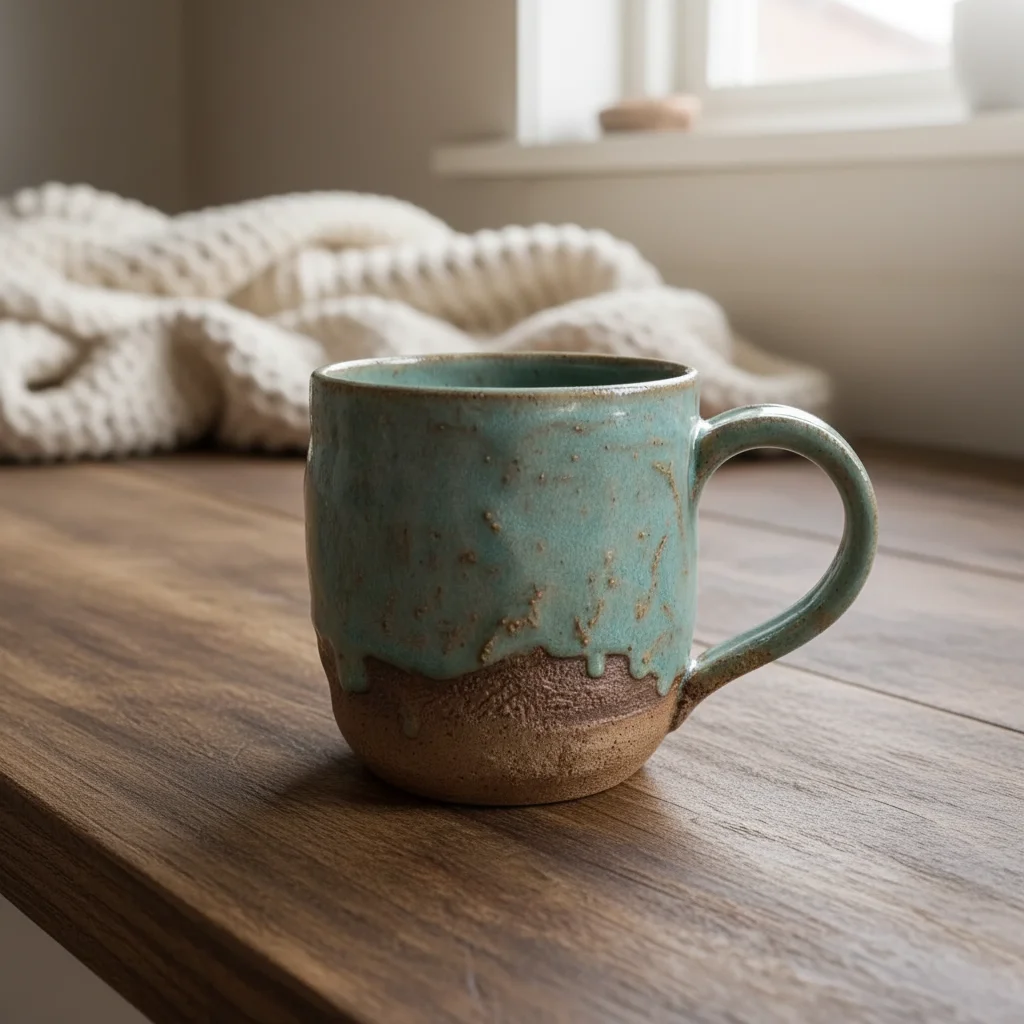
Drop your photo here
or click to browse
Release to upload
Free • No signup
"I sell 40+ mug designs but used to only have flat mockups. Now every design gets a lifestyle photo and my click-through rate doubled." @MorningBuzzDesigns
Built for Etsy Mug Sellers & POD Creators
Mug buyers scroll through hundreds of similar designs. The listing photo decides who gets the click. EditThisPic takes your mug photos or mockups and places them in lifestyle settings that stand out, cozy kitchens, morning coffee scenes, desk setups. Show your designs where mugs actually live instead of floating on a white void.
Tools Mug Sellers Use Most
Change Background
Place mugs in cozy kitchens, desks, or morning coffee scenes
Remove Background
Create clean isolated mug photos for consistent catalog views
Enhance Lighting
Fix flat mockup lighting to look like a real photograph
Enhance Colors
Make mug design colors vibrant and true to how they'll print
How to Edit Your Etsy Mug Photos
-
Upload your mug photo or mockup
Drop your mug image into EditThisPic. JPG, PNG, and WebP up to 7MB. Works with physical mug photos, digital mockups, or print-on-demand preview renders. Even basic mockup templates can be transformed.
Background swaps: 15-30 seconds. Lighting and color fixes: 15 seconds. -
Describe your ideal mug listing scene
Type what you want: 'place on cozy kitchen counter with morning light' or 'clean white background showing the full design wrap-around.' Think about where your target buyer uses their mug. Coffee lovers want kitchen scenes. Office workers want desk settings. Gift buyers want elegant styling.
Match the scene to your design theme. Funny quote mugs work great on a messy desk. Motivational mugs suit a clean morning routine. Pet designs look perfect with a pet bed blurred in background. -
Check design visibility and colors
Zoom in on the printed design area. Make sure text is readable, illustrations are sharp, and colors look accurate. The design is your product, so it needs to be the clearest thing in the photo.
If the design looks slightly washed out against the new background, add 'keep the mug design colors vibrant and clearly visible' to your prompt. -
Refine handle and rim edges if needed
Mug handles are thin and curved, sometimes making them tricky for background changes. If the handle looks blurred or distorted, tap a marker on the handle area and regenerate for crisp edges.
The inside rim of the mug is also worth checking. If it's visible, it should look clean and realistic.
Copy-Paste Prompts for Mug Sellers
replace background with warm kitchen counter, soft morning window light from left, coffee maker blurred in background, cozy morning routine atmosphere
The morning coffee scene is the single highest-converting background for mug listings. It's aspirational and relatable.
replace background with pure white seamless backdrop, soft even lighting showing the full mug design clearly, natural shadow beneath mug
Every mug listing needs at least one clean white shot. Buyers want to see the design without distractions.
place on a clean modern desk with blurred laptop and plant in background, soft natural office light, professional yet cozy workspace atmosphere
Perfect for funny office quotes, motivational mugs, and profession-themed designs.
make this mug look like a real photograph with natural imperfections, soft natural light, slight depth of field blur on background, not a digital render
The biggest issue with mockups is they look fake. This prompt adds the organic quality of a real photo.
Show 4 more prompts
place on a side table next to a stack of books, warm reading lamp light, cozy blanket blurred in background, bookworm atmosphere
Match the scene to the design theme. Book lovers will feel an instant connection.
place on a table with holiday decorations blurred in background, warm golden festive lighting, gift-giving atmosphere, candy canes or pine branches nearby
Mugs are the #1 holiday gift item on Etsy. Seasonal photos during Q4 can double your sales.
place on a rustic outdoor table, morning sunlight, blurred garden or porch in background, peaceful outdoor morning coffee moment
Nature, camping, and outdoor-themed mug designs feel right in an outdoor morning setting.
replace background with solid soft sage green color, smooth matte finish, even soft lighting, matching brand aesthetic across all mug listings
Pick one brand color and use it for all your listings. Instant shop cohesion that makes your brand look professional.
| Edit Type | Prompt | Time | |
|---|---|---|---|
| Morning kitchen | replace background with kitchen counter, morning window light, coffee maker blurred |
20s | Try This → |
| Clean white | replace background with pure white, soft shadow, full design visible |
15s | Try This → |
| Office desk | place on desk, laptop and plant blurred in background, office light |
20s | Try This → |
| Realistic look | make mockup look like real photo, natural imperfections, depth of field |
20s | Try This → |
Real Mug Seller Transformations
Mug mockup to morning coffee scene
Basic mug photo on a plain surface. Transformed into a warm, inviting kitchen scene that makes buyers crave their morning coffee in this mug.
replace background with warm kitchen counter, soft morning window light from left, coffee maker blurred in background, cozy morning atmosphere
Design colors enhanced for accuracy
Mug with a colorful design that looked washed out in the original photo. Color enhancement made the print look vibrant and true to the digital design file.
enhance the mug design colors to be vibrant and print-accurate, true to life, clean white background with soft shadow
Office mug in workspace setting
Funny office quote mug photographed on a kitchen table. Placed in a workspace context that matches the humor and resonates with office workers.
place on a modern desk, soft natural office light, blurred laptop and succulent plant in background, professional workspace atmosphere
Common Mug Photo Issues
Mug handle looks distorted or blurry after background change
Why: Handles are thin curved elements against the background, making them difficult for edge detection.
Tap markers on the mug handle and inside rim, then regenerate: preserve handle shape and detail sharply
Always check the handle at full zoom after any background change. One marker on the handle arc usually fixes it.
Printed design on the mug looks washed out in the new scene
Why: Lifestyle backgrounds with warm tones can reduce contrast on the mug's printed design area.
replace background with [your choice], keeping the mug design colors vibrant and clearly readable against the new scene
Add 'with the mug design as the focal point' to ensure the AI prioritizes design visibility over background prettiness.
Mug still looks like a digital mockup, not a real photo
Why: Digital mockups have perfectly even lighting and zero imperfections, which reads as 'fake' to buyers.
make this mug look like a real photograph, add subtle natural imperfections, soft depth of field, realistic lighting with slight directional quality
Real photos have slight shadow variation, micro-reflections, and depth blur. Mentioning these adds authenticity.
Text on the mug is unreadable in the lifestyle scene
Why: Complex backgrounds can compete with text-heavy mug designs, reducing readability.
replace background with [your choice], ensuring all text on the mug remains sharp, readable, and the primary focus
For text-heavy designs, simpler backgrounds work best. A clean counter with blurred background won't compete with your text.
Multiple mug angles look inconsistent in lighting
Why: Different photos taken at different times have different lighting conditions, creating an inconsistent collection.
enhance lighting to be soft, warm, and natural, matching consistent brand lighting across all product photos
Apply the exact same lighting prompt to every angle of the same mug. Consistent lighting = professional collection.
Frequently Asked Questions
Can I make a digital mockup look like a real photograph?
Yes. Prompt: 'make this mug look like a real photograph with natural imperfections, soft natural light, slight depth of field.' The AI adds the organic qualities that distinguish real photos from renders: subtle shadow variation, micro-reflections, and natural depth blur. Most buyers can spot a fake mockup immediately.
What lifestyle scene sells mugs best on Etsy?
The morning kitchen scene is the universal winner: 'warm kitchen counter, morning window light, coffee maker blurred in background.' Beyond that, match the scene to the design: office desk for work humor, reading nook for book quotes, outdoor table for nature themes. Context that matches the design's audience converts highest.
How do I show the design wraps around the mug?
Take two photos: front-facing and slightly rotated. Apply the same background prompt to both. Etsy allows 10 photos per listing, so show at least 2-3 angles with the same styling. Each angle lets buyers see different parts of the wrap-around design.
Do I need a physical mug sample for good photos?
It helps but isn't required. Digital mockups can be enhanced to look realistic. However, physical samples with your actual print quality always look more authentic. If you sell 50+ designs, photograph 5-10 best sellers with physical samples and use enhanced mockups for the rest.
How do I make my mug listings stand out from competitors?
Lifestyle photos. Most POD sellers use identical generic mockups. A mug in a cozy kitchen scene instantly looks different and more appealing than a mug floating on white. Use EditThisPic to create 2-3 unique lifestyle scenes for each design, plus one clean white detail shot.
Can I create seasonal mug photos for holiday promotions?
Absolutely. Same mug, different backgrounds: 'holiday table with pine and candlelight' for Christmas, 'spring garden table with flowers' for spring, 'cozy blanket and fall leaves' for autumn. Mugs are the #1 gift item on Etsy, so seasonal photos during Q4 can dramatically boost sales.
Ready to make your mug designs sell themselves?
Lifestyle mug photos without ordering samples. Free to try.
Start Editing Your Mug Photos