Free • No signup Apply Old age filter · Free

AI Old Age Filter

Describe the old age look you want and AI ages your face instantly. No marking needed.
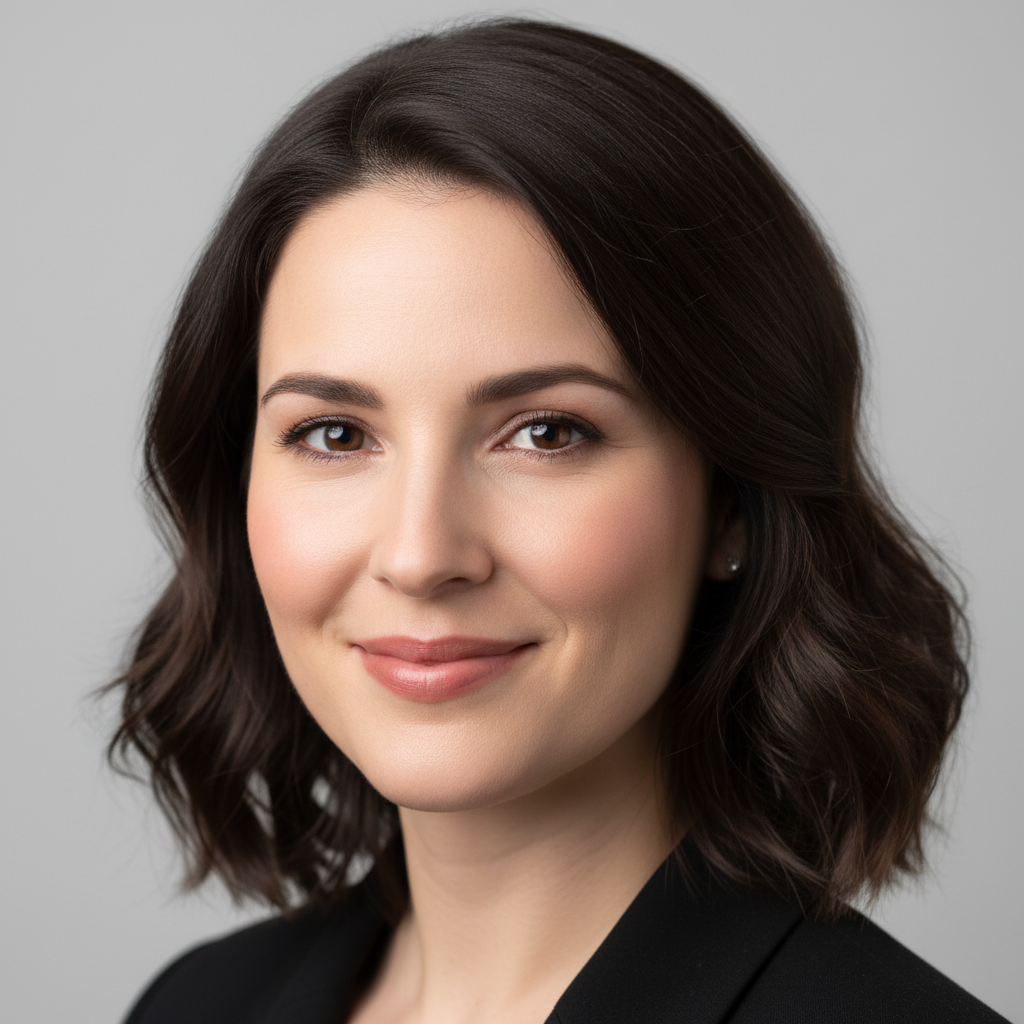
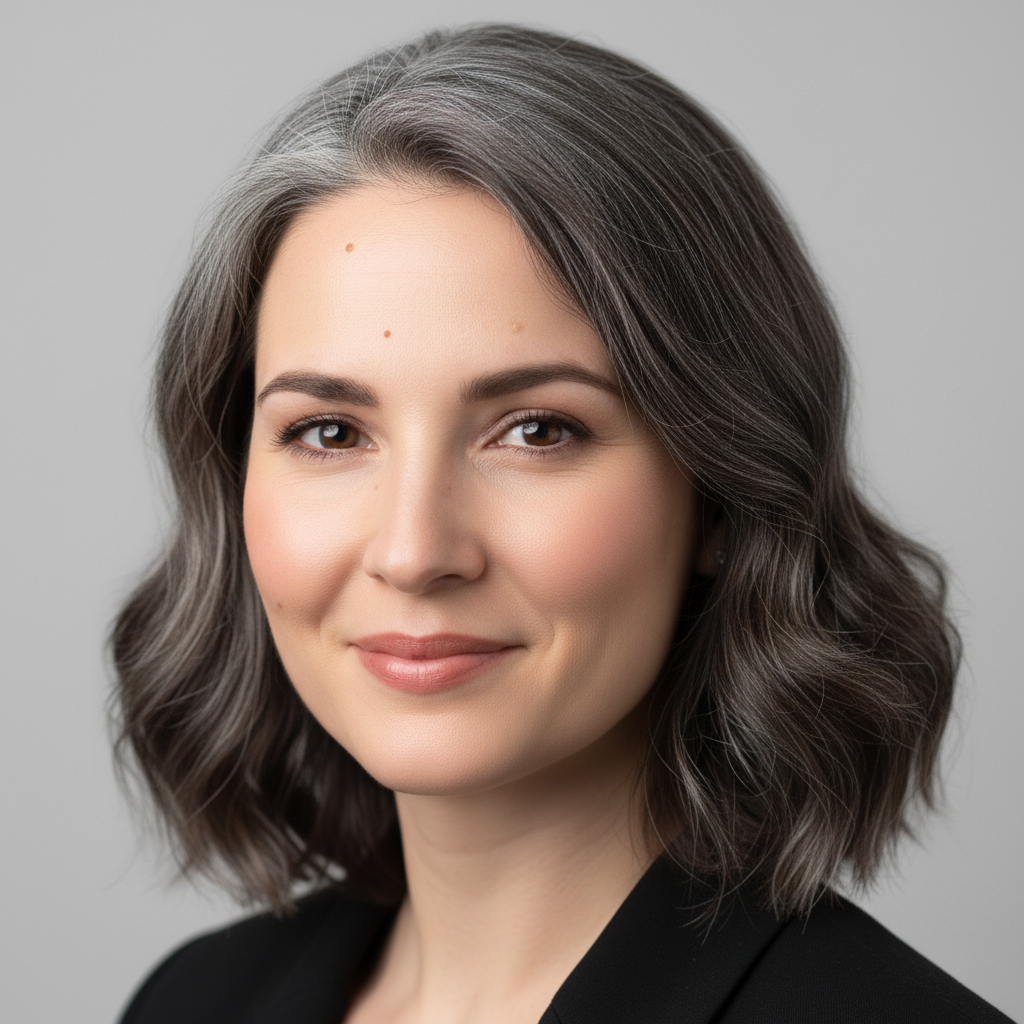
Young woman in her 20s with smooth skin and blonde hair
Before
Same woman aged to 80 with deep wrinkles and grey hair
After

AI Old Age Filter

Drop your photo here

or click to browse

Release to upload

Free • No signup

Advertisement
Popular use cases:
  • old age filter
  • aging filter app
  • face aging effect
  • wrinkle filter
  • grey hair filter
  • old face challenge
  • TikTok age filter
  • social media aging trend

Cost
Free No signup required
Time
Instant results in 15-30 seconds
Works on
Any device - browser, phone, tablet, desktop
Powered by
AI-powered photo editing
Scenario Prompt Time
Quick old age filter apply old age filter with wrinkles and grey hair 30s
Specific age target make this person look 80 years old 35s
Extreme aging age to 95 with deep wrinkles and white hair 45s

How it works

  1. Upload your photo

    Drop your image into EditThisPic. JPG, PNG, WebP up to 7MB. Clear, well-lit face photos work best. Front-facing selfies with good lighting produce the most realistic old age effects.

    Expect: Simple old age filter: 30-40 seconds. Dramatic aging with full detail: 45-60 seconds and may need refinements.
  2. Describe the old age look

    Type what you want: 'apply old age filter with deep wrinkles, grey hair, and age spots' or simply 'make this person look very old.' Be specific about which aging details you want for more control. No marking needed—the AI understands faces and applies aging effects automatically.

    Tip: Mention specific aging features like 'crow's feet', 'forehead lines', 'sagging jowls' for a more detailed and realistic old age effect.

    Copy one of these to get started:

    Classic old age filter apply an old age filter to this face with deep wrinkles, grey hair, and sagging skin, make them look 80 years old
    Gentle aging add subtle aging to this face - fine lines around the eyes, slight grey at the temples, and mild skin aging
    Extreme old age make this person look extremely old at 95 with deep weathered wrinkles, white hair, sunken cheeks, and thin skin
    Distinguished elderly look age this person to a distinguished elderly look with silver hair, laugh lines, and wise weathered features
    3 more prompts
    Social media challenge style apply a viral old age filter that makes this person look 70 with realistic wrinkles and completely grey hair
    Old age with glasses make this person look elderly at 75 with reading glasses, grey hair, wrinkles, and a warm grandfather expression
    Before and after aging comparison age this person by 50 years with photorealistic wrinkles, natural hair loss, age spots, and weathered skin texture
  3. Review the aged result

    Check that the aging looks natural and consistent across the entire face. Wrinkles should follow natural facial lines, skin texture should be uniform, and the person should still be recognizable under the aging effects.

  4. Refine with markers if needed

    If specific areas like the forehead, eye area, or neck need more or less aging, tap markers on those spots and regenerate. Most old age filters look great on the first try.

    Tip: Markers are for precision refinement only. Try without them first—you usually won't need them.
Try it free

AI Old Age Filter

Drop your photo here

or click to browse

Release to upload

Free • No signup

"Used this for the old age challenge on TikTok and it blew up. The wrinkles looked so real that my followers actually believed it was a photo of my grandparent. Got more engagement than anything I've ever posted." @TikTokCreator_Ava

See it in action

Young woman in her 20s with smooth skin and blonde hair
Before
->
Same woman aged to 80 with deep wrinkles and grey hair
After

Young woman with old age filter

A 22-year-old woman's selfie transformed with a realistic old age filter showing deep wrinkles and grey hair.

Prompt: apply an old age filter to this face with deep wrinkles, grey hair, and sagging skin, make them look 80 years old
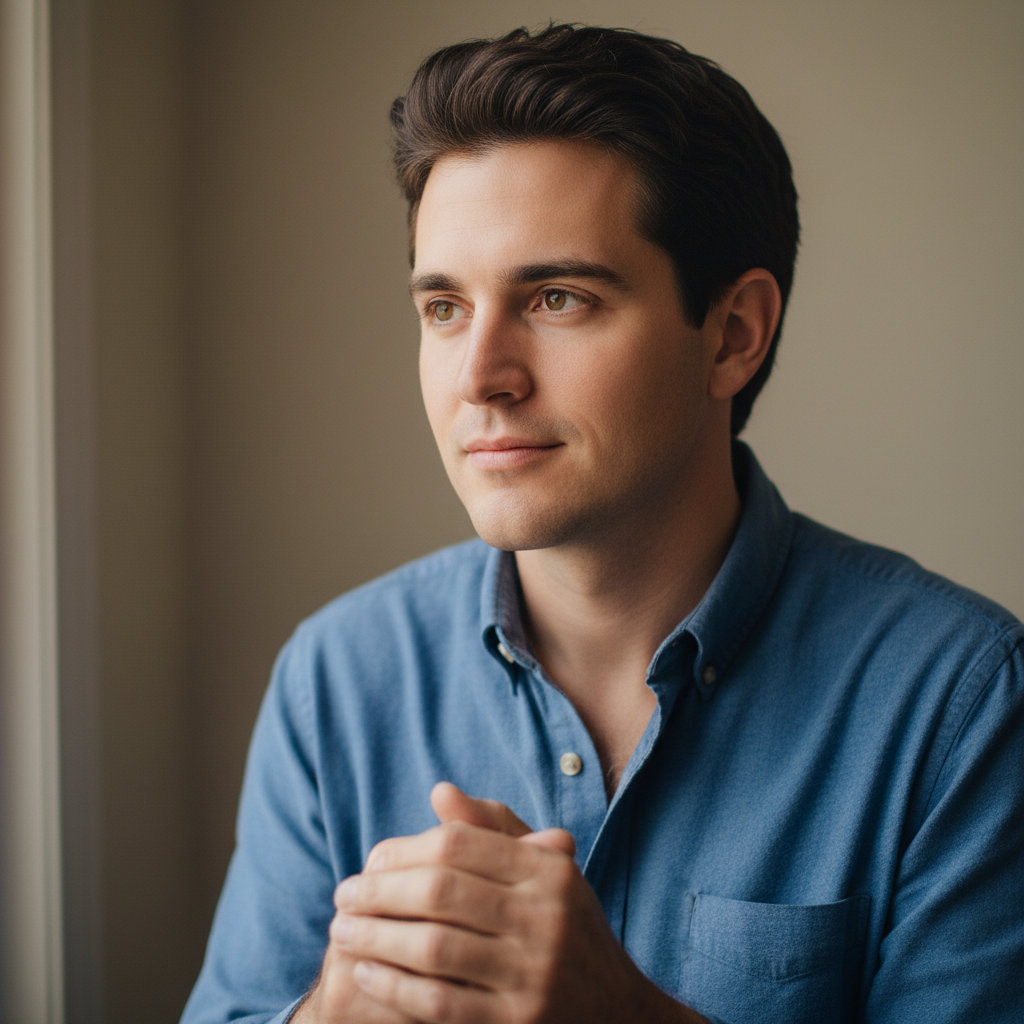
Young man with clean shaven face and dark hair
Before
->
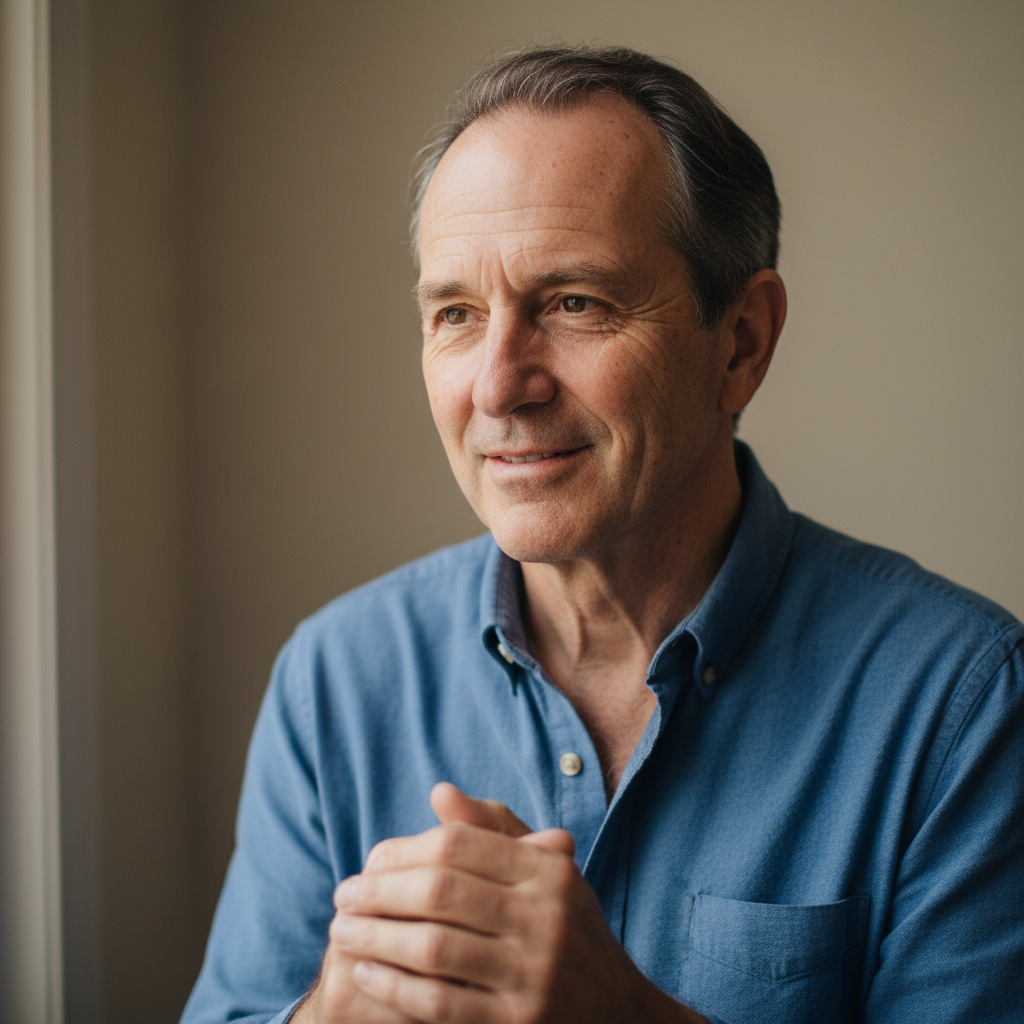
Same man as distinguished elderly gentleman with silver hair
After

Man with distinguished elderly look

A young man's portrait transformed into a distinguished elderly gentleman with silver hair and laugh lines.

Prompt: age this person to a distinguished elderly look with silver hair, laugh lines, and wise weathered features
Advertisement

If something looks off

AI changed the wrong area or something I didn't want changed

Why: The AI couldn't determine exactly which face to age from description alone. This happens with group photos or ambiguous instructions.

Try: Tap a marker on the specific face you want to age, then regenerate with the same prompt

Tip: Markers tell the AI 'I mean THIS face specifically.' Use them when there are multiple people in the photo.

Wrinkles look drawn on rather than realistic

Why: The AI applied wrinkle patterns as surface lines instead of realistic skin deformation with depth and shadow.

Try: apply photorealistic aging wrinkles with proper depth, shadows, and natural skin folding patterns

Tip: 'Depth and shadows' tells the AI wrinkles need three-dimensionality, not just dark lines on skin.

Only part of the face looks aged

Why: The AI focused aging on one area (usually around eyes) and left other areas looking young.

Try: apply consistent old age effects across the entire face - forehead, cheeks, jawline, neck, and around the mouth

Tip: Listing specific face zones ensures the AI ages everything uniformly.

Person is unrecognizable after the old age filter

Why: The AI over-applied aging effects and distorted the underlying facial structure beyond recognition.

Try: age this person realistically while preserving their facial identity - same eye shape, nose, and overall face structure

Tip: 'Preserve facial identity' is the key phrase that prevents the AI from changing who the person looks like.

Hair color didn't change or looks unnatural

Why: The AI focused on facial skin aging and skipped or poorly handled the hair greying process.

Try: apply old age filter including natural grey/white hair transition, thinning hair texture, and receding hairline if appropriate

Tip: Hair aging involves more than color change—'thinning' and 'texture' make it look real.

Quick answers

Do I need to mark my face before applying the old age filter?

No! Just describe what you want: 'apply old age filter' or 'make me look 80 years old.' The AI detects your face and applies aging effects automatically. Only use markers if there are multiple people and you want to age just one person.

How do I apply an old age filter to my photo for free?

Upload a clear selfie to EditThisPic and type 'apply old age filter with wrinkles and grey hair.' The AI generates realistic aging effects in about 30 seconds. Specify target age or particular features for more control over the result.

Is there a free old age filter that doesn't require login?

Yes, EditThisPic is free to try with no account needed. Upload your photo, describe the old age effect, and download the result. No watermarks. Perfect for social media challenges and fun with friends.

What is the best free AI old age filter for realistic results?

EditThisPic offers free AI aging with no signup. Unlike one-size-fits-all filter apps, the AI analyzes your actual face structure and generates personalized wrinkles, skin changes, and hair aging that follow your natural facial lines. Each result is unique to the face in the photo.

Ready to see yourself with the old age filter?

Free to try. No signup required.

Try it free