AI Etsy Lifestyle Photo Editor
Place your products in styled homes and real-life scenes without hiring a photographer or renting a studio.
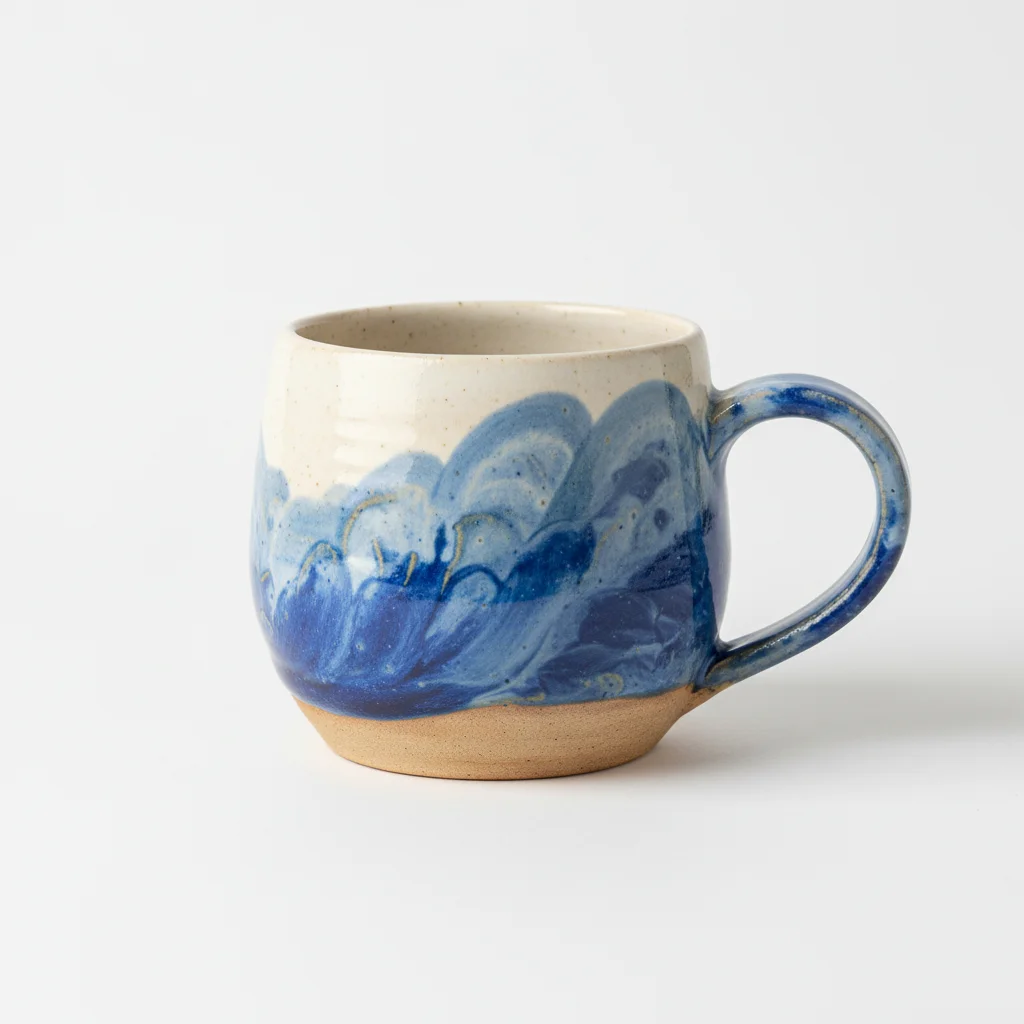
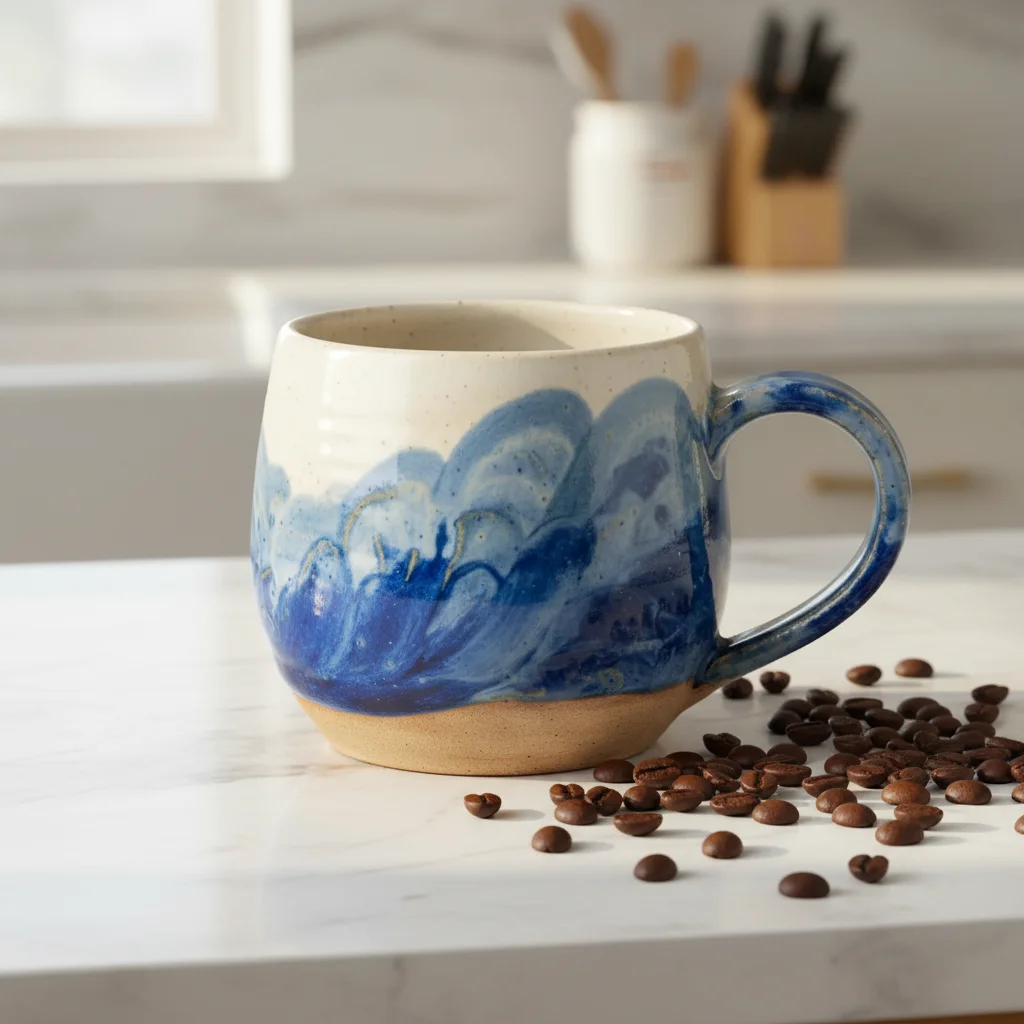
Drop your photo here
or click to browse
Release to upload
Free • No signup
"I used to spend $500 per photo shoot for lifestyle images. Now I create them in seconds and my conversion rate is actually HIGHER." @OakAndLoomHome
Built for Etsy Sellers Who Need Lifestyle Photos
Lifestyle photography is what separates 'nice product' from 'I need this in my life.' When buyers see your candle on a cozy reading nook table or your cutting board in a sunlit kitchen, they're not just buying a product. They're buying the lifestyle. EditThisPic creates those aspirational scenes by placing your real product in any setting you can describe.
Tools for Creating Lifestyle Shots
Change Background
The core tool for placing products in any lifestyle setting you can imagine
Enhance Lighting
Add the warm, natural lighting that defines lifestyle photography
Enhance Colors
Make product colors pop naturally within the lifestyle scene
Remove Background
First step: isolate your product for cleaner lifestyle compositing
How to Create Etsy Lifestyle Product Photos
-
Upload your product photo
Drop your product photo into EditThisPic. JPG, PNG, and WebP up to 7MB. Any clean product shot works, even one on a white background or kitchen table. The cleaner the product edges, the better the lifestyle result.
Lifestyle scene creation: 20-30 seconds. May need 1-2 refinements for complex scenes. -
Describe your ideal lifestyle scene
Type a detailed scene description: 'place on a sunny kitchen counter with fresh herbs nearby, morning light from window on the left, bright airy cooking atmosphere.' The more specific your description, the better the scene. Think about WHERE your customer will use this product and WHEN (morning, evening, holiday).
Include three elements: surface (counter, table, shelf), lighting (morning, golden hour, soft lamp), and mood (cozy, minimal, festive). This trio creates convincing scenes. -
Check product integration looks natural
The product should look like it naturally belongs in the scene, not pasted on. Check that shadows match the lighting direction, reflections are consistent, and the scale makes sense relative to other objects in the scene.
If the product looks 'floaty' or disconnected, add 'with natural shadow beneath the product matching the scene lighting' to your prompt. -
Refine product edges with markers
If your product edges look rough where they meet the new scene, tap markers on the transition areas and regenerate. This is especially important for products with irregular shapes, fringed edges, or transparent elements.
Products with clean, defined edges integrate better. If your product has complex edges (yarn, lace, greenery), take a moment to mark those areas for precision.
Copy-Paste Lifestyle Scene Prompts
place on a cozy living room coffee table, soft afternoon window light, comfortable sofa blurred in background, warm blanket draped nearby, inviting relaxed atmosphere
The living room coffee table is the most versatile lifestyle setting. Works for candles, books, decor, mugs, and more.
place on a clean bright kitchen counter, morning sunlight streaming through window, fresh herbs or fruit blurred nearby, airy modern kitchen atmosphere
Kitchen scenes work for cutting boards, towels, soap, mugs, organizers, and any kitchen-adjacent product.
place on a bedroom nightstand, warm lamp light, cozy bedding blurred in background, peaceful evening atmosphere, personal intimate setting
Intimate settings work for candles, jewelry dishes, small art, skincare, and personal care items.
place on a rustic outdoor patio table, golden hour sunlight, garden plants blurred in background, peaceful summer evening atmosphere
Golden hour lighting makes everything look magical. Perfect for spring and summer seasonal listings.
Show 4 more prompts
place on a clean white Scandinavian-style shelf, minimal decor, soft diffused natural light, modern minimalist aesthetic with lots of white space
Minimalist settings let your product be the hero. Great for modern, clean-lined products.
place on a table with holiday decorations, warm golden string lights blurred in background, pine branches and cinnamon sticks nearby, festive cozy celebration atmosphere
Start creating holiday lifestyle photos in October. Early seasonal listings get indexed before the shopping rush.
place on a clean bathroom shelf, white towels rolled nearby, small succulent plant, bright natural light, calming spa-like atmosphere
Spa settings work for soap, candles, bath products, and skincare. Clean and calming wins.
place on a rustic farmhouse dining table, natural linen runner, wildflowers in a jar nearby, warm natural window light, homey country kitchen feel
Farmhouse aesthetic is consistently one of the top-performing styles for Etsy home goods.
| Edit Type | Prompt | Time | |
|---|---|---|---|
| Living room | place on coffee table, afternoon window light, sofa blurred in background |
25s | Try This → |
| Kitchen morning | place on kitchen counter, morning sunlight, fresh herbs nearby |
25s | Try This → |
| Outdoor golden hour | place on patio table, golden hour light, garden plants blurred |
25s | Try This → |
| Holiday festive | place on table with pine branches, warm string lights, festive atmosphere |
25s | Try This → |
Real Lifestyle Photo Transformations
Product placed in cozy living room
Handmade product photographed on a plain surface with no context. One prompt created an aspirational living room scene that makes buyers envision it in their home.
place on a cozy living room coffee table, soft afternoon window light, comfortable sofa and blanket blurred in background, warm inviting atmosphere
Kitchen counter morning scene
Product photographed on a cluttered desk. Transformed into a bright, airy kitchen scene that shows the product in its natural habitat.
place on bright kitchen counter, morning sunlight from window, fresh greenery nearby, modern airy kitchen atmosphere
Seasonal holiday transformation
Standard product shot transformed into a festive holiday scene. Same product, completely different buying context for seasonal sales.
place on a holiday table with pine branches, warm golden string lights in background, festive cozy atmosphere, cinnamon sticks nearby
Common Lifestyle Photo Issues
Product looks pasted onto the scene, not naturally part of it
Why: The shadow, lighting direction, or scale doesn't match between your product and the generated scene.
place product in [your scene], with natural shadow beneath matching the scene lighting direction, product scale proportional to environment
Mention the light direction explicitly: 'window light from left casting shadow to the right.' When shadow direction matches, products look natural.
Product colors look different in the lifestyle scene
Why: The warm or cool tone of the scene background affects how your product colors appear, especially white and pastel products.
place product in [your scene], maintaining exact original product colors and materials, scene lighting should enhance not alter the product
If your product is cool-toned (silver, blue, gray), avoid very warm scenes. If it's warm-toned (gold, red, brown), warm scenes complement naturally.
Scene looks generic or AI-generated
Why: Vague scene descriptions produce generic results. 'Nice room' gives you a generic room.
Be more specific: 'place on a mid-century modern walnut side table, Eames chair blurred in background, large sunny window with white curtains, afternoon light creating long warm shadows'
Specificity is everything. Name furniture styles (mid-century, farmhouse, Scandinavian), materials (walnut, marble, linen), and exact light quality (golden hour, morning, soft lamp).
Product edges look rough or have artifacts where they meet the scene
Why: Complex product edges (yarn, fringe, irregular shapes) are harder to integrate cleanly into new backgrounds.
Tap markers on the product edges, especially any frayed, fringed, or detailed areas, then regenerate for clean integration
Start with the cleanest product photo you have. Clean edges = better lifestyle results.
Scene doesn't match my target buyer's aesthetic
Why: Your scene description may not match what your actual customer's home looks like or aspires to.
Think about your buyer persona. A 25-year-old apartment dweller wants 'bright modern small space with plants.' A 45-year-old homeowner wants 'spacious farmhouse kitchen with natural light.'
Browse your own Etsy reviews and customer messages. What words do THEY use to describe their homes? Use those words.
Frequently Asked Questions
Do I need a professional product photo first, or can I use a phone photo?
Phone photos work great. The key is a clear, well-lit photo of your product, even if it's on your kitchen table. The AI replaces everything around the product with your chosen lifestyle scene. Better product lighting in the original = better integration into the scene. But phone photos are absolutely sufficient.
What lifestyle scenes work best for selling on Etsy?
It depends on your product category. Candles: cozy living room or bedroom. Kitchen items: bright morning kitchen. Jewelry: marble vanity or elegant display. The universal rule is: show the product WHERE the buyer will use it and WHEN (morning coffee, evening relaxation, holiday celebration). Context triggers the emotional buying response.
Can I create seasonal lifestyle photos without re-photographing products?
Yes, this is one of the biggest advantages. Take one good product photo and create four seasonal variations: spring garden, summer patio, fall cozy, winter holiday. Same product photo, four different prompts. Update your listings seasonally to stay relevant in search results.
How do I make sure my product doesn't look fake in the scene?
Three things: 1) Match shadow direction to scene lighting, 2) Ensure product scale is realistic relative to furniture, 3) Match color temperature. Mention all three in your prompt: 'natural shadow matching the window light from left, realistic scale on the coffee table, warm color temperature matching the scene.'
Is it okay to use AI lifestyle photos on Etsy?
Yes. Etsy allows AI-assisted and AI-generated images in product listings. Many top sellers use background replacement and scene generation tools. The key is that your PRODUCT in the photo should be real and accurately represented. Lifestyle backgrounds are just context and staging.
How many lifestyle photos should each Etsy listing have?
Aim for 2-3 lifestyle shots plus 2-3 clean product detail shots. Etsy allows 10 images. Use them: 1) Hero lifestyle shot, 2) Different angle lifestyle, 3) Close-up detail on white, 4) Scale reference, 5) Additional angles. The first image (hero lifestyle) is most important as it appears in search results.
Ready to create lifestyle photos that sell?
Professional lifestyle photography without the professional photographer. Free to try.
Start Creating Lifestyle Photos