Amazon Lifestyle Image Editor for Product Listings
Transform plain product photos into compelling lifestyle images showing your product in real-world settings. No photo studio needed.
Drop your photo here
or click to browse
Release to upload
Free • No signup
"I sell kitchen gadgets and couldn't afford lifestyle photography for 200 SKUs. EditThisPic let me create lifestyle images for every product in a weekend." @KitchenSellerPro
Why Lifestyle Images Sell More on Amazon
Amazon shoppers can't touch or try your product. Lifestyle images bridge that gap by showing your product in context - on a kitchen counter, in a living room, being used by a person. These images trigger the 'I can see myself using this' response that drives purchases. EditThisPic lets you create these scenes from a simple product photo, no studio or props required.
Tools for Amazon Lifestyle Images
Change Background
Replace white background with any lifestyle scene or environment
Background Changer
Swap product background to any setting - home, office, outdoors
Enhance Lighting
Match product lighting to the new lifestyle scene for realistic blending
Enhance Photo
Improve overall quality for professional lifestyle presentation
Create Amazon Lifestyle Product Images
-
Upload your product photo
Drop your product photo into EditThisPic. A clean white background photo works best as the starting point - the AI can easily separate your product and place it into a new scene. High resolution ensures your product looks sharp in the lifestyle setting.
Products on white backgrounds: seamless scene placement. Products on busy backgrounds: remove background first. -
Describe your ideal lifestyle scene
Be specific about the setting: 'place this kitchen timer on a marble countertop next to a cutting board and fresh herbs, warm morning light from a window, lifestyle product photography.' The more detail you provide about the scene, the more realistic and compelling the result.
Match the scene to your target customer. Kitchen products on beautiful counters, fitness products in a gym, office supplies on a clean desk. Think about where your customer would use this. -
Check product integration
Verify that your product looks natural in the scene. Lighting should match, shadows should be consistent, and the product scale should be realistic. The product should look like it belongs in the scene, not pasted on top of it.
If the lighting feels off, add 'match product lighting to scene environment' in a refinement prompt. -
Download for your Amazon listing
Download the lifestyle image as high-quality PNG or JPG. Upload to Amazon image slots 2-7. Lifestyle images work best in slots 3-5, between your infographic and detail shots.
Create 2-3 different lifestyle scenes per product: one showing the product in use, one in its typical environment, one showing the lifestyle it enables.
Amazon Lifestyle Image Prompts
place product on a clean marble kitchen countertop with warm morning light from a window, cutting board and fresh herbs in soft background, professional lifestyle product photography
Kitchen scenes with natural light are the most compelling for kitchen products. Keep props minimal and blurred.
place product in a modern minimalist living room setting with natural afternoon light, subtle decor in background, cozy and inviting atmosphere, editorial product photography
Living room scenes work for home decor, electronics, and lifestyle products. Keep the room style matching your brand.
place product in an outdoor adventure setting with natural lighting, mountains or forest in soft background, active lifestyle context, professional outdoor product photography
Outdoor scenes are powerful for fitness, camping, and adventure products. Natural lighting looks most authentic.
place product on a clean modern desk workspace with laptop and coffee cup in soft background, natural office lighting, professional and productive atmosphere
Office scenes are ideal for tech accessories, desk organizers, and productivity tools.
Show 4 more prompts
place product on a clean bathroom vanity with marble surface, soft towels and plants in background, spa-like atmosphere, warm natural lighting
Bathroom scenes with clean, spa-like aesthetics work great for beauty and personal care products.
place product in a modern gym or home workout setting, exercise equipment softly visible in background, energetic lighting, active lifestyle product photography
Fitness settings should look clean and modern, not cluttered. Focus on the product as the hero element.
show product as if being unboxed or gifted, elegant wrapping or tissue paper nearby, warm celebratory lighting, premium gift presentation photography
Gift scenes work well during holiday seasons and for products commonly purchased as gifts.
place product in a warm festive holiday setting with subtle seasonal decorations in background, cozy natural lighting, lifestyle product photography with seasonal appeal
Seasonal lifestyle images can boost conversion during peak shopping periods. Update seasonally if possible.
| Edit Type | Prompt | Time | |
|---|---|---|---|
| Kitchen scene | place on marble countertop with morning light, lifestyle photography |
25s | Try This → |
| Living room scene | place in modern living room, natural afternoon light |
25s | Try This → |
| Outdoor setting | place in outdoor adventure setting, natural lighting |
25s | Try This → |
| Office workspace | place on clean modern desk, professional atmosphere |
25s | Try This → |
Amazon Lifestyle Image Examples
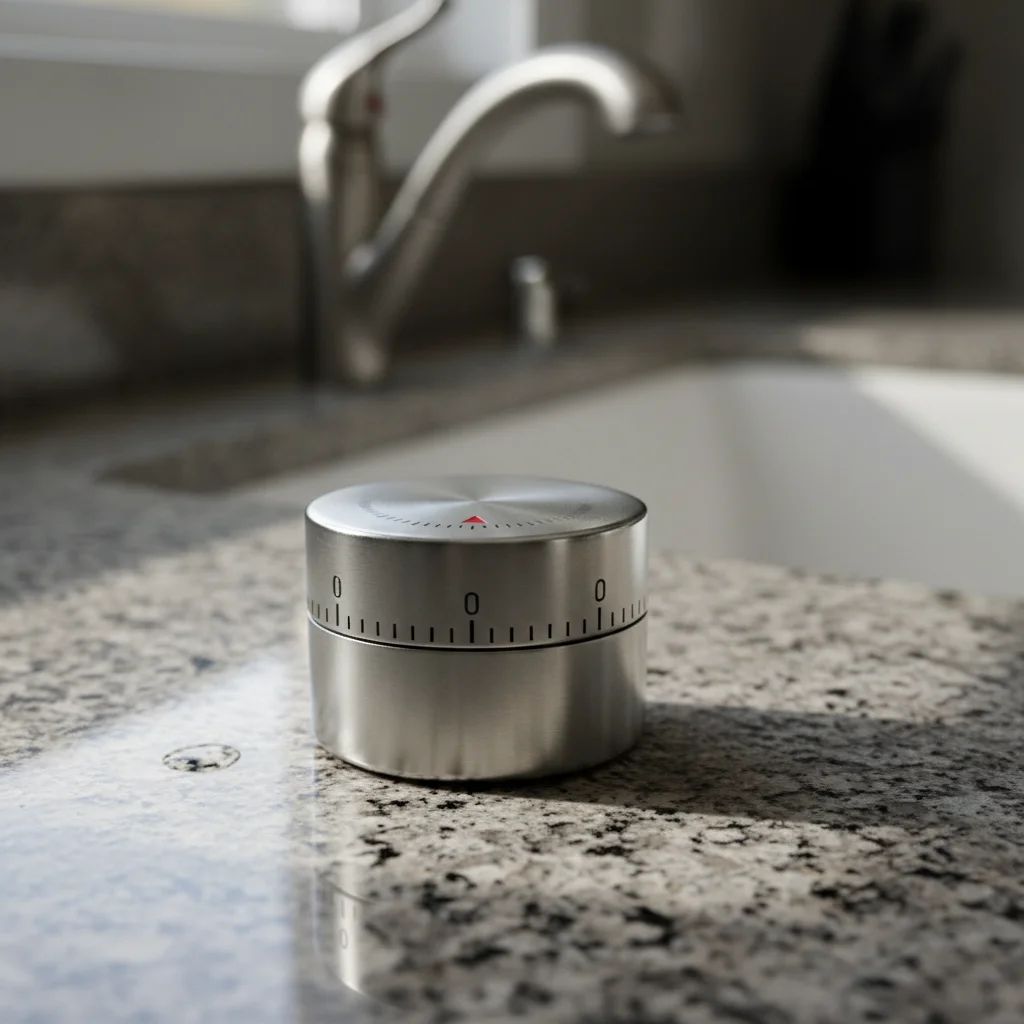
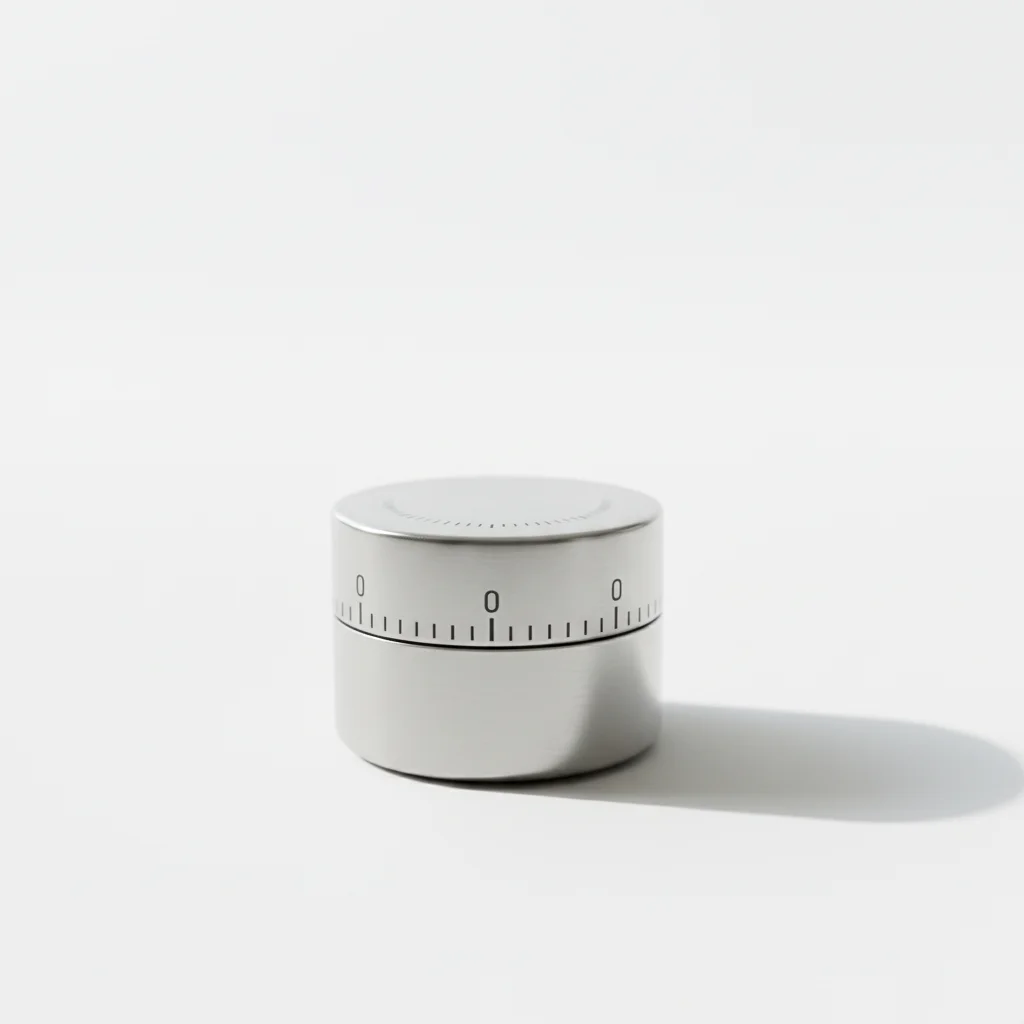
Kitchen product in morning scene
Stainless steel kitchen timer placed on marble countertop with warm morning light. From sterile white background to inviting kitchen scene.
place product on marble kitchen countertop with warm morning light from window, lifestyle product photography
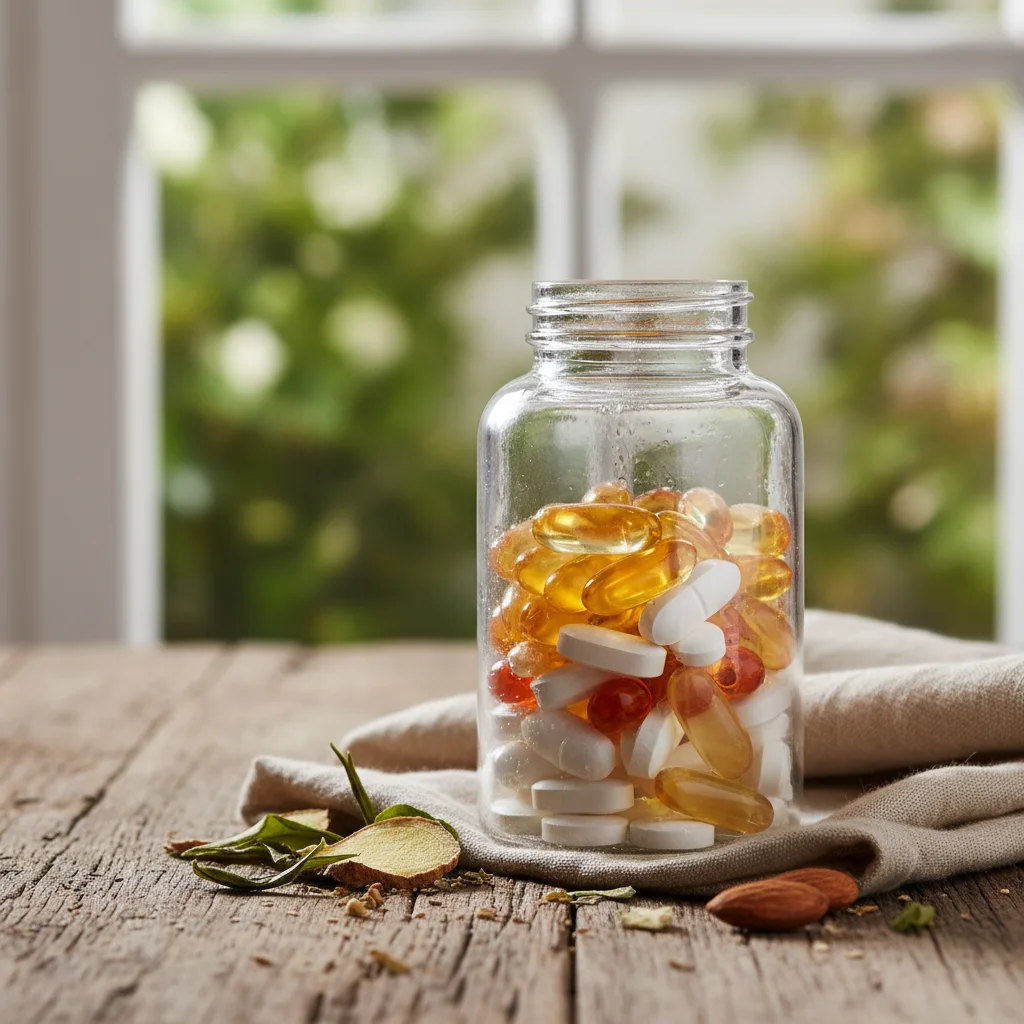

Supplement bottle on bathroom vanity
Health supplement bottle placed on a clean bathroom vanity with spa-like atmosphere. Helps shoppers visualize it in their morning routine.
place product on clean bathroom vanity with marble surface, soft towels and plant in background, spa atmosphere
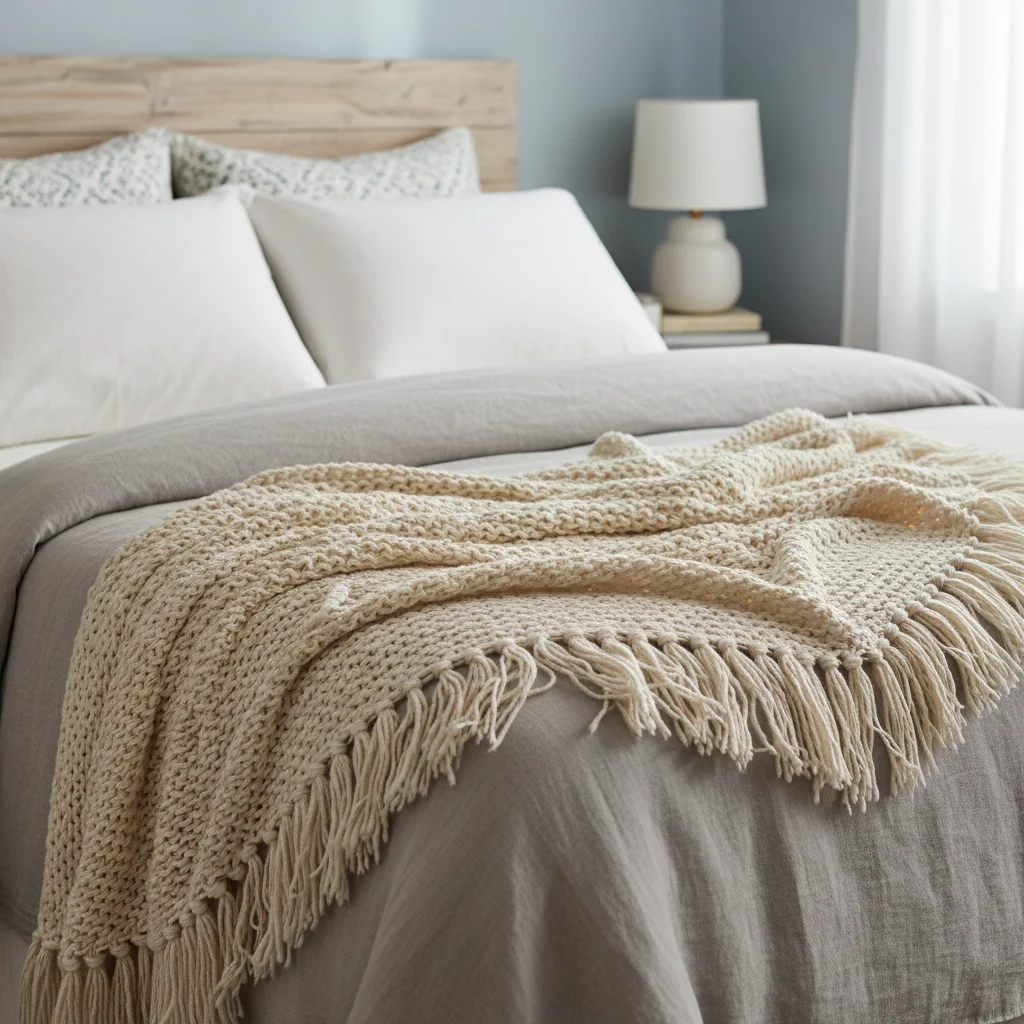
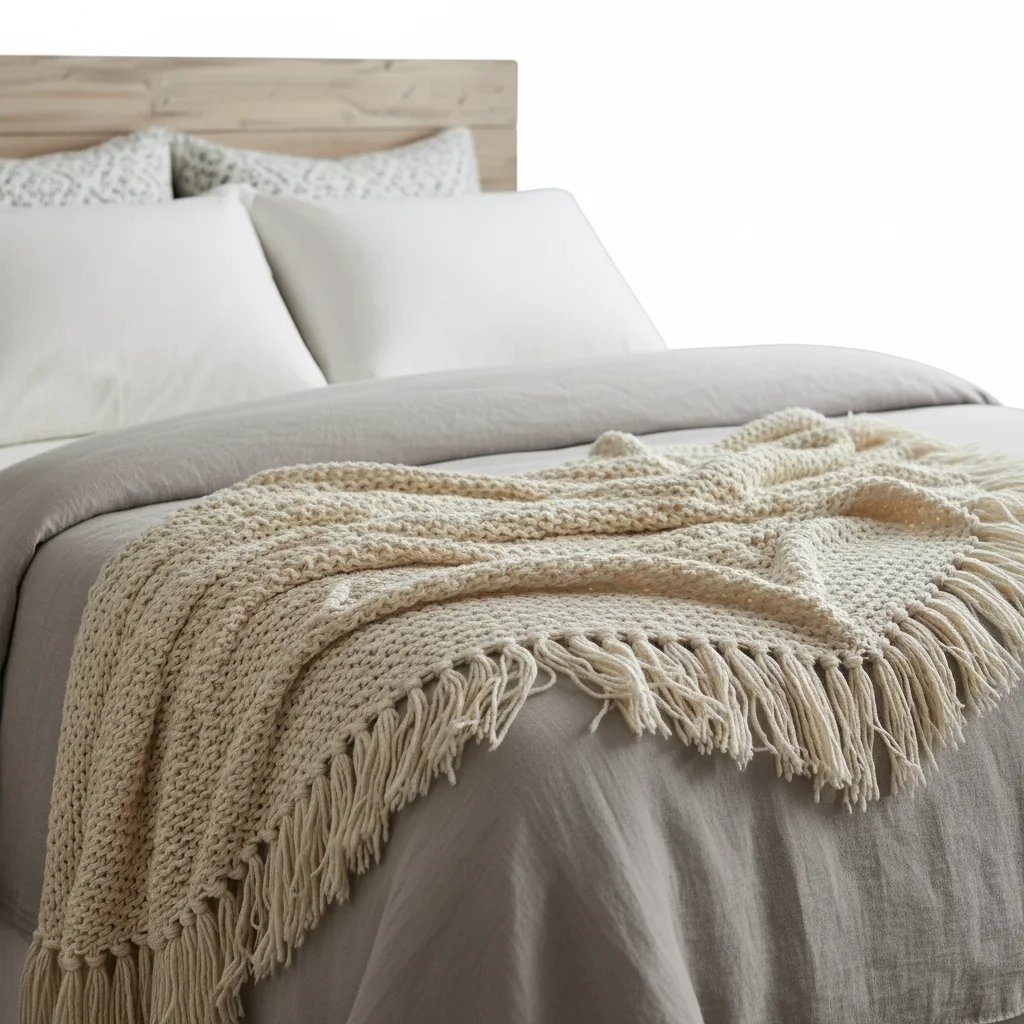
Blanket in cozy living room
Cotton throw blanket draped over a modern sofa in a cozy living room setting with warm afternoon light.
place blanket draped over a modern sofa in cozy living room, warm afternoon light, inviting atmosphere
Common Lifestyle Image Issues
Product looks pasted onto the scene, not natural
Why: The product lighting doesn't match the scene lighting. Different light temperatures or directions create an obvious composite look.
place product naturally in the scene with matching lighting direction and color temperature, realistic shadows and reflections, seamless integration
Add 'matching shadows' and 'consistent light direction' to your prompt for more natural compositing.
Product scale looks wrong in the scene
Why: The AI sized the product incorrectly relative to the scene elements. This is common with small items in large scenes.
place product at realistic scale relative to the surrounding objects, correct proportions in the scene
Mention reference objects: 'product should be about the size of a coffee mug relative to the counter.'
Scene doesn't match my target customer
Why: Generic lifestyle scenes may not resonate with your specific audience. The setting needs to match buyer demographics.
Research your competitors' lifestyle images and describe similar scenes. Use specific demographic cues: 'modern apartment kitchen' vs 'farmhouse kitchen.'
Background is too busy and distracts from product
Why: The AI generated a detailed scene where background elements compete with the product for attention.
place product in lifestyle setting with blurred background, shallow depth of field, product is the clear hero of the image
Adding 'shallow depth of field' or 'blurred background' keeps the focus on your product while showing context.
Product colors look different in the lifestyle scene
Why: Scene lighting can cast color tints on the product. Warm scenes add orange tones, cool scenes add blue.
place product in scene while maintaining accurate product colors, product color should be true to life even with scene lighting
After generating, compare product colors to your original. If colors shifted, ask for 'accurate product color preservation.'
Amazon Lifestyle Image Questions
Can I use lifestyle images as my Amazon main image?
No. Amazon requires the main image (Slot 1) to have a pure white background with just the product. Lifestyle images go in Slots 2-7. Most top sellers use Slot 1 for white background, Slot 2 for infographic, and Slots 3-5 for lifestyle images showing the product in different contexts.
What makes a good Amazon lifestyle image?
The best lifestyle images show the product in use within a setting your target customer identifies with. The product should be the clear hero of the image with the background supporting but not overwhelming. Natural lighting, minimal props, and a clean composition work best. The image should answer: 'What would my life look like with this product?'
Should lifestyle images include people?
People in lifestyle images can be powerful because they help shoppers see themselves using the product. However, AI-generated people can sometimes look unnatural. If including people, make sure they look realistic and match your target demographic. Many successful listings use lifestyle scenes without people, focusing on the product in its environment.
How many lifestyle images should my listing have?
2-3 lifestyle images is ideal for most listings. Use them in Slots 3-5 alongside your white background main image and infographic images. Each lifestyle image should show a different context: one in-use shot, one environmental shot, and optionally one seasonal or gift-giving context.
Can I create lifestyle images from just a white background product photo?
Yes, that's exactly what EditThisPic does best. Start with your standard white background product photo and describe the lifestyle scene you want. The AI isolates your product and places it naturally into the new environment with matching lighting and shadows.
Do lifestyle images need to be a specific size for Amazon?
Same as all Amazon images: minimum 1000x1000 pixels, recommended 2000x2000 pixels. Keep a 1:1 aspect ratio for consistent display. Start with high-resolution product photos for the sharpest results in lifestyle scenes.
Create lifestyle images that help shoppers say yes
Free to try. No signup. No studio needed.
Start Editing