Free โ€ข No signup Add Glasses ยท Free

Add Glasses to Photo

Virtually try on any style of glasses before you buy with AI.

Professional man without glasses
Before
โ†’
Same man wearing stylish tortoiseshell reading glasses
After

Add Glasses to Photo Free (2026)

Drop your photo here

or click to browse

Release to upload

Free โ€ข No signup

Advertisement
Popular use cases:
  • virtual glasses try-on
  • eyewear preview
  • prescription glasses preview
  • sunglasses try-on
  • frame style test
  • online glasses fitting
  • eyeglasses visualization
  • fashion frames preview

Cost
Free No signup required
Time
Instant results in 15-30 seconds
Works on
Any device - browser, phone, tablet, desktop
Powered by
AI-powered photo editing
Scenario Prompt Time
Reading glasses add rectangular black reading glasses with clear lenses 15s
Sunglasses add aviator sunglasses with dark gradient lenses 20s
Fashion frames add oversized tortoiseshell glasses in modern style 20s

How it works

  1. Upload your photo

    Drop your portrait into EditThisPic. Best results come from front-facing photos with clear visibility of your eyes, nose, and ears. Natural lighting with even exposure across the face works best for realistic glasses placement. JPG, PNG, WebP up to 7MB.

    Expect: Simple frame styles: 15-25 seconds. Complex designer frames or sunglasses with reflections: may need 2-3 refinements.
  2. Describe the glasses you want

    Type exactly what glasses you want: 'add round gold wire-frame reading glasses' or 'add oversized black cat-eye sunglasses with dark lenses.' Include frame shape, color, material, and lens type. The AI positions glasses naturally on your face, adjusting for your unique features.

    Tip: Mention specific styles like 'aviator,' 'wayfarer,' 'cat-eye,' or 'round' for the AI to understand exact shapes

    Copy one of these to get started:

    Classic reading glasses add rectangular black plastic reading glasses with clear lenses, sitting naturally on the nose bridge
    Stylish fashion frames add oversized tortoiseshell acetate glasses with a modern rectangular shape and clear lenses
    Classic aviator sunglasses add gold metal aviator sunglasses with dark gradient lenses, properly positioned on the face
    Vintage round frames add small round gold wire-frame glasses with clear lenses in a John Lennon vintage style
    4 more prompts
    Bold cat-eye frames add black cat-eye glasses with thick frames and clear lenses, slightly upswept at the outer corners
    Sport sunglasses add wraparound sport sunglasses with black frames and mirrored blue lenses
    Minimalist rimless add rimless rectangular glasses with thin silver temples and clear lenses, subtle and professional
    Thick hipster frames add thick matte black rectangular glasses with oversized frames in a bold hipster style
  3. Generate and review

    Check that the glasses sit naturally on your nose bridge, the temples align with your ears, and the frame size is proportional to your face. Look for realistic shadows under the frames and proper lens transparency or tint.

  4. Refine with markers if needed

    If the glasses sit too high or low, or don't align properly with your face, tap markers on the problem areas and describe adjustments. Great for fine-tuning frame position or lens appearance.

    Tip: For position adjustments, try 'move the glasses slightly lower on the nose' or 'adjust the temples to sit closer to the ears.'
Try it free โ†“

Add Glasses to Photo Free (2026)

Drop your photo here

or click to browse

Release to upload

Free โ€ข No signup

"Tried on 10 different frame styles in 5 minutes. Found the perfect tortoiseshell frames and ordered them online with confidence." @MikeNewSpecs

See it in action

Professional man without glasses
Before
->
Same man wearing stylish tortoiseshell reading glasses
After

Professional reading glasses

Previewing classic professional frames before ordering prescription glasses online.

Prompt: add rectangular dark brown tortoiseshell glasses with clear lenses, professional style sitting naturally on the face
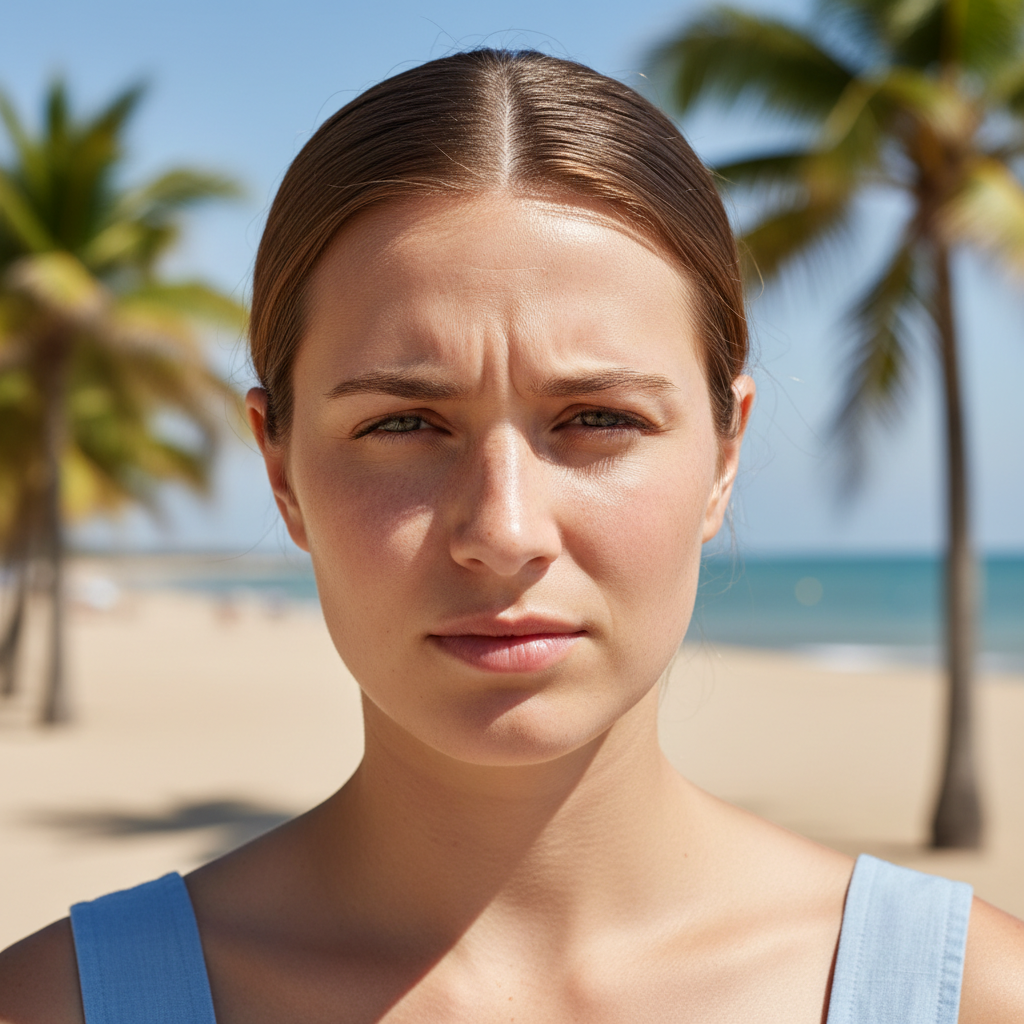
Young woman outdoors squinting in sunlight without sunglasses
Before
->
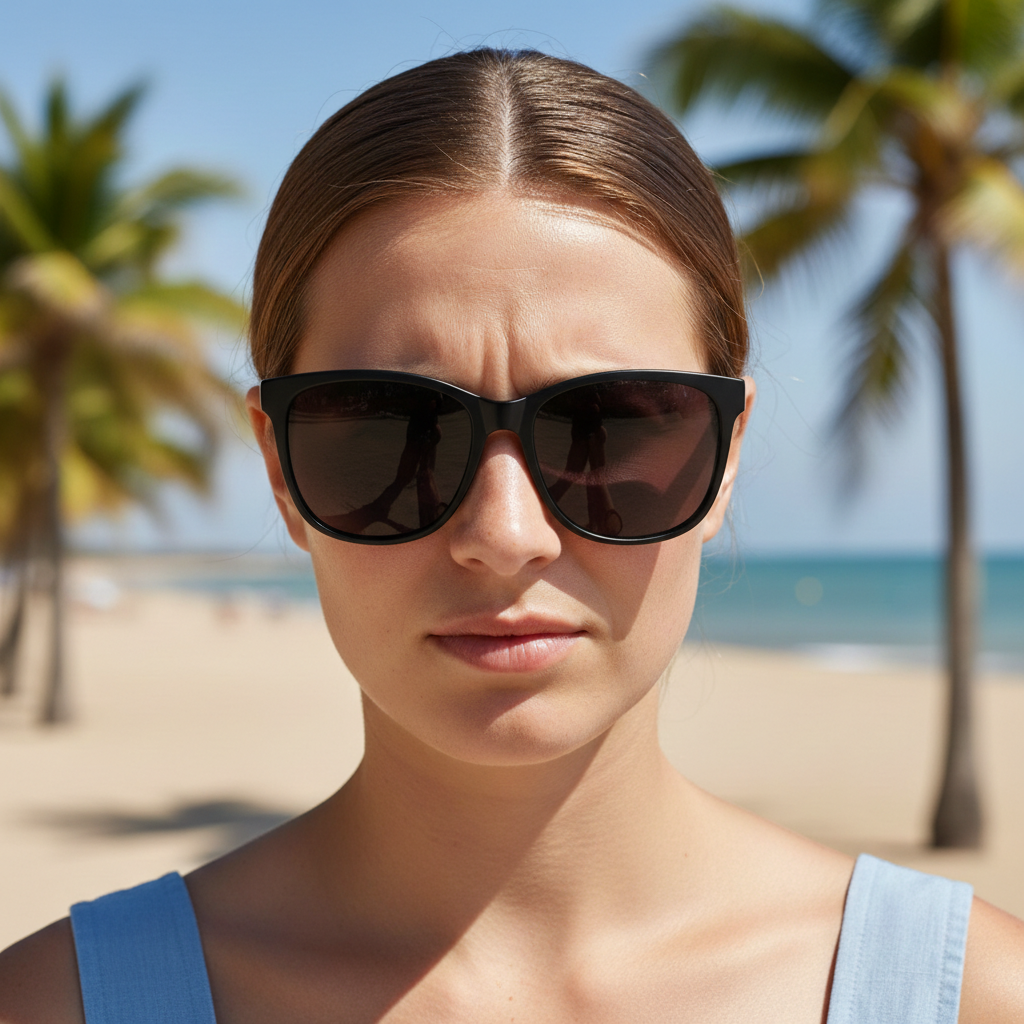
Same woman wearing stylish black wayfarer sunglasses
After

Fashion sunglasses try-on

Testing trendy sunglasses styles before purchasing for a vacation.

Prompt: add oversized black wayfarer sunglasses with dark lenses, trendy and well-fitted to the face

Creative person without glasses
Before
->
Same person wearing vintage round gold wire-frame glasses
After

Vintage round frames

Trying a vintage aesthetic with classic round wire frames.

Prompt: add small round gold wire-frame glasses with clear lenses in vintage John Lennon style, delicate and intellectual looking
Advertisement

If something looks off

Glasses sit too high or low on the face

Why: The AI misjudged the nose bridge position or didn't properly detect facial landmarks.

Try: adjust the glasses to sit [lower/higher] on the nose bridge at a natural position

Tip: Front-facing photos with clear nose visibility produce the best placement

Frames look too big or small for my face

Why: The AI generated glasses that don't match your face proportions.

Try: resize the glasses frames to be more proportional to the face, [smaller/larger] than current

Tip: Mention your face shape in the original prompt: 'glasses suitable for an oval face'

Lenses don't look realistic

Why: The lens transparency, reflection, or tint doesn't match real-world glasses.

Try: make the lenses more realistic with natural transparency and subtle reflections

Tip: For sunglasses, specify 'dark lenses with slight eye visibility' for realism

Glasses don't match the photo's lighting

Why: The AI generated frames with different lighting conditions than the original photo.

Try: adjust the glasses lighting and shadows to match the [direction] light source in the photo

Tip: Note where highlights are on your face - glasses should have matching reflections

AI changed the wrong area or something I didn't want changed

Why: The AI couldn't determine exactly which area you meant from description alone. This happens with ambiguous requests.

Try: Tap a marker on the specific area you want to change, then regenerate with the same prompt

Tip: Markers tell the AI 'I mean THIS one specifically.' Use them when description alone is ambiguous.

Temple arms don't align with ears

Why: The AI couldn't detect ear positions properly, especially if hair covers the ears.

Try: adjust the temple arms to naturally extend toward the ears at the correct angle

Tip: Photos with ears visible or hair tucked back produce better temple alignment

Quick answers

Do I need to mark where the glasses should go?

No! Just describe the glasses you want: 'add black rectangular reading glasses' or 'add gold aviator sunglasses.' The AI automatically detects your eyes, nose bridge, and ear positions to place glasses naturally. Only use markers if you need to fine-tune the position after the first result.

How do I add glasses to a photo for free without signing up?

Upload your portrait to EditThisPic and type a description of the glasses you want. The AI adds them in 15-30 seconds. One free edit per week with no account required. No watermark on the result.

Can I try specific brand frames or designer styles?

You can describe the style characteristics: 'thick black frames like Ray-Ban Wayfarers' or 'thin gold wire frames like Oliver Peoples.' The AI recreates the style based on your description, generating its own interpretation of that aesthetic.

What's the best AI tool for virtually trying on glasses?

EditThisPic lets you try unlimited frame styles by simply describing them. Unlike optical store apps limited to their inventory, you can test any frame shape, color, or style imaginable. Free to try, no account needed.

Does this work with sunglasses and tinted lenses?

Yes. Describe the lens type: 'dark tinted lenses,' 'gradient brown lenses,' or 'mirrored blue lenses.' The AI creates realistic sunglass looks with appropriate lens darkness while maintaining natural-looking face integration.

Ready to try on new glasses?

Free to try. No signup required.

Try it free โ†’