Free • No signup Change Dress · Free

AI Dress Changer

Describe the dress you want and AI replaces it on your photo instantly.

Woman in light blue casual cotton dress
Before
Same woman in red floor-length evening gown with sweetheart neckline
After

AI Dress Changer

Drop your photo here

or click to browse

Release to upload

Free • No signup

Advertisement
Popular use cases:
  • dress shopping preview
  • bridesmaid dress visualization
  • formal wear preview
  • dress color comparison
  • prom dress try-on
  • cocktail dress preview
  • wardrobe planning
  • fashion e-commerce

Cost
Free No signup required
Time
Instant results in 15-30 seconds
Works on
Any device - browser, phone, tablet, desktop
Powered by
AI-powered photo editing
Scenario Prompt Time
Color change only change the dress color to emerald green 30s
Style swap change the dress to a navy sheath dress with cap sleeves 40s
Complete transformation replace with a floor-length red evening gown 45s

How it works

  1. Upload your photo

    Drop your image into EditThisPic. JPG, PNG, WebP up to 7MB. Photos showing the full dress work best—upper body for tops, full body for gowns and midi/maxi lengths.

    Expect: Simple dress swap: 30-40 seconds. Complex formal gown with details: 45-60 seconds and may need refinements.
  2. Describe the new dress

    Type what you want: 'change the dress to a navy blue cocktail dress with a V-neckline' or 'replace with a floral summer maxi dress.' Include length, color, neckline, and material. No marking needed—the AI understands what 'dress' means.

    Tip: Specify neckline (V-neck, sweetheart, off-shoulder) and length (mini, midi, floor-length) for the most accurate results.

    Copy one of these to get started:

    Elegant evening gown change the dress to a red floor-length evening gown with a fitted bodice and sweetheart neckline
    Casual summer dress replace the dress with a light floral sundress with thin spaghetti straps and an A-line skirt
    Professional sheath dress change to a navy blue knee-length sheath dress with cap sleeves and a round neckline
    Cocktail party dress replace the dress with a black sequined cocktail dress, above-knee length with a one-shoulder strap
    3 more prompts
    Boho maxi dress change to a bohemian maxi dress with earthy tones, tiered ruffled skirt, and bell sleeves
    Bridesmaid dress replace the dress with a sage green floor-length bridesmaid dress with a halter neckline and flowing chiffon fabric
    Wrap dress for work change to a classic wrap dress in deep burgundy with three-quarter sleeves and a knee-length hem
  3. Review the transformation

    Check that the new dress fits naturally on the body. Look for realistic fabric draping, correct proportions, and smooth transitions at necklines, sleeves, and hemline.

  4. Refine with markers if needed

    If the neckline, sleeves, or hem look off, tap markers on those specific areas and regenerate. Most dress changes work perfectly on the first try.

    Tip: Markers are for precision refinement only. Try without them first—you usually won't need them.
Try it free

AI Dress Changer

Drop your photo here

or click to browse

Release to upload

Free • No signup

"Bridesmaids kept changing their minds on dress color. I used this to show them exactly how each option would look on our group photo instead of arguing over swatches." @WeddingPlanner_Tara

See it in action

Woman in light blue casual cotton dress
Before
->
Same woman in red floor-length evening gown with sweetheart neckline
After

Casual dress to elegant evening gown

A casual day dress transformed into a stunning red evening gown for visualizing formal wear options.

Prompt: change the dress to a red floor-length evening gown with a fitted bodice and sweetheart neckline
Woman in bright floral summer dress with spaghetti straps
Before
->
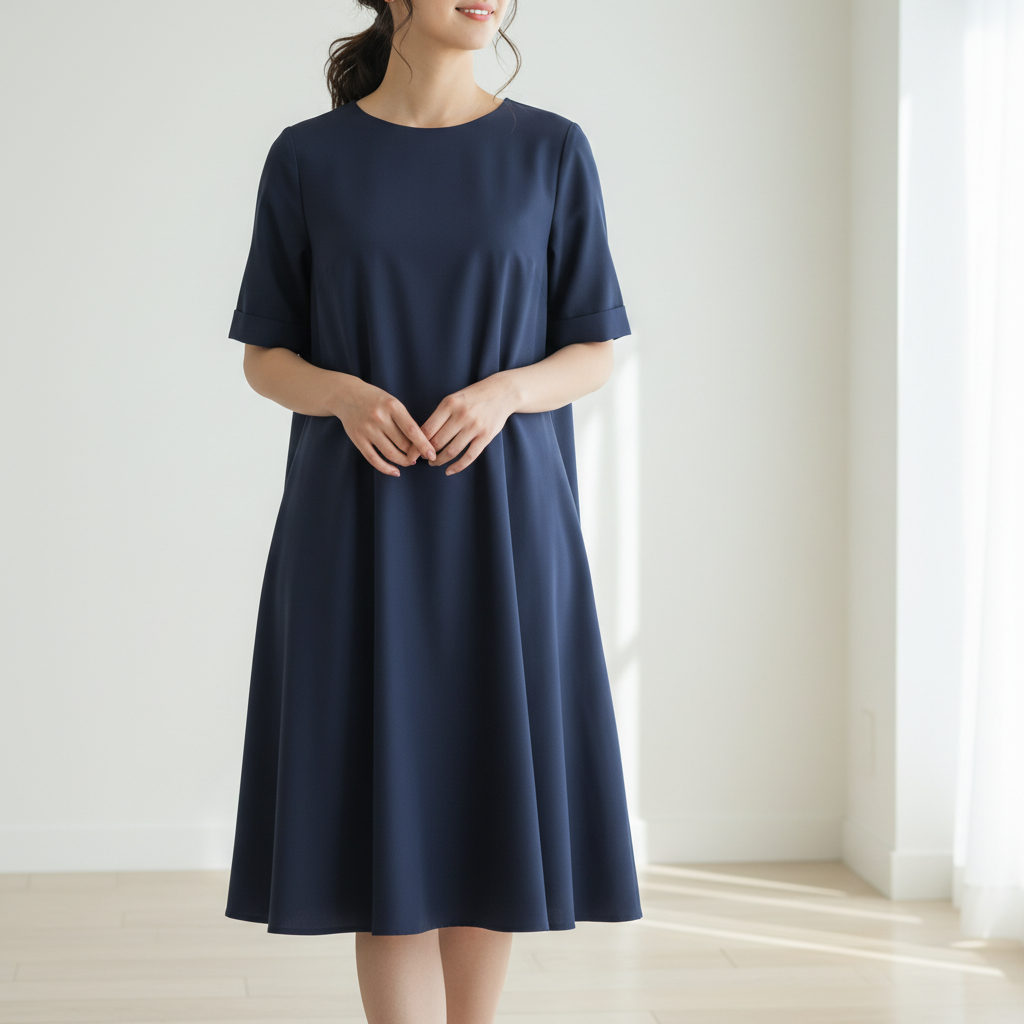
Same woman in navy blue knee-length sheath dress with cap sleeves
After

Summer dress to professional sheath

A floral summer dress swapped for a professional sheath dress to preview a corporate look.

Prompt: change to a navy blue knee-length sheath dress with cap sleeves and a round neckline
Advertisement

If something looks off

AI changed the wrong area or something I didn't want changed

Why: The AI couldn't determine exactly which garment you meant from description alone. This happens when wearing separates that look like a dress or layered outfits.

Try: Tap a marker on the dress area specifically, then regenerate with the same prompt

Tip: Markers tell the AI 'I mean THIS garment specifically.' Use them when description alone is ambiguous.

Neckline or sleeves don't match what I described

Why: The AI may default to common neckline styles if your description isn't specific enough about the neckline cut.

Try: change the dress neckline to [specific style] with [sleeve type], keep everything else the same

Tip: Use precise fashion terms: 'sweetheart', 'off-shoulder', 'boat neck', 'halter', 'scoop' for accurate necklines.

Dress length is wrong—too long or too short

Why: Without explicit length instructions, the AI picks a default based on the dress style. 'Dress' alone doesn't specify length.

Try: change the dress to [style] at exactly [mini/knee-length/midi/floor-length] length

Tip: Always specify length explicitly. 'Knee-length', 'midi' (calf), 'maxi' (ankle), and 'floor-length' are distinct.

Fabric texture looks unrealistic or flat

Why: The AI needs material cues to render realistic textures. Without them, fabric can look generic or plasticky.

Try: change the dress to [style] in [fabric type] material with natural draping and visible texture

Tip: Mention fabrics explicitly: 'silk', 'chiffon', 'satin', 'cotton', 'velvet' for realistic texture rendering.

Body shape looks distorted with the new dress

Why: Very different silhouettes from the original can cause the AI to warp the body slightly to fit the new dress shape.

Try: change the dress to [style], keep the body shape and proportions exactly as the original photo

Tip: Adding 'keep the body shape as original' prevents the AI from adjusting body proportions to fit the dress.

Quick answers

Do I need to mark the dress area before describing the new one?

No! Just describe the dress you want: 'change to a red evening gown' or 'replace the dress with a navy sheath dress.' The AI understands what 'dress' means. Only use markers if you're wearing separates and want to change just one piece—like only the skirt or only the top.

How do I change a dress in a photo to a specific one I saw online?

Click '+ Add reference image' and upload a photo of the dress you like. Then type 'replace the dress with the one from the reference image.' The AI matches the style, color, and silhouette. Perfect for previewing dresses before buying.

Is there a free AI dress changer that doesn't require login?

Yes, EditThisPic is free to try with no account needed. Upload your photo, describe the dress change, and download the result. No watermarks. Works for casual dresses, formal gowns, cocktail dresses, and any other style.

Can I change just the color of my dress without changing the style?

Yes! Type 'change the dress color to [color] while keeping the same style and cut.' The AI preserves the silhouette, neckline, and length while swapping only the color. Great for comparing color options for the same dress.

Ready to change the dress in your photos?

Free to try. No signup required.

Try it free