Free • No signup Swap Faces · Free

AI Face Swap

Describe which faces to swap and AI handles the rest instantly. No marking needed.
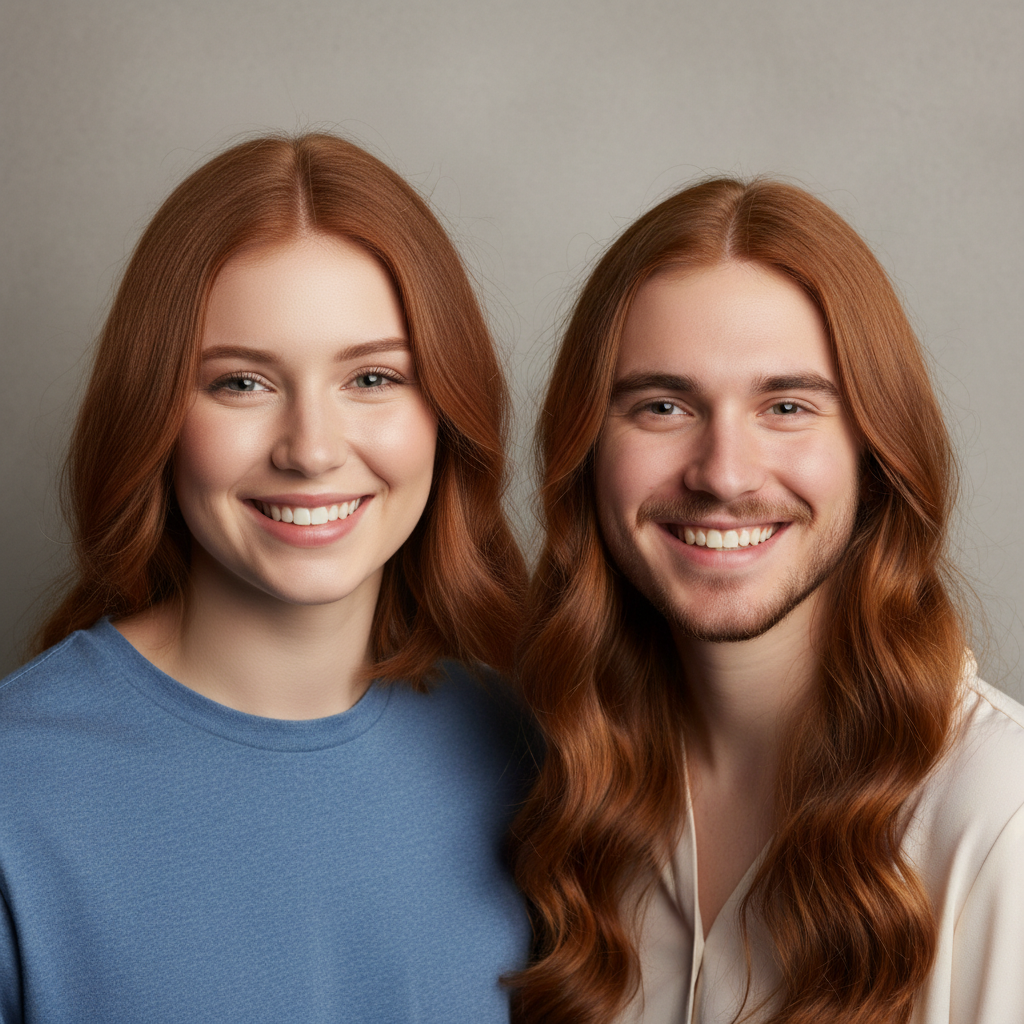
Two friends with distinct features standing side by side
Before
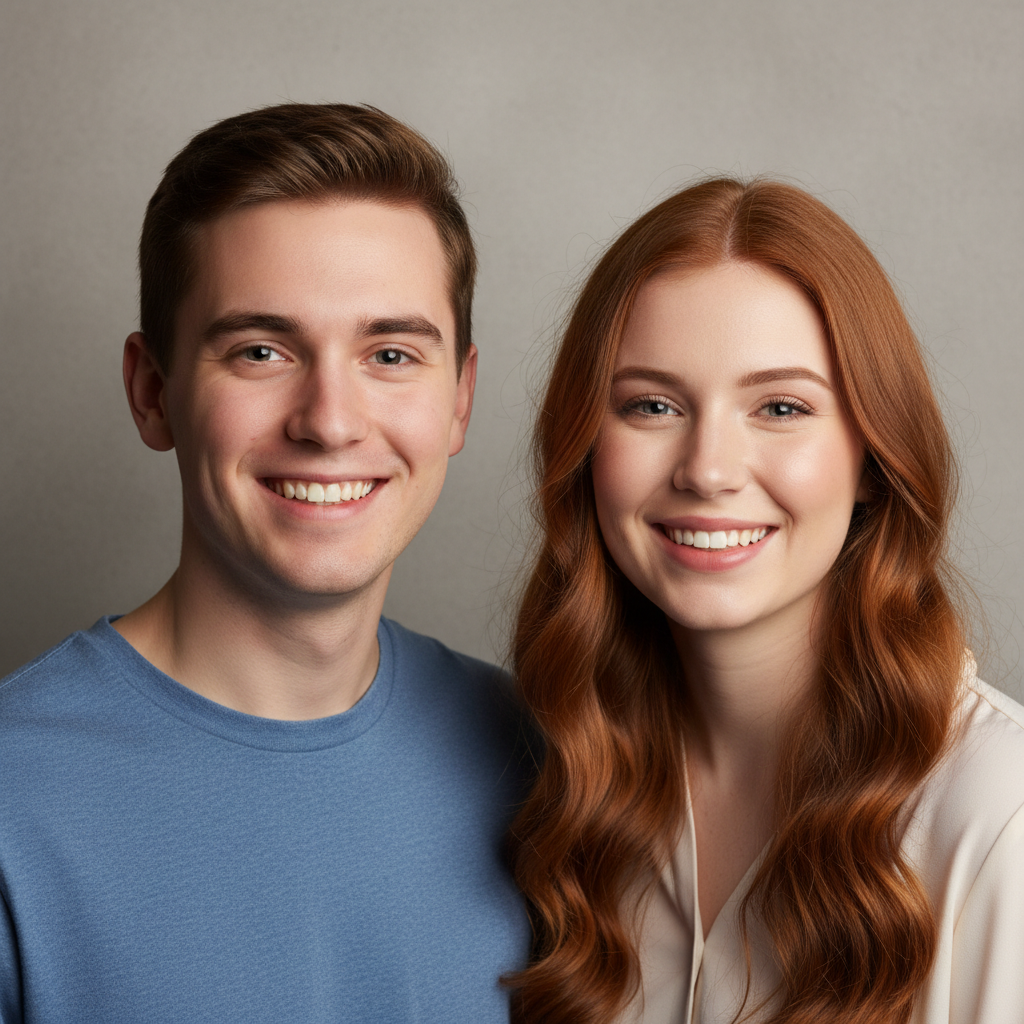
Same photo with both faces swapped seamlessly
After

AI Face Swap

Drop your photo here

or click to browse

Release to upload

Free • No signup

Advertisement
Popular use cases:
  • face swap
  • face swapping app
  • swap faces friends
  • couple face swap
  • meme face swap
  • group photo face swap
  • social media fun
  • face replacement tool

Cost
Free No signup required
Time
Instant results in 15-30 seconds
Works on
Any device - browser, phone, tablet, desktop
Powered by
AI-powered photo editing
Scenario Prompt Time
Two-person swap swap the two faces in this photo 30s
Reference image swap replace face with the reference image face 35s
Group photo swap swap the face on the left with the one on the right 45s

How it works

  1. Upload your photo

    Drop your image into EditThisPic. JPG, PNG, WebP up to 7MB. Photos with clearly visible, well-lit faces work best. Both faces should be facing forward or at similar angles for the most natural swap.

    Expect: Two-person face swap: 30-40 seconds. Complex group or angled faces: 45-60 seconds and may need refinements.
  2. Describe the face swap

    Type what you want: 'swap the two faces in this photo' or add a reference image and say 'put the face from the reference image onto this person.' Be specific about which faces when there are more than two people. No marking needed for two-person photos—the AI finds both faces automatically.

    Tip: For reference image swaps, click '+ Add reference image' and upload the face you want. Then say 'replace this person's face with the one from the reference.'

    Copy one of these to get started:

    Swap two faces in same photo swap the two faces in this photo so each person has the other's face, match skin tone and lighting

    Face from reference image replace this person's face with the face from the reference image, blend naturally with matching skin tone
    Couple face swap for fun swap the faces of the two people in this couple photo, keep everything else exactly the same
    Group photo specific swap swap the face of the person on the left with the person on the right, leave everyone else unchanged
    3 more prompts
    Pet and owner swap swap the human face with the pet's face in this photo, make it look funny but realistic
    Face onto statue or painting put this person's face onto the statue or painting in the photo, match the style and texture
    Baby face onto adult swap the adult face with a baby face from the reference image, keep adult body proportions
  3. Review the face swap

    Check that skin tones match, lighting looks consistent, and edges around the face blend naturally. Look at the jawline, hairline, and neck area for any visible seams. The faces should look like they belong in the photo.

  4. Refine with markers if needed

    If edges around the hairline, jawline, or neck look unnatural, tap markers on those spots and regenerate. In group photos, tap the specific face you want swapped to avoid confusion.

    Tip: Markers are for precision refinement only. Try without them first—two-person swaps usually work perfectly.
Try it free

AI Face Swap

Drop your photo here

or click to browse

Release to upload

Free • No signup

"Swapped faces with my best friend for our matching profile pics. The lighting matched so perfectly that people genuinely couldn't tell which face belonged to who. We kept it going for a week." @BFFSwap_Riley

See it in action

Two friends with distinct features standing side by side
Before
->
Same photo with both faces swapped seamlessly
After

Two friends face swap

Two friends standing together with their faces seamlessly swapped for a hilarious result.

Prompt: swap the two faces in this photo so each person has the other's face, match skin tone and lighting

Couple selfie with man in glasses and woman with red lipstick
Before
->
Same couple selfie with faces swapped naturally
After

Couple swap for social media

A couple's selfie with faces swapped cleanly for a funny social media post.

Prompt: swap the faces of the two people in this couple photo, keep everything else exactly the same
Advertisement

If something looks off

AI changed the wrong area or something I didn't want changed

Why: The AI couldn't determine exactly which faces to swap from description alone. This happens with group photos or when faces are similar in appearance.

Try: Tap a marker on each face you want swapped, then regenerate with the same prompt

Tip: Markers tell the AI 'I mean THESE faces specifically.' Use them in group photos with more than two people.

Skin tone doesn't match after the swap

Why: The swapped face retained the original skin coloring instead of adapting to the new person's complexion.

Try: swap the faces and match the skin tone of each swapped face to the body it's placed on

Tip: Explicitly mentioning 'match skin tone to body' forces the AI to blend colors naturally.

Visible seam or edge around the swapped face

Why: The face boundary wasn't blended smoothly, creating a visible line between the new face and the original head.

Try: Tap markers along the edges that look unnatural, then: blend the face edges seamlessly with the surrounding skin

Tip: Focus markers on the jawline and hairline—these are the most common spots for visible seams.

Facial expression looks wrong or unnatural

Why: The swapped face kept the original expression instead of matching the body's pose and context.

Try: swap the faces and adjust the expression to look natural on the new body, relaxed and consistent

Tip: Adding 'natural and consistent' tells the AI to harmonize the expression with the body language.

Hair and face don't align properly

Why: The face was swapped but the hair stays with the original head, creating a mismatch at the hairline.

Try: swap only the facial features, blend the hairline naturally where the new face meets the existing hair

Tip: Specifying 'blend the hairline' addresses the most common face swap artifact.

Quick answers

Do I need to mark the faces before swapping them?

No! For two-person photos, just say 'swap the two faces.' The AI automatically detects both faces and performs the swap. Only use markers in group photos with three or more people to specify which faces you want swapped.

How do I swap faces in a photo for free?

Upload a photo with two or more faces to EditThisPic and type 'swap the two faces in this photo.' The AI handles detection, swapping, and blending automatically in about 30 seconds. For single-face photos, add a reference image with the face you want and say 'replace this face with the reference.'

Is there a free face swap tool that doesn't require login?

Yes, EditThisPic is free to try with no account needed. Upload your photo, describe the face swap, and download the result. No watermarks. Works for couples, friends, and creative projects.

What is the best free AI face swap tool for realistic results?

EditThisPic offers free AI face swapping with automatic skin tone matching and lighting blending. Unlike basic cut-and-paste face swap apps, the AI blends facial features naturally, matching complexion, lighting direction, and facial proportions for convincing results. No signup required.

Ready to swap faces in your photos?

Free to try. No signup required.

Try it free