Free • No signup Put Face on movie poster · Free

Put Face on Movie Poster

Upload your photo and describe the movie genre. AI creates a cinematic poster with your face as the star. No design skills needed.
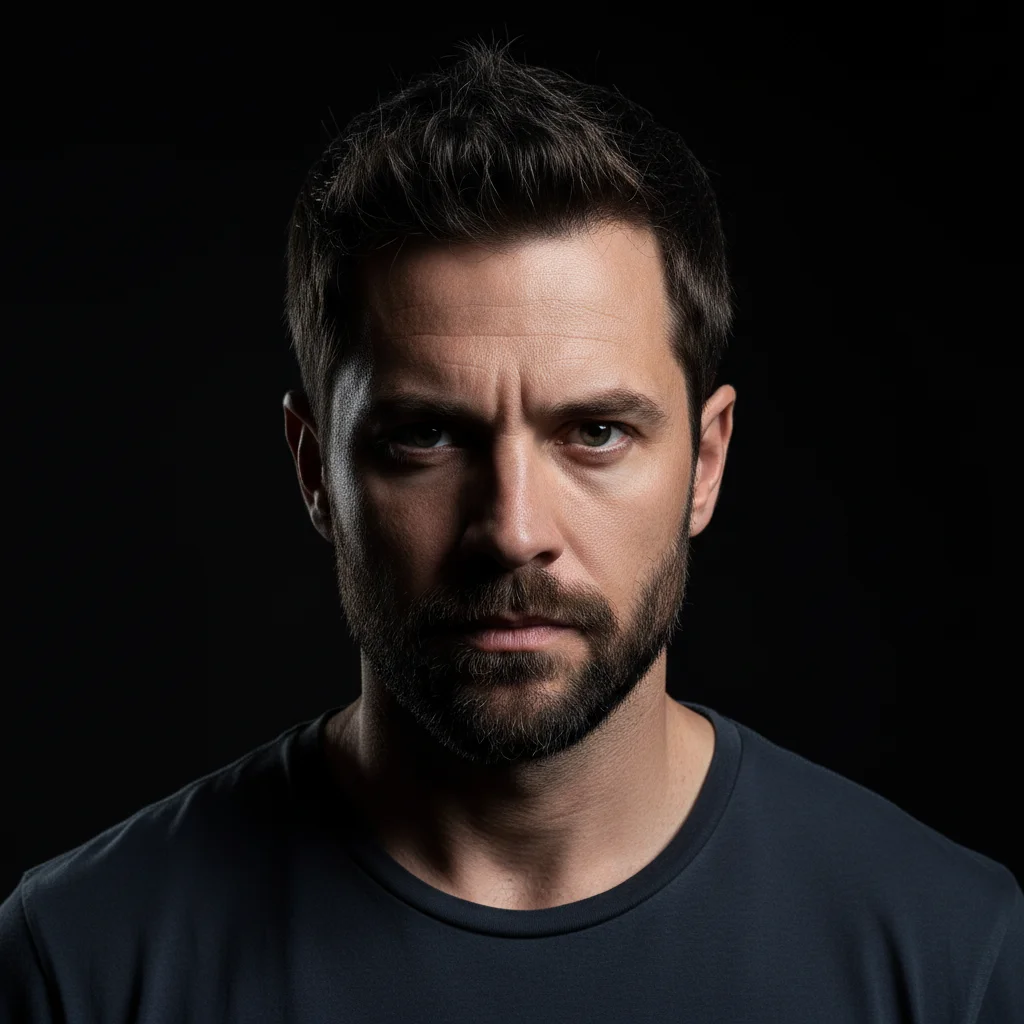
Portrait of man in grey t-shirt with dramatic lighting
Before
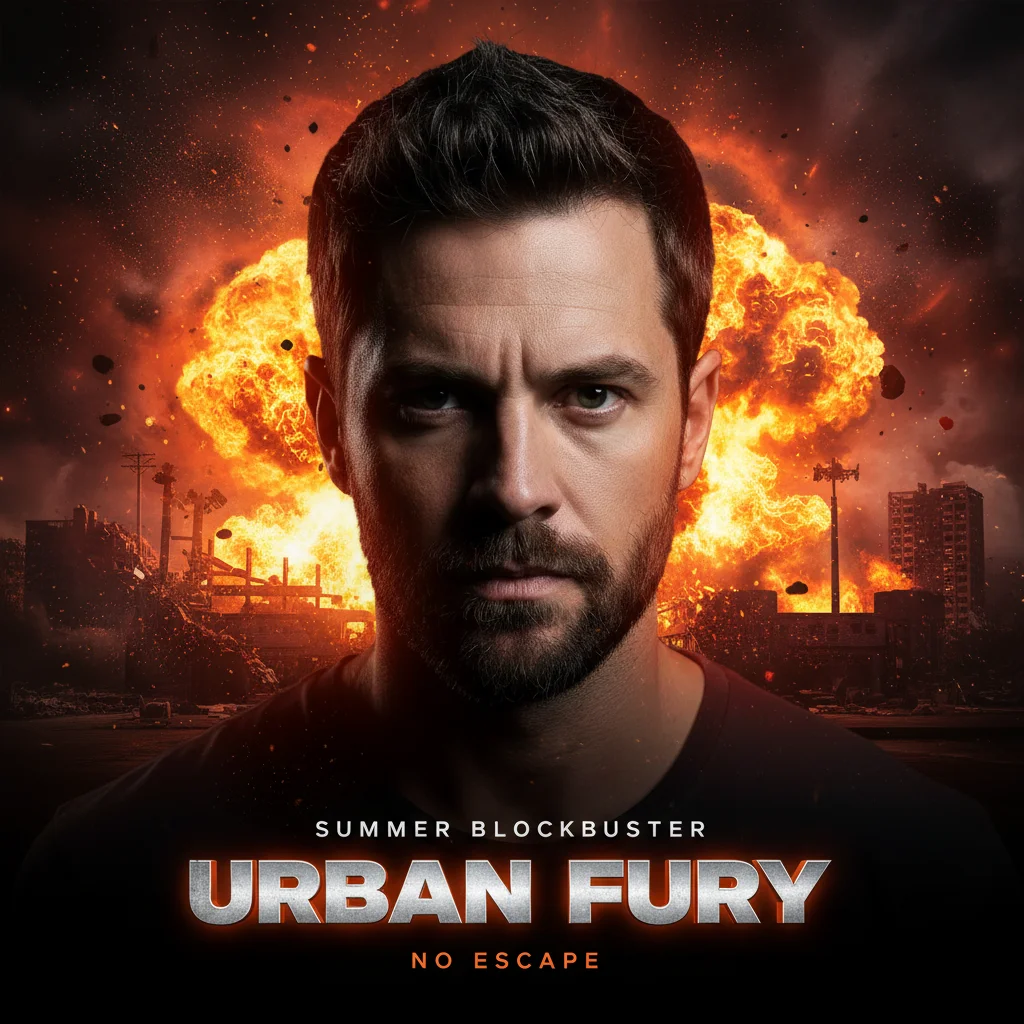
Same man featured on action movie poster with explosions and bold title
After

Put Face on Movie Poster

Drop your photo here

or click to browse

Release to upload

Free • No signup

Advertisement
Popular use cases:
  • movie poster generator
  • face on movie poster
  • fake movie poster
  • custom poster design
  • action poster maker
  • horror poster creator
  • social media content
  • creative gifts
  • fan art

Cost
Free No signup required
Time
Instant results in 15-30 seconds
Works on
Any device - browser, phone, tablet, desktop
Powered by
AI-powered photo editing
Scenario Prompt Time
Action movie poster action poster with explosions and dramatic lighting 40s
Horror movie poster horror poster with dark haunted house and eerie fog 40s
Rom-com movie poster romantic comedy poster with bright city background 35s

How it works

  1. Upload a clear face photo

    Drop your portrait image into EditThisPic. JPG, PNG, WebP up to 7MB. Dramatic face photos work best—the AI will composite them onto a cinematic poster. Headshots with good lighting and expression are ideal for movie poster transformations.

    Expect: Simple posters (one character, basic background): 30-40 seconds. Complex posters (multiple text elements, detailed scenes): 45-60 seconds and may need refinements.
  2. Describe the movie poster style

    Type what you want: 'put my face on an action movie poster with explosions and dramatic lighting' or 'create a romantic comedy poster featuring this person in a charming city backdrop.' Mention the genre, visual style, and any specific poster elements. The AI understands cinematic aesthetics—no marking needed.

    Tip: Specify the movie genre (action, horror, romance, sci-fi) and key visual elements like lighting, background scenes, or mood for more authentic results.

    Copy one of these to get started:

    Action hero blockbuster put my face on an action movie poster with explosions in the background, dramatic lighting, and bold title text
    Horror movie thriller create a horror movie poster featuring this person in a dark haunted house setting with eerie fog and ominous shadows
    Romantic comedy poster put this person on a romantic comedy movie poster with bright cheerful colors, city skyline background, and playful typography
    Sci-fi epic adventure create a sci-fi movie poster with this person as the hero, futuristic cityscape, neon lighting, and dramatic space background
    3 more prompts
    Western showdown put my face on a Western movie poster with dusty desert landscape, sunset lighting, and rugged cowboy aesthetic
    Marvel-style superhero create a superhero movie poster featuring this person in heroic pose, city destruction background, bold comic-book style title
    Noir detective thriller put this person on a film noir detective poster with dramatic shadows, rainy city street, black and white aesthetic
  3. Review your blockbuster moment

    Check that the face looks heroic and cinematic on the poster, typography fits the genre, and the overall composition feels like a real movie poster. Look for dramatic lighting, proper title placement, and authentic movie poster elements.

  4. Refine with markers if needed

    If the face placement or specific poster elements need adjustment, tap markers on those areas and regenerate. Most movie posters work perfectly on the first try.

    Tip: Markers are for precision refinement only. Try without them first—you usually won't need them.
Try it free

Put Face on Movie Poster

Drop your photo here

or click to browse

Release to upload

Free • No signup

"Created movie posters for my film club's end-of-year showcase. Each member got a personalized poster in their favorite genre. Everyone wanted to know how I made them!" @IndieFilmDirector

See it in action

Portrait of man in grey t-shirt with dramatic lighting
Before
->
Same man featured on action movie poster with explosions and bold title
After

Action hero blockbuster transformation

A portrait photo transformed into an explosive action movie poster with dramatic cinematic lighting.

Prompt: put my face on an action movie poster with explosions in the background, dramatic lighting, and bold title text
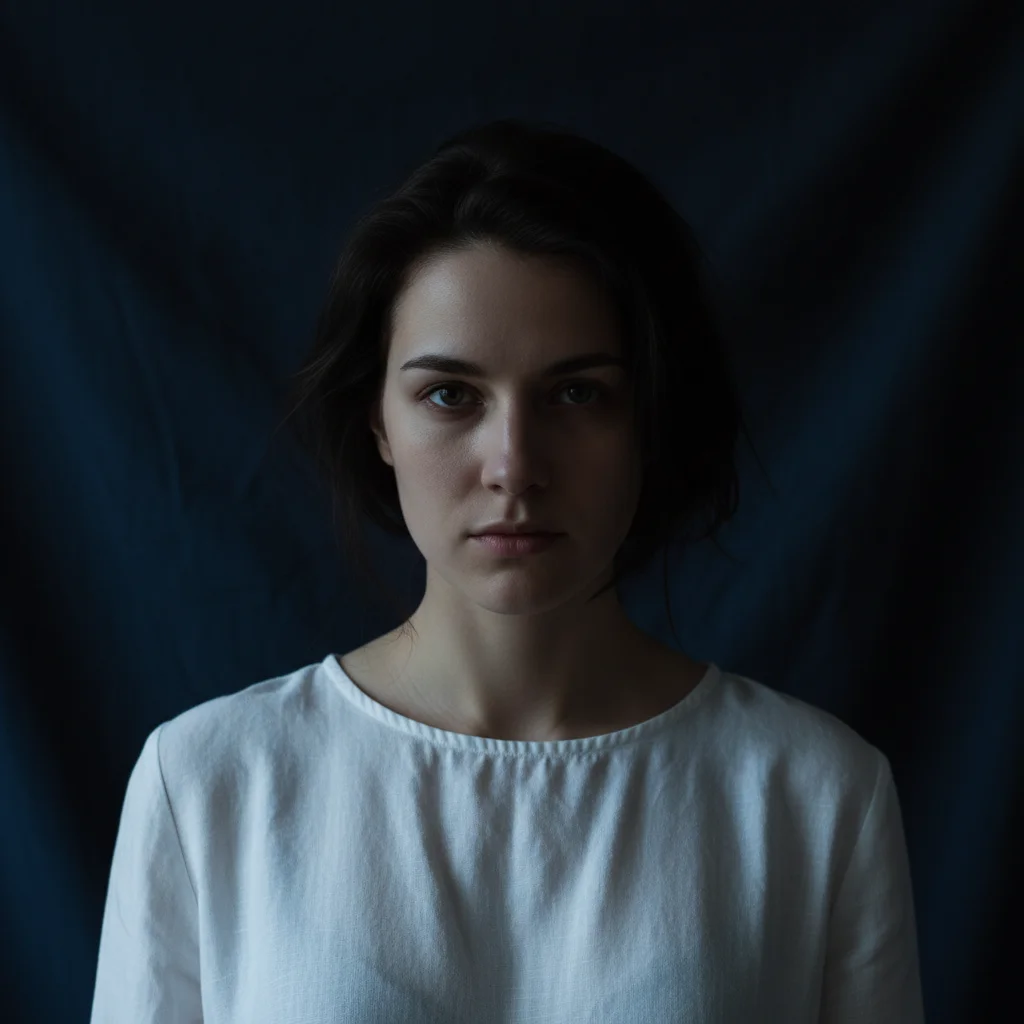
Portrait of woman in white blouse against dark background
Before
->
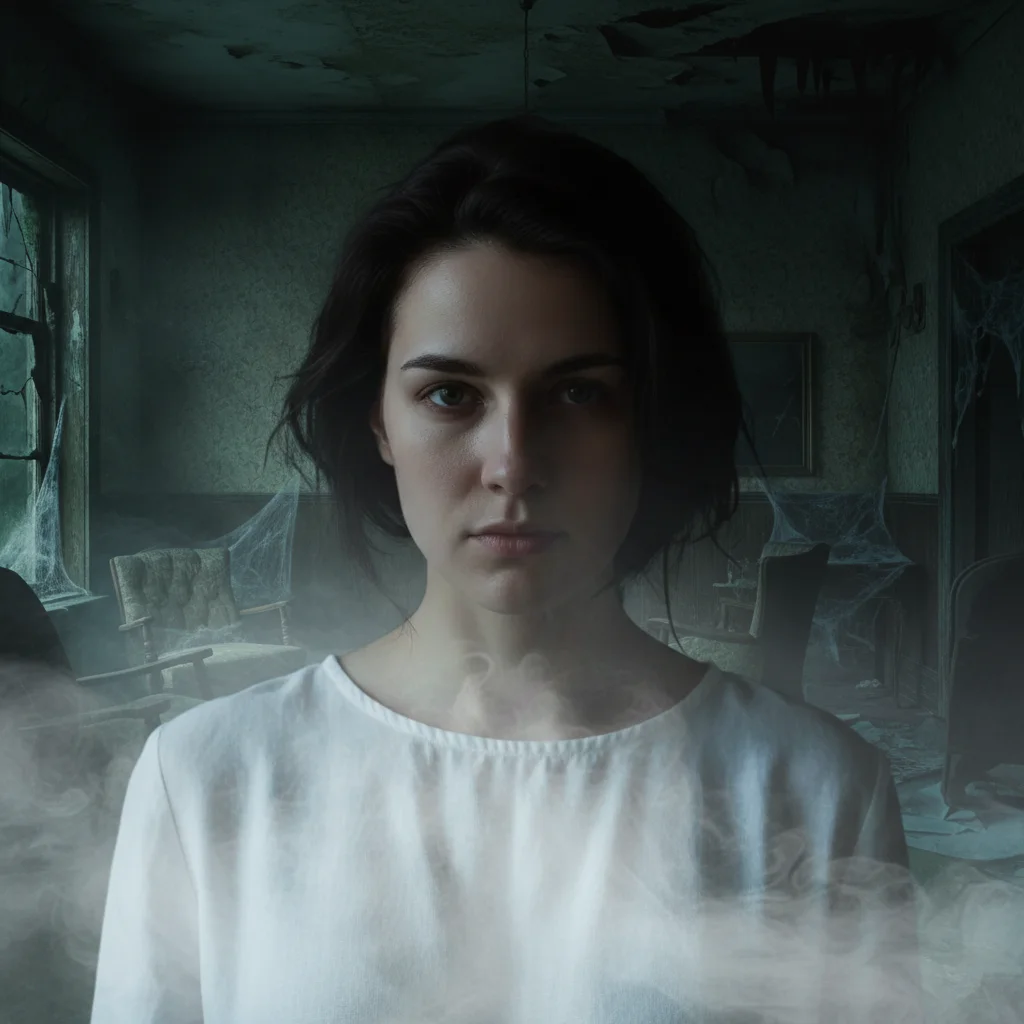
Same woman on horror movie poster with haunted house and eerie fog
After

Horror movie thriller poster

A simple portrait transformed into a chilling horror movie poster with haunted house atmosphere.

Prompt: create a horror movie poster featuring this person in a dark haunted house setting with eerie fog and ominous shadows
Smiling woman in coral pink sweater against cream background
Before
->
Same woman on romantic comedy poster with city skyline and playful title
After

Romantic comedy poster creation

A cheerful portrait transformed into a vibrant rom-com movie poster with city skyline backdrop.

Prompt: put this person on a romantic comedy movie poster with bright cheerful colors, city skyline background, and playful typography
Advertisement

If something looks off

AI changed wrong area or added poster elements where I didn't want them

Why: The AI placed movie title, taglines, or background elements in unexpected locations based on typical poster composition rules.

Try: Tap a marker on the face area you want to preserve, then regenerate with more specific placement: 'put the face centered and large, keep title text at bottom only'

Tip: Markers tell the AI 'THIS is the star.' Use them when layout elements conflict with face prominence.

Face looks unnatural or poorly composited on the poster

Why: The source photo's lighting doesn't match the dramatic cinematic lighting style of movie posters.

Try: Use a well-lit, expressive portrait photo, then regenerate: 'composite the face naturally with cinematic color grading and dramatic shadows'

Tip: Movie posters work best with dramatic portrait photos. Flat-lit casual photos will look less cinematic.

Poster doesn't match the genre I specified

Why: Generic genre mentions need more specific visual cues to capture the right cinematic aesthetic.

Try: Add genre-specific details: 'action poster with orange and teal color grading, lens flares' or 'horror poster with desaturated colors, vignette darkening'

Tip: Each genre has signature visual elements—mention color palettes, lighting styles, and typical background scenes.

Title text is illegible or poorly designed

Why: The AI generated text that doesn't have enough contrast or uses fonts that don't match the genre.

Try: Be specific about typography: 'bold blocky title text with metallic texture for action movie' or 'distressed horror font with blood drips'

Tip: Genre-appropriate typography is crucial. Mention font styles that match the movie aesthetic you want.

Background scene is too generic or doesn't match the movie concept

Why: Vague background descriptions lead to generic placeholder scenes instead of dramatic cinematic environments.

Try: Describe the background in detail: 'crumbling city skyline with helicopters and smoke' or 'foggy cemetery at night with twisted dead trees'

Tip: Specific background details make posters feel authentic. Reference iconic scenes from movies in that genre.

Poster lacks authentic movie poster details like credits, ratings, release date

Why: Basic prompts focus on main visuals and may omit fine details that make posters look professional.

Try: Request complete poster realism: 'create a realistic movie poster with actor credits, MPAA rating, release date, and production company logos'

Tip: Adding 'realistic movie poster details' or 'authentic theatrical poster' prompts the AI to include industry-standard elements.

Quick answers

Do I need to mark my face before creating the movie poster?

No! Just describe the movie style you want: 'put my face on an action movie poster with explosions' or 'create a horror movie poster featuring this person.' The AI understands how to composite faces onto cinematic poster layouts. Only use markers if you want precise control over face placement or if the result needs refinement.

Can I create posters for any movie genre?

Yes! The AI handles action, horror, romance, comedy, sci-fi, thriller, Western, superhero, and more. Just describe the genre aesthetic: 'action poster with explosions', 'horror poster with dark haunted house', 'rom-com poster with bright city background.' The AI adapts the visual style to match each genre's signature look.

Is there a free AI movie poster generator without signup?

Yes, EditThisPic is free to try with no account needed. Upload your photo, describe the movie style, and download the result. No watermarks on outputs. Perfect for creating fun movie posters without commitment.

What photo works best for movie posters?

Dramatic portraits with good lighting work best. For action/thriller posters, use photos with intense expressions. For comedy/romance, use friendly smiling photos. The AI adapts your face to the cinematic style, but starting with an expressive photo helps.

Can I add custom movie titles and taglines to the poster?

Yes! Include the text in your prompt: 'create an action movie poster titled "The Last Stand" with tagline "One Hero. Final Battle."' The AI will incorporate your custom text into the poster design. Use quotes for exact text matching.

Ready to put your face on a movie poster?

Free to try. No signup required.

Try it free