Free • No signup Generate Avatar · Free

AI Avatar Generator

Transform any photo into a unique stylized avatar. Your face, your personality, artistic style.
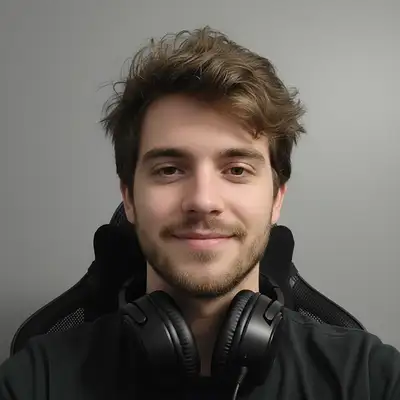
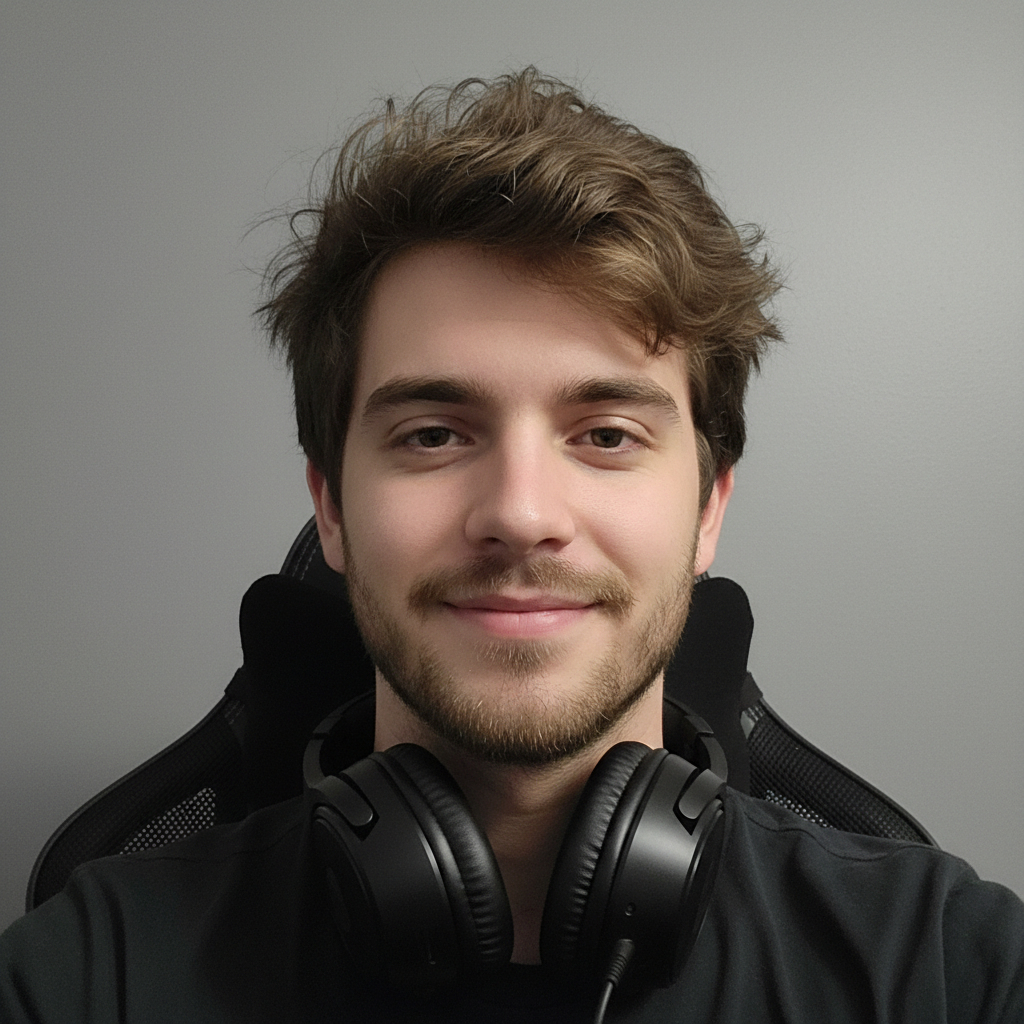
Casual selfie of gamer with headset
Before
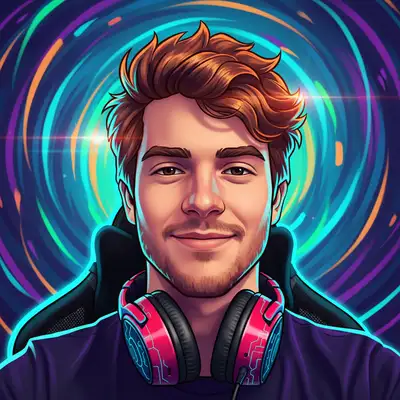
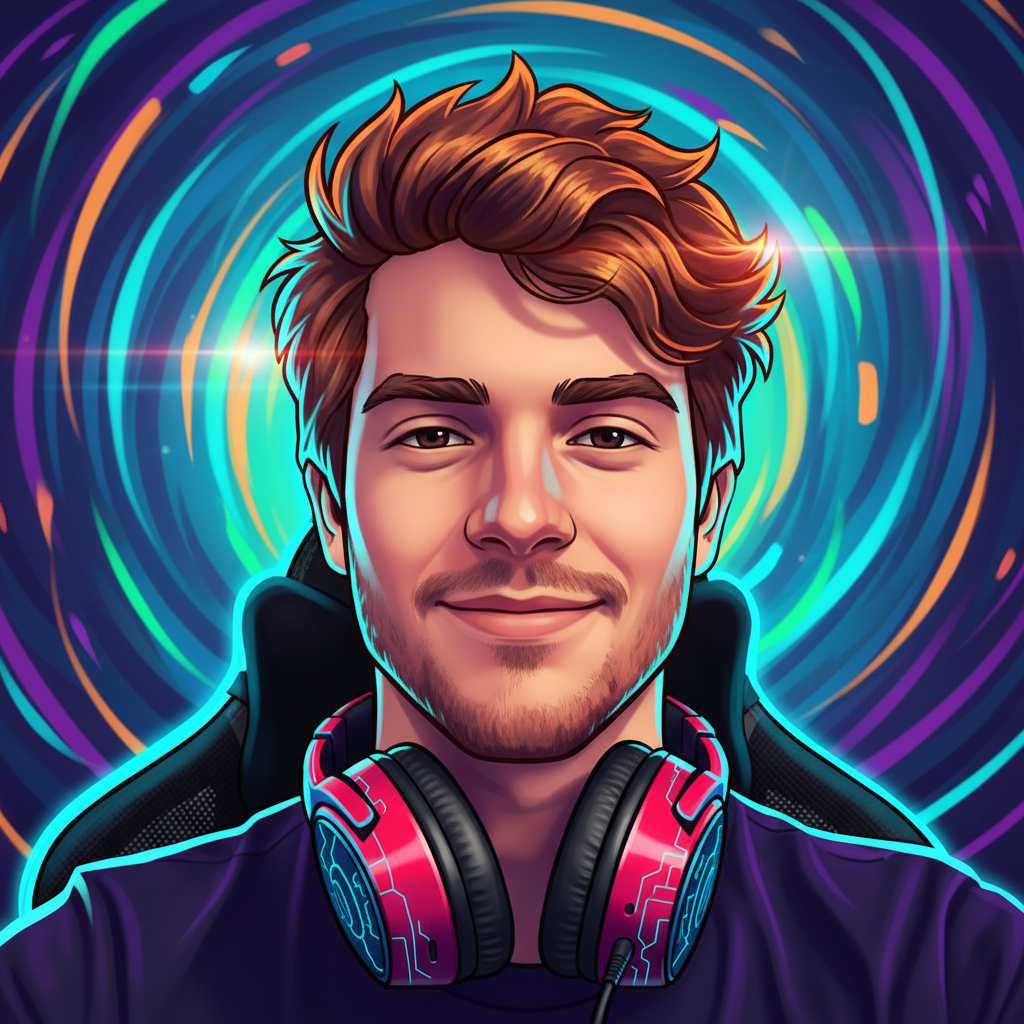
Stylized gaming avatar with vibrant colors
After

AI Avatar Generator

Drop your photo here

or click to browse

Release to upload

Free • No signup

Advertisement
Popular use cases:
  • AI avatar generator
  • avatar from photo
  • gaming avatar maker
  • Discord avatar generator
  • social media avatar
  • profile picture avatar
  • cartoon avatar from photo
  • anime avatar maker

Cost
Free No signup required
Time
Instant results in 15-30 seconds
Works on
Any device - browser, phone, tablet, desktop
Powered by
AI-powered photo editing
Scenario Prompt Time
Gaming avatar generate gaming avatar with vibrant colors and bold outlines 20s
Cartoon avatar create cartoon avatar with clean lines and bright colors 20s
Anime avatar transform into anime avatar with expressive eyes 25s
3D Pixar style generate 3D Pixar-style avatar with smooth rendering 30s

How it works

  1. Upload your photo

    Drop any photo into EditThisPic. JPG, PNG, or WebP up to 7MB. Front-facing selfies with clear faces produce the best avatar results. Even casual photos work great.

    Expect: Simple portraits: 20-30 seconds. Detailed style requests: may need 2-3 tries for the perfect look.
  2. Describe your avatar style

    Type your instruction: 'generate a cartoon avatar with vibrant colors' or 'create an anime-style avatar with dramatic lighting.' Be specific about the artistic style you want. No marking needed—the AI knows how to stylize while preserving your likeness.

    Tip: Mention specific styles like 'Pixar-style,' '2D illustrated,' 'anime,' or 'gaming avatar' for more targeted results.

    Copy one of these to get started:

    Gaming profile avatar generate a stylized gaming avatar with vibrant colors, bold outlines, and dynamic lighting
    Discord or social media create a cartoon avatar with clean lines, bright colors, and friendly expression
    Anime-style avatar transform this photo into anime avatar style with large expressive eyes and detailed hair
    3D Pixar-style avatar generate a 3D Pixar-style avatar with smooth rendering, subtle lighting, and expressive features
    3 more prompts
    Illustrated portrait avatar create an illustrated digital portrait avatar with artistic brush strokes and stylized features
    Minimalist avatar generate a minimalist avatar with simple shapes, flat colors, and clean design
    Fantasy RPG character transform into fantasy RPG character avatar with dramatic lighting and heroic pose feel
  3. Review your avatar

    Check that the avatar captures your key features—face shape, hairstyle, distinguishing characteristics. The style should be consistent and polished. Your friends should recognize it's you.

  4. Refine with markers if needed

    If you want specific features handled differently—like keeping glasses realistic or changing how hair is stylized—tap markers on those areas and regenerate with more specific instructions.

    Tip: Markers help when you want one feature treated differently: 'stylize everything but keep my glasses realistic.'
Try it free

AI Avatar Generator

Drop your photo here

or click to browse

Release to upload

Free • No signup

"Made matching avatars for my whole gaming squad. Everyone looks like their actual selves but in our guild's art style. Way better than generic preset avatars." @GuildMasterKai

See it in action

Casual selfie of gamer with headset
Before
->
Stylized gaming avatar with vibrant colors
After

Selfie to gaming avatar

Casual selfie transformed into a bold, colorful gaming avatar. The style is eye-catching at any size while still being recognizable.

Prompt: generate a stylized gaming avatar with vibrant colors, bold outlines, and dynamic lighting
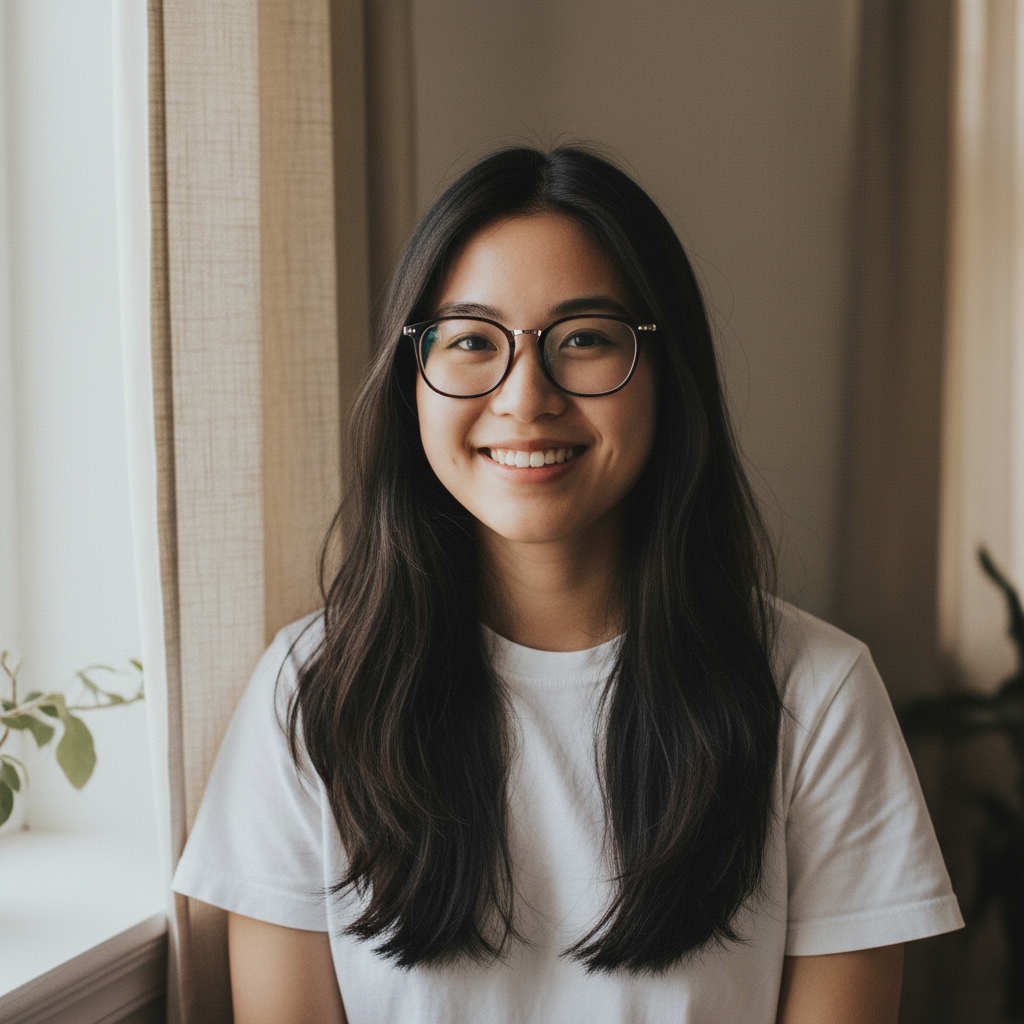
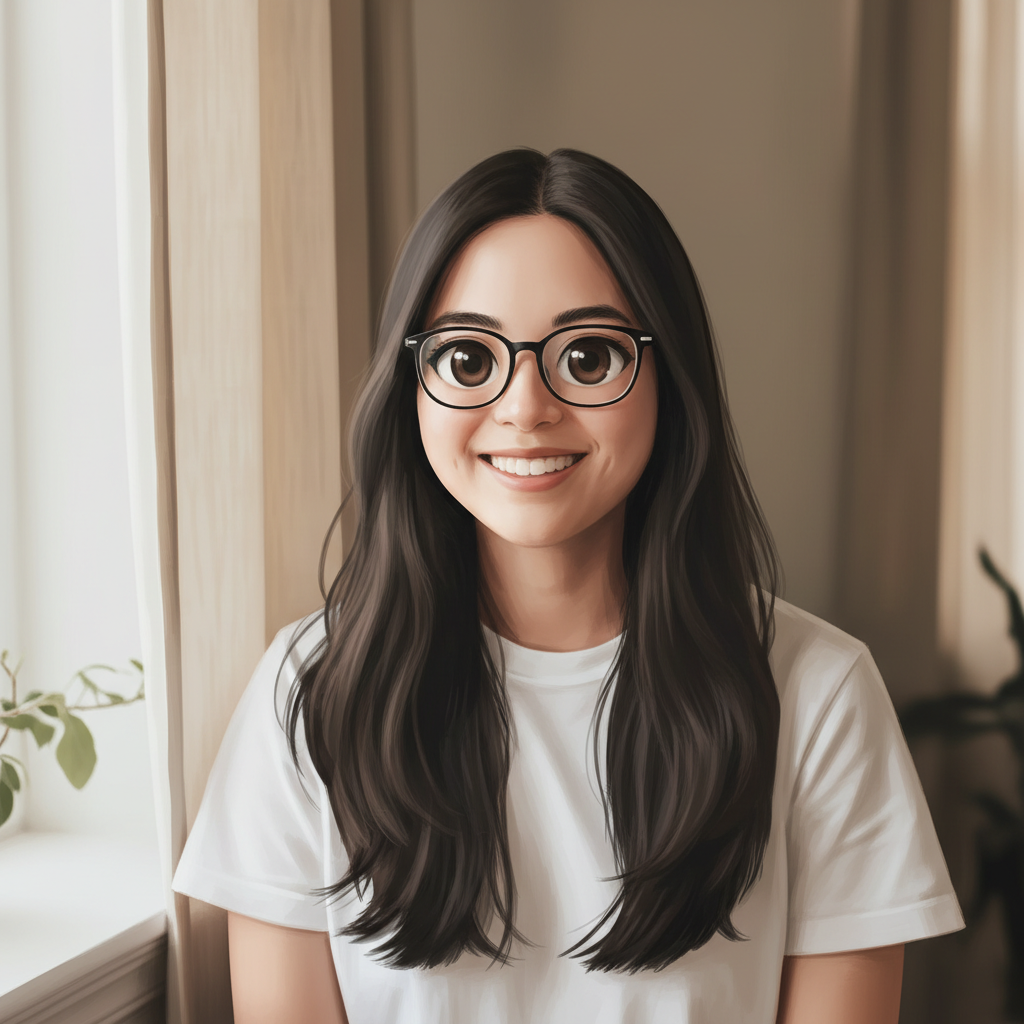
Portrait of young woman with glasses
Before
->
Anime-style avatar with expressive eyes
After

Photo to anime avatar

Portrait photo converted to anime-style avatar with characteristic large eyes and detailed hair rendering typical of Japanese animation.

Prompt: transform this photo into anime avatar style with large expressive eyes and detailed hair
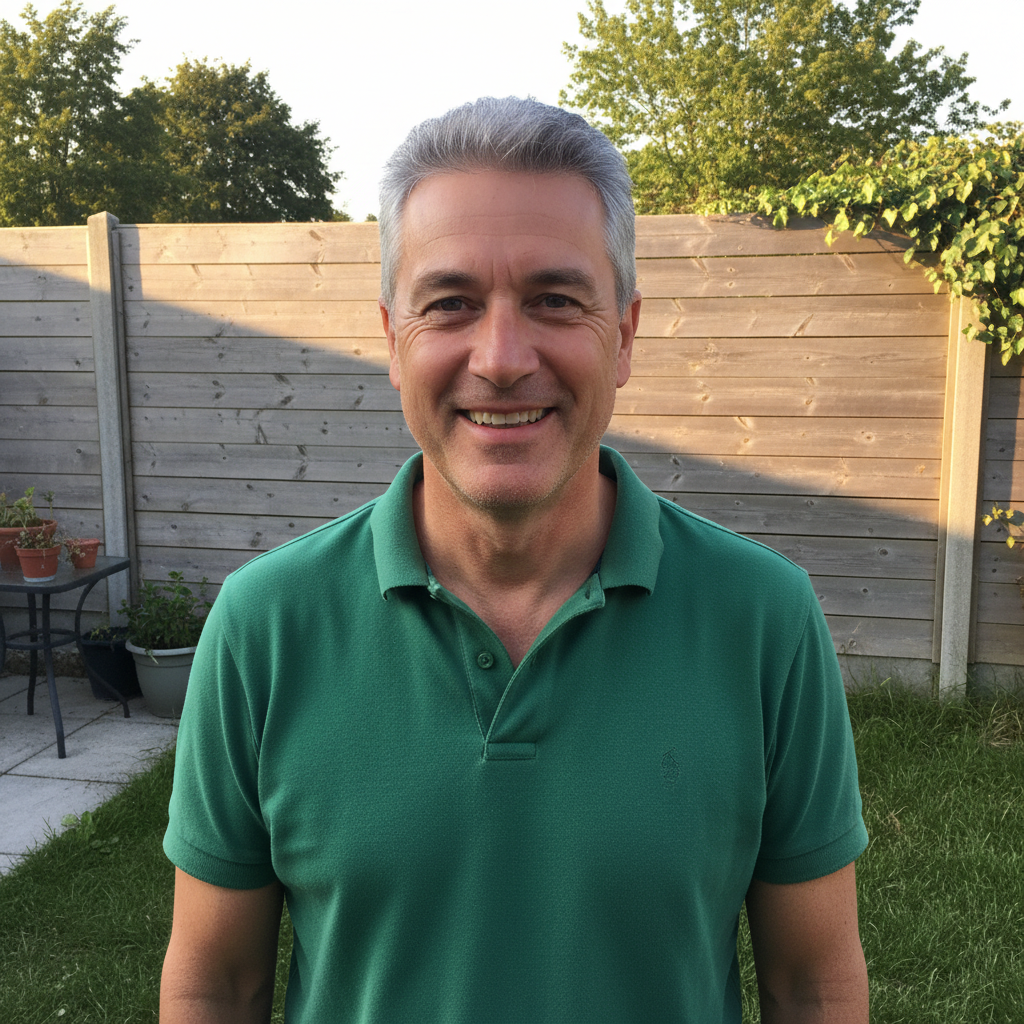
Casual backyard photo of man in polo shirt
Before
->
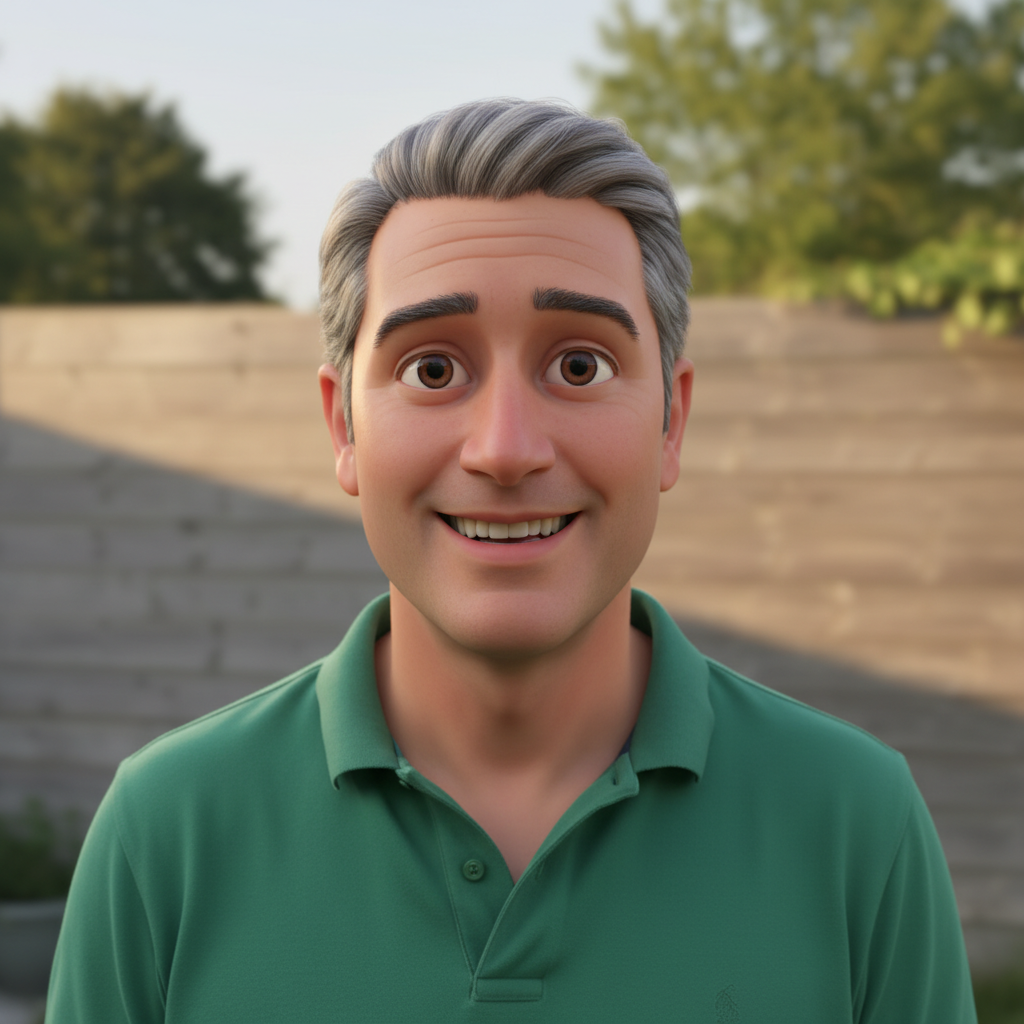
3D Pixar-style avatar with smooth rendering
After

Casual photo to 3D avatar

Everyday photo transformed into a polished 3D Pixar-style avatar with that recognizable animated movie aesthetic.

Prompt: generate a 3D Pixar-style avatar with smooth rendering, subtle lighting, and expressive features
Advertisement

If something looks off

AI changed the wrong area or something I didn't want changed

Why: The AI couldn't determine exactly which area you meant from description alone. This happens with ambiguous requests.

Try: Tap a marker on the specific area you want to change, then regenerate with the same prompt

Tip: Markers tell the AI 'I mean THIS one specifically.' Use them when description alone is ambiguous.

Avatar doesn't look like me at all

Why: The style transformation was too aggressive and lost your distinguishing features.

Try: generate avatar while preserving my facial structure, hairstyle, and key features - stylize but keep recognizable

Tip: Adding 'keep recognizable' or 'preserve likeness' tells the AI to prioritize your features over stylization.

Style isn't what I wanted

Why: 'Avatar' can mean many different things. Generic prompts produce unpredictable styles.

Try: generate [specific style like 'cartoon' or 'anime' or '3D'] avatar with [specific features like 'bold colors' or 'soft shading']

Tip: Be specific about the style. 'Cartoon,' 'anime,' '3D Pixar,' and 'illustrated' all produce very different results.

Details like glasses or accessories look wrong

Why: The AI might stylize everything uniformly when you want some elements kept more realistic.

Try: Tap markers on the accessories, then: keep these items realistic while stylizing the rest as avatar

Tip: Markers help when you want mixed treatment: stylized face but realistic glasses.

Avatar looks low quality or pixelated

Why: Very stylized or minimalist looks can sometimes appear less detailed than expected.

Try: generate high-quality detailed avatar with crisp lines and smooth rendering

Tip: Adding 'high-quality' and 'detailed' signals you want polished output, not rough sketch style.

Quick answers

Do I need to mark anything before generating my avatar?

No. Just describe the avatar style you want: 'generate a cartoon avatar with bright colors.' The AI knows how to transform your photo while keeping you recognizable. Markers are only needed if you want specific features handled differently—like keeping glasses realistic while stylizing your face.

How do I generate an AI avatar from my photo for free?

Upload your photo to EditThisPic and type 'generate a stylized avatar with [your preferred style].' The AI transforms your photo into a custom avatar in 20-30 seconds. Works for cartoon, anime, 3D, or illustrated styles. Free to try, no account needed, no watermarks.

Is there a free AI avatar generator that doesn't require signup?

Yes. EditThisPic creates custom avatars from any photo without requiring an account or login. Just upload, describe the style you want, and download. No watermarks, no email required.

Will the avatar still look like me?

Yes. The AI captures your key features—face shape, hairstyle, distinguishing characteristics—while applying the artistic style. Your friends should recognize it's you. If results are too different, add 'keep recognizable' to your prompt.

What avatar styles can I create?

You can create cartoon avatars, anime-style avatars, 3D Pixar-style avatars, illustrated portraits, minimalist avatars, gaming avatars, and more. Just describe the style in your prompt. The AI can also blend styles or match specific references.

Ready to create your custom avatar?

Free to try. No signup required.

Try it free