Free • No signup Create Sports card · Free

AI Sports Card Maker

Transform photos into custom sports cards in seconds with AI.

Youth baseball player portrait photo
Before
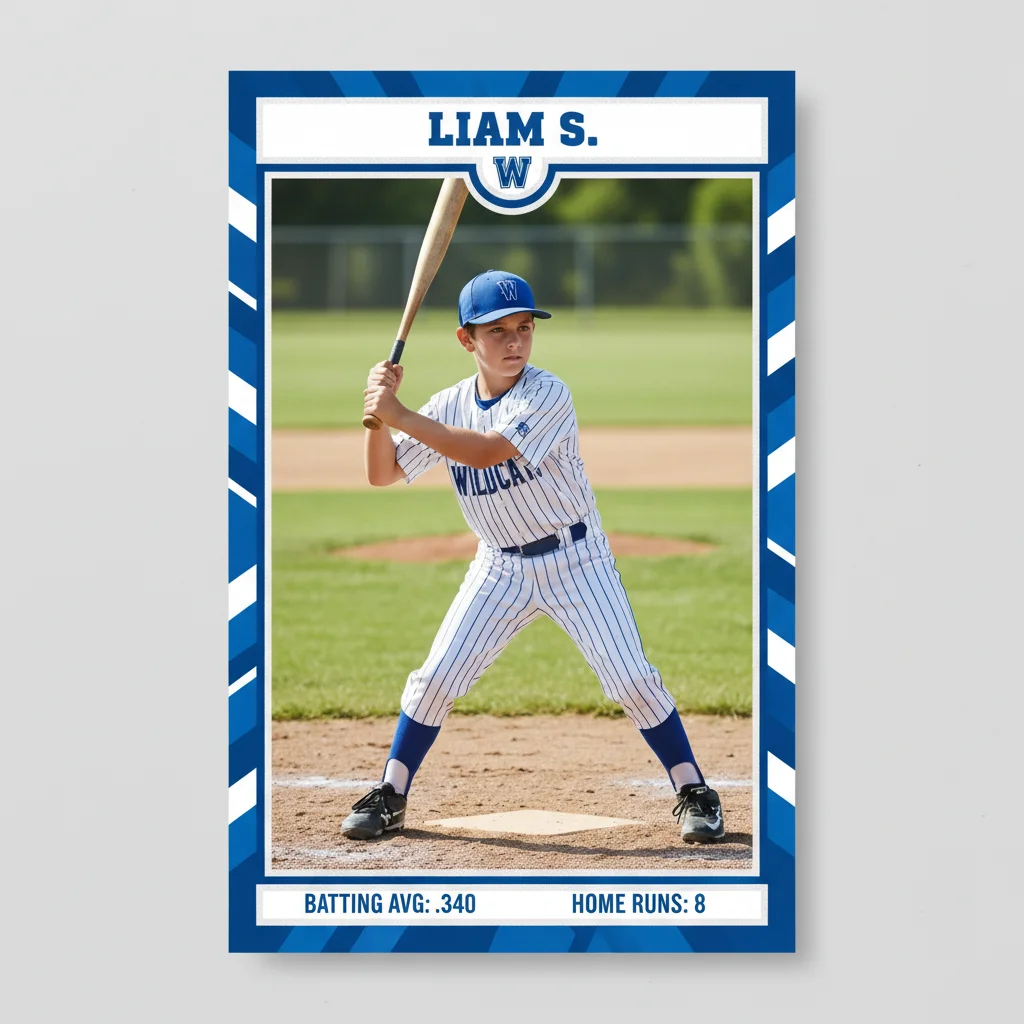
Professional baseball card design with blue borders and stats
After

Create Sports Card from Photo

Drop your photo here

or click to browse

Release to upload

Free • No signup

Advertisement
Popular use cases:
  • youth sports teams
  • little league parents
  • high school athletes
  • college recruiting
  • team packages
  • coach gifts
  • sports memorabilia
  • fantasy leagues
  • card collectors

Cost
Free No signup required
Time
Instant results in 15-30 seconds
Works on
Any device - browser, phone, tablet, desktop
Powered by
AI-powered photo editing
Scenario Prompt Time
Classic baseball card create a baseball card with red border, player name at top in bold white letters, team logo in corner, season stats at bottom 30s
Modern basketball card create a basketball card with sleek blue and gold gradient borders, player name and number at top, stats showing points per game 35s
Vintage football card create a vintage 1980s football card with thick orange border, distressed texture, player name in retro font, weathered look 40s
Youth soccer card create a colorful youth soccer card with bright green and yellow borders, player name and jersey number, team name 30s

How it works

  1. Upload your photo

    Drop your action shot, portrait, or team photo into EditThisPic. JPG, PNG, WebP up to 7MB. Best results with clear, well-lit photos where the subject is visible and not cut off.

    Expect: Simple cards with standard layouts: 30-45 seconds. Complex custom designs with multiple elements: may need 2-3 refinements.
  2. Describe your card design

    Type your instruction: 'create a basketball card with blue and gold borders, player name at top, stats at bottom' or 'make a vintage baseball card design with red accents and jersey number.' Be specific about sport type, colors, border style, layout, and which stats to include. No marking needed—the AI understands card design concepts.

    Tip: Include specific stats you want displayed: points per game, batting average, season highlights, or team name and position.

    Copy one of these to get started:

    Classic baseball card design create a baseball card with red border, player name at top in bold white letters, team logo in corner, season stats at bottom including batting average and home runs
    Modern basketball card create a basketball card with sleek blue and gold gradient borders, player name and number at top, team logo, stats showing points per game and field goal percentage
    Vintage football card style create a vintage 1980s football card with thick orange border, distressed texture, player name in retro font, position and team at bottom, weathered look
    Youth league soccer card create a colorful youth soccer card with bright green and yellow borders, player name and jersey number, team name 'Eagles FC', position and season goals
    3 more prompts
    Hockey card with action frame create a hockey card with ice blue border and action frame effect, player name in bold, team logo, stats including goals, assists, and plus-minus rating
    Multi-sport athlete card create a sports card showing dual-sport athlete, split design with football on left side and baseball on right, name at top, stats for both sports at bottom
    Championship commemorative card create a special edition championship card with gold borders and trophy graphics, player name, team name, championship year 2024, career highlights and stats
  3. Generate and review

    Click Generate and the AI creates your sports card design. Review the layout, colors, border style, and stat placement. Zoom in to check text readability and alignment. Most designs work perfectly on the first try.

  4. Refine with markers if needed

    If you want to adjust specific areas—like repositioning text, changing border thickness in one section, or enhancing the photo quality—tap markers on those spots and regenerate. This is optional—most cards work without markers.

    Tip: Markers are for precision refinement, not required. Try without them first.
Try it free

Create Sports Card from Photo

Drop your photo here

or click to browse

Release to upload

Free • No signup

"Made sports cards for my son's baseball team in minutes. Everyone loved them!" @coach_mike

See it in action

Youth baseball player portrait photo
Before
->
Professional baseball card design with blue borders and stats
After

Youth baseball card with team colors

Created a professional-looking baseball card for a little league player with team colors and season stats. Perfect for team packages and gifts.

Prompt: create a baseball card with blue and white borders matching team colors, player name at top, team logo, stats showing batting average .340 and 8 home runs
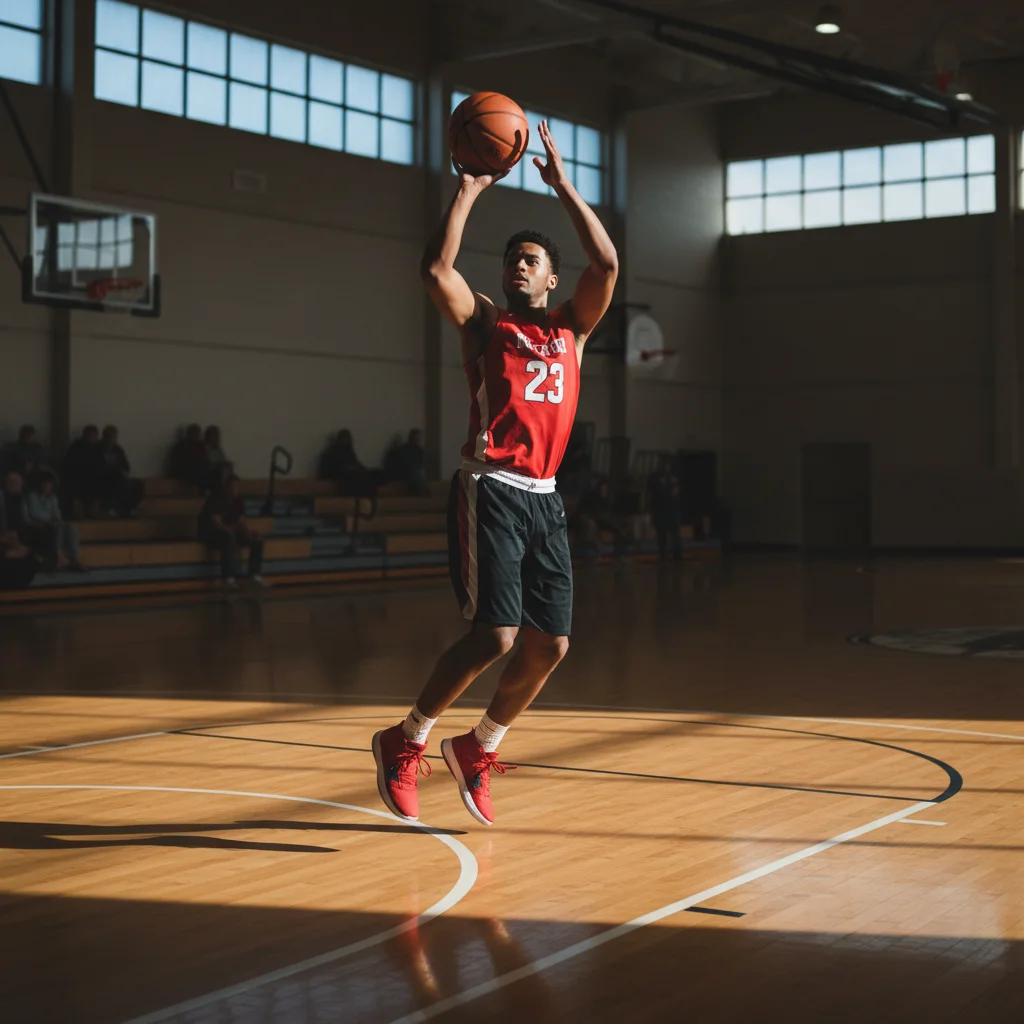
Basketball player action shot
Before
->
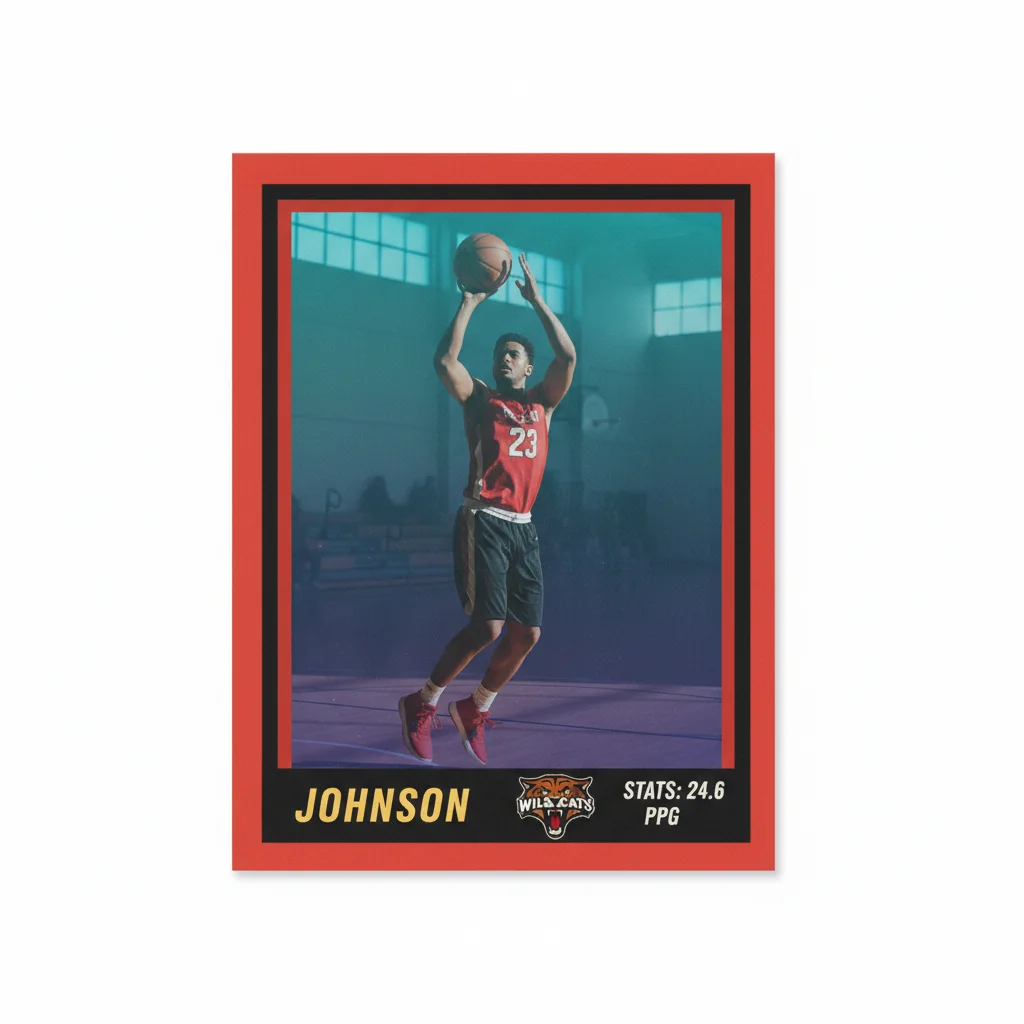
Vintage 1990s-style basketball card with retro borders
After

Vintage basketball card recreation

Transformed a modern basketball photo into a vintage 1990s-style card design with retro borders and classic stat layout. Great for nostalgia collections.

Prompt: create a vintage 1990s basketball card with thick red and black borders, retro gradient background, player name in bold 90s font, team logo, stats showing 24.6 PPG
High school quarterback portrait
Before
->
Recruiting-style football card with stats and school colors
After

High school football card with stats

Made a recruiting-ready football card highlighting a high school player's stats for college scouts. Includes position, measurements, and season performance.

Prompt: create a football card with school colors navy blue and gold, player name and number prominently displayed, position Quarterback, stats showing 2,400 passing yards and 28 touchdowns
Advertisement

If something looks off

AI changed the wrong area or added elements I didn't want

Why: The AI couldn't determine exactly which design elements you meant from description alone. This happens with ambiguous layout requests.

Try: Tap a marker on the specific area you want to modify, then regenerate with a more specific prompt

Tip: Markers tell the AI 'I mean THIS area specifically.' Use them when description alone is ambiguous.

Text is blurry or unreadable on the card

Why: The original photo resolution is too low, or the AI placed text over a busy background area where it doesn't contrast well.

Try: Start with a higher resolution photo (at least 1200px width). Specify text placement: 'place player name in top banner on solid blue background' to ensure readable contrast.

Tip: Solid color backgrounds behind text ensure crisp, readable results. Mention 'text banner' or 'solid background for text' in your prompt.

Card colors don't match team colors exactly

Why: Generic color names like 'blue' or 'red' can be interpreted in many shades. The AI might pick a shade that doesn't match your specific team branding.

Try: Use specific color descriptions: 'royal blue and bright gold' or 'crimson red and white' instead of just 'blue and gold' or 'red and white'

Tip: Include hex codes if you have them: 'borders in #003DA5 blue and #FFD700 gold' ensures exact team color matching.

Stats are in wrong format or missing key information

Why: The AI needs explicit guidance on which stats to include and how to format them. Without specific instructions, it may omit important data.

Try: List each stat you want: 'include batting average .340, home runs 12, RBIs 45, stolen bases 8' rather than 'add season stats'

Tip: The more specific your stat request, the better. Include format preferences: 'display as BA: .340, HR: 12, RBI: 45'.

Border style doesn't look professional or is too thick/thin

Why: Border thickness and style need explicit description. The AI's default interpretation may not match your vision.

Try: Specify border details: 'thin 2-pixel elegant border' or 'thick vintage-style border with double lines' instead of just 'add border'

Tip: Reference real card styles: 'Topps-style border' or 'Upper Deck modern border' helps the AI match professional card aesthetics.

Subject's face or body is cut off or poorly cropped

Why: The AI tried to fit the photo into a standard card layout, but the original photo composition didn't leave enough space around the subject.

Try: Start with a photo that has space around the subject (not tightly cropped). Or specify: 'preserve full face and upper body, adjust card border to fit subject'

Tip: Photos with head-to-waist framing and some background space work best for card layouts. Avoid extreme close-ups.

Quick answers

Do I need to mark areas before describing the card design?

No! Just describe what you want: 'create a baseball card with red borders and player stats' or 'make a vintage football card with team colors.' The AI understands card layout concepts. Only use markers when you need precision—like adjusting text placement after your first attempt or refining specific design elements.

How do I make custom sports cards for free?

Upload your photo to EditThisPic and describe the card design you want—sport type, colors, borders, and stats. The AI generates a professional sports card design in 30-45 seconds. Free to try with no login or signup. Download your card with no watermark.

What sports work best with this AI card maker?

All major sports work well: baseball, basketball, football, soccer, hockey, volleyball, tennis, and more. The AI understands sport-specific terminology and can create appropriate stat layouts for each sport. Action shots, portraits, and team photos all work great.

Can I add custom stats and text to the cards?

Yes! Include specific stats in your prompt: 'batting average .340, home runs 12' or 'points per game 24.6, field goal percentage 48%.' The AI will format and display these stats on your card. You can also specify player name, team name, jersey number, position, and any other text elements you want included.

Is there a free sports card maker that doesn't require an account?

Yes! EditThisPic's AI Sports Card Maker is completely free to try with no signup required. Just upload your photo, describe the card design, and generate. Download your card with no watermark. No subscription, no account needed for basic use.

Ready to create your sports card?

Free to try. No signup required.

Try it free