Free β€’ No signup Transform Pokemon-style artwork Β· Free

AI Pokemon-Style Photo Editor

Upload your photo and get a Pokemon-inspired artistic transformation in 30 seconds. Great for fan art, social media profiles, and party decorations.
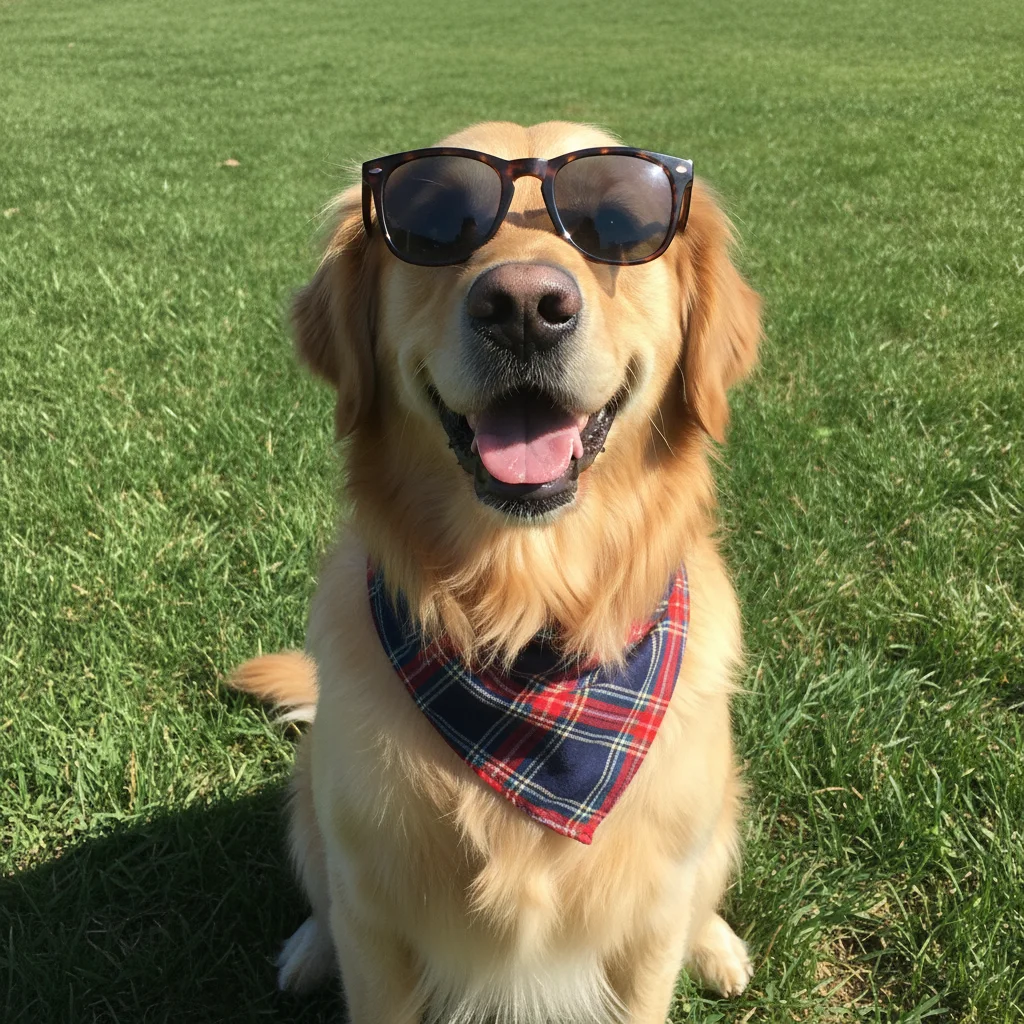
Golden retriever dog photo before Pokemon-style art transformation
Before
β†’
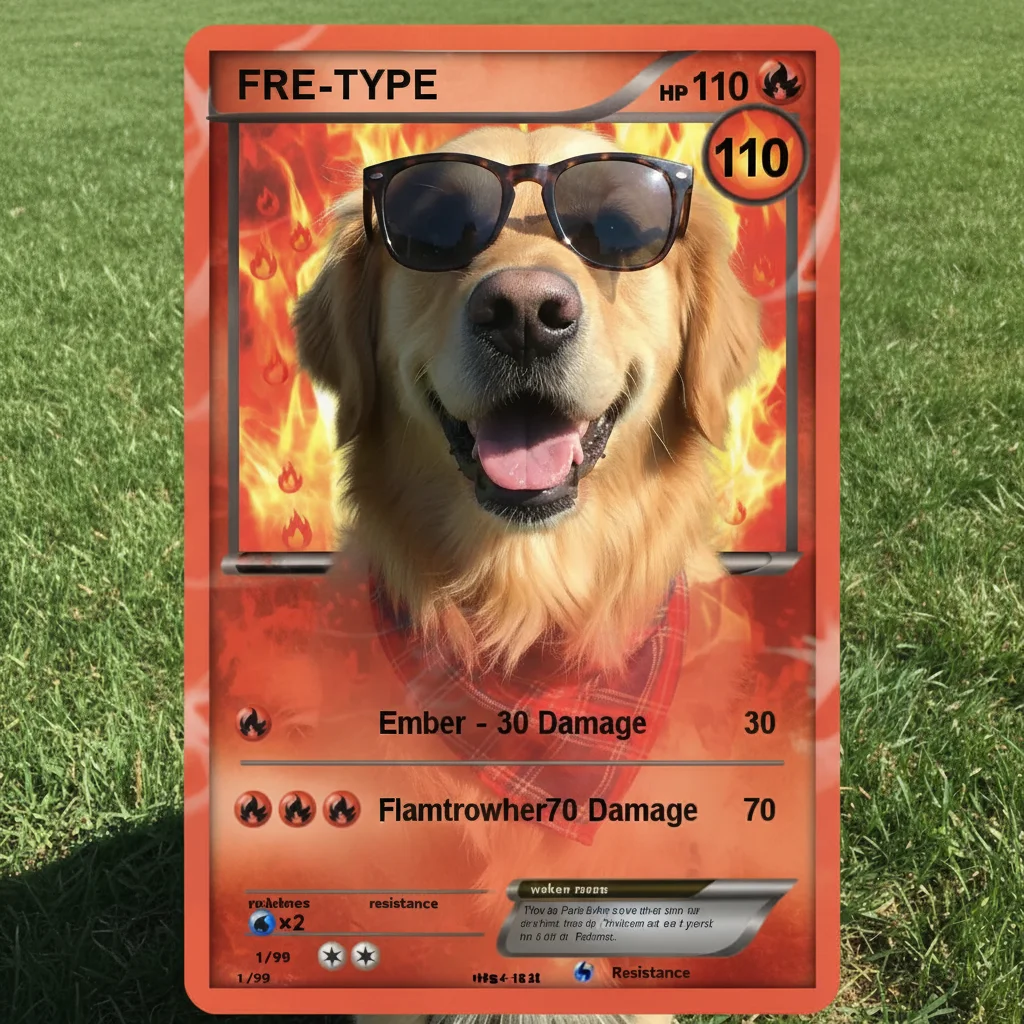
Golden retriever transformed into Pokemon-inspired anime-style artwork
After

AI Pokemon-Style Photo Editor

Upload photo to transform Pokemon-style artwork

Free β€’ Results in 30 seconds β€’ No signup

Release to upload

FreeNo signupNo watermark
Popular use cases:
  • Pokemon fan art
  • anime style portraits
  • social media profile art
  • Pokemon themed decorations
  • pet fan art
  • social media content
  • fan art creators
  • party decorations

Cost
Free No signup required
Time
Instant results in 15-30 seconds
Works on
Any device - browser, phone, tablet, desktop
Powered by
AI-powered photo editing
Scenario Prompt Time
Classic anime style transform into Pokemon-inspired anime artwork with vibrant colors and cel-shading 30s
Pet fan art turn this pet into Pokemon-style fan art with big expressive eyes and bright colors 30s
Battle art transform into dramatic Pokemon-style battle art with energy effects and glowing aura 35s
Chibi style transform into adorable Pokemon-style chibi art with big eyes and pastel colors 35s

How it works

  1. Upload your photo

    Drop your photo into EditThisPic. Works best with clear photos of people, pets, or characters against simple backgrounds. JPG, PNG, WebP up to 7MB.

    Expect: Simple photos with clear subjects: 30-45 seconds. Complex multi-character scenes: may need 1-2 refinements for the best artistic result.
  2. Describe what you want

    Type your instruction: 'transform this photo into Pokemon-inspired artwork with vibrant colors' or 'make this photo look like a Pokemon anime character.' Be specific about the art style, color scheme, and mood you want. No marking needed β€” the AI understands anime and Pokemon aesthetics.

    Tip: Mention specific art elements like 'cel-shading,' 'vibrant anime colors,' or 'dramatic lighting' for more polished results.

    Copy one of these to get started:

    Classic Pokemon anime style transform this photo into Pokemon-inspired anime artwork with vibrant colors, cel-shading, and bold outlines
    Pokemon-style pet portrait turn this pet photo into Pokemon-style fan art, make them look like a cute anime creature with big expressive eyes and bright colors
    Dramatic Pokemon battle art transform this photo into dramatic Pokemon-style battle art with energy effects, glowing aura, and dynamic anime lighting
    Pokemon world background transform this photo into Pokemon-style artwork set in a colorful anime world with lush grass, blue sky, and Pokemon-inspired scenery
    3 more prompts
    Cute Pokemon-style portrait transform this portrait into adorable Pokemon-style chibi art with big eyes, soft pastel colors, and kawaii anime aesthetics
    Legendary Pokemon-style art transform this photo into epic legendary Pokemon-style artwork with a glowing aura, dramatic sky, and powerful mythical energy effects
    Water-themed Pokemon art transform this photo into Pokemon-style water-themed artwork with blue tones, ocean waves, and aquatic anime effects
  3. Generate and review

    Click Generate and the AI creates your Pokemon-inspired artwork. Check that the colors, anime styling, and overall aesthetic match what you wanted.

  4. Refine with markers if needed

    If you want to adjust specific areas β€” like making the background more vibrant or changing the color scheme β€” tap markers on those areas and regenerate. Most transformations look great on the first try.

    Tip: Markers help if you want more or less stylization in specific areas of the image.
Try it free ↓

AI Pokemon-Style Photo Editor

Upload photo to transform Pokemon-style artwork

Free β€’ Results in 30 seconds β€’ No signup

Release to upload

Free β€’ No signup

See it in action

Golden retriever dog photo before Pokemon-style art transformation
Before
->
Golden retriever transformed into Pokemon-inspired anime-style artwork
After

Golden Retriever Pokemon-Style Art

Transformed a golden retriever photo into vibrant Pokemon-inspired fan art with anime styling and bright colors.

Prompt: transform this photo into Pokemon-inspired anime artwork with vibrant colors, cel-shading, and bold outlines
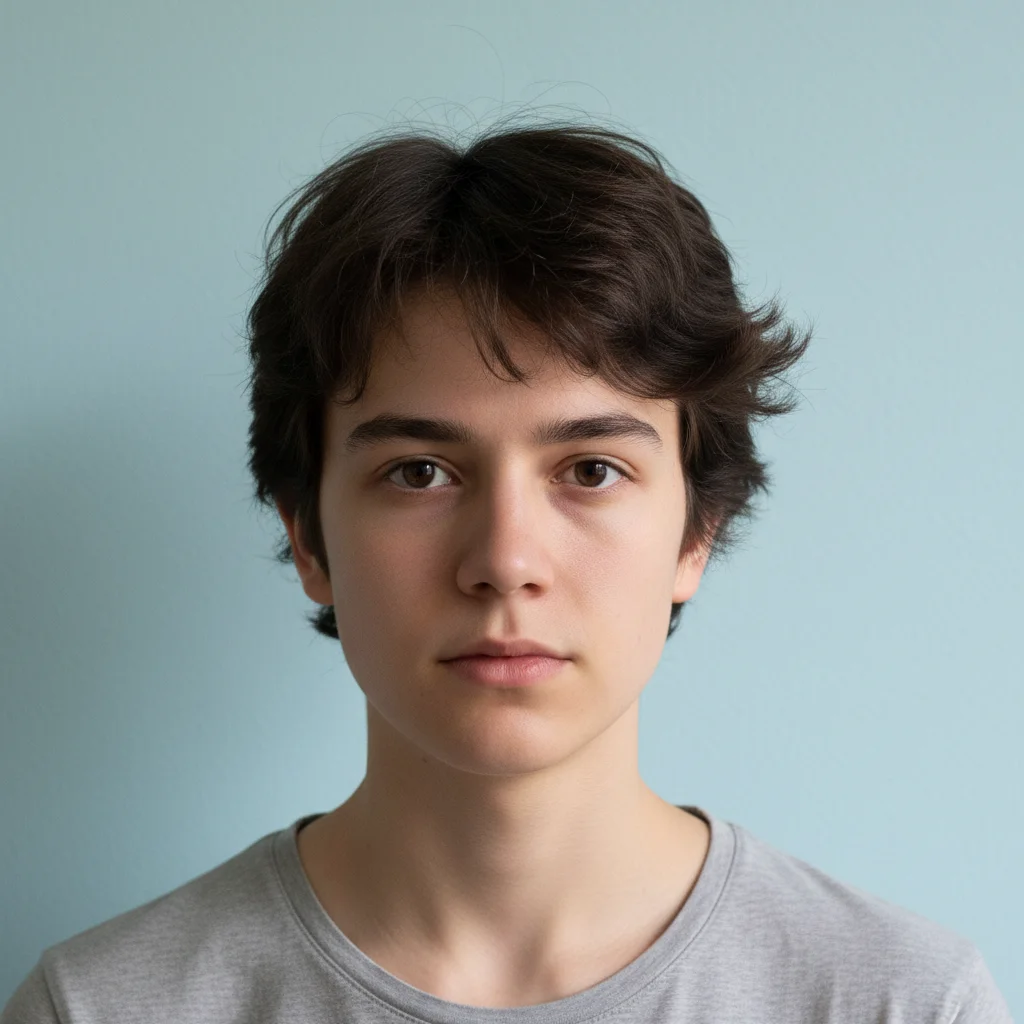
Portrait photo before Pokemon-style art transformation
Before
->
Portrait transformed into Pokemon-style anime artwork
After

Portrait as Pokemon-Style Character

Created Pokemon-style anime art from a portrait photo with vibrant colors and anime aesthetics.

Prompt: transform this photo into Pokemon-inspired anime artwork with vibrant colors, cel-shading, and bold outlines

Detailed Guides by Scenario

πŸ“·

Fan Art & Profile Pictures

Transform your photos into Pokemon-inspired fan art for profile pictures, avatars, and social media posts.

Common Scenarios

  • Creating a unique Pokemon-style profile picture that stands out on social media
  • Turning pet photos into cute Pokemon-inspired fan art to share with friends
  • Making Pokemon-style avatars for Discord, Twitch, or gaming platforms

Best Practices

  • Start with a clear, well-lit photo β€” the AI preserves more detail from quality originals
  • For profile pictures, focus on head/shoulders shots for the strongest anime transformation
  • Try different style descriptions to find the look you like best before downloading
πŸ“·

Social Media & Content

Create scroll-stopping social media content by transforming photos into Pokemon-inspired artwork β€” perfect for posts, stories, and themed content.

Common Scenarios

  • Making a series of Pokemon-style portraits for a themed Instagram post
  • Creating Pokemon-inspired artwork of friends for birthday or party posts
  • Building a themed social media series with consistent Pokemon anime styling

Best Practices

  • Pair the transformation with a caption that references the Pokemon art style
  • For Instagram stories, add text overlays after the transformation for maximum engagement
  • Process several photos in the same session to maintain a consistent style across posts
πŸ“·

Gifts & Party Decorations

Turn photos into Pokemon-themed artwork for party decorations, printed gifts, and personal keepsakes.

Common Scenarios

  • Creating Pokemon-style portraits of the birthday kid for party decorations
  • Making Pokemon-inspired pet art as a fun printed gift for friends
  • Transforming family photos into anime-style artwork for wall prints

Best Practices

  • Choose photos with clear faces and good lighting β€” the transformation preserves detail best from quality originals
  • For prints, use high-resolution source photos so the artwork stays sharp at larger sizes
  • Request 'bold colors' for decorations that need to stand out at a distance

If something looks off

AI changed the wrong area or the subject isn't the focus

Why: The AI couldn't determine the exact framing you wanted from description alone. This happens with busy backgrounds or off-center subjects.

Try: Tap a marker on the subject's face or main body, then regenerate with 'apply Pokemon anime style to this subject'

Tip: Markers tell the AI 'focus on THIS subject.' Use them when the auto-detection isn't quite right.

Result looks too realistic, not stylized enough

Why: The AI may have applied a subtle transformation. Pokemon style needs stronger anime aesthetics.

Try: Try 'transform into bold Pokemon anime art with strong cel-shading, thick outlines, and saturated colors β€” make it look like a cartoon, not a photo'

Tip: Being explicit about cartoon/anime elements pushes the AI toward a more dramatic transformation

Colors don't match the Pokemon aesthetic I wanted

Why: The AI chose a color scheme that doesn't match your vision. Different Pokemon elements have distinct palettes.

Try: Specify colors directly: 'Pokemon-style art with warm fire-toned reds and oranges' or 'cool water-themed blues and teals'

Tip: Naming specific color families gives much more control over the final look

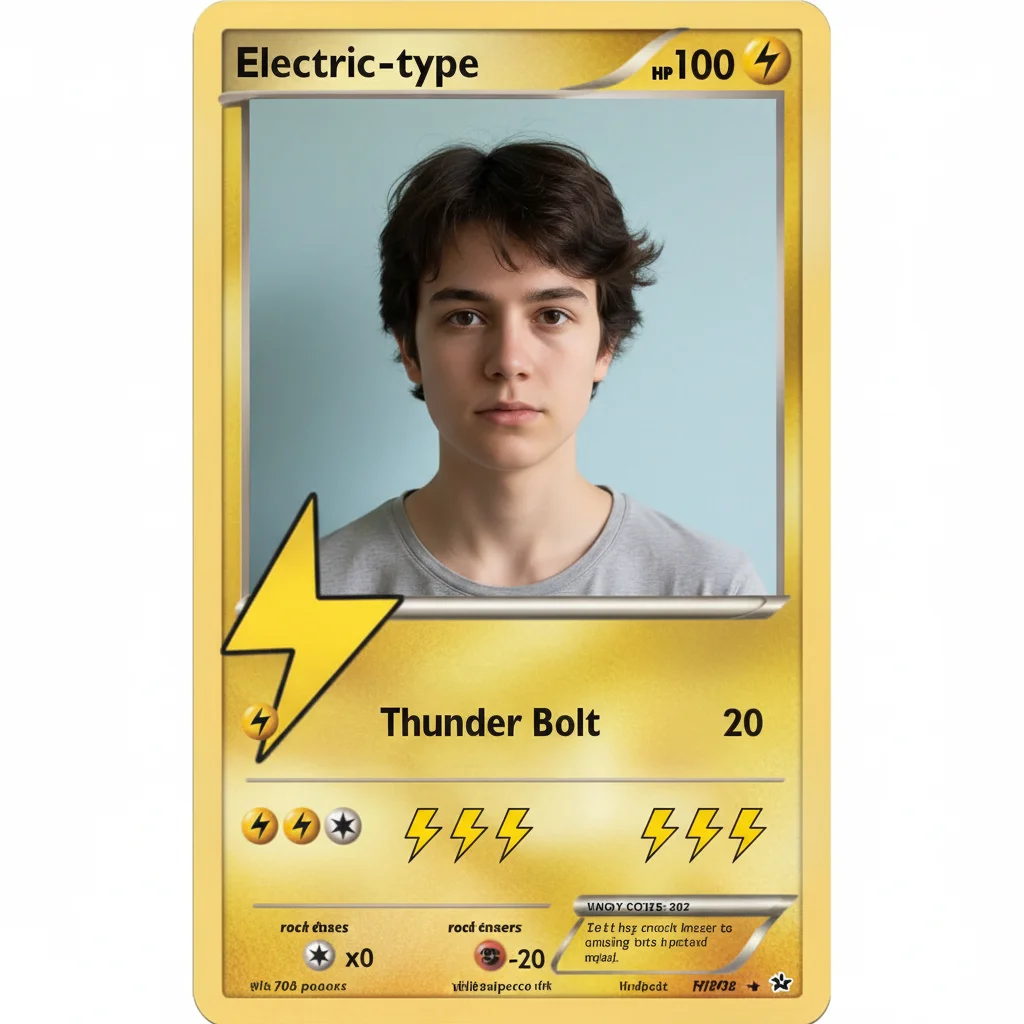
I wanted an actual Pokemon trading card with HP and attacks

Why: EditThisPic is an AI image editor that creates artistic transformations. It cannot generate structured card templates with precise, readable text like HP values, attack names, and energy symbols.

Try: For artistic Pokemon-themed results, try: 'transform this photo into Pokemon-inspired artwork with vibrant anime colors.' For actual card templates, use a dedicated card maker tool.

Tip: The AI excels at art style transformations. For structured card layouts with stats, a template-based card maker is the right tool.

Subject is unrecognizable after transformation

Why: The AI applied too much stylization, losing the original likeness.

Try: Add 'keep the subject recognizable' to your prompt: 'transform into Pokemon anime style while preserving facial features and likeness'

Tip: Explicitly asking to preserve likeness helps the AI balance style with recognizability

Quick answers

Do I need to mark areas before describing the Pokemon-style transformation?

No! Just describe what you want: 'transform this photo into Pokemon-style anime art' or 'make this look like Pokemon fan art with vibrant colors.' The AI understands anime and Pokemon aesthetics. Only use markers if you want to adjust specific areas after seeing the first result.

How do I make Pokemon-style art from a photo for free?

Upload your photo to EditThisPic and type 'transform this into Pokemon-inspired artwork.' The AI creates a stylized anime version of your photo in 30-45 seconds. Free to use, no account or design software needed.

Is there a free Pokemon art maker that doesn't require signup?

Yes. EditThisPic transforms photos into Pokemon-style artwork for free with no account needed. Upload a photo, describe the art style, and download your result. One free edit per week, credit packs from $1.99 for more.

Does this make actual Pokemon trading cards with HP and attacks?

No. EditThisPic creates artistic transformations, not structured trading card templates. It transforms your photo into Pokemon-inspired artwork with anime colors and styling, but cannot generate readable HP, attack names, or energy symbols. For actual card templates, use a dedicated card maker tool.

What makes a good photo for Pokemon-style art?

Best results come from photos with clear subjects against simple backgrounds. Portraits of people or pets work great. The AI applies anime styling and vibrant colors, so starting with a well-lit photo with good subject separation helps produce cleaner artwork.

Can I control the Pokemon-style art direction?

Yes! You can guide the AI with style descriptions: 'cute chibi Pokemon style,' 'dramatic battle art with glowing energy,' or 'water-themed art with cool blue tones.' The AI interprets these creatively, though results are artistic interpretations rather than precise template outputs.

Is EditThisPic's Pokemon-style editor really free?

Yes β€” you get 1 free edit per week, no account needed. For unlimited edits, plans start at $3.99/month.

Can I create Pokemon-style art on my phone?

Yes. EditThisPic works in any mobile browser β€” iPhone, Android, tablet. No app download needed.

What is the best free AI tool for Pokemon-style photo art?

EditThisPic transforms any photo into Pokemon-inspired artwork with a single prompt. Unlike basic photo filters, the AI creates genuine anime-style transformations with cel-shading, vibrant colors, and creative interpretation. Free, works in any browser, supports JPG, PNG, WebP, and HEIC.

Create Pokemon-style art from your photo now

Upload a photo and get your Pokemon-inspired artwork in 30 seconds. Free, no signup.