Free • No signup Create Holiday card · Free

AI Holiday Card Maker

Turn any family photo into a festive holiday card by describing the theme, border, and greeting you want. No marking needed.


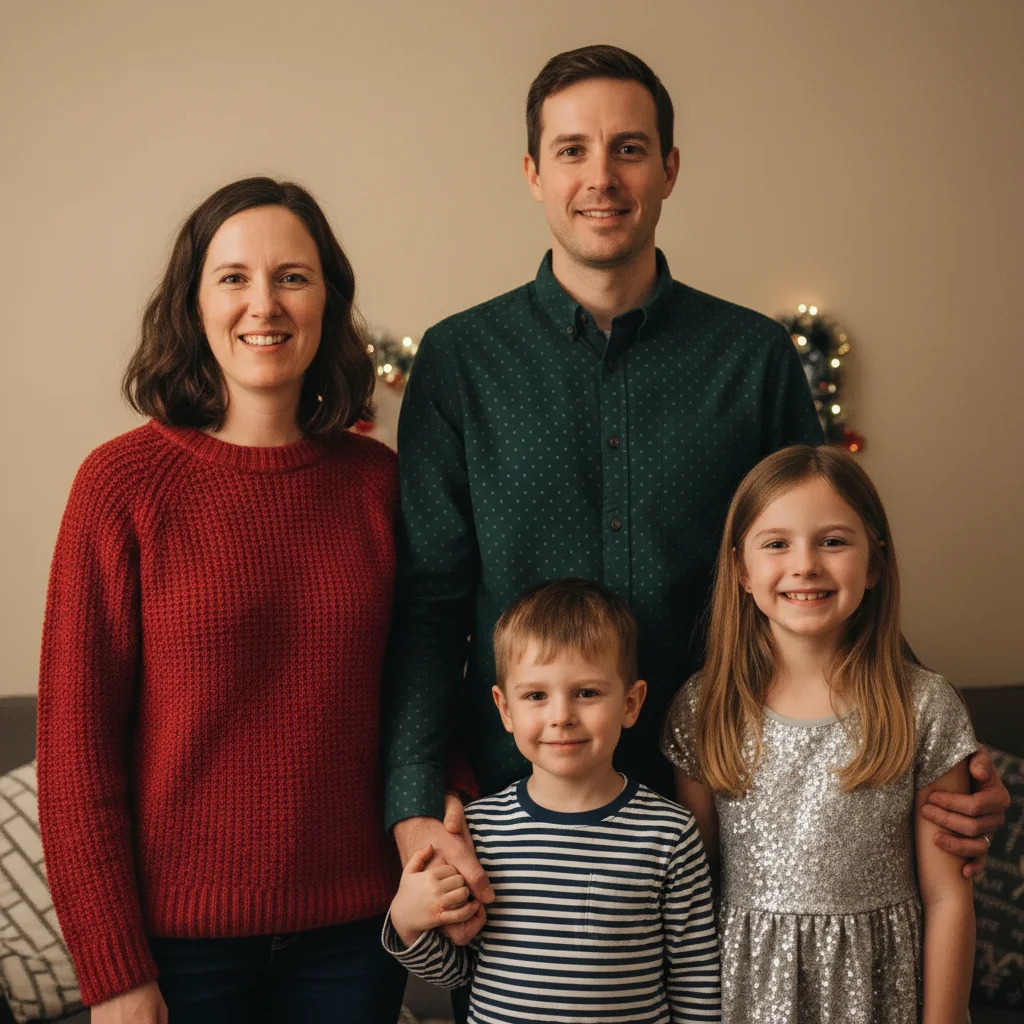
Family of four in red outfits by Christmas tree
Before
Same family photo with festive red and gold border and Merry Christmas greeting
After

AI Holiday Card Maker

Drop your photo here

or click to browse

Release to upload

Free • No signup

Advertisement
Popular use cases:
  • Christmas card from photo
  • holiday greeting card
  • New Year card maker
  • Hanukkah card creator
  • family holiday card
  • pet holiday card
  • personalized greeting card
  • printable holiday card

Cost
Free No signup required
Time
Instant results in 15-30 seconds
Works on
Any device - browser, phone, tablet, desktop
Powered by
AI-powered photo editing
Scenario Prompt Time
Classic Christmas card Christmas card with red and gold border, greeting text 35s
Modern minimalist card thin gold frame, clean white space, minimalist text 30s
Full themed card with effects winter wonderland, snow, frost edges, custom greeting 45s

How it works

  1. Upload your photo

    Drop your image into EditThisPic. JPG, PNG, WebP up to 7MB. Family photos, pet photos, selfies, and group shots all work. Choose a photo where everyone looks good—the AI adds the holiday magic around it.

    Expect: Simple border and text addition: 30-40 seconds. Complex themed transformations with snow or decorations: 45-60 seconds.
  2. Describe the holiday card you want

    Type your instruction: 'make this a Christmas card with a red and green festive border, snowflake decorations, and add HAPPY HOLIDAYS in elegant gold text at the bottom' or 'create a New Year card with sparkly gold border and CHEERS TO 2026 text.' Be specific about colors, decorations, and your custom greeting text. No marking needed.

    Tip: Include your family name in the greeting: 'MERRY CHRISTMAS FROM THE JOHNSONS' makes it personal and print-ready.

    Copy one of these to get started:

    Classic Christmas card make this a Christmas card with elegant red and gold border, snowflake decorations in corners, add MERRY CHRISTMAS in white script text at the bottom

    Modern minimalist holiday card create a modern holiday card with thin gold frame border, clean white space at bottom, add HAPPY HOLIDAYS in minimalist sans-serif gold text
    New Year celebration card make this a New Year card with sparkly gold and silver confetti border, fireworks in the sky area, add HAPPY NEW YEAR 2026 in bold gold text
    Hanukkah greeting card create a Hanukkah card with blue and silver decorative border, Star of David accents, add HAPPY HANUKKAH in elegant silver text at the bottom
    3 more prompts
    Winter wonderland snowy card make this a winter holiday card: add falling snow effect, frost on the edges, pine tree silhouettes at bottom, text WARM WISHES in white
    Funny family holiday card make this a humorous holiday card with ugly Christmas sweater pattern border, add FELIZ NAVIDAD FROM OUR CRAZY FAMILY in comic-style red and green text
    Pet holiday card make this pet photo a holiday card with red Santa hat on the pet, green and red plaid border, add SANTA PAWS in playful white text at the bottom
  3. Review the card design

    Check that the border doesn't cover faces, the greeting text is spelled correctly and readable, and the overall design feels festive. Zoom in to make sure decorative elements blend naturally with your photo.

  4. Refine with markers if needed

    If decorations overlap someone's face or the text placement isn't right, tap markers on those areas and regenerate with adjusted instructions. Most holiday cards look great on the first try.

    Tip: Markers are for precision refinement only. Try without them first—you usually won't need them.
Try it free

AI Holiday Card Maker

Drop your photo here

or click to browse

Release to upload

Free • No signup

"Made our family Christmas card in 5 minutes instead of spending an hour on Canva. Uploaded our family photo, asked for a festive border with our greeting, and it looked like we hired a designer. Printed 50 copies at Walgreens." @HolidayMom_Lisa

See it in action

Family of four in red outfits by Christmas tree
Before
->
Same family photo with festive red and gold border and Merry Christmas greeting
After

Family photo to Christmas card

A casual family photo taken at home transformed into a polished Christmas card with festive border and custom greeting.

Prompt: make this a Christmas card with elegant red and gold border, snowflake decorations in corners, add MERRY CHRISTMAS in white script text at the bottom

Golden retriever sitting on wooden floor
Before
->
Same dog with Santa hat, plaid border, and SANTA PAWS holiday card text
After

Dog photo to holiday greeting

A pet photo turned into an adorable holiday card with a Santa hat and festive border.

Prompt: make this pet photo a holiday card with red Santa hat on the pet, green and red plaid border, add SANTA PAWS in playful white text at the bottom
Advertisement

If something looks off

AI changed the wrong area or modified faces instead of adding decorations

Why: The AI interpreted your instruction as a full image edit rather than an overlay-style card design, modifying the photo instead of framing it.

Try: Tap a marker on the border area around the photo and regenerate: add festive border and text around the photo, do not modify the people or subjects

Tip: Adding 'do not modify the people' ensures the AI treats the photo as untouchable and only adds card elements around it.

Border or decorations cover faces or important parts of the photo

Why: The AI's frame design extended too far into the image, overlapping with subjects in the photo.

Try: make this a holiday card with the border staying outside the photo edges only, decorations in corners only, keep all faces and subjects fully visible

Tip: 'Decorations in corners only' and 'keep all faces visible' constrains where the AI places holiday elements.

Greeting text has wrong spelling or font

Why: The AI auto-corrected or reinterpreted your greeting text, or chose a font style that doesn't match the card's theme.

Try: add text EXACTLY as follows in elegant script font: MERRY CHRISTMAS FROM THE SMITHS - do not change any words

Tip: Putting the exact text in your prompt and saying 'do not change any words' prevents AI rewording.

Card looks too busy or cluttered

Why: Too many decorative elements were requested, making the card feel overwhelming instead of elegant.

Try: make this a clean holiday card with simple gold border and text only, minimal decorations, keep it elegant and uncluttered

Tip: 'Simple,' 'minimal,' and 'elegant' steer the AI toward tasteful restraint rather than maximum festiveness.

Theme doesn't match the holiday I specified

Why: The AI defaulted to Christmas elements when you wanted a different holiday, or mixed seasonal themes.

Try: make this a Hanukkah card specifically: use ONLY blue and silver colors, Star of David motifs, NO red/green Christmas elements

Tip: Explicitly stating what to exclude ('NO red/green Christmas elements') is as important as stating what to include.

Quick answers

Do I need to mark where the border and text should go?

No! Just type 'make this a Christmas card with a festive border and greeting text at the bottom' and the AI designs the card around your photo. Only use markers if decorations cover faces or you need text in a very specific spot.

How do I create a holiday card from my own photo for free?

Upload your family or pet photo to EditThisPic, type 'make this a holiday card with a festive border and add HAPPY HOLIDAYS in elegant text,' and download the result. The AI adds seasonal decorations, frames, and custom text. Free to try, no account needed.

Is there a free holiday card maker that doesn't require signup?

Yes, EditThisPic creates holiday cards for free with no account needed. Upload any photo, describe the card theme and greeting you want, and download the finished card. No watermarks. Works for Christmas, Hanukkah, New Year, and any occasion.

Can I print the holiday cards made with this tool?

Yes. Download the card image and print it at home or at any photo printing service like Walgreens, CVS, or Costco. For best results, use cardstock paper and select the highest resolution output. The AI generates print-quality images suitable for physical cards.

Ready to create your holiday card?

Free to try. No signup required.

Try it free