Free β€’ No signup Add UFO to sky photo Β· Free

Add UFO to Sky Photo

Upload any outdoor photo. AI drops a flying saucer in the sky. 'Look what I just saw outside.'

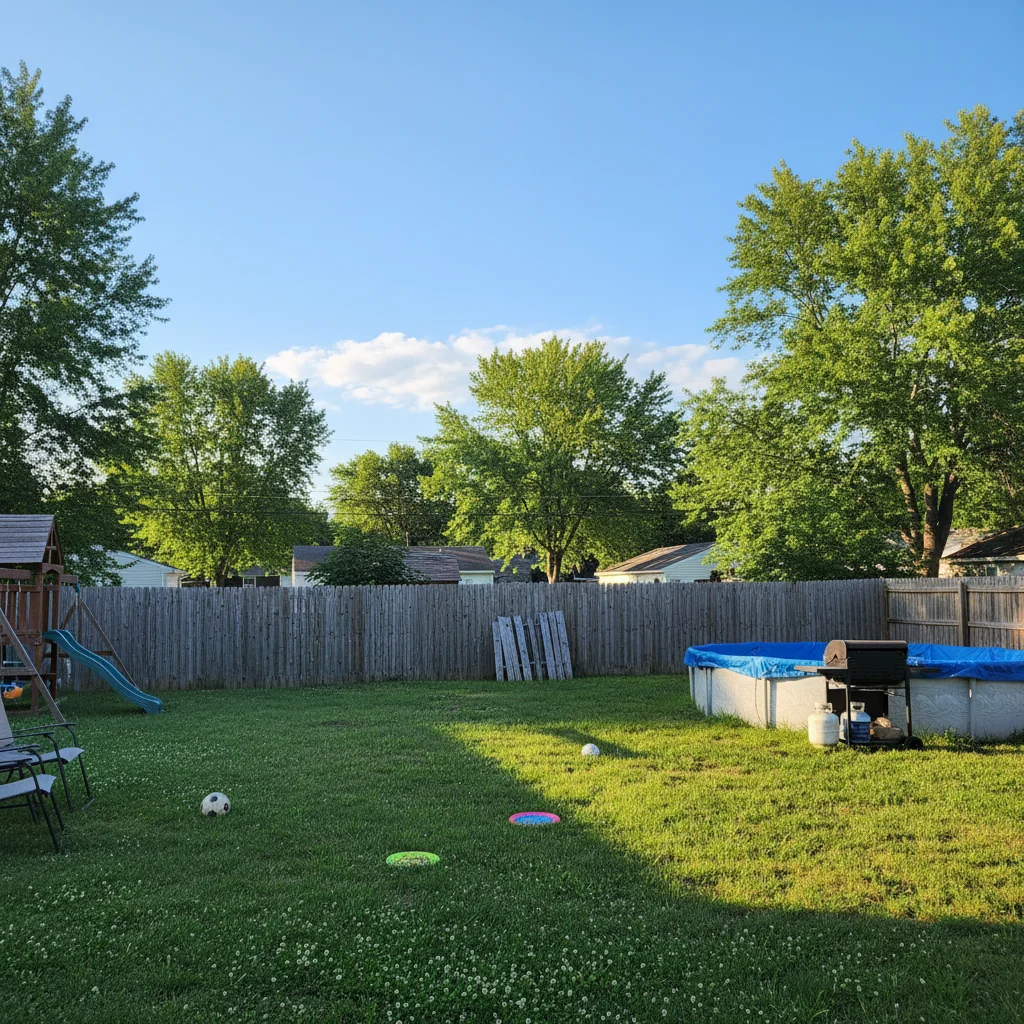
Suburban backyard photo before UFO added
Before
β†’
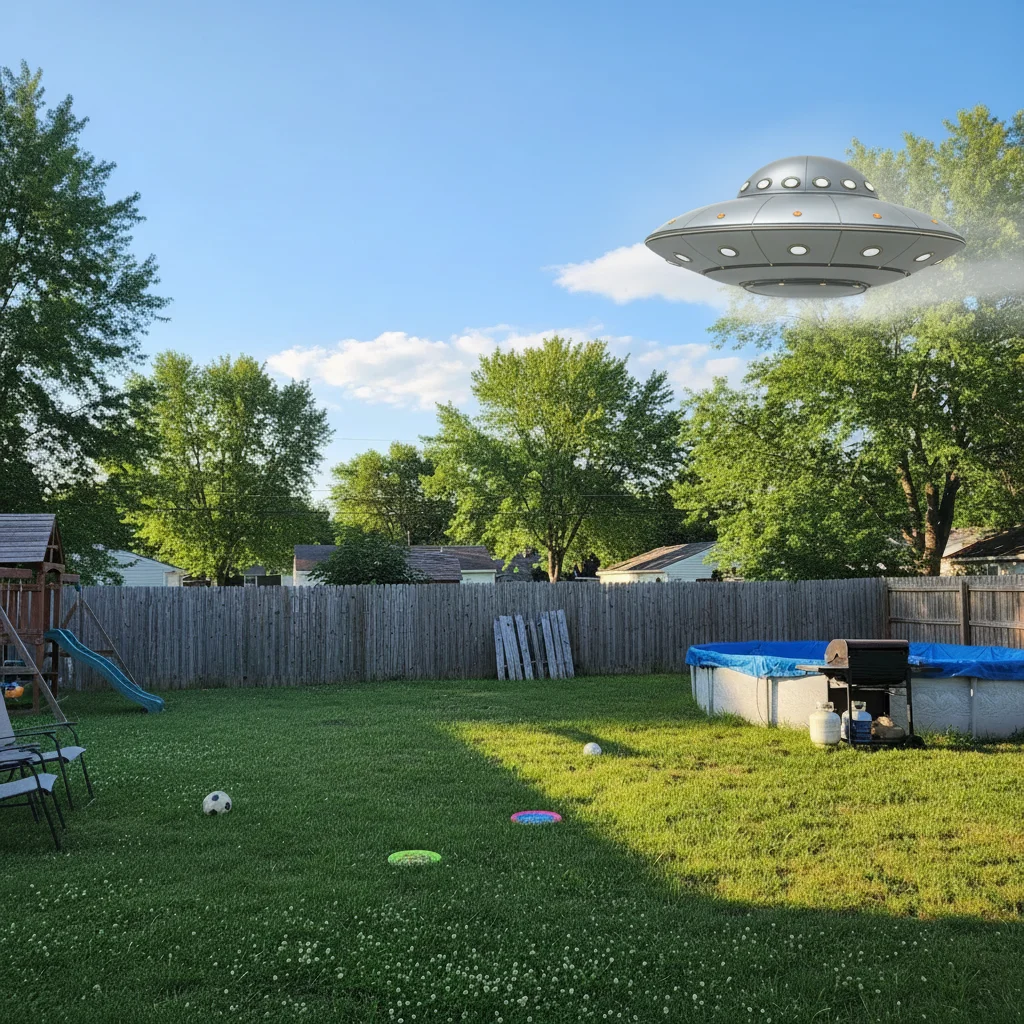
Backyard photo with AI-added silver UFO hovering in the sky
After

Add UFO to Sky Photo

Upload photo to add UFO to sky photo

Free β€’ Results in 30 seconds β€’ No signup

Release to upload

FreeNo signupNo watermark

1 free edit·then from $1.99

Popular use cases:
  • fake UFO photo prank
  • add UFO to photo free
  • AI flying saucer photo editor
  • UFO prank photo generator
  • alien sighting photo maker
  • funny sky photo edit
  • fake alien photo AI

Cost
Free No signup required
Time
Instant results in 15-30 seconds
Works on
Any device - browser, phone, tablet, desktop
Powered by
AI-powered photo editing
Scenario Prompt Time
Subtle distant saucer Small silver disc in the distance, partially behind a cloud 15s
Close hovering craft Large metallic UFO above the roofline, casting a shadow 30s
Orb formation Three glowing orange orbs in triangular formation in the sky 30s
Motion blur streak Blurry disc streaking across the sky, motion blur, like an accidental capture 30s

How it works

  1. Upload your photo

    Drop any outdoor photo into EditThisPic. JPG, PNG, or WebP up to 7MB. Backyard shots, street photos, park photos, and open fields all work well β€” anything with visible sky gives the AI room to work. The more sky in the frame, the more placement options you have.

    Expect: Most edits complete in 15-30 seconds. UFO placement is straightforward for the AI.
  2. Describe the UFO

    Type what you want: 'Add a classic silver flying saucer hovering in the sky in the background, partially behind a cloud, realistic lighting and scale.' Describe the size, how close it is, and whether it should be subtle or obvious.

    Tip: Subtle placement gets the double-take reaction. 'Hovering in the distance, partially obscured by clouds, small enough that you almost miss it' lands better than a massive UFO taking up half the sky. The goal is plausible deniability.

    Copy one of these to get started:

    Classic distant saucer Add a classic silver metallic flying saucer hovering in the distance over the treeline, partially behind a thin cloud, small but clearly a disc shape, realistic lighting matching the sky
    Close enough to be alarming Add a large metallic UFO hovering just above the roofline across the street, close enough to be alarming, silver disc shape with a faint light beneath it, casting a subtle shadow
    Moving fast with motion blur Add a blurry disc-shaped UFO streaking across the sky in the upper corner of the photo, motion blur showing it's moving fast, like a frame from someone who barely caught it
    Multiple orbs in formation Add three glowing orange orbs in a triangular formation hovering in the night sky, evenly spaced, soft glow, like the Phoenix Lights
    4 more prompts
    Massive ship on the horizon Add a massive dark triangular aircraft hovering on the horizon, enormous compared to the trees, lights along its edges, ominous and silent-looking
    Hovering over the neighbor's house Add a small metallic flying saucer hovering directly above the house across the street, close enough to be clearly visible, just sitting there
    Road trip sighting Add a silver disc-shaped spacecraft hovering over the open road ahead, centered in the distance, matching the flat horizon lighting, dramatic and eerie
    Beams of light coming down Add a large round spacecraft hovering above the backyard with a beam of light projecting downward, atmospheric and dramatic, matching the scene's ambient lighting
  3. Send it

    Check the UFO looks natural β€” right scale, right lighting, not floating obviously in an empty patch of blue. Then send the photo casually in a conversation about something else entirely. 'Took this on my way to the store' is all you need.

Try it free ↓

Add UFO to Sky Photo

Upload photo to add UFO to sky photo

Free β€’ Results in 30 seconds β€’ No signup

Release to upload

Free β€’ No signup

See it in action

Suburban backyard photo before UFO added
Before
->
Backyard photo with AI-added silver UFO hovering in the sky
After

Backyard UFO hover

A casual backyard photo with a small metallic saucer hovering in the sky just above the fence line.

Prompt: Add a classic silver flying saucer hovering in the distance just above the fence line, partially behind a thin cloud, realistic lighting
Open highway photo before UFO prank
Before
->
Highway photo with AI-added UFO hovering on the horizon
After

Road trip sighting

An open road photo with a disc-shaped craft hovering over the highway in the distance.

Prompt: Add a silver disc-shaped spacecraft hovering over the open road ahead, centered in the distance, matching the flat horizon lighting
Dusk backyard photo before UFO prank
Before
->
Dusk photo with AI-added orange orbs in triangular formation
After

Evening orb formation

A dusk backyard photo with three glowing orange orbs in a triangular formation.

Prompt: Add three glowing orange orbs in a triangular formation in the darkening sky, evenly spaced, soft glow

If something looks off

UFO looks like a cartoon sticker β€” not photorealistic

Why: The AI defaulted to an illustrated style instead of matching the photo's grain and lighting.

Try: Add 'photorealistic, matching the photo's grain and lighting quality, not illustrated or cartoon-style' to your prompt

Tip: Explicitly saying 'photorealistic' and 'matching the photograph's lighting' anchors the AI in realism mode.

UFO is too big β€” obviously fake

Why: The AI placed a dramatic, large craft that doesn't match the subtle tone you wanted.

Try: Scale it back: 'small disc shape in the distance, easy to miss, only about the size of the moon in the frame'

Tip: For prank photos, smaller is more convincing. Real UFO sighting photos are almost always grainy and hard to make out.

Lighting doesn't match β€” UFO looks pasted on

Why: The AI didn't match the sky's light direction or color temperature.

Try: Add lighting context: 'afternoon sunlight from the right, warm golden light hitting the craft, slight shadow on the underside'

Tip: Describing the light source direction (left, right, overhead) dramatically improves how naturally the UFO sits in the scene.

UFO is in the wrong part of the sky

Why: Without guidance, the AI picks any open sky area.

Try: Tap a marker on the exact sky location where you want the UFO placed, then regenerate

Tip: Markers are the most reliable way to control placement β€” tap the exact spot, then describe what you want there.

Result looks like a generic UFO clip art

Why: The default flying saucer shape can look stock. More specific shapes work better.

Try: Try a different craft type: 'dark triangular aircraft,' 'cluster of glowing orbs,' or 'cigar-shaped metallic craft' instead of 'flying saucer'

Tip: Orbs and triangles tend to generate more photorealistic results than the classic saucer shape.

Quick answers

Do I need to mark the sky area before describing what I want?

No β€” just describe the placement in your prompt: 'hovering in the upper left,' 'above the treeline,' 'in the distance over the road.' The AI reads placement from your description. Only use a marker if you want the UFO in a very specific spot and the AI keeps missing it.

Is this free?

Yes. EditThisPic gives you 1 free edit per week with no account needed. Credit packs start at $1.99 if you want to make more UFO photos.

Will it look realistic enough to fool someone?

Often yes, especially with subtle placement. 'Small disc in the distance, partially behind clouds' is harder to immediately call fake than a large obvious spacecraft. The more sky context your photo has and the more specific your lighting description, the more convincing the result.

What photos work best?

Outdoor photos with visible sky. Backyards, open fields, roads, parks, and rooftop shots all work well. The more sky in the frame, the more room the AI has to place the craft naturally. Low-angle shots looking up work especially well for dramatic placements.

Can I control what kind of UFO gets added?

Yes β€” describe the shape, size, and style in your prompt. Classic silver saucer, dark triangular craft, glowing orbs, cigar-shaped metallic object β€” the AI handles all of them. The more specific your description, the better the result.

Will there be a watermark on the image?

No, EditThisPic never adds watermarks.

Does this work on mobile?

Yes, fully works in any mobile browser. No app download needed.

How is this different from UFO filter apps?

Filter apps paste a generic transparent sticker overlay. EditThisPic generates a new UFO that matches the lighting, scale, and perspective of your specific photo β€” so it sits in the scene rather than floating on top of it.

How much does EditThisPic cost?

You get 1 free edit per week β€” no account needed. After that, credit packs start at $1.99 for 3 edits. Monthly plans start at $4.99/mo for 15 edits with unused credits rolling over. All edits are full resolution with no watermark.

Ready to fake a UFO sighting?

Free to try. No signup required.

1 free edit included·Credit packs from $1.99