Pricing Fix Closed eyes · Free

AI Closed Eyes Fixer

← Browse all creative effects

Last updated

Describe open eyes and the AI reconstructs them naturally — get the smile you remember even if their eyes were closed in that shot.
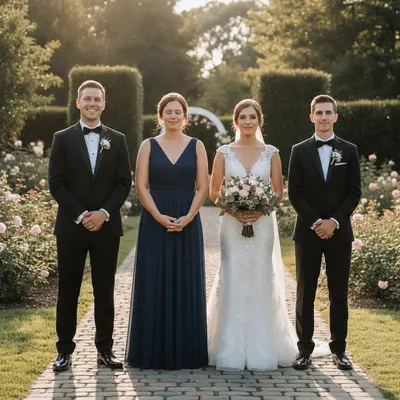
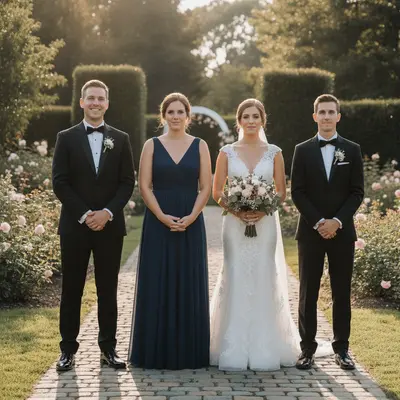
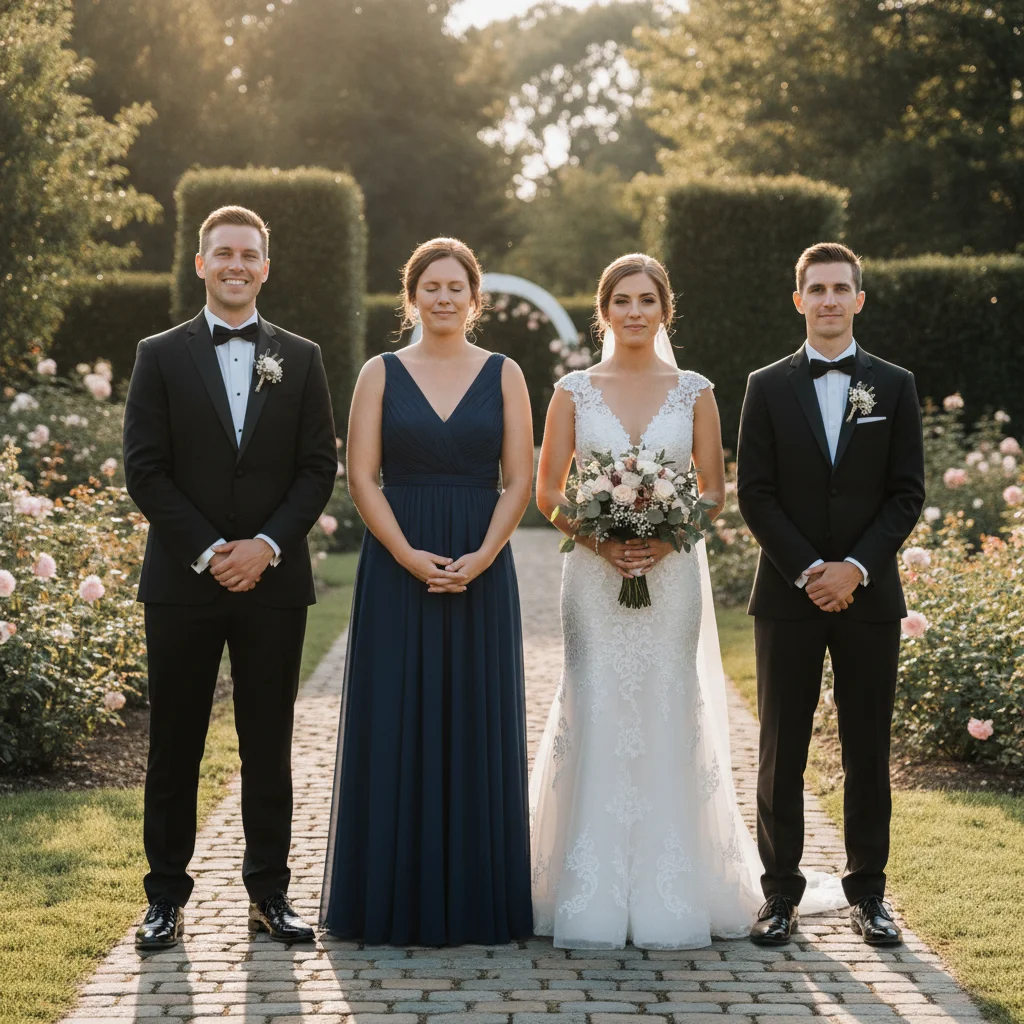
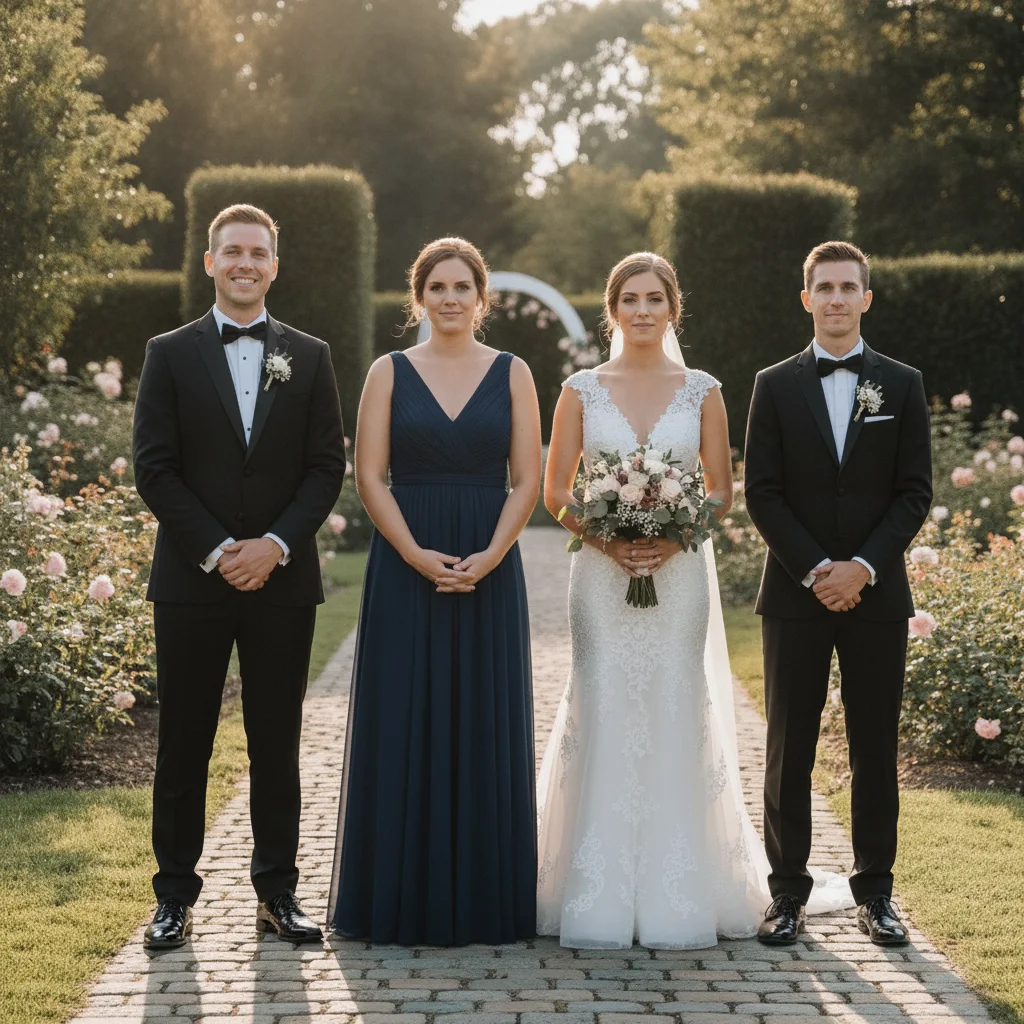
Wedding ceremony photo with one bridesmaid's eyes completely closed mid-blink Same wedding photo with all four people's eyes naturally open, scene unchanged

Upload photo to fix closed eyes

"open the closed eyes so they are naturally open and looking forward with a warm, engaged expression, matching the [brown/hazel] eye color, keep the smile and the rest of the face exactly as it is"

Free to try · no sign-up · photos are never shared

Release to upload

<30stypical edit
1 freeedit weekly
Photo on your phone? Scan to open this editor there — free edit works on your phone too.

1 free edit every week·packs from $4.99

How it works

  1. Upload the photo with the closed eyes

    Use the photo as-is — even eyes that are completely shut give the AI enough context from the surrounding face structure. Good facial lighting helps reconstruction quality. JPG, PNG, or WebP up to 7MB. If the person appears in other photos with open eyes, those aren't needed — the AI works from the face structure alone.

    Expect: Eyes closed mid-blink (eyelashes visible, eyelid clearly defined) open cleanly in one pass. Eyes shut tight with heavy expression or deep shadow may need a second refinement pass with an eye color hint.
  2. Describe the open eyes you want to see

    Type your instruction: 'open the closed eyes so they look naturally open and alert, with [brown/blue/green] irises matching the natural eye color.' Include the eye color if you know it — this anchors the reconstruction. Mention 'warm and natural expression' if it matters for the photo's feeling. No marking required — the AI finds the closed eyes automatically.

    Tip: If this is the only photo of someone you love and it absolutely has to work, mention the eye color explicitly: 'open with warm brown eyes' gives the AI a clear reconstruction target and produces more accurate results than a generic open-eyes prompt.

    Copy one of these to get started:

    Open closed eyes — portrait, known eye color open the closed eyes so they look naturally open and alert with warm brown irises, keep the natural eyelash detail and preserve the person's expression and the rest of the face unchanged
    Save the only photo from a special moment — emotional use case open the closed eyes so they are naturally open and looking forward with a warm, engaged expression, matching the [brown/hazel] eye color, keep the smile and the rest of the face exactly as it is
    Fix blinking in a group photo — one person only open the closed eyes on the person in the center only — do not change any other people in the photo, keep everyone else exactly as they are
    Wedding photo — someone blinked in the ceremony shot open the closed eyes on the person on the right so they look naturally open and present in the moment, matching [blue] irises — preserve their expression and keep the rest of the wedding party unchanged
    4 more prompts
    Fix child who blinked in birthday or holiday photo open the closed eyes on the child on the left so they look natural and bright, with [brown] irises and a natural happy expression matching the rest of the photo — keep everyone else unchanged
    Only photo of an elderly relative who blinked — sentimental carefully open the closed eyes so they look gently open with a warm, kind expression — [hazel] irises, natural lashes without heavy retouching — preserve everything else exactly as it is. This is a sentimental photo.
    Fix both people who blinked in a couple's photo open the closed eyes on both people in the photo so they both look naturally open and present, match [brown] eyes on the left person and [blue] eyes on the right, preserve both expressions and keep the background unchanged
    Graduation photo where the subject blinked open the closed eyes of the graduate so they look naturally open, alert, and happy — matching [green] irises — keep the graduation attire and background completely unchanged
  3. Check iris detail, expression, and emotional match

    Zoom to 100% on the eyes. Verify: the iris color and detail look natural (not flat or plastic), the eyelashes look like the person's actual lashes, and the overall expression still feels like them. The emotional authenticity of the result matters as much as the technical accuracy — the open eyes should look like they belong to that moment.

  4. Refine iris color or eyelash detail with a marker if needed

    If the iris color is off or the eyelashes look too heavy, tap a marker on the eye and regenerate: 'correct this eye — the iris should be [color], lashes should look natural and light.' One focused pass fixes reconstruction issues without altering the rest of the face.

    Tip: Iris color is the most common refinement needed after opening completely closed eyes. One targeted marker pass fixes it without regenerating the whole image.

See it in action

Wedding ceremony photo with one bridesmaid's eyes completely closed mid-blink
Before
->
Same wedding photo with all four people's eyes naturally open, scene unchanged
After

Wedding ceremony — bridesmaid blinked in the ceremony shot

The only photograph from the ceremony moment had one bridesmaid with both eyes completely shut mid-blink. One prompt opened her eyes naturally while the wedding party, lighting, and entire emotional quality of the shot remained intact.

Prompt: open the closed eyes on the person second from left so they look naturally open and present in the moment, matching blue irises — preserve their expression and keep the rest of the wedding party unchanged
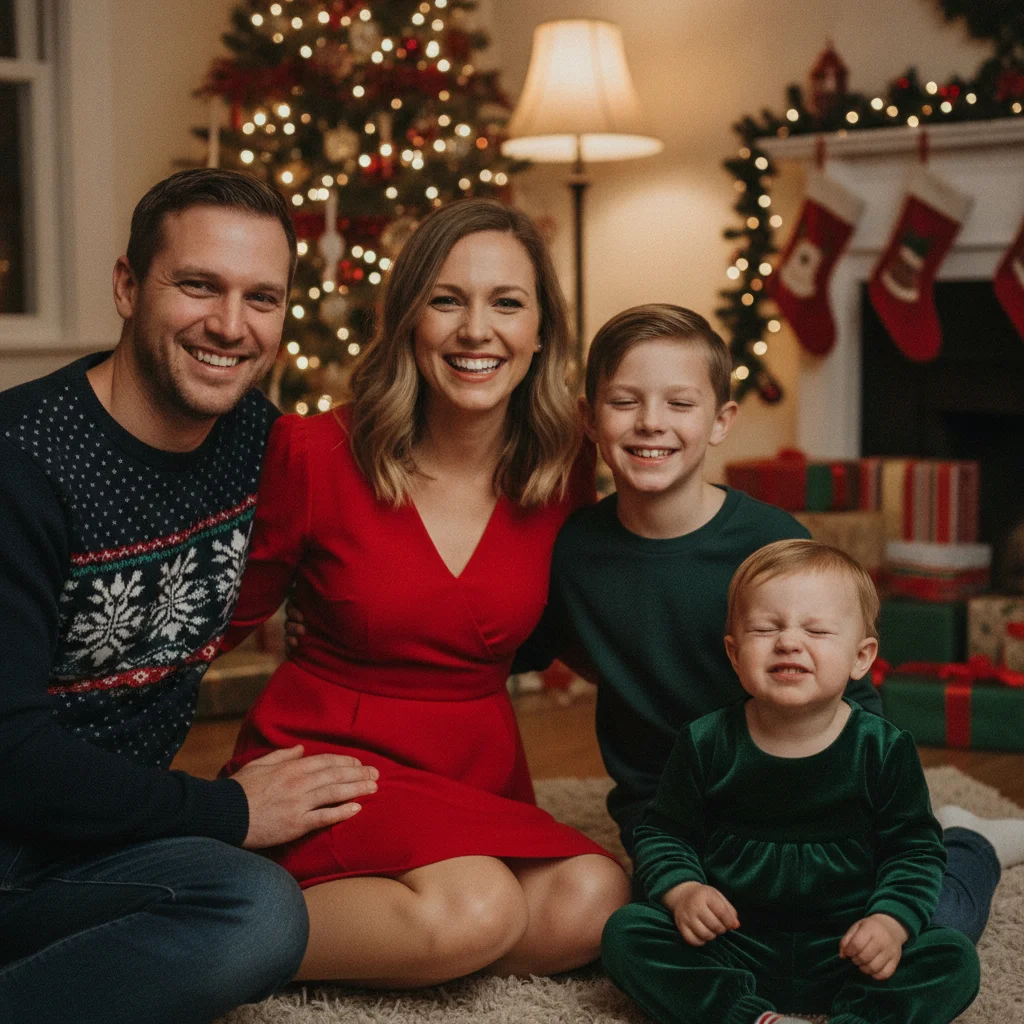
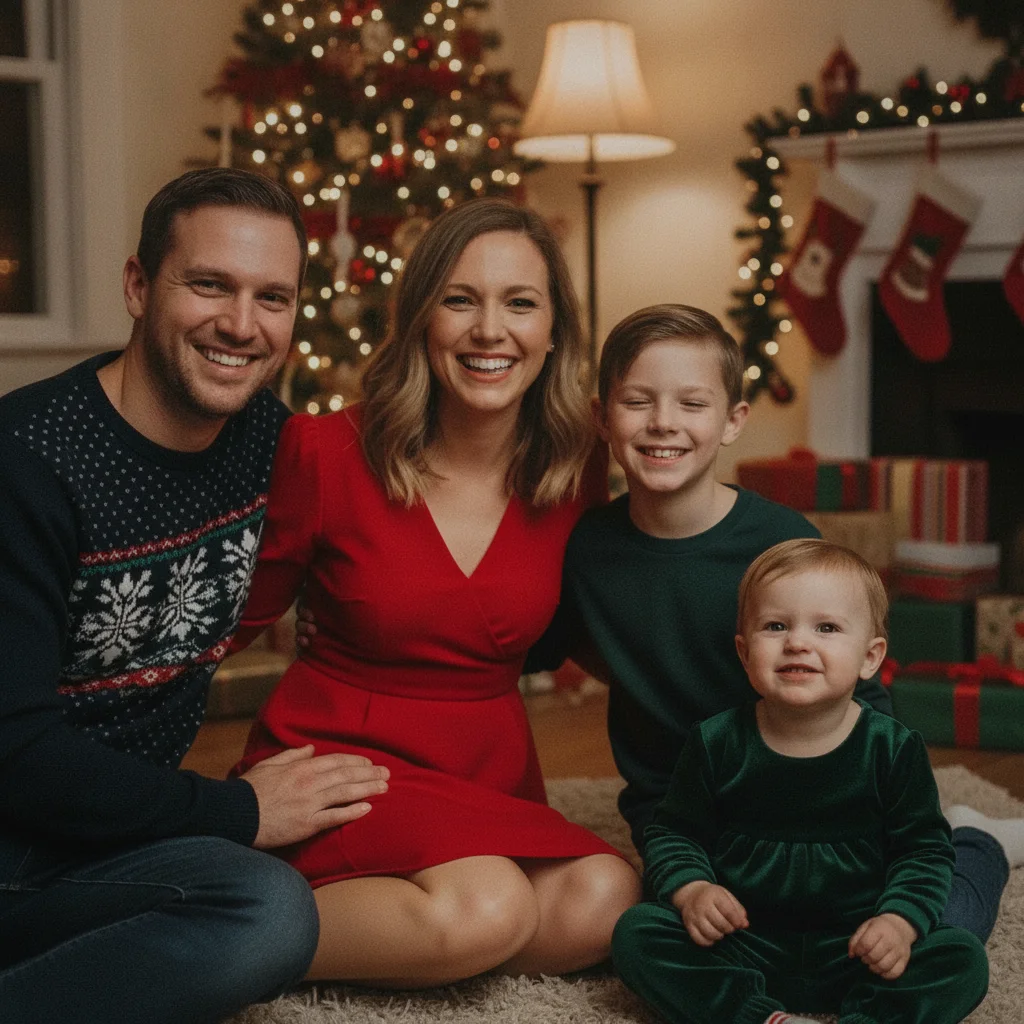
Family holiday portrait with the youngest child's eyes completely closed
Before
->
Same family portrait with the child's eyes naturally open and happy, everyone else unchanged
After

Family portrait — child blinked at the moment of capture

A family holiday photo where the youngest child had both eyes shut at the moment the shutter fired. The correction opened the eyes naturally with a bright, happy look that matched the joyful energy of the rest of the photo.

Prompt: open the closed eyes on the child on the far right so they look natural and bright with brown irises and a natural happy expression — keep all other family members unchanged
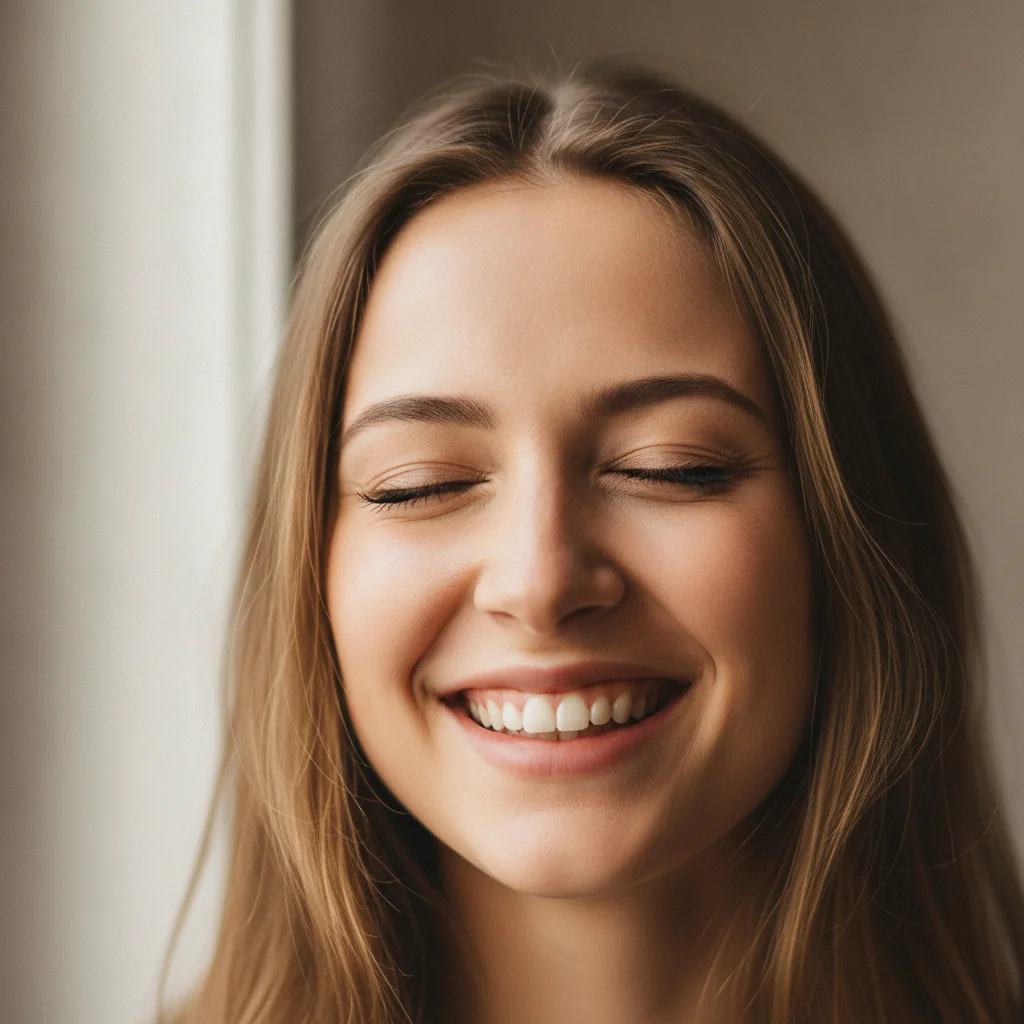
Close-up portrait of a smiling young woman with her eyes completely closed mid-blink, natural window light, neutral background
Before
->
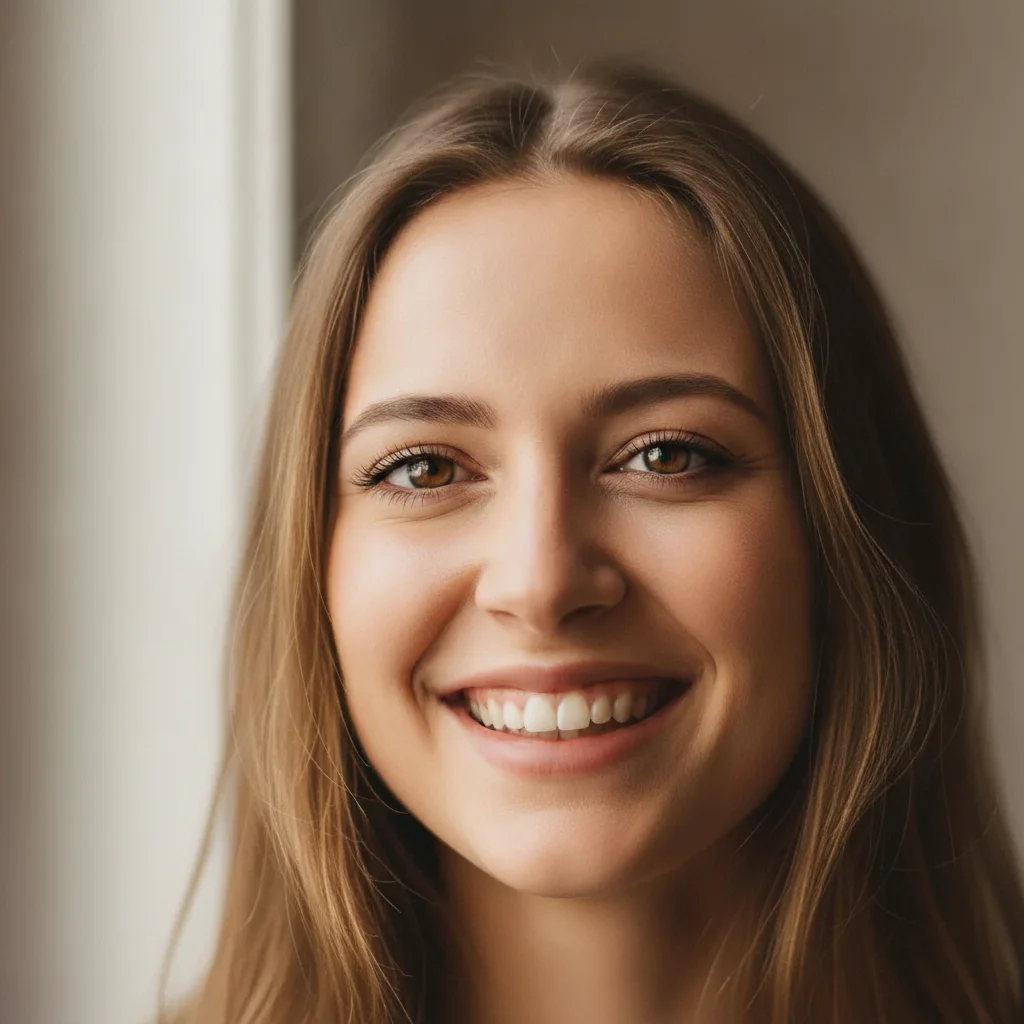
Same woman with eyes naturally open and warm, smile and expression perfectly preserved
After

Close-up portrait — both eyes closed mid-blink

A close-up smiling portrait where the subject blinked at the exact moment of capture. The rest of the photo — the warm smile, the background, the lighting — was exactly right. One prompt saved the shot.

Prompt: open the closed eyes so they look naturally open and alert with warm brown irises, keep the natural eyelash detail and preserve the smile and the rest of the face unchanged

Quick answers

Do I need to mark the closed eyes before describing what I want?

No. Just type 'open the closed eyes so they look naturally open and alert.' The AI finds closed eyes automatically — no marking required. If the result needs refinement (iris color off, one eye slightly different from the other), then tap a marker on that specific eye for a targeted second pass.

Is there a free tool to open closed eyes in photos without signing up?

Yes. EditThisPic opens closed eyes for free — no account, no login. Upload your photo, describe the open eyes you want to see, and download in about 30 seconds. Works in any browser on desktop or mobile. The free edit is a preview — purchased downloads are clean, full quality.

How do I fix closed eyes in a photo for free?

Go to EditThisPic, upload your photo, and type 'open the closed eyes so they look naturally open and alert with [brown/blue/green] irises, preserve the expression and face unchanged.' The AI reconstructs the eyes in about 30 seconds. No account required.

Can AI open eyes in the only photo I have of someone — even if I don't have a reference?

Yes. EditThisPic reconstructs open eyes from the face structure alone — no reference photo of the person with open eyes is needed. Including the eye color in your prompt ('warm hazel irises') gives the AI a reconstruction anchor and produces more natural, individual-looking results.

Will the person look like themselves after the eyes are opened?

Yes, with good prompting. Include the eye color, mention 'warm and natural expression,' and add 'eyes should match the warmth of the smile.' These three anchors produce results that feel true to the person rather than generic. If the first result looks vacant, regenerate with 'the eyes should smile slightly, matching the warmth of the expression.'

Can I fix a wedding photo where someone blinked?

Yes — this is one of the most common reasons people use this tool. Identify the person by position in the photo and include their eye color: 'open the closed eyes on the person second from left, matching blue irises, keep the rest of the wedding party unchanged.' For photos where the subject is close to others, a marker helps target the right person.

Can I fix closed eyes in a group photo without changing everyone else?

Yes. Specify who to fix: 'open the closed eyes on the person in the center, do not change any other people in the photo.' For large groups or people standing very close together, tap a marker on the blinking person before generating — this prevents the AI from accidentally modifying neighboring faces.

What if the opened eyes look plastic or artificial?

Regenerate with more specific iris guidance: 'open the eyes with natural [color] iris texture — not flat or solid, with realistic pupil and natural iris variation.' Also add 'eyelashes should look natural and light, not heavy.' These constraints push the AI past its default generic eye rendering.

How much does EditThisPic cost?

You get 1 free edit per week — no account needed. After that, one-time credit packs start at $4.99 for 10 edits, valid 12 months, no subscription. Power users who edit daily can pick Studio Membership, a monthly workspace at $49.99/mo for 300 edits. Purchased downloads are clean with no watermark.

Ready to save that photo where someone blinked?

Free to try. No signup required.

1 free edit included·Credit packs from $4.99