Pricing Fix Squinting eyes · Free

AI Squinting Eyes Fixer

← Browse all creative effects

Last updated

Describe how open the eyes should look — the AI opens them naturally while keeping the expression and face identical.
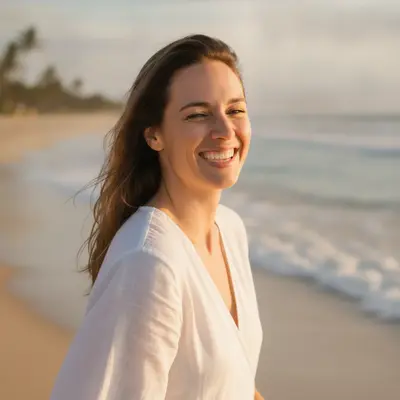
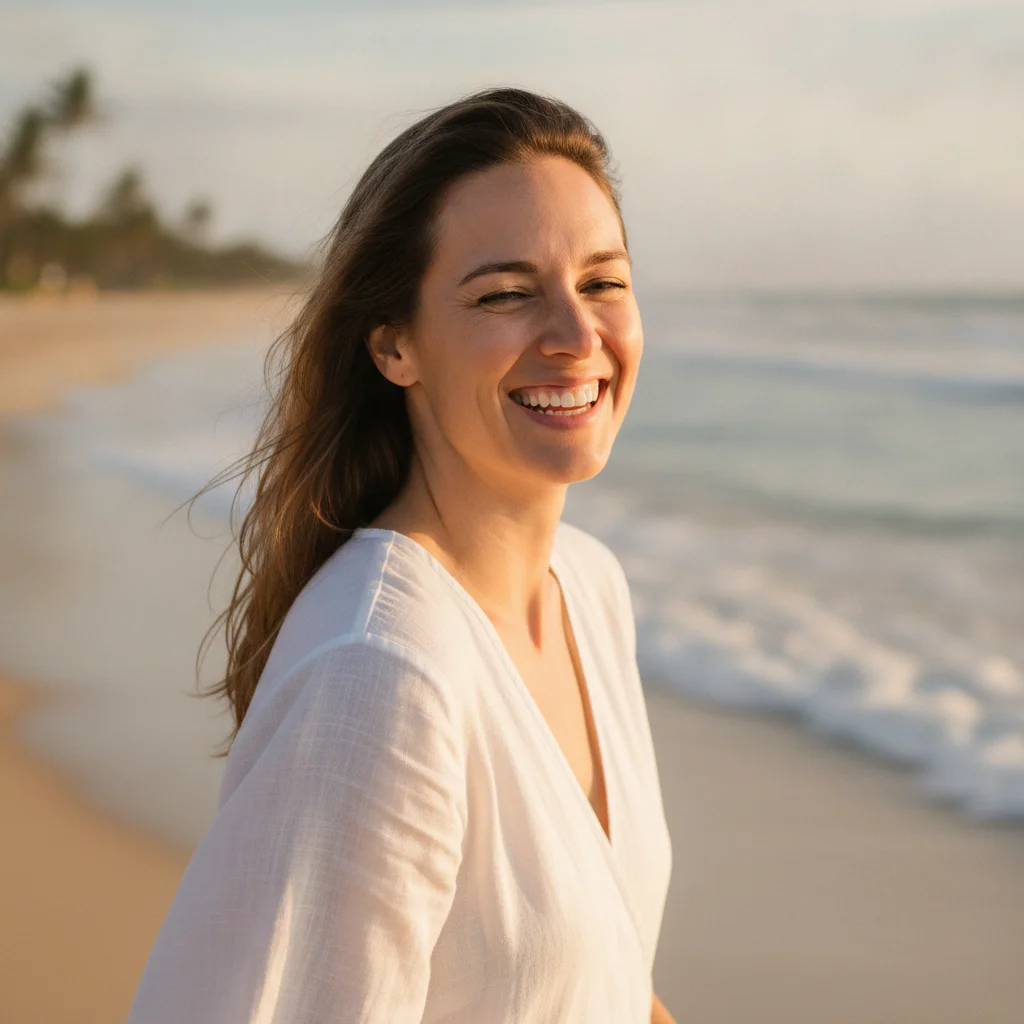
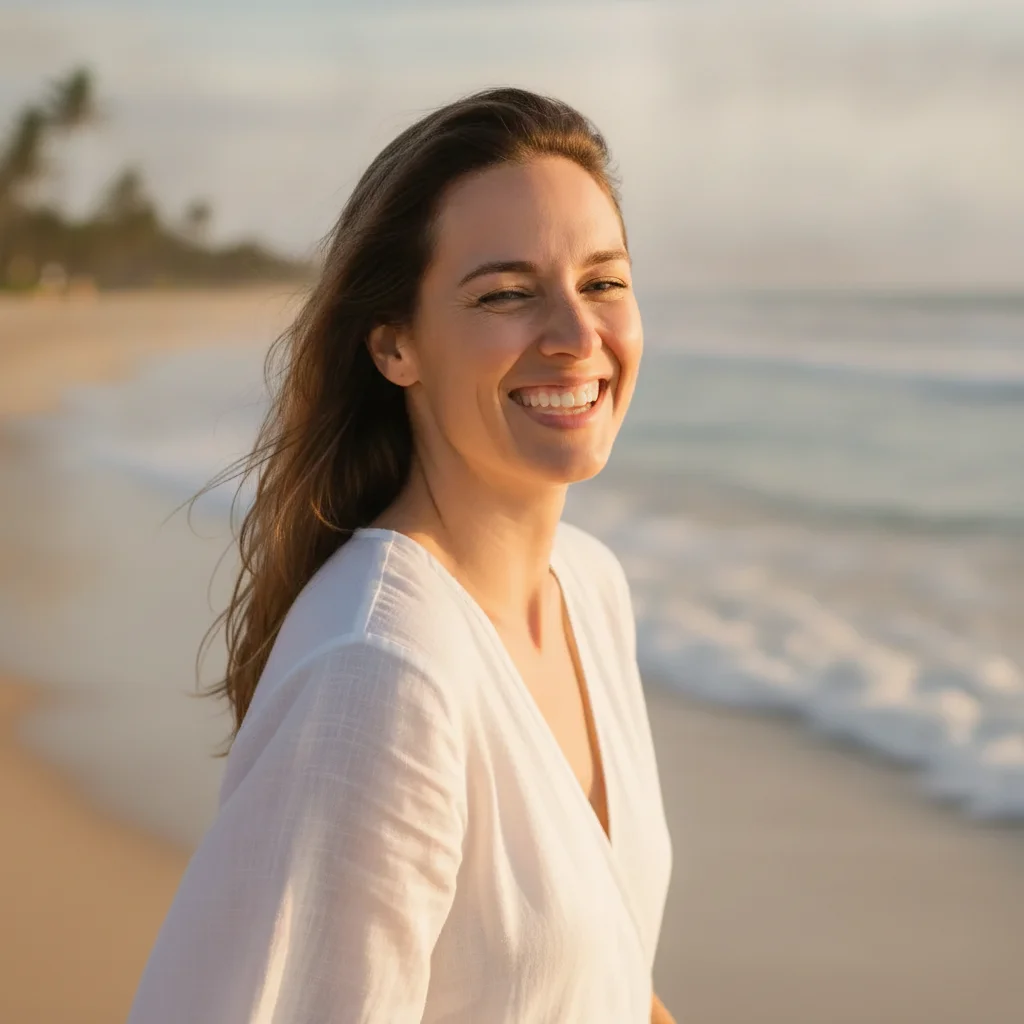
Woman squinting heavily at the beach with eyes nearly half-closed from sun Same woman with eyes fully open and natural, beach lighting and smile unchanged

Upload photo to fix squinting eyes

"reduce the squinting so the eyes are more open than in the original but still look natural, not fully wide-open — preserve the warm expression and keep the eyelash detail"

Free to try · no sign-up · photos are never shared

Release to upload

<30stypical edit
1 freeedit weekly
Photo on your phone? Scan to open this editor there — free edit works on your phone too.

1 free edit every week·packs from $4.99

How it works

  1. Upload a portrait where the squinting is clearly visible

    Use a photo where the eyes are visible enough to work with — even heavily squinted eyes where the iris is partially visible give the AI enough reference data. Front-facing or slightly angled portraits work best. JPG, PNG, or WebP up to 7MB.

    Expect: Moderately squinting eyes (iris still partially visible) open in one pass. Extreme squints where the eyes are almost fully shut may need two passes — first to partially open, then to refine.
  2. Describe how open the eyes should look

    Type your instruction: 'open the squinting eyes so they are fully open and relaxed, keeping the natural eye color and eyelashes intact.' Be specific: 'fully open,' 'slightly more open,' or 'reduce the squint by half' all produce different results. No marking needed — the AI identifies eyes automatically.

    Tip: Adding 'matching the natural iris and eyelash detail' prevents the AI from generating generic eyes that don't match the subject's natural eye shape.

    Copy one of these to get started:

    Open squinting eyes fully — outdoor photo open the squinting eyes so they are fully open and relaxed, keep the natural eye color, eyelash detail, and facial expression unchanged
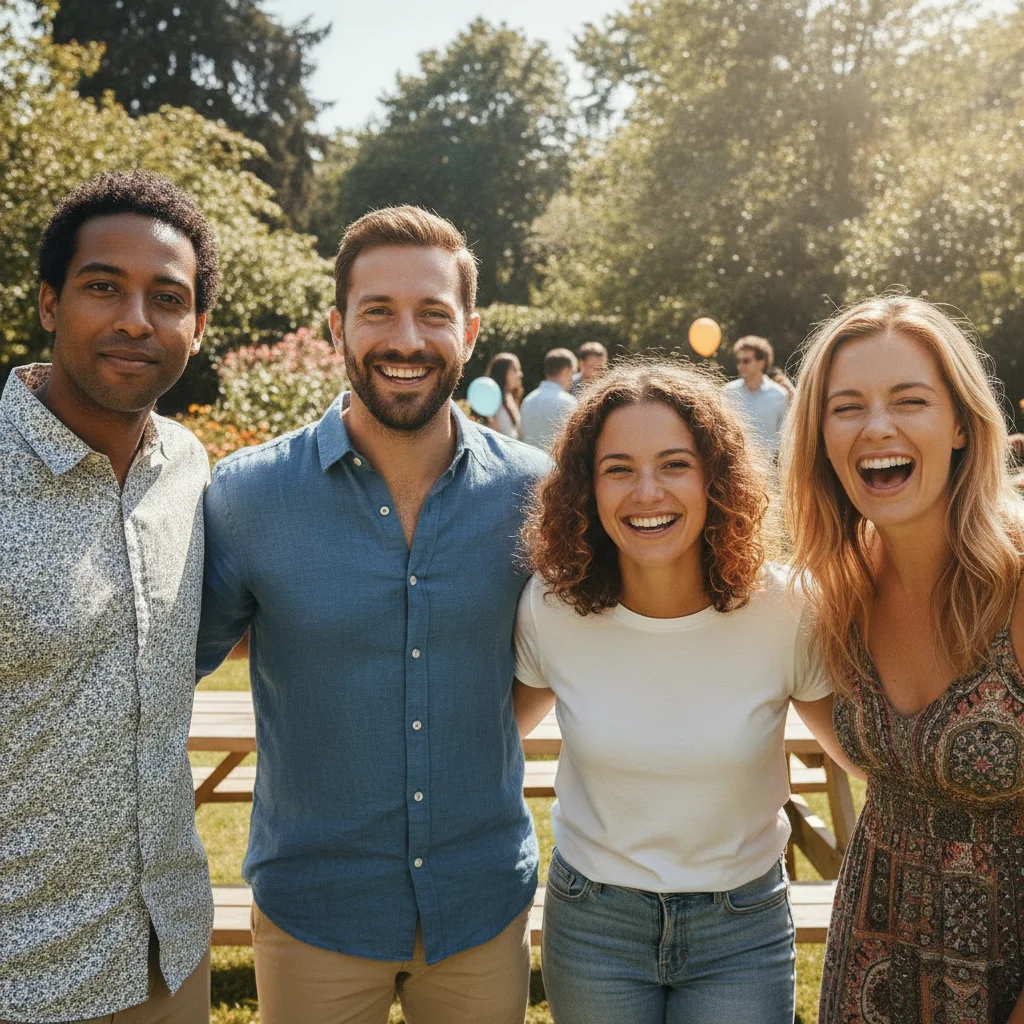
    Reduce sun squint — keep some natural expression reduce the squinting so the eyes are more open than in the original but still look natural, not fully wide-open — preserve the warm expression and keep the eyelash detail
    Fix squinting in group photo — one person only open the squinting eyes on the person in the center only, keep all other people in the photo exactly as they are
    Fix asymmetric squint — one eye more closed than other open the left eye more so it matches the right eye which is already open, keep the right eye exactly as it is and do not change anything else
    3 more prompts
    Fix squinting on child in bright light — family photo open the squinting eyes on the child on the left so they look natural and open, preserving the child's natural eye color and happy expression
    Subtle correction — less dramatic squint slightly open the squinting eyes — just enough so they look alert and natural, not a dramatic change — preserve the relaxed expression and natural eyelash detail
    Fix squinting eyes on all people in a group photo open the squinting eyes on all people in the photo so everyone looks natural and alert, preserve each person's natural eye color and the overall group expression
  3. Check iris detail, eyelash line, and natural expression

    Zoom to 100% and verify: the iris color and detail match the original, the eyelashes look natural (not too heavy or sparse), and the overall expression still reads as the same person. The area directly around the eyes — eyelid crease and under-eye — should look natural.

  4. Refine one eye with a marker if it looks uneven

    If one eye looks more open than the other after the first pass, tap a marker on the less-corrected eye and regenerate: 'open this eye more so it matches the other eye, keep the iris color and eyelash shape.' Markers let you fix the asymmetry without regenerating the whole image.

    Tip: Eye asymmetry after correction is the most common second-pass scenario. A single focused marker fixes it faster than regenerating from scratch.

See it in action

Woman squinting heavily at the beach with eyes nearly half-closed from sun
Before
->
Same woman with eyes fully open and natural, beach lighting and smile unchanged
After

Sun squint at beach — opened for family portrait

Outdoor beach portrait where direct sun caused heavy squinting. One prompt opened the eyes fully while keeping the relaxed, happy expression and the warm outdoor lighting.

Prompt: open the squinting eyes so they are fully open and relaxed, keep the natural eye color, eyelash detail, and facial expression unchanged
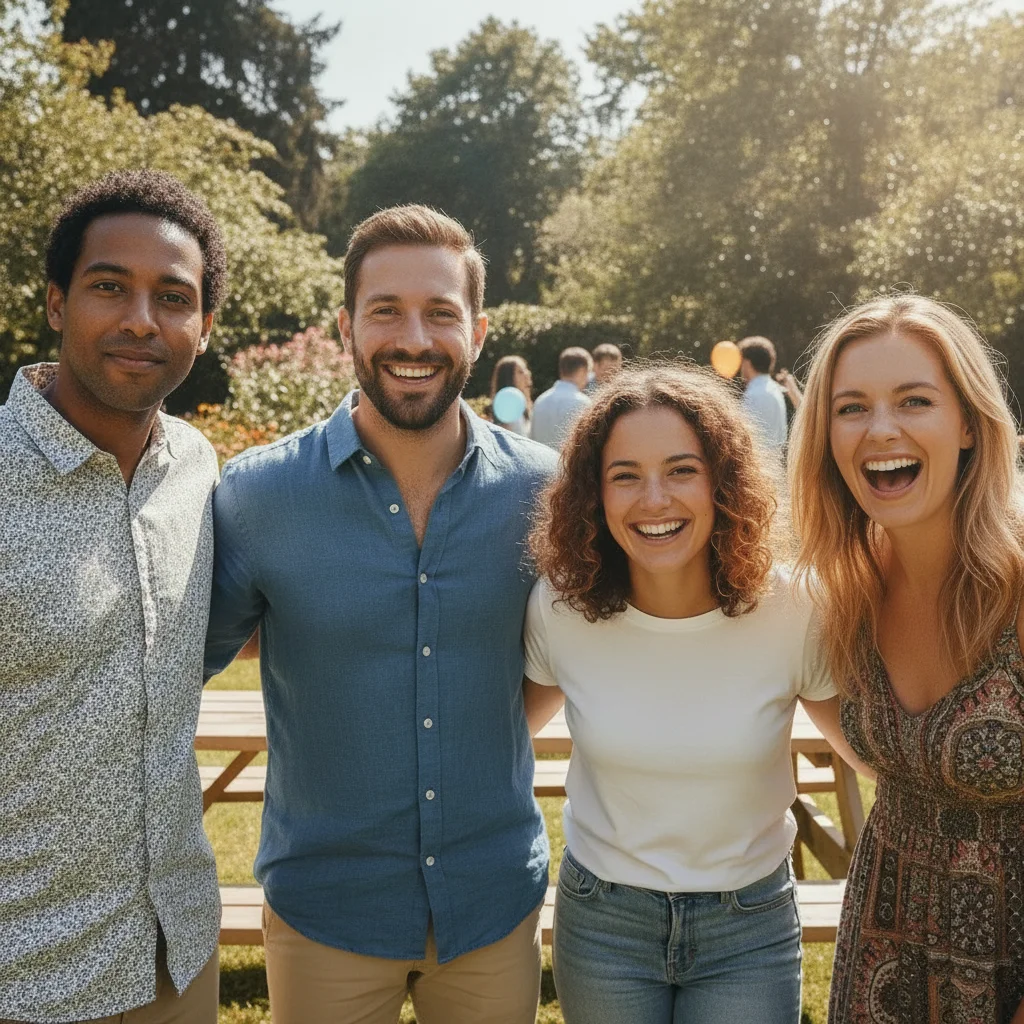
Group of four people outdoors, one person on the right squinting heavily
Before
->
Same group photo with the far-right person's eyes now fully open, others unchanged
After

Group photo — one person squinting in outdoor event

Outdoor event photo where one guest squinted into the sun. The other three people in the shot had their eyes open. A targeted prompt corrected only the squinting guest.

Prompt: open the squinting eyes on the person on the far right only, keep all other people in the photo exactly as they are
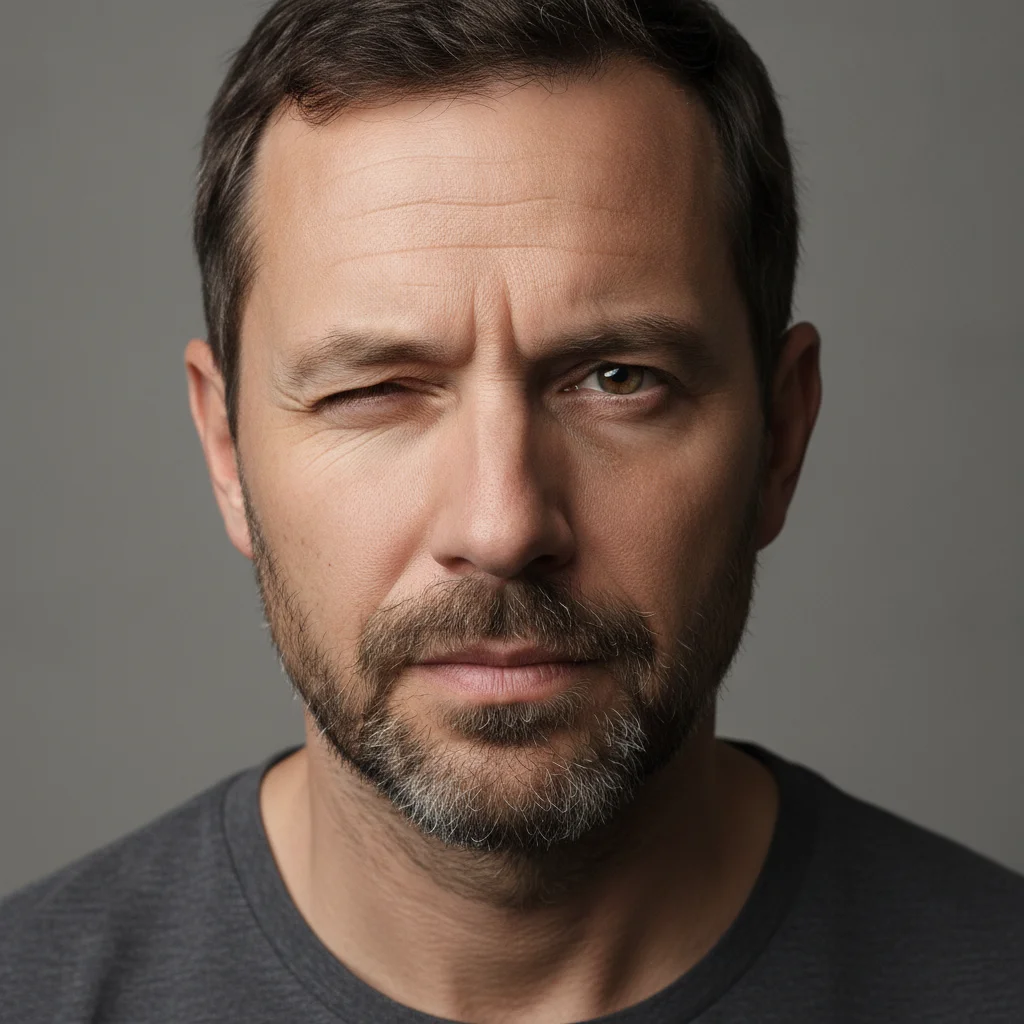
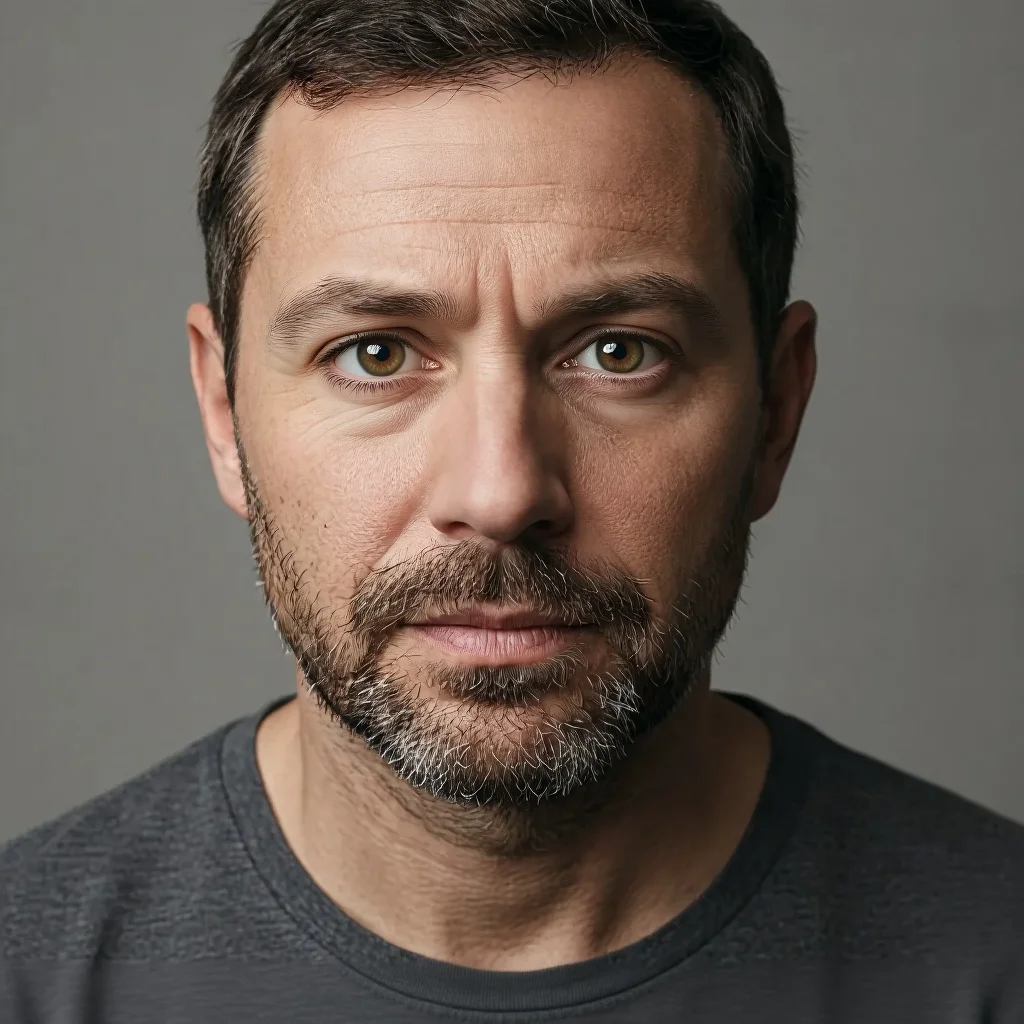
Man with left eye noticeably more squinted than the right, asymmetric expression
Before
->
Same man with both eyes evenly open and matching, natural expression
After

Asymmetric squint — one eye more closed than other

Headshot where the subject's left eye was significantly more closed than the right, creating an uneven look. A single pass corrected the asymmetry without touching the already-open eye.

Prompt: open the left eye more so it matches the right eye which is already open, keep the right eye exactly as it is and do not change anything else

Quick answers

Do I need to mark the eyes before describing what I want?

No. Just describe what you want: 'open the squinting eyes so they are fully open and relaxed.' The AI finds eyes automatically. Only add markers if one eye looks uneven after the first pass — then tap a marker on just that eye to refine it.

Is there a free tool to fix squinting eyes in photos without signing up?

Yes. EditThisPic fixes squinting eyes for free — no account, no login. Upload your portrait, describe how open the eyes should look, and download the corrected result in about 30 seconds. Works on desktop and mobile browsers. The free edit is a preview — purchased downloads are clean, full quality.

How do I fix squinting eyes in a photo for free?

Go to EditThisPic, upload your photo (JPG, PNG, or WebP up to 7MB), and type 'open the squinting eyes so they are fully open and relaxed, keep the natural eye color and expression.' The AI corrects the squint in about 30 seconds. No account required.

Can the AI fix squinting eyes in a group photo without changing other people?

Yes. Specify the person: 'open the squinting eyes on the person on the far left, leave all other people in the photo exactly as they are.' For photos where people are close together, tap a marker on the squinting person before generating.

What if the eyes look surprised or wide-open after the correction?

Add 'eyes should look alert and comfortable, not wide-eyed or surprised' to your prompt. The difference between 'fully open' and 'naturally open and relaxed' produces noticeably different results — the second phrase anchors the AI toward a calm, portrait-appropriate expression.

Will the AI match the correct eye color when opening heavily squinted eyes?

It does best when you name the color explicitly: 'open the eyes and match the iris to [brown/blue/green/hazel].' For heavily squinted eyes where the iris is barely visible, naming the color gives the AI a reconstruction anchor and produces more accurate results.

Can I just reduce the squint rather than opening the eyes fully?

Yes. Use 'reduce the squinting so the eyes are more open than in the original but still look natural, not fully wide-open.' This gives you a halfway correction that preserves the expression energy — useful when a big smile naturally causes slight squinting that you want to partially keep.

How much does EditThisPic cost?

You get 1 free edit per week — no account needed. After that, one-time credit packs start at $4.99 for 10 edits, valid 12 months, no subscription. Power users who edit daily can pick Studio Membership, a monthly workspace at $49.99/mo for 300 edits. Purchased downloads are clean with no watermark.

Ready to fix squinting eyes in your photo?

Free to try. No signup required.

1 free edit included·Credit packs from $4.99