Fix an eBay Listing Photo with AI
Last updated
Turn cluttered phone shots into clean, click-worthy eBay listing photos in under 30 seconds.
Drop your photo here
"Fix this eBay listing photo: replace cluttered background with clean white, sharpen the product details, balance harsh lighting, restore natural color, remove glare, photographic quality, ecommerce ready."
Release to upload
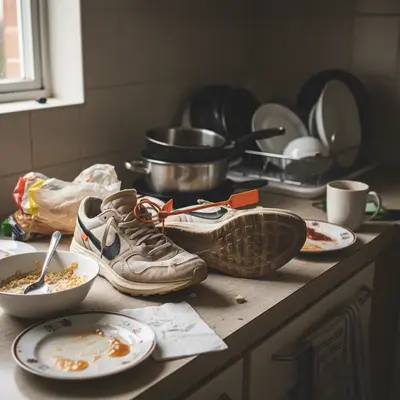
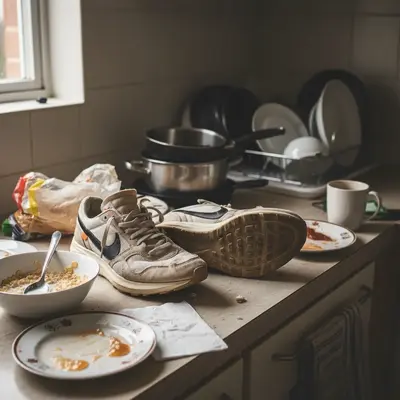
Built for eBay sellers, resellers, and side hustle listers
EditThisPic gives eBay sellers a way to make any phone snapshot look like a real ecommerce listing photo. Clean backgrounds, balanced lighting, sharper product detail - all without buying a lightbox or learning Photoshop.
Tools for AI eBay Listing Photo Fixer
How to Fix an eBay Listing Photo with AI
-
Open EditThisPic
Go to editthispic.com on your phone. No app, no eBay oauth.
-
Upload your eBay photo
Drop in any product shot - clothing, electronics, collectibles, household items, anything you sell.
-
Type the prompt
Try: 'fix this eBay listing photo, clean white background, sharpen product, balance lighting, ecommerce ready'.
-
Generate
EditThisPic returns a fixed photo in about 25 seconds. Clean background, sharp product, true color.
-
Upload to eBay
Save the result and upload directly to your eBay listing through the seller hub.
Copy-Paste Prompts for AI eBay Listing Photo Fixer
Real Examples
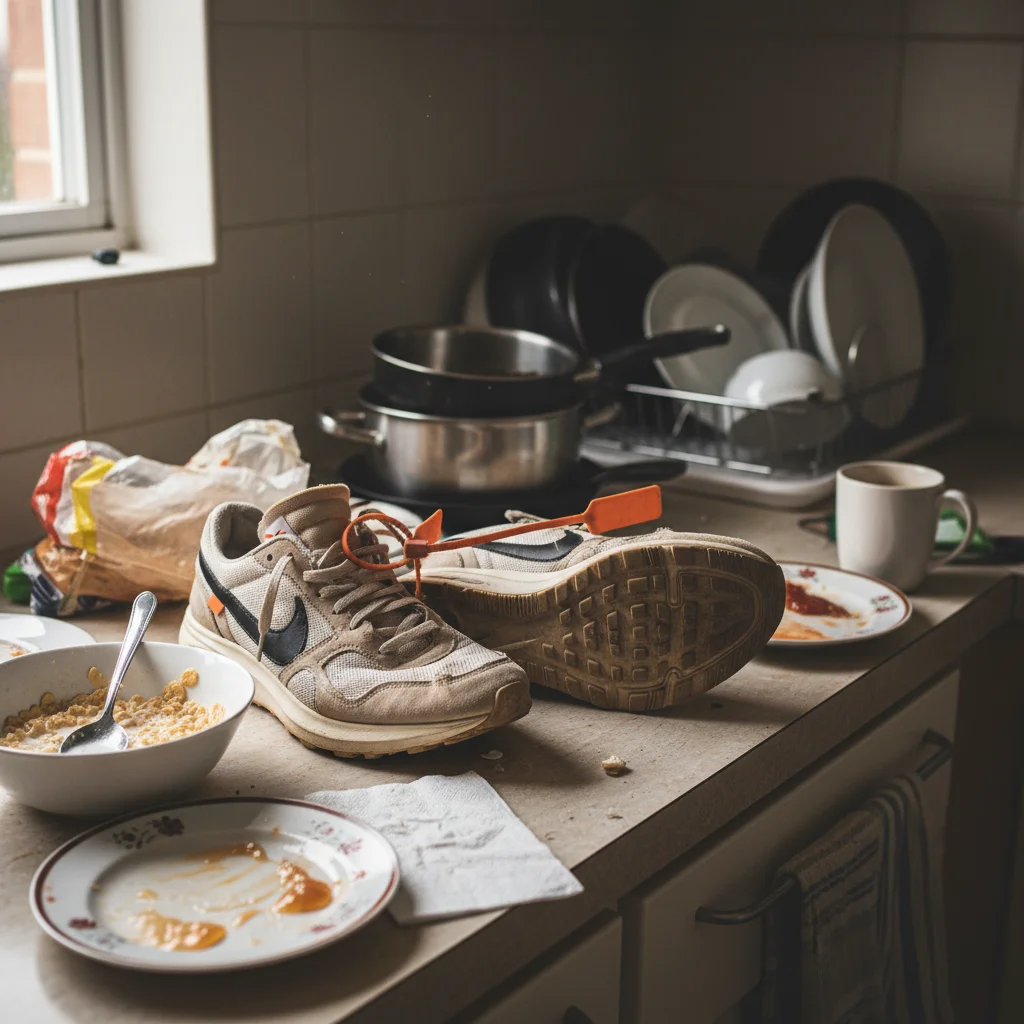
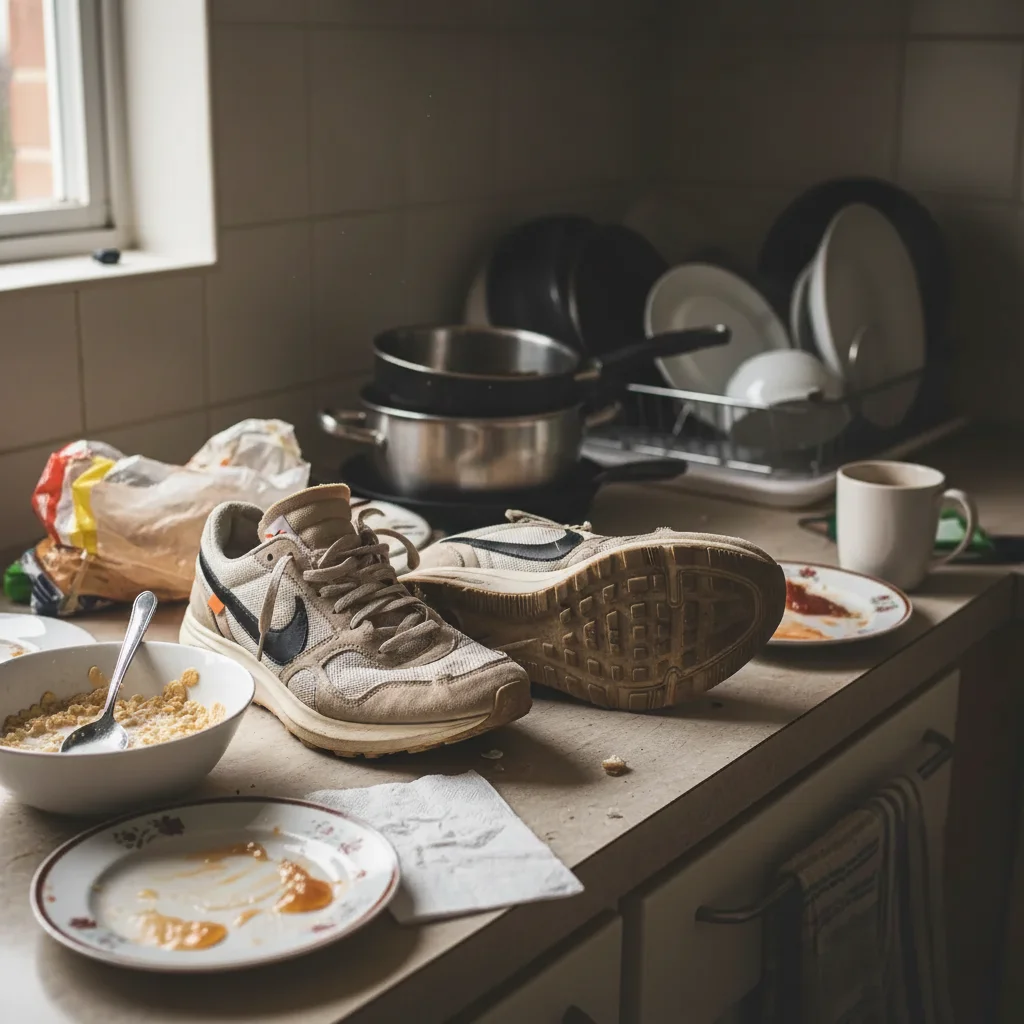
Clutter to clean white
A reseller uploaded a phone shot of sneakers on a messy kitchen counter. EditThisPic stripped the background and produced a clean white ecommerce shot.
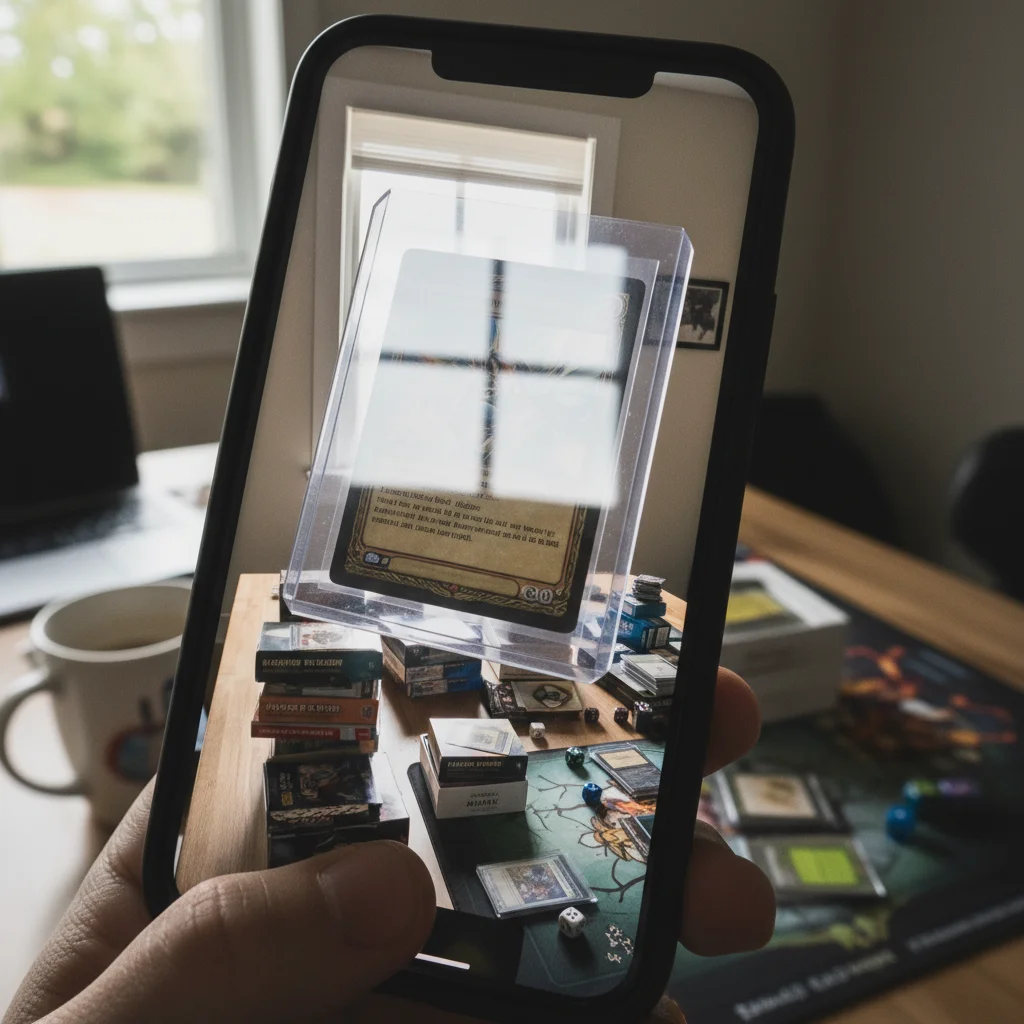
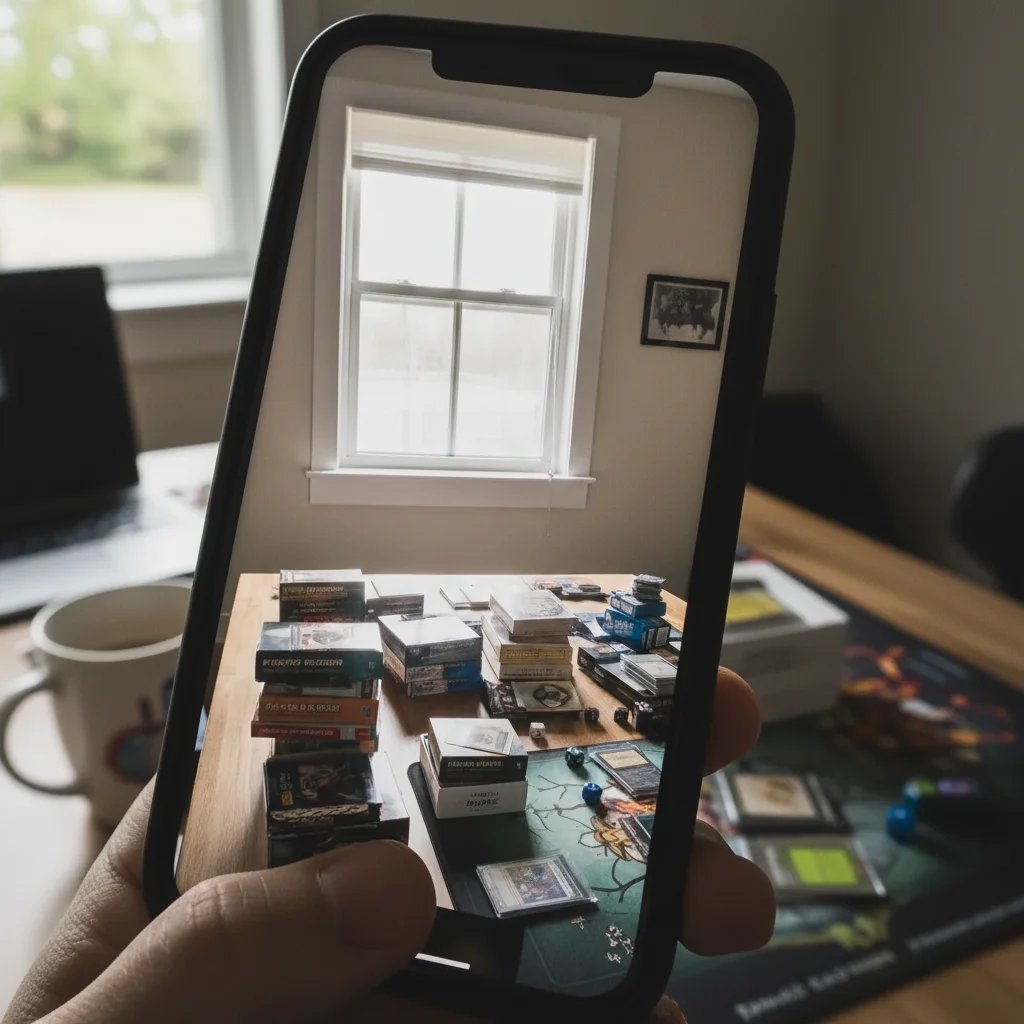
Card sleeve glare removal
A trading card seller uploaded a photo with harsh sleeve glare. The fix removed the glare while sharpening the card art and text.
Vintage collectible authentic look
A vintage seller uploaded a Polaroid of an old pocket watch. The fix sharpened the patina without erasing the authentic age.
When Things Go Wrong
Background not pure white
Product color shifted
Glossy product still has glare
Result looks fake or AI-generated
Frequently Asked Questions
How do I fix an eBay listing photo with AI?
Upload your eBay photo to EditThisPic, type a prompt like 'fix this eBay listing photo, clean white background, sharpen product, balance lighting', and download the result in about 25 seconds. Then upload to eBay through the seller hub. Free, no signup.
Can AI replace my background with white for eBay?
Yes. EditThisPic strips cluttered backgrounds and replaces them with clean white seamless background, exactly what eBay's gallery thumbnail prefers. Use 'replace background with pure white seamless' in your prompt.
Is the eBay photo fixer free?
Yes. EditThisPic is free to use. No signup, no watermark, no credit card needed. Fix as many listing photos as you need before uploading to eBay.
Do AI-fixed photos meet eBay's image policy?
Yes, as long as the fix doesn't materially misrepresent the product. Lighting, background, and sharpness corrections are allowed. Don't change the product color, size, or condition - that violates eBay's policy and leads to returns.
Will the AI change my product's color?
By default, EditThisPic preserves the original product color. If you notice a shift, add 'preserve exact original product color, no color shift' to your prompt. True color is critical for eBay - shifted color leads to returns and negative feedback.
What if my product has glare or reflections?
Glossy products like screens, jewelry, and packaging often have glare. Add 'remove specular highlights and glare while keeping natural surface sheen' to your prompt. The AI removes distracting glare while preserving the product's natural shine.
How big should an eBay listing photo be?
eBay requires photos at least 500 pixels on the longest side and supports up to 12 photos per listing. EditThisPic outputs at 1024x1024 or higher, well above eBay's minimum, and the result loads sharp in the gallery view.
Does this work for clothing photos?
Yes. Use 'fix this eBay clothing photo: clean white background, sharpen fabric texture and stitching, restore true garment color'. Works for clothes on hangers, flat-laid, or on a mannequin.
Does this work for trading cards and collectibles?
Yes. Trading cards in sleeves often have glare. Use 'fix this eBay trading card photo: pure white background, sharpen card text and image, remove glare from card sleeve'. The AI removes the sleeve reflection while keeping the card detail crisp.
Are my eBay photos stored?
No. EditThisPic processes your image in your browser session and does not save or train on your photos. The image is deleted shortly after processing.
Popular use cases
Ready to make click-worthy eBay listing photos?
Free to try. No signup required. No watermarks.
Start EditingTrusted by 15,000+ users